I often run into this scenario: I have already invoked the actions to start a new post from a website I am currently reading, but now I want to add in additional quotes from other sites. This used to mean a lot of copy-paste and CMD-Tab. Of course that also means this is something that can be completely automated by Keyboard Maestro, so let’s do that.
## Scenario:
You have just started writing about a quote you grabbed from Website A, and now you want to go back and quote (and link to) the source from Website B.
## Solution:
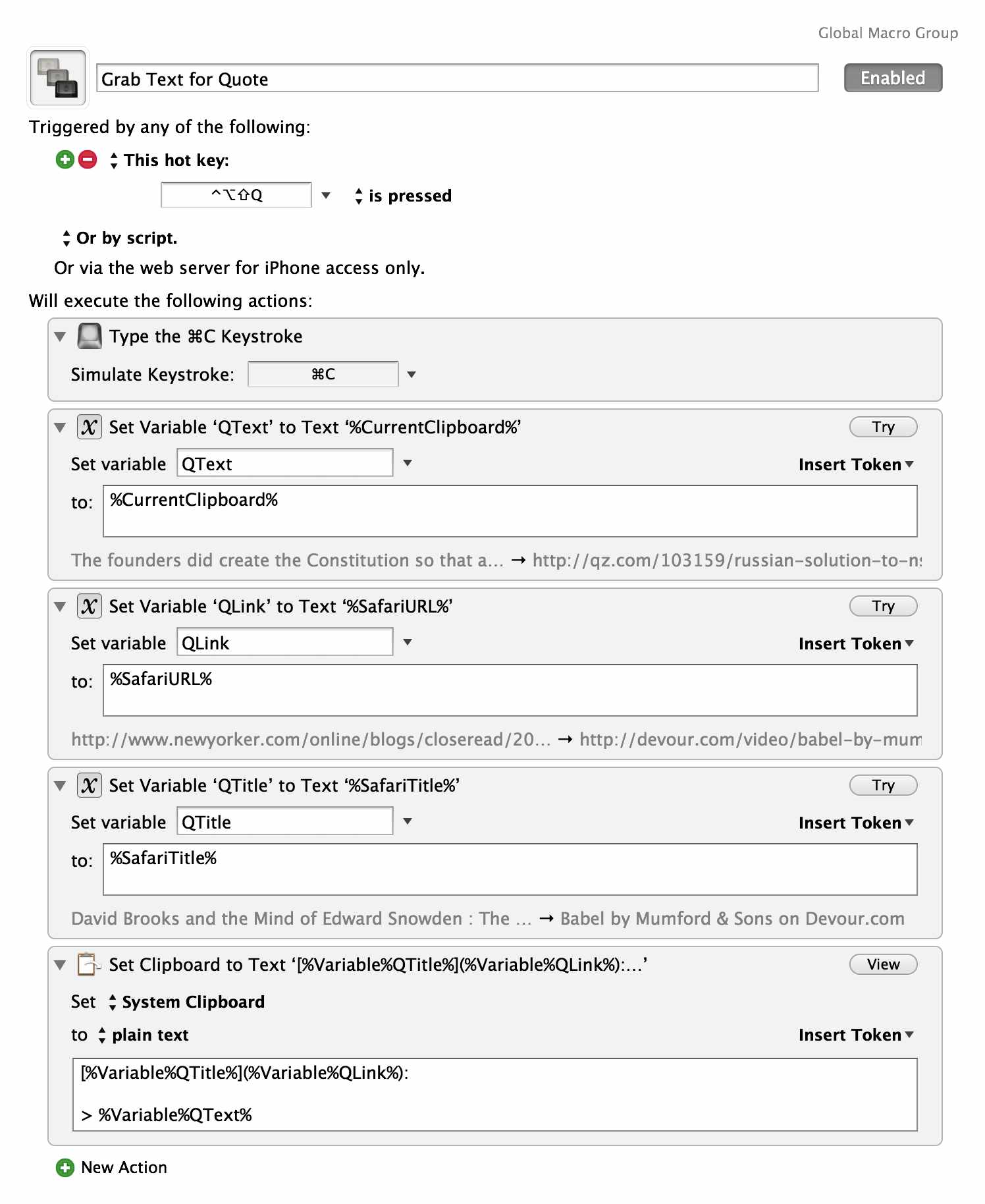
To the right is my solution. Currently I have the macro linking the text from the title of the page to the URL, this is mostly because 20% of the time the author’s name might be in it, but regardless I have to edit that text 100% of the time anyway. Some of the formatting is also specific to the writing tools I am using, so you may need to adjust it (it’s all formatted for Markdown right now).
The benefit is that now I can select text on a page, hit the hot key and paste to my document, saving a bunch of extra clicks. It’s not the best, but it sped things up a touch for me.