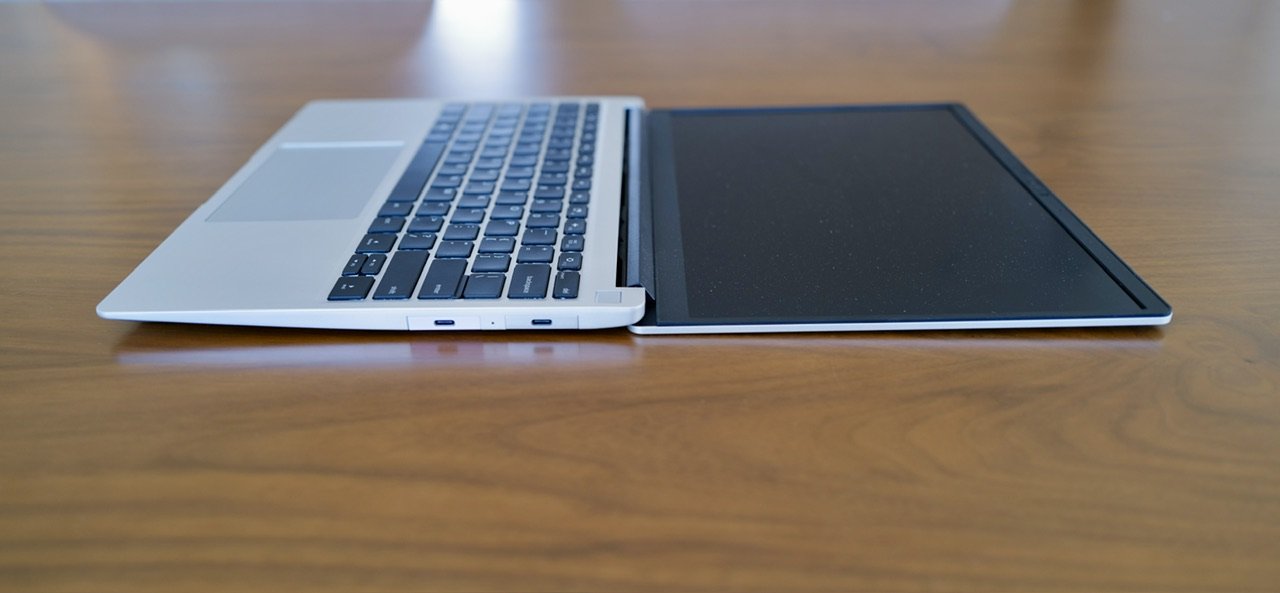
There are a lot of really amazing laptop options out there, and Framework’s offerings have been getting a little more press lately. I picked up a Framework 13 at the start of the year to use as my computer during times when my iPad Pro could not handle the task — whatever those tasks might be.
Framework, for those who are not aware, produces laptops geared for Linux users, with Windows support, and they focus on easily repairable/modified/tinkered with machines. That’s to say, while you can buy a fully assembled machine from Framework, one of the more popular routes is to buy the DIY model where you pick every single part, and assemble it yourself.
That’s the route I took, so now that I have several months of using this machine, I wanted to tell you all about why this should be a strong consideration for anyone not particularly feeling beholden to Apple.
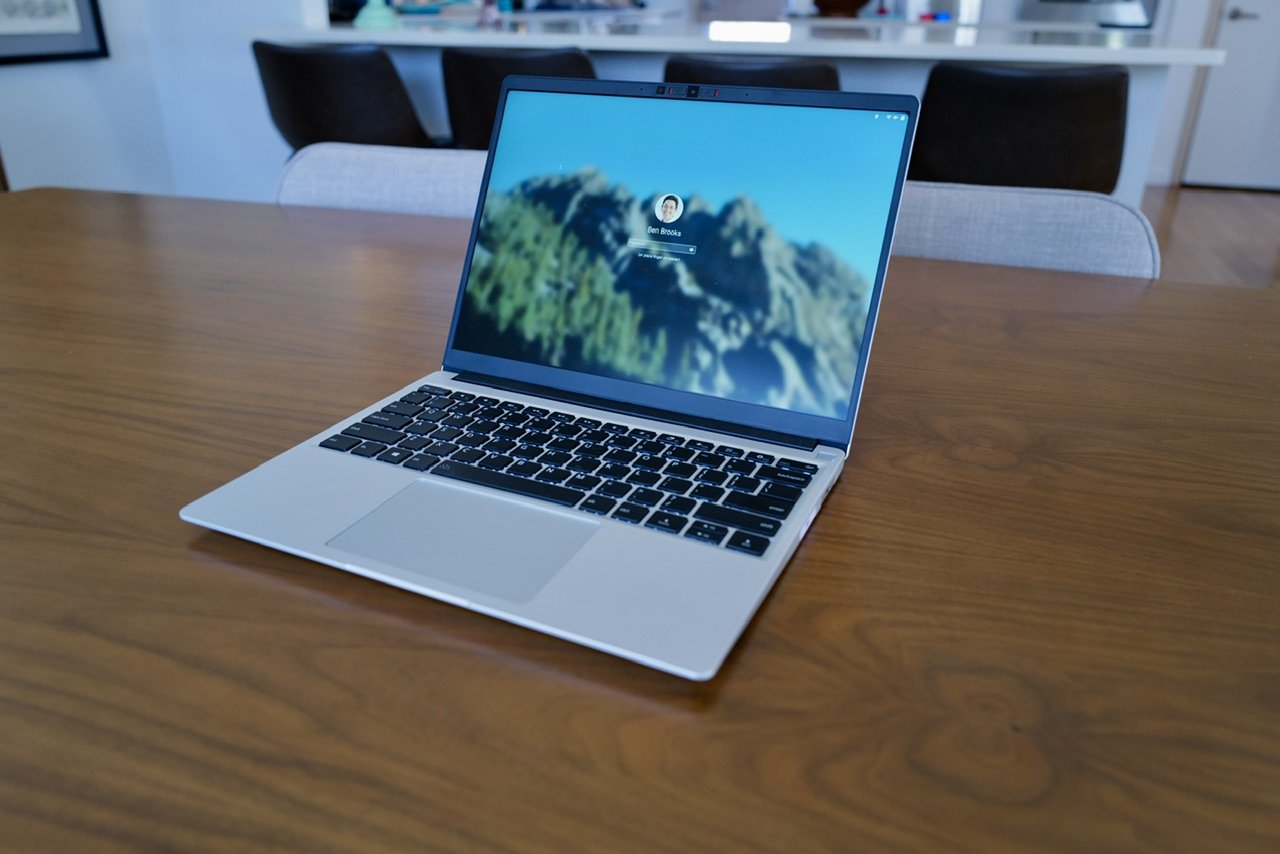
My Setup
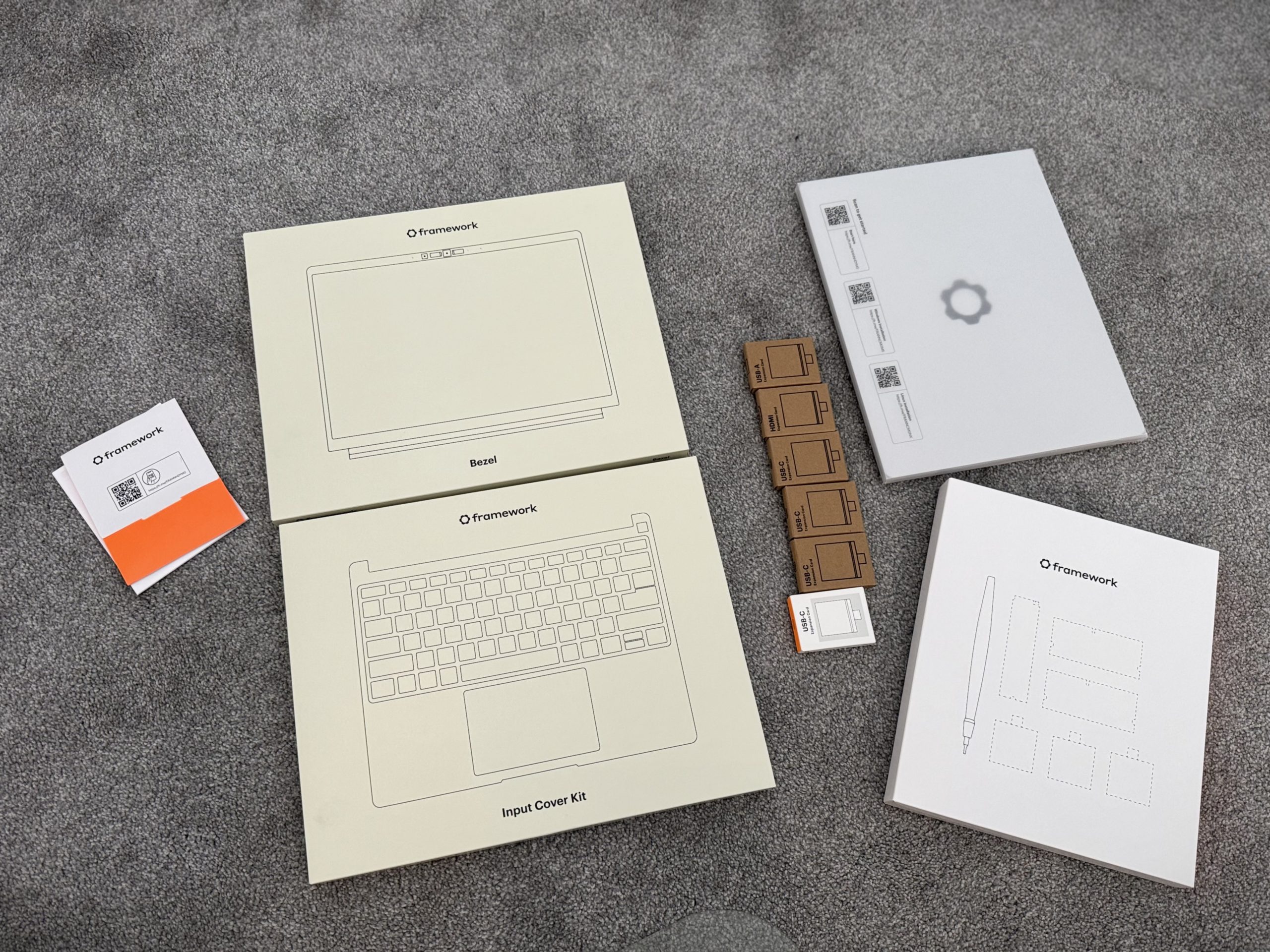
I selected the DIY option of the Framework 13, from there I bought my RAM and SSD from Amazon instead of from Framework, which saved me some money. The final specs of my machine:
- Framework 13
- 2.8K Display
- AMD Ryzen™ 7 7840U w/ Radeon™ 780M Graphics
- G.Skill RAM 64GB
- Crucial 2TB SSD Drive
For the modular ports I chose:
- 4x USB-C
- 1x USB-A
- 1x HDMI
- 1x SD Card Reader
The total for all of this (with tax and shipping) was: $1,821.62
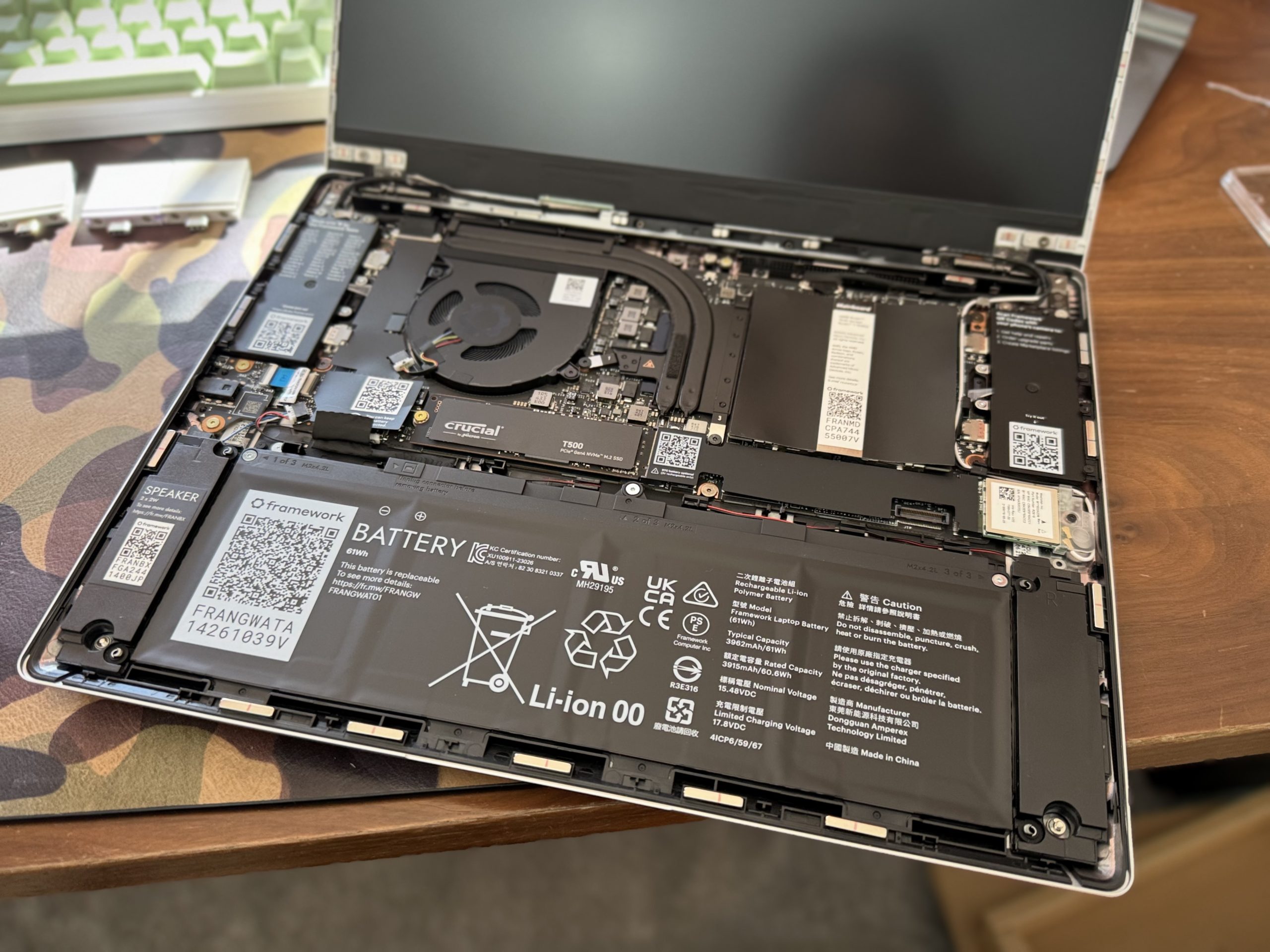
It’s hard to compare this Apples to Apples with other machines, but let’s take the MacBook Air and spec something close to this, which is a 13″ Air with a 2TB SSD and Apple’s max of 32GB of RAM. That’s $2,200 before tax. Not a direct comparison as the Apple Silicon is ‘faster’, and the machine is vastly more compact with better battery life.
Though at the same time, the Framework is modular, so I can upgrade essentially any component later should I want to change, or something new comes out. Framework came out with new Mainboards after I bought mine, and I can upgrade that for $999, and still have my old board which I can put in a case for $39 to run headless (if I bought more RAM and another SSD). That’s the value prop of the Framework, even if the price is lower, it’s the longevity of it all.
The question then becomes: is it worth it, or is it any good?
Compared to MacBook Air
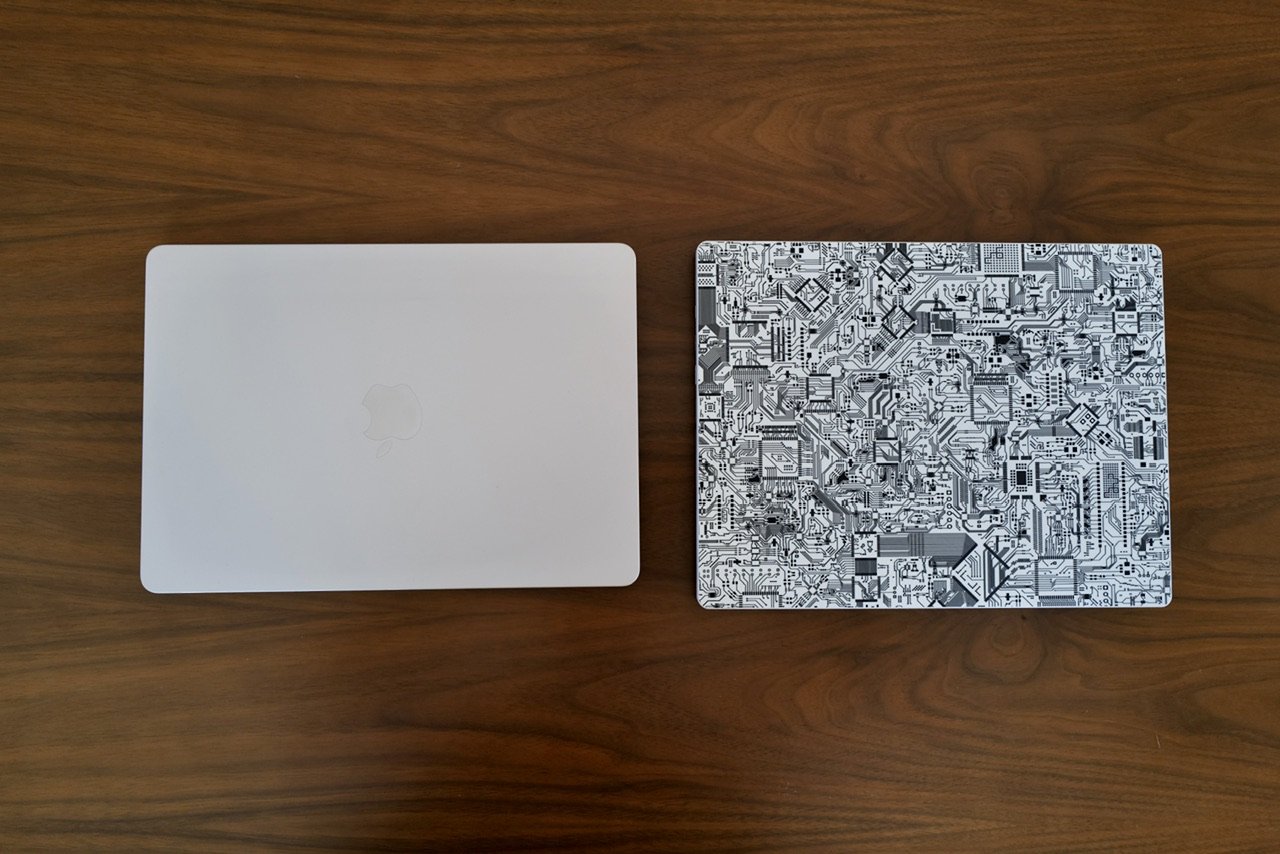
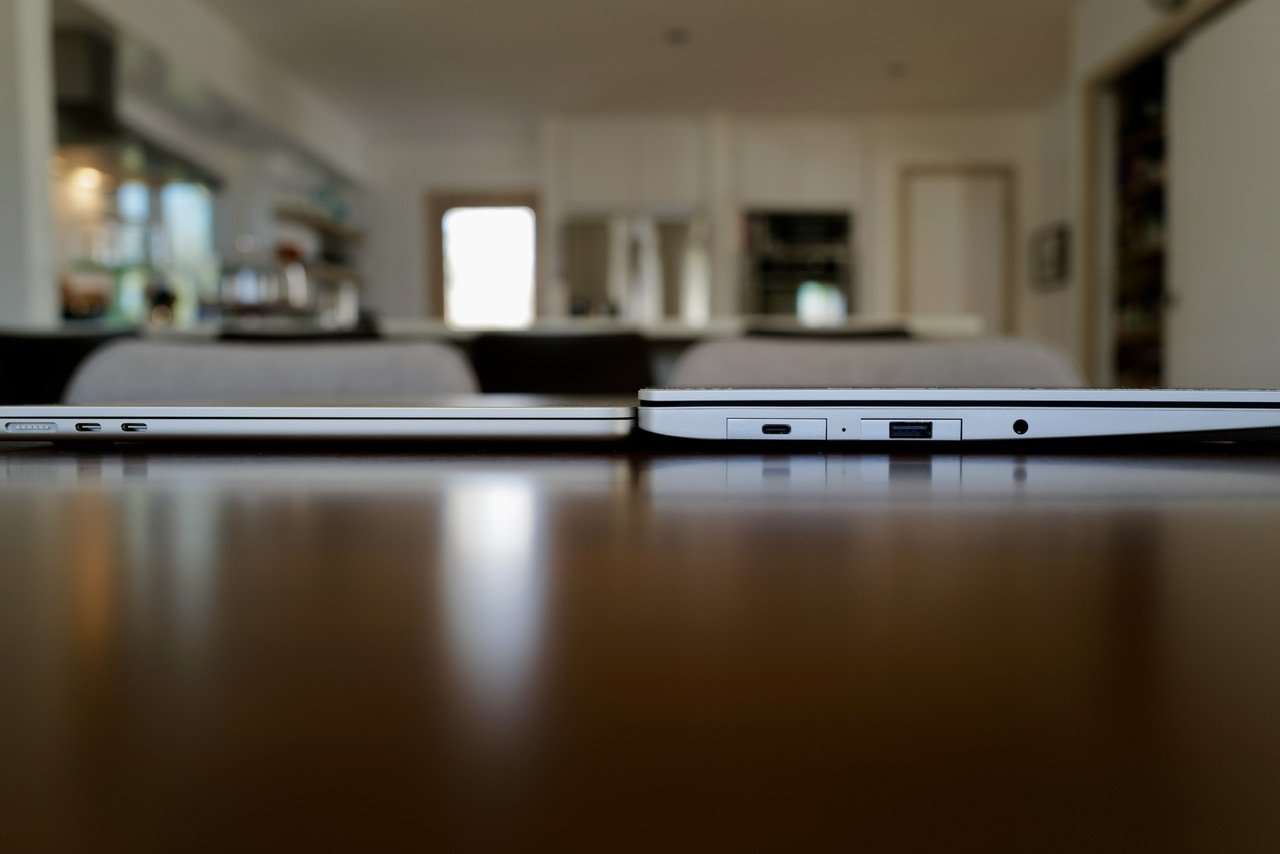
Here’s some side by side images with a current gen MacBook Air 13.

Practical Use
I run Project Bluefin on my Framework, which is a Fedora (Linux) based operating system. I don’t want to dive into the specifics of this distro, but it’s important to note as different distros will net you different user experiences. The good thing here is that this machine should be compatible with many options, including Windows 11.
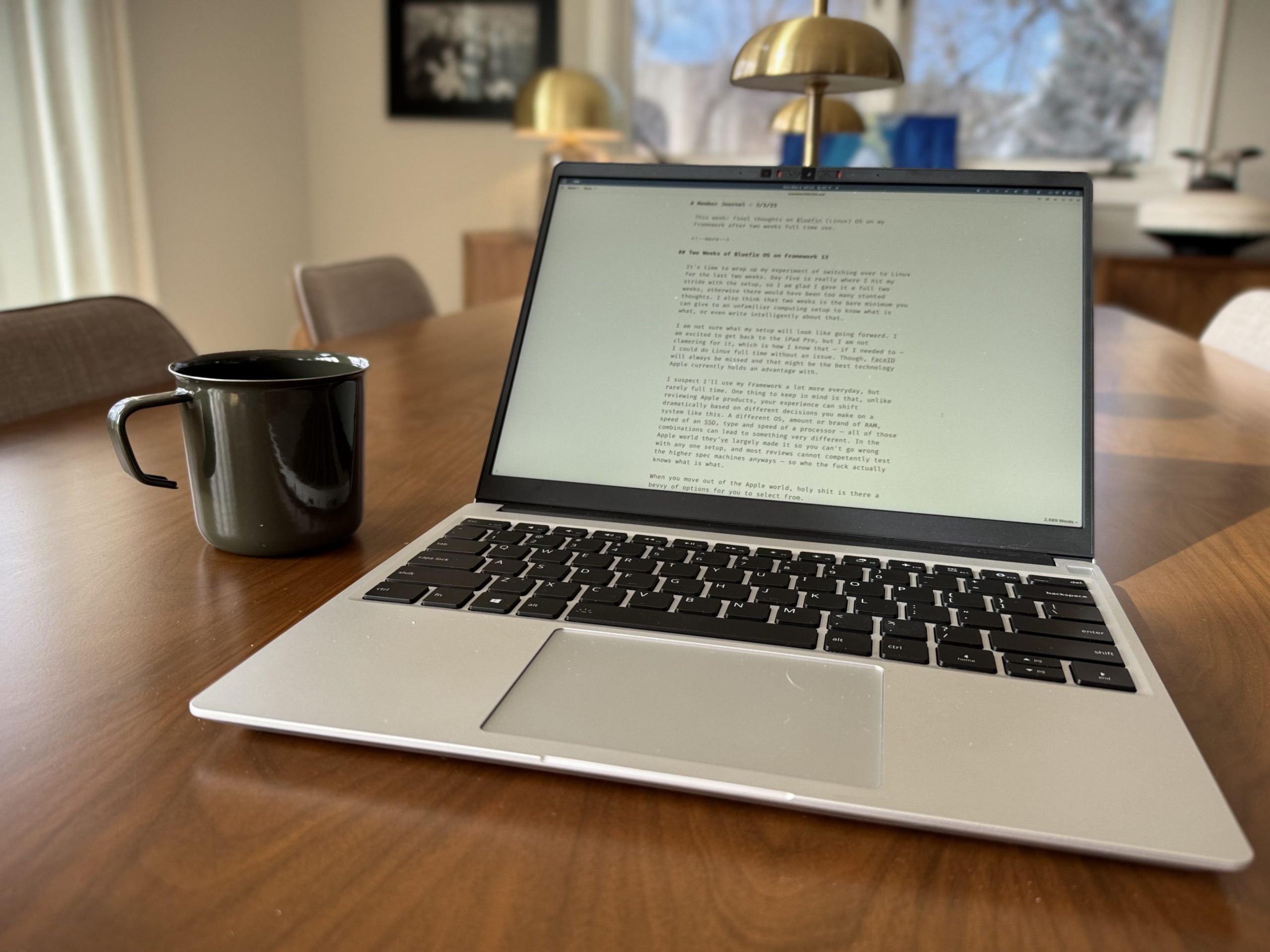
In day to day use, I’ve yet to run into storage limits. I’ve not used all my RAM. And I’ve not had any complaints about battery life. At the same time this is a secondary machine for me, one I use a often, but not all the time. If I were using it full time, the battery life might not be as sufficient feeling.
The only areas where I can clearly see an MacBook Air ‘outperforming’ my Framework is when running LLMs locally, and battery life, but that’s also highly dependent on many factors.
The big upside on the Framework is that this machine allows you to buy small. From there you can upgrade as your needs dictate. Start with 8GB of RAM and 512GB SSD if that’s what is affordable. Upgrade when you find a sale, or when you get the cash. The value of that, especially for me with this being a secondary machine, is tremendous.
If I had to do this over again, I would have went with 32GB of RAM and a 1TB SSD — and I bet I would hardly notice the difference with how I use the machine.
The Not So Great
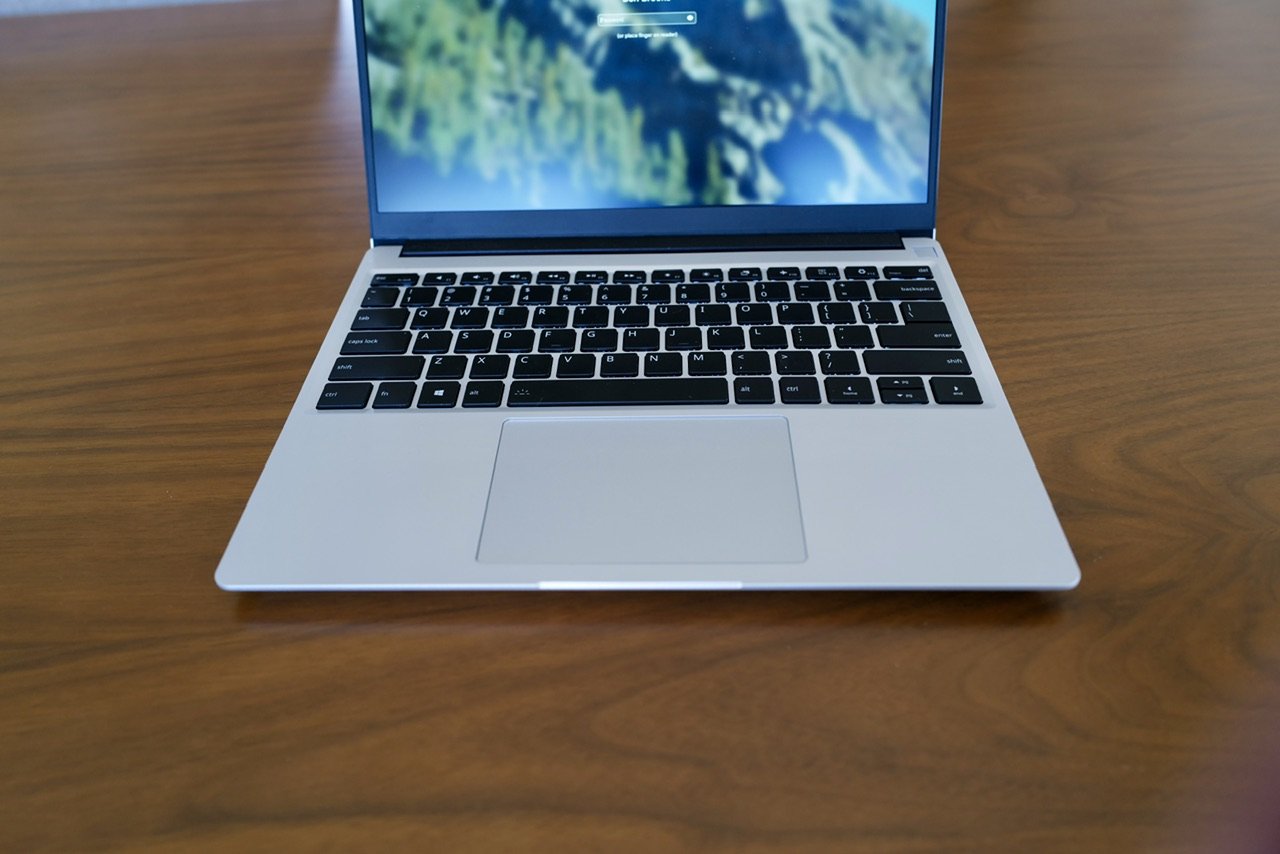
I want touch on the items which are not great on this machine first. Some of these items are going to be deal breakers for people — for me they are at best a minor annoyance. I would, however, pay for any of these to be remedied.
- Fingerprint reader: the power button is also a fingerprint reader which is supported by Linux distros and Windows as an authentication method. Unfortunately it’s not a very good fingerprint reader. It works about 25% of the time for me. Otherwise it simply fails to read my fingerprint. Maybe that’s a Ben issue, but it is certainly an issue of some sort.
- Trackpad: the trackpad isn’t bad, but it isn’t great. Certainly not by Apple standards. One of the biggest issues I have with it is palm rejection while typing. Apple handles this flawlessly, and the lack of flawless handling shows on the Framework. This was a massive issue when I first started to use the machine, and has dissipated now to nothing but a minor thing which happens here and there. Generally this shows up as a jumping text cursor when you are mid-sentence, or the cursor not moving when you quickly move from typing to trackpad.
- Battery life: this will be highly dependent on the OS you choose for the machine. With Bluefin, battery life has proven to be fine. Depending on what you are doing it could be 3-4hrs, or when I am writing only on the machine, upwards of 9hrs. There’s a wide variance which is largely dependent on CPU/GPU usage more than anything else. Running local LLMs on the machine will nuke the battery in under 90 minutes. What is very true to say: it’s not even close to what a MacBook can do. On the flip side, you can replace the battery yourself for a very low price if it wears down, so there’s that. There’s also been good BIOS updates to help manage the longevity of the battery, much like how a Macbook handles charging these days.
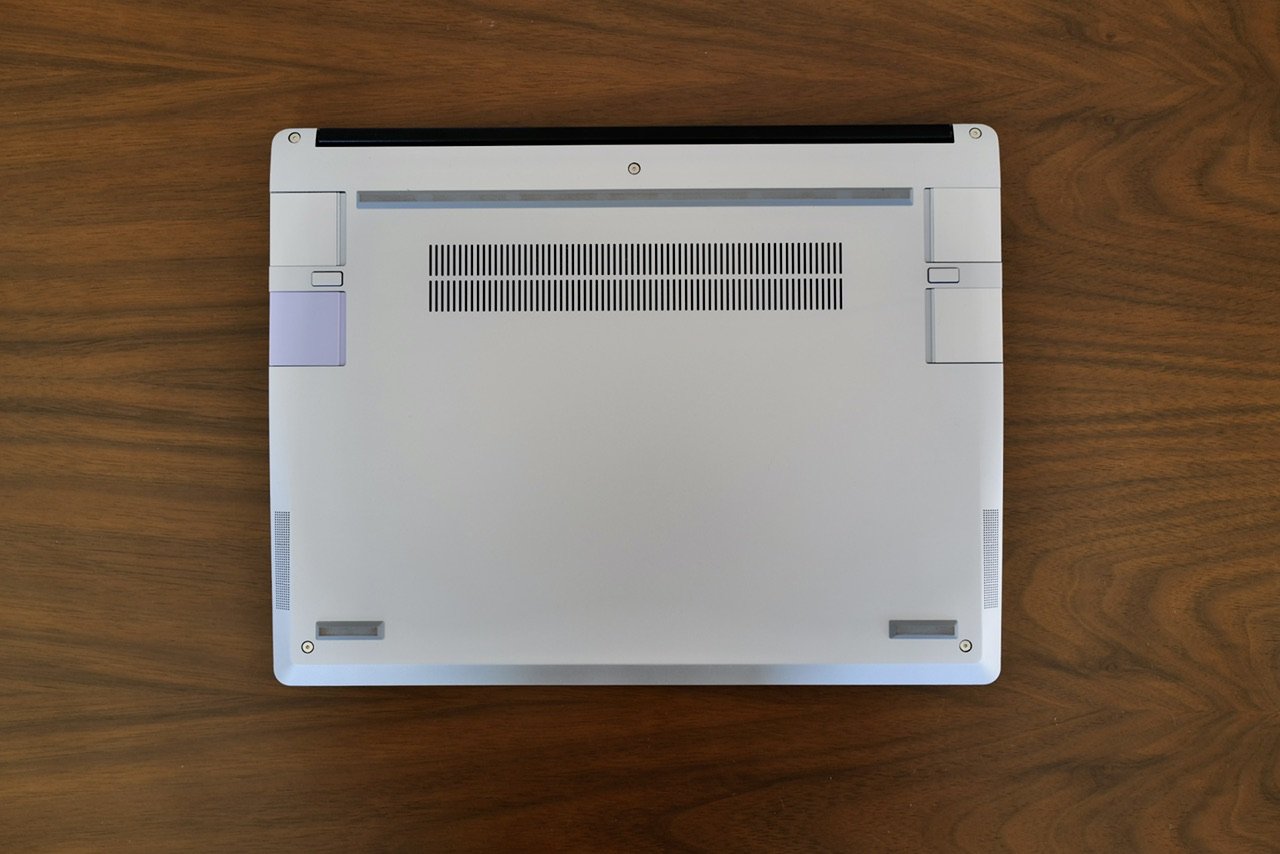
- Fan vent location: this, yes, has a fan in it. That fan has a large grill which vents directly at the bottom of the machine, in the back 1/3 of it. This is annoying when using the laptop on your lap, as these vents are hot and you are constantly warming up the machine. This is simply a bad location for this vent.
- Thickness: because of the modularity of the machine, it’s a lot thicker than most Apple machines. It’s not “thick”, but if you are coming from Apple or even Lenovo X1, you are going to not be remotely impressed.
- OS selections: when you can install what you want, it’s easy to not know what you want. That’s one issue with Framework, but the larger issue is that no other OS out there is quite as nice as macOS, even with all the flaws current macOS has. Things are getting close, but Apple isn’t standing still to wait for them to catch up. No one should use Windows, but it’s also hard to use Linux over Windows for most people.
Those are my only real complaints about the machine.
The Great
Let’s talk about what is great:
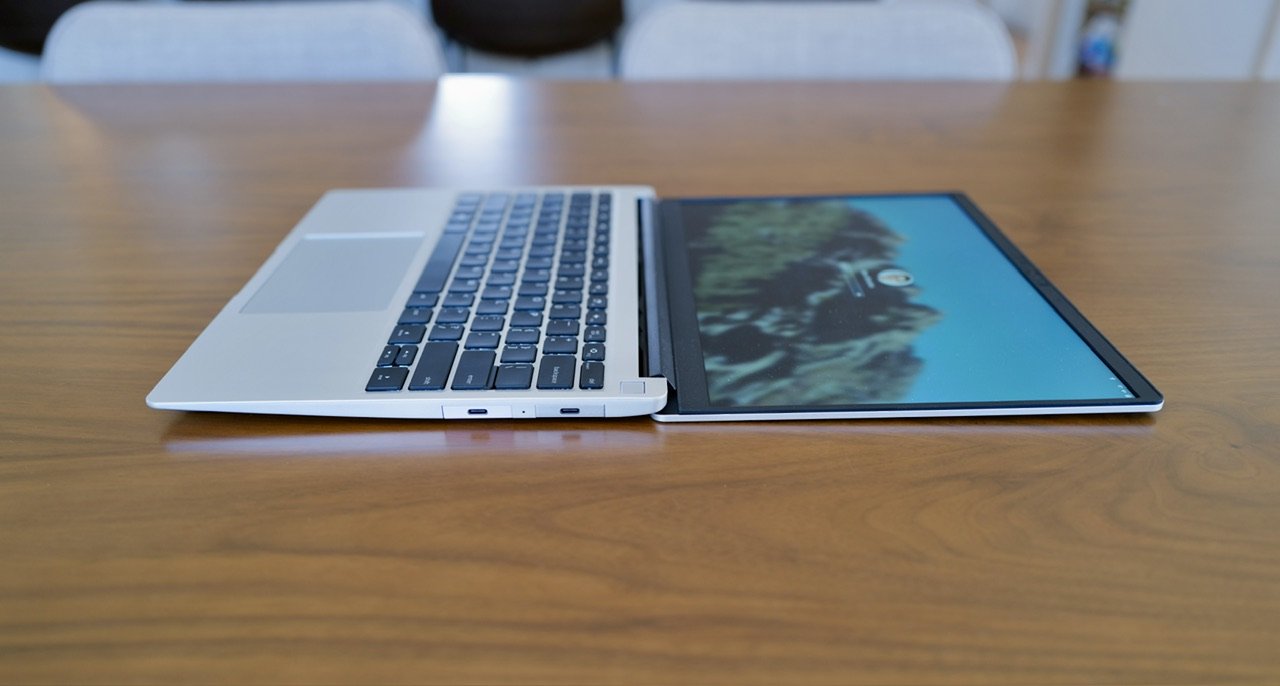
- Screen: I would not go so far as to say this is MacBook great, but I have been very happy with this 2.8k display. Nothing feels like it is lacking for sharpness or contrast. Additionally there’s no glare to it, and you don’t pay for some funny texture application like you do with Apple products. Most of the images I took for this review, is with the screen facing direct sunlight — this display is really nice and the type of display that is good enough to never need to think about it again, but not so good you actively think about how good it is.
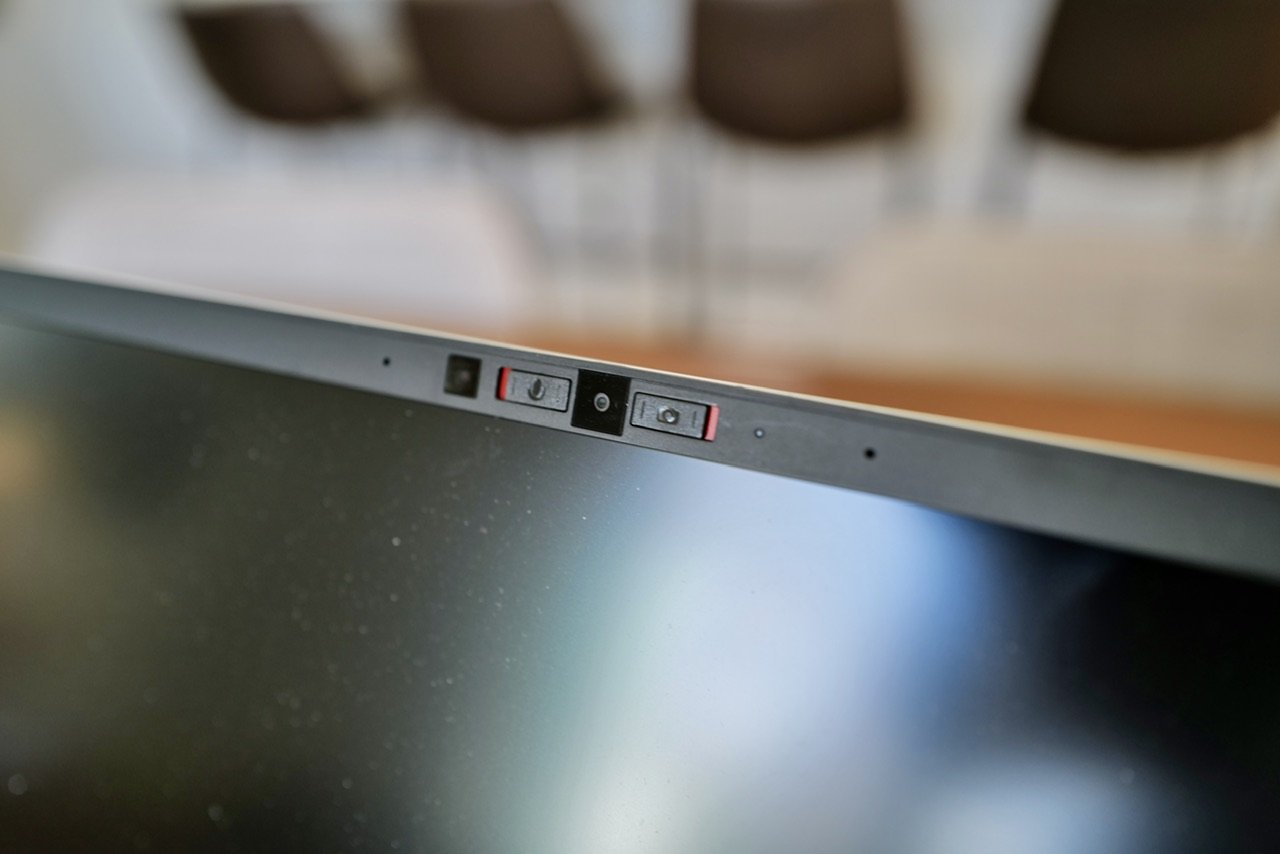
- Physical switches for camera and microphone. At the top of the display is the camera and microphone, and next to each is a hardware switch to deactivate each one. No need for a silly lens cover, or worry of someone snooping, the red shows that they are not able to be used, and only you can turn them back on. Every device should have this.
- Build quality: I’ve been really happy with the overall build quality. For a machine designed to be repaired by users, it’s very smartly done, and yet it closes up nicely with good alignment and a very solid overall build.
- Modularity / expansion slots: not only can you swap mainboards, RAM, SSD, or even the battery — you can also swap out the four ports. Framework calls these expansion ports, and they are effectively USB-C ports, with designed by Framework adapters. Two on each side, however if you select the AMD CPU (and you should) there are some limitations with a couple ports and what they can/can’t do. There’s a wide offering of ports, including large expansion drives, and a comically bulky ethernet port. This effectively does a lot of future-proofing for your machine, and allows you to always have the port(s) you need. Though one must be use for charging (the only other port is a dedicated 3.5mm audio jack).
- Keyboard: unlike the trackpad, this keyboard bests a MacBook keyboard. It has great key travel, a quiet enough sound, and a good layout. It’s also user replaceable, so you can swap layouts, languages, or upgrade in the future. A common oversight on this machine is the keyboard backlight, and it does have one which works quite well. This is a very comfortable keyboard to type on, and I have no complaints.
- Hinge angle: when you have this on a flat surface, you can push the screen all the way flat. It doesn’t fold back over, but the angle is massive, and while I didn’t think it would matter initially, I found that when working with the machine on the couch, this extra screen angle was fantastic for comfort. I’m not sure why other machines limit this, but now I don’t know if I can go back.
- The Bring Your Own nature of it all is stupendous. It feels like the 90s again, where you can dive in and tinker around. Don’t like the AMD WiFi chip, and want Intel instead? Sure buy the part and install it. There’s something very freeing with knowing that I can upgrade bits and bobs on this however I want. I can change out the screen bezel if I want. I could go in and actually remove the WiFi and Camera chips from the machine if I was very worried about security and put them back later when I realized that was silly. So many little things, which all add up to something really great with this machine.
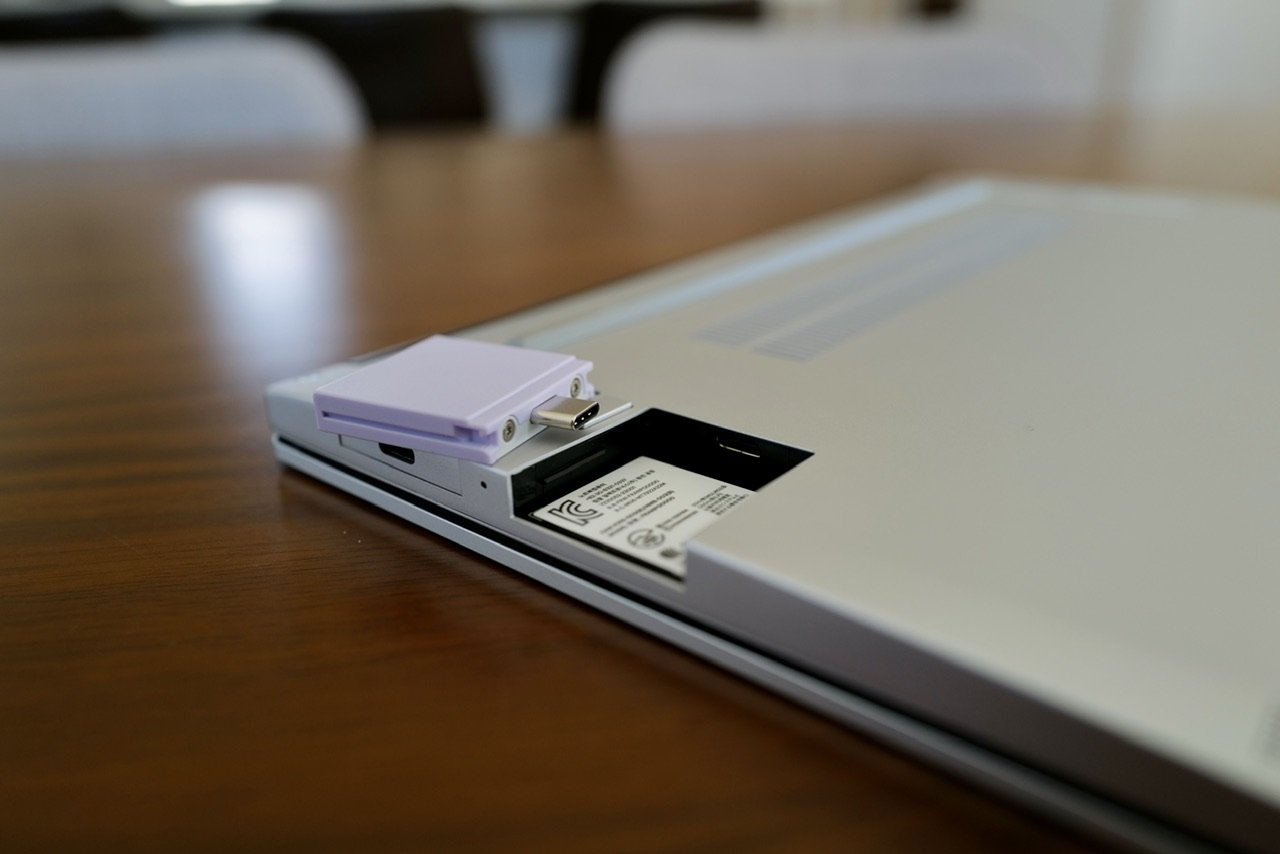
Don’t sleep on the modular ports. I typically keep all four USB-C ports on the machine, but occasionally I’ll swap in a USB-A as it’s easier than going to find the cable or adapter. I have an SD Card reader for when I travel and might want to off load images from my Leica. An HDMI port (full sized) for when I am heading into a conference room and want to make sure I can handle the A/V. Framework sells just about every port you could hope for, and that’s the only downside — restricting how many you buy.
Overall
The last time I was this happy with a laptop purchase was when I jumped from Dell to Apple, and purchased a 12″ Powerbook G4 — what a machine. The Framework 13 gives me those same feelings of being able to breathe again. I don’t feel constricted to only what I should be allowed to do, or unduly punished for selecting the wrong port setup, screen, RAM, or SSD (among many others).
So unless you cannot leave macOS, Framework should be at or near the top of your list when laptop shopping. I prefer it with Project Bluefin installed, but any flavor of Linux is so easy to use these days, that if you can assemble this machine you should have no issue running Linux either — as long as you are willing to put up with some software tradeoffs.
Or, to summarize this another way: if Apple were to sell this exact machine with an Apple logo instead (and macOS), the market would lose it’s damned mind and Apple would not be able to keep it in stock.