Top Posts


Recent Articles

  • A Desk of iPad

    I love the idea of just having an iPad on my desk — nothing else.

    I recently wrote about how I often dream of wiping everything off my desk and just placing the iPad in the middle of it. It would sit there alone, surrounded by my expansive desk as a symbol of both simplicity, and how far (technologically) we have come since the early days of computing.

    Well, I came up with a reason to do that — well kind of that. I was heading out of town for the long weekend, down to Oregon, and I was to ride the train out of town. Because of the train ride, I was going into work only until 2:00pm, and then having a coworker drop me at the train station. Naturally, I didn’t want to leave my laptop at the office over the long holiday, but I also didn’t want to take it with me.

    The solution was to leave it at home and spend the partial day working from just the iPad.
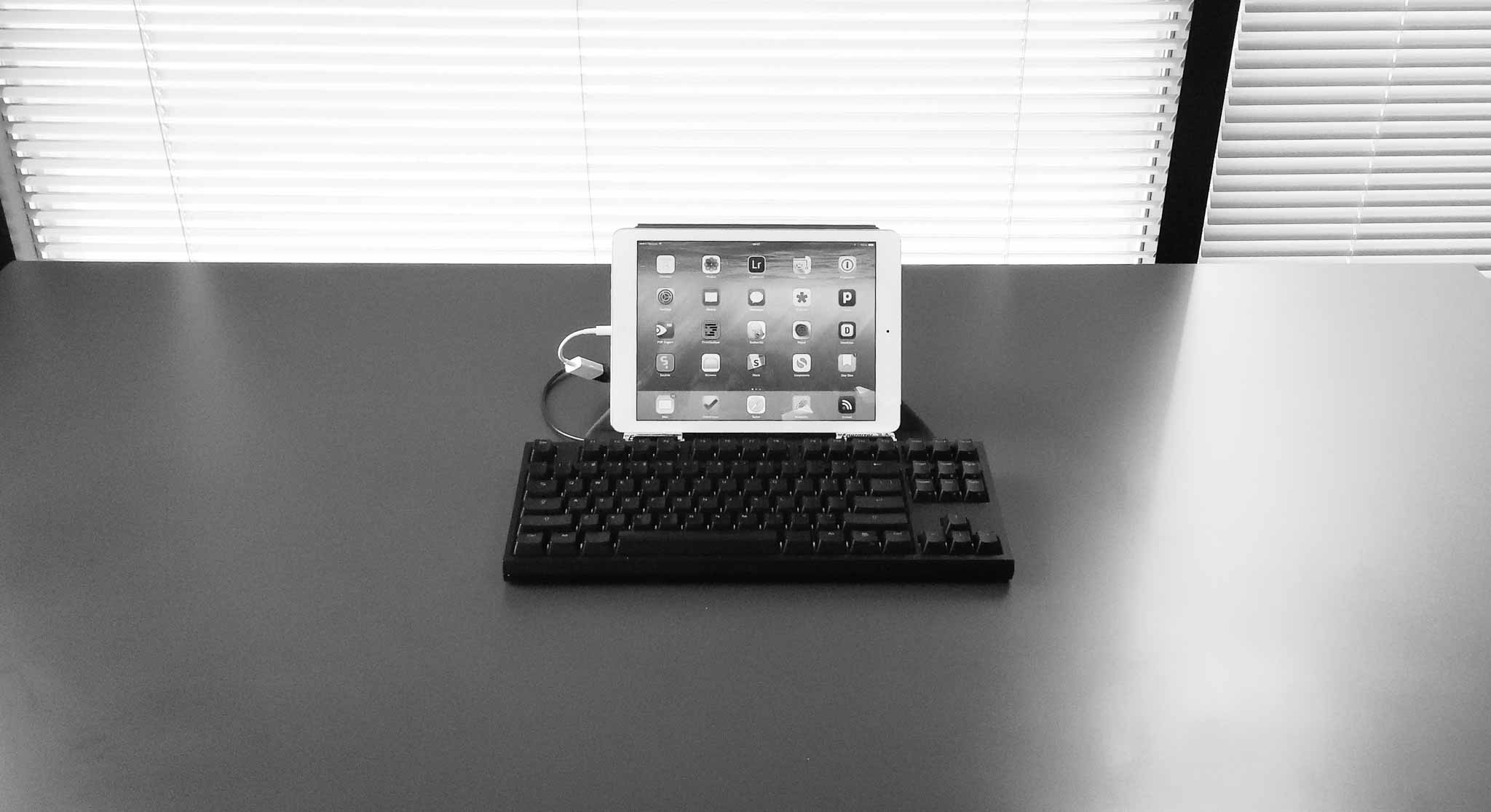
    First of all, the setup looks killer. Minimal, awkward, and awesome. Just how I hoped.

    As with most managers my days are spent writing things, usually in emails. I also make heavy use of OmniFocus, and web based services. All of this seemed ideal for this setup, and the addition of a long holiday meant that there wasn’t a whole lot of stuff to do anyways.

    I could have picked a smaller keyboard to go with the setup pictured (I have a few), but I enjoy typing on the CODE keyboard far too much, and I have the USB adapter to use it, so… It looks silly, but it feels amazing to type with.

    So how does this all work?

    Well, it actually works pretty well, and would likely work even better if I wasn’t running a beta version of iOS (as somethings don’t work in the beta). What I didn’t expect was that I would be more focused.

    When I have my Mac in front of me I am doing a lot of things, but not focusing on a lot of things. With the iPad only I felt that was reversed — I did a bit less, a bit slower, but what I did do was more focused and therefore carefully done.

    There’s both good and bad to this.


    Note about the CODE

    I ultimately had to switch to an Apple Wireless keyboard, in my Origami Workstation, because the CODE kept having too many problems. The iPad warned me it was not supported, but it worked (mostly). However, and I don’t know if this is an iOS 8 bug or not, but the keyboard kept locking up the iPad to the point where I had to hard restart the device.

    So I switched to the Apple Wireless as it works as expected. Oh well. I suspect there might be too great of a power draw on the CODE, not sure.


    The Work

    As I mentioned, I felt more focused, but I also felt like I was working slower. However, at the end of the day, I still got everything I needed to do done. Sure there were a couple of things that I couldn’t do throughout the day, but each of those were bugs in the beta of iOS and not underlying issues with iOS itself. Some things I just passed off to others as I didn’t want to take any time to figure out how to do them. (Benefit of being the boss, I suppose.))

    I shouldn’t be amazed by this, I’m a big believer in the iPad, after all it is my favorite device, but I’m still amazed at what I learned.

    I learned that I have no need for anything more than an iPad on an average day.

    That’s not to say that I won’t benefit from a laptop, or that an iPad is the best tool, but that the iPad did everything exceedingly well. I loved it. Not enough for everyday just yet, but when I know I have a busy day in meetings, I’m now going to leave the laptop behind.

    I still need more than an iPad, but that gap is going to close tightly once apps start taking advantage of the new features in iOS 8. And I can hardly wait for that.

    The only thing I do need is a bigger screen for the iPad. I’ve always wanted a larger iPad, but perhaps someone can figure out a way to make an iPad functional on a bigger screen (meaning the larger screen needs touch, or something of that ilk). Mostly I think a 12-13” iPad would make me drop a laptop completely, perhaps with just one family computer at home for those odd ball tasks.

    The long and the short of it is that I found the iPad better at:

    • Reading anything: when you stand it can be annoying to stand still and read, so I loved picking up my iPad and reading things leaning against a wall, only to set my iPad back down and act on that text with no need to switch devices. It was wonderful and freeing.
    • Twitter: It’s better in that I kept my eyes off of Twitter for most of the day, with more dedicated distractions into Twitter. So instead of looking at Twitter every 5 minutes, I looked every 60 minutes.
    • Tab-philia: I usually have tons of open tabs in Safari which denote things I want to read, and I see those tabs a lot during the day. On the iPad I have the same amount of tabs, but I don’t see them as often (because in Safari on iOS the view of tabs collapses so you don’t see them) and I found that less overwhelming as I worked.

    What the iPad was worse for:

    • Email was rough. The iPhone has lots of email clients, but the iPad is sorely lacking in third party email clients, help here please. I had no way to quickly turn an email into an OmniFocus task, and found it hard to quickly move emails to different folders — all automated on my Mac with Keyboard Maestro.
    • Image work. Still better on the mac, even with the great image editors that have been popping up on the iPad.
    • Fixing code in a website is still a bit of a chore.

    Overall
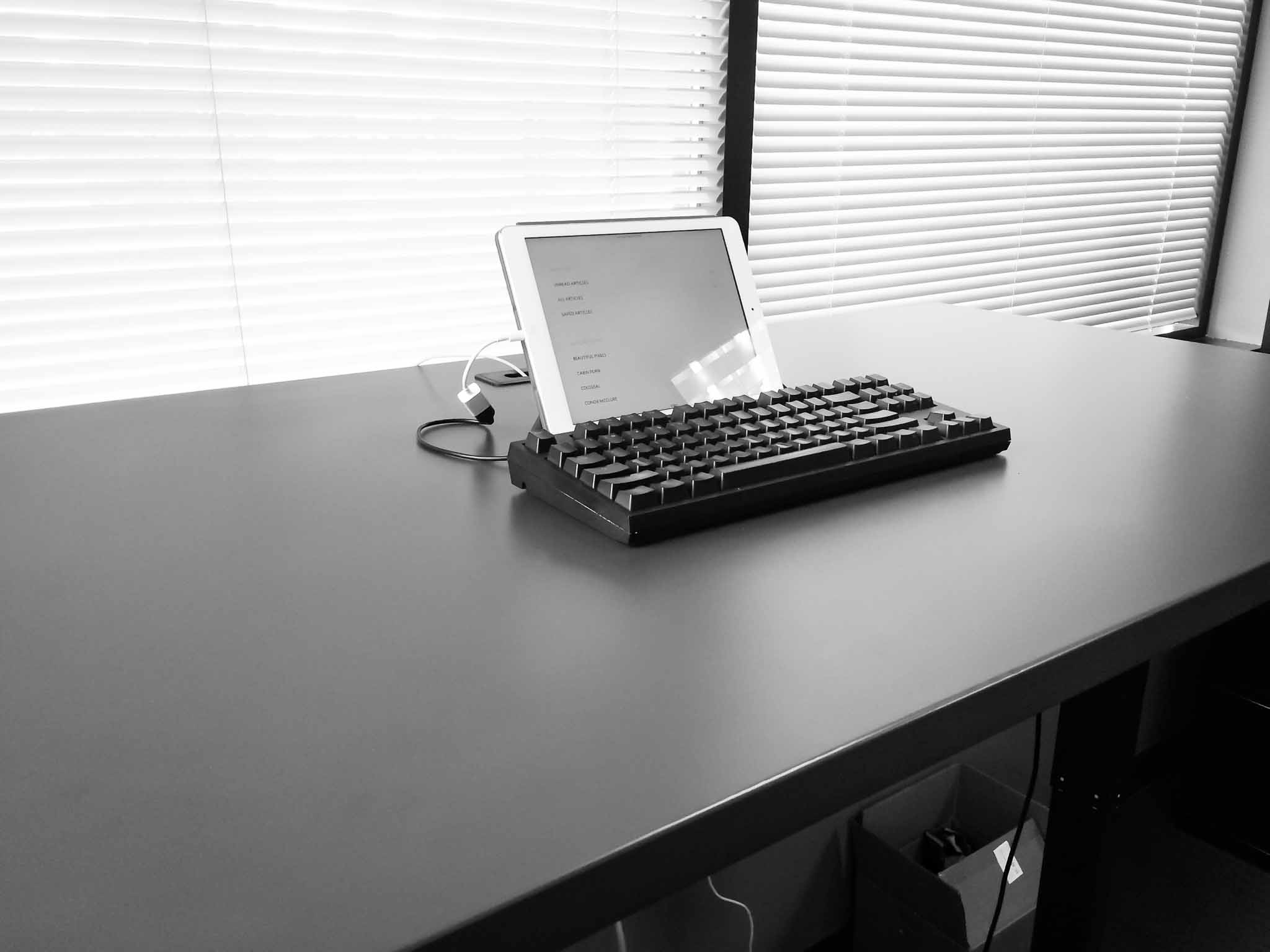
    As I said, this is a setup I am likely to use more and more. With iOS 8 extensions coming I think the gap between what most people need to do on a Mac each day, and what the iPad can do well, is closing faster than many suspect. At this point it’s not a person clamoring for better apps, that do more powerful things, it’s just a matter of fine tuning what we already have.

    I don’t see that taking very long. In fact, this time next year I may be splitting my time between the Mac and iPad evenly.

  • How Working on Multiple Screens Can Actually Help You Focus

    Clive Thompson on using multiple devices to work: In a sense, screens are beginning to absorb some of the cognitive ergonomics of paper, one of the oldest reading devices of all. With paper, after all, we’ve always put down one document and picked up another, shifting our attention organically. And as Abigail Sellen and Richard…

    Clive Thompson on using multiple devices to work:

    In a sense, screens are beginning to absorb some of the cognitive ergonomics of paper, one of the oldest reading devices of all. With paper, after all, we’ve always put down one document and picked up another, shifting our attention organically. And as Abigail Sellen and Richard Harper note in The Myth of the Paperless Office, spreading out papers on a desk lets our eyes easily roam—a property hard to replicate on a single screen. Now the plunging price of hi-res mobile devices means it’s possible to own a few of them.

    “A few of them”? Hmm, I don’t know about that. It makes sense to make use of the device you have already, or to add in a tablet. But if the idea is to add in multiple tablets to better replicate a paper desk workflow, then — umm — why not just use paper?

  • Samsung in a Nutshell

    Stefan Constantinescu on the (excellent) Tab Dump site, breaks down the Samsung report for everyone: Samsung: They had a shit quarter (profits and revenues down year over year), so they published a long list of reasons as to why. Spoiler: Korea’s currency is too strong. Chinese people like Chinese phones. No one buys a phone…

    Stefan Constantinescu on the (excellent) Tab Dump site, breaks down the Samsung report for everyone:

    Samsung: They had a shit quarter (profits and revenues down year over year), so they published a long list of reasons as to why. Spoiler: Korea’s currency is too strong. Chinese people like Chinese phones. No one buys a phone in Q2. Our marketing budget is ridiculous. People aren’t updating tablets as often as phones. And it just keeps going. Excuse after excuse.

    Tab Dump is currently the best site on the web.

  • Using Little Snitch to Lower Your LTE Bill

    Eddie Smith offers a clever way to use Little Snitch for both protecting your data on public wifi, and for keeping data usage in check when on LTE tethering. It’s very smart. I’ll have to implement this for sure.

    Eddie Smith offers a clever way to use Little Snitch for both protecting your data on public wifi, and for keeping data usage in check when on LTE tethering. It’s very smart.

    I’ll have to implement this for sure.

  • The Wearable

    Nate Barham on wearables from Apple: If it isn’t notifications and it isn’t health, then what is it that this new device will do or allow us to do that isn’t blatantly obvious? Payments could certainly be easier on a device that is already out and accessible. Though few of us need to shave a…

    Nate Barham on wearables from Apple:

    If it isn’t notifications and it isn’t health, then what is it that this new device will do or allow us to do that isn’t blatantly obvious? Payments could certainly be easier on a device that is already out and accessible. Though few of us need to shave a couple seconds off a notification check, many have felt the pressure of fiddling with our phones in line at a coffee shop.

    This is the same thing I have been wondering: what the hell does a wearable do for me which is substantially (or even marginally) better than the phone in my pocket?

  • Facebook Virus

    Jessica Ferris: I’m reminded here of viruses, which, as Wikipedia points out, can only replicate inside the living cells of other organisms. Facebook benefits when this relationship remains invisible. When we make the mistake that I made—when we forget that Facebook is using our friendships as hosts, and not the other way around—our forgetting is…

    Jessica Ferris:

    I’m reminded here of viruses, which, as Wikipedia points out, can only replicate inside the living cells of other organisms. Facebook benefits when this relationship remains invisible. When we make the mistake that I made—when we forget that Facebook is using our friendships as hosts, and not the other way around—our forgetting is very convenient for Facebook.

  • Charge Your Devices

    Some ass at the TSA: As the traveling public knows, all electronic devices are screened by security officers. During the security examination, officers may also ask that owners power up some devices, including cell phones. Powerless devices will not be permitted onboard the aircraft. The traveler may also undergo additional screening. Emphasis mine.

    Some ass at the TSA:

    As the traveling public knows, all electronic devices are screened by security officers. During the security examination, officers may also ask that owners power up some devices, including cell phones. Powerless devices will not be permitted onboard the aircraft. The traveler may also undergo additional screening.

    Emphasis mine.

  • Research Ethics

    Perfect

    Perfect

  • Brooks Review Podcast Chat

    I had long been toying with an idea for a podcast chat room, but how do you do that when you don’t air live? Glassboard might work. I’ve created a Glassboard for the podcast and all can join with code BUJRH. Come and comment whenever you want on anything about the podcast. I look forward…

    I had long been toying with an idea for a podcast chat room, but how do you do that when you don’t air live? Glassboard might work.

    I’ve created a Glassboard for the podcast and all can join with code BUJRH. Come and comment whenever you want on anything about the podcast. I look forward to seeing what you all have to say.

  • Quote of the Day: David Foster Wallace

    “If you’re automatically sure that you know what reality is and who and what is really important — if you want to operate on your default setting — then you, like me, probably will not consider possibilities that aren’t pointless and annoying.” – David Foster Wallace

    “If you’re automatically sure that you know what reality is and who and what is really important — if you want to operate on your default setting — then you, like me, probably will not consider possibilities that aren’t pointless and annoying.”
  • Bathing in Sweat and Dirt

    James Gowans: On an occasional camping trip or outdoor expedition, the knife catches a glimpse of what it's life could be like. Cutting through rope and wood. Bathing in sweat and dirt. But these moments are seldom and fleeting as the excursions become more suburban. I loved this short little post.

    James Gowans:

    On an occasional camping trip or outdoor expedition, the knife catches a glimpse of what it's life could be like. Cutting through rope and wood. Bathing in sweat and dirt. But these moments are seldom and fleeting as the excursions become more suburban.

    I loved this short little post.

  • Quote of the Day: John Gruber

    “Kottke I trust. But if he hadn’t linked it, I wouldn’t have read it, because when I saw it yesterday, I figured it was a bullshit article because of its headline.” – John Gruber

    “Kottke I trust. But if he hadn’t linked it, I wouldn’t have read it, because when I saw it yesterday, I figured it was a bullshit article because of its headline.”
  • Provide Meaning with Motion

    Two things really stood out to me about this article: If you are working with 60fps, you have to design 58 frames moving you from A to B. That's staggering (and yeah not actually design those screens, but more “think about” how you move between them). The ripple effect that Stamatiou has animated to show…

    Two things really stood out to me about this article:

    1. If you are working with 60fps, you have to design 58 frames moving you from A to B. That's staggering (and yeah not actually design those screens, but more “think about” how you move between them).
    2. The ripple effect that Stamatiou has animated to show a sense of transition is really good.

    Yes this is an article about Android design, but more than that it is an article about modern design. UI is in motion, and it's not simply a matter of saying this screen looks like this, and that screen looks like that. You have to be able to design the transition from screen to screen as well.

    To me, that's what takes an OK app to an outstanding app. The best example I have of this is Vesper. The design is good, not revolutionary. The app is OK, functionality wise, as it doesn't do much of anything new.

    But what makes Vesper so great is that animations. The way the arrow stretches as you swipe to archive. Those little touches move it from just another app, to something special — even with its limited functionality.

    Stamatiou:

    Things like page transitions will still exist but involve more of the elements on each page. You'll begin choreographing. In the next few years consideration for motion will be required to be a good citizen of your desktop/mobile/wearable/auto/couch platform. It will be an expected part of the design process just like people will begin to expect this level of activity and character in software.

  • Amazon Resisting FTC on In-App Purchases by Children

    Here we have Amazon taking the FTC to court over the fact that the FTC wants Amazon to prompt for passwords more often so as to prevent children from buying apps/IAP. That's actually pretty reasonable from the FTC (fines, etc. notwithstanding). I know Apple has had to deal with this too, but take iOS 8…

    Here we have Amazon taking the FTC to court over the fact that the FTC wants Amazon to prompt for passwords more often so as to prevent children from buying apps/IAP. That's actually pretty reasonable from the FTC (fines, etc. notwithstanding).

    I know Apple has had to deal with this too, but take iOS 8 for example. Where Apple has gone over and above to create a system whereby parents get an approval notification on their device if their children want to buy something.

    Why? Just think about where these companies are making their money. Apple from the devices themselves, Amazon from selling stuff. No wonder Amazon is fighting this, and Apple is just trying to make families want to be all Apple devices.

  • Right to be Forgotten Not Going So Well

    Robert Peston: So there have been some interesting developments in my encounter with the EU's “Right to be Forgotten” rules. It is now almost certain that the request for oblivion has come from someone who left a comment about the story. On the surface, the European Union's 'Right to be Forgotten' law seems like a…

    Robert Peston:

    So there have been some interesting developments in my encounter with the EU's “Right to be Forgotten” rules.

    It is now almost certain that the request for oblivion has come from someone who left a comment about the story.

    On the surface, the European Union's 'Right to be Forgotten' law seems like a win for privacy advocates, but it is a complicated law. It can be both good and very bad. Take the linked article for example. In this case someone asked that the article be purged because they person made a comment on the article — the article isn't about them, they just commented on it. That's surely not the intent of the law, but it is the law.

    What's even more odd, is that it appears that only searching for that person's specific name will show the article missing, other searches still turn up the “removed” article.

    So essentially what the EU has created is a law that:

    1. Is being abused already.
    2. Doesn't actually work.

    Well done.

  • Great Website: Tab Dump

    Just wanted to point you guys over to this website. It's a really great site and one I read daily. It's also handy when you are busy and just want to know what is going on without going down the rabbit hole that is your RSS reader.

    Just wanted to point you guys over to this website. It's a really great site and one I read daily. It's also handy when you are busy and just want to know what is going on without going down the rabbit hole that is your RSS reader.

  • Begin.app Extension is Free this Weekend

    We've made the in-app purchase for Begin, which unlocks loads of cool shit, free for the Fourth of July weekend. Go get it, the app is free already so there's really no point in not getting the app. Also, Kyle has made his excellent calendaring app 'Horizon' free for the weekend too. That's an app…

    We've made the in-app purchase for Begin, which unlocks loads of cool shit, free for the Fourth of July weekend. Go get it, the app is free already so there's really no point in not getting the app.

    Also, Kyle has made his excellent calendaring app 'Horizon' free for the weekend too. That's an app on my home screen.

  • TBR Podcast: Episode One: Apathy and Horniness

    This week Ben is joined by Pat Dryburgh to talk about social media. What does it mean, and what is its impact on our lives? Is blogging social media? Ben and Pat also dive into the fear surrounding the NSA and Facebook’s “research” projects. I’m still working on getting the production quality up, but I’m…

    This week Ben is joined by Pat Dryburgh to talk about social media. What does it mean, and what is its impact on our lives? Is blogging social media? Ben and Pat also dive into the fear surrounding the NSA and Facebook’s “research” projects.

    I’m still working on getting the production quality up, but I’m extremely pleased with this show. The discussion was really great. Thanks for listening.

    Brought to you by:

    • Macminicolo.net: The best and most productive hosting you can buy.
    • Keyboard Maestro: Ben’s favorite Mac app, and ultimate power tool. Enter TBRPOD at checkout to get 20% off for a limited time.
  • A review of the Blackphone

    Sean Gallagher: What’s really important in the end about the Blackphone is that it has made the idea of a privacy-focused phone a reality—and it opens a conversation about what security technology can do for average people. And if it brings enough people into the conversation, the next generation of the Blackphone, and of mobile…

    Sean Gallagher:

    What’s really important in the end about the Blackphone is that it has made the idea of a privacy-focused phone a reality—and it opens a conversation about what security technology can do for average people. And if it brings enough people into the conversation, the next generation of the Blackphone, and of mobile security products in general, could reach a much wider audience—and perhaps force some of the bigger mobile players to pay more attention to privacy.

    It’s about what I expected: good at privacy not great at the “other” phone stuff. I do like the above quote because it is what I hope happens. I hope that this phone pushes Apple to make their phones even more secure.

    Side note: How did these guys miss a prime opportunity to color their UI with green text on a black background? It’s like they’ve never seen a hacker movie.

  • Polymo – A better place for photos

    I’ve had a chance to test out this app for a while now, and it is quite useful. It won’t replace my standard app, nor is it a substitute for VSCO cam, but it is pretty handy. The app works like this: you set a tag for the pictures you are taking, or about to…

    I’ve had a chance to test out this app for a while now, and it is quite useful. It won’t replace my standard app, nor is it a substitute for VSCO cam, but it is pretty handy.

    The app works like this: you set a tag for the pictures you are taking, or about to take, and then snap photos. The app then allows you to view photos by tag.

    For me, the neatest use of this app is in my day job. Often I do site visits to buildings and I need to snap a bunch of photos — this is the perfect way to keep all those photos together. Just tag with the building name and snap away — the app remembers the tag until you remove it.

    Pretty clever, and could be useful for travelers as well. $1.99 on the App Store.