Top Posts

Leica Sofort 2June 13, 2024
Grand Seiko SBGX261February 23, 2023

Recent Articles

  • The Retina MacBook Pro: Sexy is Back

    “I’m done buying laptops. I’m not buying another laptop. I don’t need a laptop anymore because my iPad *is* my laptop.” -Me as of Monday, June 11th, 2012 9:00am PT. That’s what I’ve been telling myself for the last few months. That’s what I kept telling Shawn Blanc for the last few months. So, of…


    “I’m done buying laptops. I’m not buying another laptop. I don’t need a laptop anymore because my iPad *is* my laptop.” -Me as of Monday, June 11th, 2012 9:00am PT.

    That’s what I’ve been telling myself for the last few months. That’s what I kept telling Shawn Blanc for the last few months.

    So, of course, on Monday, after the WWDC keynote I purchased… a retina MacBook Pro.

    *A laptop*.

    The new retina MacBook Pro was just too good on paper not to buy. The performance, the screen, the design, and even the price was spot on for what I needed and what I wanted.

    To be clear, I still plan on using it mostly as a desktop, but that’s a topic for another time.

    Here is a review the entire machine, not just the screen.

    ### The Screen

    Though, we’ll start with the screen. By now you have heard all the praise this screen is receiving and everyone is right — actually they may be underselling this screen a bit.

    Bottom line: I don’t like using any other computing screen as much as I like using this screen. It is that sharp, that crisp.

    #### The Web

    You have also likely heard that the screen really makes the web look bad, which is only part of the story. What the screen does is point out where graphics exist that are not (hopefully we can say: “not yet”) upgraded to retina levels. [Egg Freckles](http://eggfreckles.net/), would logically seem like a site that would look poor on the retina MacBook Pro, but Thomas Brand has done painstaking work to make it look pixel perfect on the retina screen — without even knowing that this would be the case beforehand. Likewise any site (like this one) that doesn’t utilize many (or any) images for design elements looks fantastic as is. Text looks fine and sharp as long as it is actually text.

    It’s not that the retina screen makes things look bad on the web, it just points out where designers are using low quality graphics – like ads.

    CSS ‘only’ sites look perfect.

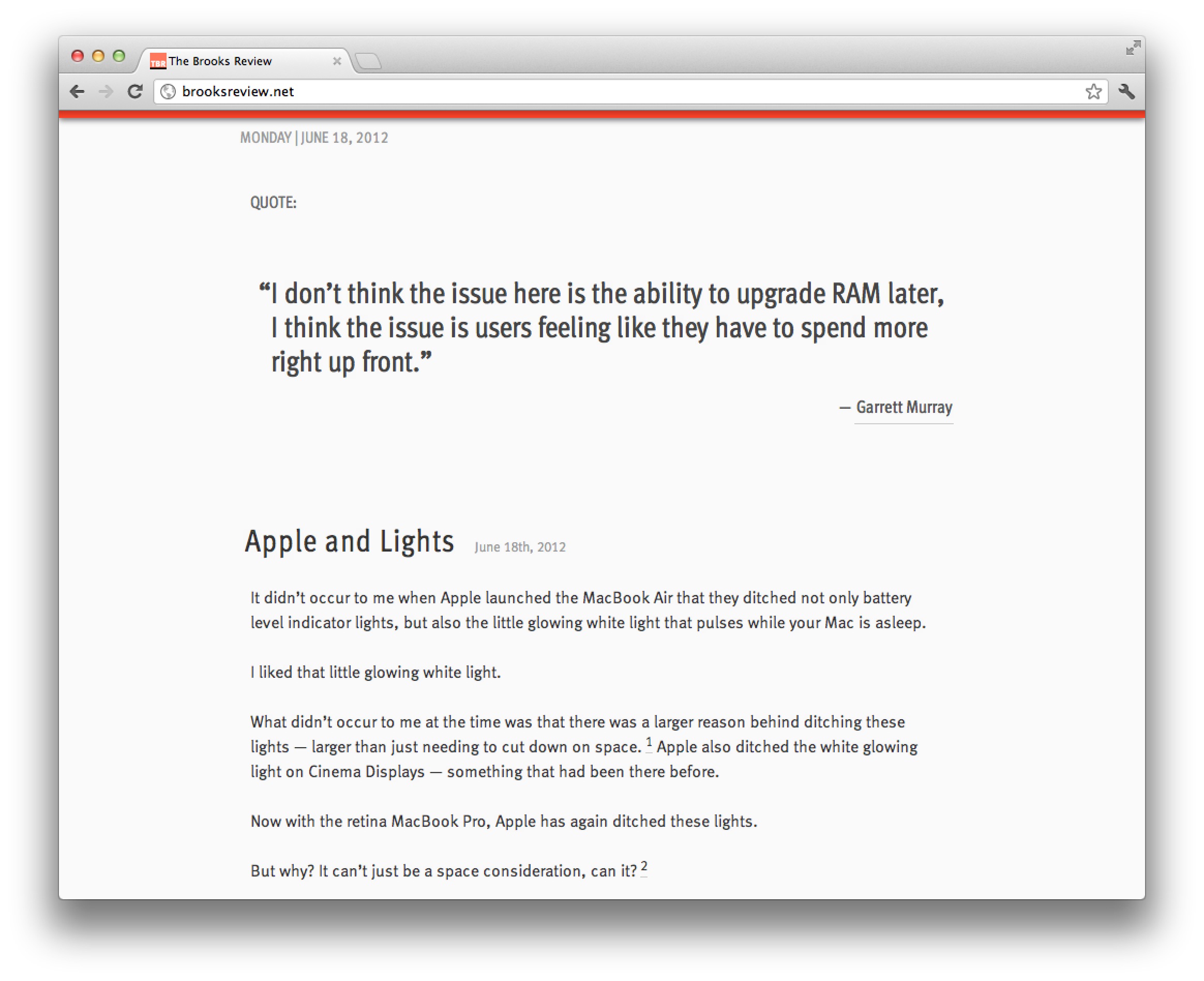
    So whether or not the web looks bad, depends on what sites you frequent. To be clear, I am not talking about pictures, but the actual graphics used to make up the design itself. Pictures don’t look horrible in most cases. Text looks amazing (as long as you don’t use Chrome).

    #### Apps

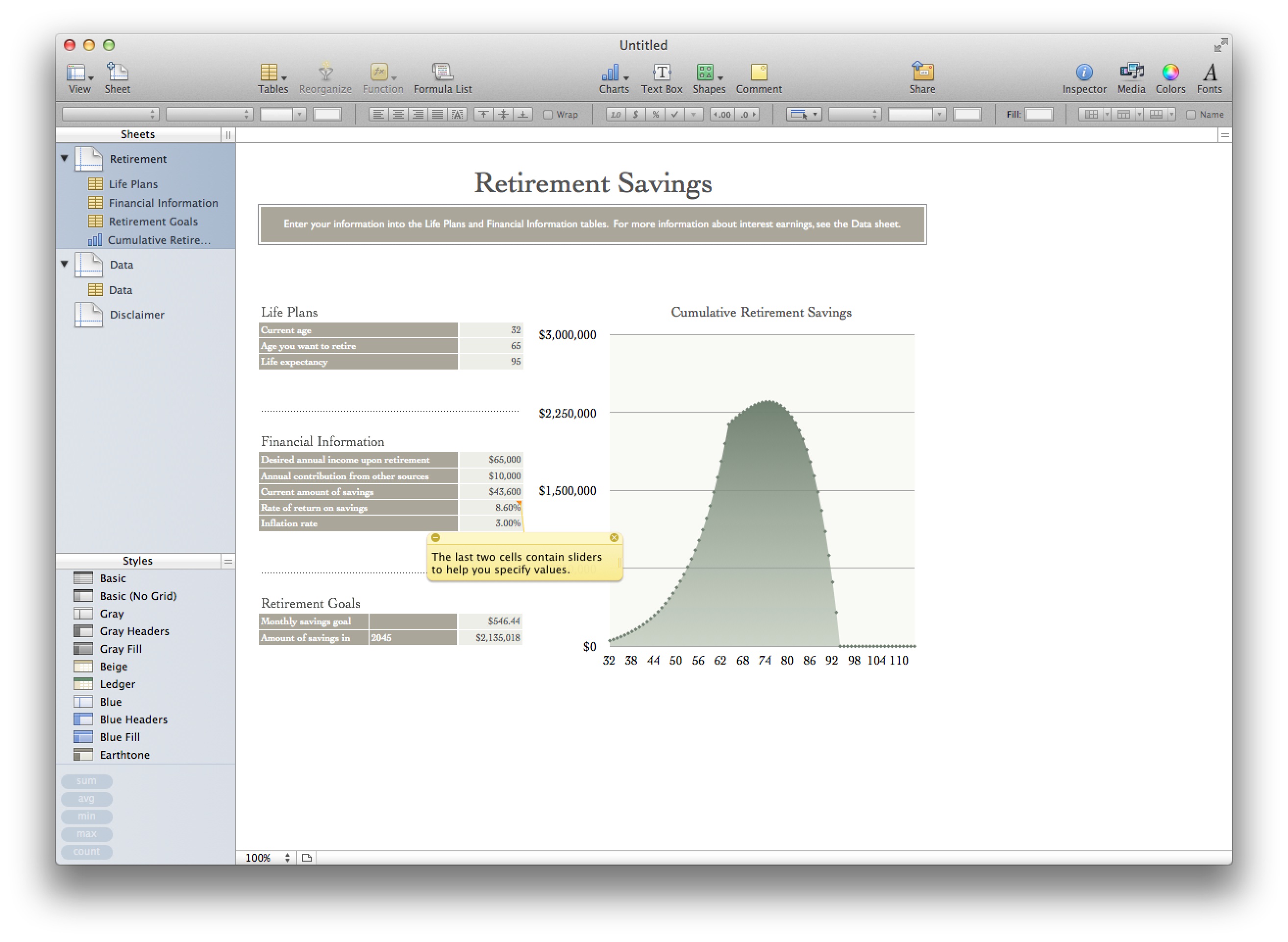
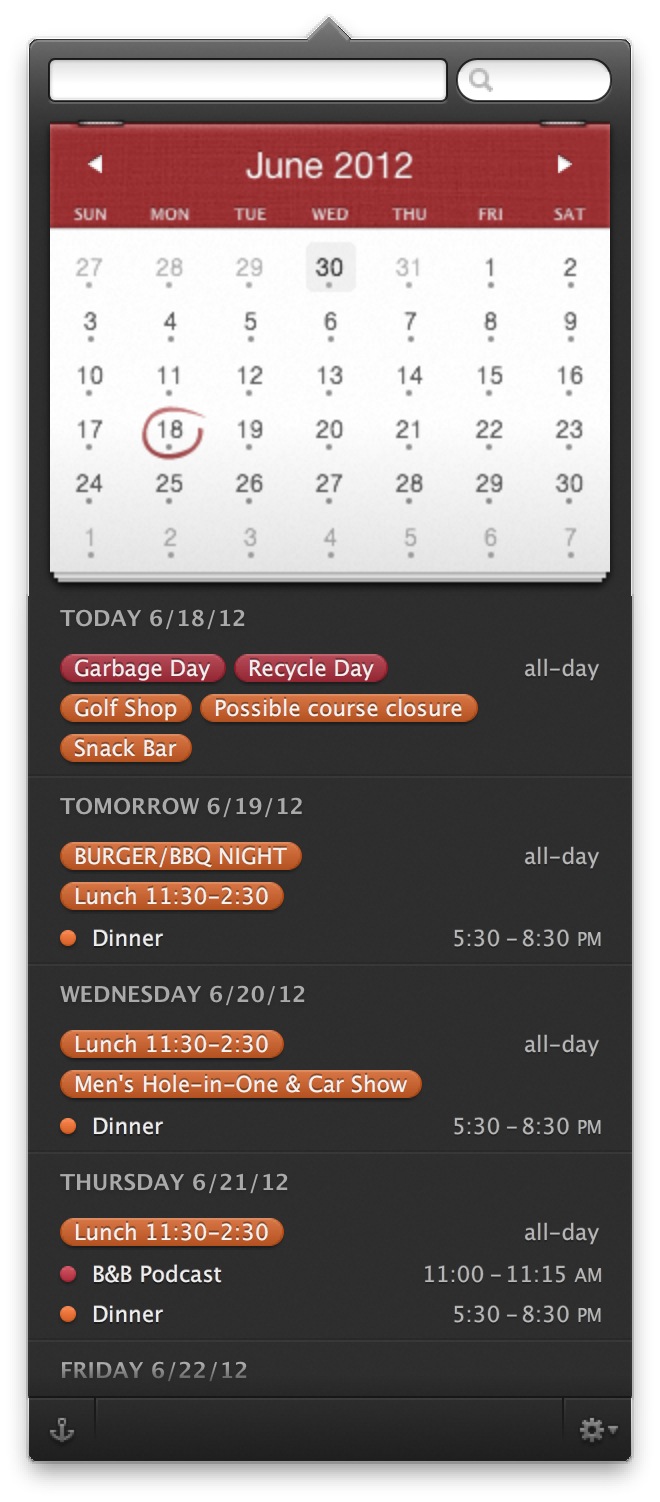
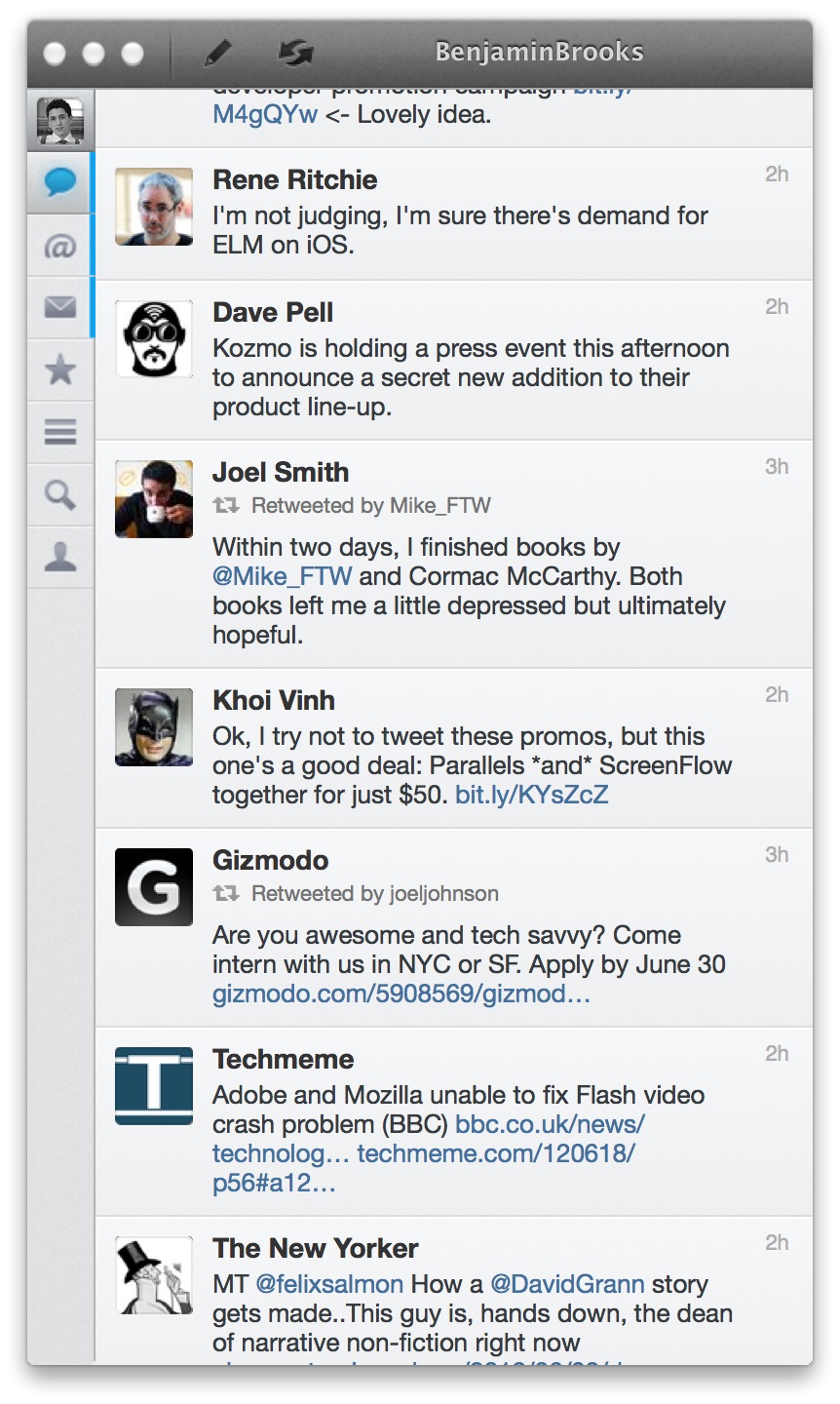
    Where this screen does make things look bad is on apps that aren’t updated, but you’ve heard this before. Instead of rehashing let’s just do some showing:
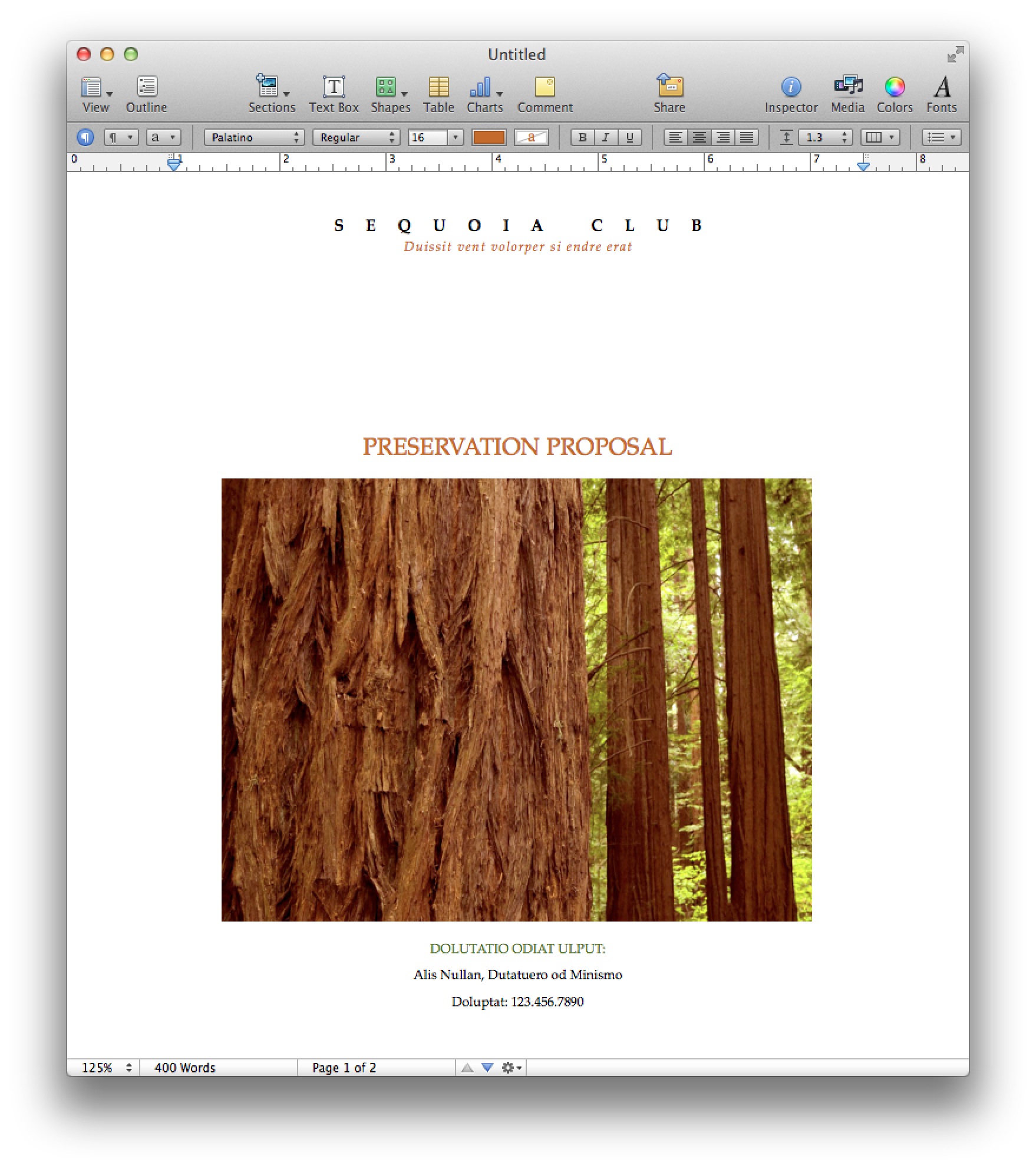
    Pages ’09.
    Osfoora Mac
    Numbers ’09
    Fantastical
    Chrome

    That’s just a few examples, I could really go on all day. So the question is: does this make those apps unusable? The short answer is: not really. But the expanded answer: only if you rely on using text in the app and that app is rendering text in a way that looks blurry. That right there means Apple’s iWork suite, and Office are out, so too is Chrome. This alone may be reason enough for people not to adopt the retina MacBook Pro yet, and it doesn’t look much better if you change the display mode from retina to something else. You could still use these apps fine if you hooked up to an external monitor, but then why spend the extra for this computer?

    Just like with retina screens on iOS, developers for OS X will need to issue updates. My guess ((Perhaps ‘hope’ is a better word here.)) : all major apps are retina within 6 months, most in the next 6-8 weeks. I’m willing to make do until then.

    #### Backgrounds

    One of my larger concerns was that this resolution would render all of my background images obsolete. While it doesn’t make the images look great, [they don’t look horrible](http://fiftyfootshadows.net/2012/06/15/a-quick-word-on-resolution/). For me: I am keeping what I currently use as background images, while also keeping an eye out for higher resolution images too.

    You can make do here without much problem.

    #### Photos & Video

    Photos and video are why I bought the machine: I want see my images and video crisper than ever before. I am impressed. I’ve spent 10-20 minutes staring at the “[new blue marble](http://www.flickr.com/photos/gsfc/6760135001/sizes/o/in/photostream/)” Earth image from Nasa — it’s amazing how crisp and deep the image seems (I truly get lost in it).

    In fact my images seem like completely different images when I edit in the retina optimized Aperture. This is a fantastic screen for working with, and viewing, imagery.

    #### Glare

    Apple made a big to do about the glare on the screen and how they have reduced it.
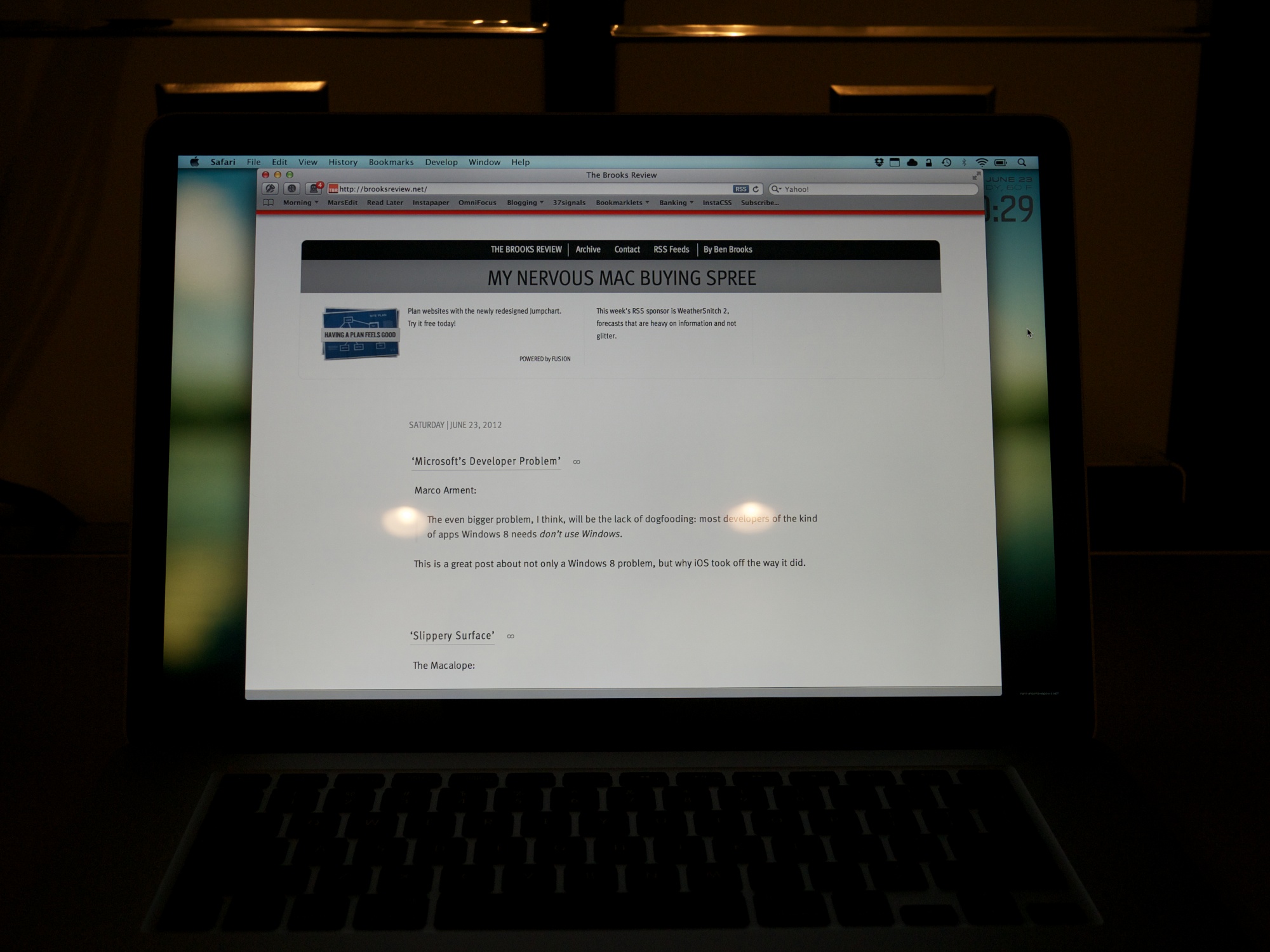
    Glare from my office lights.

    To me the glare is better than it used to be in MacBook Pros, not quite as good as the Air, and no where near as good as a matte screen. It’s better — a lot better — but the glare is still very much present. This gives me hope for future Macs — at least the acknowledgement from Apple that glare *is* a problem.

    ### The Chassis

    Almost as big of a deal as the screen, is the new-ish chassis on the retina MacBook Pro, so I want to dive into a few interesting things that I noticed.

    #### Texture

    I think Apple has refined its aluminum coating/milling process because the casing on the retina MacBook Pro feels smoother to both my hand and my Wife’s hand. The Air feels almost rough in comparison. I also compared the casing to that of a unibody MacBook Pro from 2008, and even with wear on the older Pro, the new retina Pro feels smoother.

    I wouldn’t say it’s noticeable enough if you only use the retina MacBook Pro, because I only noticed when switching between the Air and retina MacBook Pro every few minutes.

    It is different, but just *ever so slightly* different.

    If this is how all new retina MacBook Pros feel, then it’s a good thing — a welcomed improvement.

    #### Thinness

    We all know the new Pro is thinner, but what I want to note here is how the Pro feels in your hand, lid closed, just by itself. Because when you carry the Pro around in your hand, the machine feels oddly thin. Where as on a MacBook Air the thinness to size ratio feels in check, the same ratio on the retina MacBook Pro feels out of sync.


    In other words the retina MacBook Pro feels almost too thin for how large the foot print is. I don’t say that as a bad thing, it just is a *thing*.

    One thing that is surprising, is that the retina MacBook Pro feels even more rigid than the MacBook Air — and that’s a first for me with 15″ MacBook Pros.

    #### Keyboard

    It may be odd that I am writing about a keyboard on an Apple laptop, given that Apple really hasn’t changed the keyboards they use in so long. But there is something slightly different about this keyboard.

    First it feels like the key stroke is a bit more shallow, not terribly different, just ever so different. I can’t tell if I like this more or less, but I am leaning towards more right now.

    (I seem to remember one of the live blogs mentioning something about the keystroke being shorter, but I can’t find that reference now.)

    Also the keyboard button engagement feels softer, a bit mushy. This, again, is in comparison to the Apple wireless keyboards, MacBook Air, and unibody MacBook Pro from 2008.

    This is not a drastic change, but I suspect clicky-keyboard people will notice the slight change and feel that it makes everything worse off. Personally, while the changes don’t bug me that much (I am pretty used to them now), I do wish the keyboard felt more like the MacBook Air keyboard than what is in the retina MacBook Pro.

    #### Heat

    I didn’t have a chance, or way, to get very scientific heat measurements, but I want to note two things.

    Under normal usage where I had the fans kick on a couple of times, my infrared thermometer noted 96°F in the center back and 86°F everywhere else on the top side of the Mac. Neither makes the Mac uncomfortable to touch or hold.

    Numbers aside, this computer feels considerably cooler than my MacBook Air, but I suspect that is partly because the CPUs in the retina MacBook Pro don’t have to work nearly as hard as the Core 2 Duo does in my Air.

    #### Noise

    To my ear the retina MacBook Pro sounds very different from other Macs when the fans spin up. There is a noticeable lack of whine and drone from the fans. Does this make them better, or more pleasing? To my ear it does, but I have heard a few people comment that they *like* the constant fan sound.

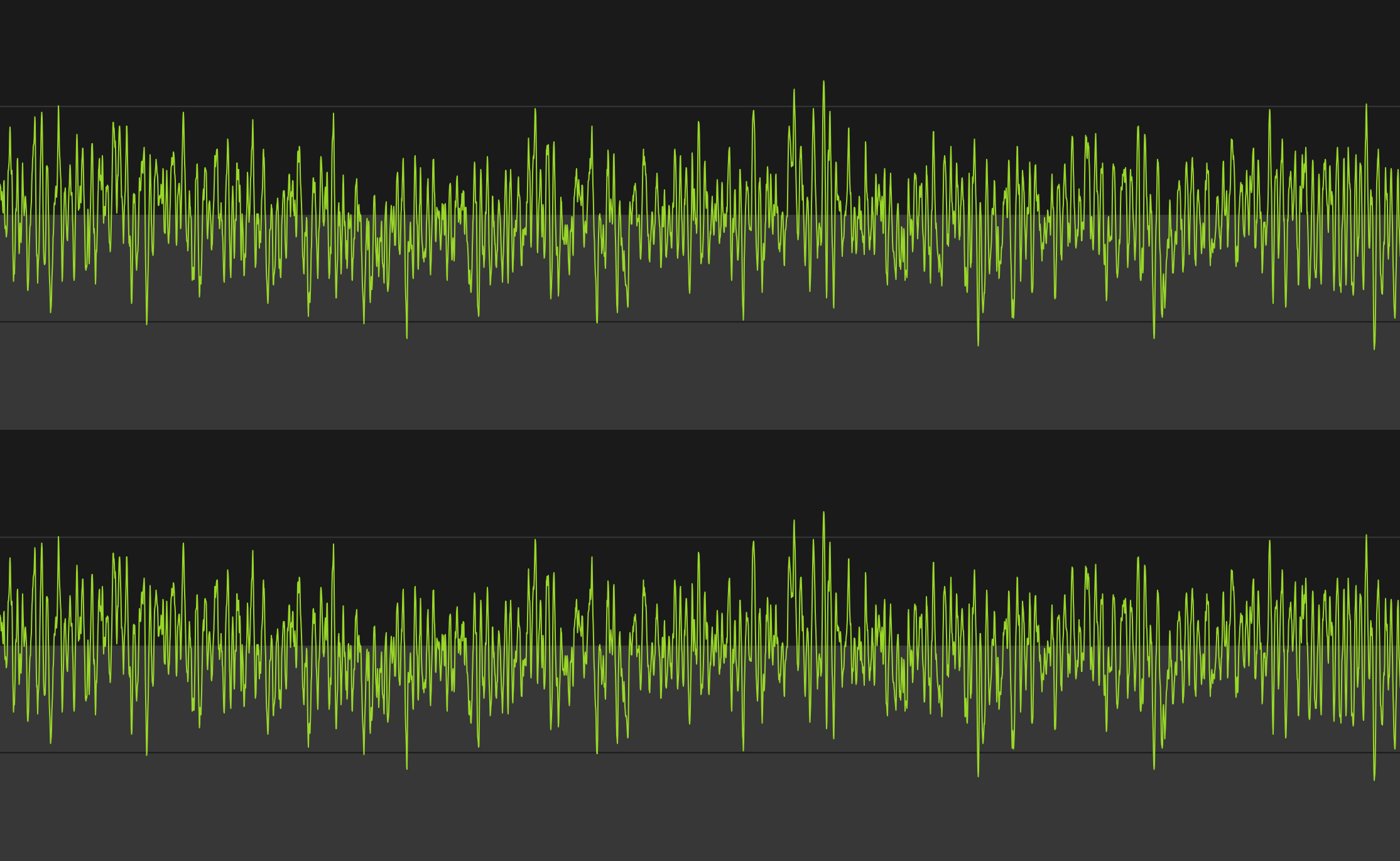
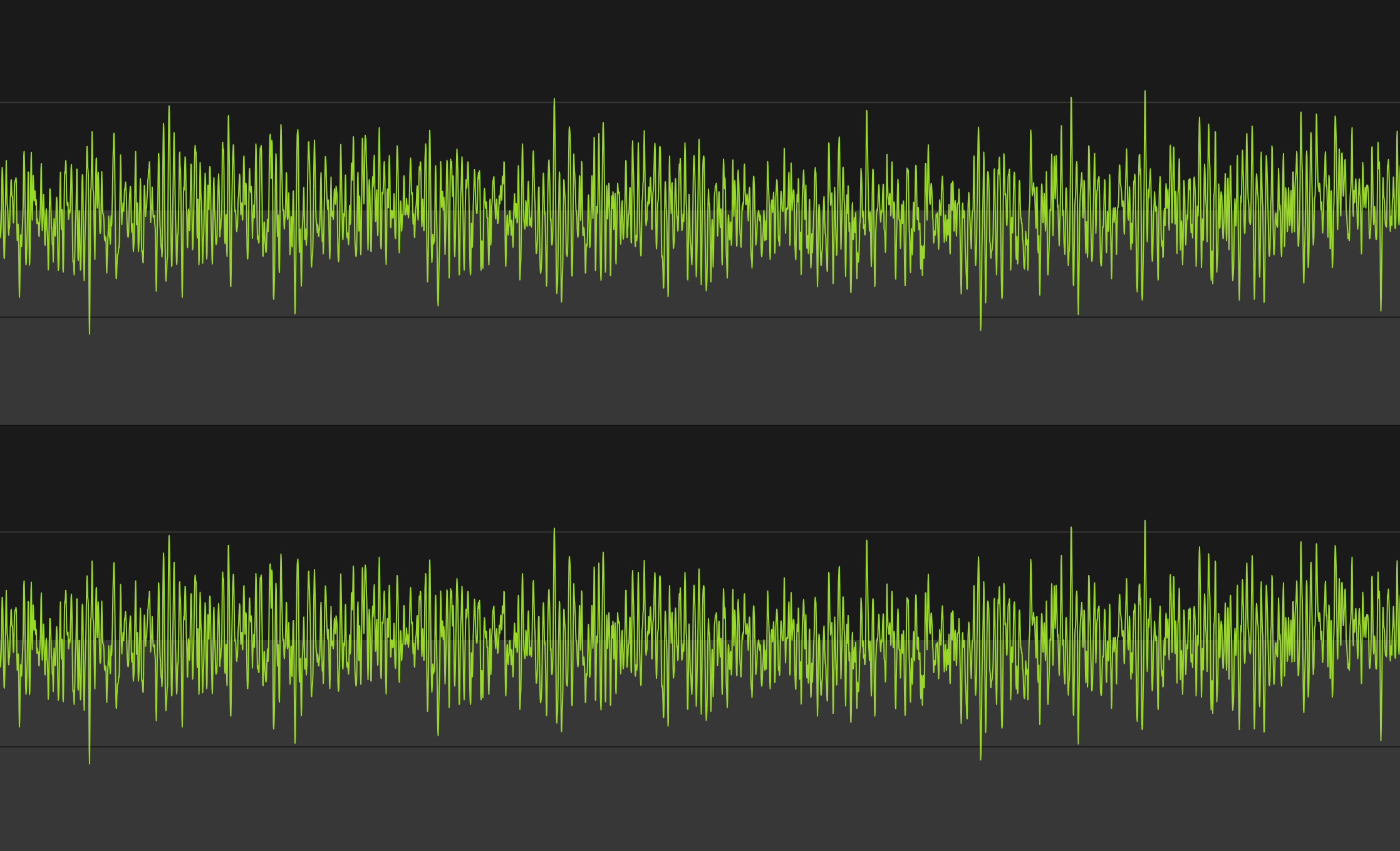
    Here’s what each one sounds like, visually represented:
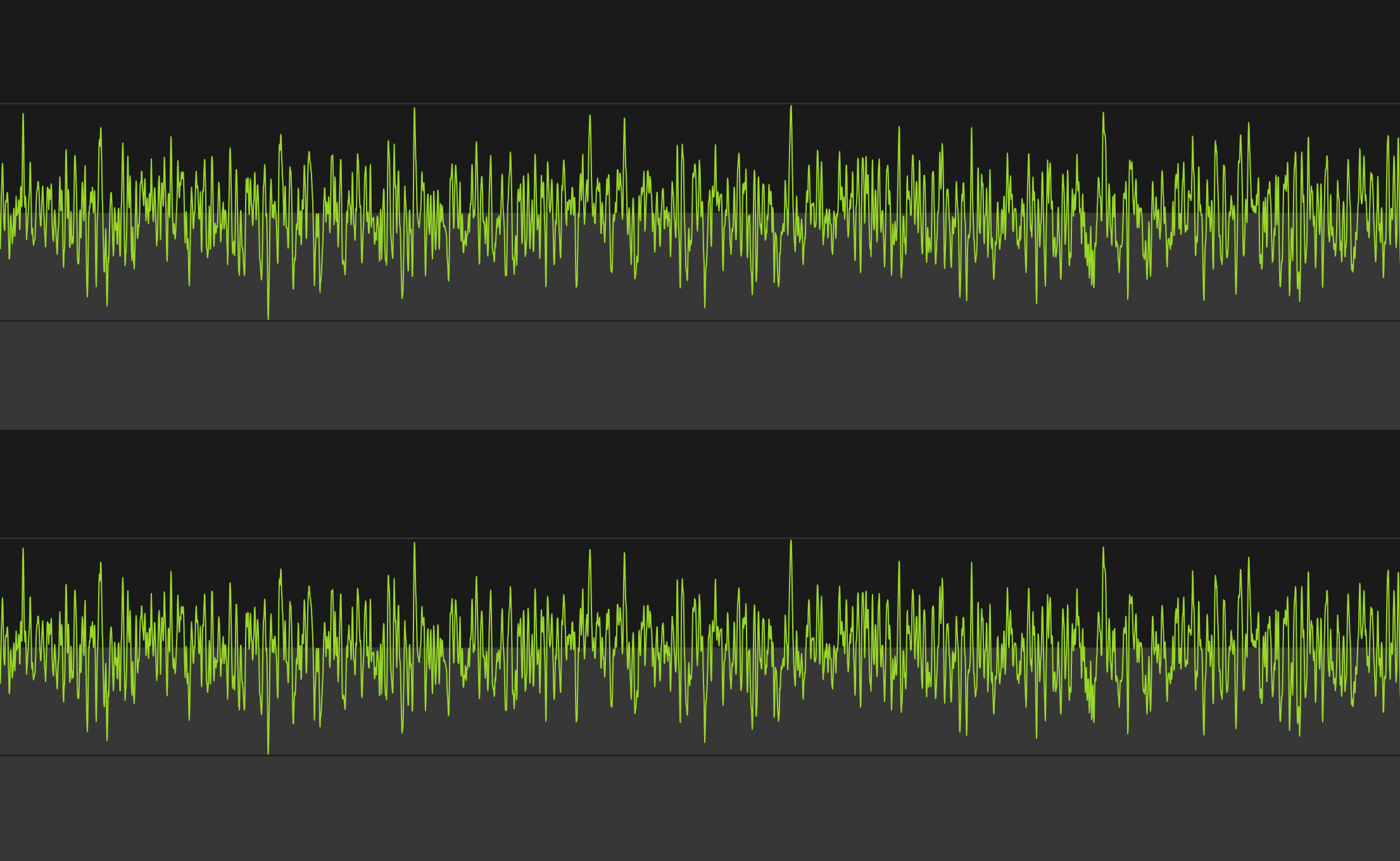
    2010 Core 2 Duo MacBook Air, running at max fan speed.
    2008 Unibody MacBook Pro (Core 2 Duo), running at max fan speed.
    Retina MacBook Pro, running at max fan speed.

    The images certainly look different (I did my best for apples to apples comparison, but I’m no audio expert). Let’s take a listen:

    MacBook Pro (2008 Core 2 Duo):

    MacBook Air (2010 Core 2 Duo):

    Retina MacBook Pro:

    *(Note: I did my best to record each at the same level into the Mic, but that doesn’t come through in the playback. In reality the retina MacBook Pro was audible the quietest of the lot with the Air being the noisiest.)*

    The old MacBook Pro sounded the whiniest to me, while the MacBook Air had the most constant droning sound. The retina MacBook Pro certainly sounds different, and it *is* a different that I like.

    #### MagSafe 2

    There’s just two things I want to point out about the new MagSafe 2 adapters:

    1. They have aluminum ends.
    2. They don’t have the round end where the cord heads back away from the computer, a design that started with the MacBook Air.

    I find the first observation to be nice. I find the second observation to be annoying. I wish Apple had went with the old MacBook Air style of MagSafe end because I find it puts less stress on the cable where it connects to the end. It is also a much more sleek design.

    Hopefully there is an engineering reason for this and not just a design change — an engineering reason that they can overcome soon.

    #### USB 3

    To test USB 3.0 I purchased [this external Seagate HD](http://www.amazon.com/exec/obidos/ASIN/B005IA844G/ref=nosim&tag=brooksreview-20) and transferred and read large amounts of photos and video to and from the drive. I’m impressed.

    Transferring 1.3GBs, broken up into 6 files, was done in less than 13 seconds. It was fast compared to USB 2 drives. USB 3 is a great addition for people (like me) that don’t want to pay the premium that Thunderbolt drives are demanding, but that want performance better than what USB 2.0 offers.

    If you have a Mac with USB 3.0, do yourself a favor and switch your external drives to USB 3, you’ll love it.

    #### Lack of Lights

    [I posted about this the other day](https://brooksreview.net/2012/06/apple-lights/), but like the MacBook Air the new retina MacBook Pro has no externally visible lights. Nothing to indicate when the computer is asleep, or how much of a charge the battery currently has.

    I think this is more than just a hardware space limitation. I think this is a signal to the user that it just doesn’t matter. All that matters is if the lid is open or closed, not battery life (because it’s really good) and not sleep state (because boot times are now fast enough the users shouldn’t care).

    ### Extras

    A few more things before I wrap this up.

    #### Benchmarks

    I ran a [benchmark on this machine using Geekbench](http://browser.primatelabs.com/user/19559) and compared it to my 13″ MacBook Air and former 15″ MacBook Pro (which had an OWC SSD in it at the time). Those came at around 3,400 and 4200, respectively — the retina MacBook Pro came out at 11,800.

    So yeah, fastest Mac I have ever had by a long shot.

    #### Gigabit Adapter

    I purchased the Thunderbolt gigabit ethernet adapter just to see if I could squeeze out a bit more performance from my home internet with it. On my MacBook Air the download speeds over WiFi seem to top out around 48 Mbps. On the retina MacBook Pro they top out (on my home internet) around 61 Mbps, which is the max speed for my Internet account.

    Since WiFi was no longer limiting my Internet speed, I could only test local area network speeds, which are much faster over Gigabit (obviously). Overall it’s what you expect. It’s plug and play, works flawlessly.

    #### MagSafe to MagSafe 2 Adapter

    It’s a funny little adapter to buy. I don’t much like it, but it beats the hell out of buying new power adapters. I actually only bought it to store in my bag for that one time in my life I may need to use a charger and there is only a MagSafe charger available.

    (Also for my Cinema display at work.)

    ### Wrap-Up
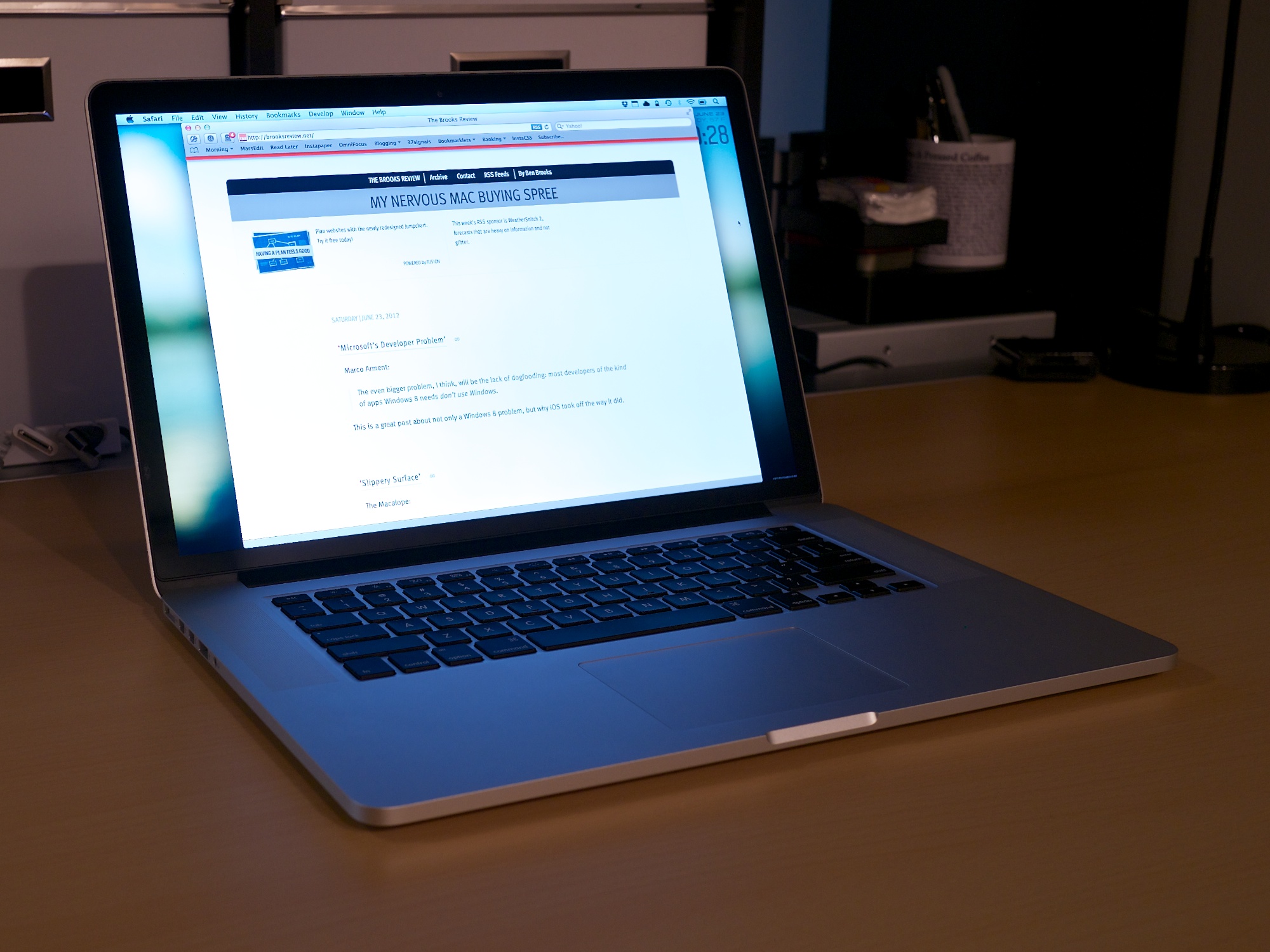

    I am really happy with this machine, the screen is the best screen I have ever seen and the performance is almost as impressive. If you haven’t had the chance to look at this retina display in an Apple Store, it’s worth it to stop in and take a look. Specifically look at high resolution images and zoom in on some text.

    If you can’t tell: I really like this machine, and that’s probably an understatement.

  • ‘Microsoft’s Developer Problem’

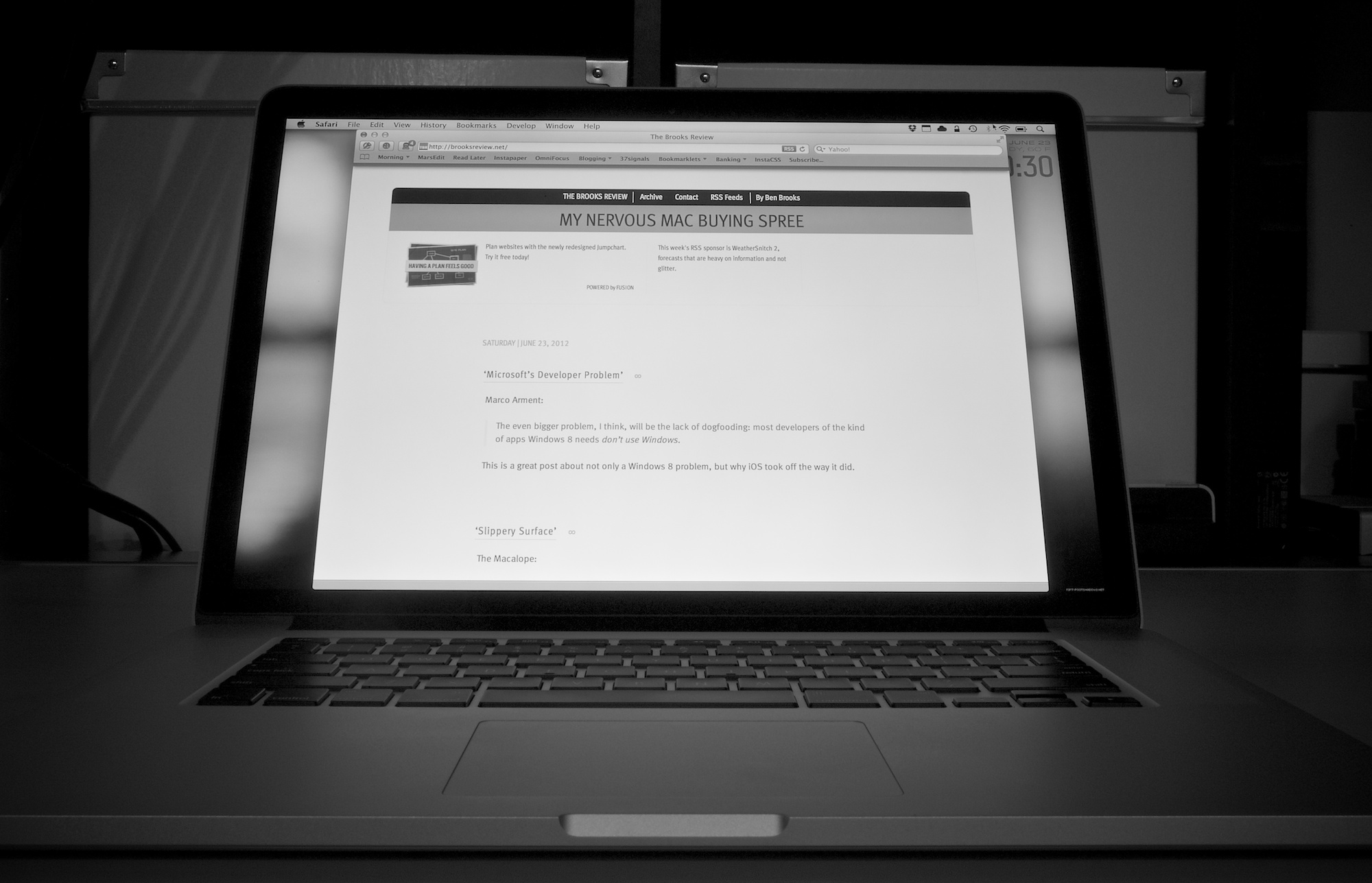
    Marco Arment: >The even bigger problem, I think, will be the lack of dogfooding: most developers of the kind of apps Windows 8 needs *don’t use Windows*. This is a great post about not only a Windows 8 problem, but why iOS took off the way it did.

    Marco Arment:

    >The even bigger problem, I think, will be the lack of dogfooding: most developers of the kind of apps Windows 8 needs *don’t use Windows*.

    This is a great post about not only a Windows 8 problem, but why iOS took off the way it did.

  • ‘Slippery Surface’

    The Macalope: >Now the only question is if the runner will score or if Microsoft will go one-two-three from here, as is traditional for baseball teams from the Pacific Northwest. So true.

    The Macalope:

    >Now the only question is if the runner will score or if Microsoft will go one-two-three from here, as is traditional for baseball teams from the Pacific Northwest.

    So true.

  • Snitchware

    My thanks to Snitchware for sponsoring this week’s RSS feed to promote WeatherSnitch 2 — their update to a very good weather app. Most readers know by now that I have, and continue to, try most every iOS weather app out there. Over this past week I have been using WeatherSnitch 2 to plan painting…

    My thanks to Snitchware for sponsoring this week’s RSS feed to promote WeatherSnitch 2 — their update to a very good weather app. Most readers know by now that I have, and continue to, try most every iOS weather app out there. Over this past week I have been using WeatherSnitch 2 to plan painting outdoors for some youths that I have working for me — I have to say — WeatherSnitch still has one of the best weekly forecasts of any iOS app.

    The month view is my default view of the app, and I love how I can glance at it to see weather trends — something critical to planning for potential problems in my day job.

    Be sure to [check out the app](http://itunes.apple.com/us/app/weathersnitch-2/id452569394?ls=1&mt=8/), I really like it.

  • Striped SSD RAID

    Ever wonder what would happen if you take two extremely fast SSDs from OWC and put them in a striped RAID on a brand new MacBook Pro (using the optical drive for another SSD)? Well OWC wondered, and here’s the result: >Yow! With this setup, we averaged over 1000MB/s read speeds and write speeds that…

    Ever wonder what would happen if you take two extremely fast SSDs from OWC and put them in a striped RAID on a brand new MacBook Pro (using the optical drive for another SSD)? Well OWC wondered, and here’s the result:
    >Yow! With this setup, we averaged over 1000MB/s read speeds and write speeds that nearly hit 900MB/s. That completely blows the MacBook Pro with Retina Display out of the water!

    By comparison they tested the single SSD at 500/475MB/s — that’s pretty much double the performance with a striped RAID. I can’t even think about how fast that would be without getting jealous.

  • Justnotes v. 1.1

    They changed/fixed my biggest issue with the app: > Updated file naming of notes synced with folders (filename is same as note title). Boom, go buy it. It’s my favorite notes app for the Mac.

    They changed/fixed my biggest issue with the app:
    > Updated file naming of notes synced with folders (filename is same as note title).

    Boom, go buy it. It’s my favorite notes app for the Mac.

  • My Nervous Mac Buying Spree

    I’ve talked about this off and on to [Shawn Blanc on listeners of the B&B Podcast](http://5by5.tv/bb/65), but I thought I would write up my recent experience here — should one of you find yourself to be this foolish with computer buying at any point, ever. ### The Story On Friday June 8th, 2012 my MacBook…

    I’ve talked about this off and on to [Shawn Blanc on listeners of the B&B Podcast](http://5by5.tv/bb/65), but I thought I would write up my recent experience here — should one of you find yourself to be this foolish with computer buying at any point, ever.

    ### The Story

    On Friday June 8th, 2012 my MacBook Air started acting up. In fact, it would later turn out, the logic board was shorting out. I noticed it when I went to put away my Air in my backpack before heading to work. A quick troubleshooting at the office and a genius appointment later, I found myself without a Mac — until Tuesday at the latest, I was told at the time.

    That’s OK, it was the weekend and then 1-2 days of iPad only, I would be fine. It’s not ideal, but I can make that work — I’ve done it before for a day here or there.

    Sunday night I received a call from the Apple Store, bad news, they needed to ship out my MacBook Air to “the depot” for repairs — that’ll be 5-7 days starting now. *Crap.*

    Since WWDC was the next day, I decided that it was time to get a new machine — that should something awesome be announced, that would be what I get — I resolved myself to getting something new to replace/compliment the Air. I just needed it to be under $3,000.

    After the WWDC keynote my plans were further complicated. The retina MacBook Pro was announced and it looked perfect for me, but you could only order them online. I still needed a computer for what could be 7 days worth of work — 7 days that I now realized I did *not* want to do with only an iPad.

    So I order the retina MacBook Pro, then drove to the Apple Store and purchased a Mac mini. I’ve [already posted about why I didn’t like that Mac mini](https://brooksreview.net/2012/06/mac-mini/), but there’s more to the story.

    My entire idea was that I could restore the Mac mini from a backup overnight, be up and running Tuesday, for the rest of the week. No problem.

    I spent all day Tuesday watching Time Machine and Migration Assistant fail to restore from my Time Capsule and from a cloned HDD. Ugh. Finally, Wednesday afternoon, I was up and running.

    *(As it turns out, the issue was that I had Mountain Lion backups from the Air, and was trying to restore from that on a Lion machine — OS X doesn’t like that.)*

    I used the machine happily Thursday morning, then got a call from Apple: my MacBook Air was ready for pickup.

    So I purchased a Mac mini to make my life easier for a week, only to waste a day and a half setting it up, to make my life easier for 4 hours of work.

    Yeah, that sounds about right. I figured my Air would be out all week — and had it been, I probably would be less embarrassed about this story, but Apple under promised and over delivered. Lesson learned.

    ### Why iPad Only Didn’t Work

    There’s something interesting that I learned about myself along the way. There are two main reasons I didn’t want to be iPad only all week:

    1. With Shawn down at WWDC with no Mac, I needed to be able to record the B&B Podcast with him — I knew I needed a Mac for that. And I didn’t want to have to push around the show. (I did get my Air back just before we recorded.)
    2. I really didn’t like the idea of being iPad only for a week.

    The first one is hard to get around (aside from borrowing a Mac and installing needed software), but the second really seems silly to me. I *can* and *am able to* do all of my work on the iPad, but I was terrified at the prospect of doing that for a week.

    Again: I can work productively on my iPad for both this site and my day job, with no problems.

    When I travel I typically only take the iPad, unless I know I need a Mac for a specific something, so this wasn’t an unproven theory. The idea of a week going iPad only was something I simply wasn’t willing to do, and I think I know why: there’s a stigma that I perceive to be attached to the iPad.

    I work in an office, like a real office with older people, and I think that they view the iPad as a toy and not a work machine. I think they view the iPad as something for consumption, not creation. Who knows how they actually view it — this is how *I* think they view it. And that mattered more to me than I thought it would.

    So only using an iPad for a week, well, I was worried that everyone would assume that I really wasn’t working. Turns out that in my effort to appear to be productive to others, I ended up being far less productive than I would have if I would have just used the iPad. Lesson learned.

  • Quote of the Day: John Moltz

    “I’m not saying Ballmer puts every Surface down his pants. I’m just saying that if you buy an iPad, you know it has never been down his pants.” — John Moltz

    “I’m not saying Ballmer puts every Surface down his pants. I’m just saying that if you buy an iPad, you know it has never been down his pants.”
  • OWC Announces Mercury Electra MAX 3G 960GB Solid State Drive

    Nine hundred and sixty gigabytes in an SSD, all for an MSRP of $1299, … sorry I started to drool a bit at the idea of using this as an external drive for my retina MacBook Pro.

    Nine hundred and sixty gigabytes in an SSD, all for an MSRP of $1299, … sorry I started to drool a bit at the idea of using this as an external drive for my retina MacBook Pro.

  • Microsoft Surface Pricing & Controlling the Message

    Why does Apple usually tell you the price of things before the frenzy around a new product gets out of hand? Because if rumors start up that the device is going to be much cheaper than Apple can, and intends to sell the device for, then Apple will look bad when they announce the actual…

    Why does Apple usually tell you the price of things before the frenzy around a new product gets out of hand? Because if rumors start up that the device is going to be much cheaper than Apple can, and intends to sell the device for, then Apple will look bad when they announce the actual price. It’s pretty simple and works this way because many casual observers of technology don’t/can’t/won’t distinguish between fact and rumor.

    So when Microsoft announced the Surface without a price, well they set themselves up for failure. Matthew Panzarino reports that the two prices for the two Surfaces will be $599 and $999. This has been so widely reported in news today that if my RSS reader had trending keywords, $599 and $999 would be the hottest trend in my RSS reader.

    So what happens if Microsoft cannot meet these all too reasonable sounding price points, price points that they never specified: disappointment happens.

    Microsoft may have copied Apple’s style for product announcement, but they forgot the most important aspect: controlling the entire message. Oops.

  • Command-Tab on Your iPad

    Neat tip to enable CMD-Tab behavior on the iPad — not sure this is something I would ever want or need, but pretty cool that it is there. This also would be great to use when you *are* trying to use your iPad as your only device.

    Neat tip to enable CMD-Tab behavior on the iPad — not sure this is something I would ever want or need, but pretty cool that it is there. This also would be great to use when you *are* trying to use your iPad as your only device.

  • ‘Blackballs’

    MG Siegler lays out exactly why Gizmodo has no credibility with me.

    MG Siegler lays out exactly why Gizmodo has no credibility with me.

  • ‘Microsoft Has a Credibility Problem With Windows Phone 8’

    Loyd Case points out a really interesting problem that Microsoft has made for themselves by quasi-abandoning users of Windows Phone 7. This is not a good start and something Microsoft really needs to figure out. If Apple can run iOS 5/6 on a 3GS, then why can’t Microsoft run Windows Phone 8 on a few…

    Loyd Case points out a really interesting problem that Microsoft has made for themselves by quasi-abandoning users of Windows Phone 7. This is not a good start and something Microsoft really needs to figure out.

    If Apple can run iOS 5/6 on a 3GS, then why can’t Microsoft run Windows Phone 8 on a few months old Nokia Lumia? Sad.

  • ‘Why Apple Is Making the Mac Harder to Use’

    Michael Schechter commenting on TextExpander 4 having to leave the Mac App Store due to the new sandboxing requirements: >I often complain that this is one of the biggest shortcomings of iOS (JUST LET ME USE TEXTEXPANDER IN THE MAIL APP ALREADY) and I don’t see how bringing the same restriction to OS X is…

    Michael Schechter commenting on TextExpander 4 having to leave the Mac App Store due to the new sandboxing requirements:
    >I often complain that this is one of the biggest shortcomings of iOS (JUST LET ME USE TEXTEXPANDER IN THE MAIL APP ALREADY) and I don’t see how bringing the same restriction to OS X is better than finding an intelligent way to make useful software safe for the average user.

    [Chuck Skoda](https://twitter.com/skoda/status/215895982943113216) commenting on Twitter on the same issue:

    >Why does it seem like this isn’t clear to everyone? Apple doesn’t want things that change system behavior on the App Store.

    Yep. Moreover as users we shouldn’t want it either. By choosing to use an app like TextExpander, Moom, and others that lift up OS X’s britches is to make the choice that you *want* that functionality. It’s not something that you *need* to make things work, it just makes things work better. Schechter wants these apps in the App Store, but they should not be there — plain and simple.

    The App Store is for the average user. Apps that don’t fit in the App Store guidelines are simply not for the average user. That matters because the apps that don’t fit those guidelines can/will/could cause a massive support headache for not only Apple, but for the resident family geek. ((Who is probably you.)) Users should be able to make the reasonable assumption that anything they download from the App Store cannot and will not mess up their computer in any way that uninstalling the app won’t fix their computer. Now, TextExpander probably won’t screw up a person’s computer, but then again, what if a user can’t figure out how to stop TextExpander from launching snippets, because they hid the dock icon and menubar icon — perhaps they don’t even know that TextExpander is the culprit? And there’s your problem.

  • The B&B Podcast #66: Typing on My Microwave

    >Shawn and Ben talk about Tweetbot, Ben’s new Retina MacBook Pro, building your own desk, Thunderbolt drives, the just-announced Belkin WeMo, and the Microsoft Surface. Be sure to tune in, Shawn has some great thoughts on the Surface.

    >Shawn and Ben talk about Tweetbot, Ben’s new Retina MacBook Pro, building your own desk, Thunderbolt drives, the just-announced Belkin WeMo, and the Microsoft Surface.

    Be sure to tune in, Shawn has some great thoughts on the Surface.

  • ‘Surface: Between a Rock and a Hardware Place’

    John Gruber: >Microsoft Surface is not fundamentally about Microsoft needing to control the entire integrated product in order to compete with the iPad on design. It’s about Microsoft needing to sell the whole thing to sustain its current profitability. Gruber also sees Microsoft buying Nokia, which is something I have long suspected.

    John Gruber:
    >Microsoft Surface is not fundamentally about Microsoft needing to control the entire integrated product in order to compete with the iPad on design. It’s about Microsoft needing to sell the whole thing to sustain its current profitability.

    Gruber also sees Microsoft buying Nokia, which is something I have long suspected.

  • DIY Standing Desk

    I guilted Chris into writing up something about his desk, and I love this line in his write up: >It’s not perfect. But having a work environment that brings you pleasure is important. And when you built the major piece of furniture in that environment with your own hands, the satisfaction I get is increased…

    I guilted Chris into writing up something about his desk, and I love this line in his write up:
    >It’s not perfect. But having a work environment that brings you pleasure is important. And when you built the major piece of furniture in that environment with your own hands, the satisfaction I get is increased greatly.

  • TextExpander 4

    [A great update](http://www.smilesoftware.com/TextExpander/help/releasenotes.html) to a utility that I would be lost without.

    [A great update](http://www.smilesoftware.com/TextExpander/help/releasenotes.html) to a utility that I would be lost without.

  • Ballmer’s Rebound

    One of the most popular posts that I have written is “[The Ballmer Days are Over](https://brooksreview.net/2011/05/ballmer/)” — wherein I argue that it is time to kick Microsoft’s CEO, Steve Ballmer, out of the company. I argue this as: a person that lives in Microsoft country, a person that owns Microsoft stock, and an Apple fan.…

    One of the most popular posts that I have written is “[The Ballmer Days are Over](https://brooksreview.net/2011/05/ballmer/)” — wherein I argue that it is time to kick Microsoft’s CEO, Steve Ballmer, out of the company. I argue this as: a person that lives in Microsoft country, a person that owns Microsoft stock, and an Apple fan.

    Up and until this week I still believed that Ballmer should be gone. This week though, well Ballmer is making his move.

    Ballmer seemed to be a pompous ass, perfectly happy to rest of the success of the past — not really his success, mind you, but the success of the company he runs. Ballmer has famously dismissed Apple and everything they created, including the iPhone. He’s been proven wrong, many times over.

    This week, here’s what Microsoft did:

    – Announced a new tablet.
    – Got into making integrated software and hardware devices (see said “new tablet”)
    – Announced Windows Phone 8

    Those seem like par for the course if you are an Apple fan, but they are amazing feats if you are a Microsoft fan. Windows Phone 7 hasn’t been out that long and now we have 8? For the record Windows itself is just about to reach version 8.

    Then there’s the tablet, while it looks to largely copy the iPad, there’s clever features like a keyboard integrated into the cover. Now, they haven’t shipped this yet, but the simple fact that Microsoft is willing to piss off its hardware partners is impressive enough to believe that Microsoft is serious about doing this.

    So to recap Steve Ballmer:

    1. From 2001 to 2007 he had Microsoft on cruise control, rarely beating the stock market.
    2. From 2007 to 2011 he was Captain of a sinking ship and he seemed to be the only one not aware the ship was sinking.

    Today, today Ballmer is bailing water out of the ship. I don’t know if he can bail fast enough to right the ship, but I do know that I am willing to give him a chance to do that.

    What Ballmer has done this week (though to be fair these are *just* announcements) is something that I didn’t think Ballmer was capable of: he’s changing Microsoft’s core.

    This should be interesting.

  • ‘MacBook Pro 15″ With Retina Display Running 3 External Displays’

    Amazingly cool. The new retina MacBook Pro can run three external displays and it’s own internal display. If I had that many displays to test, I would test this myself. Until then I’ll just drool a bit.

    Amazingly cool. The new retina MacBook Pro can run three external displays and it’s own internal display. If I had that many displays to test, I would test this myself. Until then I’ll just drool a bit.