Month: March 2011

  • Read & Trust Newsletter

    As most of you may have noticed I am a member of the Read & Trust network. I love the guys in this network and we just grew by one today (welcome Marco Arment!) — the group is also launching a new premium newsletter for $5/mo. I am slated to write for it and it is a weekly newsletter with each month has its own ‘theme’ that the writing will be centered around.

    I have seen the design and I know the guys writing the content and I am happy to say I think it is well worth $5/mo for some of the stuff we are going to be putting out. This is exclusive content, so you won’t see what I post here, or anywhere else (hopefully).

  • Go J Go Shirts

    Stephen M. Hackett writes over at Forkbombr.net and is a great guy and talented writer. I consider Stephen a friend and someone who is always honest with me — beyond that Stephen has a son named Josiah that has a brain tumor Stephen and his family have been battling with. St. Jude Children’s hospital has been treating Josiah and here is what Stephen has to say about St Jude:

    St. Jude treats patients without regard of their ability to pay. That’s pretty cool. To put this into perspective, Josiah’s medical bills — after just 6 months — totaled almost a million dollars. After a year, he was at just over $2 million. Just stop and think about that. It’s pretty mind-boggling. Needless to say, St. Jude is an unbelievable blessing to families with children affected by diseases like Josiah’s.

    To help give back, we’ve partnered with a local artist who volunteered to design a t-shirt. This is the shirt for the #GoJGo St. Jude Marathon team, but you don’t have to run to buy a shirt. You just have to be awesome. All proceeds go straight to St. Jude.

    I think all of you are awesome enough to own one of these t-shirts and t-shirt weather is coming up quick.

    Thanks.

  • Raising the Bar

    I have been struggling to write an iPad 2 review for everyone that can better summarize the iPad 2 than this tweet by Sean Silvius:

    @marcoarment I think we all feel the same way but I bet Apple makes more in covers than all their competitors do in tablets in 2011.

    It’s a nod to both the marketing machine that Apple has become and to just how damned good the Smart Cover truly is. The iPad 2 is most certainly better than the original iPad in every aspect. It is thinner, faster, lighter and solves the bulky cover problem — all while keeping the same battery life and price. Amazing. But that Smart Cover is the real winning prize that you get with the iPad 2.

    There isn’t a whole lot that I can add to the iPad 2 discussion that you most likely have not already read, John Gruber does an excellent job summarizing the iPad 2 with this:

    The iPad 2 is a solid second-generation iteration. Easier and more comfortable to hold, noticeably faster, equippable with foldable covers that are both literally and figuratively magnetic.

    The Feel

    Before the iPad 2 came out I wrote a longer piece about why I didn’t want to see a thinner iPad come out, in that piece I said:

    I honestly believe that a thinner iPad will be much less comfortable to hold. Especially one with a flat back.

    Well I have had the iPad 2 in my possession for quite a while now and I can say that I was, without a doubt, dead wrong about the above assumption. My worries were that a thinner iPad would be more difficult to grip and at the same time would be to sharp feeling on the edges. What I didn’t anticipate was that Apple has seemingly rid the iPad 2 of every single sharp edge. Where as on the iPhone 4 and the original iPad there are sharp angles, every edge on the iPad 2 has been eased and is very soft feeling.

    The iPad 2 is a fantastic device to hold in your hand. It is better from an ergonomic standpoint in every single aspect than the original iPad. Even with the Smart Cover on, whether it is open or closed, the iPad 2 feels leaps and bounds smaller and lighter than its predecessor.

    The flat back not only makes the iPad 2 easy to use when resting flat on a table ((Because for once it can actually rest flat on the table.)) but the flat back actually makes holding the iPad 2 for extended periods of time a true pleasure.

    Unfortunately 1.3 lbs is still much too heavy and comfortable to hold while reading in bed without supporting the weight in some fashion — make no mistake, this is not “Kindle light”.

    3G

    Many people are making the case that there is no reason for most consumers to get the 3G iPad model and I made my case for why I went with 3g here where I said:

    This is where the last factor comes into play: convenience. What is more convenient: having to pull out your iPhone and activate the hotspot feature, or just doing it all on your iPad. As someone who has had to effectively do that routine for almost a year now with my MiFi, I can tell you that there will be times that you won’t want to use your iPad when you could, because it is just too much of a hassle to get internet access. I want to eliminate that.

    I want the future and the future is internet where you need it, when you need it.

    I still stand by that and I don’t regret my 3G iPad purchase in the slightest. I have already used over 250mb of data and I continue to use the 3G radio at least 3-4 times a week — I am just not always at my house.

    For most users I would tend to agree that the personal hotspot feature of the iPhone would be more than enough to suffice (especially given that it transmits GPS info as well), but for people who are truly on the go the 3G built in to your iPad will be a far better experience overall.

    I have found the AT&T 3G service to be excellent, even while in Austin at SXSW the 3G on my iPad was comparable to the speed I was getting from my Verizon MiFi. I leave it on all the time and I really love the added convenience. One thing that I do need to report is that leaving the 3G on all the time will drain your iPad battery considerably faster. I have never had to charge an iPad as much as I have had to charge the iPad 2 — this is 100% attributable to the 3G radio as during the times I have turned it off battery life has been impeccable.

    The only caveat to this is that if you live in a known AT&T black hole (New York and San Francisco) then you should probably think about the Verizon model.

    Speed

    The iPad 2 finally feels right. It isn’t that the original iPad was slow — it wasn’t — it is that the iPad 2 reaches a sweet spot of performance where the user no longer notices delays. The iPad 2 doesn’t feel fast, so much as it just feels right. So a Safari tab dropped out of RAM and now needs to be reloaded, that experience is fast and painless. You launch a game and you are in and playing in no time. Opening a link or PDF from Mail is seamless. Scrolling media intensive pages and documents (like The Big Picture) is smooth and fast, just like you would expect it to be.

    That is the heart and soul of the iPad 2 — things are quicker than you expect them to be. They aren’t fast when compared to a standard notebook computer, but they are beyond what most expect — once you can surpass expectations then you get very happy customers and the iPad 2 does just that.

    Camera Crazy

    Again I had some opinionated thoughts on putting a rear facing camera on the iPad. Basically my thinking was that the camera wouldn’t be high quality (it isn’t) and would only do FaceTime and video (it does do stills) and that above all it would be pretty useless as a camera (again, it is).

    It is a pretty useless camera — not only do you look like a complete idiot holding up the iPad to take a picture, but the shutter button is in one of the worst possible locations: dead center along the bottom. How are you supposed to hold a 1.3lbs device with one hand while you try and tap that button, all without shaking or moving the iPad? You can’t.

    The video is what surprised me the most though — shooting video with the iPad still makes you look like an idiot, but man is it easy and nice to do — a better experience than you get with the iPhone 4. The video isn’t better, but the framing is. That is you can actually see what you are doing on the large, bright, iPad 2 screen, where as with most other video cameras you don’t get as clear of a picture.

    I actually like shooting video with the iPad — as stupid as it makes me look.

    That said the still picture quality is beyond terrible. The video quality is average. The FaceTime quality though is perfect for what FaceTime is. It is clear to me that these cameras are meant for FaceTime, but to appease the check list mongers they allowed the use of the cameras for video and stills — makes sense.

    Wrap-Up

    There is no logical reason to buy anything other than and iPad at this point. If you can afford to buy the iPad 2 then you are golden for a couple of years. If you can’t then go help a fellow geek out and get the original iPad for a heavily discounted price — the original iPad is still better than any other tablet on the market today (except that iPad 2) — the iPad 2 just took that bar and raised it higher — much higher.
  • Smart Cover for iPad 1

    Three magnets and one bottle of super glue to get a Smart Cover working on your original iPad — everything but the auto on and off works. Pretty neat. I would say though that if you do this you will want to keep the cover on at all times — nobody wants to see the magnets that you glued to the side of your iPad.

  • Why the Quick Bar (“Dickbar”) Is Still So Offensive

    Marco Arment:

    The Quick Bar isn’t offensive because we don’t want Twitter making money with ads, or because we object to changes in the interface.

    It’s offensive because it’s deeply bad, showing complete disregard for quality, product design, and user respect, and we’ve come to expect a lot more from Twitter.

    You actually need to read his entire post.

  • AT&T Agrees to Buy Deutsche Telekom’s T-Mobile USA Unit for $39 Billion

    A couple of things:

    1. We don’t know if this means a merger, straight acquisition, or if T-Mobile with continue to operate as T-Mobile.
    2. It most likely means T-Mobile is no more and all its customers are now AT&T customers
    3. I think this is a good thing, not a bad thing.
    4. If indeed T-Mobile and AT&T become one company, then it will make them the biggest wireless carrier in the U.S. (Wikipedia says AT&T is roughly at 95 million subscribers and T-Mobile is half that. Verizon right now is only a few million ahead of AT&T.) This matters in the consumer eye only and changes nothing about network performance.

    I doubt the DOJ will have a problem with this, how can they if they are letting the Comcast and NBC merger go through. Also Verizon will be the reason there is no problem here. This is a warning shot over Sprint’s bow — man do they need to do something relevant.

  • Quote of the Day: Steven Frank

    “It occurs to me that Tumblr is also growing exponentially with no apparent income source. I should look for a new home, pre-dickbar.”

    That is an interesting problem, but before we worry about this we really should worry if they ever will get to the point where they need to worry about money. If they can’t get uptime issues solved, then there eventually (unfortunately) won’t be any users left. That would be a shame too, because Tumblr is a good platform.

  • Episode 4 of the B&B Podcast: Pocket Protectors

    Shawn and I talked about SXSW, writing and a few other random things. I want to extend a big thanks to our two sponsors, Typekit and Lithium 5.

  • A Touch of Video

    For better or worse I have never been a huge “video guy” — always into photography and never that much interested in motion photography. I have though over there years tried piecing together crappy video clips I have taken with various versions of iMovie. Even screencasts that I recorded resulted in a frustrating video editing experience.

    Frustrating because nothing was ever easy — a constant fight between what I see in my minds eye and what the software won’t let me do. Then comes the encoding and compressing and general software operations that will make your Mac into a makeshift George Foreman Grill.

    All of this to say that I was rather skeptical about the viability of iMovie on an iPhone when the iPhone 4 came out. Sure enough, iMovie on the iPhone is a rather poor and imprecise experience. An exercise in masochism. Then Apple decided that iMovie on the iPad 2 makes a whole bucket of sense and I loathed having to give it a go.

    I bought iMovie, opened it and looked around and then moved on. I knew I would have to come back so I could write something, but I wanted to wait for that moment when I actually had something to create — I can only film my cats so much before they start to get annoyed.

    Down at SXSW I decided that I wanted to shoot a little video to show people what my “mobile” setup looked like. Instinctively I grabbed my iPhone to shoot the video, but quickly put it down and decided to shoot and edit the entire clip on my iPad. Something I had never attempted before.

    In less time than it has ever taken me to record and edit a video I produced a short clip with a voice over added after the fact in no time at all. The iPad did the encoding and converting quickly and painlessly. Had I had full broadband speed internet the entire affair would have been but a blip in my day — instead thanks to too many nerds the network speed and subsequent upload to Vimeo was quit slow.

    What I learned is this: editing video on the iPad is the only way to go. I can’t see a need for ever wanting to edit on my Mac again. iMovie for the iPad really hits a sweet spot and that sweet spot is called user experience. It offers a grand user experience. I think the iPad is really starting to find its spot in my life.

  • AT&T Aggressively Moving Against Unauthorized Tethering

    Richard Gaywood on how AT&T is going to start dealing with unauthorized tetherers:

    It goes on to state that users can either terminate their unauthorized tethering usage before March 27, or they will be automatically moved to AT&T’s DataPro plan, which includes tethering and costs an extra $20 per month.

    Really the only thing that should surprise people is how long it took AT&T to crack down on this. Also, if you have unlimited data right now and AT&T moves you to DataPro, then you will loose that unlimited data plan for, well, ever.

  • Life in a Solid State

    Khoi Vinh upon replacing his platter HD in his 2009 MacBook Air to an OWC SSD:

    It really is like getting a brand new computer.

  • Smart Cleaning

    I purchased a new smart cover with my iPad 2 and I have to say that I can’t see a need for any other case or cover. That’s coming from a huge case/bag junky. One thing that intrigued me with the Smart Cover when Apple launched it, is this bit of marketing speak:

    And since the microfiber lining gently buffs off any smudges or fingerprints as you move, iPad always looks good on arrival.

    Which I translated to: “Our cover is soft on the inside and touches your screen. Perhaps even removing some smudges.” Because otherwise how would it actually make a difference?

    The question becomes: does the Smart Cover actually clean your screen at all?

    Surprisingly I think the answer to that is yes, but not 100% of the screen.

    Since purchasing my iPad 2 I have not cleaned the screen in any way, and I have used it so much (especially at SXSW) that I have ended most days with less than 20% battery life.

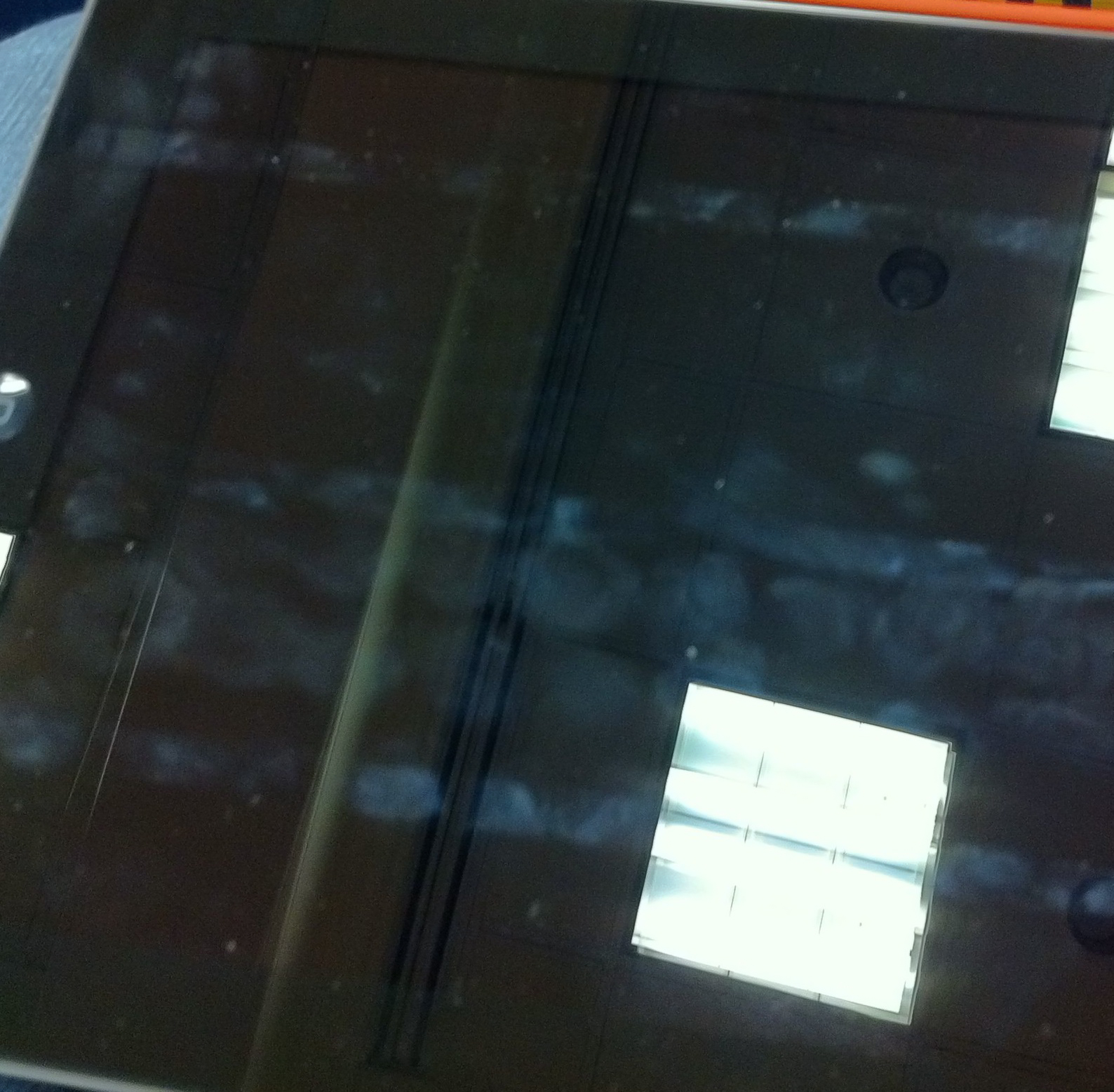
    Here is a shot of the screen while I was at SXSW and first noticed the cleaning properties of the Smart Cover:

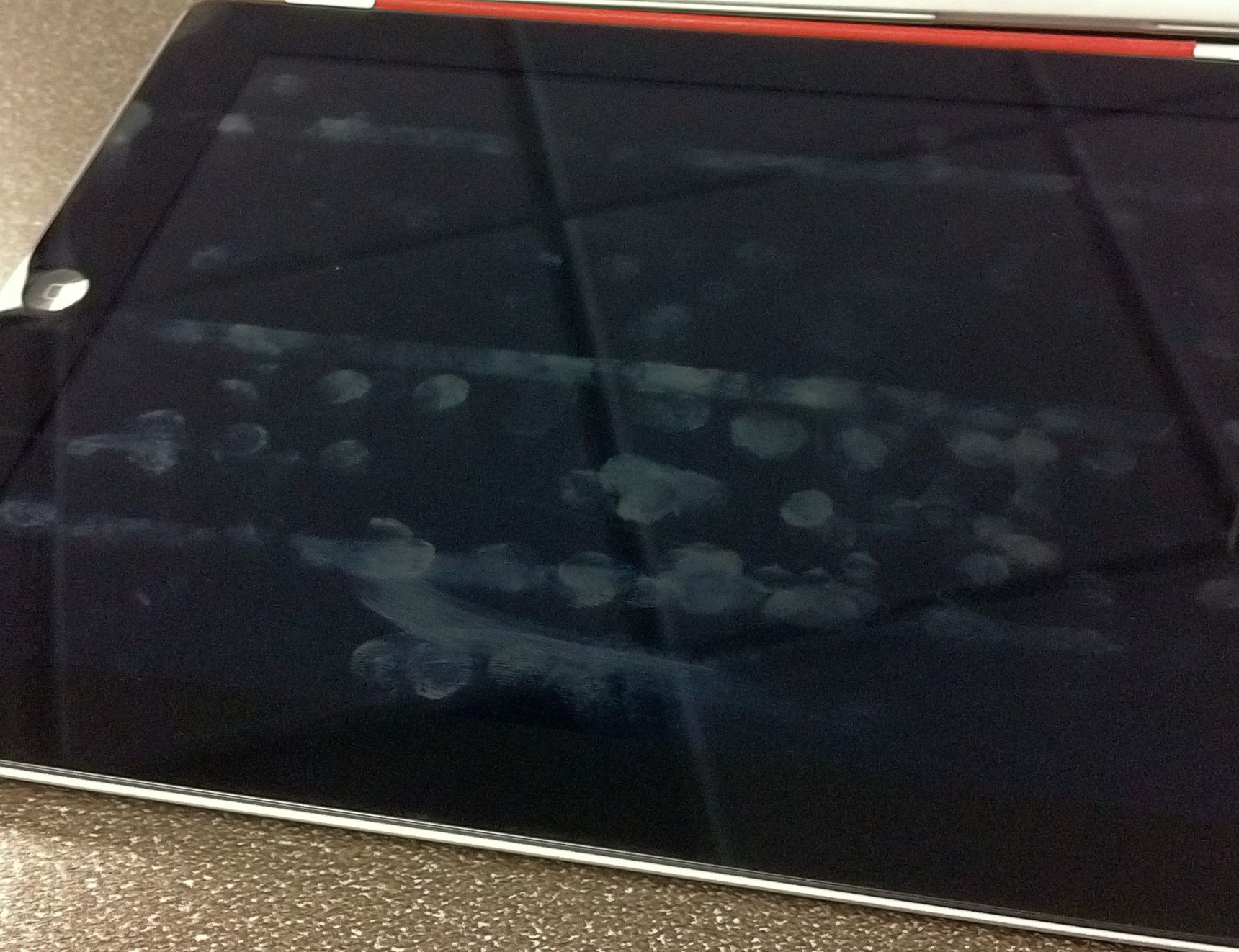
    Here is a shot I just took on my desk at work:

    What should be obvious from both pictures is that there are three distinct lines running the length of the screen that have never been cleaned. These three lines correspond with where the case folds and therefore where the case does not touch the screen. Admittedly I have been typing in landscape most of the time, so it is natural that this section of the screen is home to more fingerprints.

    What I find odd though is just how clean the top section is — I mean I have been using the iPad as normal. Further, you can see from the top line that there would/should be a lot more smudging at the top. I can only conclude that somehow the Smart Cover is helping keep my screen clean. My guess is that it is the motion of the cover rubbing against the screen while the iPad is in my bag that is doing this. I would also guess that a desk user wouldn’t see these type of results.

    Still though, the iPad 2 with Smart Cover does look much cleaner than my iPad 1 screen ever did — that makes me just a touch happier.

  • Let’s Help Japan

    Panic:

    Panic will donate 100% of today’s proceeds directly to the Japanese relief effort.
    It doesn’t matter if you buy direct from us or via the Mac App Store, we’ll take care of it. We’ll total up sales from 10:00 AM PST Mar 17th to 10:00 AM PST Mar 18th. And we plan to donate to a mix of the Japanese Red Cross Society and Portland’s own Mercy Corps.

    Awesome, well played. Transmit is one of the most used apps and I love it. Go buy it to help yourself out and millions more people. Huge thanks to Panic for doing this!

  • All You Need To Know About The NYTimes.com Paywall

    A nice overview from TechCrunch of the NYT paywall. We knew this was coming and it’s $35/mo if you want access on all your devices — which is lame. Which means you can expect very few links to the site from me because there are other, far better writers, I would rather support and many other free sources for the same news the NYT offers.

  • A typical Buyer/Seller Exchange on Craigslist

    A great little video of correspondence Justin had with a potential buyer for his computer on Craigslist. Cracked me up. (You need to have Flash to watch it.)

  • Night Time Themes

    Chris blew my mind when he announced that, like Liz Danzico, he was going to have his blog change colors when it was night time. He put up this little post showing how he did it — fantastic.

  • Quote of the Day: Scott Belsky

    “The magic happens when you find the sweet spot where your genuine interests, skills, and opportunity intersect.”
  • Witness the Spectacle of the Apple Popup Store

    I never made it inside and every time I went by the store there was a massive line — including that last day of SXSWi. Crazy.

  • Getting the Best Use Out of the iPad’s Side Switch

    Shawn Blanc looks at how he uses the iPad lock switch (mute switch to some I suppose):

    So, yes, it now makes sense for me to use the side switch for rotation lock.

    I have always been a rotation lock kinda guy — I mean I just know somethings are right. ((It is sad that Apple lost its way for a bit with this switch and now have to only half backtrack on the switch.))

  • For Discovery, a Farewell Spin

    It kind of bums me out that the Shuttle program is done now — I always thought it is very cool.