Month: April 2011

  • The Forkbombr Home Screen Organization Method

    Stephen M. Hackett on how he arranges his iPhone home screen:

    >As such, I place my most-used applications in the center of the screen, with less vital ones further out. The green box I overlaid on the screen shot shows the primary target area I can reach with my thumb, while cradling the phone. Since my apps just take up the top three rows, they form a great little rectangle, making it easy to tap the top of the OmnniFocus icon, for example, to launch the app.

    An interesting method to be sure, my main problem with the important-icons-in-center approach is that there is no clear memorization for me — in other words I have to look to hit those app icons. Whereas with my [four corner approach](https://brooksreview.net/2011/03/homescreen-organized/) I don’t need to look to hit those spots.

  • Wil Shipley on Farmers and Miners

    Wil Shipley:

    >If you’re building up a company for the sole purpose of looking good for one solitary moment – the day you go public – you’re not building for the future. You’re not (to waterboard my metaphor) maintaining the soil, making sure your animals are healthy and happy, and all that good husbandry stuff a good farmer does. Your only focus is looking like you’re going to achieve great sales in the future.

    This, in a nutshell, is what [Facebook is doing](https://brooksreview.net/2011/01/worth/).

  • AutoTag2 for WordPress TextMate Bloggers

    What I really miss about blogging with MarsEdit is the auto-complete feature for tags — this way I don’t have a bunch of the same tags, spelled (or capitalized) differently. In TextMate I just have to guess, well that is until Mr. Brett Terpstra revived this old bundle of his called AutoTag:

    >What the bundle does (short version) is find the most appropriate tags for your content based on tags you’ve already used before.

    It works and I am really appreciative to have this.

  • Quick Takes on Five Apps (#7)

    I’m back with the latest [installment](https://brooksreview.net/tag/quick/) of the Quick Takes series where I look at five apps.

    ### [Vimeo](http://d.pr/z6Fq) (iPhone) ###

    Vimeo already works perfectly on all iOS devices — it is fast and far better than YouTube ((In both quality and speed/playback.)) and is my first choice for web video. The app is snappy and is very nice, but one huge omission is search. You can search the video *you* upload, but you can’t search all videos. You can browse by category, but if you know the title of the video you want to watch — you are SOL. The app is also an uploading app that allows you to shoot and edit video in the app that you can then upload to Vimeo. You can also add multiple video clips together which is pretty nice.

    Nice, but an odd choice. I always view videos hosted on Vimeo as a step up in quality than videos hosted anywhere else — certainly you can create great videos in the app — but I think this may lead to some lesser quality videos that sites like YouTube are more synonymous with.

    ### [Quotebook](http://quotebookapp.com/) (iPhone, iPod Touch) ###

    This is a neat little app that basically keeps all the quotes you store (if you store any) in a nice Simplenote type app. ((Quick note, I was given a promo code to test out this app.)) I keep a ton of quotes in Yojimbo and moved a few — manually — to Quotebook and I have to say that this is a far better way to store them. You can rate the quotes and you can browse by author — which is quite handy.

    This is definitely a niche app — but if you like to store quotes, then you can’t get much better than this. Having said that, it will be a real pain to move all your quotes into the app — luckily there is an export feature so your quotes aren’t trapped inside the app.

    ### [Hipmunk](http://d.pr/T7XO) (iPhone) ###

    Well we have a winner for worst app icon I have seen in quite some time, but this flight search app is really as good as flight search gets. Case in point: while loading the flights available there is a splash screen that shows ‘tips’ to the user — the first “tip” I received was:

    > Tip #7: Hipmunk for iOS doesn’t show flights that are both longer and more expensive than your other options.

    That makes perfect sense — who’d pick such a flight — so it makes me wonder why other apps show these flights. My second favorite thing I found about the app was that you can sort search results by: “agony”. Which I assume sorts by the cheapest and shortest flights first — awesome. Of course as with any other flight apps, this app doesn’t show you Southwest (Southwest doesn’t allow access to their flights).

    More than anything else I really like the way the flight data is represented, with clear breaks in the flight for layovers. You can quickly scan and see what you need to know about each flight. Great app and it is free — check it out.

    ### [Color](http://d.pr/EsrE) (iPhone) ###

    I typically read and few first impressions of apps before I bother to try them out and Color was no exception. Except I didn’t download it once I read more about it because, well, you know. On Friday night I was out with friends celebrating my buddies birthday — he had Color installed on his Android device and I decided to install it too so that we could play around with it.

    The app is stupid, pointless, and rather confusing. Don’t bother.

    ### [Mr. Reader](http://d.pr/fXK8) (iPad) ###

    It’s been a long time since I have bothered to play with a Reeder competitor for the iPad, but when I read a [respectable writer](http://carpeaqua.com/2011/04/02/mr-reader-—-ipad-rss-reader/) mention that an app replaced Reeder for them, well I had to try it out. I think it sucks.

    The name is silly, but works well — the app icon though, good lord it’s bad. Then you get to the interface which doesn’t allow you to scroll through the news items, instead you see a headline and excerpt and then you can click mark all as read. This is just silly.

    [Updated: 4.5.11 at 10:55 AM]
    I need to clarify that last statement, I never meant to imply that you can’t scroll the headlines. I mistakenly thought there was no button to flick through news items once you expand them to the “reading” mode — indeed there is a button to do this in the bottom right corner. Which is still a stupid spot for that button and (obviously) not apparent for me.

    [Updated: 4.5.11 at 11:59 AM]

    See here, for a better apology and description of the app.

    Though points to them for allowing you to actually manage your RSS items — Reeder we need this. Overall, I would stick with Reeder or NetNewsWire, because Mr. Reader, you just don’t quite pass muster.

  • Episode #6 of The B&B Podcast

    In episode #6 Shawn and I talk about a poll we took on Twitter for dock appearance and placement. We also dive in to other areas of your Mac desktop including the type of background images people use.

    Our fine sponsors for this episode are [Screens](http://edovia.com/screens/source=brooksreview) and [Instacast](http://itunes.apple.com/app/instacast/id420368235?ref=bbsponsor).

  • Quote of the Day: Seth Godin

    “Shun the non-believers.”
  • Hey, Thanks TiVo

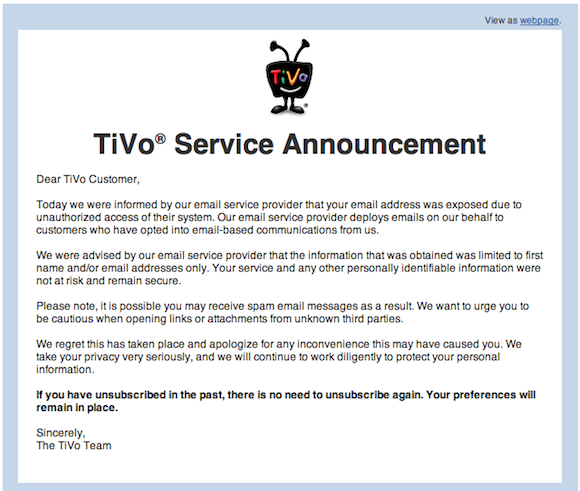
    So I received this message from TiVo this morning:

    [](https://f3a98a5aca88d28ed629-2f664c0697d743fb9a738111ab4002bd.ssl.cf1.rackcdn.com/tivo.png)

    This stuff happens, even though it shouldn’t, so I am not too bugged by this. But, this line really pissed me off:

    >Please note, it is possible you may receive spam email messages as a result. We want to urge you to be cautious when opening links or attachments from unknown third parties.

    Well that’s just lovely — TiVo I *urge* **you** to be more cautious with the information I intrust your company with.

  • Stupid Market Share Comment

    Henry (link bait) Blodget:

    >The Android gains matter because technology platform markets tend to standardize around a single dominant platform (see Windows in PCs, Facebook in social, Google in search). And the more dominant the platform becomes, the more value it becomes. The network effect kicks in, and developers building products designed to work with the platform devote more and more of their energy to the platform. The reward for building and working with other platforms, meanwhile, drops, and gradually developers stop developing for them.

    I may be way off base here, but seems to me that developers like to develop for platforms that earn them a living — and right now that’s still iOS, not Android. ((Though there are exceptions to every rule, in general iOS is still a far more lucrative platform.)) I mean it’s rare you see an hot new app got to Android first, before it comes to iOS — regardless of market share.

  • Marco Arment on Android Market Share

    Marco Arment:

    >It’s important to consider why they bought Android phones in the first place. Was it because they tried their friend’s Droid and had to have one because it was so good? Or was it because they went into the Verizon store for their next contract renewal, they wanted an iPhone but knew it wasn’t available on Verizon, the sales guys told them this was just as good as the iPhone, it looked a bit like an iPhone, and it had a buy-one-get-one-free sale?

    Marco has a great point, I am sure the market will change over the next 18 months — in the iPhone’s favor. Why? Because last night my buddies new-ish Droid Incredible died long before the night was over — after a full charge in the morning and a 40 minute boost during the afternoon.

    Android phones just aren’t there yet in the user happiness category.

  • My Workflow from 5/23/06

    *(This post is from May 23, 2006 — it was something that I wrote for an unknown reason, must have been for an old blog, and has been hiding in Yojimbo all this time. I am gone through and cleaned it up a bit and added in details as I remember them. I have also tried to get any links to some of the software mentioned.)*

    As I mentioned in a previous post I now use [OD4Contact](http://www.macworld.com/article/45387/2005/06/od4contact25.html) as part of my daily workflow. The greatest benefit of this new workflow for me is organization. I have made some major switches in my workflow’s recently to get better organization. I now tag all my files (using [Quicksilver](http://qsapp.com/)) so that I can quickly find them with Spotlight. I do not use folders any more — instead I dump everything in the documents folder after I have tagged it. I use spotlight and the open recent commands in individual programs to find files that I need.

    [Yojimbo](http://www.barebones.com/products/yojimbo/) organizes web clippings, links, and general notes and thoughts (including blog entries). I like Yojimbo because it has a nice little drawer that sits on the side of the screen and uses `.Mac` to sync with my other computer (( If memory serves I wrote this when I had either a Mac mini + Powerbook *or* a Mac Pro, Mac mini and MacBook Pro.)) . The heart of my workflow is OD4Contact, I take notes on all my phone calls with the program so that it is filed under the proper contact and is easily accessible for reference at later times ((This is before Highrise came out.)) .

    Here is how I work…

    ### New Notes / Links / Web Archives ###

    I create and store all of these in Yojimbo, since these are items that are for my personal use that I refer to often the .Mac syncing is a must — I can get the info on either computer without worrying. Yojimbo is also a much cheaper option for me that the seemingly more robust [DEVONThink](http://www.devon-technologies.com/products/devonthink/). I keep the drawer on the corner of my screen with all of the topics of my thoughts (my three companies, and the personal interest projects).

    This is a place to brainstorm and really allows me to get down information fast and in an organized way.

    ### Files / Documents ###

    The next step is organizing the pdf/doc/jpg/xls files, as well as others. When I make a new file I save it to a folder on my desktop labeled inbox. This folder is for all documents that I am currently working with and it can get very full. Before anything leaves this folder I tag the Spotlight comments section using Quicksilver. This is very fast and easy to integrate. I then move the files to the documents folder when I am finished working with them on a regular basis, this allows my fast recall using spotlight, but it is no longer cluttering my inbox folder.

    I use [You Synchronize](http://www.yousoftware.com/support/sync_notice.php) (no longer available) to keep both Macs in sync.

    *(ed note: I do remember all the trouble and pane I went through to keep both Macs in sync the way I do today with Simplenote sync and Dropbox — I do not miss those days.)*

    ### Correspondence ###

    As mentioned I use OD4Contact to keep all my correspondence in order — whenever I need to do something with correspondence or anything else I create a new task in OD4 and then assign the category, and contacts (seems tedious I know, but beneficial in the end). Then I use the new call/email/chat/mailing buttons to create that new correspondence, making sure to note when I contacted them, about what, what was said (phone call), and if follow-up is needed.

    Email is handled categorically, with the Inbox remaining empty at all times (I can’t stand a full inbox). I offset this with five other mailboxes in Apple’s Mail.app, I have one for my new company, which contains any information that deals with that company. The next is the Drafts mailbox that Apple creates for you. Then I have one that is called Follow-up, as you may have guessed I move all emails that I need to follow-up on in to this folder.

    Next I have a folder marked “old” — this is simply where every email ends up before I archive it. Lastly I have a mailbox called Reference, which is emails that I need to reference for current projects and to-dos (especially tracking numbers and such). I compliment this mailbox system with Mailtags, Mail Act-on, and the Notification plug-in. I will let you figure out how best to use those mail plug-ins for yourself, but once you get used to them, they are a huge time saver. ((I can’t believe how long I have been using Mailtags and Mail Act-on.))

    *(That’s all there was of the post, but I have a feeling it was longer at one point. Anyways it’s neat to look back at this and how much programs like OmniFocus or stuff from 37signals — hell just Dropbox — has changed everything.)*

  • On Gizmodo

    The Macalope on Gizmodo:
    >These days they just sit around lobbing epithets like “evil” at Apple. That might actually hurt—if their opinion were worth something.

  • AntiTrusting

    I really like playing Monopoly, but only when I have a couple of monopolies — otherwise it just isn’t fun to slowly go bankrupt. I suspect that’s why so many people despise the game. When I started to learn about what a ‘real’ monopoly was I began to think how sweet it must be to be someone like Bill Gates — who clearly had a Monopoly at Microsoft in the late 90s. I watched and read with great interest as the European Union tried to smack around Microsoft on anti-competitive practices and other fancy words that only mean: ‘unfair’. I know monopolies are not good for consumers or for innovation, but I can’t help but to look at them in awe — to build a monopoly is no easy thing, to stay a monopoly *is* easy.

    Short of breaking up a company, the most regulators can do are to force companies to change small bits (e.g. not installing only Internet Explorer by default or Windows Media Player) or fine you. When you are a monopoly fines mean nothing — you have the money to cover it — and breaking apart a company usually only makes the ‘real’ owners of the company even more money. Antitrust laws, and the enforcement of them, is a pretty tricky matter and not always effective.

    For example Verizon and AT&T originally came from the same company and now, decades later, stand to soon be the only two wireless carriers in the U.S. that matter. ((Sorry Sprint, but you know it’s true.))

    Back to this Google thing though — Microsoft running and telling mommy and daddy on Google. [Steve Lohr for the New York Times](http://www.nytimes.com/2011/03/31/technology/companies/31google.html) reports:

    >Microsoft plans to file a formal antitrust complaint on Thursday in Brussels against Google, its first against another company. Microsoft hopes that the action may prod officials in Europe to take action and that the evidence gathered may also lead officials in the United States to do the same.

    You see they are starting in Europe because they stand a better chance at winning (anything) there, which could in turn spur the U.S. Department of Justice (DOJ) to launch a similar investigation.

    The entire complaint seems to come down to one issue Microsoft has with Google, Lohr again:

    >But a central theme, Microsoft says, is that Google unfairly hinders the ability of search competitors — and Microsoft’s Bing is almost the only one left — from examining and indexing information that Google controls, like its big video service YouTube.

    Basically, Bing can’t search YouTube in the same way that Google can and since Google owns YouTube, Microsoft is claiming that this is anti-competitive behavior — which, if true, it is. The question though is if that constitutes an antitrust violation. Europe has different laws than the U.S., and I won’t pretend to know them, but here in the U.S. it is generally understood that antitrust violations are [defined as](http://www.merriam-webster.com/dictionary/antitrust):

    >consisting of laws to protect trade and commerce from unlawful restraints and monopolies or unfair business practices

    OK so that doesn’t help — which is exactly why antitrust regulation is so hit and miss. On the surface it would seem that Google does indeed have a monopoly in search and text ads, I think even Google would be hard pressed to argue that. So far though they don’t seem to be acting in a manner that would be unfair and thus stop Bing from succeeding in any of those areas — except with how they can index YouTube, which is why that is the point of attack for Microsoft.

    Microsoft in this case is hoping that the overwhelming popularity and the scent of unfair practices with YouTube indexing will be enough to cause the EU to take some form of action against Google. People know Google is massively popular and Microsoft is hoping that they can make people stop saying ‘popular’ and start saying ‘monopoly’. But should they?

    I think not and I think Microsoft jumped the gun a bit here.

    Let me frame this another way.

    If a new search startup came about (let’s call them Brick) and Brick was able to index YouTube and the rest of the web better than anyone else — would this constitute anti-competitive behavior? Hardly. So the real problem is not that Google may have better algorithms that Microsoft’s Bing, but that they must — because they own YouTube — be doing something that is anti-competitive to get better YouTube search results.

    Which is exactly what Brad Smith, SVP and General Counsel for Microsoft, is saying:

    >First, in 2006 Google acquired YouTube—and since then it has put in place a growing number of technical measures to restrict competing search engines from properly accessing it for their search results. Without proper access to YouTube, Bing and other search engines cannot stand with Google on an equal footing in returning search results with links to YouTube videos and that, of course, drives more users away from competitors and to Google.

    >Second, in 2010 and again more recently, Google blocked Microsoft’s new Windows Phones from operating properly with YouTube. Google has enabled its own Android phones to access YouTube so that users can search for video categories, find favorites, see ratings, and so forth in the rich user interfaces offered by those phones. It’s done the same thing for the iPhones offered by Apple, which doesn’t offer a competing search service.

    Interesting, but how do you prove it? Seems to me that all Google needs to show to regulators is that they simply came up with a better search tool than Microsoft did and that they are not actively doing anything to block Microsoft.

    If I was Google I would say to regulators that YouTube searching only makes up X percent of overall web searches and thus Google clearly does not have a monopoly on YouTube searches, they just have an advantage in it. I would essentially argue the market is too small to have an overall effect on Bing’s competition with Google. How many people really pick their search engines based on how well they search YouTube?

    To the second point that Smith brings up you have to wonder what he is smoking. He is trying to show that because YouTube and Google are one in the same they have a better integration with the service **and** because Apple doesn’t offer a search engine — Apple too has better integration with YouTube. The way I read this though is that Google and Microsoft couldn’t come to terms with a YouTube integration agreement and now Microsoft is whining about it.

    What I can’t help but wonder though is what Microsoft really hopes to gain from this.

    Do they want Google fined? That would do very little to hamper Google. Do they want them broken up? I doubt that would do anything to help slow Google down — I mean they may just have to spin Android and YouTube back into separate companies — plus I don’t think the EU can make that call, I think it would have to be the US DOJ. So they must want to force a change in these practices right? What would that achieve though? Sure their YouTube search results would be better, as would the Windows Phone 7 YouTube app — but that isn’t the reason people aren’t using Bing, or buying Windows Phone 7 devices.

    It would seem Microsoft doesn’t stand to gain much here. This just seems rather desperate.

    ### Jumping the Gun ###

    I honestly think Microsoft jumped the gun here and potentially screwed users in the long run. Had Google been left alone for another couple of years (so they could really become a monopoly) I would bet there would be a far better case to be made against them — here in the U.S. That case would likely be able to pull in Google’s ISP dreams, Android, Chrome, Ads, and YouTube. It would lead to far more damaging rulings against Google than just bitching about YouTube access.

    It’s not like Microsoft is grasping at straws to stay alive, yet they are acting like they are.

    ### Apple ###

    What really blows me away though is that HP/Palm, Google, and Microsoft has yet to go after Apple for a monopoly with the iTunes Store and iPods. I mean you could claim that because they own that market and won’t allow other devices to sync with iTunes, that indeed the iPod/iOS has a monopoly with the iTunes Store and thus something needs to be done to allow Android/WebOS/Windows Phone 18/Others to sync with iTunes.

    Just a thought…
  • “Bits of Torn Paper”

    Brent Simmons:
    >If this rumored new UI for iCal is real and not just a mockup by a misanthropic Photoshop sadist, then I’m going to be distracted forever by the bits of torn paper under the toolbar.

    It drives me crazy in the iPad version of iCal.

  • “Affluent CEOs”

    Jacques Mattheij on Bob Parsons and the now infamous elephant fiasco:
    >Flying in affluent CEOs to shoot members of a protected species is not going to help in reaching a fair compromise, taking into account the rights of all the parties involved, the villagers, the institutions tasked with protecting the animals, and, of course, the animals themselves.

    I am moving all my domains to [Dynadot.com](http://www.dynadot.com/) and I couldn’t be happier with their service.

  • A Translation of Dell’s Andy Lark by Craig Grannell

    I couldn’t have written it any better myself.