“Still, on balance, the TSA’s irrational half measures and out-of-date electronics policies don’t protect us all that well from terrorists. They do, however, make life miserable for the innocent.”
Month: June 2012
-
WTHR
This may not be the most useful weather app out there, but in my opinion it *is* the most beautiful weather app in the App Store — down to the icon.
Update: [I am being told](http://twitter.com/joestracci/status/217719336587112448) there is a bug in the app right now that keeps location services running (a fix is in the works). (I disabled the apps access to location services in the Settings app to avoid this for now, but that makes the app not work.)
-
Podcasts App From Apple
Apple launched their new Podcasts app — and this looks like a strong competitor/clone of Instacast, Downcast, et al. Interesting.
Update: [Turns out there is also a `redeem` button in the new app](http://thenextweb.com/apple/2012/06/26/redeem-button-in-new-podcasts-app-for-ios-points-to-possibility-of-paid-podcasts/). Interesting.
-
Sublime Text 2.0
It’s out and it truly is a very nice text editor. I may have to give it a go in place of TextMate — may.
-
‘Can Cisco Re-Invent the Router?’ Probably Not.
Cisco is pimping a new router that has iOS apps that interact with it, and easy traffic priority. The first is a “finally” feature. The latter is completely useless to all but the most advanced users — who aren’t going to want this router any way.
Cisco needs to focus on making a router [that is better than what Apple offers](https://brooksreview.net/2012/06/wifi-routers/), because until then no one will care — and why should they? Who wants to spend time deciding which media device gets priority over the other? Not me, I have better things to complain about.
-
Damn the TSA
TheIndyChannel.com reporting on the latest TSA outrage, when a TSA agent inspected (by hand) the cremated remains of the a man’s grandfather — John Gross, was carrying the remains through the TSA checkpoint and said that after she spilled some of the remains on the ground, this is what happened:
>”She didn’t apologize. She started laughing. I was on my hands and knees picking up bone fragments. I couldn’t pick up all, everything that was lost. I mean, there was a long line behind me.”
That just pisses me the fuck off. If this TSA agent isn’t fired, then everyone in the TSA with the power to fire her should be fired.
Oh and in case you are wondering, here’s the TSA’s own rules on screening cremated remains:
>But the agency’s own website says human remains are to be opened under, “no circumstances.”
[via Grant Buell] -
[Sponsor] The new Doxie Go
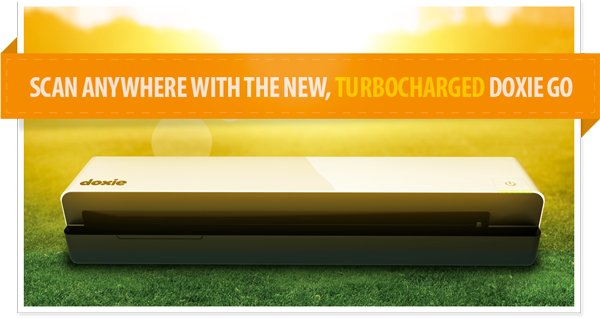
Just announced: [The new, turbocharged Doxie Go.]((http://www.getdoxie.com/product/doxie-go/))
The next generation Doxie makes it easy to scan anywhere – no computer required – then sync to your favorite devices and the cloud. A major upgrade today adds lots of new features: legal size scanning, enhanced Dropbox integration, document signing & faxing with HelloFax, Basecamp integration, a beautiful new add-on carrying case, and much more.
Going paperless should be simple – with a brilliant design and great software, Doxie is the best way to scan all your paper, everywhere you go. [Now shipping worldwide.](http://www.getdoxie.com/product/doxie-go/)
-
Encrypted OmniFocus Syncing
What a fantastic solution — I had no idea that one could encrypt this data, but I just switched over to this. ((Don’t act surprised, and if you are: read this site more.))
-
‘How Microsoft and Apple Are Fighting the Prejudice That Tablets Are Not for Creating’
Shawn Blanc:
>Microsoft needs a compelling reason for customers to see the Surface as a legitimate computing device. And since they don’t (yet?) have a gangbusters App Store, they built keyboard cover instead.Not only do I think Shawn is spot on, I think this is very Microsoftian too. Well said.
-
Retina MacBook Pro Heatmap
The post isn’t in English (though there are others who have re-written the post, I figure you guys are savvy enough to know how to translate it), but shows some great images of where the heat on the new retina MacBook Pro is centered.
This jives with what I recorded and noticed, again I never was able to get the machine hot enough to warrant even a slight discomfort — then again I steered clear of Flash and Adobe in general.
-
Apple Reportedly Replacing “Ghosting” Retina MacBook Pros
After I posted my retina MacBook Pro review this weekend, a couple of readers pointed out some articles talking about ghosting issues. I haven’t seen it, but it sounds like some are and that some are getting replacements from Apple. As McCarty notes in the linked post, this is a common problem with IPS displays.
*(Here’s hoping my early adopter nature doesn’t come back to bite me in the ass.)*
-
Speaking of Privacy
Jeffrey Rosen reporting on “the right to be forgotten” on the web:
>But the right to be forgotten also gives people the right to demand the removal of embarrassing information that others post about them, regardless of its source, unless Google or Facebook can prove to a European regulator that the information is part of a legitimate journalistic, literary, or artistic exercise.The paranoid, privacy nut, side of me is very happy about this. The blogger side of me is very worried about the implications of: “legitimate journalistic, literary, or artistic exercise”. Beyond that: how is this even enforceable — practically speaking…
-
‘Apple Wants to Protect Your Identity … by Cloning You ‘
Megan Garber reporting on a patent, owned by Apple, that could help users remain private on the web:
> The overall point, the patent text notes, is to “make any data collection about a principal less valuable and less reliable.”
Hmm, now this is *just* a patent, but man if that doesn’t seem like a threat to Facebook and Google. Here’s hoping Apple does implement something this cool.
-
Calling Bullshit
Justin Blanton on the ‘Apple sets all laptop screens at 70 degrees’ story:
>Can we all agree too that *no matter what angle a laptop screen is at when a customer approaches it*, that person will move the screen so she can see it better, because of preference, stature, lighting, etc.? Who starts playing around with a laptop they’re thinking about buying and *doesn’t* adjust the screen?
I thought I was the only one around that wasn’t impressed or surprised about that story. it all sounds like common sense and not some big secret.
Now if J.C. Penny starts showing clothes at 70 degrees, then we have a story.
-
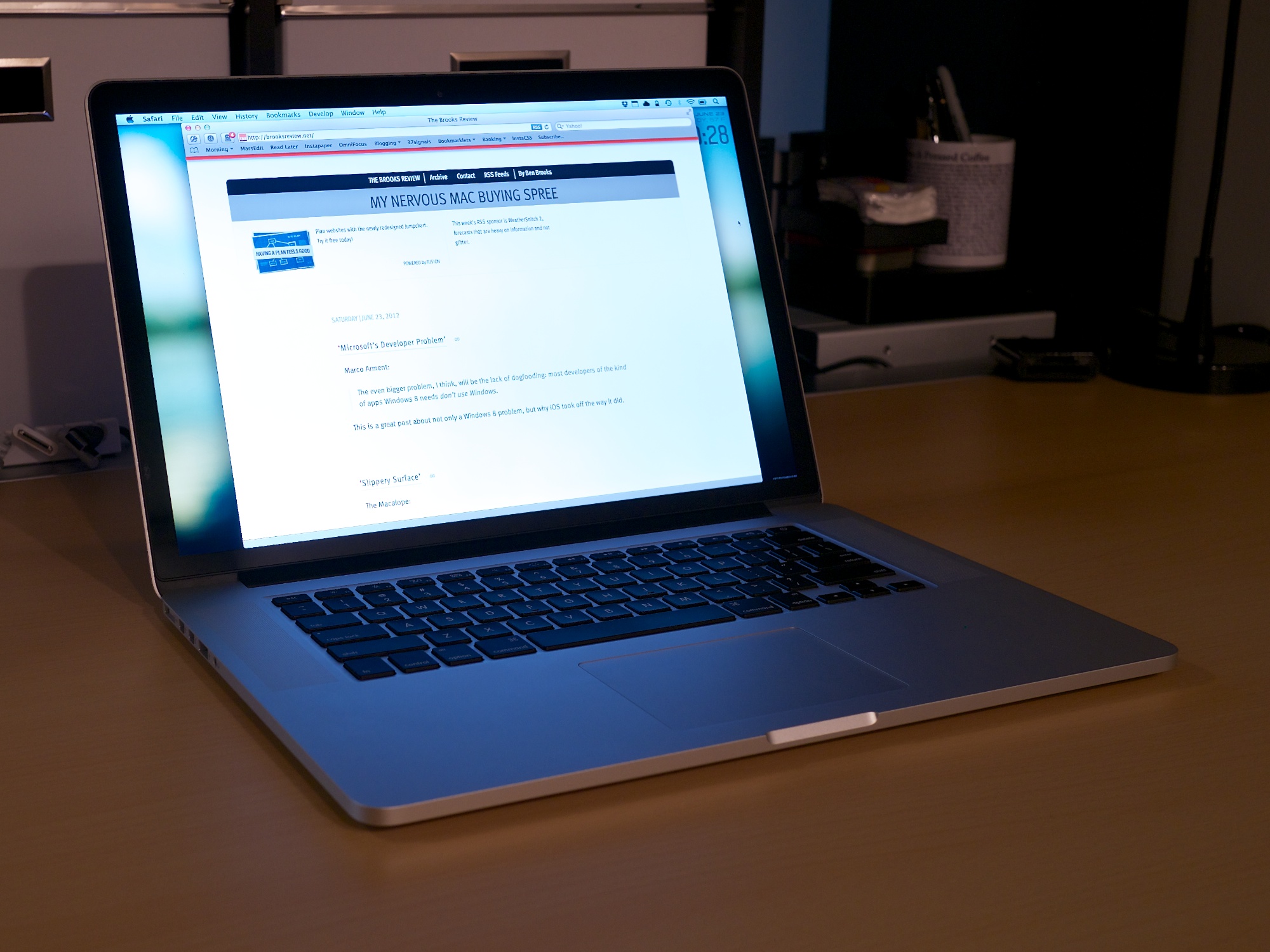
The Retina MacBook Pro: Sexy is Back
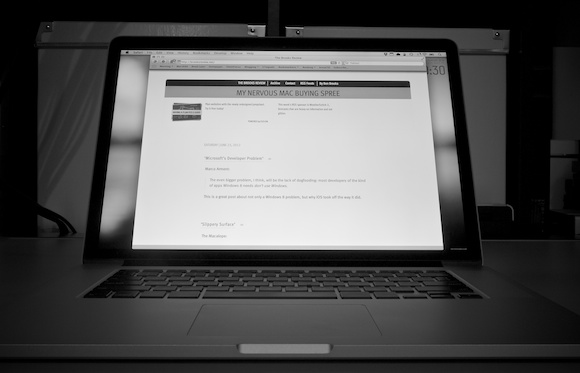
“I’m done buying laptops. I’m not buying another laptop. I don’t need a laptop anymore because my iPad *is* my laptop.” -Me as of Monday, June 11th, 2012 9:00am PT.
That’s what I’ve been telling myself for the last few months. That’s what I kept telling Shawn Blanc for the last few months.
So, of course, on Monday, after the WWDC keynote I purchased… a retina MacBook Pro.
*A laptop*.
The new retina MacBook Pro was just too good on paper not to buy. The performance, the screen, the design, and even the price was spot on for what I needed and what I wanted.
To be clear, I still plan on using it mostly as a desktop, but that’s a topic for another time.
Here is a review the entire machine, not just the screen.
### The Screen
Though, we’ll start with the screen. By now you have heard all the praise this screen is receiving and everyone is right — actually they may be underselling this screen a bit.
Bottom line: I don’t like using any other computing screen as much as I like using this screen. It is that sharp, that crisp.
#### The Web
You have also likely heard that the screen really makes the web look bad, which is only part of the story. What the screen does is point out where graphics exist that are not (hopefully we can say: “not yet”) upgraded to retina levels. [Egg Freckles](http://eggfreckles.net/), would logically seem like a site that would look poor on the retina MacBook Pro, but Thomas Brand has done painstaking work to make it look pixel perfect on the retina screen — without even knowing that this would be the case beforehand. Likewise any site (like this one) that doesn’t utilize many (or any) images for design elements looks fantastic as is. Text looks fine and sharp as long as it is actually text.
It’s not that the retina screen makes things look bad on the web, it just points out where designers are using low quality graphics – like ads.
CSS ‘only’ sites look perfect.
So whether or not the web looks bad, depends on what sites you frequent. To be clear, I am not talking about pictures, but the actual graphics used to make up the design itself. Pictures don’t look horrible in most cases. Text looks amazing (as long as you don’t use Chrome).
#### Apps
Where this screen does make things look bad is on apps that aren’t updated, but you’ve heard this before. Instead of rehashing let’s just do some showing:
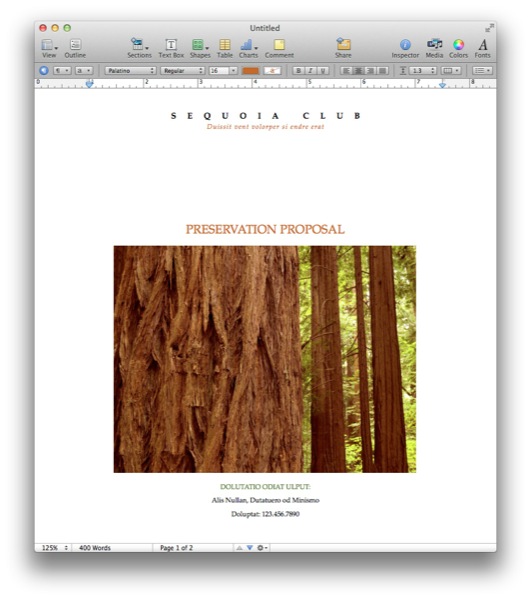
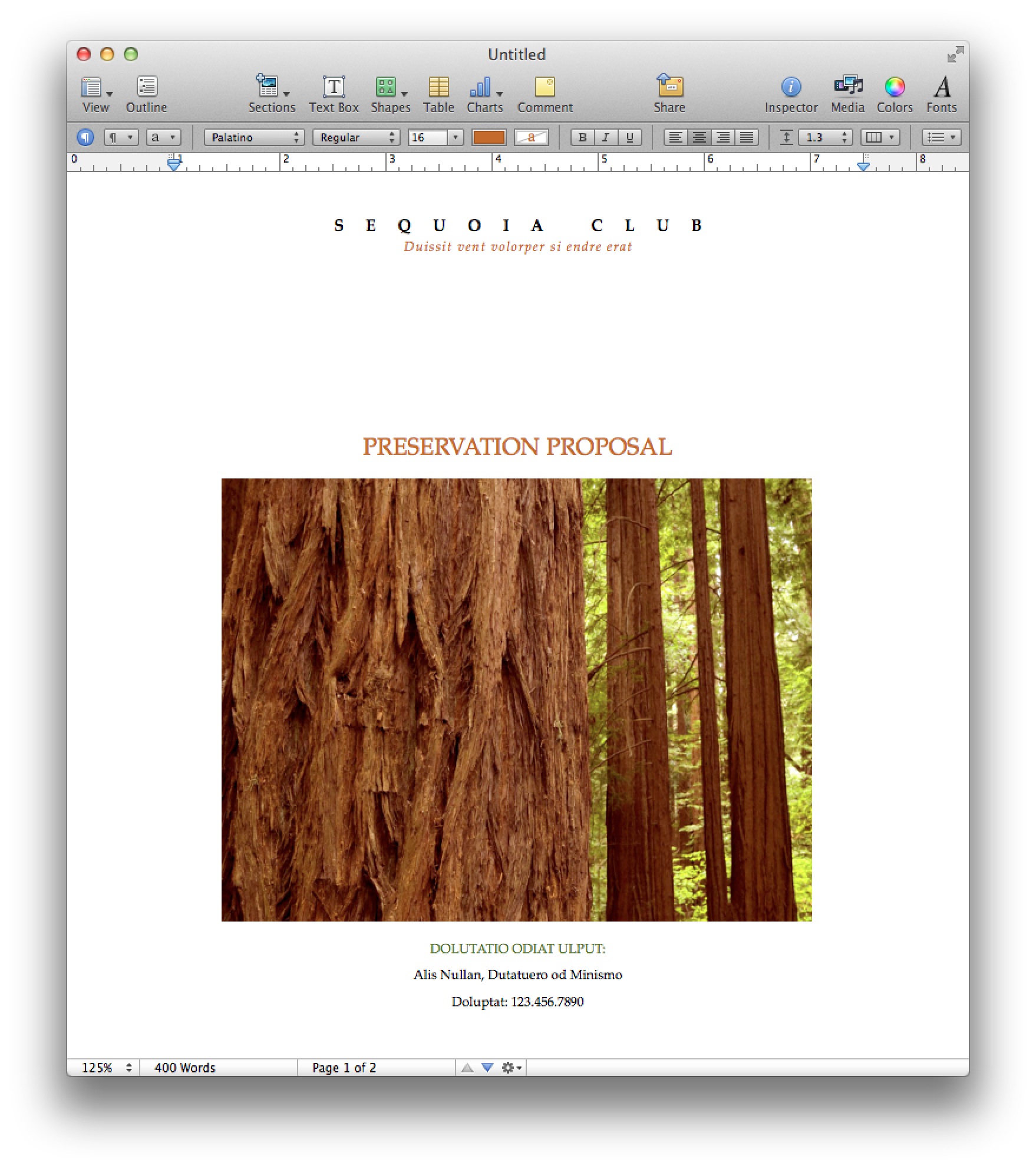
Pages ’09. 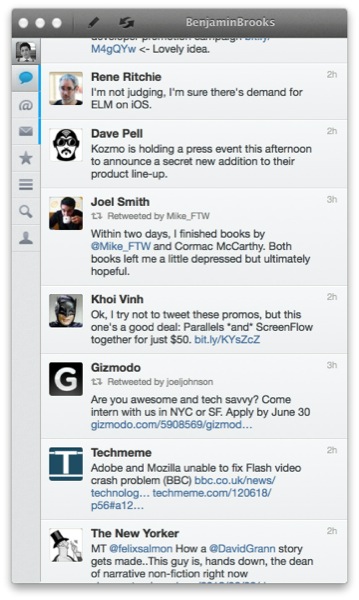
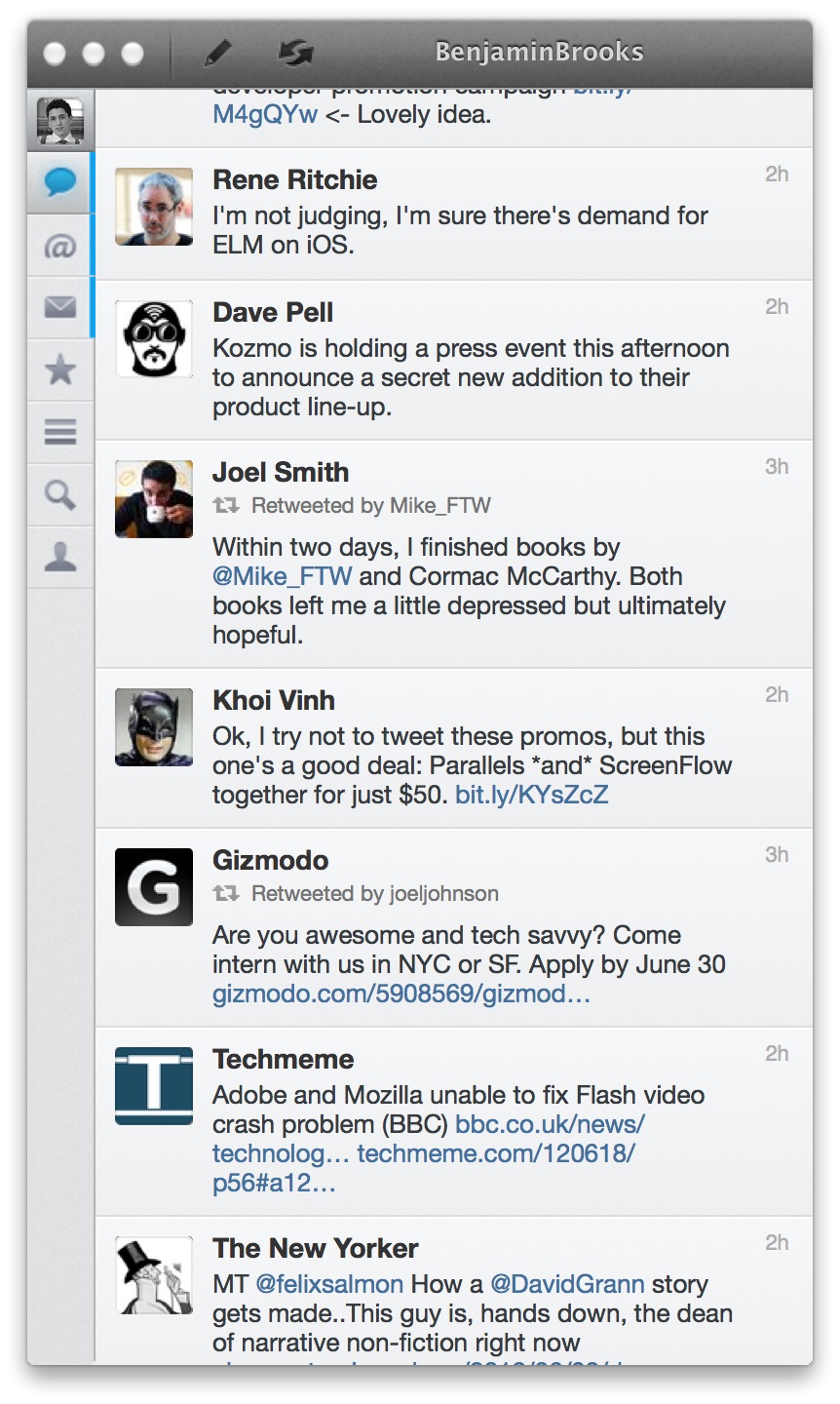
Osfoora Mac 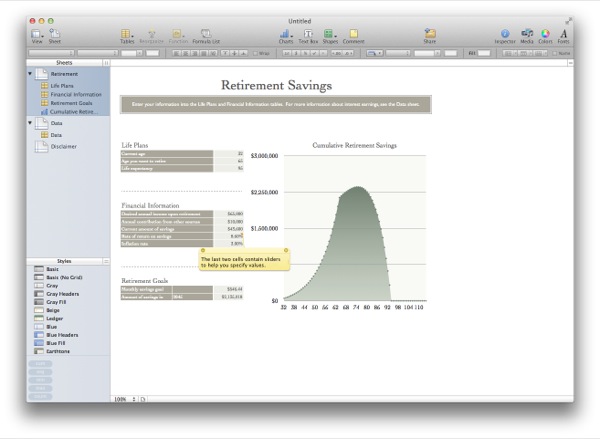
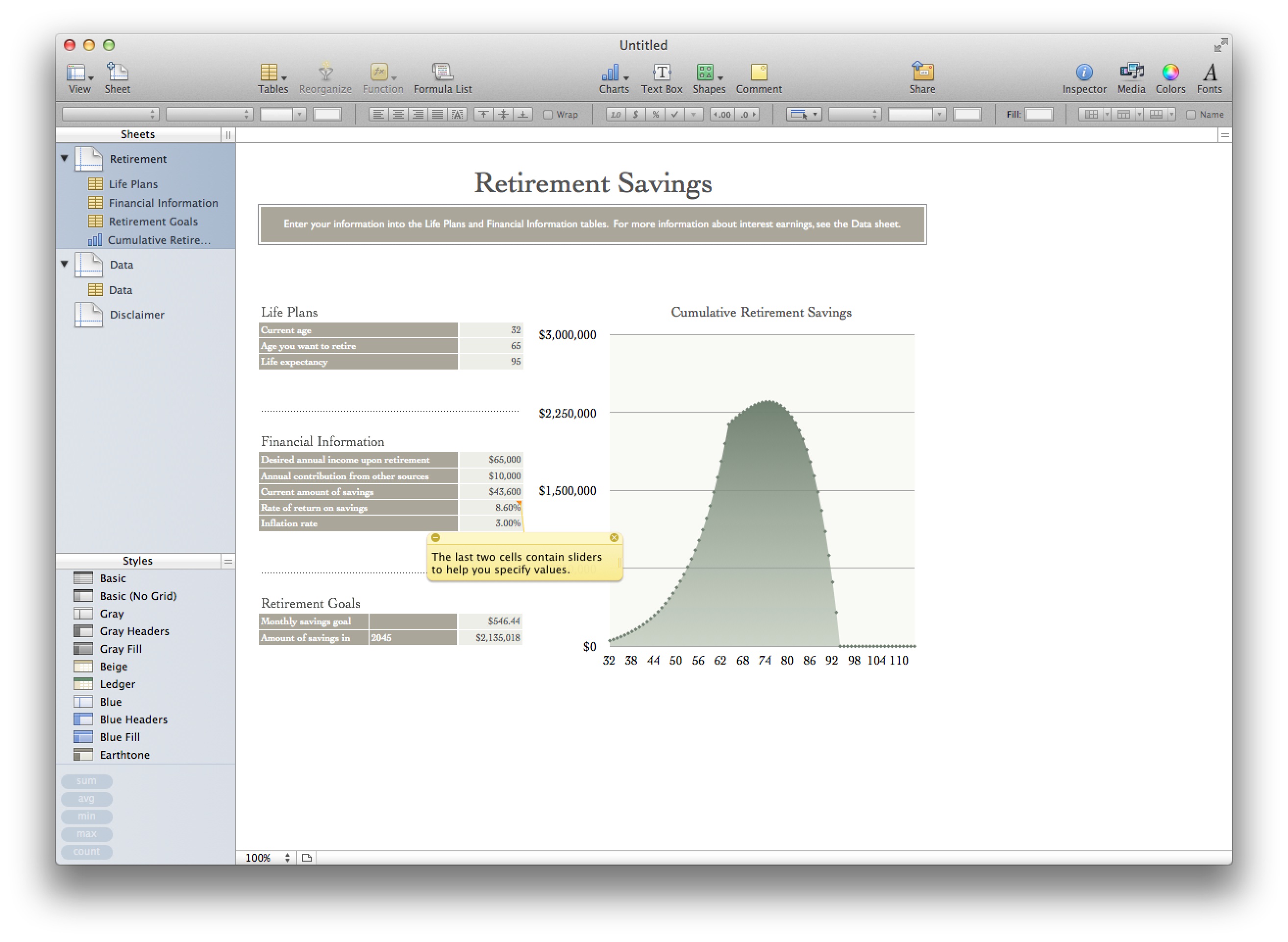
Numbers ’09 
Fantastical 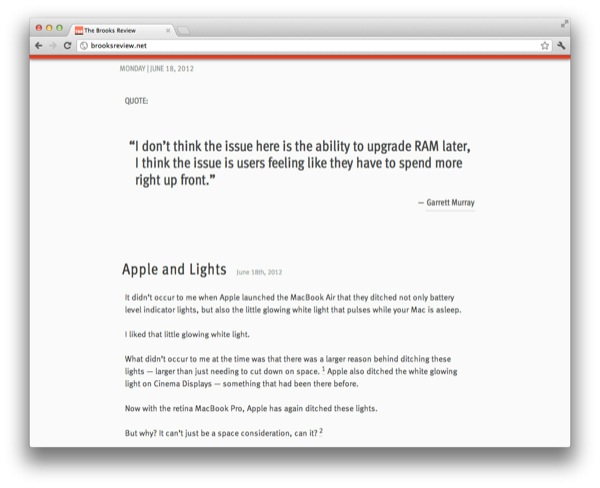
Chrome That’s just a few examples, I could really go on all day. So the question is: does this make those apps unusable? The short answer is: not really. But the expanded answer: only if you rely on using text in the app and that app is rendering text in a way that looks blurry. That right there means Apple’s iWork suite, and Office are out, so too is Chrome. This alone may be reason enough for people not to adopt the retina MacBook Pro yet, and it doesn’t look much better if you change the display mode from retina to something else. You could still use these apps fine if you hooked up to an external monitor, but then why spend the extra for this computer?
Just like with retina screens on iOS, developers for OS X will need to issue updates. My guess ((Perhaps ‘hope’ is a better word here.)) : all major apps are retina within 6 months, most in the next 6-8 weeks. I’m willing to make do until then.
#### Backgrounds
One of my larger concerns was that this resolution would render all of my background images obsolete. While it doesn’t make the images look great, [they don’t look horrible](http://fiftyfootshadows.net/2012/06/15/a-quick-word-on-resolution/). For me: I am keeping what I currently use as background images, while also keeping an eye out for higher resolution images too.
You can make do here without much problem.
#### Photos & Video
Photos and video are why I bought the machine: I want see my images and video crisper than ever before. I am impressed. I’ve spent 10-20 minutes staring at the “[new blue marble](http://www.flickr.com/photos/gsfc/6760135001/sizes/o/in/photostream/)” Earth image from Nasa — it’s amazing how crisp and deep the image seems (I truly get lost in it).
In fact my images seem like completely different images when I edit in the retina optimized Aperture. This is a fantastic screen for working with, and viewing, imagery.
#### Glare
Apple made a big to do about the glare on the screen and how they have reduced it.
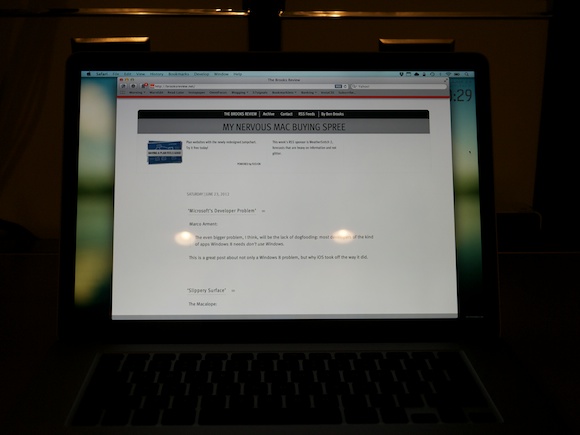
Glare from my office lights. To me the glare is better than it used to be in MacBook Pros, not quite as good as the Air, and no where near as good as a matte screen. It’s better — a lot better — but the glare is still very much present. This gives me hope for future Macs — at least the acknowledgement from Apple that glare *is* a problem.
### The Chassis
Almost as big of a deal as the screen, is the new-ish chassis on the retina MacBook Pro, so I want to dive into a few interesting things that I noticed.
#### Texture
I think Apple has refined its aluminum coating/milling process because the casing on the retina MacBook Pro feels smoother to both my hand and my Wife’s hand. The Air feels almost rough in comparison. I also compared the casing to that of a unibody MacBook Pro from 2008, and even with wear on the older Pro, the new retina Pro feels smoother.
I wouldn’t say it’s noticeable enough if you only use the retina MacBook Pro, because I only noticed when switching between the Air and retina MacBook Pro every few minutes.
It is different, but just *ever so slightly* different.
If this is how all new retina MacBook Pros feel, then it’s a good thing — a welcomed improvement.
#### Thinness
We all know the new Pro is thinner, but what I want to note here is how the Pro feels in your hand, lid closed, just by itself. Because when you carry the Pro around in your hand, the machine feels oddly thin. Where as on a MacBook Air the thinness to size ratio feels in check, the same ratio on the retina MacBook Pro feels out of sync.
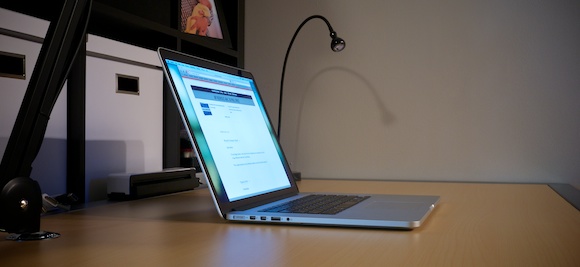
In other words the retina MacBook Pro feels almost too thin for how large the foot print is. I don’t say that as a bad thing, it just is a *thing*.
One thing that is surprising, is that the retina MacBook Pro feels even more rigid than the MacBook Air — and that’s a first for me with 15″ MacBook Pros.
#### Keyboard
It may be odd that I am writing about a keyboard on an Apple laptop, given that Apple really hasn’t changed the keyboards they use in so long. But there is something slightly different about this keyboard.
First it feels like the key stroke is a bit more shallow, not terribly different, just ever so different. I can’t tell if I like this more or less, but I am leaning towards more right now.
(I seem to remember one of the live blogs mentioning something about the keystroke being shorter, but I can’t find that reference now.)
Also the keyboard button engagement feels softer, a bit mushy. This, again, is in comparison to the Apple wireless keyboards, MacBook Air, and unibody MacBook Pro from 2008.
This is not a drastic change, but I suspect clicky-keyboard people will notice the slight change and feel that it makes everything worse off. Personally, while the changes don’t bug me that much (I am pretty used to them now), I do wish the keyboard felt more like the MacBook Air keyboard than what is in the retina MacBook Pro.
#### Heat
I didn’t have a chance, or way, to get very scientific heat measurements, but I want to note two things.
Under normal usage where I had the fans kick on a couple of times, my infrared thermometer noted 96°F in the center back and 86°F everywhere else on the top side of the Mac. Neither makes the Mac uncomfortable to touch or hold.
Numbers aside, this computer feels considerably cooler than my MacBook Air, but I suspect that is partly because the CPUs in the retina MacBook Pro don’t have to work nearly as hard as the Core 2 Duo does in my Air.
#### Noise
To my ear the retina MacBook Pro sounds very different from other Macs when the fans spin up. There is a noticeable lack of whine and drone from the fans. Does this make them better, or more pleasing? To my ear it does, but I have heard a few people comment that they *like* the constant fan sound.
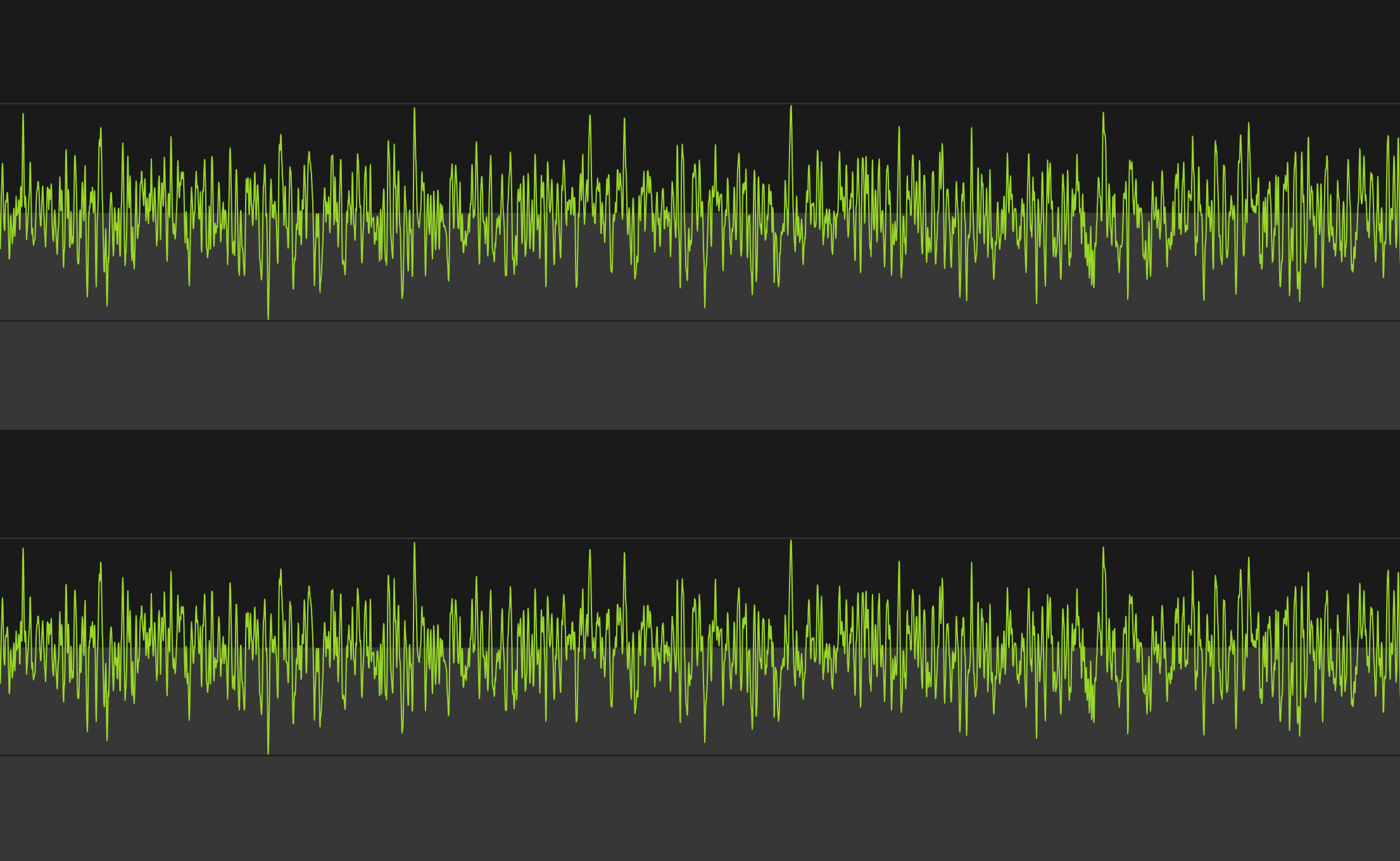
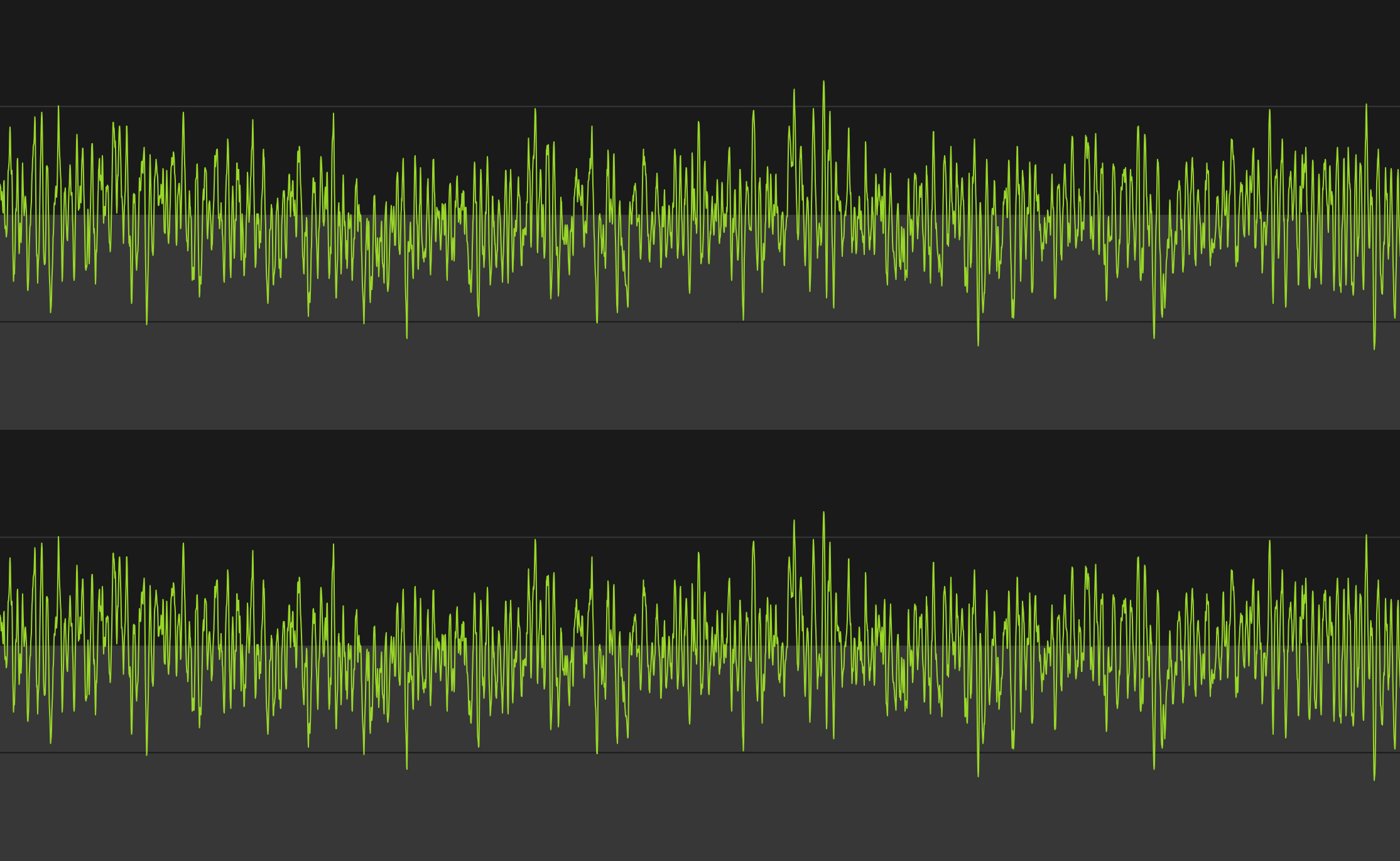
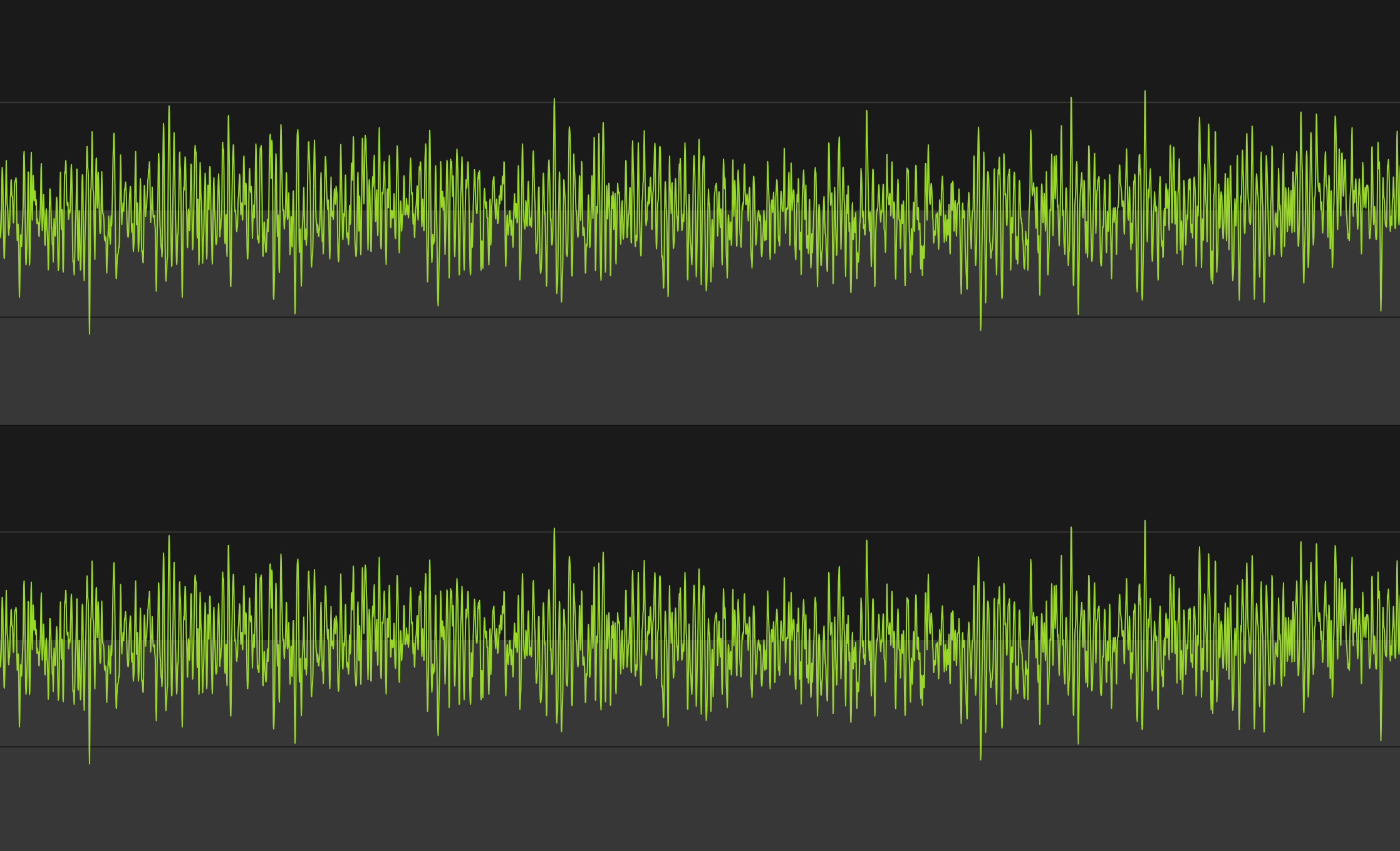
Here’s what each one sounds like, visually represented:
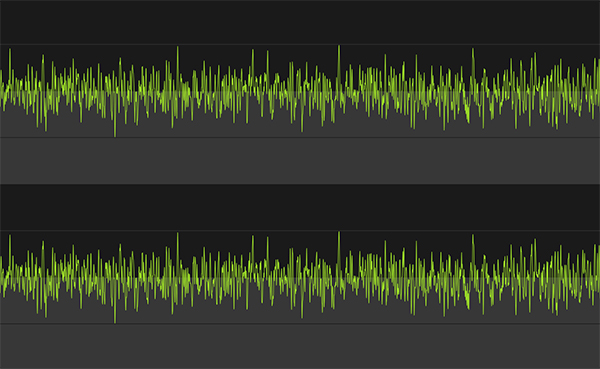
2010 Core 2 Duo MacBook Air, running at max fan speed. 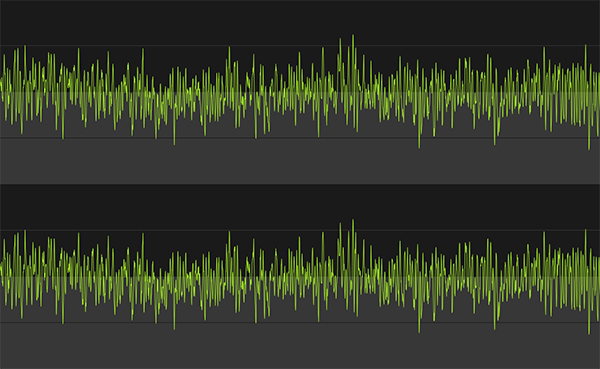
2008 Unibody MacBook Pro (Core 2 Duo), running at max fan speed. 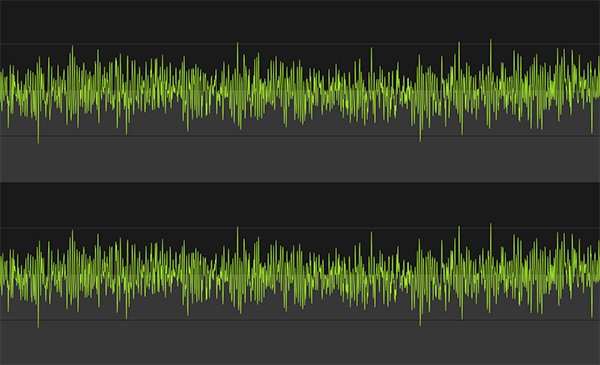
Retina MacBook Pro, running at max fan speed. The images certainly look different (I did my best for apples to apples comparison, but I’m no audio expert). Let’s take a listen:
MacBook Pro (2008 Core 2 Duo):
MacBook Air (2010 Core 2 Duo):
Retina MacBook Pro:
*(Note: I did my best to record each at the same level into the Mic, but that doesn’t come through in the playback. In reality the retina MacBook Pro was audible the quietest of the lot with the Air being the noisiest.)*
The old MacBook Pro sounded the whiniest to me, while the MacBook Air had the most constant droning sound. The retina MacBook Pro certainly sounds different, and it *is* a different that I like.
#### MagSafe 2
There’s just two things I want to point out about the new MagSafe 2 adapters:
1. They have aluminum ends.
2. They don’t have the round end where the cord heads back away from the computer, a design that started with the MacBook Air.I find the first observation to be nice. I find the second observation to be annoying. I wish Apple had went with the old MacBook Air style of MagSafe end because I find it puts less stress on the cable where it connects to the end. It is also a much more sleek design.
Hopefully there is an engineering reason for this and not just a design change — an engineering reason that they can overcome soon.
#### USB 3
To test USB 3.0 I purchased [this external Seagate HD](http://www.amazon.com/exec/obidos/ASIN/B005IA844G/ref=nosim&tag=brooksreview-20) and transferred and read large amounts of photos and video to and from the drive. I’m impressed.
Transferring 1.3GBs, broken up into 6 files, was done in less than 13 seconds. It was fast compared to USB 2 drives. USB 3 is a great addition for people (like me) that don’t want to pay the premium that Thunderbolt drives are demanding, but that want performance better than what USB 2.0 offers.
If you have a Mac with USB 3.0, do yourself a favor and switch your external drives to USB 3, you’ll love it.
#### Lack of Lights
[I posted about this the other day](https://brooksreview.net/2012/06/apple-lights/), but like the MacBook Air the new retina MacBook Pro has no externally visible lights. Nothing to indicate when the computer is asleep, or how much of a charge the battery currently has.
I think this is more than just a hardware space limitation. I think this is a signal to the user that it just doesn’t matter. All that matters is if the lid is open or closed, not battery life (because it’s really good) and not sleep state (because boot times are now fast enough the users shouldn’t care).
### Extras
A few more things before I wrap this up.
#### Benchmarks
I ran a [benchmark on this machine using Geekbench](http://browser.primatelabs.com/user/19559) and compared it to my 13″ MacBook Air and former 15″ MacBook Pro (which had an OWC SSD in it at the time). Those came at around 3,400 and 4200, respectively — the retina MacBook Pro came out at 11,800.
So yeah, fastest Mac I have ever had by a long shot.
#### Gigabit Adapter
I purchased the Thunderbolt gigabit ethernet adapter just to see if I could squeeze out a bit more performance from my home internet with it. On my MacBook Air the download speeds over WiFi seem to top out around 48 Mbps. On the retina MacBook Pro they top out (on my home internet) around 61 Mbps, which is the max speed for my Internet account.
Since WiFi was no longer limiting my Internet speed, I could only test local area network speeds, which are much faster over Gigabit (obviously). Overall it’s what you expect. It’s plug and play, works flawlessly.
#### MagSafe to MagSafe 2 Adapter
It’s a funny little adapter to buy. I don’t much like it, but it beats the hell out of buying new power adapters. I actually only bought it to store in my bag for that one time in my life I may need to use a charger and there is only a MagSafe charger available.
(Also for my Cinema display at work.)
### Wrap-Up
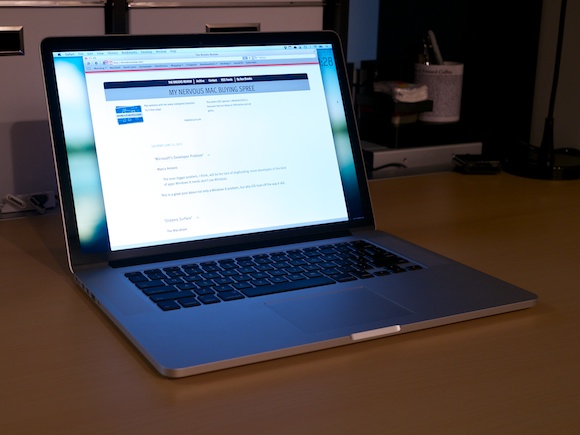
I am really happy with this machine, the screen is the best screen I have ever seen and the performance is almost as impressive. If you haven’t had the chance to look at this retina display in an Apple Store, it’s worth it to stop in and take a look. Specifically look at high resolution images and zoom in on some text.
If you can’t tell: I really like this machine, and that’s probably an understatement.
-
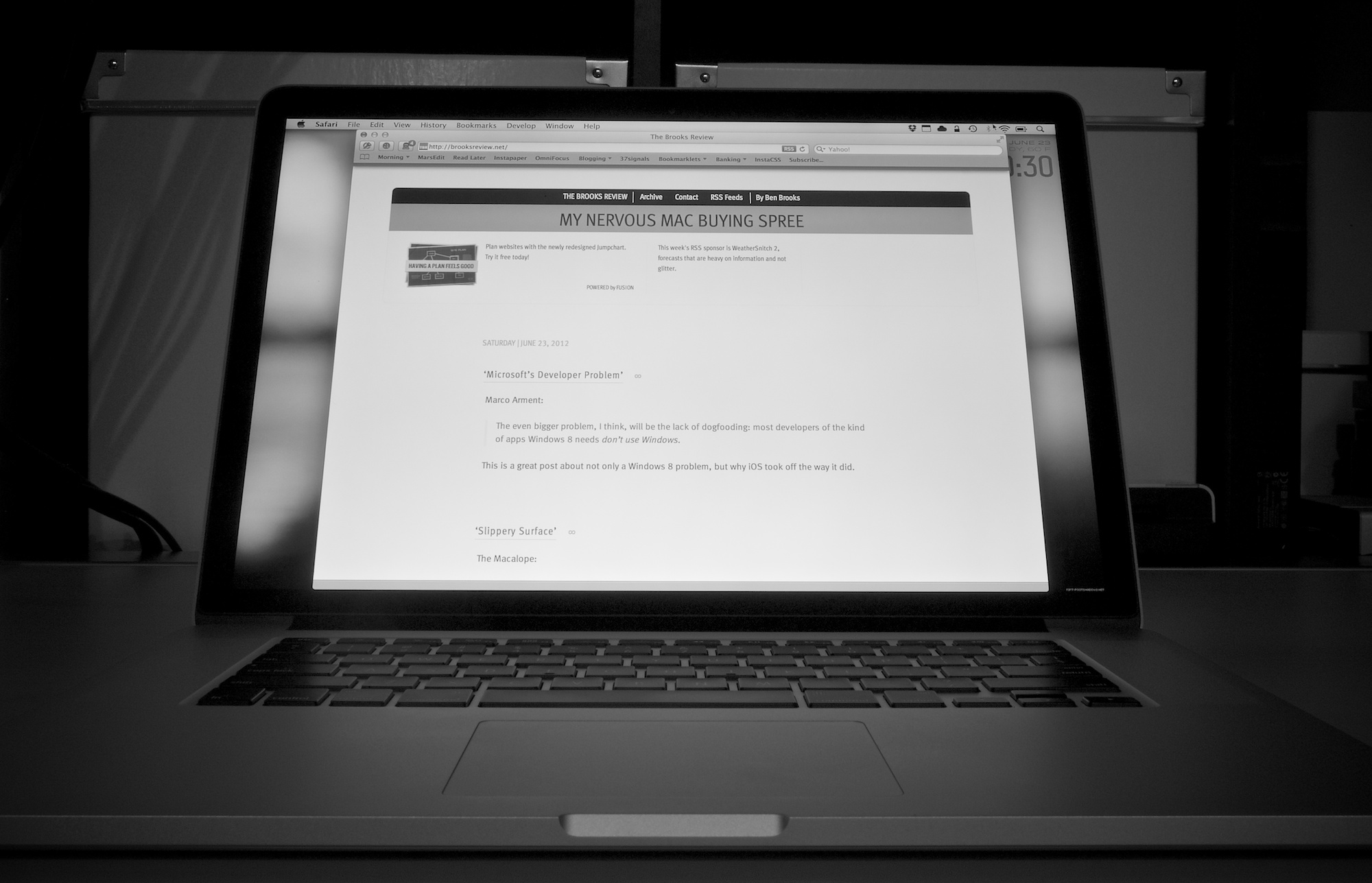
‘Microsoft’s Developer Problem’
Marco Arment:
>The even bigger problem, I think, will be the lack of dogfooding: most developers of the kind of apps Windows 8 needs *don’t use Windows*.
This is a great post about not only a Windows 8 problem, but why iOS took off the way it did.
-
‘Slippery Surface’
The Macalope:
>Now the only question is if the runner will score or if Microsoft will go one-two-three from here, as is traditional for baseball teams from the Pacific Northwest.
So true.
-
Snitchware
My thanks to Snitchware for sponsoring this week’s RSS feed to promote WeatherSnitch 2 — their update to a very good weather app. Most readers know by now that I have, and continue to, try most every iOS weather app out there. Over this past week I have been using WeatherSnitch 2 to plan painting outdoors for some youths that I have working for me — I have to say — WeatherSnitch still has one of the best weekly forecasts of any iOS app.
The month view is my default view of the app, and I love how I can glance at it to see weather trends — something critical to planning for potential problems in my day job.
Be sure to [check out the app](http://itunes.apple.com/us/app/weathersnitch-2/id452569394?ls=1&mt=8/), I really like it.
-
Striped SSD RAID
Ever wonder what would happen if you take two extremely fast SSDs from OWC and put them in a striped RAID on a brand new MacBook Pro (using the optical drive for another SSD)? Well OWC wondered, and here’s the result:
>Yow! With this setup, we averaged over 1000MB/s read speeds and write speeds that nearly hit 900MB/s. That completely blows the MacBook Pro with Retina Display out of the water!By comparison they tested the single SSD at 500/475MB/s — that’s pretty much double the performance with a striped RAID. I can’t even think about how fast that would be without getting jealous.
-
Justnotes v. 1.1
They changed/fixed my biggest issue with the app:
> Updated file naming of notes synced with folders (filename is same as note title).Boom, go buy it. It’s my favorite notes app for the Mac.