For a very long time now I have had a [simple Keyboard Maestro macro](https://brooksreview.net/2011/03/mad-links-km/) that would take the link on my clipboard and make a Markdown link out of any editable text that I have selected. It’s been a huge help to me over the years for formatting my writing.
With my [recent switch to Ulysses III](https://brooksreview.net/2013/04/ulysses-iii/) as my all-things-everyday-writing-app the macro no longer worked. Well, it worked about 60% of the time. Ulysses is a bit *too* helpful when you go to create a link, popping up a dialog prompting you to enter the URL once you put brackets around your text.
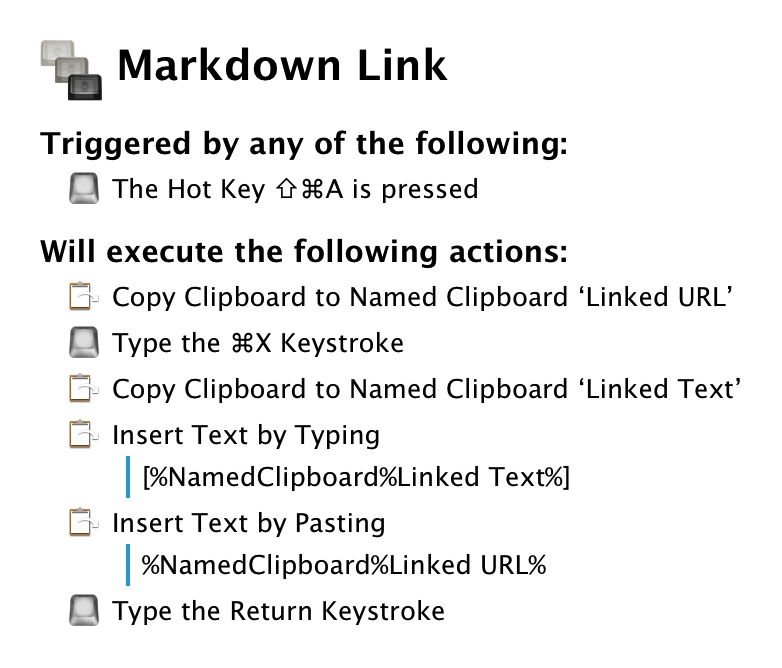
So I tweaked my Keyboard Maestro macro specifically for Ulysses to solve this problem. Before I show it to you, I do want to note that it is not as instantaneous as before, so wait a beat after using it so that you don’t get things all messed up.