A long time ago I saw this post on Justin Blanton’s site. In it he found a command line tool to use Speedtest.net to test his internet speed. Sounded great, I couldn’t get it to work.
Here’s what I did, I followed these instructions, but downloaded the file manually.
Ok, that’s neat, it works in the command line. But, I’m not typing that crap out. So I flipped over to Keyboard Maestro where I can execute that command line script and write out the results to a text file for logging.
Here’s what that looks like:
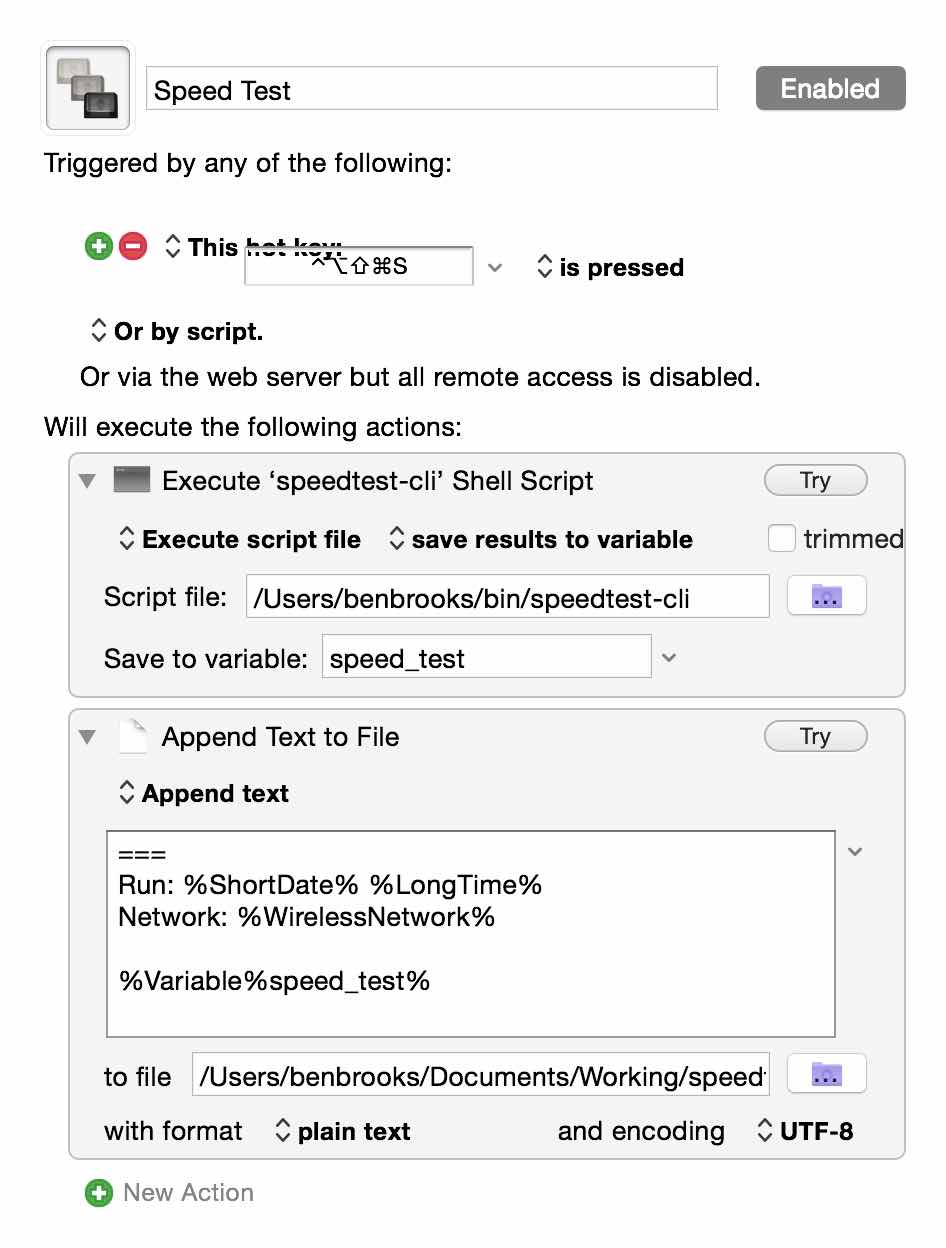
All I do is run the script, write the output to a variable and then append that variable to a text file.
In the text I append to the variable I also add in a separator, the time and date, and the network name I am on. Seems like over a long enough period I should be able to collect some interesting data.
Oh, and remember, as all those links say: don’t abuse this tool. It’s not for testing your bandwidth every 5 minutes.