Looks fantastic, love the raw finish on it. I do believe it is standing height too.
Top Posts
The Hype: Yoshida & Co’s Porter BagsAugust 26, 2025
G-SHOCK DW-H5600 After 7 MonthsJuly 31, 2025
Casio Duro MDV-106 Re-ReviewDecember 15, 2022
Recent Articles
-
Chris Bowler’s Custom Made Desk
Looks fantastic, love the raw finish on it. I do believe it is standing height too.
-
Shawn Blanc’s Custom Made Desk
I’ve always loved this desk that Shawn built. Truthfully (not to offend Shawn) this desk isn’t hard to make, you just need time. Good place to start.
I’ve always loved this desk that Shawn built. Truthfully (not to offend Shawn) this desk isn’t hard to make, you just need time. Good place to start.
-
Jordan Patterson’s Custom Made Desk
I love the thought that went into the desk and even more the fact that he went with a budget of $150. Try to buy a desk that even gets close to what he built for $150 — won’t happen. It’s not the desk I would build, but that’s the point of building your own…
I love the thought that went into the desk and even more the fact that he went with a budget of $150. Try to buy a desk that even gets close to what he built for $150 — won’t happen.
It’s not the desk I would build, but that’s the point of building your own desk.
-
‘Apple’s Illogical App Store Upgrade Process’
Kirk McElhearn details how Apple upgraded the Bento iPad app: by releasing the new version as a new app and updating the old version to have a pop up telling users about the new version. Yep, something has gotta give. [via Dan Frakes]
Kirk McElhearn details how Apple upgraded the Bento iPad app: by releasing the new version as a new app and updating the old version to have a pop up telling users about the new version.
Yep, something has gotta give.
[via Dan Frakes] -
Little Thing: Desks
Sound advice for getting the best desk.
Technically, desks are really big things, and most people will take their time in finding one that they like and that fits their office/room. This post isn’t about finding a good desk, it’s about making sure that you look at three little things about desks before you buy your next desk.
Thing 1: Stability
If you are going to buy your desk online, then this is one thing that you really need to pay attention to. Before buying any desk you need to stand above it and push down hard on the front edge — if it moves, then you should move on.
I hate desks that lack stability.
What happens if the desk flexes on the front edge is that it will tend bounce ever so slightly when you type. And, unless you have a sturdy monitor, so too will your monitor, ever so slightly, bounce. I can’t stand that.
This is why I recommend that you get a desk with four legs, and not one with just two in the back that cantilever forward.
There’s one other thing, try swaying the desk from left to right. If it does that, then I would take a pass on the desk. My current desk is rock solid in every facet except the side swaying, so I secured it to the wall — this isn’t always practical.
It may seem silly to worry about how stable a desk it, but a stable desk gives you the feeling that you are working on something solid. When you feel that way about your work surface, then you work without worry.
Thing 2: No Glass
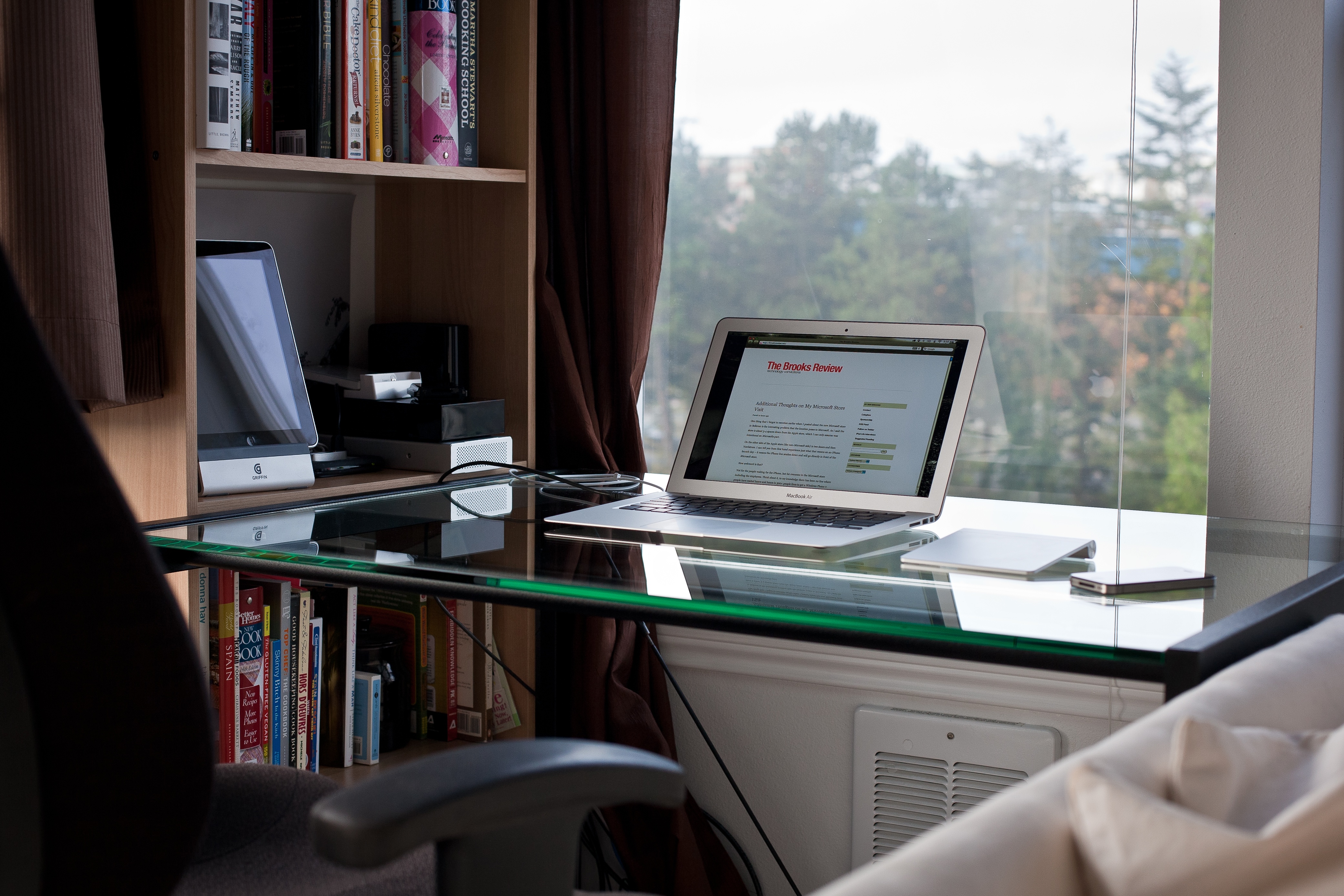
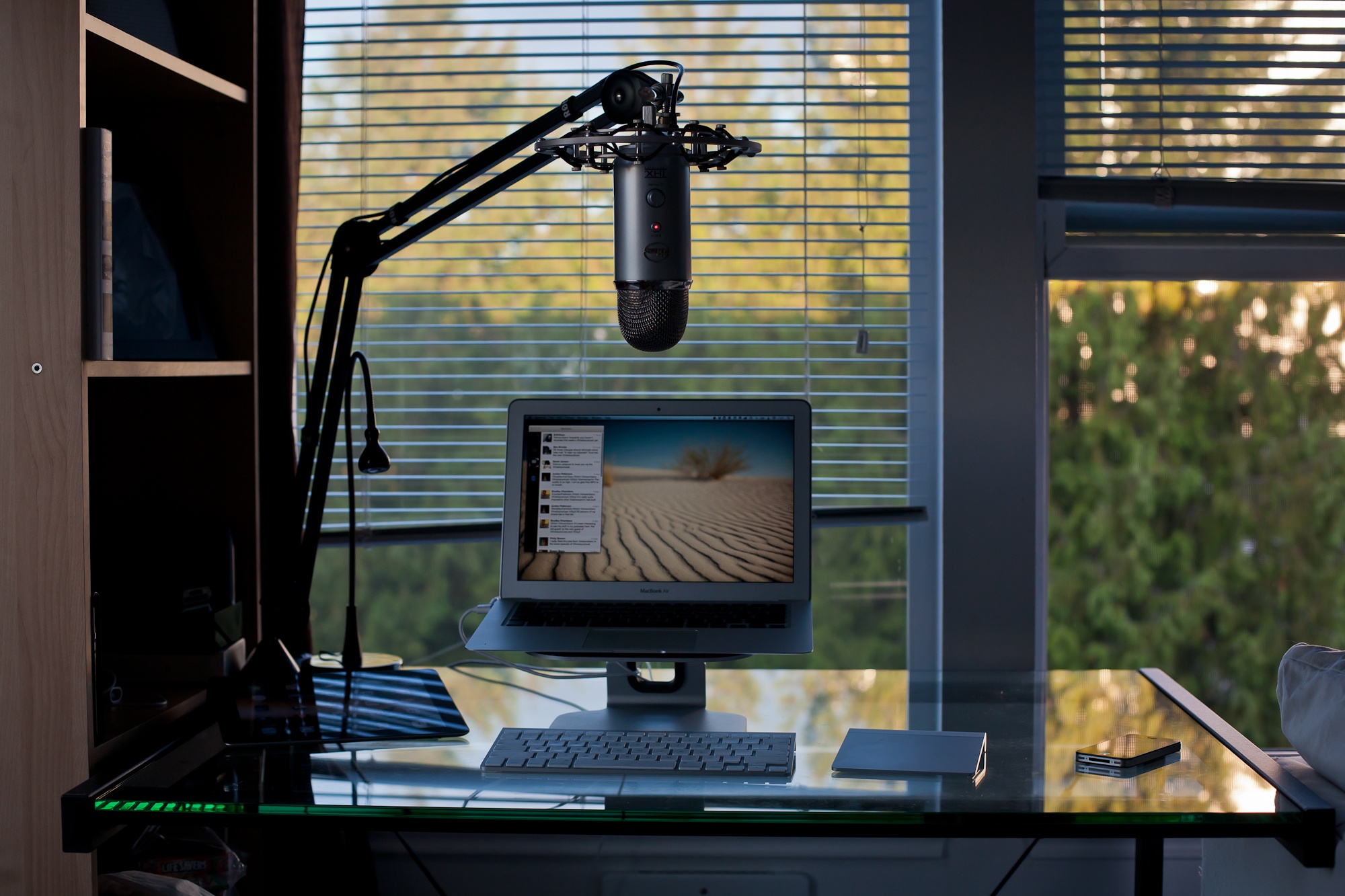
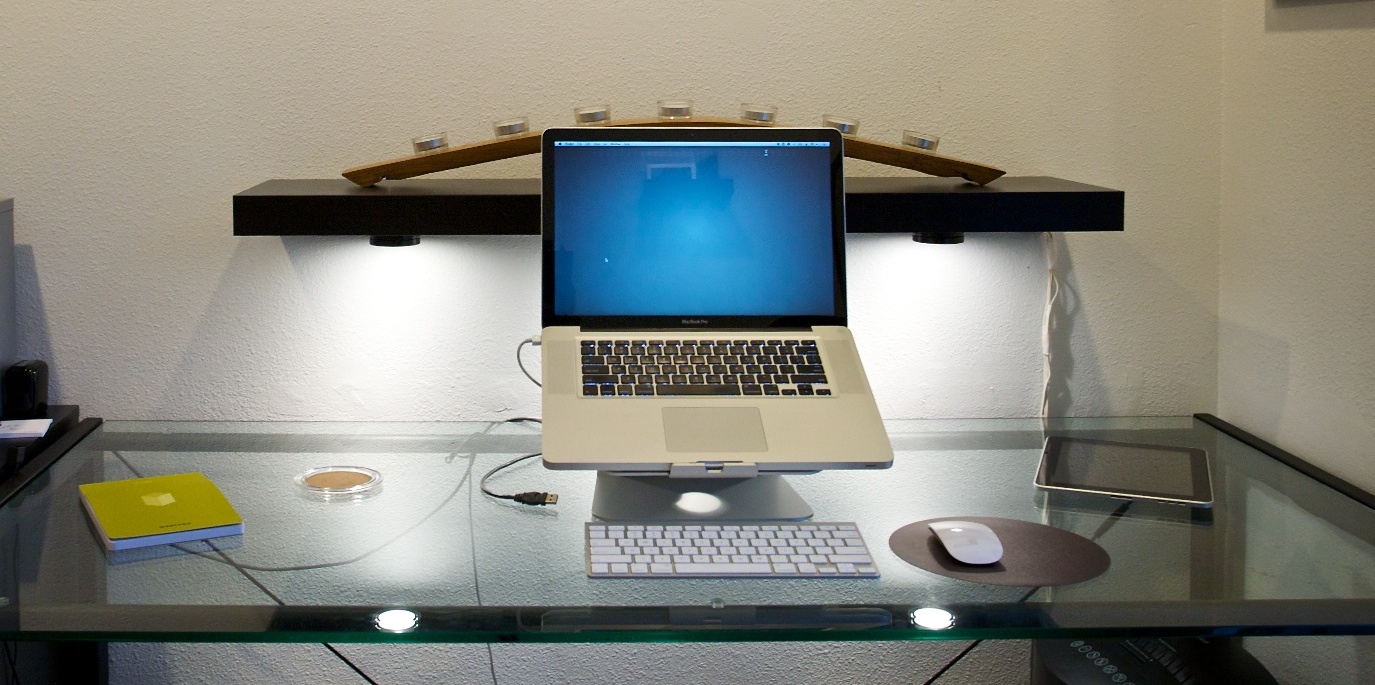
Warning: the linked image is huge. Nothing looks cooler (in my mind) than a glass desk with a Mac sitting atop it. Seriously, that is some cool looking kit. There are, however, two main problems with glass.
The first: they show every cord you have. So unless you want to spend a massive amount of time keep every cord “just so”, you should steer far away from a glass desk.
Secondly, glass desks get dirty — really dirty. I had a glass desk (my wife uses it now and hates it) that I was constantly having to clean. Every little spec shows. Every finger print and moist palm smudge. Nothing grossed me out more than sitting down at that desk after a day of working on it.
I kept a cloth and Windex at the ready the entire time I owned it.
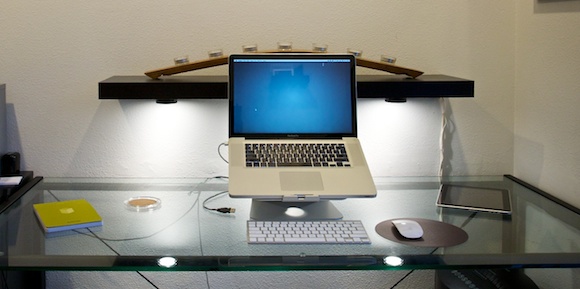
Just don’t buy a glass top desk, it’s not worth the headache.
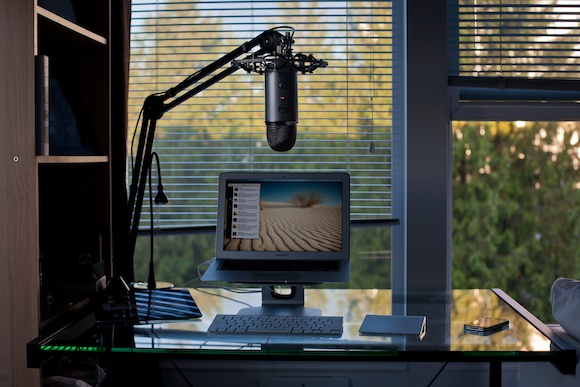
The one quasi-exception: frosted glass. With frosted glass you get a lot of the same looks without having to worry about cord tangles and they show less grime. However, do see ‘Thing 1’, because I find glass desks to be the least stable.
Thing 3: Leg Room
Ok this is my last point and the one that I hold most dear to my heart. Don’t buy a desk with any drawers or trays. Whether it be a keyboard tray, a pencil drawer, or a set of drawers down the side. Just say no. Also don’t buy a desk that is too narrow, nor one that isn’t deep enough.
You want your legs to be able to fit below the desk in any manner that is comfortable. That’s why my minimum desk depth is 32 inches and I won’t use a desk unless it is at least 52 inches wide. I prefer a
36”x72”desk.The moment you have drawers on the desk is the same moment you start whacking your knees on the corners of those drawers. Likewise, if the desk is too shallow you are going to constantly be kicking the wall behind your desk, or having your feet hang out in no man’s land.
If your desk is too narrow, or has drawers down the side, you are going to be forced to only work from the center of the desk. Thus you now need to move your keyboard/laptop/monitor/mouse out of the way if you actually need to use the desk for anything else.
If you are buying a desk, make sure you can use the entire desk.
Build It
Take these three tips to heart the next time you are buying a desk and you will be happier about the desk you buy. If it’s me, I would build my own desk and I’d start by stealing this cable management method.
-
Ever Wonder What a Tech Journo Would Write After Touching Something for 90 Seconds, Without Being Allowed to Use that Something?
I always wondered that too, luckily Farhad Manjoo answers that lingering question with this paragraph in his treatise for why the Surface is going to be great — keep in mind he only spent 90 seconds with the device, in a powered off state: >Microsoft has clearly spent a lot of time making this thing…
I always wondered that too, luckily Farhad Manjoo answers that lingering question with this paragraph in his treatise for why the Surface is going to be great — keep in mind he only spent 90 seconds with the device, in a powered off state:
>Microsoft has clearly spent a lot of time making this thing look and feel just right. The Surface isn’t flashy—it’s less outwardly gorgeous than the new iPad—but it is delightfully functional. It’s got a kickstand built invisibly into the device, and, even better, Microsoft created an ingenious case that includes a “pressure sensitive” touch keyboard right inside the cover. If it works well, the keyboard—which I got to inspect at great length but not actually type on—is going to be the Surface’s killer attraction.
Things that should be illegal to say until you use something for prolonged periods of time:
1. “feel just right”
2. “delightfully functional”
3. “ingenious case”
4. “killer attraction”And that is just one paragraph of the 12 that Manjoo wrote.
-
Microsoft Surface Dates and Pricing
Ryan Nakashima for the AP, published in The News Tribune, notes that the Surface should go on sale around September or October of this year and has this to say: >Microsoft said the Surface’s price tag will be similar to the iPad, which sells for $499 to $829, depending on the model. >A slightly thicker…
Ryan Nakashima for the AP, published in The News Tribune, notes that the Surface should go on sale around September or October of this year and has this to say:
>Microsoft said the Surface’s price tag will be similar to the iPad, which sells for $499 to $829, depending on the model.
>A slightly thicker version – still less than 14 millimeters thick and under 2 pounds – will work on Microsoft’s upcoming Windows 8 Pro operating system and cost as much as an Ultrabook, the company said. The pro version comes with a stylus that allows users to make handwritten notes on documents such as PDF files. It will be released about three months later.
First things first: lol, a stylus. Ok now that that is out of the way: “cost as much as an Ultrabook” — so in other words be really expensive.
So there are two of the main details that were missing about the Surface: price and availability. It sounds like they are coming end of this year and Microsoft is pushing to get at least the ARM model in iPad price territory.
What about that third question, the battery? Well:
>Microsoft didn’t say how long the Surface would last on battery power.
Ha. My guess is that Microsoft is *hoping* to get the tablets out later this year and that they are doing their very best to make the price competitive, but I would also guess that at this current juncture the battery life is still poor. Thus Microsoft is withholding that information until they improve it some more before the device ships. We will see.
-
The Microsoft Surface Tablet Edition for ARM and Intel and Fans
Some smart features but not worth thinking about until three things happen: 1. Price is announced. 2. Firm ship date announced. 3. Battery life announced. Until then, you don’t really have a product.
Some smart features but not worth thinking about until three things happen:
1. Price is announced.
2. Firm ship date announced.
3. Battery life announced.Until then, you don’t really have a product.
-
Quote of the Day: Garrett Murray
“I don’t think the issue here is the ability to upgrade RAM later, I think the issue is users feeling like they have to spend more right up front.” — Garrett Murray
“I don’t think the issue here is the ability to upgrade RAM later, I think the issue is users feeling like they have to spend more right up front.” -
Apple and Lights
It didn’t occur to me when Apple launched the MacBook Air that they ditched not only battery level indicator lights, but also the little glowing white light that pulses while your Mac is asleep. I liked that little glowing white light. What didn’t occur to me at the time was that there was a larger…
It didn’t occur to me when Apple launched the MacBook Air that they ditched not only battery level indicator lights, but also the little glowing white light that pulses while your Mac is asleep.
I liked that little glowing white light.
What didn’t occur to me at the time was that there was a larger reason behind ditching these lights — larger than just needing to cut down on space. ((Though that reason is just as likely.)) Apple also ditched the white glowing light on Cinema Displays — something that had been there before.
Now with the retina MacBook Pro, Apple has again ditched these lights.
But why? It can’t just be a space consideration, can it? ((It probably is.))
I don’t think it is — I think this tells a larger story, something we should have seen coming from iOS.
I think removing lit indicators is Apple’s way of saying: stop worrying about the state the device is in and start using it.
Don’t worry if the Mac is asleep or awake — it will spring to life fast either way.
Don’t worry about your battery power either. These laptops go 30 days while asleep and the batteries last at over 5 hours.
Apple is telling users to stop using their Macs like computers and to start using them like iOS devices. When’s the last time you worried about your iPad battery, or whether it was on or off? It’s just: screen on, screen off.
With Mountain Lion gaining the ability, in newer laptops, to do tasks while the computer is “asleep” the distinction will matter even less.
To me the fact Apple has ditched these indicator lights says one thing: whether your Mac is charged, asleep, or awake, none of it matters anymore — now it’s just: lid open, or lid closed?
-
The IKEA TV Reviewed
Gizmodo translates a swedish review of the IKEA TV and it’s not good: >And there you have it—the IKEA Uppleva, a $1000 home theater system that appeals mostly for the cheap wood it’s packaged in. It’s unclear to me whether anyone thought this would actually *be* good…
Gizmodo translates a swedish review of the IKEA TV and it’s not good:
>And there you have it—the IKEA Uppleva, a $1000 home theater system that appeals mostly for the cheap wood it’s packaged in.
It’s unclear to me whether anyone thought this would actually *be* good…
-
‘The Nokia Torture’
Jean-Louis Gassée speculating: >And there is Nokia’s chosen partner, Microsoft. What will Nokia’s failure do to its future? Ballmer knows Microsoft can’t be relegated to a inconsequential role in the smartphone wars. Will this lead to Microsoft going “vertical”, that is buying Nokia’s smartphone business and become an vertically player, as it already is in…
Jean-Louis Gassée speculating:
>And there is Nokia’s chosen partner, Microsoft. What will Nokia’s failure do to its future? Ballmer knows Microsoft can’t be relegated to a inconsequential role in the smartphone wars. Will this lead to Microsoft going “vertical”, that is buying Nokia’s smartphone business and become an vertically player, as it already is in its Xbox business?Ever since Elop (former Microsoft exec) was appointed CEO of Nokia I had this thought in the back of my head: what if Elop was sent to Nokia to set the company up for an eventual take over by Microsoft? Elop partnered with Microsoft to ship Windows Phone 7 — that seemed like a move towards this thought. Now though? What if Microsoft just didn’t want to pay for what Nokia *was* worth and instead needed it devalued? Hmmm.
This is not likely the case, as it would be a massive scandal, but still should Microsoft buy Nokia I will forever hold this speculation of my restless mind to be the truth.
-
Assorted Thoughts on the Mac mini
Those that listen to the B&B Podcast know, that in response to my MacBook Air needing to go in for service, I bought a Mac mini to use and test out. My hope was that the fast processors in the Mac mini would make the machine at least on par with my MacBook Airs speed,…
Those that listen to the B&B Podcast know, that in response to my MacBook Air needing to go in for service, I bought a Mac mini to use and test out. My hope was that the fast processors in the Mac mini would make the machine at least on par with my MacBook Airs speed, thus allowing me to replace the Air with the mini. ((I have a Core 2 Duo variety.))
I bought the Mac mini on Monday (6/11/12), with these specs:
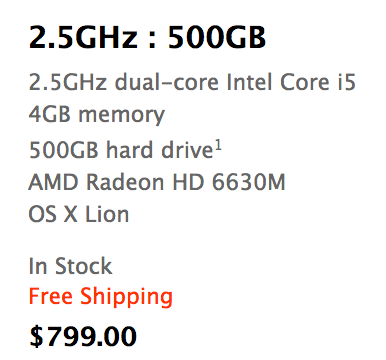
The Mac mini model I purchased. On Friday afternoon (6/15/12) I returned this machine to Apple. I owned it for four days and used it only two of those days — no really.
Putting aside all the silly woes that I had with getting the machine up and running (of which there were many, but user error on the setup problems), I didn’t have a good experience with the machine at all. I’ve pared down my bad experience to three reasons, so let me share those with you (just in case you agree thinking about buying a mini).
### HDD
By far the most noticeable part of the mini is the HDD. I’ve been using SSDs since 2010 and can tell you that it’s practically impossible to go back to a slow HDD after you’ve been using SSDs for so long, there is just too much lag.
Whereas on my MacBook Air I constantly feel that all the performance related issues are a direct cause of the CPU not being fast enough and nothing else. That was a performance tradeoff that I was ok with, but on the mini this isn’t the case.
On the mini every single thing I did felt like it was being bogged down by the hard drive. Want to search for a file, sure thing, just let me think about that for 15 seconds.
Boot up and shut down was slow.
Search was slow.
Opening apps was slow.
Scrolling large lists of files in a Finder was slow.
Everything I did on the mini was slower than it was on my MacBook Air, with the exception of a few CPU intensive tasks like running a noise gate on podcasts.
To be fair: you can get a Mac mini with an SSD, but it will set you back $1399 for the model I bought to have an SSD in it. $1399. For $100 more you can get a 13″ Air with the same sized SSD, that also comes with a screen, battery, keyboard, and trackpad. I get that for some the mini will be a better buy because it *should* be slightly faster with an SSD, but it makes no sense for most people to buy a mini and then get an SSD.
In my mind it’s a waste to put an SSD in a Mac mini — better to spend your money buying a different Mac.
The HDD is the sole reason I still don’t own the Mac mini. It’s just too slow of a machine if you are coming from an SSD. Using the mini was an exercise in frustration to the point where I was upgrading to using my iPad for tasks at times. I just cannot recommend a mini unless it has an SSD in it, and I simply cannot justify spending the money to have an SSD installed in a mini.
### Bluetooth
Actually, the Bluetooth works fine, but I ran into constant lag in connecting to my keyboard and trackpad. Perhaps this is because I was using the mini in an odd way, taking it to and from home everyday, but every time I started the machine up I had to go through a ridiculously long process of getting the keyboard and mouse working. It was a pain in the ass.
This likely would be a non-issue if you don’t turn the mini off much, but it drove me nuts.
Not to mention: booting into recovery mode with a Bluetooth keyboard will make you feel as if you are going crazy. I pressed command-R… I swear!
### Slippery
Overall the Mac mini is a decent feeling machine from a build quality perspective, solid really, but there is one thing I was constantly annoyed with: it’s slippery little butt.
I tried the mini on a few different desk surfaces and found it impossible to plug in, or unplug, a USB cable using one hand. I do it all the time on Mac laptops one handed, but this mini decided to just slide instead.
This isn’t a deal breaker by itself, but you should be aware of that annoyance if you are looking to buy one, because it would drive me nuts long-term.
### Finding its Place
I was reluctant to write this post because I was worried that all these issues were only things that mattered to me — that my feelings weren’t representative enough to share — however, after thinking about it more, I decided I wanted to share this because of one thing: I don’t think it is worth your time to buy a non-SSD Mac. ((Unless you have a very specific need for huge amounts of storage, then be sure the drive is at least a fast one.))
The MacBook Airs have reached a performance and price point where they make *the most* sense for average computer buyers. I’ve no doubt an Air will be a great machine for 3 years of ownership and they will be faster than an HDD based Mac for most every user. Not to mention that this is the cheapest way to get an SSD based mac.
If you are thinking about buying a mini, stop. Start thinking about getting an Air, you’ll be much happier with the performance. After all, I chose a 2010 Air over a brand new mini.
-
[Sponsor] WeatherSnitch 2
Staying on top of the weather forecast is simple and easy with [WeatherSnitch](http://snitchware.com/weathersnitch2/). Other weather apps come stocked full of distracting animations, unnecessarily large clocks and other convoluted features which slow them down and make them impractical. WeatherSnitch throws these tired gimmicks to the wayside and gives you access to weather forecasts that are heavy…
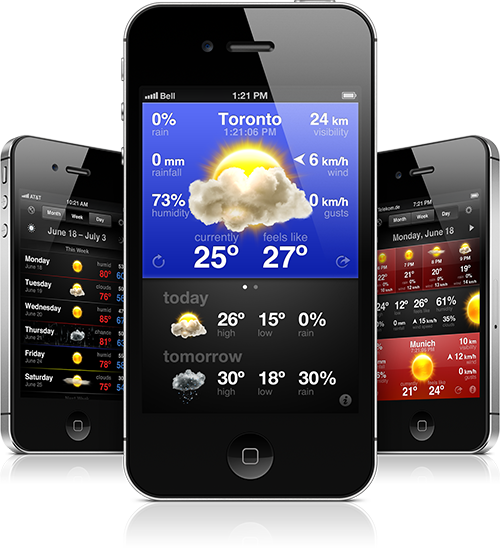
Staying on top of the weather forecast is simple and easy with [WeatherSnitch](http://snitchware.com/weathersnitch2/). Other weather apps come stocked full of distracting animations, unnecessarily large clocks and other convoluted features which slow them down and make them impractical. WeatherSnitch throws these tired gimmicks to the wayside and gives you access to weather forecasts that are heavy on information and not glitter.
[Available now for only $2.99](http://itunes.apple.com/us/app/weathersnitch-2/id452569394?ls=1&mt=8/)
-
Chuck Skoda’s Week With iOS Six
Chuck Skoda: >While at first glance iOS 6 seems to have generally minor updates when compared with iOS 5, I’d like to point out that this post is now nearly three times as long as last years reflection on my first week with ios five. I think iOS 6 is a bigger update than most…
Chuck Skoda:
>While at first glance iOS 6 seems to have generally minor updates when compared with iOS 5, I’d like to point out that this post is now nearly three times as long as last years reflection on my first week with ios five.I think iOS 6 is a bigger update than most people think. (Also I didn’t know about a few things that Skoda notes, a nice overview.)
-
Quote of the Day: The Macalope
“Success requires focus. That pretty much sums up why Microsoft hasn’t been very successful for a long time, and why Apple has.” — The Macalope
“Success requires focus. That pretty much sums up why Microsoft hasn’t been very successful for a long time, and why Apple has.” -
Treehouse
My thanks to Treehouse for sponsoring the RSS feed this week to promote their online learning solution, but really it’s more than that. I used Treehouse for a few months and learned a ton about web development and CSS — it’s easy and fast. There’s great challenges and some really nice video walkthroughs taught by…
My thanks to Treehouse for sponsoring the RSS feed this week to promote their online learning solution, but really it’s more than that. I used Treehouse for a few months and learned a ton about web development and CSS — it’s easy and fast.
There’s great challenges and some really nice video walkthroughs taught by people that know their stuff. I already knew a bunch when I went through the lessons, but I have no doubt that someone who knows very little can pick up with these lessons and learn a ton. If you want to know more about web design or even iOS apps, I’d start [here](https://teamtreehouse.com/learn/projects/?cid=947).
-
TSA Testing Scandal Uncovered at Philadelphia International Airport
CBS: >The Transportation Security Administration announced Friday that they intend to fire seven of their employees following the discovery of a bribery scandal at the Philadelphia International Airport. >After an eight month investigation, authorities say a TSA training instructor who was responsible for administering annual proficiency exams was found to have accepted payment from TSA…
CBS:
>The Transportation Security Administration announced Friday that they intend to fire seven of their employees following the discovery of a bribery scandal at the Philadelphia International Airport.>After an eight month investigation, authorities say a TSA training instructor who was responsible for administering annual proficiency exams was found to have accepted payment from TSA security officers to ensure passing grades.
Here’s something to ponder this weekend, what’s more embarrassing: that seven TSA employees were caught taking bribes, or that it took eight months to investigate?
-
Google Maps vs. Apple Maps: A Side-by-Side Comparison
Not quite fair right now, given the beta nature of Apple’s mapping solution, but interesting none the less. While Casey Chan points out the Apple offers “less information” than Google, Chan does so as if to imply that this is a bad thing. One look at the maps though and I can’t help but like…
Not quite fair right now, given the beta nature of Apple’s mapping solution, but interesting none the less. While Casey Chan points out the Apple offers “less information” than Google, Chan does so as if to imply that this is a bad thing. One look at the maps though and I can’t help but like Apple’s better.
Apple is offering clean maps. I don’t think that Apple is lacking in information, as much as they are making a conscious decision to *show* less information. Whether this is good or bad truly depends on how you use maps. My guess is that Apple figures you need less information now that you will have turn by turn navigation.
-
2012 MacBook Air Benchmarks
The new Air lineup is impressively fast, and given how inexpensive they are, well they should be on everyone’s shortlist.
The new Air lineup is impressively fast, and given how inexpensive they are, well they should be on everyone’s shortlist.