In 2004 customers took an average of 8 minutes to order, but ten years later they take an average of 21 minutes. All because they are dicking around on their phones. Overall eating times increased by 50 minutes and it's mostly related to time spent on phones. Amazing and sad.
Year: 2014
-
TBR Podcast Sponsorships
My new podcast has over 2,500 listeners now, so if you have a product to promote now is the time. Click through for the details and pricing.
-
Make it Pretty
Dave Wiskus:
Design is how it works. If you were only hiring a designer to make your app pretty, you were already focused on the wrong problem.
-
Yahoo May Make Something Cool
Jamie Condliffe:
In a research paper published to arXiv, Daniele Quercia from Yahoo Labs explains how a new algorithm could optimize directions for beauty. “The goal of this work is to automatically suggest routes that are not only short but also emotionally pleasant,” he writes.
Personally I would love this.
-
Wearing Android
Justin Williams:
To do pretty much all of the things I actually want to do with this thing on my wrist, I don’t need a big honking screen. I just need a lot of sensors. The same sensors that are in your phone, just crammed into a tiny bracelet.
Pairs well with the latest episode of the podcast.
-
On Working From Home and Running a Business
I run a small business in addition to the business that is this website, and Shawn’s advice is spot on. Read the entire thing if you work for ourself.
-
Senator Asks FTC to Look Into Facebook Mood Experiment
Amy Schatz:
Democratic Sen. Mark Warner of Virginia asked the Federal Trade Commission on Wednesday to look into whether Facebook’s experiment on the ability to manipulate emotions on Facebook using the data of 700,000 unwitting users may have violated the company’s privacy agreement with the federal government.
Finally, but really go look at the Facebook response. They are practically flipping everyone off with that statement.
-
The Daily Routines of Famous Creative People
Very cool little set of data. I’m all for the Kurt Vonnegut schedule.
-
Summer Backpack Troubles
Every summer I run into the same problem with every backpack I use: the backpack wrinkles up my shirt and makes my back sweat. My shirt gets wrinkled not just on the back, but on the shoulders and anywhere else the straps touch. And these wrinkles set because they are effectively being steamed in from the sweat off my body.
So I end up carrying a backpack that I love, but it making me look like a sweaty disheveled guy. That’s just not ok with me. I like looking put together, and that doesn’t seem possible on hot days with a backpack.
The thing about this is that it’s not really something that can be solved or designed around. Trust me, the lightest and meshy-est of hiking daypacks cause the same issues. It’s just a fact of backpack life it seems.
Solutions
There are none, except to do what I do on hot days: use a shoulder/briefcase. It’s not ideal, but when I know the weather is getting up there I simply switch bags (to the Founder’s Briefcase right now). I’d rather use a bag that doesn’t make me look disheveled than one that can’t help but make me look disheveled.
Still, it drives me nuts.
-
With Big Data Comes Big Responsibility
Om Malik:
While many of the technologies will indeed make it easier for us to live in the future, but what about the side effects and the impacts of these technologies on our society, it’s fabric and the economy at large. It is rather irresponsible that we are not pushing back by asking tougher questions from companies that are likely to dominate our future, because if we don’t, we will fail to have a proper public discourse, and will deserve the bleak future we fear the most.
-
The Brooks Review Podcast: Episode Two – From The Nipple Up
This week I am joined by Stephen Hackett of 512pixels.net, and The Prompt. We discuss wearables and how fashion is going to make this a tough market to crack, and diving into the unknown waters of what Apple may offer.
Brought to you by:
-
Messenger Bag Process: From Sketch to Finished Product
This post has been making the rounds, and why not? It’s a very detailed and beautiful look at the creation of what looks to be a lovely bag. It’s nerd heaven.
What struck me was the fact that no one actually talked about the bag itself, which doesn’t look all that great to me. I haven’t used it, so I can only comment on what I see.
I did manage to hear from one person who owns the bag, and loves it.
Thomas Verschoren says of the bag:
I ordered this bag the day it became available and after using it for few months now, I have to say, it’s one of the best bags I ever bought.
I still see major flaws, and for the money I think there are better messenger bag options, but it does look nice on the outside.
-
Meet the Muslim-American Leaders the FBI and NSA Have Been Spying On
Glenn Greenwald and Murtaza Hussain:
In one 2005 document, intelligence community personnel are instructed how to properly format internal memos to justify FISA surveillance. In the place where the target’s real name would go, the memo offers a fake name as a placeholder: “Mohammed Raghead.”
See, this is why the US is hated. This bullshit right here.
-
On the Surface Pro 3
Interesting thoughts from Mathis on the Surface Pro 3 and why he likes it. I personally find the Surface Pro 3 to be very compelling because the software my company uses is Windows only. I almost bought the Surface Pro 2, and I came very close to the Surface Pro 3.
Mathis may like the device, but the bad he pointed out turns me off from it completely. My biggest fears about trying to use something like the Surface Pro 3 are:
- Losing Keyboard Maestro.
- It just not being an outstanding device.
The iPad is an outstanding device, as is my MacBook Pro. So then the only use I would have for a Surface is as a secondary device to remove the need for VMware running Windows.
But then we are talking about $799 for a base model machine and I still have to buy the type cover. So really $928 all in. All that for a device I may not even like.
For less money I can buy an 11″ MacBook Air and install Windows on it (I already own Windows) in a native Bootcamp partition. Even if it turns out I don’t use Windows on the MacBook Air, I still have a MacBook Air. And I know the MacBook Air is outstanding with excellent battery life and something I will use with or without Windows on it.
And this is the problem Microsoft faces: I am someone that should buy the Surface, and yet every time I go to buy one I stop and think about it. Every time I come to the same conclusion: buying another Apple laptop makes more sense as it is better and cheaper than buying a Surface Pro. Until Microsoft can solve that for people like me, the device will continue to struggle.
-
Yosemite Tip: VMware
Here’s a link to get VMware working under Yosemite.
-
Android’s Phone Wiping Fails to Delete Personal Data
Seth Rosenblatt:
Avast didn’t have to resort to much digital jiu-jitsu to recover the data from the phones it acquired, McColgan said. His team used “fairly generic, publicly available,” off-the-shelf digital forensics software such as FTK Imager, a drive-imaging program.
“Although at first glance the phones appeared thoroughly erased, we quickly retrieved a lot of private data. In most cases, we got to the low-level analysis, which helped us recover SMS and chat messages,” Avast researchers Jaromir Horejsi and David Fiser wrote in the report.
Yikes. Makes me wonder how well iOS fairs.
-
Quote of the Day: Martin Gillman
“You need tools that are a pleasure to use, affordable and a little less intimidating.” -
In NSA-Intercepted Data, Those Not Targeted Far Outnumber the Foreigners Who Are
We basically all assumed this right? I did. What’s most damning about this report is two fold:
- It shows the NSA either lied (by omission, or directly) about knowing that Snowden did have access to this data, and did take it.
- This also shows that the NSA weasels its way around the law whenever and wherever it can.
This is a tough spot to comment on this. The NSA’s job is foreign intelligence, and it seems fair game to gobble up transmissions from US citizens that correspond with foreign targets. Or, put another way, we would all be rooting for Chloe and Jack to hack into servers and analyze this data to stop a terrorist plot on 24.
What strikes me as the most troubling aspect is that for most of these, there is no real urgency to the intelligence. It’s one thing (in my mind) to aggressively bend, or break, laws if there is an assumed imminent terrorist attack. It’s a completely different thing if it is just routine preventative measures.
So to me, I’m fine with going all wild west if we know something big is about to go down and we are aggressively trying to stop that, but I am not fine with aggressive tactics as a matter of course.
Where that line is drawn, and by whom, is the impossible part of all this.
-
A Desk of iPad
I recently wrote about how I often dream of wiping everything off my desk and just placing the iPad in the middle of it. It would sit there alone, surrounded by my expansive desk as a symbol of both simplicity, and how far (technologically) we have come since the early days of computing.
Well, I came up with a reason to do that — well kind of that. I was heading out of town for the long weekend, down to Oregon, and I was to ride the train out of town. Because of the train ride, I was going into work only until 2:00pm, and then having a coworker drop me at the train station. Naturally, I didn’t want to leave my laptop at the office over the long holiday, but I also didn’t want to take it with me.
The solution was to leave it at home and spend the partial day working from just the iPad.
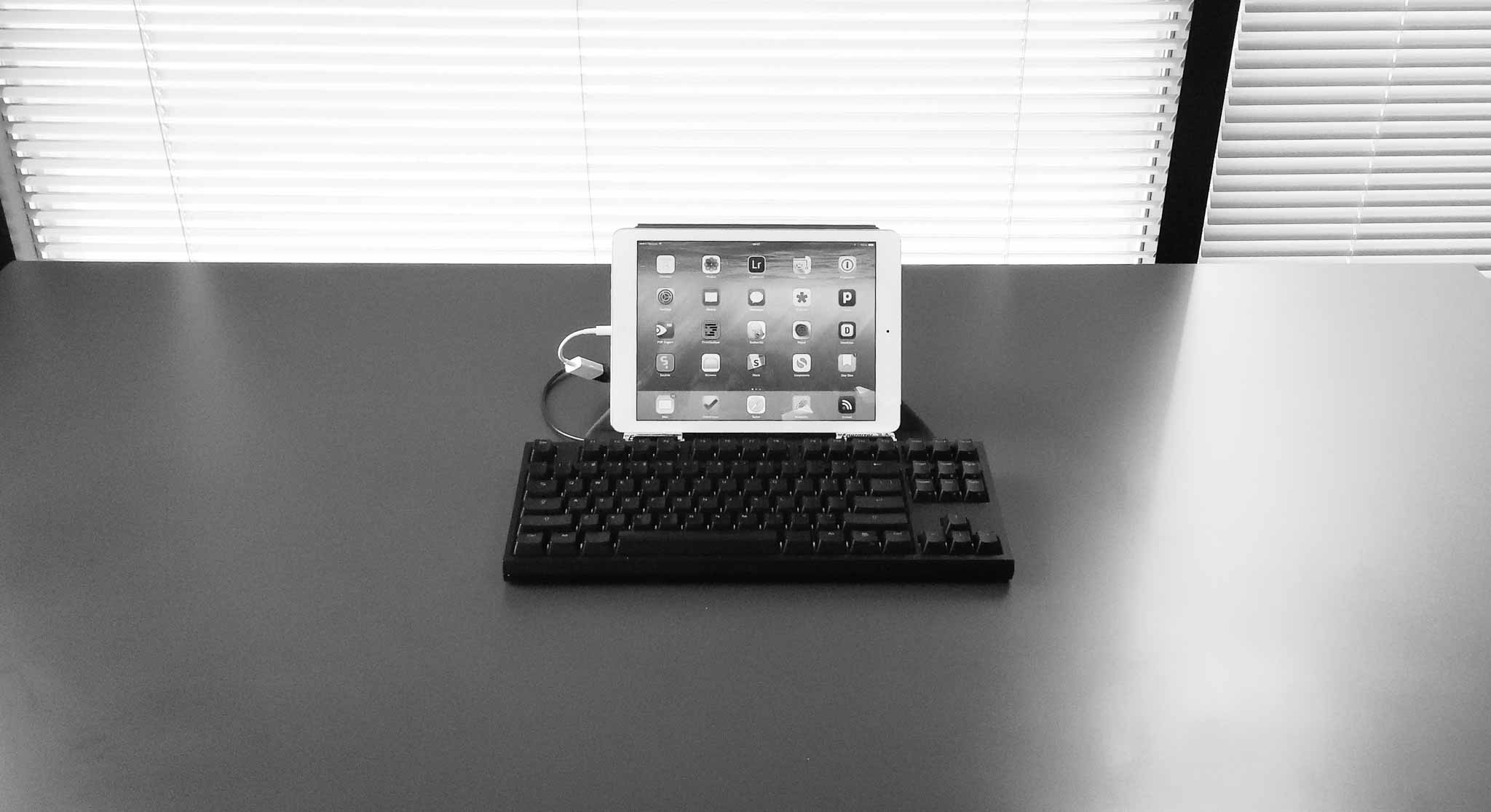
First of all, the setup looks killer. Minimal, awkward, and awesome. Just how I hoped.
As with most managers my days are spent writing things, usually in emails. I also make heavy use of OmniFocus, and web based services. All of this seemed ideal for this setup, and the addition of a long holiday meant that there wasn’t a whole lot of stuff to do anyways.
I could have picked a smaller keyboard to go with the setup pictured (I have a few), but I enjoy typing on the CODE keyboard far too much, and I have the USB adapter to use it, so… It looks silly, but it feels amazing to type with.
So how does this all work?
Well, it actually works pretty well, and would likely work even better if I wasn’t running a beta version of iOS (as somethings don’t work in the beta). What I didn’t expect was that I would be more focused.
When I have my Mac in front of me I am doing a lot of things, but not focusing on a lot of things. With the iPad only I felt that was reversed — I did a bit less, a bit slower, but what I did do was more focused and therefore carefully done.
There’s both good and bad to this.
Note about the CODE
I ultimately had to switch to an Apple Wireless keyboard, in my Origami Workstation, because the CODE kept having too many problems. The iPad warned me it was not supported, but it worked (mostly). However, and I don’t know if this is an iOS 8 bug or not, but the keyboard kept locking up the iPad to the point where I had to hard restart the device.
So I switched to the Apple Wireless as it works as expected. Oh well. I suspect there might be too great of a power draw on the CODE, not sure.
The Work
As I mentioned, I felt more focused, but I also felt like I was working slower. However, at the end of the day, I still got everything I needed to do done. Sure there were a couple of things that I couldn’t do throughout the day, but each of those were bugs in the beta of iOS and not underlying issues with iOS itself. Some things I just passed off to others as I didn’t want to take any time to figure out how to do them. (Benefit of being the boss, I suppose.))
I shouldn’t be amazed by this, I’m a big believer in the iPad, after all it is my favorite device, but I’m still amazed at what I learned.
I learned that I have no need for anything more than an iPad on an average day.
That’s not to say that I won’t benefit from a laptop, or that an iPad is the best tool, but that the iPad did everything exceedingly well. I loved it. Not enough for everyday just yet, but when I know I have a busy day in meetings, I’m now going to leave the laptop behind.
I still need more than an iPad, but that gap is going to close tightly once apps start taking advantage of the new features in iOS 8. And I can hardly wait for that.
The only thing I do need is a bigger screen for the iPad. I’ve always wanted a larger iPad, but perhaps someone can figure out a way to make an iPad functional on a bigger screen (meaning the larger screen needs touch, or something of that ilk). Mostly I think a 12-13” iPad would make me drop a laptop completely, perhaps with just one family computer at home for those odd ball tasks.
The long and the short of it is that I found the iPad better at:
- Reading anything: when you stand it can be annoying to stand still and read, so I loved picking up my iPad and reading things leaning against a wall, only to set my iPad back down and act on that text with no need to switch devices. It was wonderful and freeing.
- Twitter: It’s better in that I kept my eyes off of Twitter for most of the day, with more dedicated distractions into Twitter. So instead of looking at Twitter every 5 minutes, I looked every 60 minutes.
- Tab-philia: I usually have tons of open tabs in Safari which denote things I want to read, and I see those tabs a lot during the day. On the iPad I have the same amount of tabs, but I don’t see them as often (because in Safari on iOS the view of tabs collapses so you don’t see them) and I found that less overwhelming as I worked.
What the iPad was worse for:
- Email was rough. The iPhone has lots of email clients, but the iPad is sorely lacking in third party email clients, help here please. I had no way to quickly turn an email into an OmniFocus task, and found it hard to quickly move emails to different folders — all automated on my Mac with Keyboard Maestro.
- Image work. Still better on the mac, even with the great image editors that have been popping up on the iPad.
- Fixing code in a website is still a bit of a chore.
Overall
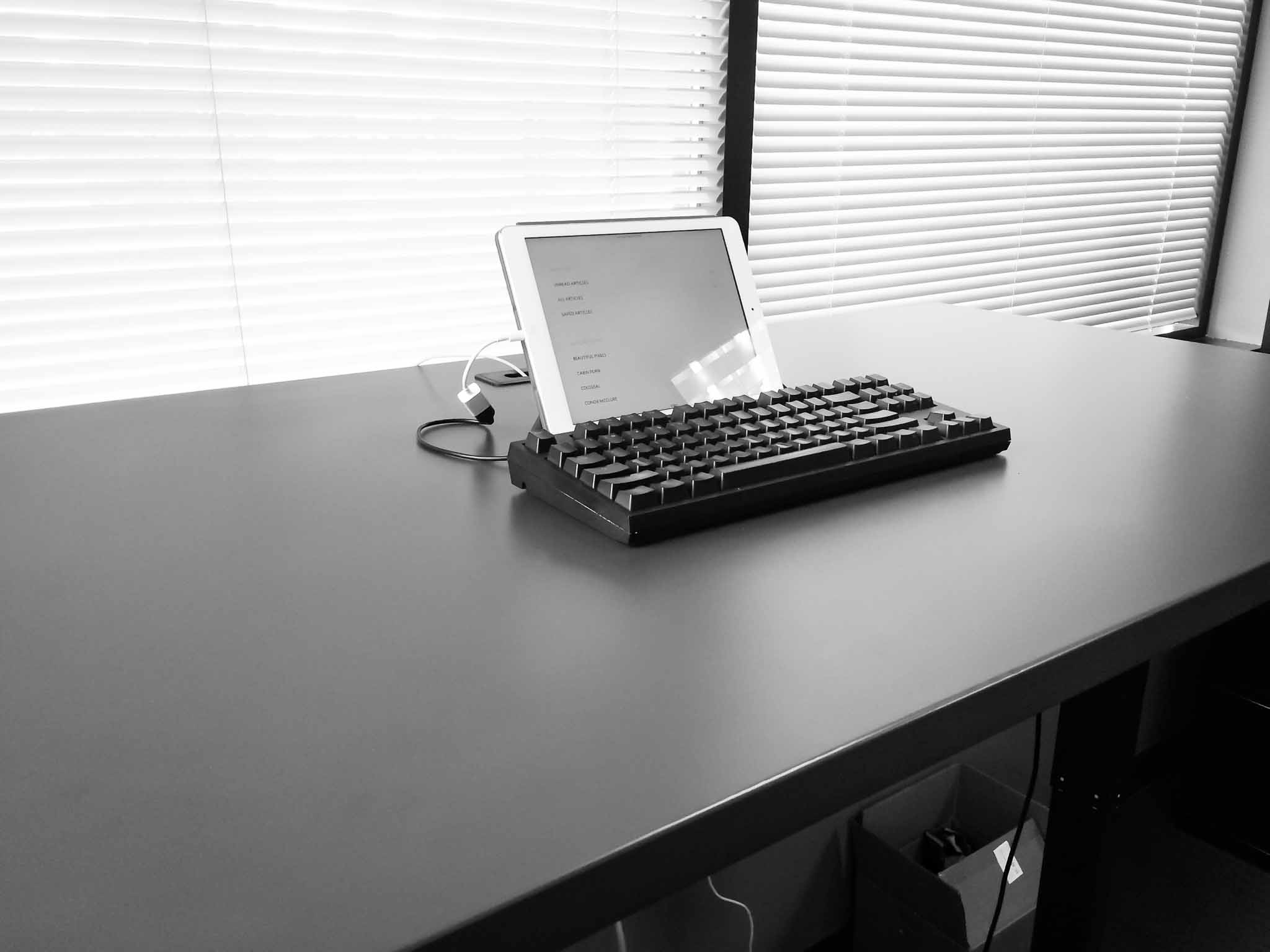
As I said, this is a setup I am likely to use more and more. With iOS 8 extensions coming I think the gap between what most people need to do on a Mac each day, and what the iPad can do well, is closing faster than many suspect. At this point it’s not a person clamoring for better apps, that do more powerful things, it’s just a matter of fine tuning what we already have.
I don’t see that taking very long. In fact, this time next year I may be splitting my time between the Mac and iPad evenly.
-
How Working on Multiple Screens Can Actually Help You Focus
Clive Thompson on using multiple devices to work:
In a sense, screens are beginning to absorb some of the cognitive ergonomics of paper, one of the oldest reading devices of all. With paper, after all, we’ve always put down one document and picked up another, shifting our attention organically. And as Abigail Sellen and Richard Harper note in The Myth of the Paperless Office, spreading out papers on a desk lets our eyes easily roam—a property hard to replicate on a single screen. Now the plunging price of hi-res mobile devices means it’s possible to own a few of them.
“A few of them”? Hmm, I don’t know about that. It makes sense to make use of the device you have already, or to add in a tablet. But if the idea is to add in multiple tablets to better replicate a paper desk workflow, then — umm — why not just use paper?