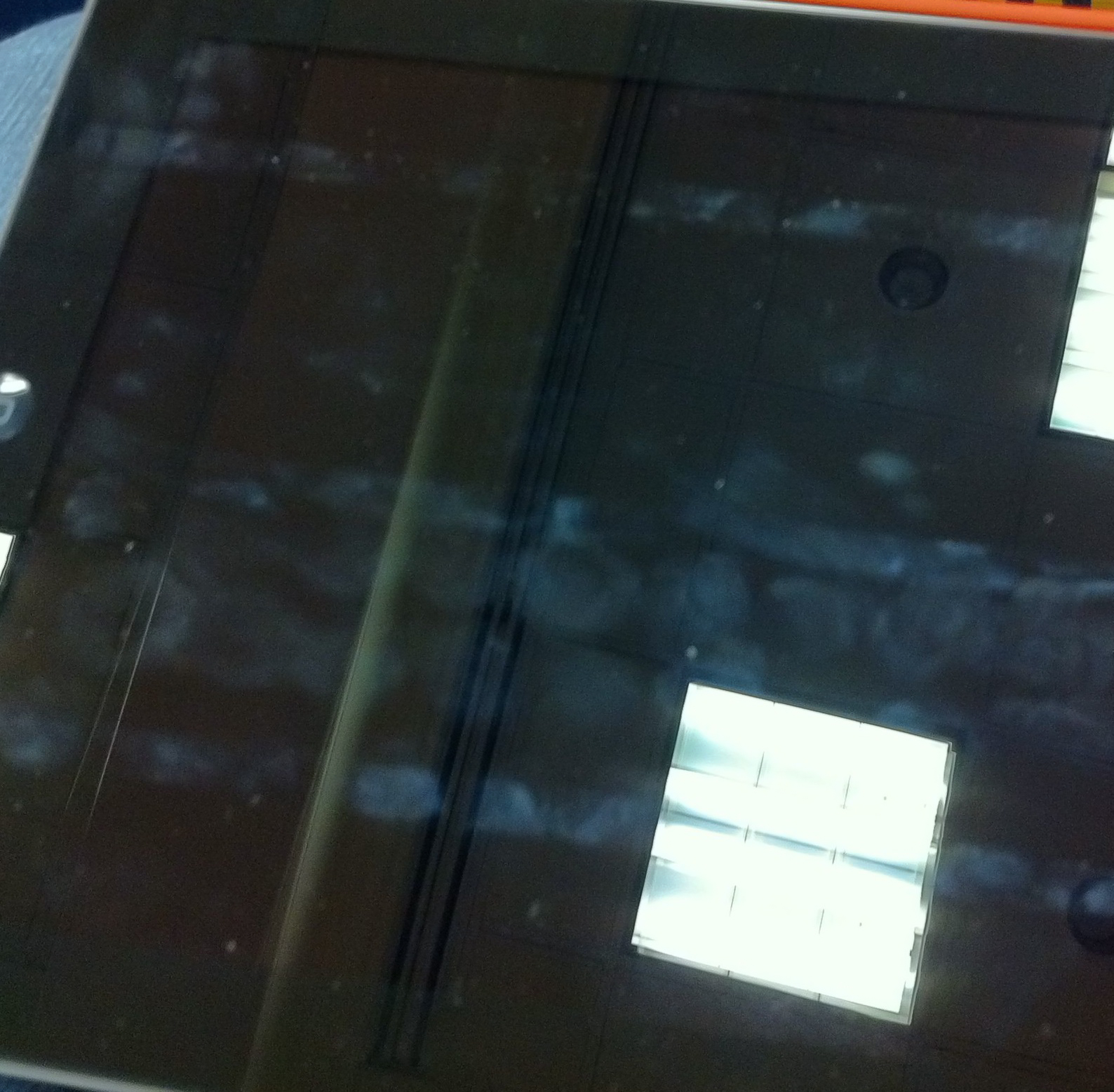
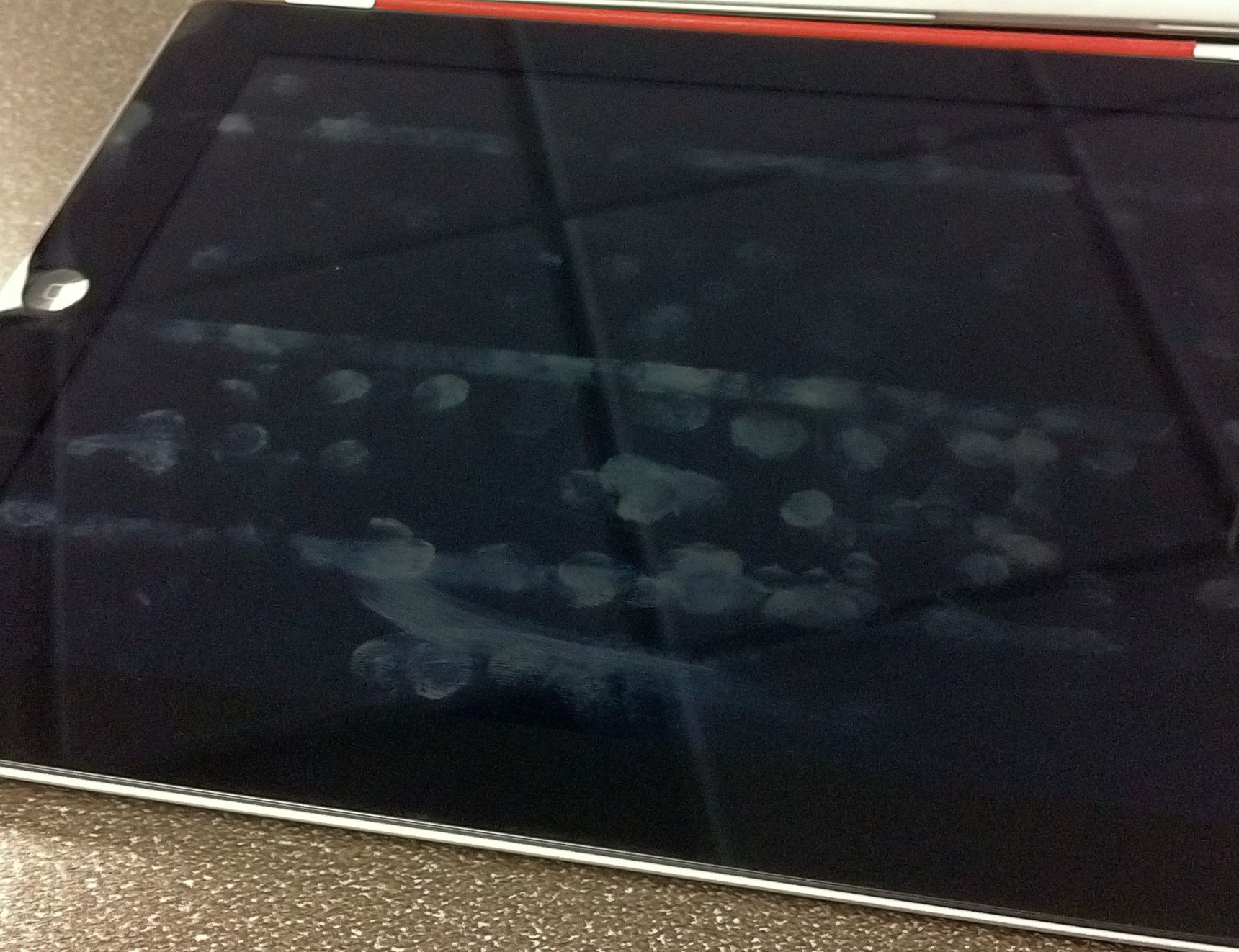
Three magnets and one bottle of super glue to get a Smart Cover working on your original iPad — everything but the auto on and off works. Pretty neat. I would say though that if you do this you will want to keep the cover on at all times — nobody wants to see the magnets that you glued to the side of your iPad.
Author: Ben Brooks
-
Why the Quick Bar (“Dickbar”) Is Still So Offensive
Marco Arment:
The Quick Bar isn’t offensive because we don’t want Twitter making money with ads, or because we object to changes in the interface.
It’s offensive because it’s deeply bad, showing complete disregard for quality, product design, and user respect, and we’ve come to expect a lot more from Twitter.
You actually need to read his entire post.
-
AT&T Agrees to Buy Deutsche Telekom’s T-Mobile USA Unit for $39 Billion
A couple of things:
- We don’t know if this means a merger, straight acquisition, or if T-Mobile with continue to operate as T-Mobile.
- It most likely means T-Mobile is no more and all its customers are now AT&T customers
- I think this is a good thing, not a bad thing.
- If indeed T-Mobile and AT&T become one company, then it will make them the biggest wireless carrier in the U.S. (Wikipedia says AT&T is roughly at 95 million subscribers and T-Mobile is half that. Verizon right now is only a few million ahead of AT&T.) This matters in the consumer eye only and changes nothing about network performance.
I doubt the DOJ will have a problem with this, how can they if they are letting the Comcast and NBC merger go through. Also Verizon will be the reason there is no problem here. This is a warning shot over Sprint’s bow — man do they need to do something relevant.
-
Quote of the Day: Steven Frank
“It occurs to me that Tumblr is also growing exponentially with no apparent income source. I should look for a new home, pre-dickbar.”That is an interesting problem, but before we worry about this we really should worry if they ever will get to the point where they need to worry about money. If they can’t get uptime issues solved, then there eventually (unfortunately) won’t be any users left. That would be a shame too, because Tumblr is a good platform.
-
A Touch of Video
For better or worse I have never been a huge “video guy” — always into photography and never that much interested in motion photography. I have though over there years tried piecing together crappy video clips I have taken with various versions of iMovie. Even screencasts that I recorded resulted in a frustrating video editing experience.
Frustrating because nothing was ever easy — a constant fight between what I see in my minds eye and what the software won’t let me do. Then comes the encoding and compressing and general software operations that will make your Mac into a makeshift George Foreman Grill.
All of this to say that I was rather skeptical about the viability of iMovie on an iPhone when the iPhone 4 came out. Sure enough, iMovie on the iPhone is a rather poor and imprecise experience. An exercise in masochism. Then Apple decided that iMovie on the iPad 2 makes a whole bucket of sense and I loathed having to give it a go.
I bought iMovie, opened it and looked around and then moved on. I knew I would have to come back so I could write something, but I wanted to wait for that moment when I actually had something to create — I can only film my cats so much before they start to get annoyed.
Down at SXSW I decided that I wanted to shoot a little video to show people what my “mobile” setup looked like. Instinctively I grabbed my iPhone to shoot the video, but quickly put it down and decided to shoot and edit the entire clip on my iPad. Something I had never attempted before.
In less time than it has ever taken me to record and edit a video I produced a short clip with a voice over added after the fact in no time at all. The iPad did the encoding and converting quickly and painlessly. Had I had full broadband speed internet the entire affair would have been but a blip in my day — instead thanks to too many nerds the network speed and subsequent upload to Vimeo was quit slow.
What I learned is this: editing video on the iPad is the only way to go. I can’t see a need for ever wanting to edit on my Mac again. iMovie for the iPad really hits a sweet spot and that sweet spot is called user experience. It offers a grand user experience. I think the iPad is really starting to find its spot in my life.
-
AT&T Aggressively Moving Against Unauthorized Tethering
Richard Gaywood on how AT&T is going to start dealing with unauthorized tetherers:
It goes on to state that users can either terminate their unauthorized tethering usage before March 27, or they will be automatically moved to AT&T’s DataPro plan, which includes tethering and costs an extra $20 per month.
Really the only thing that should surprise people is how long it took AT&T to crack down on this. Also, if you have unlimited data right now and AT&T moves you to DataPro, then you will loose that unlimited data plan for, well, ever.
-
Life in a Solid State
Khoi Vinh upon replacing his platter HD in his 2009 MacBook Air to an OWC SSD:
It really is like getting a brand new computer.
-
Smart Cleaning
I purchased a new smart cover with my iPad 2 and I have to say that I can’t see a need for any other case or cover. That’s coming from a huge case/bag junky. One thing that intrigued me with the Smart Cover when Apple launched it, is this bit of marketing speak:
And since the microfiber lining gently buffs off any smudges or fingerprints as you move, iPad always looks good on arrival.
Which I translated to: “Our cover is soft on the inside and touches your screen. Perhaps even removing some smudges.” Because otherwise how would it actually make a difference?
The question becomes: does the Smart Cover actually clean your screen at all?
Surprisingly I think the answer to that is yes, but not 100% of the screen.
Since purchasing my iPad 2 I have not cleaned the screen in any way, and I have used it so much (especially at SXSW) that I have ended most days with less than 20% battery life.
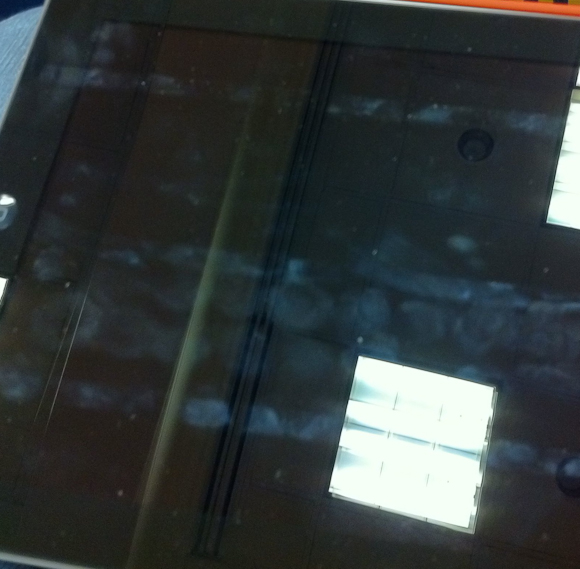
Here is a shot of the screen while I was at SXSW and first noticed the cleaning properties of the Smart Cover:
Here is a shot I just took on my desk at work:
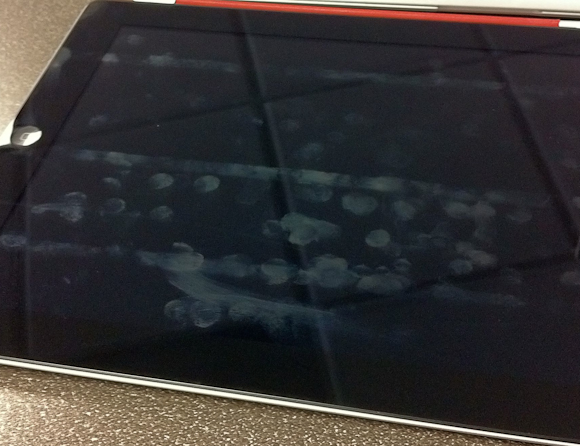
What should be obvious from both pictures is that there are three distinct lines running the length of the screen that have never been cleaned. These three lines correspond with where the case folds and therefore where the case does not touch the screen. Admittedly I have been typing in landscape most of the time, so it is natural that this section of the screen is home to more fingerprints.
What I find odd though is just how clean the top section is — I mean I have been using the iPad as normal. Further, you can see from the top line that there would/should be a lot more smudging at the top. I can only conclude that somehow the Smart Cover is helping keep my screen clean. My guess is that it is the motion of the cover rubbing against the screen while the iPad is in my bag that is doing this. I would also guess that a desk user wouldn’t see these type of results.
Still though, the iPad 2 with Smart Cover does look much cleaner than my iPad 1 screen ever did — that makes me just a touch happier.
-
Let’s Help Japan
Panic:
Panic will donate 100% of today’s proceeds directly to the Japanese relief effort.
It doesn’t matter if you buy direct from us or via the Mac App Store, we’ll take care of it. We’ll total up sales from 10:00 AM PST Mar 17th to 10:00 AM PST Mar 18th. And we plan to donate to a mix of the Japanese Red Cross Society and Portland’s own Mercy Corps.Awesome, well played. Transmit is one of the most used apps and I love it. Go buy it to help yourself out and millions more people. Huge thanks to Panic for doing this!
-
All You Need To Know About The NYTimes.com Paywall
A nice overview from TechCrunch of the NYT paywall. We knew this was coming and it’s $35/mo if you want access on all your devices — which is lame. Which means you can expect very few links to the site from me because there are other, far better writers, I would rather support and many other free sources for the same news the NYT offers.
-
A typical Buyer/Seller Exchange on Craigslist
A great little video of correspondence Justin had with a potential buyer for his computer on Craigslist. Cracked me up. (You need to have Flash to watch it.)
-
Night Time Themes
Chris blew my mind when he announced that, like Liz Danzico, he was going to have his blog change colors when it was night time. He put up this little post showing how he did it — fantastic.
-
Quote of the Day: Scott Belsky
“The magic happens when you find the sweet spot where your genuine interests, skills, and opportunity intersect.” -
Witness the Spectacle of the Apple Popup Store
I never made it inside and every time I went by the store there was a massive line — including that last day of SXSWi. Crazy.
-
Getting the Best Use Out of the iPad’s Side Switch
Shawn Blanc looks at how he uses the iPad lock switch (mute switch to some I suppose):
So, yes, it now makes sense for me to use the side switch for rotation lock.
I have always been a rotation lock kinda guy — I mean I just know somethings are right. ((It is sad that Apple lost its way for a bit with this switch and now have to only half backtrack on the switch.))
-
For Discovery, a Farewell Spin
It kind of bums me out that the Shuttle program is done now — I always thought it is very cool.
-
A Toy
I wanted to get a white iPad 2 because I had yet to see many people talking about how the white changes the user experience of the device, but after playing with one in the Apple store I am glad I didn’t get one.
Shawn Blanc and I talked a bit about this on our last podcast, but I wanted to make a point to mention it here. There are two things that really turn me off about the white version of the iPad 2.
- The white frame, unlike the black version, looks plastic. I suspect that this is because (to my eye) the white looks like it is closer to the surface than the black, or maybe it’s the reverse. What ever it is when you get finger prints on the white it makes the white look like cheap plastic and less like a cold sheet of glass. This gives the white iPad the over look of a toy. Again, this is really hard to explain with words, but after talking to a few people about it, I don’t seem to be alone.
- The iPad’s screen does not extend from edge to edge of the bezel — there is a very slight gap between where the white iPad frame ends and the screen’s display starts. You can see this depicted in the below image, circled in red:
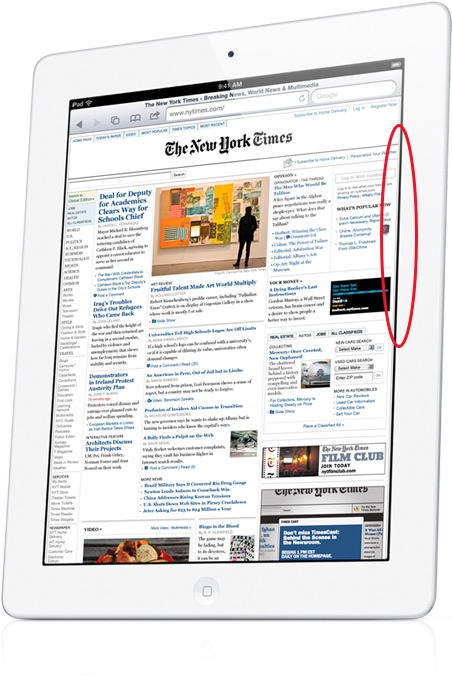
[Image Source: Apple]
This is not a knock against Apple’s manufacturing, but it does contribute to a major problem. That problem is the screen on the white version looks to be set farther back from the glass. You don’t notice this same edge on the black iPad 2 as you can see in the below picture — it’s there, but harder to see:
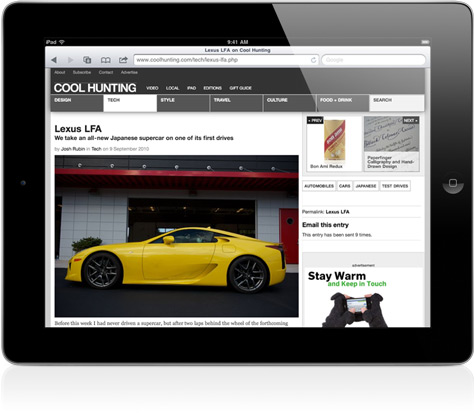
[Image Source: Apple]
This only further contributes to the overall toy look to the white iPads.
What I am not trying to say is that you shouldn’t buy a white iPad 2 — rather you should see one in person first before you buy one. It’s not a bad device, it is still very good — but for me the look isn’t quite right.
-
Random Thoughts Gleaned From the SXSWi Trade Show Floor
I took a quick hour long stroll through the trade show floor during my visit and here are some random things that popped into my head as I wandered around.
- Blogger still exists. I don’t exactly know what it does anymore, but I did see their logo.
- If your booth is across from Google’s booth you better get used to looking at the backs of potential customers. It really isn’t even fair.
- SEO marketing booths look exactly how you would expect SEO marketing booths to look. By that I mean they look like crap and everybody speeds up a half tick as they walk by.
- The trade show really is not that happening of a place.
- WordPress geniuses were on hand and I thought that was pretty neat. I didn’t quiz any of them, but the booth was packed with people talking to them.
- The only product I stopped to play with was the DAS keyboard. Which is a mechanical keyboard and is very loud and requires a firm keystroke. The keyboards weren’t connected to anything so I couldn’t get a good test of how typing on them is, but I am, and always have been, intrigued by them.
-
Apple’s Role in Japan during the Tohoku Earthquake
From an email sent to Kevin Rose from a friend that works at Apple in Japan:
7 hours and 118 aftershocks later, the store was still open. Why? Because with the phone and train lines down, taxis stopped, and millions of people stuck in the Tokyo shopping district scared, with no access to television, hundreds of people were swarming into Apple stores to watch the news on USTREAM and contact their families via Twitter, Facebook, and email. The young did it on their mobile devices, while the old clustered around the macs. There were even some Android users there. (There are almost no free wifi spots in Japan besides Apple stores, so even Android users often come to the stores.)
What is even re remarkable is the caree they took for their staff. Stocking food and water, and perhaps more importantly allowing staff and staff family to sleep at the stores. Awesome work.