After I added pictures to the GR1 field pocket post I literally had halve-dozens of emails asking for GR1 pictures. Here you are.


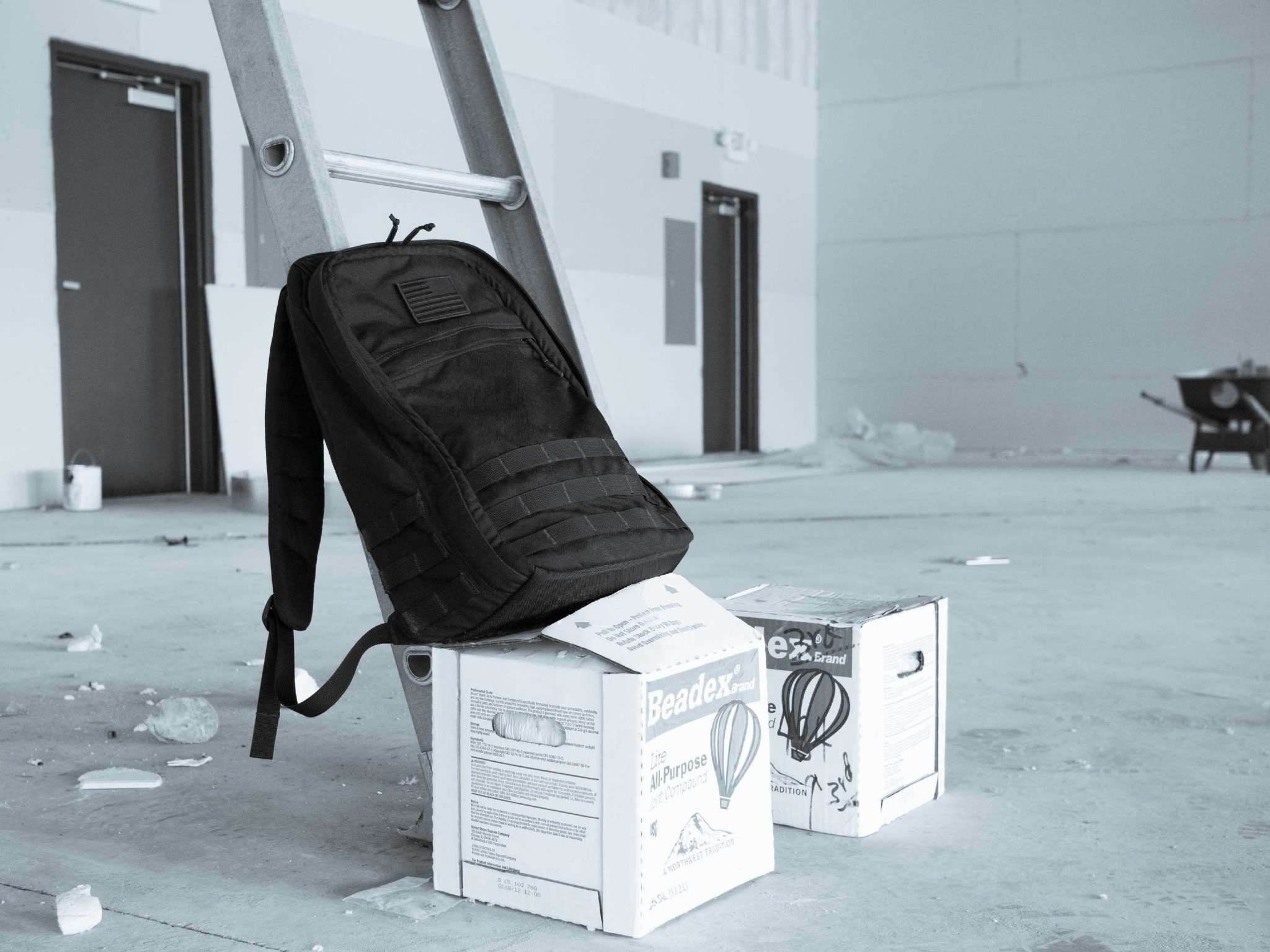
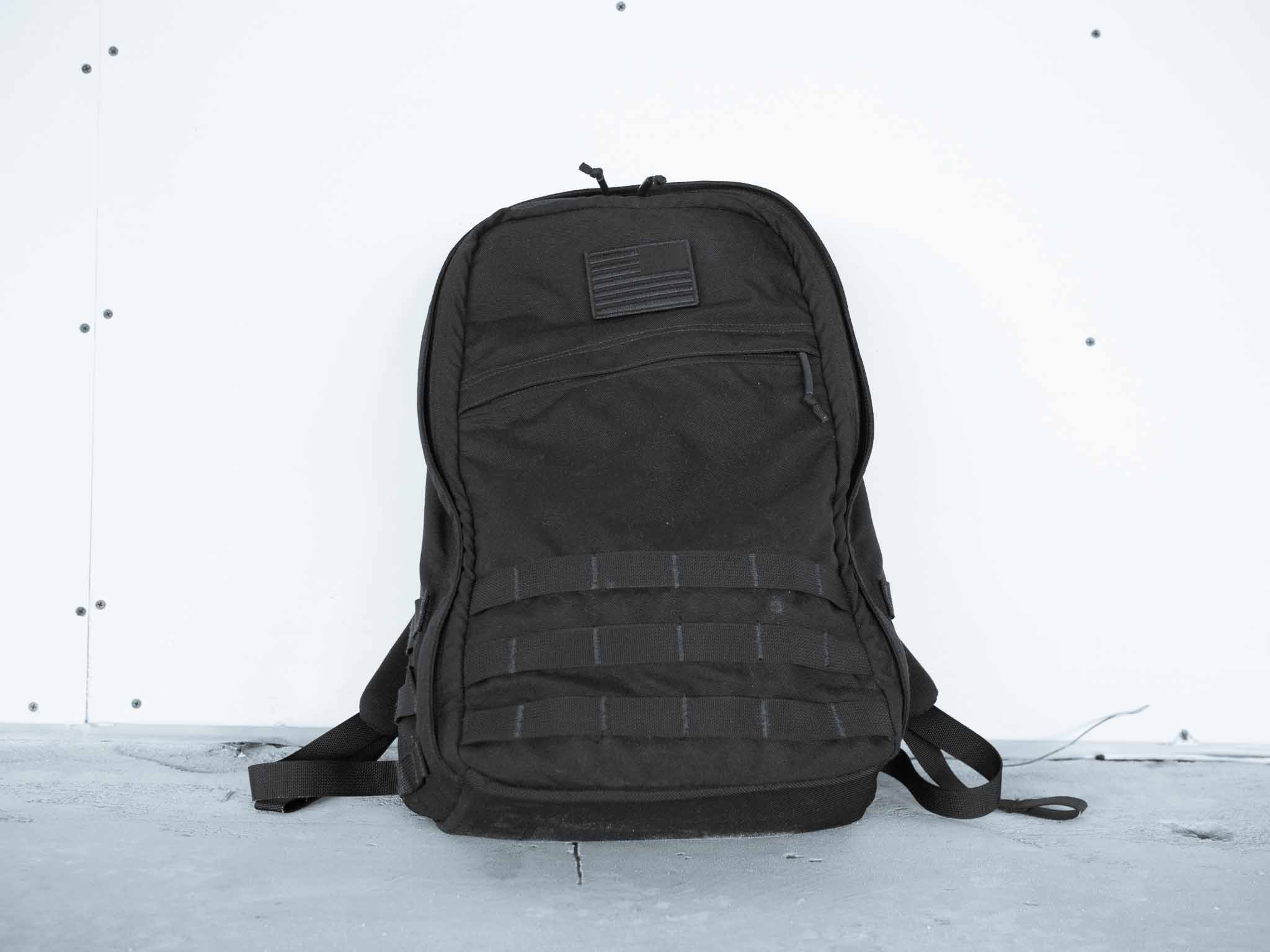
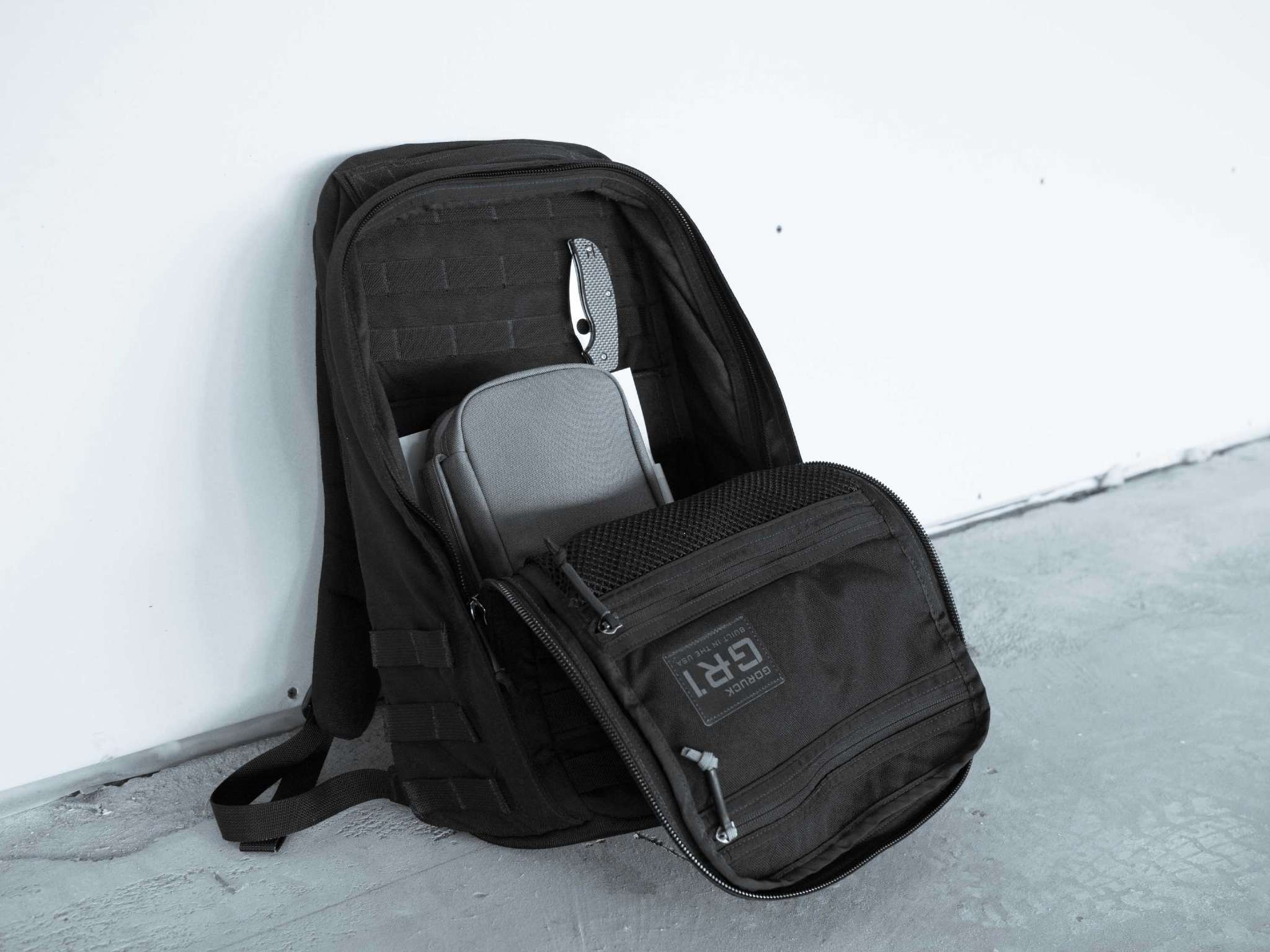
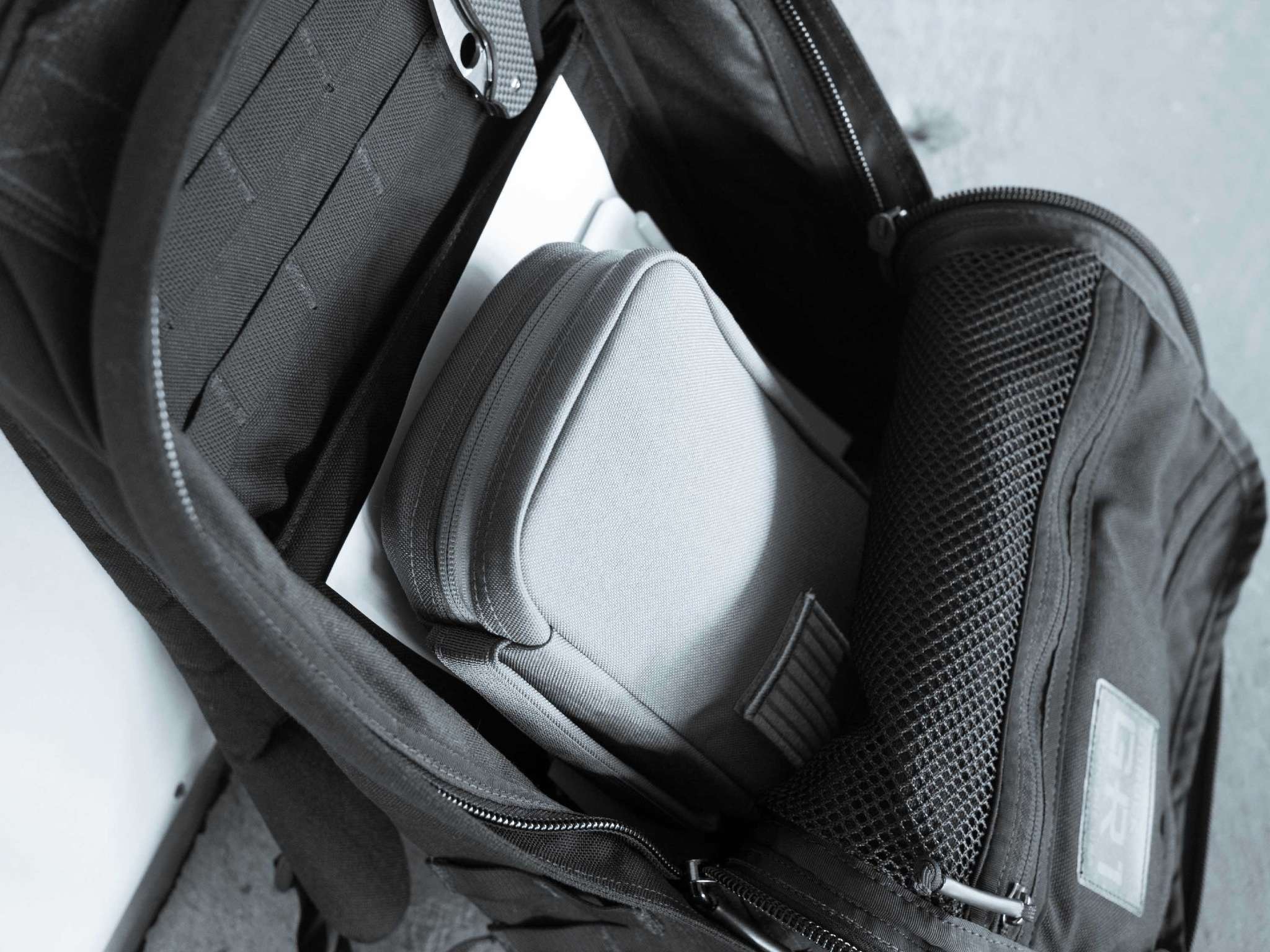
After I added pictures to the GR1 field pocket post I literally had halve-dozens of emails asking for GR1 pictures. Here you are.
[John Kelly](http://www.usatoday.com/story/news/nation/2013/12/08/cellphone-data-spying-nsa-police/3902809/):
> Armed with new technologies, including mobile devices that tap into cellphone data in real time, dozens of local and state police agencies are capturing information about thousands of cellphone users at a time, whether they are targets of an investigation or not, according to public records obtained by USA TODAY and Gannett newspapers and TV stations.
This article is exactly what you expect, exactly what is stated in the above quote. What it points out though is that once you make it “ok” for one government agency to spy on people, it starts to trickle down and be “ok” for all policing agencies to spy on people.
Now it’s not just about finding terrorists — it’s about finding kidnappers, murderers, and the guy who broke into the Sheriff’s car last night. And while most of those are noble causes, unchecked, the majority of use cases become personal vendettas and lines are blurred in the name of justice.
[Rather sensationalist headline on this post from Will Oremus][1]:
> Score one for the machines. On Tuesday, Applebee’s announced plans to install a tablet at every table in its 1,860 restaurants across the United States. Customers will be able to use the devices to order food, pay the bill, and ignore their dining companions by playing video games.
I am all for this, in fact I would pay more to not have to interact with servers — instead getting a tablet. Do you know why?
Because we waited 25 minutes the other night at Red Robin to place our order. That’s after placing a drink order and waiting 15 minutes for soda. Total time to order our food: 40 minutes. Anyone who has a kid knows how bad that is — then we had to wait for the food, which took forever.
Chain restaurants, the kind you take kids to, are massively under staffed. This under staffing leads to really shitty experiences and that drives me nuts. Bring on tablets, that or airline server call buttons. I’d take either.
[1]: http://www.slate.com/blogs/future_tense/2013/12/03/tablets_at_restaurants_applebee_s_chili_s_race_to_eliminate_human_interaction.html
Since I decided to make the GR1 my full-time backpack from now on (hopefully this is it for me), I decided to also pick up a GR1 Field Pocket (I also grabbed a couple reverse flag patches, one for the GR1 and one for the Field Pocket). The field pocket I picked up is ‘Coyote’ colored, which I chose just to make the pocket visible inside the bag. Overall the color is just fine — I wouldn’t want my entire bag that color, but inside the bag it makes for a nice accent.
(more…)
Dr. Drang:
> So am I fooling myself, or is it possible that Touch ID’s recognition gets worse with time?
I’ve noticed that here too, there’s a substantial improvement to be had by re-adding your finger prints. My guess was that it was due to weather changes effecting the moisture in my fingers that shift the ‘look’ of my fingerprints slightly. I have no proof of that though.
At the end of my last post on bags I concluded:
If I had to pick only one of the bags that I currently own it would be the Smart Alec, which is a fantastic bag all around. The Smart Alec’s modular pockets make it exceedingly versatile and less likely to become obsolete when your tech-gear changes.
Given the choice of any bag on the market I would choose the Goruck SK26 (I might even choose the sand color).
I confidently made that statement, without ever trying the SK26 from Goruck, because I own the nearly identical GR1 (reviewed here). Still, it feels uncomfortable to recommend something I don’t own, or haven’t tried. But there are only so many $200-plus backpacks that one man can buy before he must start selling assets. ((And sleeping on the couch.))
Luckily, for me (and you), an incredibly generous reader decided that it didn’t sit well with him either, so he bought me an SK26 — no strings-attached. ((As far as I know this reader has nothing to do with Goruck at all, and confirmed to me that he uses Incase products at the moment.))
I received the SK26 shortly after writing the aforementioned review and have been testing it for almost six weeks straight (it would be longer but I needed to switch between bags a bit to confirm some of my conclusions).
In short: I was wrong.
The SK26 is not the best all-around bag. The Smart Alec is.
However, I’m not planning to use either the SK26, or the Smart Alec. I’m going with the GR1.
The problem here is that I was right (stick with me). The SK26 is, as advertised, the GR1 without military styling. What I failed to notice is that the GR1 without its military styling doesn’t actually have much style at all.
And that’s the problem with the SK26: It’s rather boring.
The best way to describe the look of the SK26 is to compare it to one of those free SWAG bags that get handed out conferences — a bag you use to stuff full of shitty conference sponsor brochures and not cry about leaving behind.
Keep in mind that the SK26’s plainness is exactly the point. But It’s too boring for my taste.
I don’t need my bag screaming for attention but I also don’t want it looking like a cheap-o conference bag when I walk into a meeting to discuss the purchase of a multi-million dollar piece of real estate. And so, after weeks of using the SK26, I have decided that it’s just not the bag for me and also not a bag I would recommend to most others. ((I qualify that because there are very niche uses where this bag would be good. Military applications for sure. Outside of that, avid fans of the GR1 would love the bag if traveling to international destinations that are not in love with the U.S. military — E.g. any other nation.))
I stand by my statement: If you have to choose just one backpack, for almost all uses, the Smart Alec from Tom Bihn is the best choice.
Here’s why:
Those four reasons helped the Smart Alec take the top spot. It’s important to keep those in mind as we discuss the reason I’m moving on from the Smart Alec.
I have spent an inordinate amount of time thinking about this subject, and since I would have thought about it anyways, I am going to share my reasons for switching away from the excellent Smart Alec to the equally great Goruck GR1.
For me the Smart Alec falls short because I prefer to choose not to load my bag from the top. While I quite miss the handy side pockets on the Smart Alec, I miss them a lot less than I do the top-load nature of the pack. The Goruck bags are designed to fully unzip and lay flat when open. That’s amazingly helpful for packing in a lot of gear — and I can indeed fit much more, less wrinkled, into my Goruck than I can my Smart Alec. ((They are identically sized, at 26 liters.))
I have to take into consideration my use case scenarios and not the general scenarios that we just talked about. I don’t travel internationally much (except to Canada, but that can’t really be considered international travel) so the military inspired design of the GR1 is of very little concern to me. I also like to day-hike, which I specifically left out of my last post about the best all around bag, because it’s here that the Smart Alec trips up.
For me the Goruck will be better for traveling in the U.S. because it’s easier to pack and unpack. The Goruck will be better to hike with because it has Molle webbing for lashing stuff to. The Goruck also feels robustly constructed, which makes me feel safer taking it out on the trail. ((I have little doubt that for most people both the Goruck and Smart Alec will last a lifetime.))
One important thing to note about traveling with the Smart Alec is that, unlike the Goruck, you must unpack the bag everywhere you go. The Goruck can zip all the way open and act like a traditional suitcase, from which I can cherry pick the items I need. The Smart Alec isn’t like that — you need to unpack it to get anything out of it, well I do at least, and that becomes very tiresome on short trips.
There will certainly be times when the SK26 will prove useful, but at the end of the day I just don’t want my backpack to look as boring as the SK26.
There is one other key difference between the GR1 and SK26 that I did not expect: The straps on the GR1 are better because of the Molle webbing, which takes out some of the rigidity. The SK26 doesn’t have that, so the straps feel far more rigid.
The SK26 is really best suited (for non-military users) as an international travel pack for diehard Goruck lovers. Outside of that I really can’t think of a good reason to get the SK26.
When I wrote the last post about bags my goal was to convince myself that I only needed one bag and to get rid of the rest. Just before writing this article I started to purge. I sold my revision 2 Smart Alec and its companion Brain Cells. I tried to sell the Smart Alec revision 1 and the Flat Pack, but neither have attracted a buyer.
Right now I still have two bags that I could use on a daily basis. So if you want a Flat Pack, or a Smart Alec revision 1 please email me — they are all in excellent condition.
Given the ever changing backpack market I suspect to find something “better” than the GR1 in six months or less. Until then I don’t see any reason to hang on to other bags that I have already decided are not the best for me.
This ‘research’ is expensive.
With all the NSA revelations that are coming out, and that likely will continue to come out, one of the most important debates is surrounding what privacy we are due. The easiest, and laziest, argument is that privacy only matters to those with things to hide. That’s not only false, but incredibly short-sighted — It is a dismissing argument that people should be ashamed to make.
It’s hard to define exactly why privacy, and strong privacy at that, is of paramount importance.
[Marko Polojärvi has the best article](https://markopolojarvi.com/privacy.html) on the importance of privacy that I have seen thus far.
You should read the entire article, but just in case you don’t, be sure to take note of these quotes from his post.
If you run a website:
> It’s important to understand that Google’s dragnet tracking is not limited to your searches on Google.com. Google offers various “free” services to webmasters like Google Analytics. The webmaster installs a piece of code on the website and that code sends your unique tracking data to Google every time you visit that website.
[…]
> As a webmaster by using these services you’re literally selling out your visitors (and for zero profit) and contributing to the problem.
And the how this can effect everything when lawmakers are not kept in check:
> The British police used data obtained from “internet communications” to arrest around 50 potential royal wedding protestors based on predictions that they might cause annoyance. As I’m writing this there’s also new legislation being passed in the UK that makes any behaviour perceived as potentially ’cause nuisance or annoyance’ a criminal offence.
Well worth your time today to read up.
There’s a rather ‘meh’ post [at](http://pando.com/2013/11/27/who-hates-jony-ives-ios7-publishers-thats-who/) PandoDaily with some Newsstand publishers *seemingly* blaming Apple for their lack of success. ((I say seemingly because who knows what context those quotes were given in.)) Most notably is The Magazine’s publisher Glenn Fleishman.
The whole post is dumb. It blames the Newsstand icon and design on faltering sales. Perceived lack of attention from Apple, and lack of icon badging (I assume, because it is never explicitly said) were other ‘excuses’ mentioned.
I have a lot of respect for people making a go of digital publishing like this, and for Fleishman specifically. BUT, it seems to me that if subscribers are dwindling and people are “forgetting” about your publication, then your problem is rather straightforward: content.
Publish things people want to read and they *will* read. Sorry to be Field of Dreams-y there, but it’s applicable here.
I stopped subscribing to *all* Newsstand publications quite a while ago because not a single one had content that interested me enough — that includes the high and mighty New Yorker. I suspect this is also why people stop subscribing to *my* site. It’s not a mystery to *me* why I don’t have more subscribers, it’s because I don’t have good enough content to justify the price in many non-subscribers eyes — especially in comparison to my “competitors”. (Just look at what The Sweet Setup is bringing to the table.)
“How to Solve Email With Carrier Pigeons”
“5 Reasons This Backpack Is Better Than the One I Posted Last Week”
“10 Reasons Why You Hate Facebook, and How That Is Your Fault”
“How Apple Deleted Photos of My Dead Parents”
“Why Google Ads Are Better Than iAds”
“Meet the 28 Samsung Phones That Will Kill the iPhone in 2014”
“Here’s the Tablet That Will Kill the iPad”
“15 Reasons I Love Your Site, but Will Never Pay for Your Shitty Paywall”
“The Best Fork”
“16 Extremely Stupid Things That Will Extend Your Macbook Pro Battery Life”
“58 People Senselessly Beaten to Death (Pics!)”
“Here’s Why This App Is Worth Billions”
“Why Record Profits Spells the Death of Apple”
“Why Record Amazon Losses Means Their Future Is Bright”
“Why Your Remote Office and Open Concept Office Plans Are Shit”
“15 Ways to Value Your Company for More Than It Is Worth”
“20 Reasons Turning Down a Billion Dollar Buyout Is Smart”
“You’ve Been Cooking Your Eggs Wrong, Here’s How”
“69 Things You Didn’t Know That You Needed to Know”
“My 15 Minute Re-Design of Your Well Studied and Thought Out Design”
I really could keep going all year long.
I haven't used an Android device in quite a while, so I don't care to debate which is better — I care to have more experience before making those statements — but this “guide” (Google Plus Plus Minus post) from uncle creepy is ridiculous.
Naturally, let's dive in. The post on how to switch from iPhone to Android involves 14 steps hidden as four steps and some of it must been done on a PC/Mac. Yeah, super duper easy. Let's pull some choice quotes of ridiculousness: ((I think that's an MTV show, right? I haven't seen it, but I'll now assume it stars Schmidt.))
The latest high-end phones from Samsung (Galaxy S4), Motorola (Verizon Droid Ultra) and the Nexus 5 (for AT&T, Sprint, T-Mobile) have better screens, are faster, and have a much more intuitive interface.
Where's the proof on that last statement? Also, better and faster in what aspects? All aspects? Proof…?
c) If you are using AT&T, download the Visual Voicemail app from the Play Store.
Wait, honest question here, visual voicemail isn't just built-in?
At this point, you should see all your Gmail, and be able to use any apps and they should work well. Be sure to verify this.
Marketing tip: never end a statement with another statement questioning how well your software may work. “Press the brake petal to stop the car. Be sure to verify this.”
You will need to sign up for Google Wallet and give your credit card information, but it’s free.
I have this same issue with many services: why should I provide a credit card when the service is free?
For texting either use the Messenger app in earlier releases or the “Hangouts” app in Android 4.4.
Why would I be using an earlier version of Android, you told us to update Android in your “step one”? Don't all Android devices get the latest OS right away?
Be sure to use Chrome, not Safari; its safer and better in so many ways.
Wait, I can get Safari on Android? Sweet!
I can't? Then why mention it?
And didn't I read something about new Android phones not coming with a browser? Maybe what the headline said is: “Android can't surf the web?” (See how easy distorting facts is?)
Let's go back to the top for a moment:
Like the people who moved from PCs to Macs and never switched back, you will switch from iPhone to Android and never switch back as everything will be in the cloud, backed up, and there are so many choices for you. 80% of the world, in the latest surveys, agrees on Android.
Uh huh.
You all know how I feel about this, let's see what Google Plus commenters say about the post:
David Bania
Didn't know about the Visual Voicemail app. Thanks!Jiří Šrámek
I moved from Android to Ios !
LOL.
iPan Baal
I have an Android phone (Galaxy S2, about to upgrade it) – but even I know that +Eric Schmidt didn't write this – his media team did.
Why don't you use your G+ profile to actually write yourself, +Eric Schmidt? Instead of just another advertising platform you can attach your quasi-celebrity name to?
People who read this either already have an Android phone, or don't care.Mikal O'Neil
This just made me switch the default search engine on my Mac and iPhone to Yahoo.
Perfect.
Tim Bajarin on iPhones/smartphones:
It now has become my GPS system, my digital camera, my flashlight, my voice recorder, etc. With the plethora of software and services available on my smartphone, its hub like nature makes it the most important digital screen in my life.
Smart post. Especially given I have been seeing more and more apps promote that the content collected by the app never leaves the app (a response to the NSA spying).
[Fascinating report from Shane Harris on how the FBI and NSA work together to spy on Americans][1]:
> When the media and members of Congress say the NSA spies on Americans, what they really mean is that the FBI helps the NSA do it, providing a technical and legal infrastructure that permits the NSA, which by law collects foreign intelligence, to operate on U.S. soil. It’s the FBI, a domestic U.S. law enforcement agency, that collects digital information from at least nine American technology companies as part of the NSA’s Prism system. It was the FBI that petitioned the Foreign Intelligence Surveillance Court to order Verizon Business Network Services, one of the United States’ biggest telecom carriers for corporations, to hand over the call records of millions of its customers to the NSA.
And later on in three-pager (DITU is the name of the internal FBI division):
> The NSA is the most frequent requester of the DITU’s services, sources said. There is a direct fiber-optic connection between Quantico and the agency’s headquarters at Fort Meade, Maryland; data can be moved there instantly. From the companies’ perspective, it doesn’t much matter where the information ends up, so long as the government shows up with a lawful order to get it.
This is the first time I recall hearing about the FBI involvement — but I have been reading and *not* reading a lot of articles lately.
[1]: http://www.foreignpolicy.com/articles/2013/11/21/the_obscure_fbi_team_that_does_the_nsa_dirty_work?page=0,0
[Federico Viticci][1]:
> You could argue that other companies whose apps and services I use might have the same data about me: that’s true, but Google has gotten very good at eerily using that data from solid apps and web services against me in ads. Apple has my email, my calendar, my Siri queries, and my browsing history. And yet it’s Google that directly benefits from guiding users through a progressive removal of their online privacy. Twitter and Facebook are based on ads, too, but they don’t make the world’s leading browser, search platform, maps app, video sharing site, and free email service at the same time.
I go back and forth between Instapaper and Reading List just about every month. Safari though, I have been consistently using for years and years. I’ve done stints with Chrome, or FireFox, but they always get in my way.
With Mavericks Safari is finally *good*.
[1]: http://www.macstories.net/stories/leaving-google-chrome-why-ive-returned-to-safari/
I’ve long had a need to keep a small toolkit with me, mostly stored in my trunk, ever since I became a property manager. The tools I keep in it have nothing to do with repairing my car, and instead have everything to do with fixing odds and ends around shopping centers, offices, houses, and apartments. I’ve been working on perfecting this toolkit since 2006.
No, really, it has taken that long.
I recently noticed that it has been about a year now since I changed my toolkit — a first — so I feel comfortable talking about the tools that I keep in the kit and why.
I want to start with the why because that is what should guide you in your makeup of a proper toolkit. In order to make an excellent and useable toolkit you have to understand what you are likely to use the toolkit for — or even if you are likely to need a toolkit at all. I mentioned that mine is around because I need it for different properties that I manage.
There’s stuff that I see broken all the time, and I keep a small toolkit so that I can make a quick repair to stuff if the time/circumstance allots, so that maintenance can stay on other tasks.
Repairs like:
There’s a ton of other little things, but that’s what I have off the top of my head. Nothing very technical, just little things that annoy you.
My kit is extremely basic, and has been honed over the years, currently residing in it:
All of these tools are not kept in a toolbox, or bag. I have one tool bag that I use, and it only holds seven of the items. The rest are stashed in one of two areas in my car: the flashlight is in the glovebox, the rest are under the mat in this nice tray that my car has in the trunk.
The rest of the tools are kept in a Winter Session tool roll that I really like the look of, but is a bit small in practice.
Your kit can and should be different from mine. There are likely tools I omit that you think crazy to omit. You are probably right for your application, but for me — in the past year — these are all the tools I have needed out of this kit.
(All links are affiliate where I could make them so.)
[Nick Hopkins and Matthew Taylor reporting on how to build your own NSA](http://www.theguardian.com/world/2013/nov/18/private-firms-mass-surveillance-technologies):
> AMES describes Cerebro as a “core technology designed to monitor and analyse in real time communications … including SMS (texting), GSM (mobile calls), billing data, emails, conversations, webmail, chat sessions and social networks.”
> The company brochure makes clear this is done by attaching probes to internet cables. “No co-operation with the providers is required,” it adds.
> “Cerebro is designed to store several billions of records – metadata and/or communication contents. At any time the investigators can follow the live activity of their target with advanced targeting criteria (email addresses, phone numbers, key words),” says the brochure.
A lot of people have contacted me asking why I am so concerned with what government spies are doing, I think this article sums up my concern. What the government can do, so too can the private sector. Read the article, and then start down the encryption process.
Daniel Jalkut, responding to Michael Lopp (today's quote of the day), about moving from Things to something else (Asana for right now):
But what really frustrates me in this case is the software has served him perfectly, and he thanks it with a slap to the face. It’s one thing to denigrate a product for failing to meet your expectations, or for exhibiting a clear lack of craftsmanship, but Lopp admits that those problems do not apply: […]
I would argue that Lopp thanked Cultured Code with his money, but I see the larger point here too. There's a fine line between moving for the sake of moving, and getting fed up that there hasn't been major updates. Anyone that follows this site knows I am quick to make fun of Cultured Code for their slower-than-snails-pace that they develop at.
There's no doubt their software is solid, but it is hard to argue for it being the best. OmniFocus isn't much better as 2.0 looks not great, the new iPhone app is just ok, and the once stellar iPad apps are lagging behind. Things and OmniFocus are in need of attention, but while the attention is coming, it is coming too slow for most users. They are still great tools, but you can't blame a user for getting annoyed that their tools (while good) look and operate old.
Lopp's post drove me to think a bit more about my setup — which currently is Begin and OmniFocus. ((Remember, I am financially tied to Begin.)) Looking at OF it looked like a dog, so I looked around and tried Asana for the day. It's not for me, but I can see the appeal. I'll be trying some more web-based solutions over the next week or two.
My goal isn't to try and leave OmniFocus, but to make sure OF still is the best solution for me. OF has gotten so ugly on the Mac and iPad I almost refuse to use it in those places. Which means I am essentially using the iPhone app, and even the new iPhone app isn't the best looking app. ((Totally subjective.))
I understand where Jalkut is coming from, but it is easy to forget that users have other options, options that they can and should always be looking at. Leaving for the sake of leaving isn't smart, but leaving because you have little faith in the future development is smart — to do otherwise is often just delaying the inevitable.
Yes, the software served him perfectly, but what about the future. I'd be hard pressed to recommend OmniFocus to a new user right now, let alone Things. Both were made in a pre-mobile, pre-teams-everywhere, world and that shows every time I use them. I don't see this as ditching great software as much as I see this move as a forward thinking move to embrace something that fits the current workplace needs now, instead of waiting for those needs to maybe be implemented in your current tools.
It's moving not because expectations have failed to have been met, but because of doubt over expectations being met — at least in a reasonable (for the individual user) amount of time. And that I find perfectly logical.
Shawn Blanc on his new endeavor:
We don’t do fly-by-night scans of the latest apps and then share the top 20 based on which ones had cool screenshots in the App Store. Nor do we recommend apps that we haven’t actually used. The apps we recommend here are the apps we use ourselves. And they’re only recommended after comparing them to the competition, using them in real life, and considering several other practical factors, such as if the price is reasonable, if the app is likely to be updated in the future, etc.
A lot of people that follow Shawn have been hearing him tease about the site for a while, but Shawn was kind enough to ask me to write a few things for the site. I haven't seen, or read, the content by others so I look forward to checking that all out with everyone else.
For my part I wrote a post about the best general purpose weather app, the best radar app, and Shawn did a quick interview with me about my iPad Setup (including a home screen screenshot, which surprisingly many have been asking for recently).
[Jeff John Roberts on one of the more interesting decisions in the Google book scanning case](http://gigaom.com/2013/11/14/google-wins-book-scanning-case-judge-finds-fair-use-cites-many-benefits/):
> The latter idea — that Google is profiting off the books at the expense of authors — has been a rallying cry for opponents of the book scanning. Chin’s ruling, however, takes care to reject the notion in detail, and states that Google “does not engage in the direct commercialization of copyrighted works.”
If this sets the precedent that ads are indirect commercialization, then it opens the door wide for Google to ape more copyrighted work. I can’t see how this would be good in the long term.
[Danny Sullivan on Google’s broken promises](http://marketingland.com/google-broken-promises-65121):
> For two years in a row now, Google has gone back on major promises it made about search. The about-faces are easy fodder for anyone who wants to poke fun at Google for not keeping to its word. However, the bigger picture is that as Google has entered its fifteenth year, it faces new challenges on how to deliver search products that are radically different from when it started. In the past, Google might have explained such shifts in an attempt to maintain user trust. Now, Google either assumes it has so much user trust that explanations aren’t necessary. Or, the lack of accountability might be due to its “fuzzy management” structure where no one seems in charge of the search engine.
Interesting post, centering around this idea:
> Reversals aren’t bad; it’s the failing to explain why you changed your mind that is.
Reeks of arrogance. Imagine the coverage in The New York Times, or WSJ, if Apple made these reversals. ((That’s not to say Apple doesn’t make reversals — they do, and do so frequently.))
You’ve likely heard about [Coin][1] (that’s an affiliate link), a new credit card / iPhone pairing that seeks to eliminate you having to carry multiple cards. It even has its own Sandwich video. The product itself looks fantastic, and easy to use too.
And, as surprising as this might be, I pre-ordered one.
If you read this site you are likely to be surprised by that statement because I am a pretty privacy conscious guy. Before I talk about my thoughts on the security of this system, I want to share some non-security — more practical — concerns that I have with this card.
## You Can Change Cards Easily
The first thing I thought when I watched the video was: that’s way to easy to change cards. The Coin shows that, with a push of a button, you can toggle between cards. This is great for the *user* when they are the one in possession of the Coin, but what about when you hand the card to someone else? Sure if you don’t lose sight of the card you can be sure they haven’t changed your card, but what about at a restaurant?
I’m not even assuming anything malicious — just heavy handed use of the Coin seems like it could cycle between cards and potentially net you with a personal charge on a business card.
I really hope this concern is unfounded, and that there is a mechanism in place to prevent accidental changing of your card, but I remain skeptical.
This is all that is said about this concern on the FAQ:
> We’ve designed the button to toggle cards in a way that makes it difficult to trigger a “press” unintentionally. Dropping a Coin, holding a Coin, sitting on a Coin, or putting the Coin in a check presenter at a restaurant will not inadvertently toggle the card that is selected.
That doesn’t instill confidence of any kind in me.
## What’s That?
That’s the question I expect to get when I try to use the card. Maybe you won’t get that in San Francisco, but I know I will get asked that. No matter what I say, I suspect that the cashier will assume something shady is going on.
I can imagine a couple conversations that might prevent me from using the card:
1. “Sir, you can’t use this because we only accept American Express, Visa, and Mastercard. This is neither.” “No, it *is* an AMEX, trust me.” “Sir, this doesn’t look like any AMEX I have seen. Where’s the logo?” “Ugh.”
2. “Ummm, I need the three numbers from the back of the card.” “Sure they are right here (points).” “No, I need the ones on the **back** of the card, there is nothing on the back of *this* card.” “Ugh.”
I think *people* are likely to be the biggest usability obstacles.
## Security
The Coin FAQ has an entire section on security, but it’s not all that reassuring. There are some features of the Coin that makes it a lot better than a normal card:
– Push notification if you leave the Coin behind.
– Card disables if it is out of contact from your phone for too long.
There are two primary security concerns that I see with this product:
1. That you have to give a lot of credit card info to Coin and it is then stored (from the sound of it) on *thier* servers. Now, they will be in compliance with required security standards, but how can we trust them? I don’t know, but I don’t see this aspect as any more risky than storing, or using, a credit card with any *other* company on the web. Be that Amazon, or *this* site. ((For the record I can’t see your full card number — not even if I tried. I verified that with my own account before launching the paywall.))
This is why I don’t see Coin being a big issue — it just doesn’t strike me as any bigger security risk than using your card anywhere else. In addition to that, credit card companies are actually very *good* at fraud prevention and removing fraudulent charges. I wouldn’t link a debit card to the Coin — and I don’t ever use a debit card as I don’t want people to have that direct of access to my cash — but I don’t see any reason to *not* use a credit card with it.
2. I think the next major concern is not with the security of *you* using a Coin, but with others having access to this technology. In other words, Coin sounds like a credit card skimmers dream tool. I have no doubt this presents a security risk, but why should that stop *you* from using the Coin, or any other new technology for that matter. All new technology has inherent security risks that are only figured out through wide usage.
Already waiters have been known to skim credit cards — and the rule of thumb is to not let your card out of your site — but uhh… really?
Coin, for their part, says specifically on this topic:
> The Coin app requires that you take a picture of the front and back of the card, type in card details, and then swipe the card (using a reader we provide) to ensure the card’s encoded magnetic stripe data matches the card details provided. It is not possible to complete these steps unless you are in physical possession of a card. As an additional safeguard, the Coin app will only allow you to add cards you own.
Everything but that last line is moot. My assumption is that I am out to dinner and hand my card over for payment — now the skimmer has physical possession of my card. If that’s the case, what the hell does the last line of that answer mean? How do they verify ownership? Zip codes?
My best guess is that if your card is already registered with a Coin account, it then cannot be registered with *another* Coin account. And if that is the case you are probably *more* secure owning a Coin then you would be if you didn’t own a Coin.
That’s the main flaws I see with the card. The benefit, though, seems to outweigh the risks associated with using the Coin.
If I could truly just carry around a Coin and my ID — well that would be fantastic.
[1]: https://onlycoin.com/?referral=h23SNfFb