Month: June 2014

  • WWDC Around the Web

    Federico Viticci:

    All developers I’ve talked to over the past few days share a common thought: this year’s announcements are creating new possibilities. New technologies can empower users in new and better ways. We can’t wait to start coding.

    I’ve heard this same thing too. Developers are really excited.

    Craig Hockenberry:

    Apple has a newfound confidence in itself. It’s at the top of its game, and it knows it.

    I wouldn’t say ‘newfound’, I think a better word is: recharged. I don’t think Apple ever lost confidence, but I think they questioned their confidence a bit.

    Stephen Hackett:

    Apple feels good about itself, and that trickles down to the community. You can feel it in the air.

    It’s palpable.

    Shawn Blanc:

    We are seeing what the post Steve Jobs Apple is like, and my friends, it is awesome.

    If I summed up the direction Apple has decided to take, it would simply be: bold. They aren’t resting on their laurels the way Microsoft did when Ballmer took over. They are banging shit out and getting it done as fearless as they can be. But they are tempering that enthusiasm with patience and thought. They are doing a lot, but are being careful to do it right the first time.

    A lot of people have told me I am too excited about iCloud Drive, but the thing is I think Apple will finally get the cloud stuff right. Their stream for WWDC was perfect, and their iCloud offerings really have been nearly flawless recently.

    Jason Snell:

    Over the next year, there will be innovations that surprise and delight users, and they won’t be trapped inside a single app interface—they will be able to spread themselves across many more parts of the iOS interface.

    All of a sudden things that used to be very tedious to do on iOS will become so simple that it will feel magical. There’s no need to talk about customer lock-in with iCloud — that’s all the lock-in most people need.

  • Quote of the Day: Chris Bailey

    “Productivity isn’t about how much you produce, it’s about how much you accomplish.”
  • Updates to ‘The Best’

    I just updated my ‘best’ listing page to add in a few more great apps. I should have some more larger product updates in later this week.

    UPDATED (on Jun 4, 2014): Added a bunch more products to the page.

  • Bing will be default for Apple’s new Mac OS X Spotlight

    Todd Bishop:

    An overhauled version of the Mac OS X Spotlight search will rely on Bing for web searches, the Redmond company confirmed this afternoon, after Apple listed Bing among the service providers powering the feature earlier today.

    Apple knows that the general consumer has too big an affinity for Google to change the default search in Safari, but by doing these little changes with Siri and now Spotlight, Apple is really squeezing Google. If Spotlight starts gaining traction, that is. And that's a big if, as it isn't widely used now (from what I see).

  • John Oliver On Net Neutrality (YouTube)

    I watched this last night with my wife and it is just perfect. Nothing new for those following the topic, but very well put and something the average person can understand and get behind.

  • Blixt for iPhone

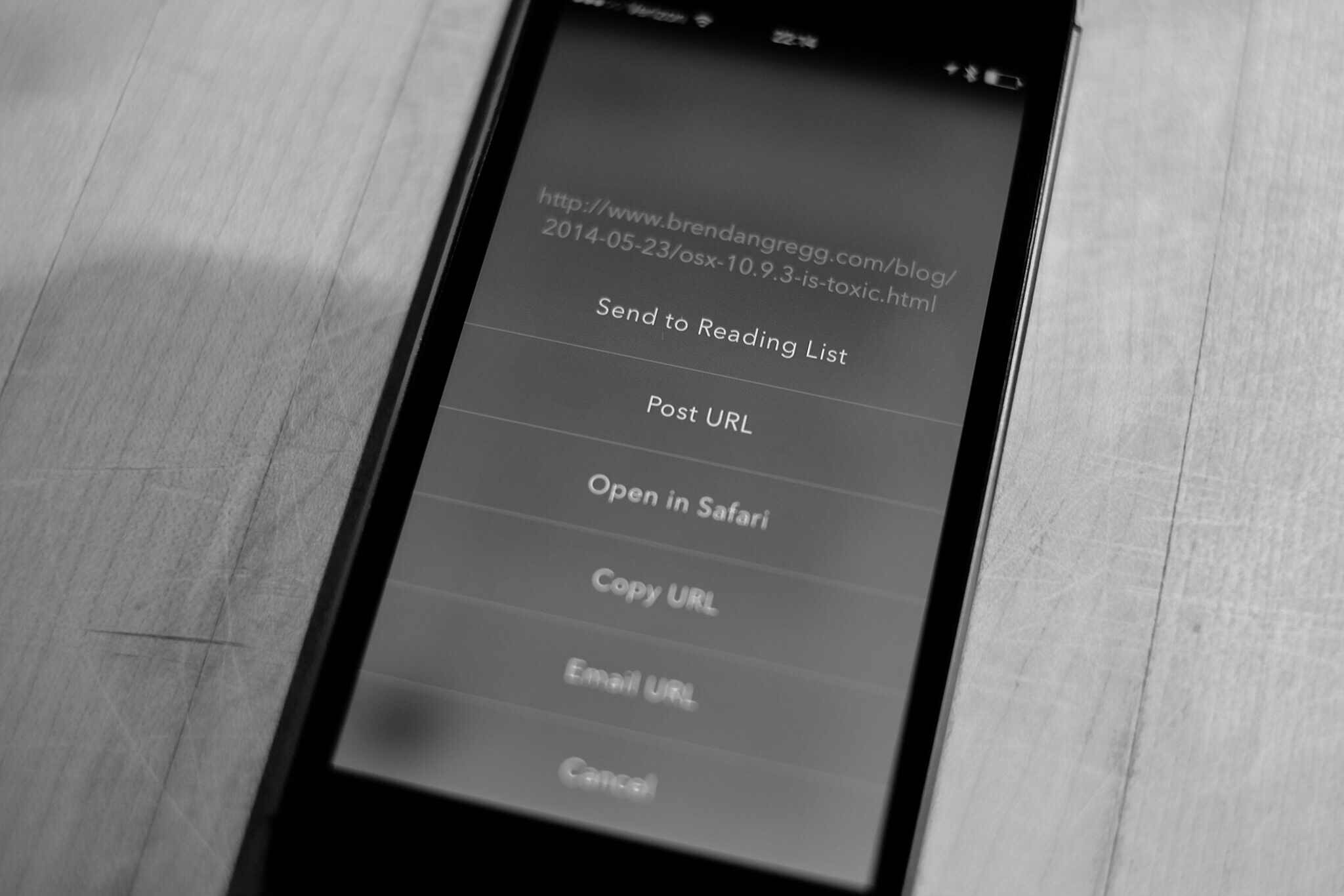
    A few nights ago I got an email from Bryan Clark, and he explained that he and Jesse Herlitz teamed up to make a new App.net client, and they are still excited about it even if App.net seems to be in a bit of limbo. I’ll be honest, I wasn’t too excited to test the app, but I checked out the other app these two worked on and was impressed with the app. Then, I accepted to promo code so I could see the app before launch ((If you don’t know, developers can have an app approved, but hold it so you cannot download it. Then they can share promo codes and people can download the app from the App Store that way.))

    Boy am I glad I checked out the app. It’s called Blixt and it is an App.net client, though it doesn’t do private messaging.

    It is gorgeous.

    It is damned smooth.

    I love so many things about this app that I wish people posted more on App.net so that I might use it more.

    The Highlights

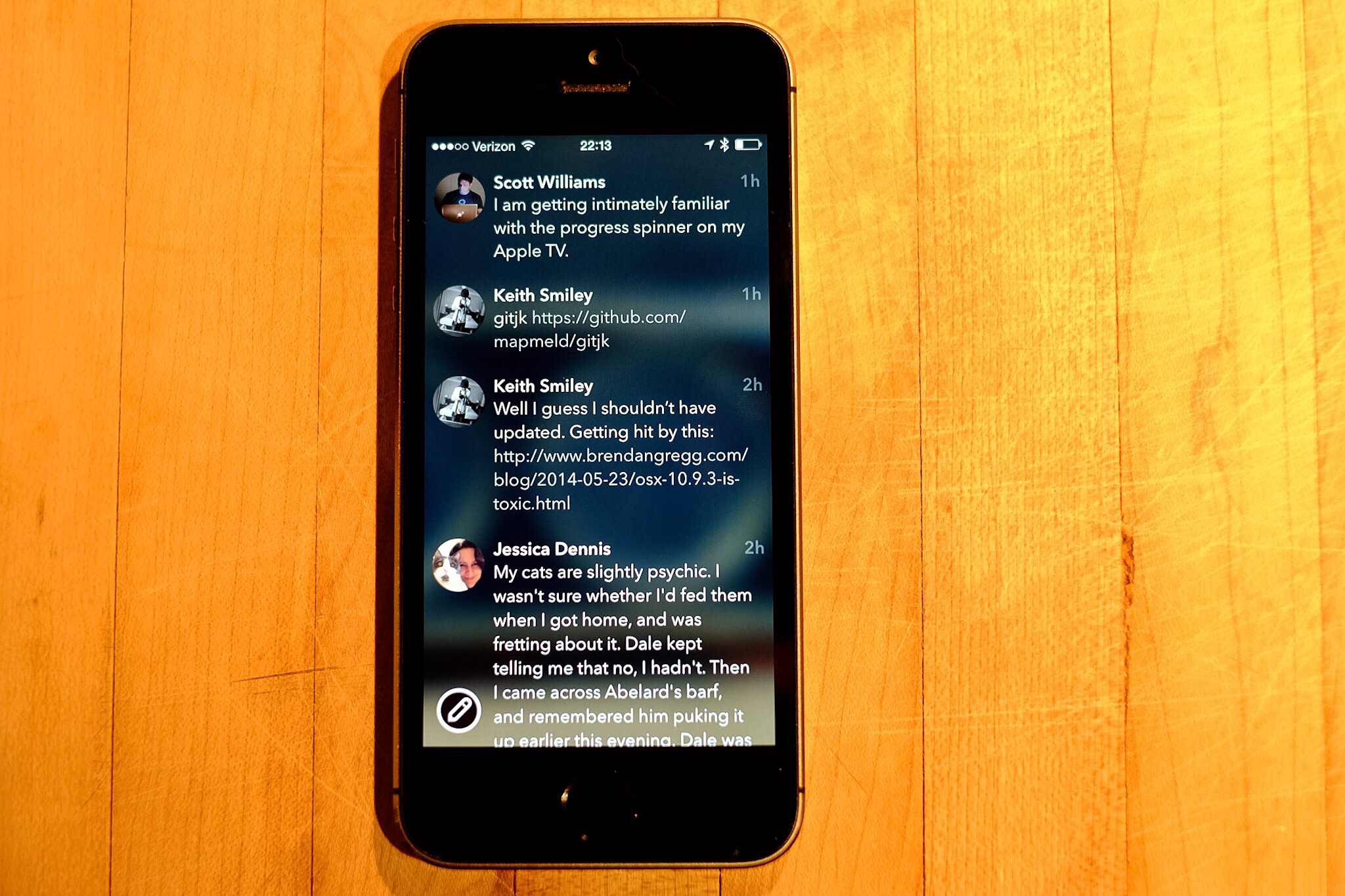
    The scrolling in this app is possibly the smoothest scrolling I’ve seen, it’s like a plastic disc on an air hockey table. Simply fantastic, you just want to scroll around. I don’t know what gives it that feeling, but man is it silky smooth.

    There are no delineating lines between posts, but somehow nothing looks cluttered and nothing is confusing. It’s really clean feeling and super flat, but yet it feels like slick glass. It feels made for the iPhone.

    The animations are great. From the little bounce a post does when interacted with, to the loading indicator when using the browser. All these small touches make for an app that visually doesn’t get in the way, but never leaves you feeling lost.

    I was confused at first as to what the image is that is blurred out behind your timeline, as it turns out it is your cover image. However, when you browse to another user, or simply view the post view for a post that is not yours, the image switches to that user’s cover image. Very nice touch, and amazingly not distracting at all, it simply gives a little depth and character to the app. In fact it is a great way to skin the app a bit if you want.

    Another nice touch is how large the few buttons are. This is best seen when composing a new post, as the buttons are a bit in your face, but thankfully easy to tap, which isn’t something I can say about most of iOS 7. Even though the buttons are larger they feel right, but not something you tend to see in iOS anymore.

    The Misses

    There’s a bug that I’ve run into when I tap on a post with a link the app seems to freeze (the developers are looking into it), all you have to do is go back to the home screen and back into the app (no force quitting needed) and all is fine. It’s odd and annoying, but a testament to just how good this app is that I am more than fine with putting up with that bug.

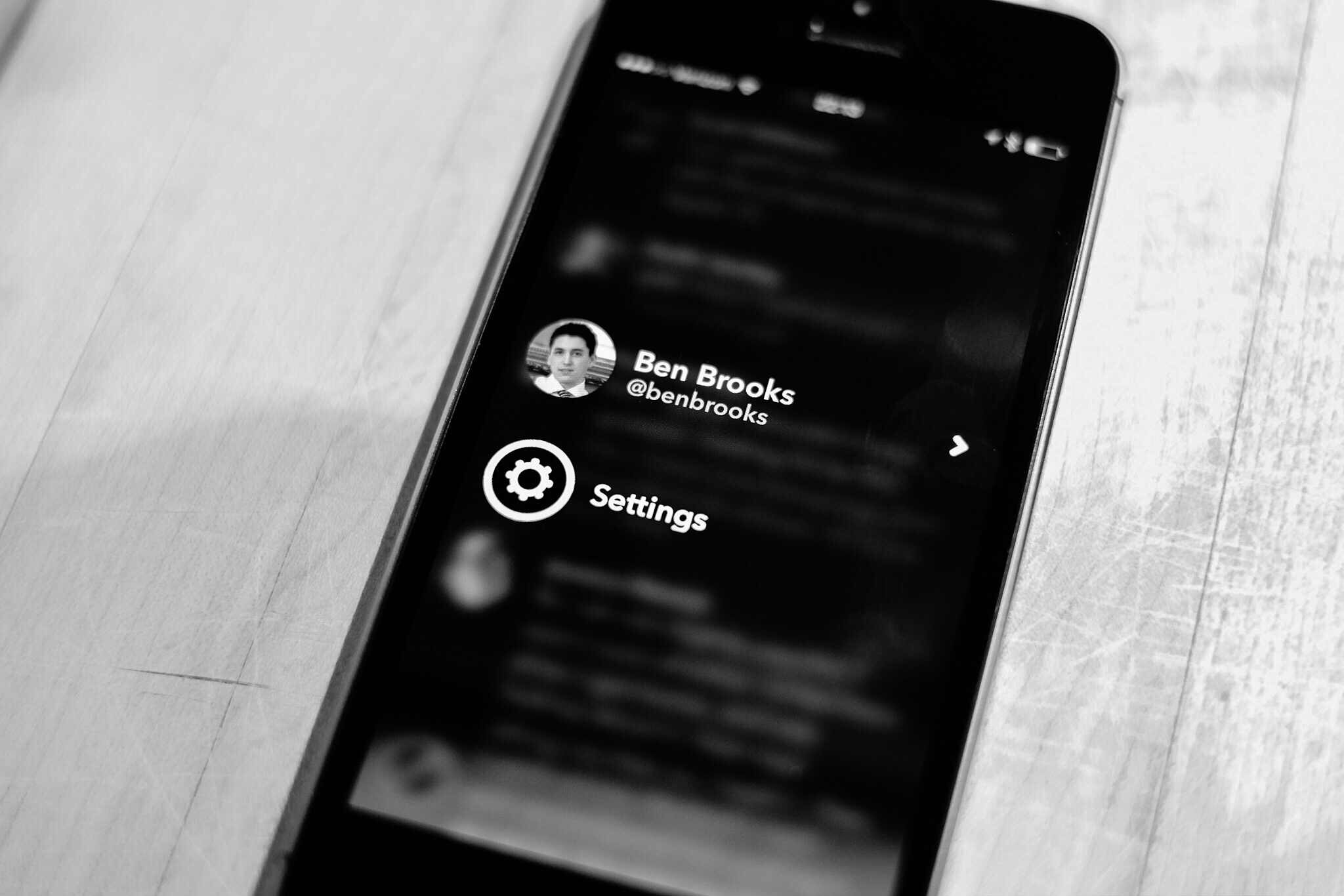
    The swiping is a bit un-iOS, in that going back, say from mentions to timeline, requires a swipe starting near the middle of the screen to the edge. If you swipe from the left edge to the right, you pull up the account switcher and settings screen — I pull that screen up a lot. This isn’t consistent with the rest of iOS so it is likely to always be a challenge for me.

    The Icon

    I wanted to give the icon it’s own section, just because it is stellar. Of all the icons on my main home screen, this is the only one worthy of being there.

    More like this please.

    Go Buy It

    Who gives a damn about what’s going on with App.net, this app is one of those apps you will appreciate the hell out of no matter what you think of App.net. Rarely do I like apps this much, but this app is very impressive in such a very simple and smooth way.

  • SKRWT – TUTORIAL on Vimeo

    Really great tutorial for SKRWT which is an awesome app. One thing I didn’t know was that you could tap the dial for incremental adjustments — very clever. Great app.

  • Changing Your Mind

    The other day I was talking with a client of mine. It was after hours and I was out running personal errands. This client likes to talk, as in I spend hours on the phone with people at one time, and he was going on about a meeting. How the guy at the meeting said he couldn’t ‘read’ my client.

    So my client, let’s call him Bud ((Because, great name.)) , asked me: “Am I hard to read?”

    Now I replied that I think to so he was, to which Bud chuckled and asked: “Do you know why?”

    Me: “Yes, because you never stop talking.” ((Bud’s a good client, and takes a ribbing well.))

    Bud laughed again and told me: “No, well maybe, but it’s because I never know what I am thinking — and sometimes I just change my mind every time someone talks to me.”

    And I can attest, Bud does change his mind often.

    But so do I. In fact, and I relayed this to him, I see the ability to change your mind as one of the most intellectually honest things you can do. But I think I need to clarify that statement a bit.

    It’s not intellectual in any sense to arbitrarily change your mind — simply for the sake of changing your mind. What is intellectual is if you know why you are changing your mind.

    And in most cases the “why” is usually easily cited as ‘new evidence’. But that’s why I appreciate people who change their mind so much: I know they are listening, processing, and thinking constantly about new inputs they receive. They aren’t just hearing me for the sake of trying to figure out how to punch back at my argument, they are actively listening to my point.

    To me, there is nothing more you can ask from a person than for them to keep the cliched “open mind” and hear you out. I’m wrong — a lot — but what keeps me alive (so to speak) is the fact that I recognize where I have wronged, why, and then try to change it (whether that be an action, decision, or thought).

    Don’t be afraid to change your mind as long as you know why you are changing your mind. I cannot imagine a world where people were not willing to change your mind — all to often we are asked to make a decision on incomplete data. Imagine if you had to stick to that decision even after you get better data? That would be horrid.


    Two hours after I talked to Bud on the phone I decided to join back up on Twitter. I waited a day just to make sure that I wasn’t missing anything, but I changed my mind.

    In the post about rejoining Twitter I could have defended my action without ever admitting I was wrong. I could have. But that would have been wrong in itself.

    So it’s good to change you mind, but don’t do so for the wrong reasons. And certainly don’t act like you didn’t change your mind — then you just look like a fool.

  • Looking For Focus

    Matt Gemmell:

    I’m looking for focus, and freedom from noise. More than that, I’m looking for stability; a metaphorical place where I have a chance of doing my best work.

  • The Distracting Open Office

    Maria Konnikova on open offices:

    What’s more, Evans and Johnson discovered that people in noisy environments made fewer ergonomic adjustments than they would in private, causing increased physical strain. The subjects subsequently attempted to solve fewer puzzles than they had after working in a quiet environment; in other words, they became less motivated and less creative.

    She also notes that research shows headphones having no effect in counteracting this. The only thing that helps is a strong ability to block out distractions.

    Which is likely why I am fine with these environments — I just forget about everything around.

  • Some iOS 8 Features

    Viticci has some nice iOS 8 features for you, this one is particularly cool:

    Travel time was previously exclusive to OS X Mavericks, and it’ll come to iOS 8 through (optional) notifications that’ll suggest you the best time to leave for your next calendar event. It’s not clear whether iOS 8 users will also be able to turn on travel time and get inline Maps previews when creating new events in Calendar, but notifications are a good start.

    That’s awesome. So too is the emergency ID card, but it’s pretty convoluted to get to right now.

  • Adding Features

    Jamie on the Signals v. Noise blog:

    It’s always harder to take away features that are already there. But, I have no doubt Apple will try to continue making iOS easy-to-use while they layer on new power user features. At the same time, Google’s not afraid to take away features. Maybe Google will keep simplifying Android, pushing all you need to know from their sentient “cloud”.

    That’s an interesting comparison, but I think it misses a big point. Google is pruning features not for clarity, but to push users to use their cloud services (Google Now) for everything. It’s an “let us know everything and we can make your life easier” approach.

    Apple on the other hand is saying: “Look we have a dead simple system and we are slowly adding in features that make it really powerful to use daily.”

    The approaches are misunderstood if only broken down by number of features, or simplicity. Apple wants you to easily be able to do a lot of things, eventually. Google wants to tell you what you need without you asking.

    That latter is massively creepy.

  • More Apple Needs to Support Other Platforms Arguments

    Bob O'Donnell on Tech.pinions:

    Most people have a mixture of OS platforms—some Microsoft, some Google and some Apple. Of course, I’m sure that part of Apple’s strategy is to increase the all-Apple households (which their new Family Sharing feature should help with as well), but their vision could be made much more effective if they could somehow bring other non-Apple OS devices into the group.
    To do this, Apple would have to take a more comprehensive view around multi-device services and figure out business models that enable them to benefit from people owning other devices.

    This is going to be a common argument for the next few months or more. It's wrong though.

    It's always reasonable sounding to say that Apple needs to open up and offer its services on more platforms, but in the long run it won't matter for Apple. Apple always wants its best customers to have the best experience and those customers are all Apple, all the time.

    iCloud drive will have a web based component and that will be good enough just like Apple has done with Pages. What will be key is how well all of this works once launched, it has to be seamless or no one will be compelled to get the devices they need to use it all the time.

  • Syntax Highlighting in Editorial

    The power of Editorial is amazing.

  • Google Invests in Satellites to Spread Internet Access

    This seems all sorts of crazy to me. Yes, I get it, Google wants more internet users so they have more targets, I mean, customers. Makes senses, but what's the payback period on spending one billion dollars to acquire 100-200 million potential new users?

    My initial math was way off, pointing to a larger number. But if Google can capture 200 million users then it will only cost $5 per user. That seems reasonable, but I’m skeptical it’s a good use of money.

    Google plays a game to increase revenue by pennies per user. Where companies like Apple play the game to increase revenue by tens of dollars per user.

  • Changing the Game

    I don’t typically do WWDC keynote wrap ups, but this wasn’t a typical WWDC keynote. You can find all the details of what was and wasn’t elsewhere, what I want to talk about is the things they announced which appear to be immediate game changers.

    Continuity

    The ability to start working on something on your iPhone, and pick up at that exact spot on your Mac, or iPad. Whether it be an email, or web browsing. To be able to accept, and place, phone calls and SMS messages from any of your devices.

    This is going to be huge. This is about experience, and this is the intangible part of Apple that competitors and non-customers just cannot understand. Syncing files with Dropbox will be cute, in the way that syncing files with floppy disks once was, when this is fully realized — this kind of a shift towards device agnostic computing cannot be understated. The normal user won’t understand why everything doesn’t work this way.

    Touch ID

    This is another ‘experience’ aspect, but opening up Touch ID to third-party developers is massive. Touch ID was OK when it launched, but now it is truly stellar. It is so fast I cannot understand how it is possible.

    What Apple is trying to do is to eliminate passwords on iOS. Think about the magnitude of that for a moment.

    Why do people choose shitty passwords, because they hate remembering and typing them. Touch ID obviates all of that.

    It’s something no other platform can do, and Apple just did it.

    App Previews

    To me it looks like these will be simple videos in the normal screenshot preview window, but it’s going to be huge. Apple needed to clean up the App Store, but instead of getting more picky about who they let in, they are giving users the ability to actually see how smooth, how pretty, and how well an app works.

    I suspect this helps bring the good stuff to the top much quicker.

    Extensibility

    This is a developer arena addition, but the ramifications of this one thing are truly a game changer for iOS. Apps can now talk and interact with each other. The examples shown (translating text, share sheet integration, notification center widgets, and custom keyboards) just scratch the surface. This is effectively the x-URL callback scheme taken to the next level.

    As I talked about the other day, you don’t need side-by-side apps when you can talk to other apps this way. I need to read more into this, but right now: wow.

    Spotlight

    A lot of app launchers are going to talk about how they are still a good choice, but for most people the new Spotlight will be all they need. In fact, clipboard history may be the only main feature missing.

    That alone is neat, but not game changing. What is game changing is that this seems to remove the need for Google to a large extent. If Apple can get the average user using Spotlight it could mean a big hit to Google. Spotlight can get you what you want, and do it quicker.

    Everyone uses Google to find information on places like restaurants, now Spotlight can do that for you — and show you contacts appointments, etc — send it to iOS. It’s not only faster than Google, it’s more rich of an experience than Google could ever have on the Apple platform.

    iCloud Drive

    This is effectively Dropbox, with far better integration in Apple products. You can’t beat this — you won’t beat it. And it’s on Windows. People like to dog on iCloud, but I’ve been using it seriously since it came out and I’ve yet to encounter any major issue — or even minor issues.

    If Apple can scale iCloud Drive there will be no stopping it — and I really believe that.

    Storage Limits

    An aside to that are the storage limits. Apple allowing up to 1TB, and as cheap as 20GB for $0.99/mo — companies simply cannot compete with that pricing. It’s insane.

    Wild Cards

    There are two other things that Apple introduced which seem huge on the surface, but which I also have my doubts about.

    HomeKit

    This is Apple’s ‘secure pairing’ to home automation devices. Nest was curiously absent ((Joking, we know why.)) but there were many other companies. The hardest part about HomeKit being a game changer is that it relies on third party hardware manufactures. One shitty product and people will be turned off of the service for a long while.

    Apple will need to closely monitor what device is allowed on HomeKit in order to make this a big deal. With Nest out of the picture I am highly skeptical about the future of this. It’s going to come down to great hardware.

    HealthKit

    Like the above, this too relies on sharing health data with third-parties. Not only that, but it also relies on third-party hardware to collect the data. Effectively being a middle man for data.

    It has the potential of Passbook — but as we have seen Passbook has yet to take off at all.

    Lastly: Swift

    Apple’s new programming language has gotten every developer all hot and bothered. I don’t program, so I can’t comment, but a lot of people see this as taking the development ecosystem and advancing it far out into the future.

    Keynote Overall

    There was a lot in the keynote — a lot — and the biggest thing to remember is that unlike other keynotes and product announcements: all this stuff is real. You may not get it today, but developers are already hard at work on it so that when you get it, everything works. Amazing.
  • My 15,000 Words on Coming Back to Twitter

    Or, actually, I can say it in a lot less words than that.

    After careful thought since the announcement of the beginning of the end of App.net ((Or so they say.)) , I’ve decided to start actively using Twitter as my main social network once again. I could write 15,000 words on it, or I could sum it up in three statements:

    1. I was wrong. I thought the people I cared about would all whole-heartedly move over to App.net, but they didn’t. (Well, most of them didn’t.)
    2. I miss my buddies, I have buddies on App.net, but I miss the specific people who only hang around Twitter.
    3. At this point I felt like I was the whiny kid sitting martyr-style in his room while everyone partied carefree in the other room. The only thing this accomplished was my own self satisfaction of knowing that I was doing something I thought was right.

    Bottom line: I just want to come back into the room with the party.

    So, hey, come follow me on Twitter.

  • ‘Don’t Be Google’

    John Gruber on Google's branding problems:

    “Don’t be evil” is now a punchline.

    Or put another way, which company are most people (even me) likely to find creepier: Google or Facebook?

    It's hard to say which really is creepier, but Google by far has the more creepy reputation.