Top Posts

Leica Sofort 2June 13, 2024
Grand Seiko SBGX261February 23, 2023

Recent Articles

  • Behind the Scenes of Touch Id

    iOSecure on Reddit: With iOS 7.1.1 Apple now takes multiple scans of each position you place finger at setup instead of a single one and uses algorithms to predict potential errors that could arise in the future. Touch ID was supposed to gradually improve accuracy with every scan but the problem was if you didn’t…

    iOSecure on Reddit:

    With iOS 7.1.1 Apple now takes multiple scans of each position you place finger at setup instead of a single one and uses algorithms to predict potential errors that could arise in the future. Touch ID was supposed to gradually improve accuracy with every scan but the problem was if you didn’t scan well on setup it would ruin your experience until you re-setup your finger. iOS 7.1.1 not only removes that problem and increases accuracy but also greatly reduces the calculations your iPhone 5S had to make while unlocking the device which means you should get a much faster unlock time.

    Fascinating. I have noticed that with every update Touch ID gets better and better.

  • Small Screen Productivity

    Matt Gemmell: For the vast bulk of stuff that most people will want to do on a computer, though, most of the time you don’t need a desktop monster. I don’t think you even need a 15” screen, which is essentially a portable desktop. You just have to use a small screen productively. I’ve never…

    Matt Gemmell:

    For the vast bulk of stuff that most people will want to do on a computer, though, most of the time you don’t need a desktop monster. I don’t think you even need a 15” screen, which is essentially a portable desktop. You just have to use a small screen productively.

    I’ve never used an 11″ Air for work, or anything, but I did have a 13″ Air for quite some time and currently use a 15″ MacBook Pro. What Matt is saying is true for me 95% of the time. I got rid of my 24″ monster screen because I simply didn’t need all of that.

    There is, though, one specific instance where I am still cramped working on a 15″ display: working on a large spreadsheet while flipping back to reference information.

    Just today I was inputting data into a property tax analysis spreadsheet from Assessor websites and it was a pain. Would have been faster for those two tools to be side by side, but that creates its own problems on small screens.

    But, then, ask yourself how much you do that work — likely it’s less than you think. For just about everything else I have found the smaller screens to be better.

  • A Year Squandered

    Speaking of Jared Sinclair he has a blog post up today about the wasted year iOS 7 brought on developers: Fast-forwarding a year, the effect that iOS 7 has had on third party development is disheartening — which sounds like a fatuous thing to say, since there have been so many well-liked redesigns over the…

    Speaking of Jared Sinclair he has a blog post up today about the wasted year iOS 7 brought on developers:

    Fast-forwarding a year, the effect that iOS 7 has had on third party development is disheartening — which sounds like a fatuous thing to say, since there have been so many well-liked redesigns over the past year. But that’s the rub: the vast majority of third-party developers’ time has been spent redesigning and reimplementing apps to dress the part for iOS 7.

    The one thing iOS 7 seems to have done, though, is to bring easy money to many developers who hit a wall with improving their app(s). That is: redesign for iOS 7 and sell the app as new. That was a pretty common, if contentious, theme for this past year.

    That said, while I agree iOS 7 redesigns were a set back, I have less empathy for this complaint. iOS 6 looked old, iOS 7, or a redesign in general was needed if the platform was to continue to be successful. So on the one hand you can look at this as a setback, or a reboot. On the other you can look at it like the shift from PowerPC to Intel on Macs — annoying but necessary for long term health of the platform. (Or if you prefer the shift to the taller iPhone format. Or retina displays. Or…)

  • Thoughts on Unread for RSS Reading

    Unread was first released back in February, and while I wasn’t ‘in the office’ during that time, I couldn’t use the app given the lack of support for Fever. Recently the app updated to version 1.2 and I was able to give it a go as it added support for a lot more RSS services…

    Unread was first released back in February, and while I wasn’t ‘in the office’ during that time, I couldn’t use the app given the lack of support for Fever. Recently the app updated to version 1.2 and I was able to give it a go as it added support for a lot more RSS services (including Fever, obviously). Without a doubt the design philosophy behind Unread, and the way that I use RSS, seem to be polar opposites.

    Unread is the type of app designed for people to spend a long time in the app. It’s not an app made for popping in and out of. It’s not an app made to get through RSS quickly.

    It’s an app made to read your RSS articles, in the RSS apps.

    While most RSS apps try to make it efficient for the user to send stuff to read later, Unread is designed for you to read the goods now and is very blunt about telling you that. (Though there is copious ‘read later’ support.)

    I was concerned about this philosophy since I subscribe to 748 RSS feeds. Hmm.

    What I found in Unread was not only a beautiful app, but a highly functional app — even when asked to do something it does not feel it is explicitly designed to do.

    I sent over a few questions to the developer of Unread, Jared Sinclair, to quiz him about some decisions made in his app. Specifically, I wanted to know more about this ‘philosophy’ he is pushing in the app. I wondered, that if Unread is designed to be enjoyed slowly with an iced cold Pepsi (or hot Coffee… I guess), then why truncate the posts in the main list view instead of just showing everything right there ready to read? ((Note: All of the responses from Sinclair are shown in their entirety and un-edited by me. I’ve re-phrased my questions to fit the flow of this article.))

    Sinclair: The word I use when describing how most other RSS apps are used is triage. I don’t mean this as a pejorative term. Some users have a lot of feeds and use RSS as a staging area for articles they’ll read later with something like Instapaper. I think this is a totally valid use for RSS, but it’s not the way I want to use it.

    Even though Unread is a destination and not a staging area, readers still need to be able to pick and choose what to read next. A good example is a blog that mixes linked-list posts with original articles. I may not have time to read an 8,000 word post on iOS 8 predictions, but I might have time to read a few short link commentaries.

    Finding the right balance between usability and aesthetics was a challenge. Unread’s article summaries are short enough to allow an overview of what articles are available to read, but long enough that they don’t look like email inbox items. Here’s a link to a visual history of my Photoshop sketches for the article summaries: http://jaredsinclair.com/unread/article-list-history.html

    I’ve never been one to read a blog directly on the web, always through RSS, but I can see the reasoning for allowing the user to decide if they have time for something right now. To that end, adding in reading time estimates would go a long way for helping with that decision.

    One thing that has really surprised me about Unread is that even though I subscribe to more than 400 active RSS feeds (748 total if you include those listed as “Sparks” in Fever), I am still perfectly able to use this app that seems very much not designed for a ‘triager’ like me.

    I asked Sinclair if this was intentional on his part.

    Sinclair: I have strong opinions about what I think is the most satisfying way to use Unread, but it would be foolish of me to think that my opinions are a good fit for everybody. Unread needs to strike a balance between novelty and utility, if only so that it can appeal to enough customers that I can stay in business. I’ve been pleasantly surprised how well-received Unread’s opinionated choices have been, things like the long article summaries or the lack of buttons and toolbars. Perhaps I had underestimated how many people felt like me and wanted a more relaxed reading experience.

    In other words, sage advice: don’t cut your customer base to a dozen people if simple choices mean you can have a customer base of hundreds of thousands of people.

    Since many have talked about Unread before, I thought I would just point out somethings which I noticed:

    • The app is what I call quasi-fullscreen as it does not forgo a status bar at the top, but otherwise acts like many apps that are fullscreen by not showing navigation buttons. I really wish that status bar was gone, and I am not sure the reasoning on keeping the status bar in the app. It adds very little value, and seems to keep you one set away from full immersion into the app.
    • Along the bottom of the screen is what I will call a section header. So when you tap on your RSS account it will display the account type (for a Fever account, the bottom is labeled ‘Fever’). What’s odd is that when you move into your unread items list, the title says ‘unread’. Which is logical, and helpful, but when your app is also called Unread, well, you can see where the confusion is. Is that a label for where I am in the app, or a reminder of the app I am using? This drives me nuts.
    • The main screen of the app is really odd. It looks like a promo/tutorial/setup type of screen, yet it is to be the top level screen for the entire app. I just don’t get it, nor do I like it. Sinclair said it is based off of table of contents.
    • That said, one really great touch is the inclusion of today’s date on the screen. I have no clue why I like that so much, but I really love it. I asked Sinclair about the decision to include the date on this screen.

    Sinclair: Thanks for mentioning that. It’s one of my favorite parts of Unread, too. Unread’s home screen is inspired by tables of contents from literary magazines like the New Yorker. Those kinds of magazines often place a big masthead and publication date above the table of contents. Putting the UNREAD word mark and today’s date on the home screen sets the tone for the rest of the app: this is for reading, not for rushing.

    • The app has some great themes, but does not automatically switch from light to dark based on the lighting conditions around you. This is a pet peeve of mine as I believe all apps should do this now, but to be fair, Unread is setup to allow a user to quickly and easily change the theme without losing their place in the stream. The actions for doing this (pulling the screen from right to left) is something I think more apps should employe as it is a lovely experience.
    • On the topic of themes, I feel the dark/night theme is very hard to read when there are a lot of links in a post as the links are red and underlined. Many things I’ve read lately talk about how highlighting links makes for a very distracted reading environment. So, once again, I asked Sinclair what his thoughts were on the link coloring and underlining in Unread.

    Sinclair: Good question. Early on I tried using just an underline, but it created problems. I stumbled upon an observation that now seems obvious: links are two things at once. They’re text but they’re also buttons. The usual typography guidelines don’t entirely apply. Links need to look tappable and be easy to spot. The best solution for Unread is a combination of a different color and an underline. Here’s my rationale:

    • If they were only underlined, then they wouldn’t be distinguishable from underlined text that isn’t a link. The same would be true of making them boldface. 
    • If they only differed from normal text by their color, then they wouldn’t be easy to spot by users with color blindness. 
    • If they didn’t use color, then they would be hard to spot in complex areas of text. Think of a bulleted list where each item contains a mix of typographic styles (boldface, monospace runs of code, italics). This kind of thing has a lot of visual activity and is not uncommon on technical blogs. Color helps cut through that noise.

    The combination of both color and an underline is usable by the greatest number of people, and for a wide variety of content, but without resorting to non-typographic elements like roundrect borders or a solid color background.

    • Even though it isn’t in-line with the philosophy behind the app, it drives me nuts that it requires so many taps and holds to send an article to a read later service. To me this is an action that should always be able to be performed quickly.
    • My last complaint is very minor, but seems like the most unfinished part of the app: the release notes. It is great that the release notes are in the app, but why just shoot out to a web view instead of loading in the release notes and styling them to fit the app? Again, seems like an oversight in an otherwise well polished app.

    At the end of the day, Unread has won me over, as it is just too pretty to not use. Watch your back Reeder.

    Unread is currently $4.99 on the App Store, and worth every damned penny.
  • Ulysses III, Version 1.2

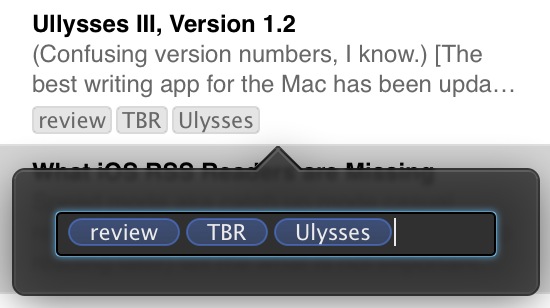
    (Confusing version numbers, I know.) The best writing app for the Mac has been updated today and adds some very neat stuff. This isn’t a full review of the app, as I have one here, this is what’s new (and great) about the latest version — also what’s still missing. Goals A lot of writers…

    (Confusing version numbers, I know.)

    The best writing app for the Mac has been updated today and adds some very neat stuff. This isn’t a full review of the app, as I have one here, this is what’s new (and great) about the latest version — also what’s still missing.

    Goals

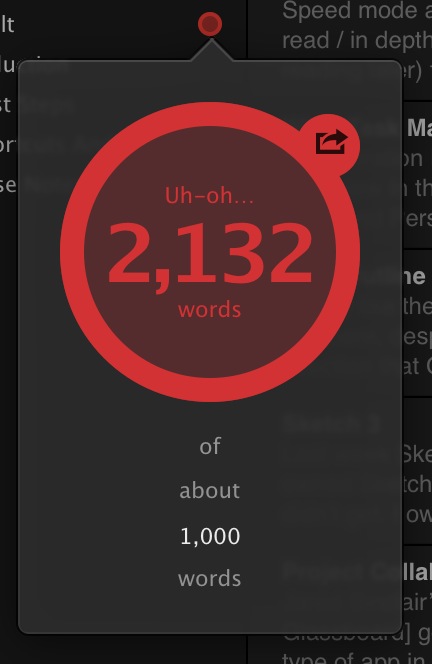
    A lot of writers set goals — where they want to write X words each day. Or perhaps you know you can only write something so long before you get in trouble. If that’s you, then you can rest easy as Ulysses will now easily track that in the sidebar of the app. Better still, it is out of view when you type, so as not to get annoying, but right there when you aren’t writing.

    It’s not something I’d ever use, but I can see the value for many people. I tested it out since I received an early copy of the app to test, and it’s implemented really well.

    Multiple Tags

    People love tags, now you can love them more. Again, another thing I don’t use right now, but something that is clearly becoming more and more popular with Mac users since the addition of file level tagging in Mavericks.

    Right now I organize with the groups in Ulysses, but I could really see this being handy as you can effective have the same sheet in multiple groups. I am still trying to plan out how to best utilize this, but I suspect that I will have it down in a few days.

    Theme Exchange

    It’s likely this will be excellent. ((Alas it was not open for me to check out.)) I love the stock themes in Ulysses.

    I always love seeing what designer types can pull off with themes of their own.

    The Soulmen also have a theme exchange for the export themes. Perhaps you don’t use these much, but they are an highly effective tool for getting your text properly formatted and off to someone else. I’ve taken to using them almost entirely for my personal document creation instead of Pages.

    Writing Themes

    They’ve also made it easier to create your own writing color themes, but as far as I know there is not an exchange for these yet.

    Missing

    • Per Group Themes: I wish I could set a display theme for each group, so that as I moved from group to group there was a visual change to the text. That distinction would be really nice.
    • It’s still not obvious how you make your own theme. You can edit certain things in the preference dialog, but to really tweak the background you are going to have to right click the theme and click ‘edit’. I am not sure why it is setup this way, it seems very backwards to me.
    • Publishing to WordPress: please?

    Huge update to one of my favorite Mac apps (and one of my most used Mac apps) and I would highly recommend this app to anyone who writes anything.

  • Too Good

    Ben Bajarin on the iPad: As I have reflected on this point, it has led me to think the iPad may be cursed. It may be too good of a general purpose device in that it lacks a preferred or specific use case. What I mean is the iPad lacks a function its owner prefers…

    Ben Bajarin on the iPad:

    As I have reflected on this point, it has led me to think the iPad may be cursed. It may be too good of a general purpose device in that it lacks a preferred or specific use case. What I mean is the iPad lacks a function its owner prefers or can only do on the device. One that can not be done on any other device they own.

  • It’s Easy to Hack Hospital Equipment

    Kim Zetter: In a study spanning two years, Erven and his team found drug infusion pumps–for delivering morphine drips, chemotherapy and antibiotics–that can be remotely manipulated to change the dosage doled out to patients; Bluetooth-enabled defibrillators that can be manipulated to deliver random shocks to a patient’s heart or prevent a medically needed shock from…

    Kim Zetter:

    In a study spanning two years, Erven and his team found drug infusion pumps–for delivering morphine drips, chemotherapy and antibiotics–that can be remotely manipulated to change the dosage doled out to patients; Bluetooth-enabled defibrillators that can be manipulated to deliver random shocks to a patient’s heart or prevent a medically needed shock from occurring; X-rays that can be accessed by outsiders lurking on a hospital’s network; temperature settings on refrigerators storing blood and drugs that can be reset, causing spoilage; and digital medical records that can be altered to cause physicians to misdiagnose, prescribe the wrong drugs or administer unwarranted care.

    Comforting.

  • Ideology Behind Digital Tools

    Frank Chimero: What’s interesting about digital tools for information work is how frequently they are born from a specific ideology: someone thought work should be done in a certain manner, they found no tools to support that method, so they set off to build their own tool that presumes their ideology is true and best.…

    Frank Chimero:

    What’s interesting about digital tools for information work is how frequently they are born from a specific ideology: someone thought work should be done in a certain manner, they found no tools to support that method, so they set off to build their own tool that presumes their ideology is true and best. Thus, we get another to-do app, Twitter client, or project management app.

  • It’s Broken

    Ben Thompson: Apple, though, does deserve some of the blame for the slower development of these new opportunities. Their reticence in enabling sustainable businesses on the app store makes building a business on apps, particularly new-to-the-world concepts, a risky proposition. This is unfortunate; after all, it was a 3rd party – Adobe – that truly…

    Ben Thompson:

    Apple, though, does deserve some of the blame for the slower development of these new opportunities. Their reticence in enabling sustainable businesses on the app store makes building a business on apps, particularly new-to-the-world concepts, a risky proposition. This is unfortunate; after all, it was a 3rd party – Adobe – that truly drove desktop publishing. Unfortunately, the way Adobe treated Apple in the late 90s likely contributes to Apple’s current attitude towards developers, but it’s to Apple’s own long-term detriment.

    Thousands of words have been spilled this past week dooming the iPad, or holding it up. Of all those, the above passage strikes me as most imperative. I've talked to a lot of iOS developers and they seem to be struggling a lot. After all, when's the last time you heard some kid making millions on a new app? Only big studios are making that money now, because the App Store is simply broken. Search, charts, upgrades, trials, you name it — it's broken.

    The iPad will never reach its full potential if developers are not properly incentivized to develop for it, to look at it as a way to do what they love.

  • iOS 8 Hopes and Dreams

    Federico Viticci on the biggest need for iOS: I could discuss ideas for inter-app communication on iOS for hours, but I’d like Apple to start from the basics and iterate from there. Look at how apps can open a Mail compose window now, or how you can create a Calendar event from email messages.5 Those…

    Federico Viticci on the biggest need for iOS:

    I could discuss ideas for inter-app communication on iOS for hours, but I’d like Apple to start from the basics and iterate from there. Look at how apps can open a Mail compose window now, or how you can create a Calendar event from email messages.5 Those are essentially app features made available to other apps with no manual switching required: imagine if, again, a user could configure actions available in Safari, Mail, or other apps through this system. Combined with a UI for picking files from apps, iOS could be better suited for productivity tasks and general sharing actions than it is now.

    I'd put the need for this on par with the need for copy and paste back when then iPhone launched. Apple simply cannot ignore this any longer. Something must be done.

  • The Cubicle Was Designed to Set You Free

    Nikil Saval on the creation of the cubicle: And it was too late to fix the problem. He had trapped people in giant fabric-wrapped walls, when he had meant, like Propst, to free them. It turned out that companies had no interest in creating autonomous environments for their “human performers.” Instead, they wanted to stuff…

    Nikil Saval on the creation of the cubicle:

    And it was too late to fix the problem. He had trapped people in giant fabric-wrapped walls, when he had meant, like Propst, to free them.

    It turned out that companies had no interest in creating autonomous environments for their “human performers.” Instead, they wanted to stuff as many people in as small a space for as cheaply as possible as quickly as possible.

    We have cubicles in our office and they are terrible, but I think “open plans” are probably just as bad (but prettier). The plan for the original “action office”, complete with standing workstations, sounds truly great. We should bring those back.

    There were many idiosyncratic touches. Because Propst had convinced himself that work out of sight was work out of mind, there were no large desk drawers. Instead, there was a movable display surface, from which items could be retrieved and replaced at ease. A standing rolltop desk not only kept workers on their feet but also allowed them to leave work out overnight, securely closed.

    Modern update would be needed, but sounds really neat. I might try to devise a way to have my “office” space defined like this.

  • Quote of the Day: MG Siegler

    “If the iPad is a fad, it’s the greatest fad in the history of American business.” – MG Siegler

    “If the iPad is a fad, it’s the greatest fad in the history of American business.”
  • Not the Flickr I Am Looking For

    Justin Williams isn't so hopeful about Flickr: I want Flickr to succeed, but I worry that the Flickr I want to succeed isn’t the Flickr that Marissa Mayer is building.

    Justin Williams isn't so hopeful about Flickr:

    I want Flickr to succeed, but I worry that the Flickr I want to succeed isn’t the Flickr that Marissa Mayer is building.

  • Flickr 3.0

    Shawn has a nice overview of the new Flickr iPhone app, well worth the read. I'm really excited to see where Flickr is heading these days and I would wager they stand a good chance to be my go to service in the not to distant future.

    Shawn has a nice overview of the new Flickr iPhone app, well worth the read. I'm really excited to see where Flickr is heading these days and I would wager they stand a good chance to be my go to service in the not to distant future.

  • Frozen Walk Up Songs

    This is excellent.

    This is excellent.

  • Take Action Against FCC Bullshit

    This is step one.

    This is step one.

  • Too Big to Trust

    Galen Gruman: It’s time for Google to admit what it does and to act consistently on its policies (or withdraw policies it doesn’t intend to enforce). That honesty will help stem the loss of trust. People know that companies exist to make money, but they need to know the true relationship they’re entering and don’t…

    Galen Gruman:

    It’s time for Google to admit what it does and to act consistently on its policies (or withdraw policies it doesn’t intend to enforce). That honesty will help stem the loss of trust. People know that companies exist to make money, but they need to know the true relationship they’re entering and don’t end up feeling misled. We all know the promises that the banks, airlines, insurance companies, cellular providers, and cable companies make aren’t real, and they routinely mislead us on pricing and services — so we don’t trust them. Does Google really want to be like those industries?

    I could quote the entire post, it is a must read for anyone who uses Google. The above bit was the best part.

  • Negative Criticism

    Matt Gemmell on negative criticism: I still struggle with that type of feedback, and anyone who says they don’t is deceiving themselves. It’s all too easy to take it to heart, without trying to assess the validity of the remarks first. You have to cultivate an attitude of being open to pushback, without letting yourself…

    Matt Gemmell on negative criticism:

    I still struggle with that type of feedback, and anyone who says they don’t is deceiving themselves. It’s all too easy to take it to heart, without trying to assess the validity of the remarks first. You have to cultivate an attitude of being open to pushback, without letting yourself be destroyed by it. The assessment itself must be assessed. If you can manage to do that, you’ll live longer, and you’re a wiser person than I am.

    I get a lot more negative emails than most of my blogger buddies do — it’s the nature of the way I write, and the way I speak about things. I speak more in black and whites than in grays — that’s my personality — and that causes more furor.

    Matt is right here, though, every time I get negative feedback I feel my skin flush just a bit. It’s not a lot, and I quickly quell it see what the true complaint it. The hardest thing for most people (including me) is to ignore the personal pain of such feedback and instead try to see the merit. Negative feedback cuts, and sometimes you heave to step away to let the red fade from your face.

    If the complaint is about my “crazy anti-Google stance” then so be it, why not see if they have a point. Most criticism has a good point masked by personal attacks, and just because it is a good point doesn’t mean you have to agree with it. I’ve gone back and forth with many readers who initially seemed furious, but after a few emails realize that we do have a lot of common beliefs, but we apply those beliefs to the world differently.

    It’s old and annoying to say, but learning to agree to disagree on some things will do you a world of good. I can respect most of the criticism I get, and sometimes it does make me change, and I think the most anyone can hope for is to remain open to admitting you were wrong.

  • Leica T (Typ 701)

    What company does this description sound like (from Andy Westlake): Most cameras are built around an internal chassis, with all of the electronics fixed to it and a body skin finally added over the top. Leica has done something completely different; instead the body is formed from a solid block of aluminum, with all of…

    What company does this description sound like (from Andy Westlake):

    Most cameras are built around an internal chassis, with all of the electronics fixed to it and a body skin finally added over the top. Leica has done something completely different; instead the body is formed from a solid block of aluminum, with all of the electronics attached to it directly. The result is an extraordinarily tactile, solid-feeling object.

    It sure looks close to an Apple product. If only it weren’t priced like people pretend Apple products are priced.

    Hey, if you want to buy it, use this link will ya?