[Thomas Brand has a great post about his watch, an Omega, that is (in his own words) the nicest thing he owns](http://eggfreckles.com/notes/bond-watch/): >With the exception of my computers, I own very little in the line of luxury. I do not own a car, my TV has always been small, my home is just an apartment…
[Thomas Brand has a great post about his watch, an Omega, that is (in his own words) the nicest thing he owns](http://eggfreckles.com/notes/bond-watch/):
>With the exception of my computers, I own very little in the line of luxury. I do not own a car, my TV has always been small, my home is just an apartment on a busy street. I bought my Bond Watch because it is the best I could afford, and hope it lasts long enough to pass onto a future generation.
It seems that more and more people aren’t wearing watches. I always have, and I think you should too. The Omega that Brand is talking about is a great watch, but currently out of my price range.
A really good watch — like anything else — is something that you really enjoy wearing. [I currently wear this Tissot everyday](http://www.amazon.com/Tissot-T-Classic-Locle-Leather-T41-1-423-53/dp/B003P5K2N2/ref=sr_1_4?s=watches&ie=UTF8&qid=1353530745&sr=1-4&keywords=tissot++Le+Locle) and really like it. ([Though I think I may want to get the bracelet for mine instead of the leather band](http://www.amazon.com/exec/obidos/ASIN/B000JKWXCO/ref=nosim&tag=brooksreview-20).) When it comes to watches, do yourself the courtesy of buying a nice automatic watch so that watch batteries are something you never have to deal with. The added bonus to an automatic is that if you don’t wear it, it stops ticking ((Meaning you have to set the time and wind the watch to jumpstart it, not meaning it stops working all together.)) , so you have sufficient encouragement to always wear your watch. I feel naked without my watch.
In case you are wondering: I use my watch to tell the time and date. ((I know, revolutionary.))
Instead of putting on a bunch of items that we would all love to own for ourselves on a list, here’s some stuff that may be handy to buy for other people. ((Let’s emphasize the “may” portion.)) ## Disaster Kit Items In the wake of Hurricane Sandy, I am sure there are more than a…
Instead of putting on a bunch of items that we would all love to own for ourselves on a list, here’s some stuff that may be handy to buy for other people. ((Let’s emphasize the “may” portion.))
## Disaster Kit Items
In the wake of Hurricane Sandy, I am sure there are more than a few people in your family that would very much appreciate items that will help them stay safe in case of another disaster.
Personally I’d start with buying people a nice flashlight. I’ve mentioned a [couple](https://brooksreview.net/2011/10/amazon-item-surefire/) [before](https://brooksreview.net/2012/04/amazon-fury/), but they are pricey and likely not something that others would appreciate — not to mention they require hard-to-find batteries that make them a poor choice for disasters. [So let me introduce you to the Fenix E11 LED flashlight](http://www.amazon.com/exec/obidos/ASIN/B005GW8UC2/ref=nosim&tag=brooksreview-20). Some key features: runs at 105 lumens (that’s pretty bright) for eight hours off of just one AA battery and it is waterproof up to 6.5 feet of water. So in a flood, in rain, and in the dark this is great option to have at your disposal. The bonus part about this is that flashlights are handy even if you aren’t in the middle of a disaster.
Since we are talking about being prepared for wet weather, [may I introduce you to the dorkiest thing that I own: Outdoor Research’s Seattle Sombrero](http://www.amazon.com/exec/obidos/ASIN/B003P8QOV8/ref=nosim&tag=brooksreview-20). Personally I have the forest color. Now this is a rain hat, but you have a hood on your jacket, so why buy this? Well it is awesome. That’s why. You have full peripheral view, a dry head, a warm head, and it won’t easily blow off like so many other hoods. Seriously dorky, seriously great in the rain. I swear by mine.
Since I brought up Outdoor Research, [I would be remiss if I didn’t point out the Neoplume Jacket — as it may just be my favorite jacket I have ever owned](http://www.amazon.com/exec/obidos/ASIN/B008WPAUHI/ref=nosim&tag=brooksreview-20). It works great as a base layer under a rain shell, or as just a cold weather jacket. I love this thing — this is an updated version of the one I own. I wear mine most days from October to April.
The last disaster related item I will share with you is something that isn’t likely to be a great gift for everyone, but is awesome none-the-less: [Coghlans Fire Paste](http://www.amazon.com/exec/obidos/ASIN/B0045E120Y/ref=nosim&tag=brooksreview-20). This is basically napalm in a tube. Squirt it on some fire wood, light it, and boom you have fire. I know how to make a fire, but that doesn’t mean I want to dick around with a fire all the time — sometimes you just want a warm fire, and when you want that, Fire Paste is what you need.
## I’m the Tech Guy/Gal in the Family, I Have to Buy Gadgets
[I’d start by giving out a Doxie, the Go is the one I own a few of and they are great](http://www.amazon.com/exec/obidos/ASIN/B0053TRH2M/ref=nosim&tag=brooksreview-20). I use them for mobile employees and at home. [Doxie has the new One scanner coming out too](http://www.amazon.com/exec/obidos/ASIN/B008ASBFM6/ref=nosim&tag=brooksreview-20), that looks like an even better option for a parent. A scanner is one of those things that you don’t think would be handy, until you actually have one and then you can’t get by without one.
[If you want a no-brainer gadget, the Apple TV is about as good as it gets](http://www.amazon.com/exec/obidos/ASIN/B007I5JT4S/ref=nosim&tag=brooksreview-20). Even if someone has one already, they’ll likely be pretty happy sticking another one on a different TV.
[Now, even though I don’t own a new one, I wouldn’t hesitate to give out a Kindle (not the Fire) to anyone in my family](http://www.amazon.com/exec/obidos/ASIN/B007OZNZQ0/ref=nosim&tag=brooksreview-20). It’s a great gift for people that are more low-tech as the learning curve is nice and easy. Not to mention it is a device that really doesn’t fail — so the support on it is also minimal for you. Just don’t be a jerk: buy the version without the ads — I mean “special offers”.
## The Last Ditch Things
Let’s say you just want to give someone a really solid gift, but they are impossible to buy for. [For that situation I present Mont Blanc’s Meisterstuck Classique Gold Rollerball](http://www.amazon.com/exec/obidos/ASIN/B00154QD60/ref=nosim&tag=brooksreview-20). I’ve had mine for over a decade. Yes, people don’t write as often anymore, but that’s all the better reason to write with something great when you do write.
Now, if that is out of your price range, [I re-present to you Air Swimmers](http://www.amazon.com/exec/obidos/ASIN/B005FYEAJ8/ref=nosim&tag=brooksreview-20). My dad bought these for all of us last year and they are flipping awesome. Don’t get it for someone that can’t follow assembly instructions as you do have to build them — oh and you need helium to fill them — but they are really fun. Did I mention they are also cheap? They are.
—
I’m sure other’s will have more comprehensive options and guides out soon, but I wanted to offer you some (mostly) unconventional choices.
*(This post is a part of a series on Keyboard Maestro, [see more here](https://brooksreview.net/tag/KM-SERIES/).)* This macro will allow you to select any file in Mac OS X and append the current date to the end of the file name. It is all done with one keyboard shortcut and no need to get to the editing…
*(This post is a part of a series on Keyboard Maestro, [see more here](https://brooksreview.net/tag/KM-SERIES/).)*
This macro will allow you to select any file in Mac OS X and append the current date to the end of the file name. It is all done with one keyboard shortcut and no need to get to the editing file name mode. This is very useful for versioning files if you work outside of a version control system — or if you get a lot of files with the same name (images are one I constantly add this info to).
*What you need: Keyboard Maestro and Automator.*
## How To
We need to start in Automator and build a new workflow.
1. Open Automator and when prompted to create a new file select `Workflow`.
2. In the search field to the left, search for the action named `Get Selected Finder Items`. Drag that to the pane on the right.
*This action will tell Automator that we are working with the files you have selected and only those files.*
3. Search for another action named `Rename Finder Items` and drag it to the right pane. When prompted to add an action to copy the file first select `Don’t Add`.
Once you have this action in there you will be presented with a multitude of options to consider. Here’s how I have mine setup:
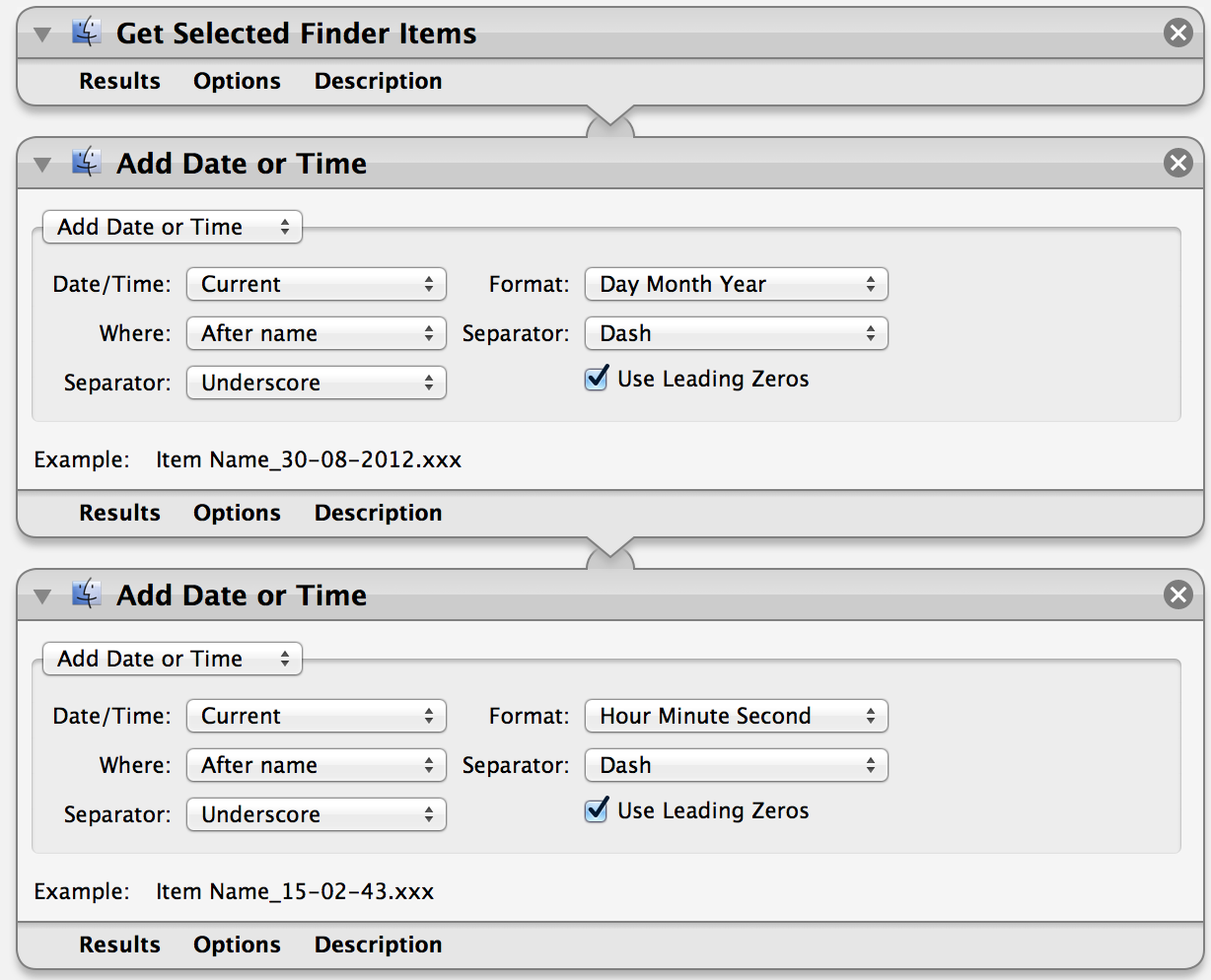
The final Automator action, that adds the date and the time.
There’s some important things to note:
– Be sure to use spaces, dashes, or underscores for the separators so that you don’t break non-Mac tools (other operating systems and websites hate the forward slashes).
– You have four options of the date to grab: Created, Modified, Last Opened, Current. All the options work as expected, but the first three may not always result in the date you intended it to, for that reason I stay with the current date.
– `Use Leading Zeros` just means that August will be represented as `08` instead of `8`. I recommend turning this on for a more consistent file length.
4. Now you just need to save the workflow somewhere you remember and somewhere that you will not move it. (I have a dedicated Dropbox folder that I keep these workflows in.)
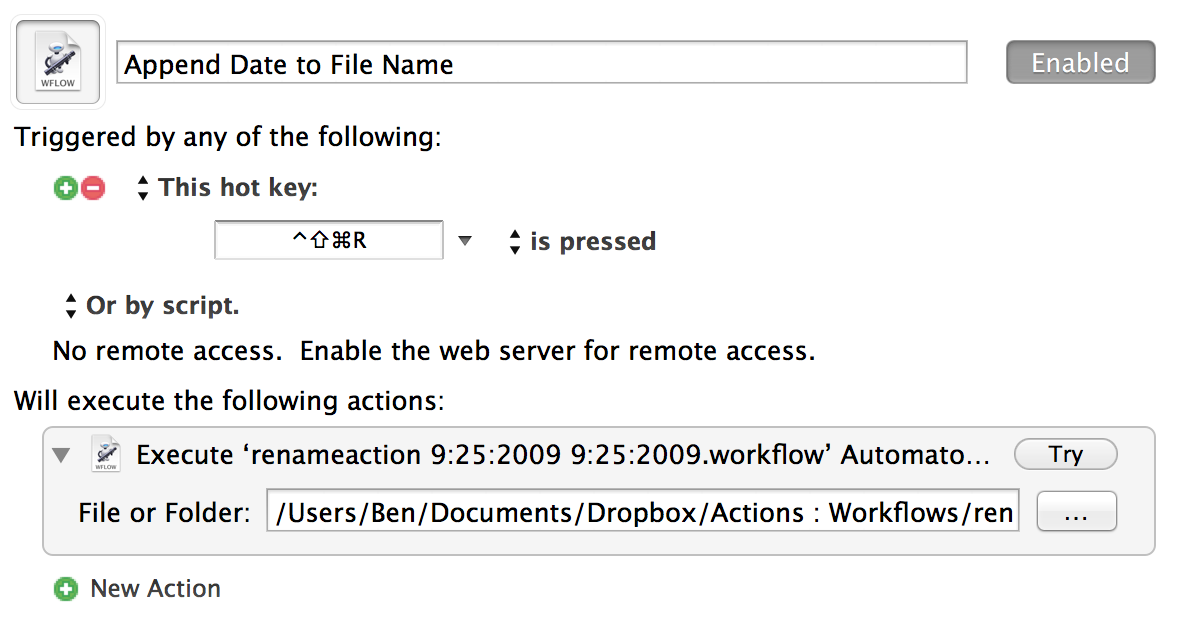
5. Open Keyboard Maestro and create a new Macro (CMD+n).
6. Set the trigger to `This hot key:`. Next you will need to click on the field below to record your new keyboard shortcut, personally I chose: `Control+Shift+Command+R`. Make sure `Is pressed` reads after the shortcut.
7. Next click to add a new action and search for `Execute an Automator Workflow`. Drag that action to the pane on the right to add it.
8. Click the button with the ellipses on it (the three dots) and select the workflow that you just saved in step 4.
You are now done. With a file selected you should be able to press your keyboard shortcut and have the date appended to it.
Final macro in Keyboard Maestro.
*Note: Pressing the shortcut more than once on any file will keep appending the date, be careful.*
## Advanced
You may have noticed that Automator doesn’t actually allow you to append the Date **and** Time to a file name — at least not in one fell swoop. This is easily added by opening the workflow back up in Automator and making these tweaks:
– Add another copy of `Rename Finder Items`, again selecting `Don’t Add` when prompted.
– Change the format from the date, to the the time and adjust settings to your liking.
This will now append the date first, followed by the time, and then the file extension. If you want the two reversed, simply drag the Time action above the Date action.
The nice part is that we don’t need to change anything in Keyboard Maestro and can keep playing with tweaks until we find the mix that is right for our intended use.
[Charles Kenny for, the horribly designed, Businessweek overviews why the TSA’s overbearing bullshit kills more Americans than it saves (hint it causes more people to drive, which is more dangerous) and culminates with this outstanding thought](http://www.businessweek.com/articles/2012-11-18/how-airport-security-is-killing-us): >That’s not to say TSA employees bear responsibility for making the roads more dangerous—they’re just following incentives that reward…
[Charles Kenny for, the horribly designed, Businessweek overviews why the TSA’s overbearing bullshit kills more Americans than it saves (hint it causes more people to drive, which is more dangerous) and culminates with this outstanding thought](http://www.businessweek.com/articles/2012-11-18/how-airport-security-is-killing-us):
>That’s not to say TSA employees bear responsibility for making the roads more dangerous—they’re just following incentives that reward slavish attention to overbearing and ambiguous rules over common sense.
While this is a great quote, particularly the last ten words or so, I think it is inaccurate. It is true that you can apply the adage that TSA employees are only enforcing rules that they had no hand in making, but that’s a cop-out and actually not an accurate picture of what is happening.
Taking the porno-scanners out of the equation, most of the complaints about the TSA are the fault of the individual employees (or their lack of training):
– Inconsistent application and interpretation of rules. (e.g. Breastmilk, toys, books about war.)
– Power trips and ego stroking (e.g. “Because I said so”)
– Lack of care. (e.g. C4 that wasn’t found until a *return* flight.)
I actually have no problem with the idea of airport security, but I have always believed that a far more professional agency should be in charge. My vote has always been for the FBI to be in charge because FBI agents are well trained and smart. Which is the polar opposite description that you would use to accurately describe TSA officers.
[Jeff Atwood loved his Surface so much he went out an purchased a Lenovo Yoga 13 laptop that also has a touch screen](http://www.codinghorror.com/blog/2012/11/touch-laptops.html): >It’s a nice laptop. You could do far worse, and many have. In the end, the Yoga 13 **is just a nice laptop with a touchscreen slapped on it.** I was particularly…
[Jeff Atwood loved his Surface so much he went out an purchased a Lenovo Yoga 13 laptop that also has a touch screen](http://www.codinghorror.com/blog/2012/11/touch-laptops.html):
>It’s a nice laptop. You could do far worse, and many have. In the end, the Yoga 13 **is just a nice laptop with a touchscreen slapped on it.**
I was particularly interested in this post because I almost hit the buy button on this exact laptop about twenty times since I [last posted a link to Atwood](https://brooksreview.net/2012/11/atwood-rt/). That’s not a joke.
I very much was willing to go all-in and try Windows for a month, just because I think there is something interesting going on there. If you think there is something interesting happening, then you need to read Atwood’s thoughts on this laptop.
After reading this post I am glad I didn’t buy this laptop, because honestly I am going to hold out for a Surface pro and give that a go. I don’t want to use Windows, but I am open and willing to use any device that makes my life easier and a Surface Pro, quite honestly, may be a great tablet for me at our office. ((Assuming it can natively run our Windows based software that we use.))
“Respecting shared public space is becoming as quaintly archaic as tipping your hat to a lady, now that the concept of public space is as nearly extinct as hats, and ladies.” — Tim Kreider
“Respecting shared public space is becoming as quaintly archaic as tipping your hat to a lady, now that the concept of public space is as nearly extinct as hats, and ladies.”
When I was first contacted about this, I had two thoughts:
Nooo! Don’t change something that is great.
Sweet! A mesh back!
So I was a bit torn. What I can tell you is that the bag I alreadythoughtwas the best bag you could use, just got better.
The mesh back alone makes it an instant upgrade. When I took my Smart Alec to Macworld last year, my back was constantly warm. It felt like something was heating the bag internally, but it was just a lack of air circulation to my back. The new mesh back solves this, and does so wonderfully. It’s a minor change that makes the bag a lot better to carry for long periods of time.
Of the other changes, they all make a noticeable difference:
It is easier to zip the top closed — a one-handed affair at times now.
The bag does indeed pick up less cat hair, much to the dismay of my two cats.
I look forward to seeing the modular pockets for the bag, but overall this is a solid update. Oh, and if you were waiting to order, do so now because the price goes up next week — I am certainly going to upgrade.
[Dalton Caldwell in his excellent post about the pivot that Twitter is doing, sees this as the “new” Twitter](http://daltoncaldwell.com/twitter-is-pivoting): >Important content is mostly created by media companies, whether they are blogs, television, radio or movies. A little further down he says: >The Discover tab is the future. Rather than forcing normal users to make sense…
[Dalton Caldwell in his excellent post about the pivot that Twitter is doing, sees this as the “new” Twitter](http://daltoncaldwell.com/twitter-is-pivoting):
>Important content is mostly created by media companies, whether they are blogs, television, radio or movies.
A little further down he says:
>The Discover tab is the future. Rather than forcing normal users to make sense of a realtime stream, they can see what content is trending.
I think Caldwell is right, and if you get any value out of Twitter that should piss you off. Why?
Here’s what Caldwell is thinking: all original content is by big companies that have partnered with Twitter to use Twitter as an announcement platform, all users just talk about what these things mean, and trends are what you look at — now that of course means that everything in trends is not really a trend, just chatter about what will effectively be ads. Yay, Twitter!
This is essentially the systematic destruction of a once valuable and far reaching tool. Twitter is pivoting from a communication tool that regimes sought to shut down in times of revolt, to a tool that in those same times of revolt regimes will embrace and pay to use Twitter to spread propaganda.
Again: yay Twitter!
[Here’s Harry Marks on the matter](http://curiousrat.com/home/2012/11/19/h0m1bl3xig5zjikm9tlrdbjk5vwep3):
>According to Twitter’s website, the Discover tab is “What’s happening now, tailored to you.” Well, last I checked, I wasn’t really interested in Justin Bieber’s date at the AMAs, nor Notre Dame football. These seem more like advertisers throwing shit at the wall and seeing what sticks.
The entire thing reeks of [this](http://www.adkeeper.com).
[Jonah Spangenthal-Lee’s guide to legal marijuana use in Seattle, posted on the Seattle Police Department’s website](http://spdblotter.seattle.gov/2012/11/09/marijwhatnow-a-guide-to-legal-marijuana-use-in-seattle/) is fantastic, including a `TL;DR` version: >Please note that the initiative says it “is unlawful to open a package containing marijuana…in view of the general public,” so there’s that. Also, you probably shouldn’t bring pot with you to the…
[Jonah Spangenthal-Lee’s guide to legal marijuana use in Seattle, posted on the Seattle Police Department’s website](http://spdblotter.seattle.gov/2012/11/09/marijwhatnow-a-guide-to-legal-marijuana-use-in-seattle/) is fantastic, including a `TL;DR` version:
>Please note that the initiative says it “is unlawful to open a package containing marijuana…in view of the general public,” so there’s that. Also, you probably shouldn’t bring pot with you to the federal courthouse (or any other federal property).
It’s been pretty interesting in Washington since the initiative legalizing marijuana was passed. King and Pierce county prosecutors applied the law retro-actively and dropped hundreds of pending marijuana cases. The local news has been reporting on such conundrums as:
– Should parents smoke weed in front of their kids?
– How do you teach kids drugs are bad, when drugs are legal?
– Legalizing marijuana will add $68 million to the anti-drug campaigns for children, will that help?
– What happens if you are caught with marijuana in another state, but were bringing it to Washington to smoke it?
I mean, it really has been bang your head against the wall stupid around here.
When you stop to think about it, legalizing marijuana really isn’t that big of a deal ((As in, people were already using it, this doesn’t change much.)) , but it does change the marijuana market here in Washington. No longer is it a black market, now it will be a gray market drug as people will soon realize it’s not that easy to purchase (there are no stores yet, but I have been contacted to put some in buildings I manage) legally.
The far more interesting question is for employers and employees — as most companies have anti-drug policies. So just as you can’t be drunk on the job, you also can’t be stoned on the job. Yet with alcohol, it’s a simple test to determine if you are drunk right now — weed stays in your system much longer. So now the question is, when you are hurt on the job and you get drug tested: does marijuana count?
Of course this is all moot if the Federal government decides to enforce federal laws banning it.
[David Heinemeier Hansson has penned an extraordinarily beautiful bit of prose about the path of Twitter](http://37signals.com/svn/posts/3328-twitters-descent-into-the-extractive). I love his concluding thought: >Winter might be longer this time around, but inevitably Spring will return That’s a fascinating sentiment, especially on the heels of the news that [Peter Chernin](http://en.wikipedia.org/wiki/Peter_Chernin) is now on the board of Twitter. Twitter…
[David Heinemeier Hansson has penned an extraordinarily beautiful bit of prose about the path of Twitter](http://37signals.com/svn/posts/3328-twitters-descent-into-the-extractive). I love his concluding thought:
>Winter might be longer this time around, but inevitably Spring will return
That’s a fascinating sentiment, especially on the heels of the news that [Peter Chernin](http://en.wikipedia.org/wiki/Peter_Chernin) is now on the board of Twitter. Twitter is a company that has “sold out”, but the interesting thing is they didn’t recently sell out — no — Twitter sold out a very long time ago and it is only now that we are beginning to pull our heads out of the sand and realize that.
I used to say that it would be easy for Twitter to start making money, but that was back when Twitter was used as a communications tool. Now Twitter is nothing more than a shouting match, with Twitter corporate doubling the volume of the highest bidder.
[This post from Kontra about Siri and the future of semantic searching has made the rounds](http://counternotions.com/2012/11/12/siri-future/), with good reason too as it is a compelling and interesting post. I can’t help but think that it is interesting how much catching up Google is trying to do in this area right now, when it always has…
[This post from Kontra about Siri and the future of semantic searching has made the rounds](http://counternotions.com/2012/11/12/siri-future/), with good reason too as it is a compelling and interesting post. I can’t help but think that it is interesting how much catching up Google is trying to do in this area right now, when it always has seemed that *interpretation* has always been the one thing that we all knew would take computers from being great, to amazing boosts to productivity and happiness. It’s then astonishing how far behind Google is in this respect — not that Siri is that far ahead.
While reading this post it occurred to me that one of the reasons that Android will never be as useful to me is because I just don’t trust Google. Because of that lack of trust I go out of my way to avoid their services — and because of that an Android device is exponentially less useful to me.
Kontra:
> That’s why you see Google, for example, buying the world’s largest airline search company ITA, restaurant rating service Zagat, and cloning Yelp/Foursquare with Google Places, Amazon with Google Shopping, iTunes and App Store with Google Play, Groupon with Google Offers, Hotels.com with Google Hotel Finder…and, ultimately, Siri with Google Now.
This is why my Nexus isn’t that great for me: I refuse to use these services from Google, whereas Apple products work better for me because I trust Apple services (not to work, just to be more private).
So as I think about the future, I have to wonder how bad this ultimately will be for users. If I buy 100% into the Apple culture and 0% into Google, everything will be fine until I want to switch from Apple to Google. At that point, how do I recreate all this backlog of data for Google to then be useful for me? As Google would be starting with me as I just came into existence.
Would it even be possible, or would I be stuck with a crappy service until I rebuild all that data one point at a time in Google?
This could really suck, as the lock-in potential is huge for whomever gets ahead and stays ahead.
[Now that I have gone over why you should carry a pocket knife everyday](https://brooksreview.net/2012/10/pocket-knife/), I think it prudent to look at some options of knives *to* carry everyday. As I said in my last post on the matter: what is best for me, what is best for Clint Eastwood, is *not* going to be what…
[Now that I have gone over why you should carry a pocket knife everyday](https://brooksreview.net/2012/10/pocket-knife/), I think it prudent to look at some options of knives *to* carry everyday. As I said in my last post on the matter: what is best for me, what is best for Clint Eastwood, is *not* going to be what is best for you. So best not to think of this as telling you what to get, but giving you a starting point.
This is the kind of search that you could spend your entire life on and still not find *the* pocket knife. So it is a search that I embarked on while knowing this, being willing to settle, and with a set of general criteria to guide me.
Up and until a few months ago I was very happy with the knife I was carrying everyday. It was simple, sturdy, and reliable. What I began to notice though was that the thumb wedge used to deploy the blade was — I believe — wearing holes in my pockets. I have about four pairs of pants with holes in the pockets in identical spots and best I could tell this knife was causing it (not from the blade). So I needed something better, something that wasn’t so hard on my pants pockets.
## My Criteria
I started this search months ago, and here is the baseline criteria I laid out:
– Had to be under ~$100, so the [coveted Chris Reeve Small Sebenza](http://bladereviews.com/chris-reeve-knives-small-sebenza-21-review/) is out of the picture (for now).
– Could not have a thumb wedge that could potentially wear holes in my pockets.
– Had to be sturdy enough, that should the worst case scenario happen, I would feel confident in using the knife in the wild to survive.
– Had to look great. Whereby I mean it needed to have a discernible personality that I liked. (Dangerous, sleek, tactical, old-timey, etc.)
That was it. Since I was buying a lot of knives I spread this over many months — testing each knife as my daily carry for at least a week. Many of these knives are by [SOG](http://sogknives.com), which isn’t the best knife maker out there, but is a personal favorite of mine given the location of their company.
## The Knives
### SOG Fielder
[I previously reviewed this knife](https://brooksreview.net/2011/11/fielder/), and my thoughts on it still stand. It is a nice looking knife with average blade steel. It isn’t my personal choice for an everyday knife, because of the weight and size. It’s also not a knife I would want to take out in the woods to rely on for survival. That said it is a solid around the house / sitting on your desk type of knife.
That’s where it has been used since I reviewed last.
([Buy it on Amazon](http://www.amazon.com/exec/obidos/ASIN/B004LF01GS/ref=nosim&tag=brooksreview-20).)
### SOG Toothlock
This is a very interesting knife. The locking mechanism is also used as the deployment mechanism — and this blade can be deployed very quickly with a slight flick of the wrist. The shape of the blade is a reversed curve — that is great for certain tasks but makes sharpening with the wet stones I use a bit more of a challenge.
Overall this is a nice knife but is very angular and large — too much so for it to sit comfortably in my pocket. It is not uncomfortable in my hand, but it is just another solid knife — not what I was looking for. I wouldn’t feel screwed if I was stuck in the woods with this knife, but again not my first choice among this group of folders.
([Buy it on Amazon](http://www.amazon.com/exec/obidos/ASIN/B0069E80L2/ref=nosim&tag=brooksreview-20).)
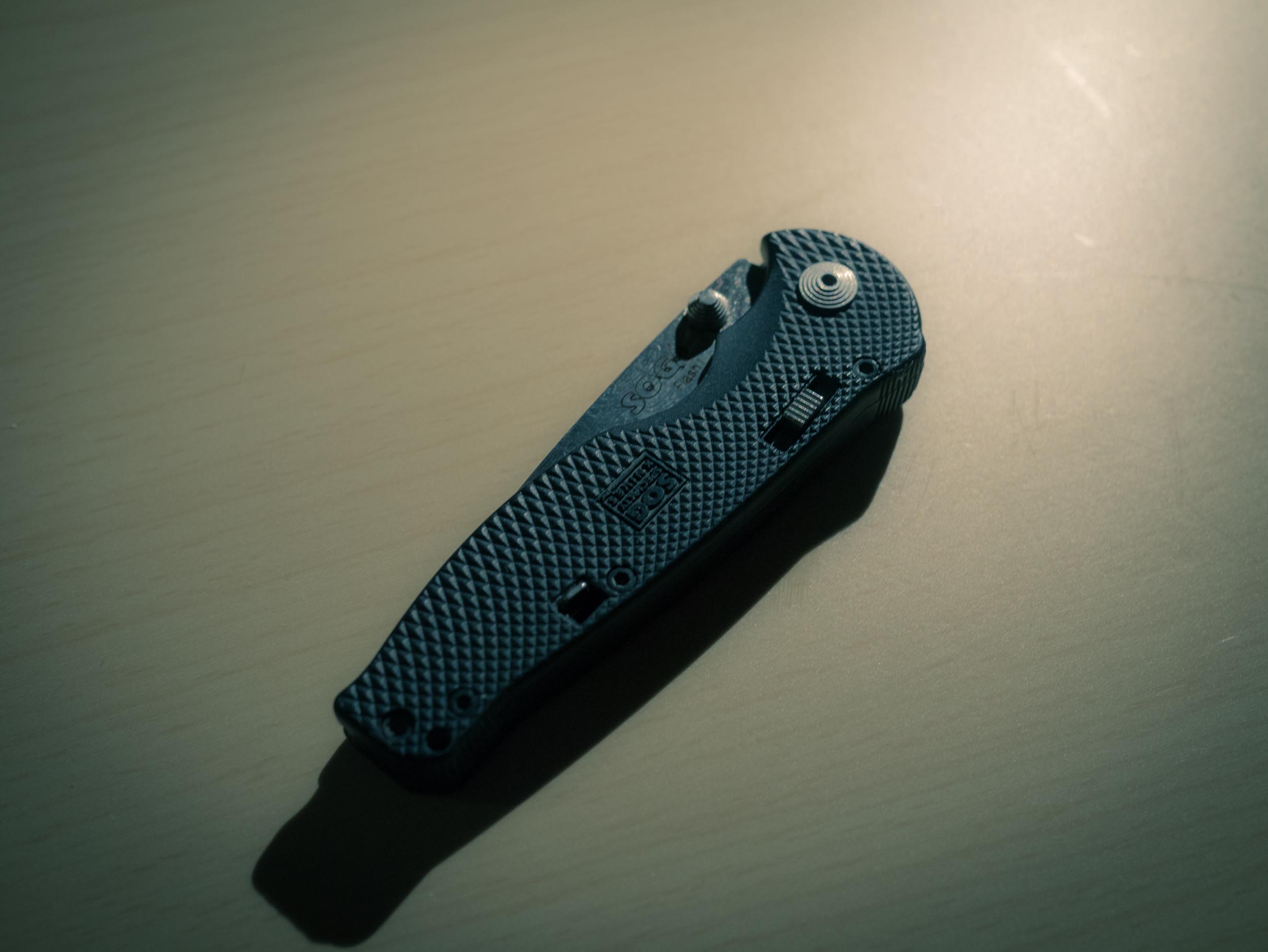
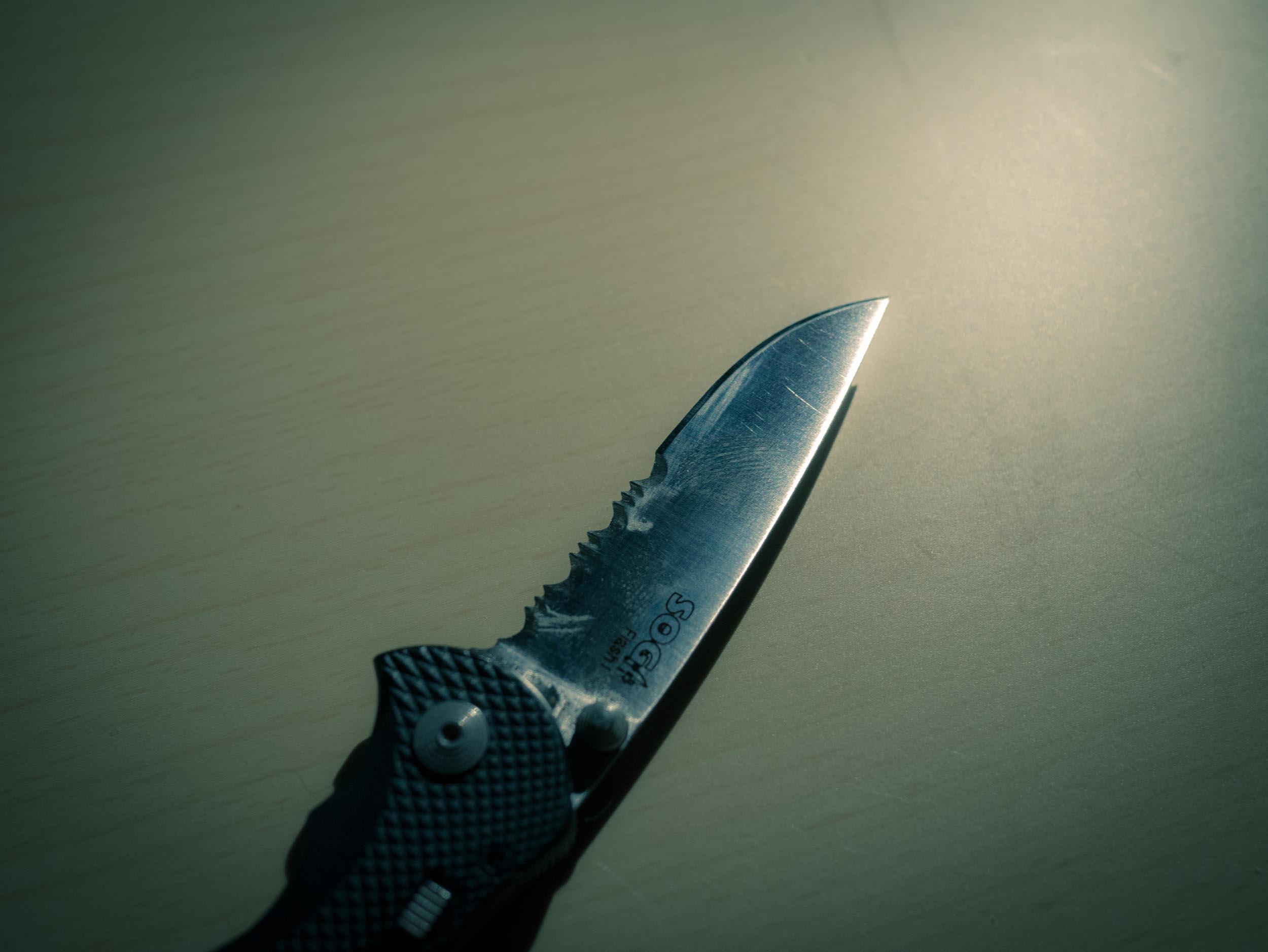
### SOG Flash I (partially serrated)
I used this as my everyday carry for quite a while, but switched away because I found the knife to be too small and the serrations too annoying for everyday use. It’s inexpensive, light, and discrete to carry — a good knife to have if you aren’t sure about carrying a knife everyday.
Do yourself a favor and get the non-serrated blade. This knife uses SOG’s assisted open technology, so it flicks open expeditiously when encourage by a nudge from your thumb — which means there is a safety you have to disengage. The safety isn’t as cumbersome as it sounds, you get used it in very quickly and can leave it off if you prefer. Personally I find this knife much too small for my preferences — certainly not something I would want to rely on in the woods and even too small for most things I did on a daily basis.
([Buy it on Amazon](http://www.amazon.com/exec/obidos/ASIN/B000AQABOY/ref=nosim&tag=brooksreview-20).)
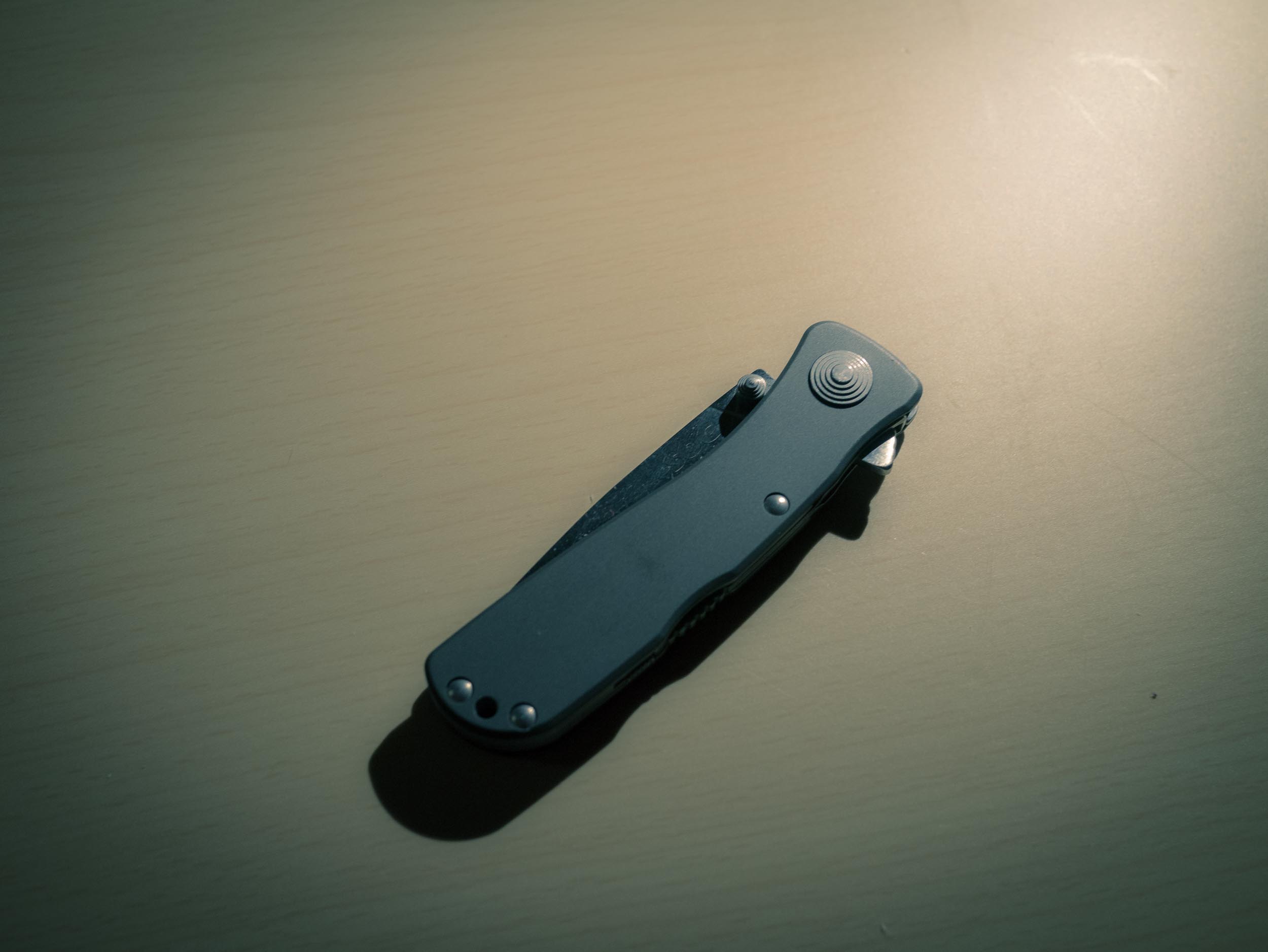
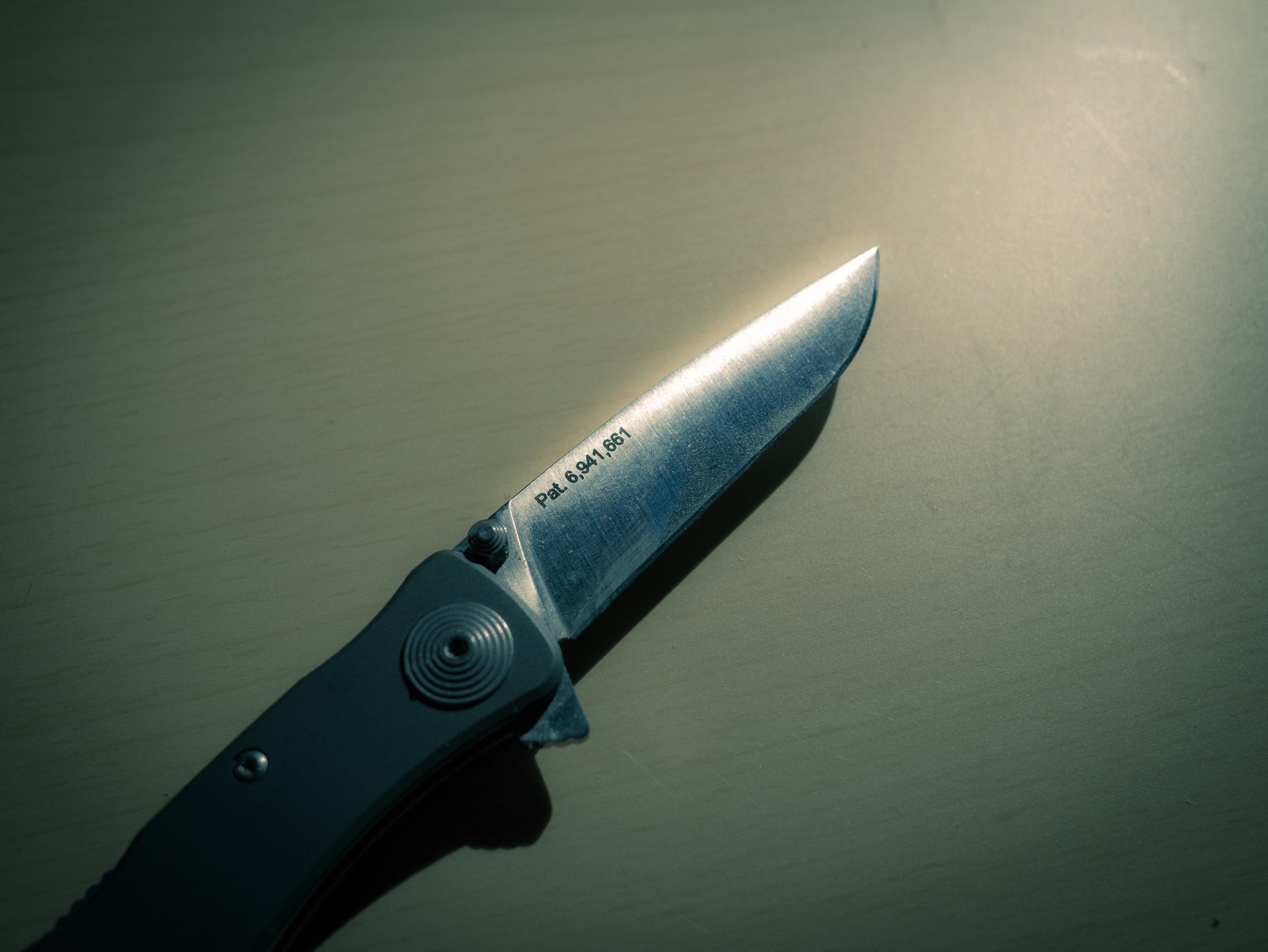
### SOG Twitch II
This is the knife that I think is wearing holes in my pockets. I really like this knife — it’s solid feeling, a good size, a nice blade.
I really like this knife — so much so that it’s now my go-to knife when I have to dress up in a suit, but can no longer be an everyday for me given my need to not stitch up my pockets weekly. The knife is smooth and sleek, and has a heft to it that makes it feel solid in your hand. It is, again, not a blade I would want to rely on in a life or death scenario, but it is certainly a better option than the Flash I. I’ve found it to be an ideal size for me for a daily carry, both in length and the thickness of the handle.
If only it didn’t have that thumb wedge for deployment — which is assisted and happens very quickly.
([Buy it on Amazon](http://www.amazon.com/exec/obidos/ASIN/B0001WC73K/ref=nosim&tag=brooksreview-20).)
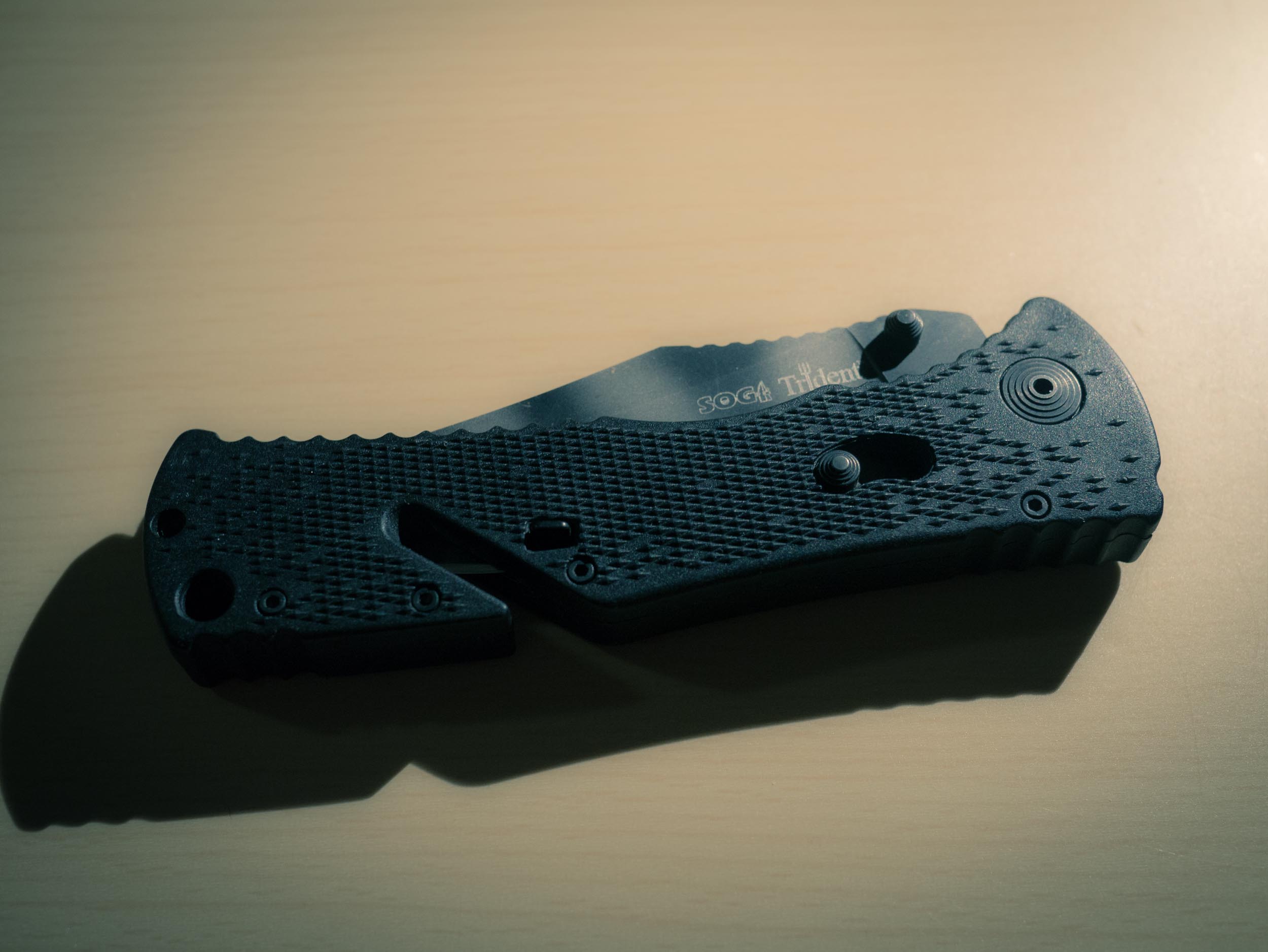
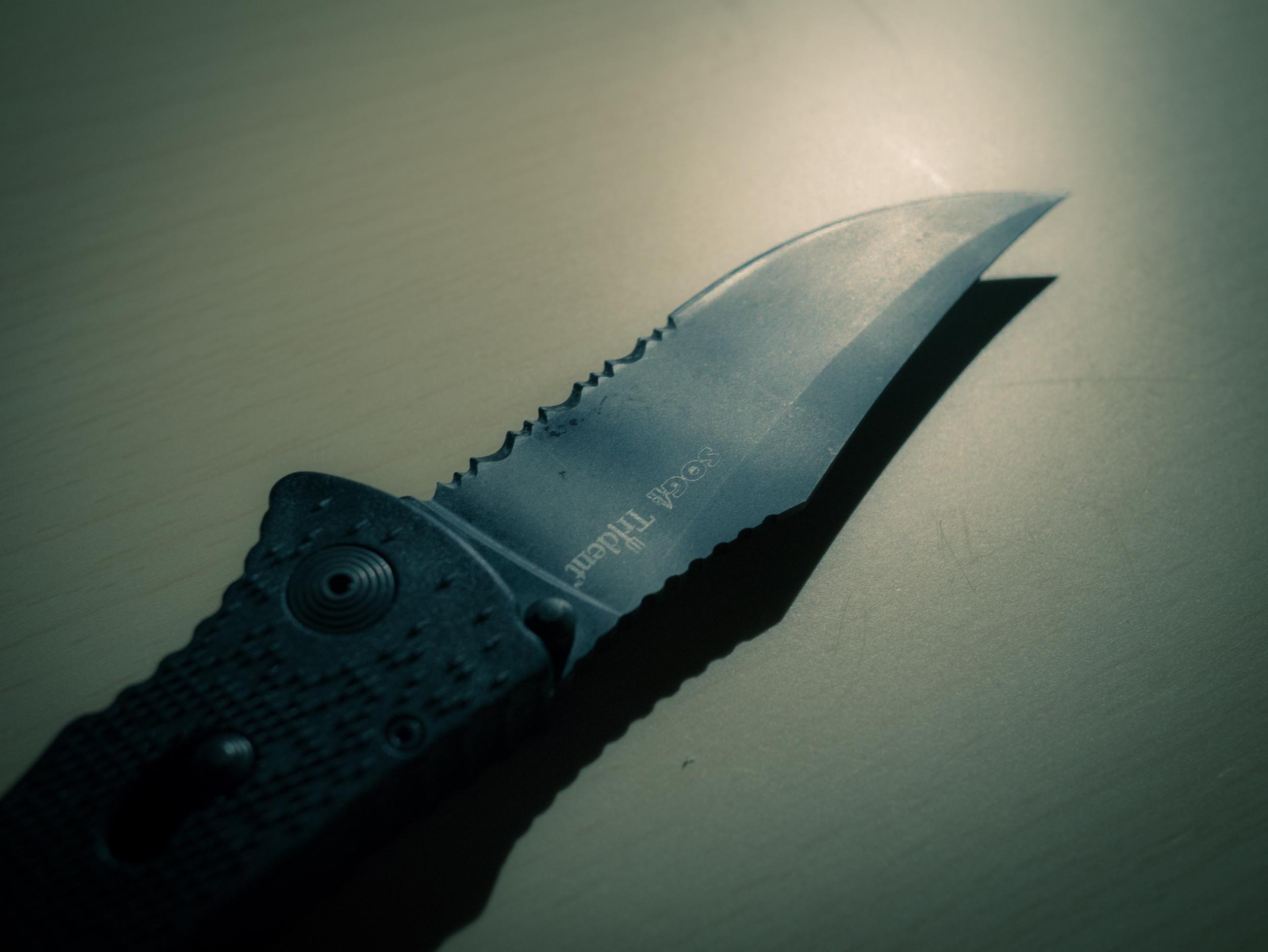
### SOG Trident (partially serrated)
Ah, the first SOG knife I ever purchased. This is a much larger knife and one that I typically carry when hiking. I like just about everything about this knife, but as an EDC it is far too large. I also worry about carrying an EDC that has a v-cutter, a notch that allows you to slide in thin material to cut without having to deploy the blade (seat belts in emergencies), as I worry that such a grove would suck in something that I wouldn’t want against the blade — like car keys.
This is a fantastic outdoors knife, but not so much when it comes to an EDC. It is just too large to carry in most of the pants that I wear without it being noticeable and uncomfortable. I’ve put this knife to the test many times and it has yet to fail me. The deployment is assisted, so again it is fast, and the overall balance of the knife is very nice.
([Buy it on Amazon](http://www.amazon.com/exec/obidos/ASIN/B00020BNW2/ref=nosim&tag=brooksreview-20).)
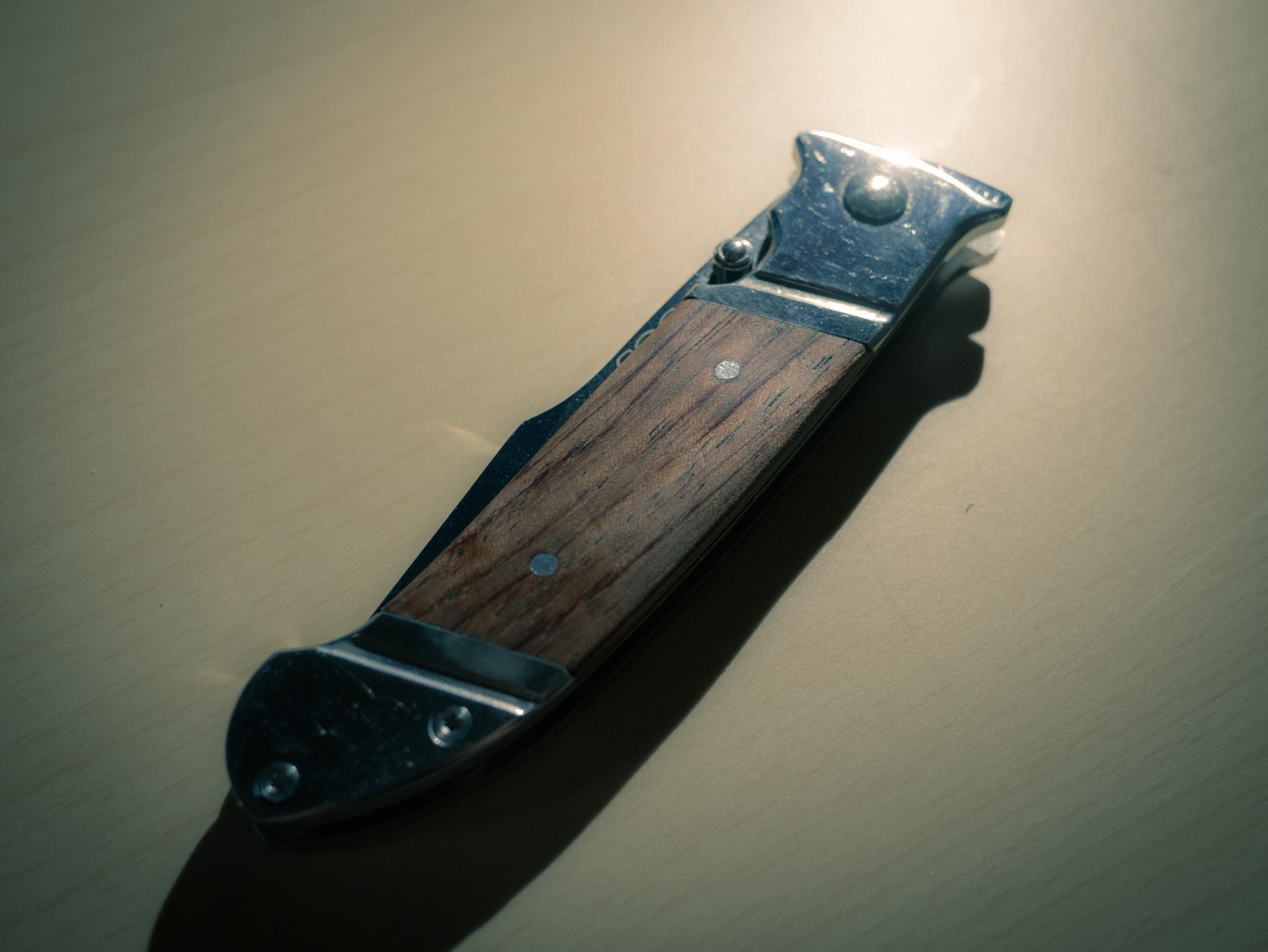
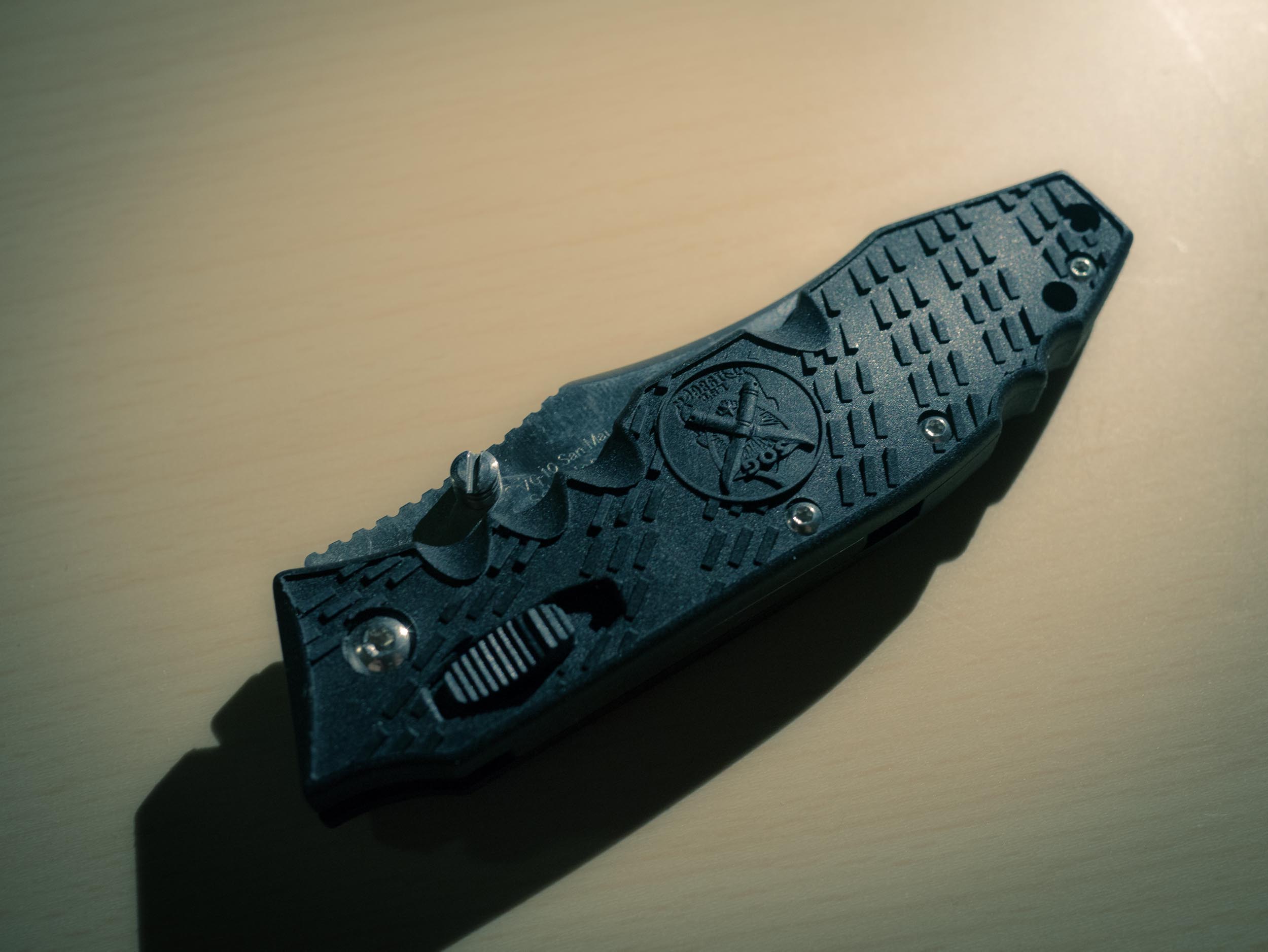
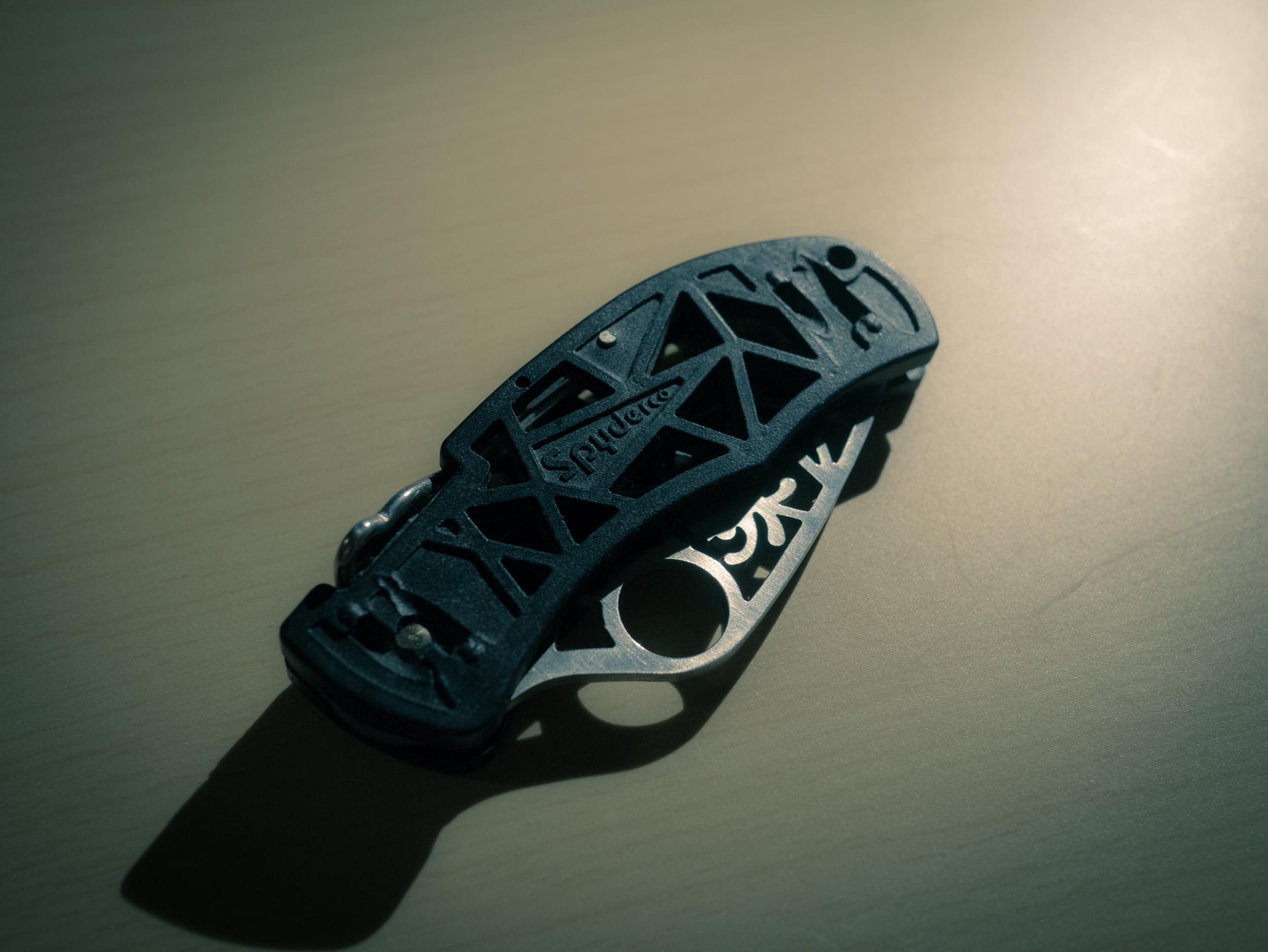
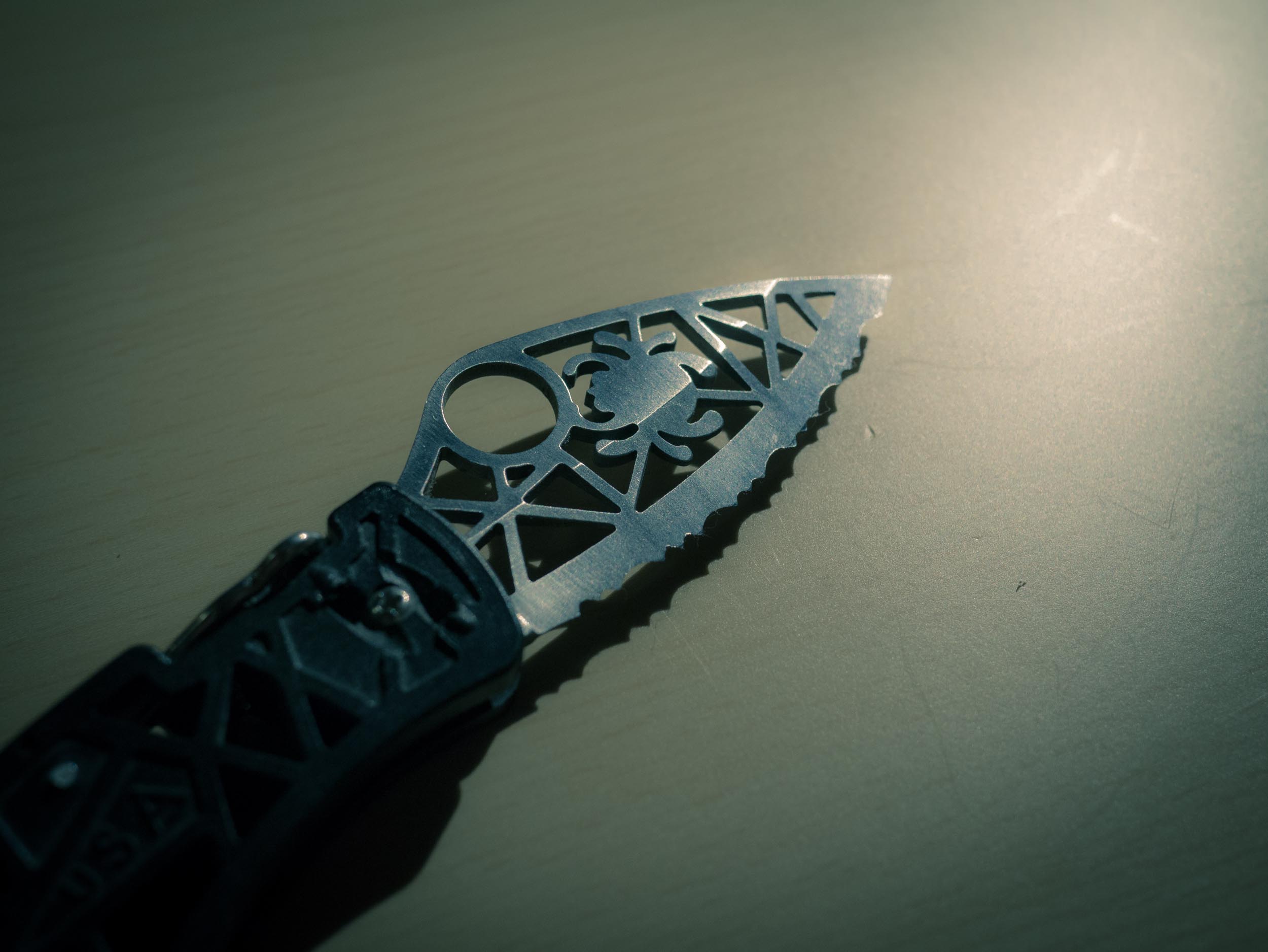
### Spyderco, I have no clue what
I was given this knife as a gift a very long time ago. It has a fully serrated blade and is more of a decorative knife than anything else.
It looks neat, but that’s about it.
I feel like this is a knife that a villain in a bad superhero movie would carry and threaten innocent women with, thus becoming the lynchpin of a pivotal scene in the film. Or something like that.
### Beretta, Who knows what.
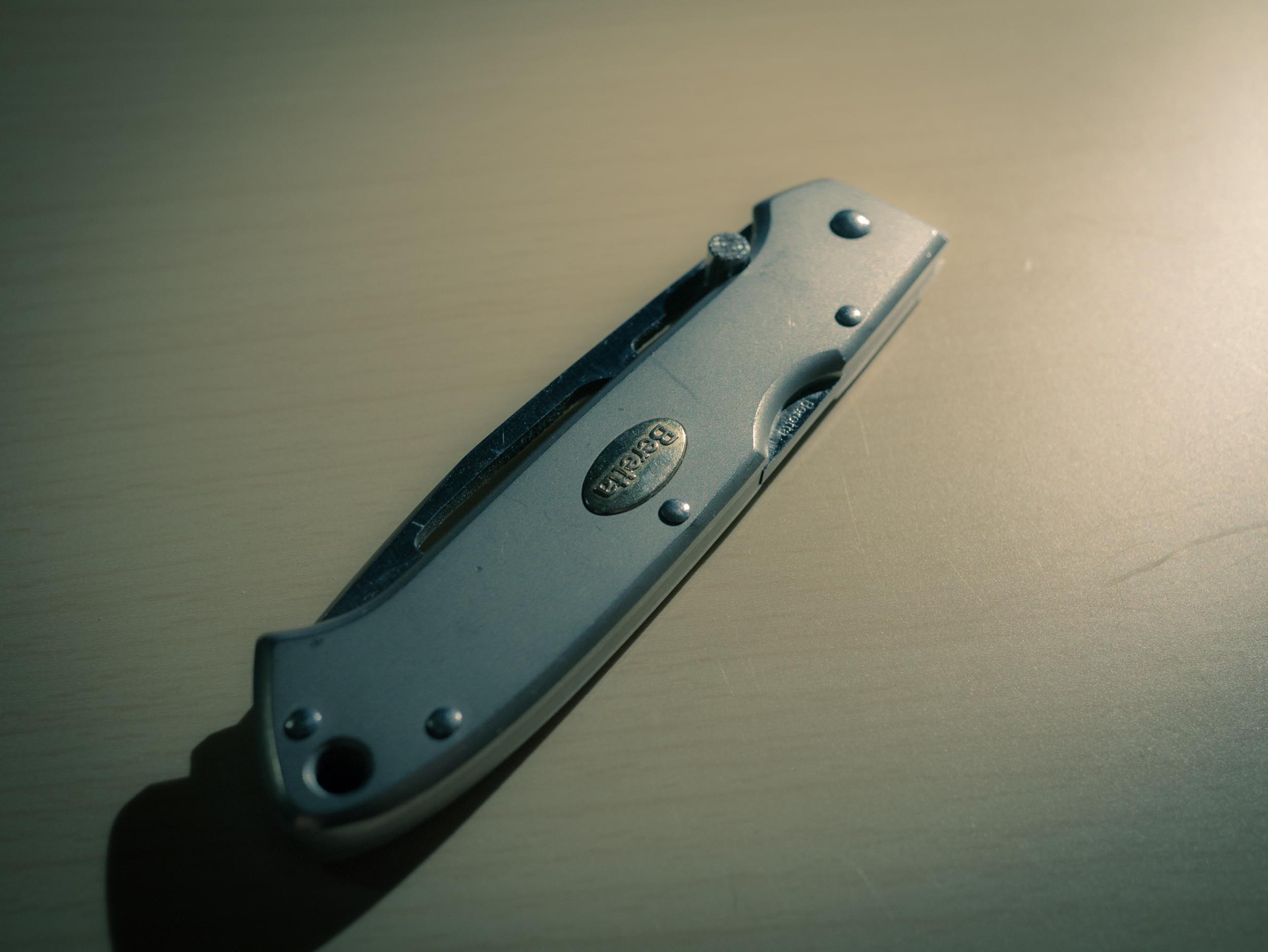
I remember buying this knife, I think I was in high school, I thought it was the coolest knife I had seen at the time. I still like the looks of it, but since the day I bought this knife it has been a bad knife for me.
Forget that it is partially serrated, or the fact that the blade is, again, hollowed out for a cool pattern. No the failure of this knife is that I have never once been able to actually open it with one hand. Drives me nuts. This blade is still razor sharp, because even though it is over a decade old, I haven’t used it.
### SOG Spec Elite I
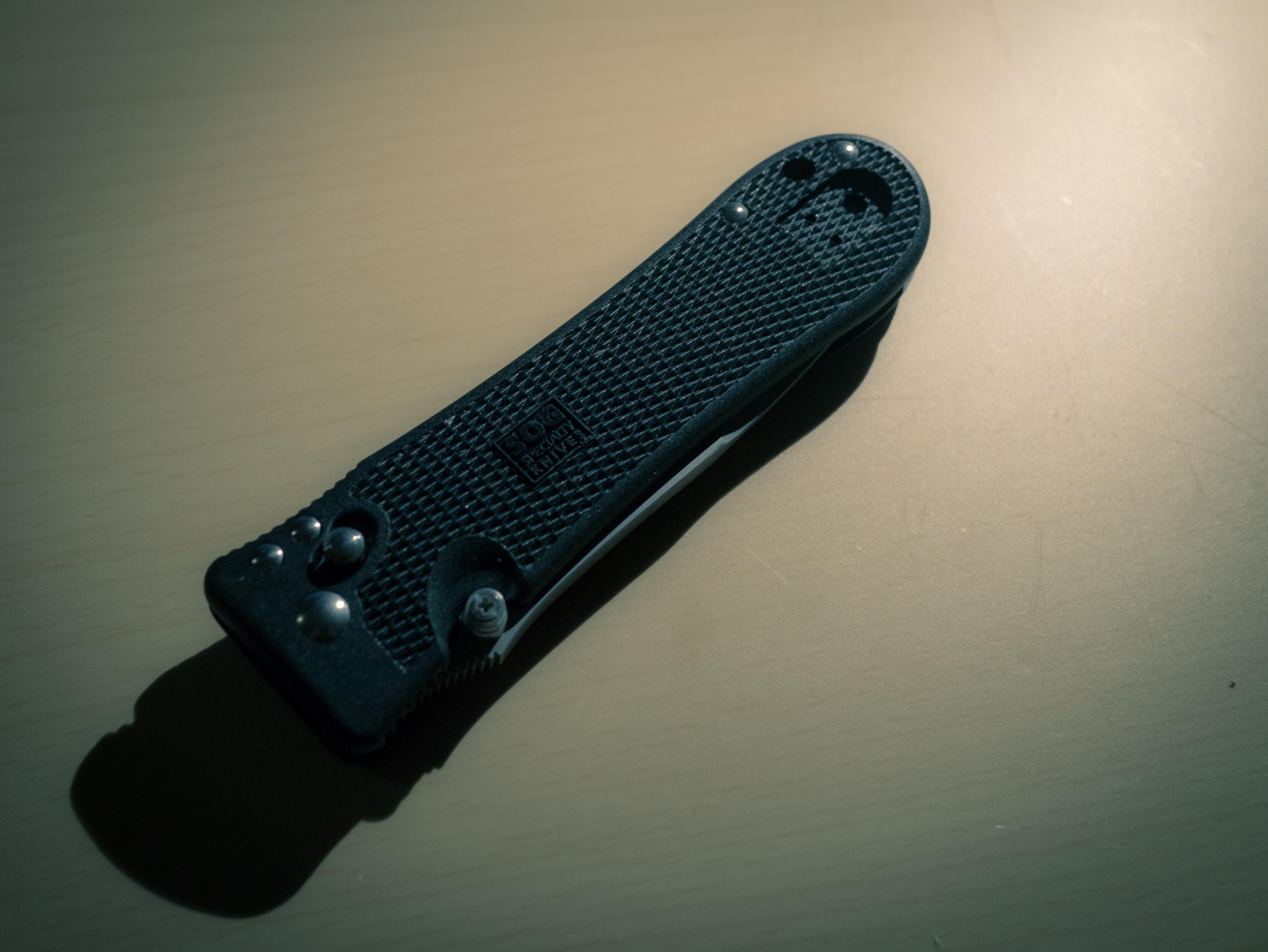
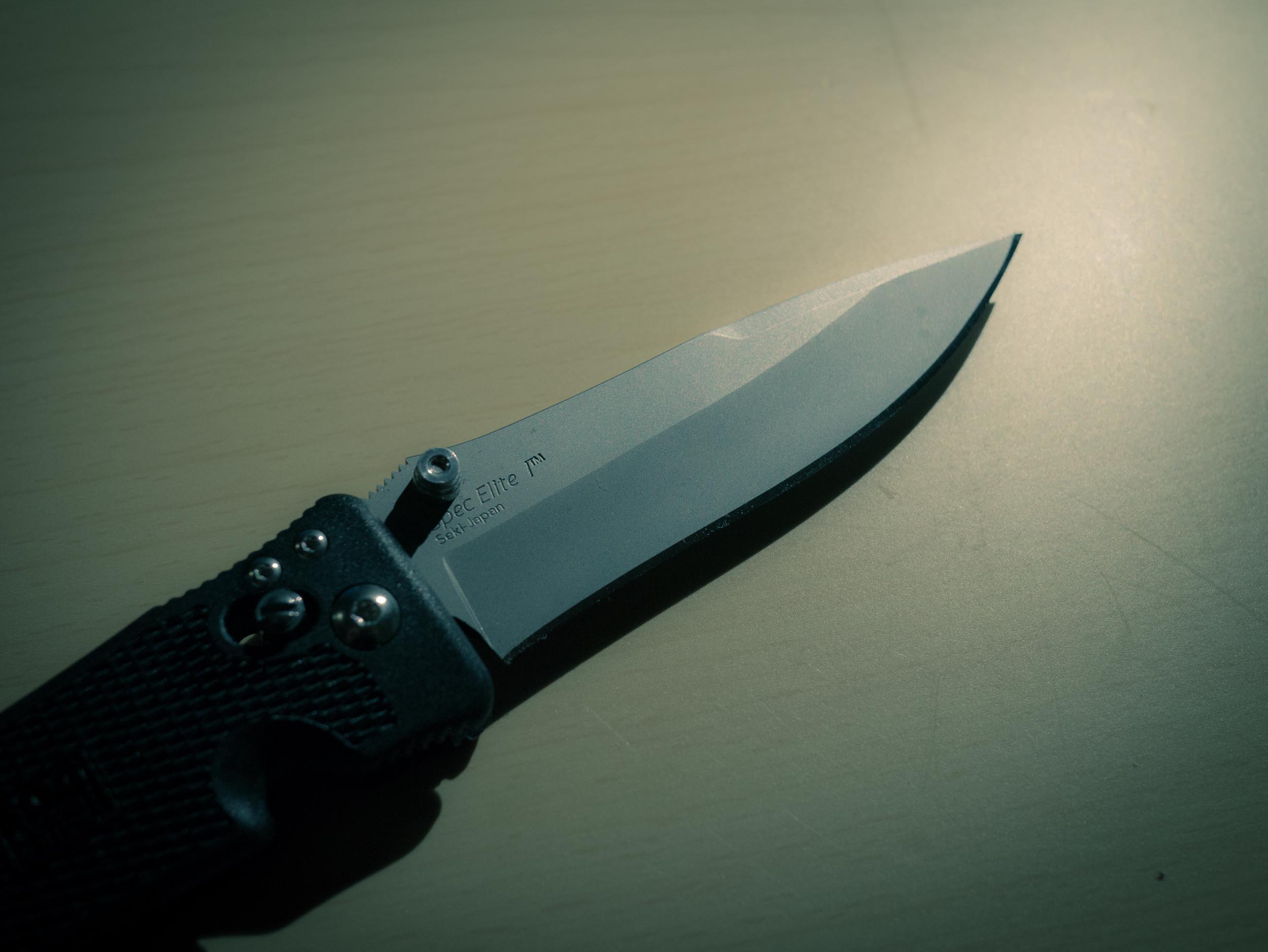
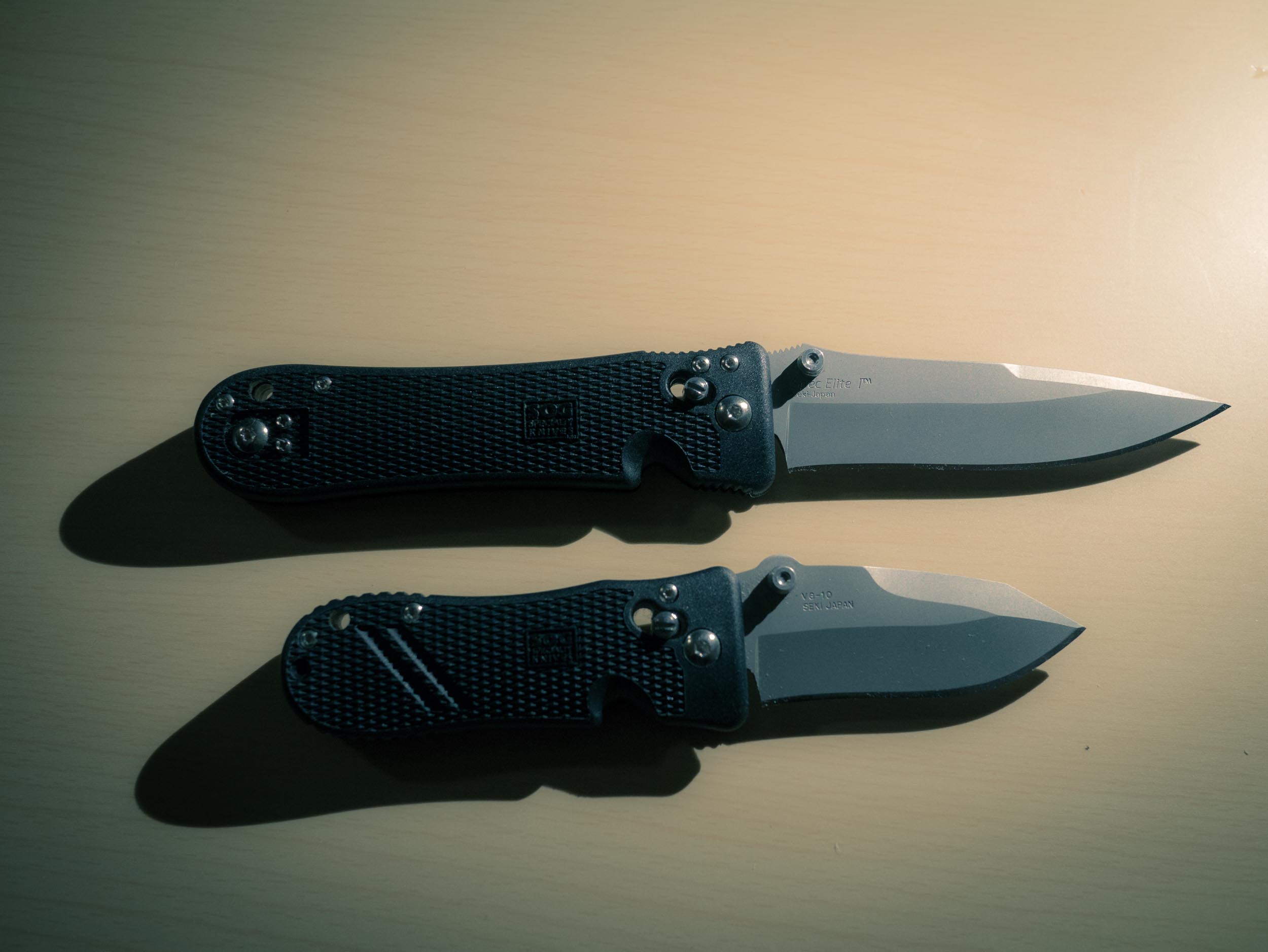
When I purchased this knife I was expecting not to like it, but I found it for a very good price. What surprised me is that I instantly liked the knife. The long sleek blade, the handle that fit in my hand perfectly, everything seemed great.
It has incredibly smooth and fluid opening, the double sided lock release is a nice touch for a lefty like me.
The only problem: it is really too big to carry, well, at all. I didn’t find a single pair of pants I owned that this knife comfortably fit in. Yet, I still really liked it. If you are the type to carry a knife in a tool bag, or stashed in your car — this is an awesome option. I really like the knife, just not as an EDC, as it is solid and handles well. I’d have no qualms being stuck in the woods with this knife.
([Buy it on Amazon](http://www.amazon.com/exec/obidos/ASIN/B000JJJ5SK/ref=nosim&tag=brooksreview-20).)
### SOG Spec Elite Mini
My love for the Spec Elite I, sent me looking to see if the knife is made in a smaller version — it is. This is the smaller version, and it is really great. Instead of shrinking the knife, it’s like SOG took one inch off the blade and handle length — keeping the thickness, tapering, and width all the same. The result is a chunky little knife that still feels great and moreover feels incredibly capable.
I’d not worry one bit if this were the knife I was stuck in the woods with, even though it isn’t a large knife. The unfortunate part is that I found it too bulky to carry in any pants lighter in weight than jeans — which for me is a non-starter.
Even so, I almost stopped looking at this point because I liked the knife so very much, but I felt compelled to check out more options — I still wanted perfection and this knife wasn’t there for me.
([Buy it on Amazon](http://www.amazon.com/exec/obidos/ASIN/B005Z2CPVK/ref=nosim&tag=brooksreview-20).)
## CRKT M16-02Z
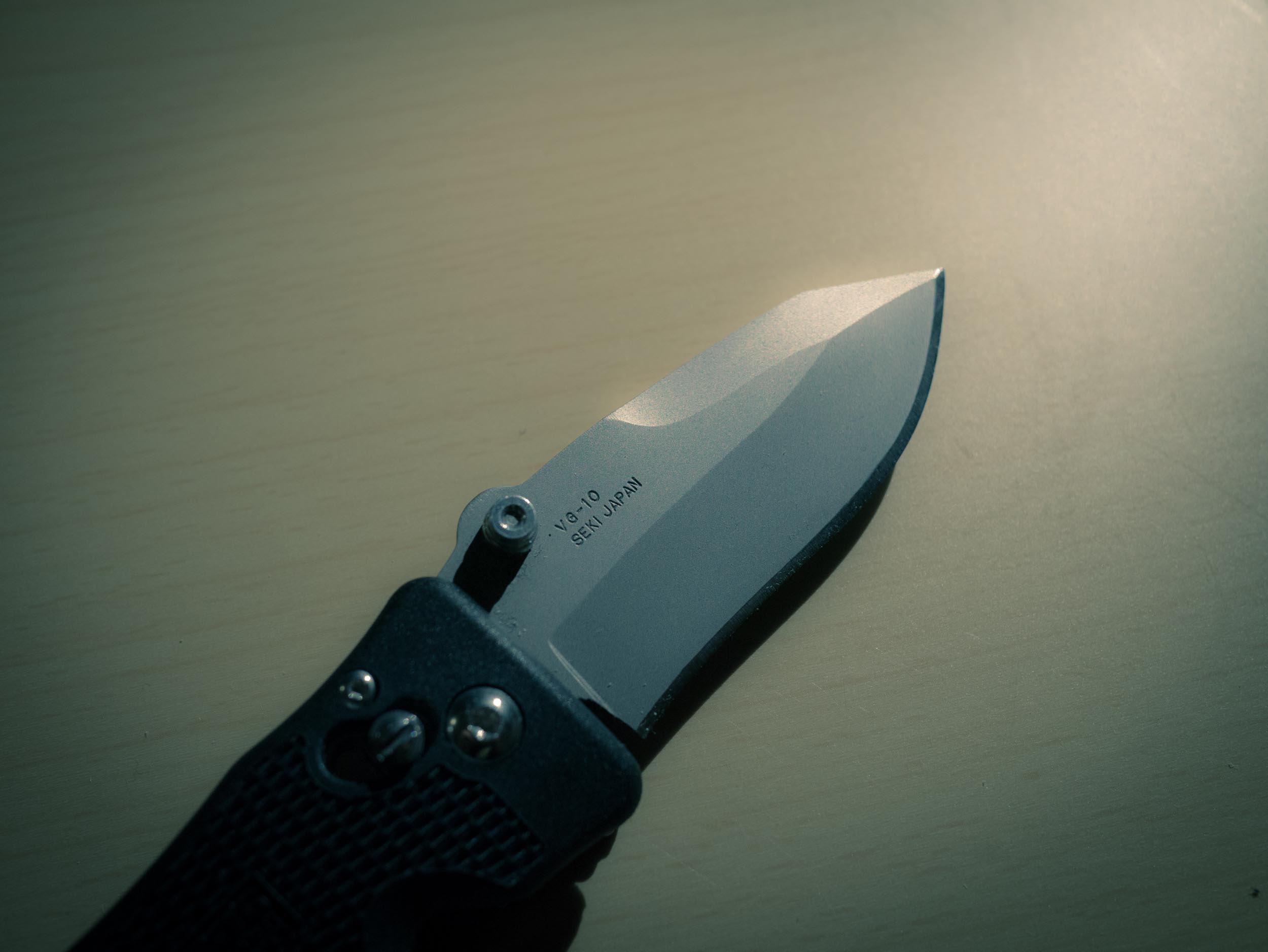
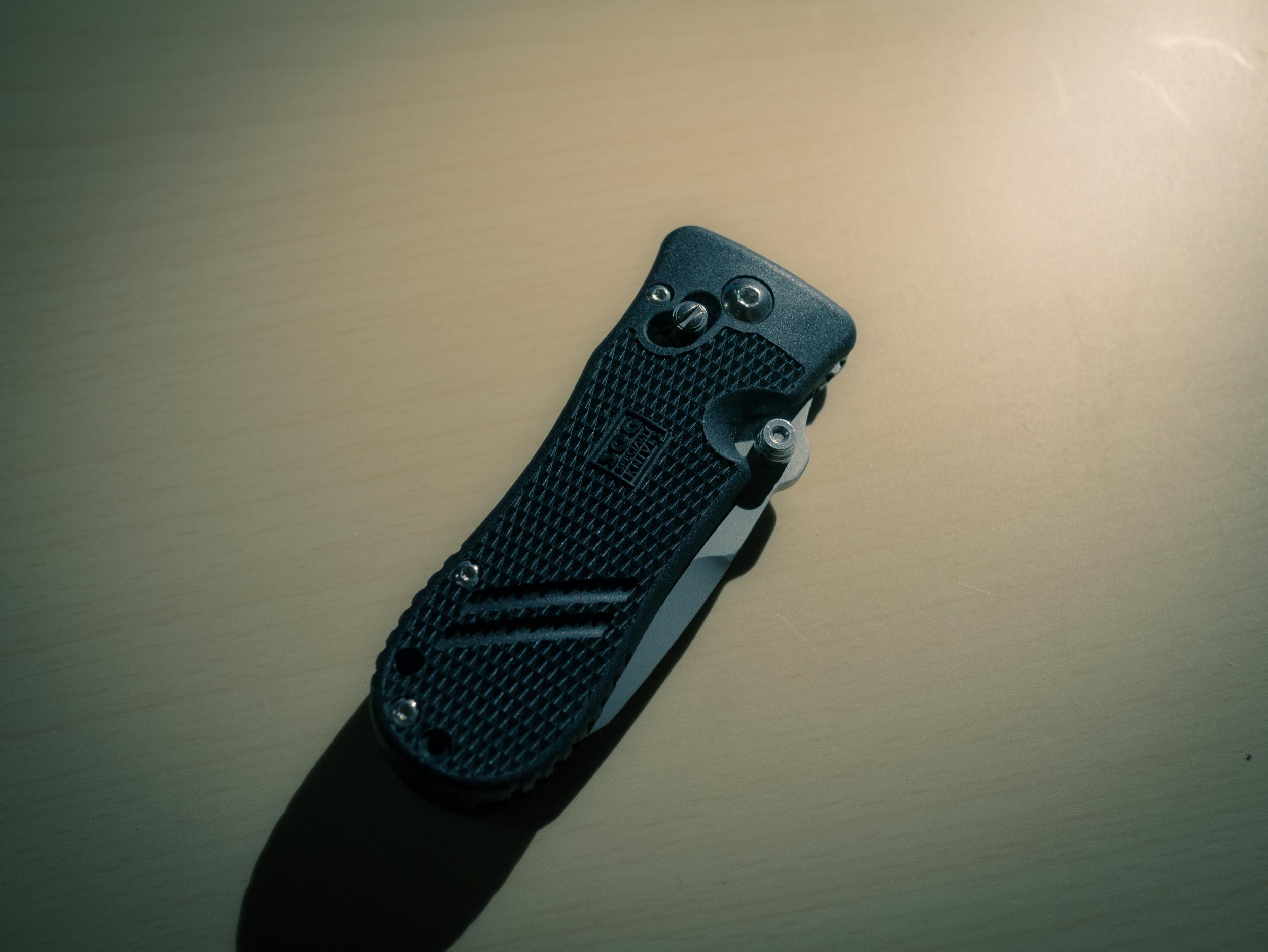
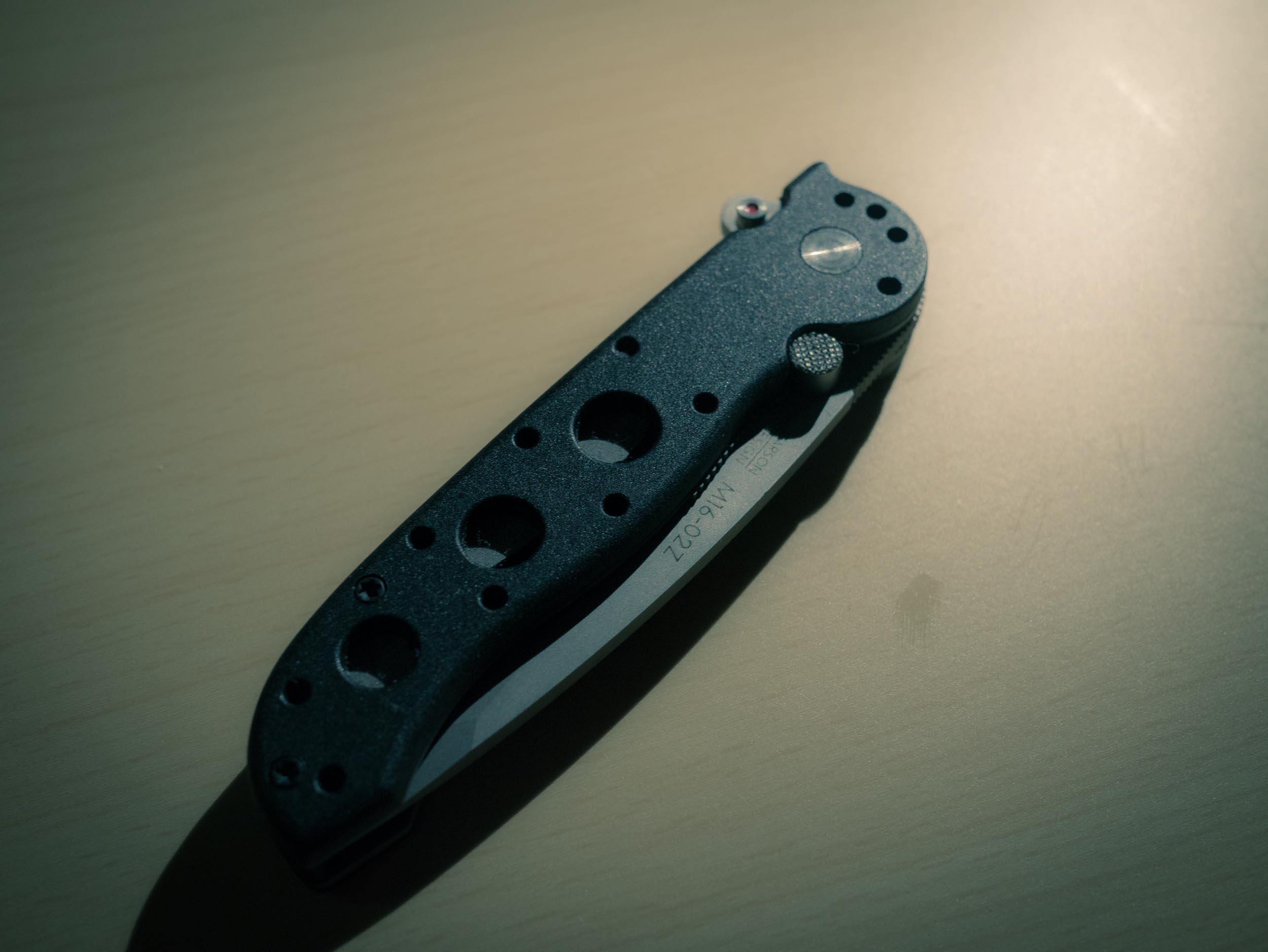
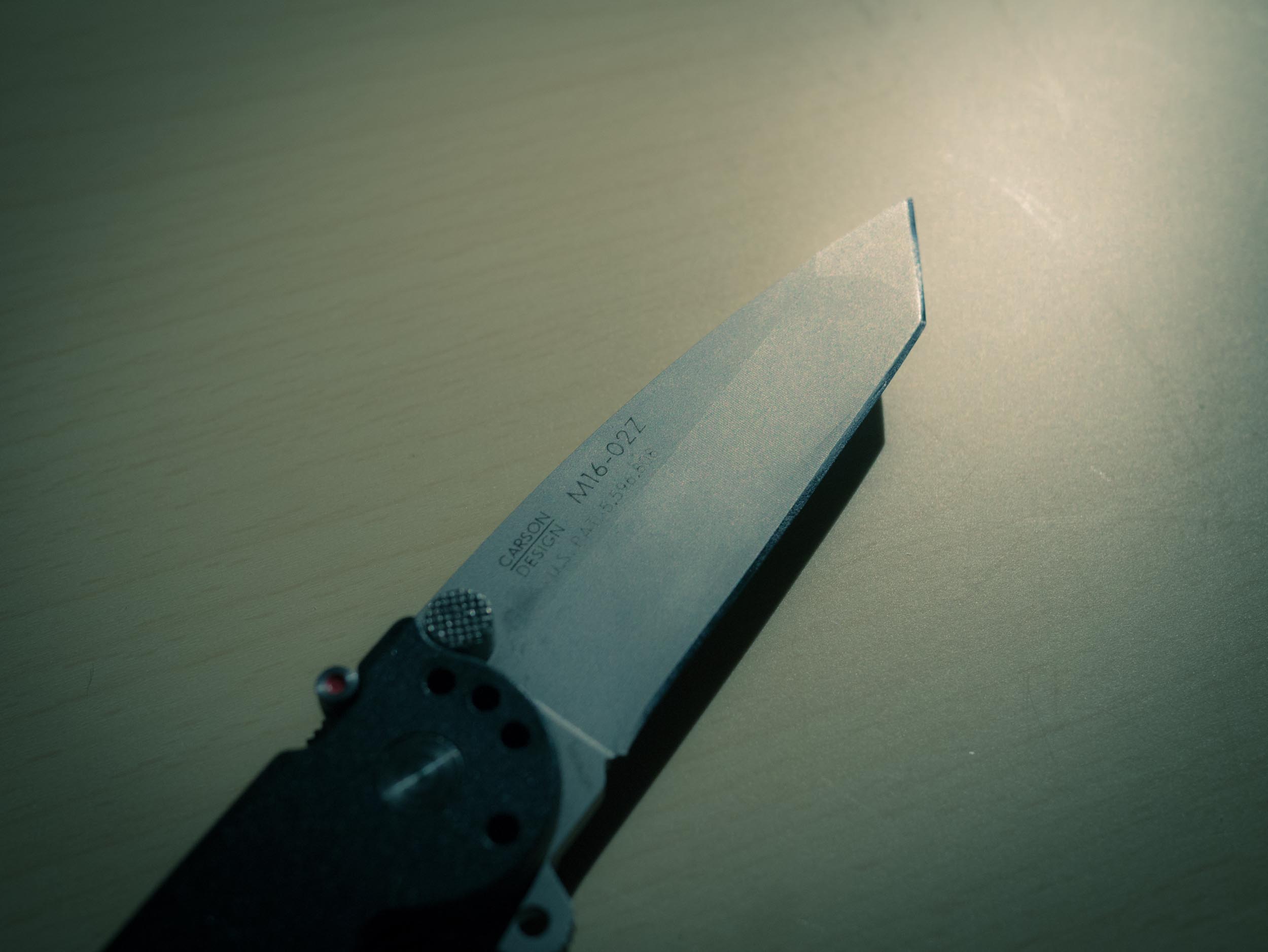
[Patrick Rhone praised this knife](http://patrickrhone.com/2012/09/06/columbia-river-knife-and-tools-m16-02z-knife-review/), [which made me order it instantly](https://brooksreview.net/2012/10/amazon-knife/). As I posted before this is a very solid knife, with two fatal flaws for me as an EDC.
1. It is too long and too thick.
2. The locking mechanism is much too finicky for me, as the mechanism has a safety to *close* the blade.
While many of the SOG knives I have listed have safety’s, they are solely on the opening action — seems odd to me that you would have a safety on the closing action. That said this is one tough little knife, feels absolutely rock solid.
It doesn’t have a thumb wedge like the Twitch, but it does have a nub for your thumb to press on, and that nub is very rough — I just can’t get into that type of opening action. This is another of the knives that I would feel fine with in the woods, and works well in an everyday situation. However I can’t get by the size and the closing action of the knife.
([Buy it on Amazon](http://www.amazon.com/exec/obidos/ASIN/B000WAC7RM/ref=nosim&tag=brooksreview-20).)
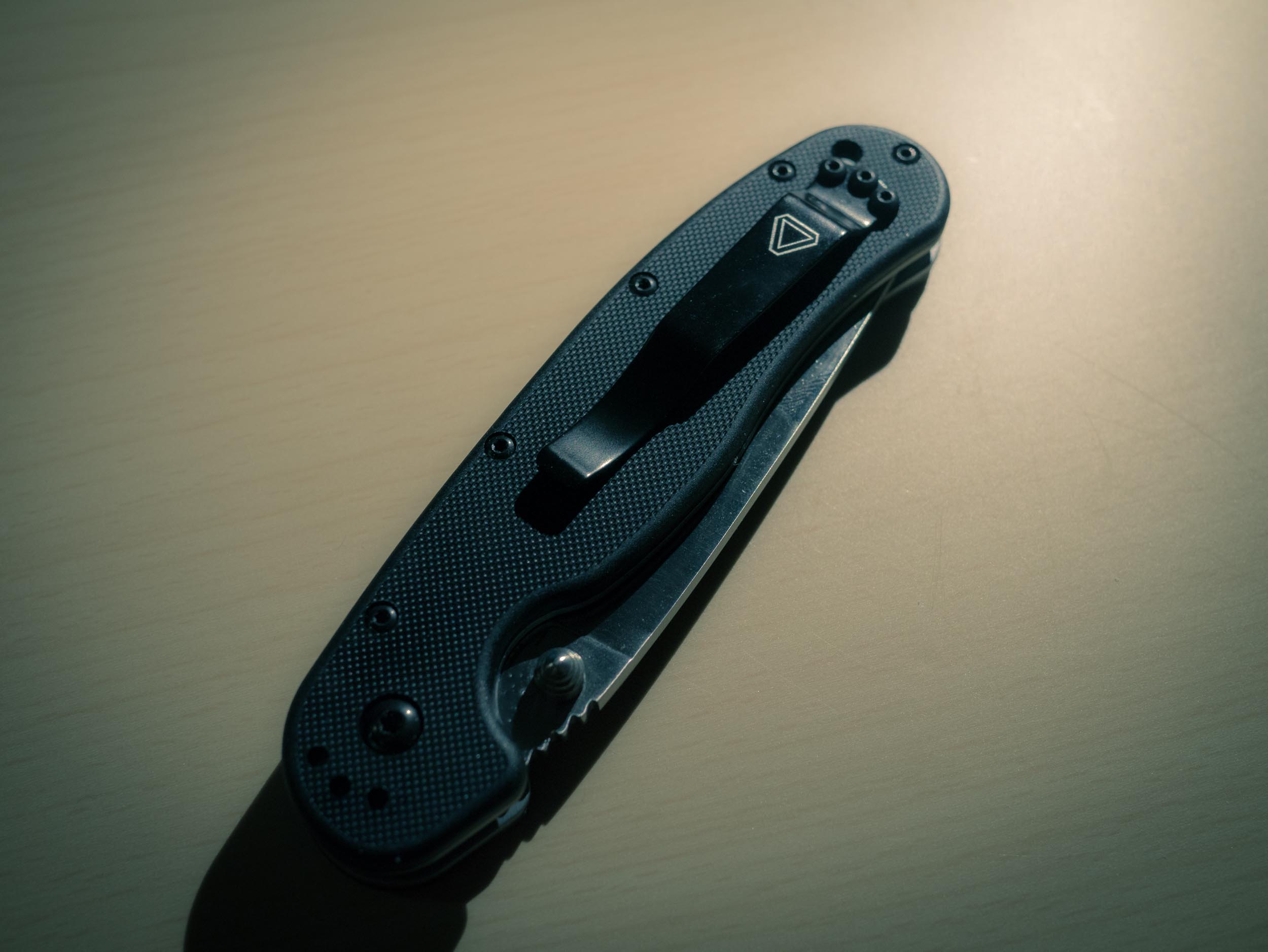
### Ontario RAT-1
When I ordered this knife I knew it would be too large for an EDC, but I was [so excited to learn about it](http://bladereviews.com/ontario-rat-1-review/) and see the low price, that I couldn’t resist.
It’s everything I expected it to be: the most solid folder knife that I have ever held.
The ergonomics are great, the build is superb. This is a knife that would likely not make me miss one of my fixed blade survival knives if I had to survive with it — it’s that nice.
For an EDC though this is just much too large, but it will be my new hiking knife — without a doubt. There’s just one issue that I have with the knife: the liner lock is very cumbersome to use left handed — and I am left handed. I can close the knife fine right handed, but when held in my left hand it is a two handed job. Again, not a deal breaker, but not the greatest. I am hoping that with wear that liner lock eases a bit so that I can close the blade using my left hand easier.
I made a stink out of the closing action of the CRKT because an EDC needs to be deployed and put away with ease — that’s how you use an EDC. However when I am out in the woods I am typically not constantly pulling out a knife and stowing it back away. In the woods if I pull out my knife it is out until my task is completed — less back and forth. This is why the RAT 1 works great as a hiking knife, despite the liner lock issues.
([Buy it on Amazon](http://www.amazon.com/exec/obidos/ASIN/B0013ASG3E/ref=nosim&tag=brooksreview-20).)
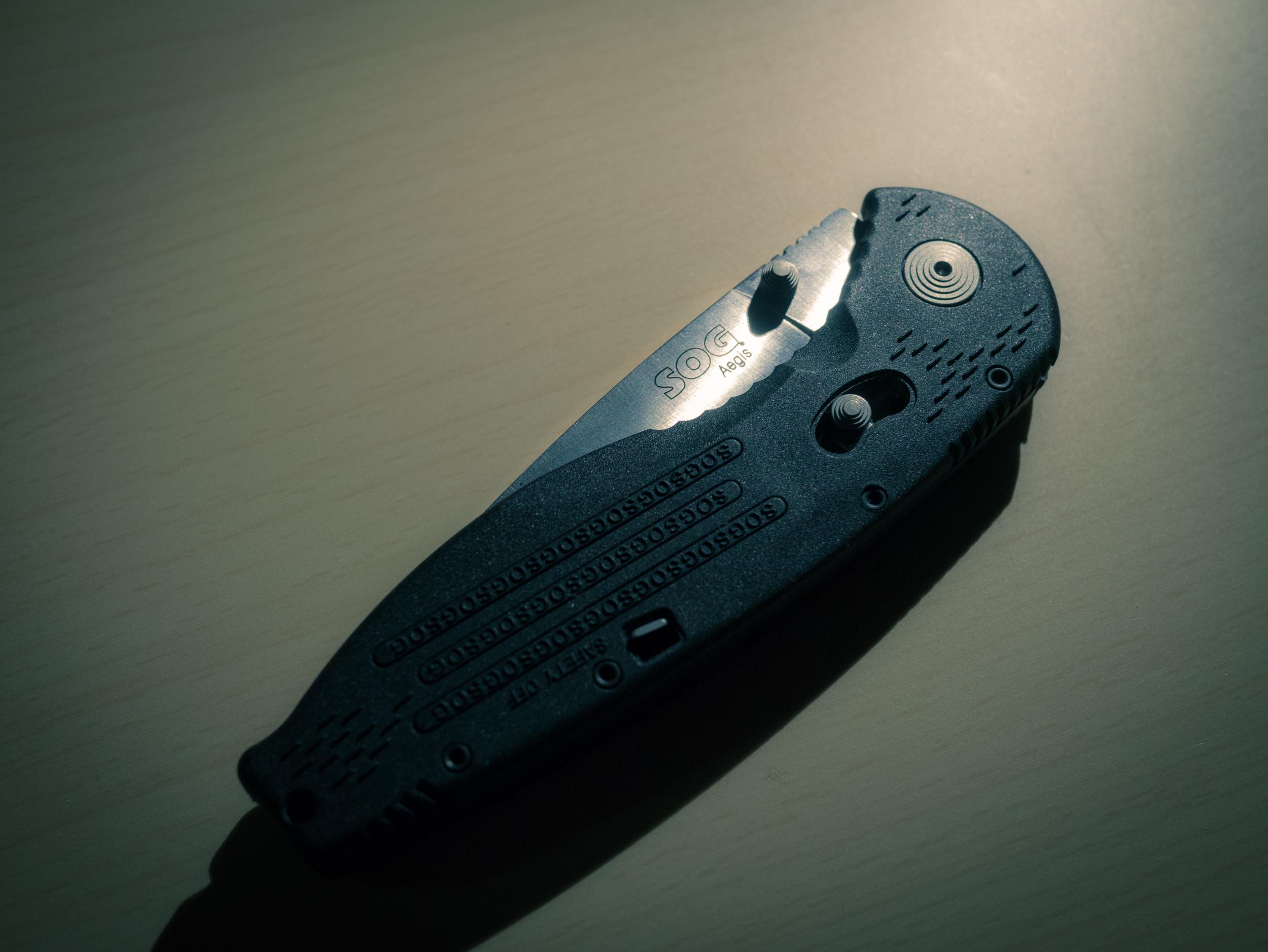
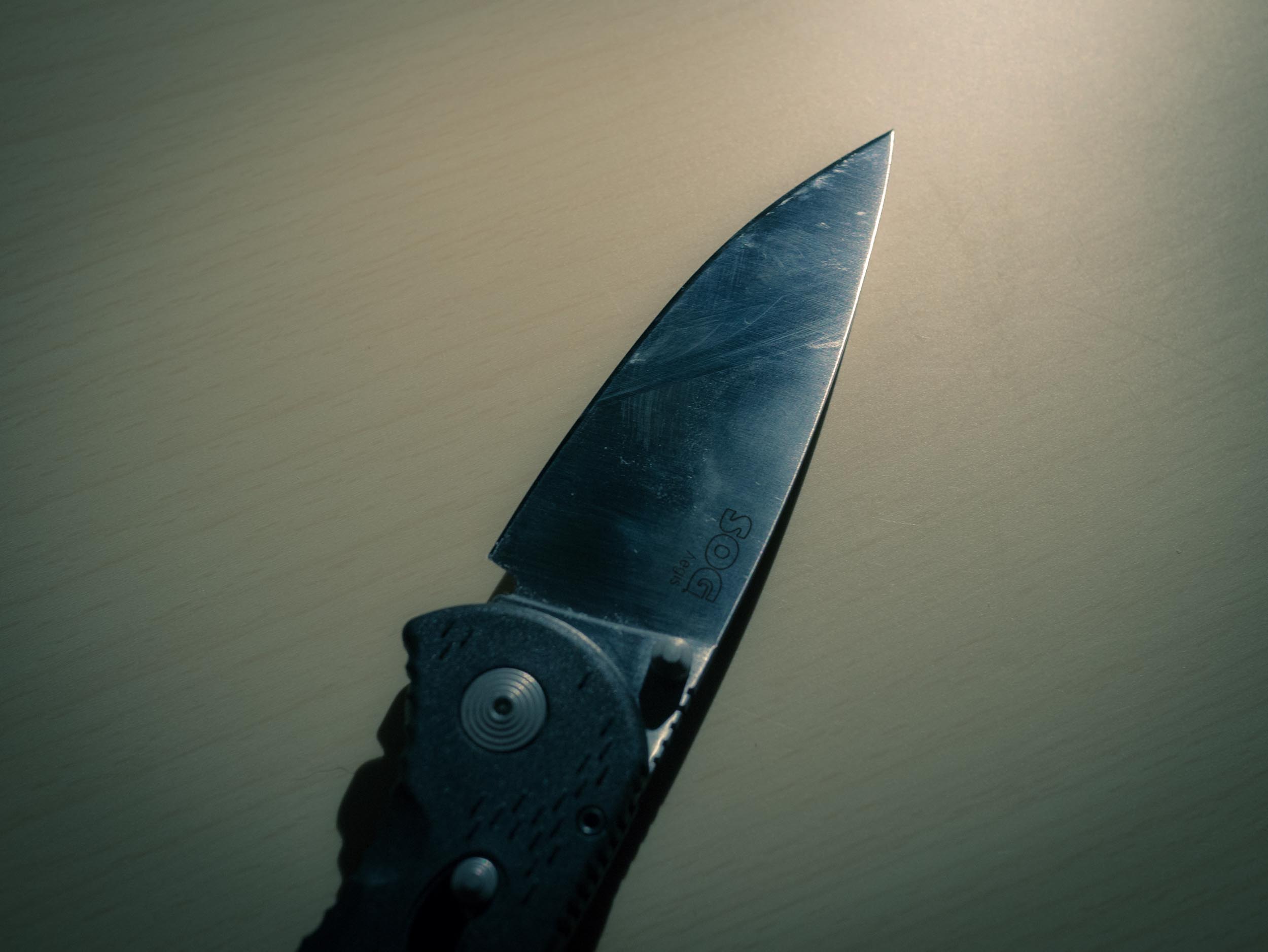
### SOG Aegis
I was very hesitant about buying this knife, but I was determined to find a great knife. I’m glad I bought this knife. It is very solid, not in the way that the Ontario is, but for a light knife it feels sturdy. The knife, is just (again) far too large for an EDC.
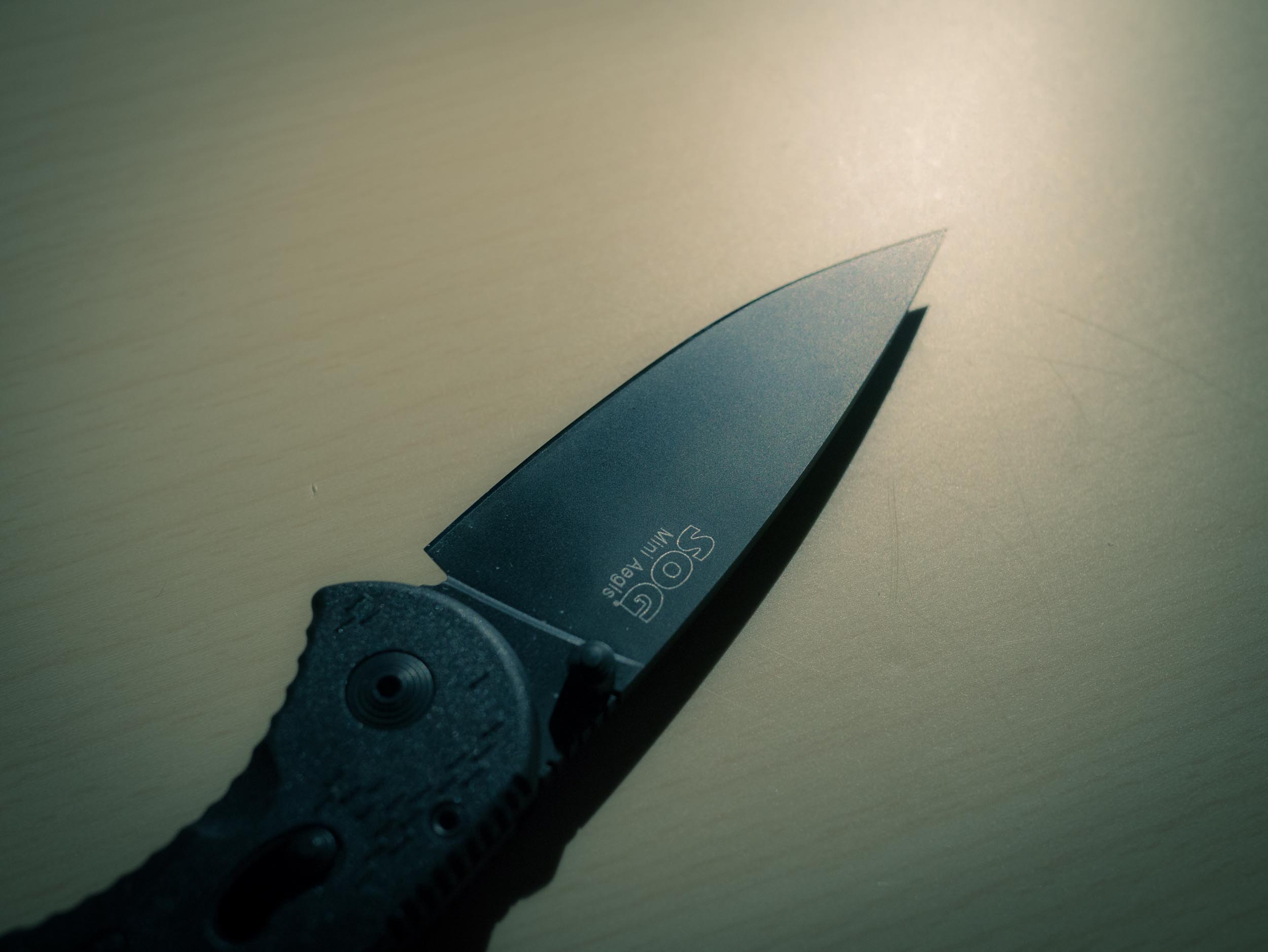
But the blade, oh do I love this blade shape. I don’t know what it is about the blade, but it looks both menacing and delicate at the same time. I really love it. So much so that I struggled to try and make this knife work as an EDC for me. Ultimately the knife is just too large to work.
The blade shape is great in use and deploys lightening fast with the assisted opening. The closing is a bit tough, but I think with age it will break-in nicely. Ultimately I would be concerned with this blade in the woods, given how thin it feels. This is likely completely unfounded, but I feel like this blade would snap under heavy use — again I am probably way off on this assessment.
([Buy it on Amazon](http://www.amazon.com/exec/obidos/ASIN/B00137ETQA/ref=nosim&tag=brooksreview-20).)
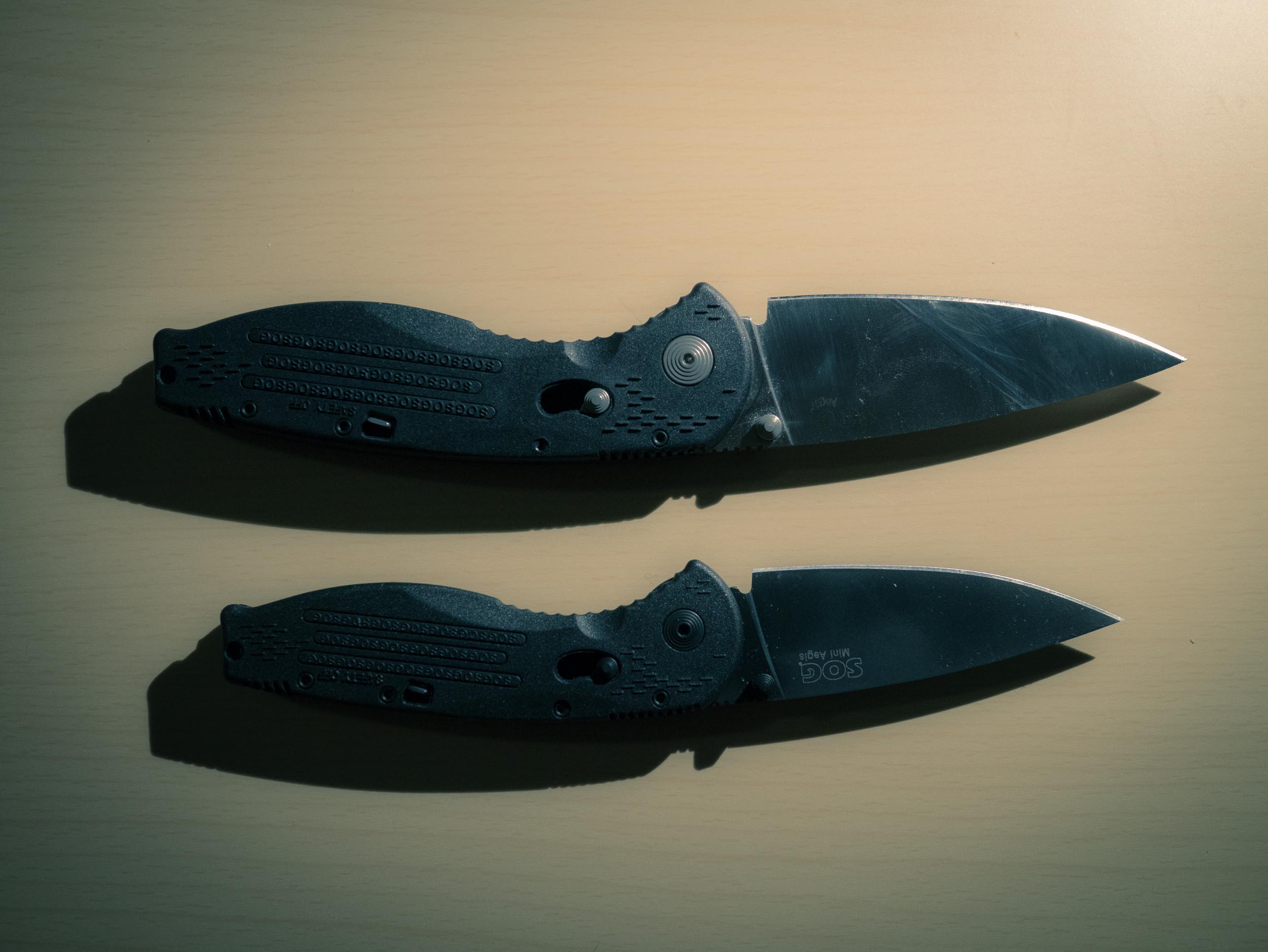
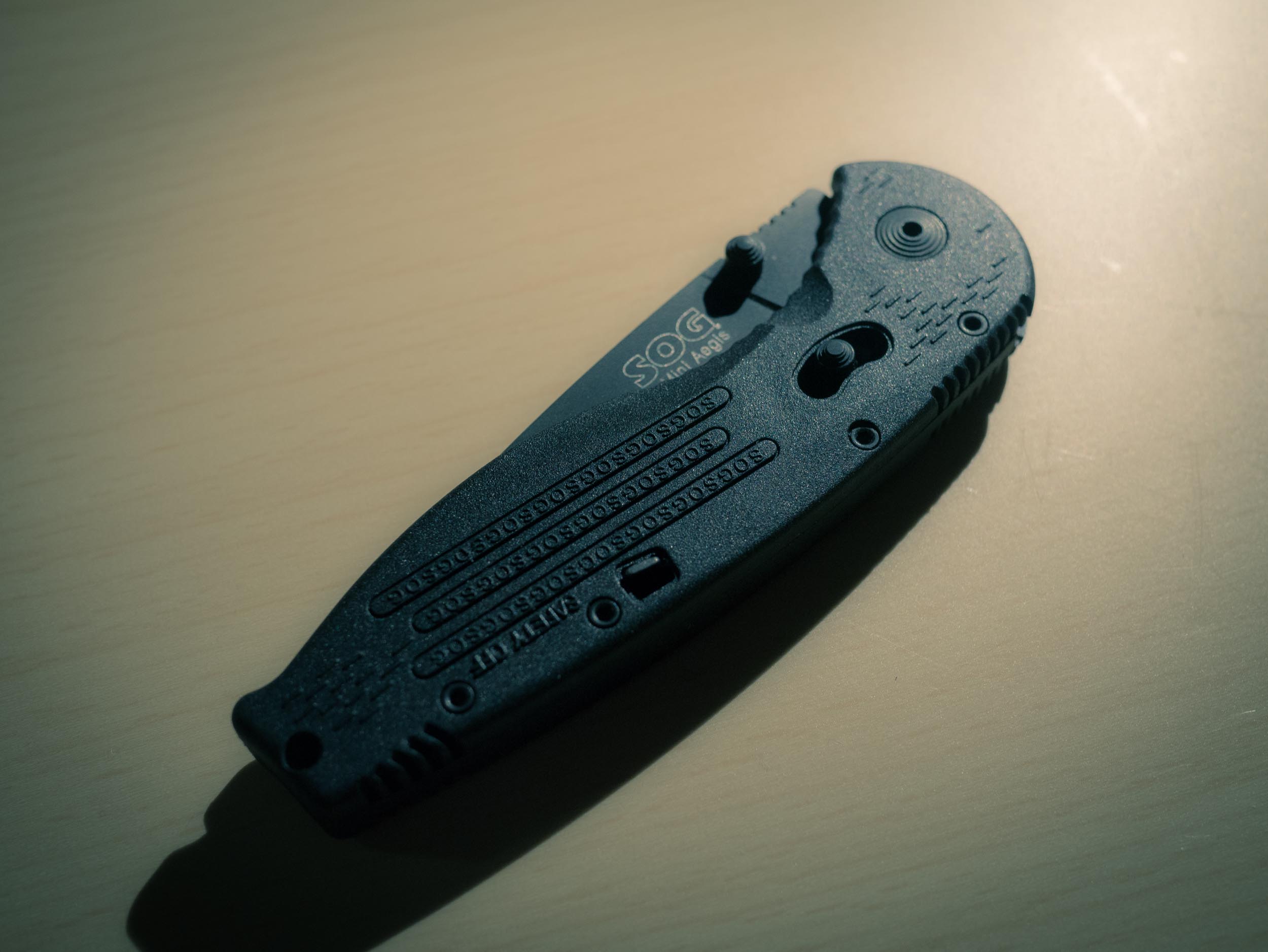
### SOG Aegis Mini
With the Aegis out, I purchased the mini Aegis in hopes it would be everything I wanted. The moment I first held this knife I was in love. It is surprisingly light, retains the same shape of the blade that I love from its older brother. Yet, this Aegis fits very comfortably in my pocket.
I think this is *the* EDC knife for me — at least of all that I have seen and tried so far. So let’s look at my criteria against it to see how it stacks up:
– Under $100, check. It is $40 on Amazon.
– No thumb wedge, check. Thumb studs only.
– Sturdy enough for outdoor survival? Half-check. The knife feels sturdy, but the frame has no metal which is worrisome to me. The blade is also delicate feeling — enough that I wonder just how it would hold up if really stressed. Therefore my main outdoor concern is in durability when pushing the knife to the limits. Otherwise I would have no qualms.
– Looks? Check. I went with the matte black metal finish, and it looks fantastic. Much meaner than the all silver Aegis that I own.
So the knife gets a 3.5 out of 4 — not too shabby. Most other knives were non-starters. This is the knife I am going with for now.
([Buy it on Amazon](http://www.amazon.com/SOG-Specialty-Knives-AE-22-Straight/dp/B004WN5844/ref=sr_1_1?ie=UTF8&qid=1353088583&sr=8-1&keywords=aegis+mini).)
## The Search
The SOG Aegis Mini suits me very well. It’s from a local company, and meets most all of my needs — certainly all of my normal everyday needs. Every knife I tested (exception to the Spyrderco and the Beretta) were very good knives — you can’t go wrong with any — but most are just too large or too small. So as the saying goes, the Aegis Mini was just right.
I have more knives on the way to test from a couple of other brands — I’ll report back on those comparing to the Aegis Mini, as it seems like it might be a tough one to beat.
### Note
[I am selling some of the knives that I don’t wish to hang on to, here](http://store.brooksreview.net/). They will all come sharpened and ready to go, but all are used.
[Ron Nixon, reporting for the New York Times, on the recent absurd USPS financial loss](http://www.nytimes.com/2012/11/16/us/politics/postal-service-reports-a-nearly-16-billion-loss.html?_r=0): >The Postal Service on Thursday reported a record $15.9 billion net loss for the fiscal year that ended Sept. 30, bringing the financially troubled agency another step closer to insolvency. Additionally he notes: >Nearly $5 billion in other losses were…
[Ron Nixon, reporting for the New York Times, on the recent absurd USPS financial loss](http://www.nytimes.com/2012/11/16/us/politics/postal-service-reports-a-nearly-16-billion-loss.html?_r=0):
>The Postal Service on Thursday reported a record $15.9 billion net loss for the fiscal year that ended Sept. 30, bringing the financially troubled agency another step closer to insolvency.
Additionally he notes:
>Nearly $5 billion in other losses were because of a decline in revenue from mailing operations. The agency also reached its $15 billion borrowing limit from the Treasury.
The USPS, isn’t stupid enough to think that they don’t need to change, no Congress are the ones stupid enough to keep USPS from changing. The USPS wants to cut back to five days a week and grow into shipping beer and wine. Yet Congress hasn’t allowed it.
This is so beyond stupid. Here we are as taxpayers, paying for a company to exist that just lost almost $16 billion dollars in one year, when the solutions are so obvious:
– Cut costs.
– Raise rates.
I get that not everyone has a computer and therefore mail service for all is still seen as a vital infrastructure component for the U.S., but I have to wonder how many computers $16 billion would buy because perhaps the solution is dissolution of the USPS.
That is: if we shut down USPS, repurposed all the money they were blowing through on providing those without means an iPad and low-cost internet, how much of the money that we allocate to USPS would we (as a nation) use?
[Wikipedia notes](https://en.wikipedia.org/wiki/United_States_Postal_Service) that the USPS has an annual budget of $70.634 billion dollars: that’s 175 million iPads at $399 for an iPad 2. So not every U.S. citizen, but it’s not like we are talking unfeasible to think we could just give people a different communication means and shut down the money pit that is the USPS.
Hell, we could buy 351 million Nexus 7s. And [as best I can tell](http://www.internetworldstats.com/stats2.htm) we only need to buy 70 million devices to reach those that don’t currently have internet connectivity. So we would be half way there in one year’s budget for the USPS. And then save $70 billion a year every year afterwards — that’s almost a no-brainer.
Now, I’m not saying we do this, but this should put the absurdity of the USPS in perspective.
Again, over a five year period (it seems) that it would be cheaper to supply every non-internet-connected American with a tablet and subsidize internet access, then it would be to continue to operate the United States Postal Service. Think about that.
**Updated on November 16, 2012 to fix a decimal point error that makes this an even stronger case.**
Before I start sharing a bunch of Keyboard Maestro macros, we need to be on the same page when it comes to understanding the inner workings of Keyboard Maestro. So let’s get that out of the way. Keyboard Maestro is a two part application. The first part is what you see when you launch the…
Before I start sharing a bunch of Keyboard Maestro macros, we need to be on the same page when it comes to understanding the inner workings of Keyboard Maestro. So let’s get that out of the way.
Keyboard Maestro is a two part application. The first part is what you see when you launch the application: the macro editor where you can build your macros. The second part is the very lightweight Keyboard Maestro engine — this runs in the background to monitor user input so that Keyboard Maestro can make your macros actually work.
There isn’t much to know about the engine, but you can stop and start it from the `File` menu in the Keyboard Maestro macro editor. So unless you don’t have any macros, just leave the engine running — conversely if your macros don’t seem to work, check to make sure the engine *is* running.
The Keyboard Maestro engine isn’t something you can control, instead everything the user does is inside the editor interface so that’s what I will focus on.
## The Editor
Once you launch the editor you will see three main panes. From left to right these are:
– Groups: I will touch on these more later, but these serve as a way to group macros together and add additional functionality to the groups of macros by limiting them to certain applications.
– Macro list: A simple list of all your macros.
– The Macro: this is the detail view of a selected macro, showing the triggers and the actions (more on those in a bit).
The interface only get’s more complicated from here, so let’s break this apart a bit more.
## Grouping Macros
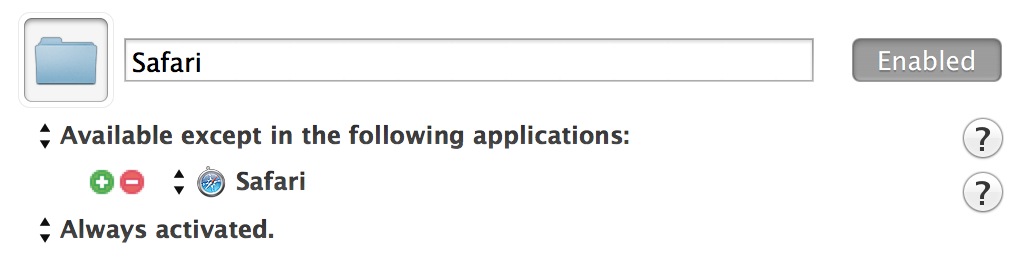
I mentioned that you can get additional power out of macros if you add them to a group. Groups are not a way to organize macros, they are a way to limit the power of macros and thus make your life a bit easier. For instance: there are bound to be macros that you want to work only in a certain application, or more often, never in a certain application. Groups are where you set up such controls.
So if you wanted to create a new group of macros that only works in Safari, you would simply create a group like this:
And if you wanted to create a group of macros that never work in Safari, you just change those settings to this:
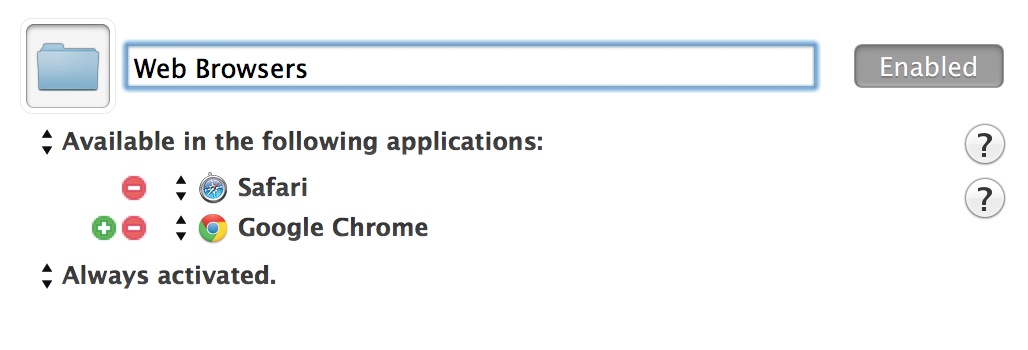
The power isn’t limited there, because perhaps you want to create a group of macros that only work in web browsers, which is easily done like so:
Of course, your results will vary depending on the web browsers you have installed.
Because of the way groups work it is best to think of them as ways of preventing bad things from happening in other apps — especially if you are sharing keyboard shortcuts. However, this is not the only thing we can do, you could use the group setting in conjunction with a quit-all macro. The macro could then easily quit every application running, except those excluded in the macro group.
Groups are an important tool in Keyboard Maestro to keep in mind as you are working through the construction of more complicated macros.
## Macro Editor
The macro editor can be broken down into two views, and two panes. The two views are: description and editor. These are the views you are presented with if you are **not** in macro editing mode.
The two panes that appear in editing mode are: triggers and actions. When you click the edit button at the bottom of the macro editor you are able to manipulate both triggers and actions, and these panes are where you build your macro, so we need to take a deeper look.
### Triggers
Triggers are what’s going to set the macro into action. This is simply asking: what event has to happen for the below actions to run?
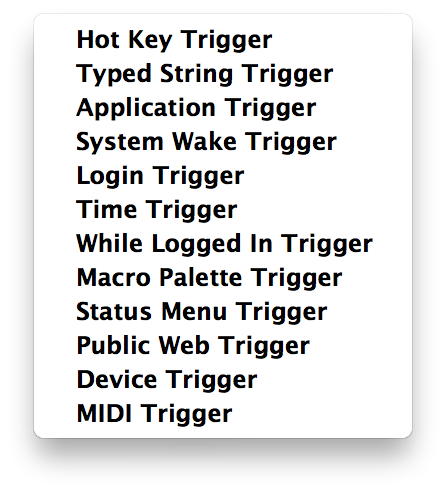
Right now there are 12 triggers, and four script triggers that you can choose from. (It’s important to note that you can have more than one trigger for each macro — as I will show in later examples.) For now, that could be a macro that runs everyday at a given time and that can also be invoked by a keyboard shortcut, or any combination of these twelve macros that you can dream up:
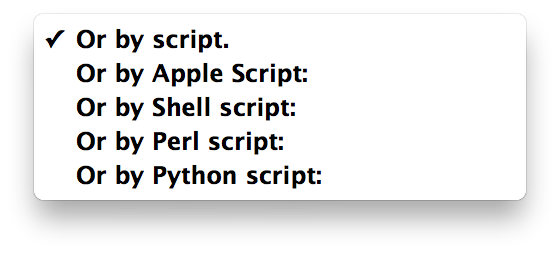
And the script triggers:
In this series I will primarily use time and hotkey triggers, but as you can see there are many different ways that you can trigger your macros.
To aid in the construction of macros you need to understand how each macro *could* be triggered.
– Hot Key: This is your basic keyboard shortcut trigger, and likely to be your most used trigger. It’s important to note that Keyboard Maestro will intercept any keyboard shortcut and run the macro while stopping the shortcut from working at the system level. Therefore if you were to assign `CMD+C` as a hotkey, the universal “copy” command would simply execute your macro, and not copy anything (unless that is your macro). So choose your triggers carefully.
– Typed String: Similar to the Hot Key trigger, except that this trigger watches for you to type a particular series of characters and then it will trigger (instead of forcing you to hold down a set combination of keys). I will show you some examples of Typed String triggers, but for now think of this as a great trigger to use to trigger macros while you are typing in a document — much like you would use TextExpander.
– Application: This will trigger a macro based on the state of one or more applications. Some examples would be if you launch a game, you can trigger system hogging applications to be quit. Or if you switch to a particular application, you could make it go fullscreen at that time. Perhaps when you quit an application you force the application to close all windows so that they do not reopen when you next launch the app.
– System Wake: Triggers macros when your Mac wakes from sleep. One of my favorite triggers here is to hide all applications on system wake — since I don’t sleep my computer much, there is a good chance that I am changing locations when I do sleep my computer and in these instances such a macro could save you some embarrassment if your screen didn’t have any of your previous “work” when you wake the computer — just saying.
– Login: Triggers a macro when you login into the account you used to create the macro. This can be used to replace login items, or applications that automatically start when you boot your Mac, but more pointedly you could use this to changes settings to specific defaults after you restart a Mac, among many other things.
– Time: This is a great trigger that I use often. You pick a time of day, and the days of the week, that you want the trigger to fire the macro for you. For example: Monday-Friday at 8:30am. I use this trigger to have my Mac remind me of daily things (Lunch Time!) and to keep my embarrassment level low(er) (Set volume to 0 when I get to work).
– While Logged in: Another fantastic trigger, this one will repeatedly trigger a macro within the parameters that you set. There’s three aspects to the trigger: how often you want the macro trigger, between what times of the day to do this, and which days of the week. (e.g. Trigger every 30 seconds between 8:30am and 4:00pm on Wednesdays and Fridays.) Another great trigger for automating a routine task, such as checking your OmniFocus inbox for unprocessed to-do items, or reminding you to look away from the screen.
– The Macro Palette entry is clicked.: A good trigger for macros that you build for one-off never to be used again circumstances. This trigger gives you a palette that overlays on your screen and you trigger the macro by clicking on an icon in the palette. I only use this if I build a macro for a specific document I am working on, knowing I will not need to use the macro later. This saves me from remembering a new keyboard shortcut. (Also handy for testing macros while you are making them.)
– The Status Menu item is selected.: Much like the last trigger, except instead of a palette that sits on your screen, there’s a menubar icon that allows you to execute a macro from it. (Hint: If you unchecked to show the menubar item in Keyboard Maestro preferences, but it still shows — make sure no macros are using this trigger and then restart.) This is the best way to trigger macros if you are keyboard-shortcut adverse.
– The Public Web entry is executed.: A bit more complicated, but you can set up a local area network webpage that is hosted by your Mac, and any macros with this trigger set, will appear on that page. You then can execute the macro by clicking on that page. Not a bad idea if you have a Mac running with no keyboard/mouse/monitor hooked up to it — just make sure your security settings are done correctly. I use this on a Mac that I use as a server to run a few commands without having to remote-login to the machine.
– This Device key: Ok, this trigger is a bit more complex; basically if an input is pressed on a particular device, then the macro triggers (with options for holding modifier keys). One potential use would be if you have a [Griffin PowerMate](http://www.amazon.com/exec/obidos/ASIN/B003VWU2WA/ref=nosim&tag=brooksreview-20) controller and want to execute macros by clicking the PowerMate. Other options would be if you wanted to have a dedicated Keyboard Maestro keyboard, you could do so without having to hold modifiers, just using the Device Key trigger. Some good possibilities, but not many which I use.
– This MIDI note: I have to be honest, before writing this book I had no idea what this did. Here’s what Keyboard Maestro’s documentation says: “The macro can execute when the MIDI note is pressed (note on), released (note off) or continuously while it is held down. This allows you to do things like have a macro execute when the key is pressed, and then a second macro execute when the key is released, for example to toggle a setting on and then off again.” Seems like it could be useful for musicians, but I honestly still can’t think of a use case.
– Or by Script: I’ll leave the scripts out, as those are more advanced triggers than we will be getting into with this series of posts, but the Keyboard Maestro documentation does show a couple of examples that might be of use.
### Actions
Now that we have the triggers all sorted out, we need to go through the action side of a macro. As the name implies actions are what the macro will actually do when it is activated. There is a wide range of actions available, and even more when you factor in that launching a script can be an action in a macro. While I won’t go through what each action does, the documentation does a decent job of that, I will say that it is worth your time to simply browse all the actions and get an idea of what’s available to you.
There *are* a few things that I want to go over about actions.
### Action Picker
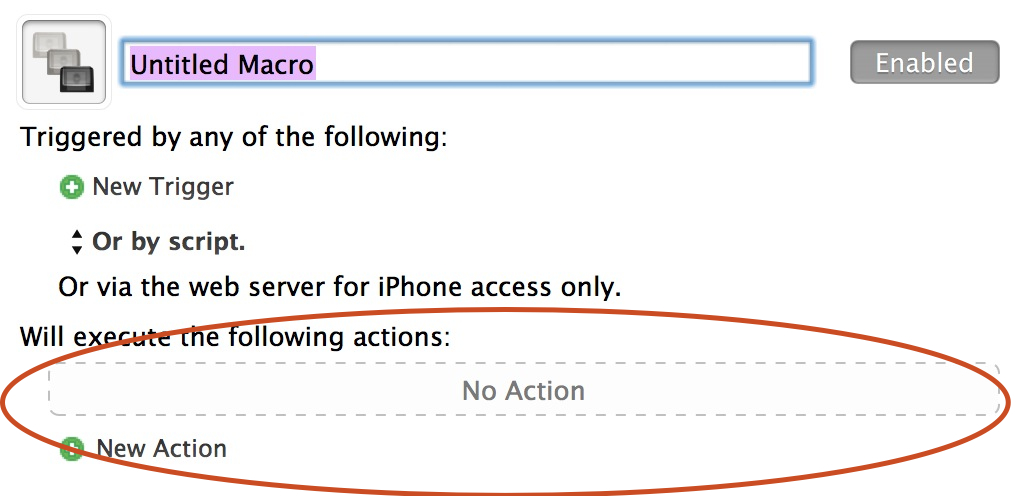
The very right pane in Keyboard Maestro is the action area, and the bottom section is where the heart of your macro lies.
All you need to know here is that actions are executed in the order they are shown, from top to bottom. Clicking the green plus that says `New Action` will bring up the Action Picker that lays atop where your macros were previously listed. From this pane you can drag, or double-click, to add any new action to your macro.
## A Few Tips for Building Macros
#### Search
There’s a search box that sits in the top right corner of the action picker — this searches through all available actions. I recommend that you use this to find what you need if you already know the name of it since this will save you quite a bit of time.
#### Groups
All actions are grouped together by type, so that if you want to see all available clipboard actions, you can just select the clipboard group of actions — depicted as folders. I will reference where actions are by groups as I show examples of macros later on, this way you can find them more quickly.
## Action Items
The last, and most powerful part of actions, is that each action has additional options attached to it. A lot of the time it may not be readily apparent that there are additional options.
The best way to look for additional options is to look for arrows in the action itself after it has been added to the macro. Things like these:
There’s a lot to these options and I will dive into some of these as we go through example macros. Suffice to say that these options can double the power of Keyboard Maestro itself — they are important to look at.
## Basics
That’s the basics of Keyboard Maestro, while it takes a lot to explain, it is no more complicated than taking out the garbage for most tasks. All you need to know is the order of events:
– Pull garbage bag out of garbage can.
– Tie the top of garbage bag.
– Walk garbage bag to door.
– Open door.
– Walk garbage bag to garbage can.
– Open garbage can.
– Place garbage bag in garbage can.
– And so forth.
I like to think of Keyboard Maestro as a puzzle, where it can do anything I want it to do as long as I find the right puzzles pieces to fit together. Next up, a lot of examples.
*(This post is a part of a series on Keyboard Maestro, [see more here](https://brooksreview.net/tag/KM-SERIES/).)*
[Keyboard Maestro](http://www.keyboardmaestro.com/main/) is the best tool you can purchase for your Mac. It is a bigger upgrade for most people than doubling up your RAM — yet Keyboard Maestro is also a daunting tool to learn at first glance. The reason I will be writing a series on Keyboard Maestro is that all too often…
[Keyboard Maestro](http://www.keyboardmaestro.com/main/) is the best tool you can purchase for your Mac.
It is a bigger upgrade for most people than doubling up your RAM — yet Keyboard Maestro is also a daunting tool to learn at first glance. The reason I will be writing a series on Keyboard Maestro is that all too often I watch people waste time doing repetitive things that could quickly and easily be solved with Keyboard Maestro. And yet Keyboard Maestro is not installed on most Macs.
When you really get down to it, Keyboard Maestro is a simple tool to learn and use. All you have to know are two things:
1. Your goal (Or what you want to accomplish with any given Keyboard Maestro macro.)
2. The steps to go from start to the finish to make that goal happen.
For example, if I wanted to grab text that’s highlighted in one application and paste it into the last used application, all I would need to know is the order of actions to do that:
1. Copy text.
2. Switch to last used application.
3. Paste text.
There’s no code to learn to figure how to make that work, you just look through the massive list of Keyboard Maestro actions and select the ones that accomplish your goal. Put them in the right order and move on.
Of course this is just the very tip of the iceberg for Keyboard Maestro — it can do, oh, so much more.
In the next post I will walk you through the basics of Keyboard Maestro to give you the building blocks needed to work through automating your Mac with Keyboard Maestro.
Following that I will walk you through many of the macros that I have built, so that you can either replicate them, or build off of each macro to fit your computing needs. At each step I will try to explain why I am doing something a certain way, especially if there are other ways that may be more obvious to use.
As with any tool, you will need to use Keyboard Maestro in the manner that best suits you to get the maximum benefit.
### Note to Advanced Users
If I can make a macro work without having to write a script or take you into shell commands, I will do so for two reasons:
1. It’s easier to understand and thus replicate.
2. It’s easier to change and tweak the settings without having to teach scripting.
There are many advantages to diving into scripting and shell commands, but those are for another series of posts — not this series. In some cases I will use simple scripting commands if I feel the benefits of doing so outweighs the complexity of using scripts.
“What would happen if Samsung soaks up so much profit from mobile that it’s in a position to acquire Google and control the trajectory of their enabling platform?” — Horace Dediu
“What would happen if Samsung soaks up so much profit from mobile that it’s in a position to acquire Google and control the trajectory of their enabling platform?”
[Jeff Hunter has a “collection of valueless, invasive, and annoying push notifications” that he has received](http://blog.anylistapp.com/2012/11/push-notifications/) and it is clear from his post that there very much is a problem. What’s interesting is that it appears Apple already anticipated this, as this is section 5.6 of the App review guidelines, per Hunter’s post: >5.6 Apps…
[Jeff Hunter has a “collection of valueless, invasive, and annoying push notifications” that he has received](http://blog.anylistapp.com/2012/11/push-notifications/) and it is clear from his post that there very much is a problem. What’s interesting is that it appears Apple already anticipated this, as this is section 5.6 of the App review guidelines, per Hunter’s post:
>5.6 Apps cannot use Push Notifications to send advertising, promotions, or direct marketing of any kind
So why isn’t this being enforced? I think it is because this is very hard to enforce given that Apple cannot know in advance what developers might notify users of.
That’s why this idea from Hunter is a very good one:
>Provide a feedback mechanism that allows users to report spammy notifications, and crack down on abusive apps.
My suggestion would be for the report feature to appear in the Notifications setting preference, inside the options for each app. So that directly underneath the toggle for push notifications is a toggle that says “Report abuse” burying it there would lead to less false-positives and still offer a way to combat ad-driven notifications.
Notifications in general have always been a problem for iOS, and while push notifications are nice, they can also be incredibly annoying when used incorrectly — or not as the user expects. I can’t be the only one that thinks half of the “Breaking News” push notifications aren’t really what I’d consider important breaking news. So this is a bit of a slippery argument, as Apple would have to define to users what is and is not OK — otherwise it would vary too much from user to user.
The big tech news last night was that Steven Sinofsky was fired from Microsoft (([Ballmer notes that it is Sinofsky “leaving”](http://news.cnet.com/8301-10805_3-57548758-75/ballmers-memo-announcing-steven-sinofskys-departure/) which is a [nice way of saying that he was told to resign or be fired](http://techcrunch.com/2012/11/13/windows-8-is-just-great/).)) — Sinofsky was the head of Windows and *the* man in charge of Windows 8. Naturally, tech blogs…
The big tech news last night was that Steven Sinofsky was fired from Microsoft (([Ballmer notes that it is Sinofsky “leaving”](http://news.cnet.com/8301-10805_3-57548758-75/ballmers-memo-announcing-steven-sinofskys-departure/) which is a [nice way of saying that he was told to resign or be fired](http://techcrunch.com/2012/11/13/windows-8-is-just-great/).)) — Sinofsky was the head of Windows and *the* man in charge of Windows 8. Naturally, tech blogs exploded drawing parallels to Cook’s quasi-firing of Scott Forstall, head of iOS at Apple. Other than both companies being competitors (kind of) and both being high-level executives leaving the companies, there aren’t any other similarities between the two — so let’s stop that silliness now.
What’s more interesting about this move for Microsoft is what it means long-term for the company.
I’ve been a [long-time proponent of the “shit-can Steve Ballmer” movement](https://brooksreview.net/2011/05/ballmer/) and what this move by Ballmer & Co. says to me is: Ballmer is Microsoft’s guy.
Ballmer, in other words, just showed the world that he has 100% backing from Gates and the entire board. This, you could argue, is the closest similarity between Cook and Ballmer that exists.
>How many heads are left to roll before we get to Ballmer’s? I’m thinking none.
I’m thinking Ballmer is going down with that ship — so to speak. It’s one thing if Ballmer was scapegoating Sinofsky, but he isn’t. Instead Ballmer simply removed another executive that he felt was:
1. Challenging him as CEO.
2. He didn’t like for whatever reason.
He did this with the backing of the board.
If the board is even somewhat skeptical about you as CEO of the company, no way they let you fire a CEO-in-waiting type that has been with the company since 1989. No way.
I highly doubt any of this had to do with Windows 8 success/failure, as it hasn’t even been out a month yet — so the results have yet to “come back”. This has likely been in the works for much longer, the timing only happening now because Ballmer wanted to make sure Windows 8 was launched without a hitch — now that it has launched, he didn’t need Sinofsky any longer.
I’ve not met a single rational and intelligent person that thinks Ballmer is on the right track or that he properly guides Microsoft — yet many of those same people say Sinofsky was on the right track.
If you are Ballmer, do you want Sinofsky around? I think not.
Yet the board and Ballmer clearly knew that Sinofsky could be an easy fit for CEO, so again: no way Ballmer could fire him without full support of the board.
Ballmer fired Sinofsky.
We can now infer two things from this:
1. Ballmer is fully supported by the Microsoft elites.
2. Ballmer is going no where — the Microsoft board won’t bring in an outside CEO and there isn’t a current Microsoft executive that would fit the role at this time.
This was a very bad move for Microsoft and [any hope that they were finally seeing the light](https://brooksreview.net/2012/06/ballmer-rebound/).