Recent Articles

  • Skilled Operators

    Lukas Mathis arguing that casual users need high-end computers: >So the sentiment that «entry-level» computers are good enough for casual users is exactly backwards: casual users are the ones that need high-end computers, while proficient users are the ones who can work around the limitations of low-end computers. Anecdotally I’d have to agree with this.…

    Lukas Mathis arguing that casual users need high-end computers:
    >So the sentiment that «entry-level» computers are good enough for casual users is exactly backwards: casual users are the ones that need high-end computers, while proficient users are the ones who can work around the limitations of low-end computers.

    Anecdotally I’d have to agree with this. I manage to find ways to keep a G4 Mac mini operational as a home media server by hacking at OS X, but my wife struggles to not be frustrated with her aging MacBook Pro — even though it has more than enough power for what she needs it for.

    This immediately made me think of “pros”, or skilled operators, which is what we are talking about. The best hammer a consumer can buy is probably one of those anti-vide hammers with large heads and a comfortable grip — this is not the hammer a pro buys, because a pro doesn’t need such features and only finds those features to be getting in the way. Likewise, if a race car driver wants to go very fast, they turn off traction control ((Except in F1, right, they still have it there?)) while the casual driver will need traction control to stay alive.

    A skilled driver can drive a slow car faster than a casual driver can drive a much faster car.

    This translates to computers of course, but not just in speed of the computer. A large part of the disconnect that I see is seeking out odd solutions. Whether it is through tools like Hazel, Keyboard Maestro, LaunchBar, or through simply finding apps that do remote desktop and other odds and ends that users wish they could do, but cannot find the apps to do them. A lot of casual users assume that if it is not already on their computer, it cannot be done.

    We may not be able to solve casual user’s problems, but things like the Mac App Store should help alleviate some of those problems. (Provided we can get users to look in the Mac App Store and pay for Apps, which is another issue all together.)

  • ‘Bringing Responsiveness to the App World’

    Oliver Reichenstein, on iA Writer’s new font sizing: >Inspired by our deep experience designing for the web, we’ve given Writer for Mac a responsive design, changing the font size based on window width. This maintains the text’s typographic proportions, zooming in and out without reflowing the text. I don’t know why it took us so…

    Oliver Reichenstein, on iA Writer’s new font sizing:

    >Inspired by our deep experience designing for the web, we’ve given Writer for Mac a responsive design, changing the font size based on window width. This maintains the text’s typographic proportions, zooming in and out without reflowing the text. I don’t know why it took us so long to find this obvious solution.

    Writer now resizes to three levels based on the window width. It’s actually pretty neat, and the full screen views are not changed.

    Writer is a very polarizing app for people — either you love it, or you laugh at it. I personally love it, because the focus is purely on writing and editing. The app is made for just that and that is what I need.

    What is particularly interesting about this post is how Reichenstein views the three font sizes, saying this about the largest size:

    >Seeing your sentence from close slows down your pace. This is particularly helpful if you have a tough subject to write about, that requires you to take one step at a time. Especially when paired with Focus Mode, this helps you write that difficult scientific paper, poem or philosophical text.

    I had never thought about how font size controls the speed that you write with — but this may explain why I like “focus modes” so much in text editors. Such modes slow me down and cause me to think more instead of just typing down everything on my mind because I cannot easily glance at what I had written — I also don’t know how much I have written. It’s this kind of thought that leads to a product that is simply hard to describe in words, and is more about experience than features.

    My only gripe right now with Writer is that you can’t bring those font sizes to the fullscreen mode — my preferred mode — all I want is a smaller font size for editing in fullscreen, perhaps I am alone.

  • The FLOTE

    A brilliant idea that is *almost* perfect. [I first found the FLOTE](http://www.floteyourtablet.com) while lamenting about the difficulty of reading my iPad while holding a sleeping infant. The jackals in the chatroom pointed me to the FLOTE, a simple, beautiful, iPad stand that solves this very problem. The base of the stand. There were only two…

    A brilliant idea that is *almost* perfect. [I first found the FLOTE](http://www.floteyourtablet.com) while lamenting about the difficulty of reading my iPad while holding a sleeping infant. The jackals in the chatroom pointed me to the FLOTE, a simple, beautiful, iPad stand that solves this very problem.

    The base of the stand.

    There were only two catches:

    1. This was a Kickstarter project that had not shipped yet.
    2. It is priced at $319.99.

    The price, honestly, seemed a bit much, but in looking at it more I could truly see the quality of build that was going into the product. I paid up and waited.

    I waited a really long time. Past the time when my daughter was sleeping on me all the time. I still wanted it.

    I finally got it, and it is a mixed bag for me.

    ## The Design

    The creator of the FLOTE kept me in the loop and I can tell you that the detail he focused on is amazing. There is a lot of care in this stand and it shows.

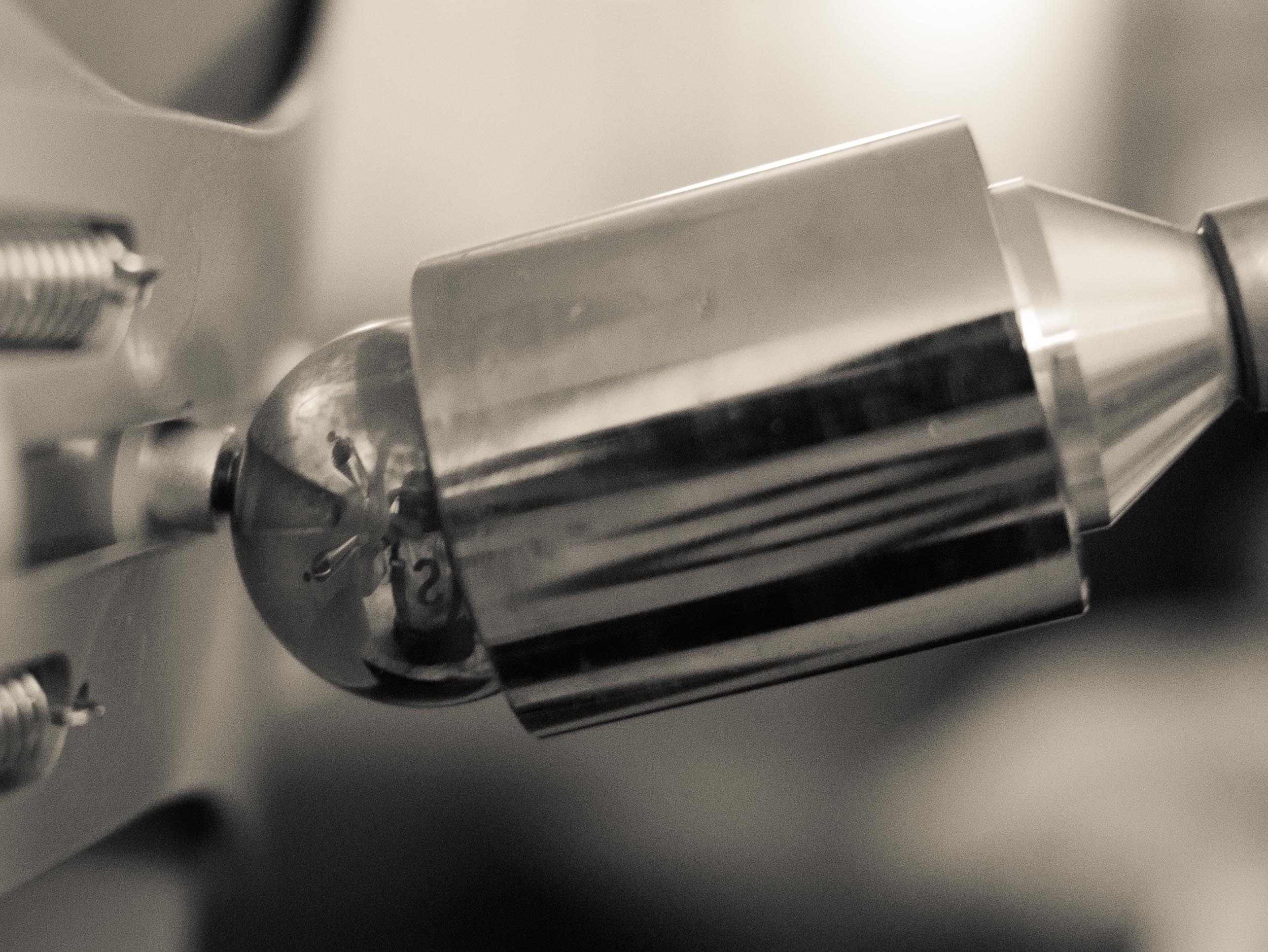
    The magnetic ball of perfection.

    The magnetic ball that allows articulation of the iPad is amazingly well designed. It’s quite honestly my favorite part of the stand, so well done that it seems as though Apple designed that bit.

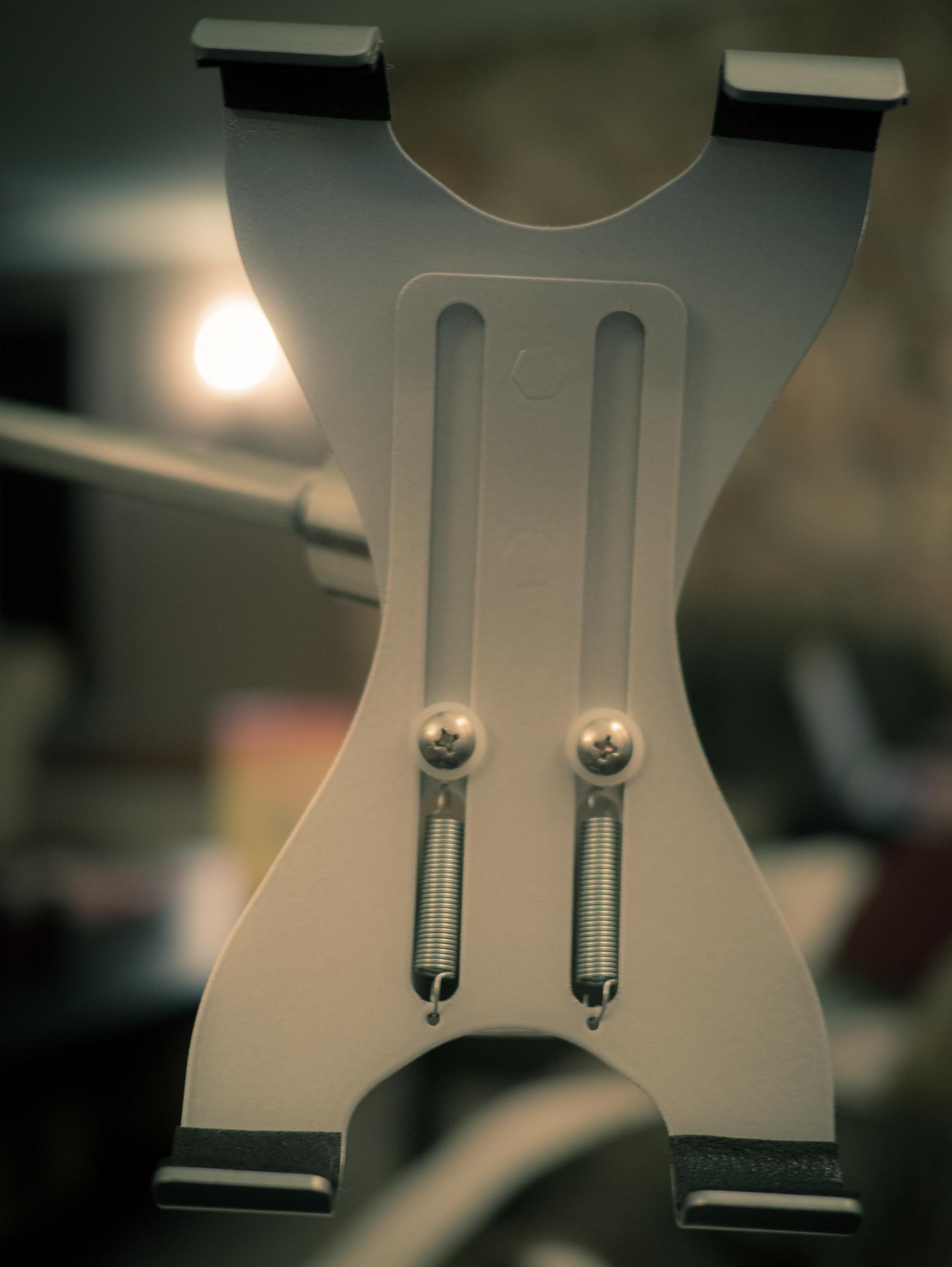
    The looks are fantastic. The stand is sturdy and decidedly will not tip over — it weighs a lot. The clamp for the iPad is strong and allows for many different sized tablets. However the clamp seems like it could have been better. It’s not bad, but I’ve yet to be able to take my iPad in or out with just one hand. That probably wasn’t a design consideration, but when you are relaxing on the couch it is much harder to do something on the stand with two hands than just one.

    The iPad clamp.

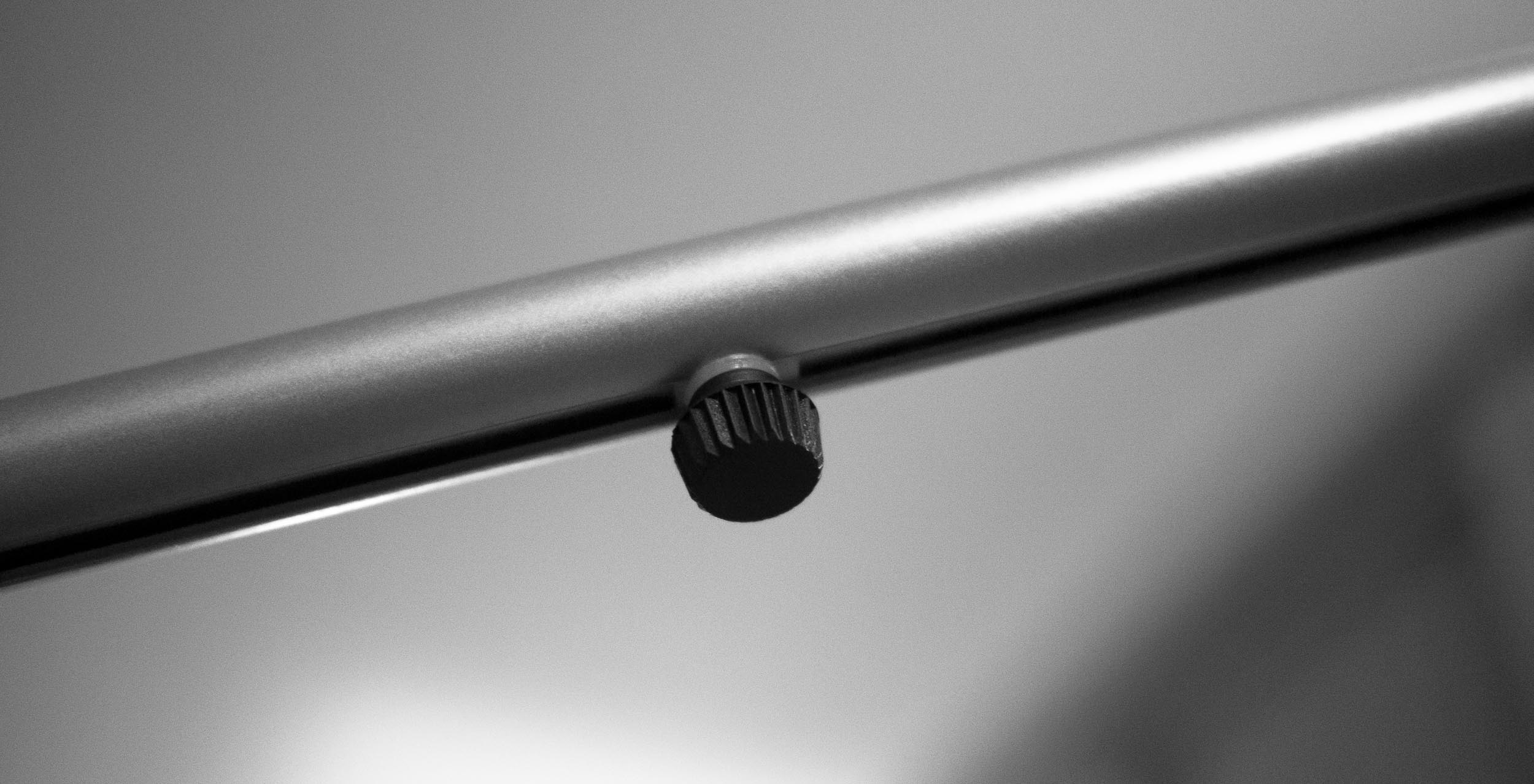
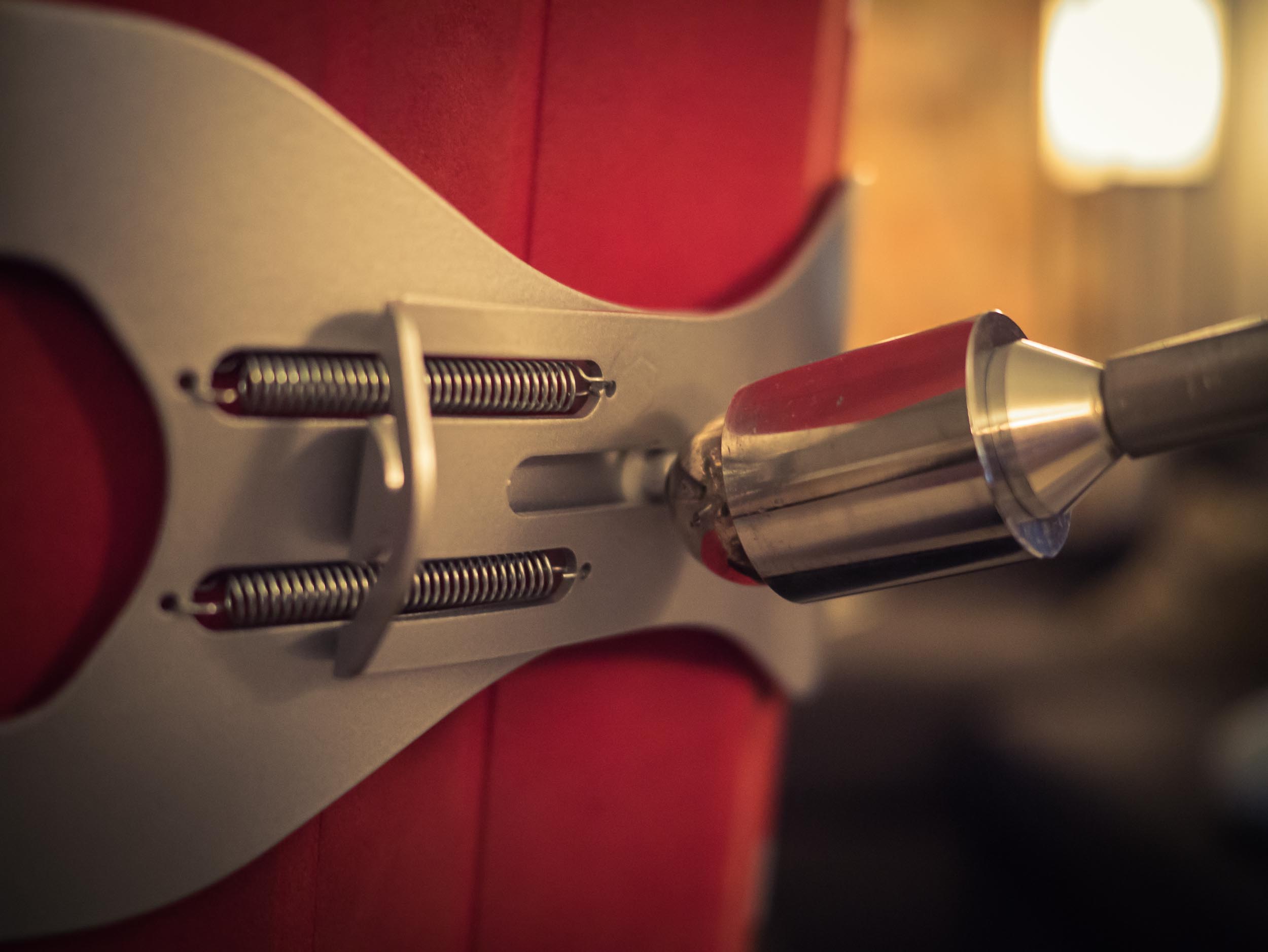
    The stand itself swivels amazingly well. The telescoping arm was added after the funding was complete, and it works decently. The action is smooth, however the plastic finger nut is an unfortunate necessity. I have found, though, that you rarely need to telescope the arm — so it’s a set it and forget it thing for me. Thus, this doesn’t bug me too much.

    The finger nut for the telescoping arm.

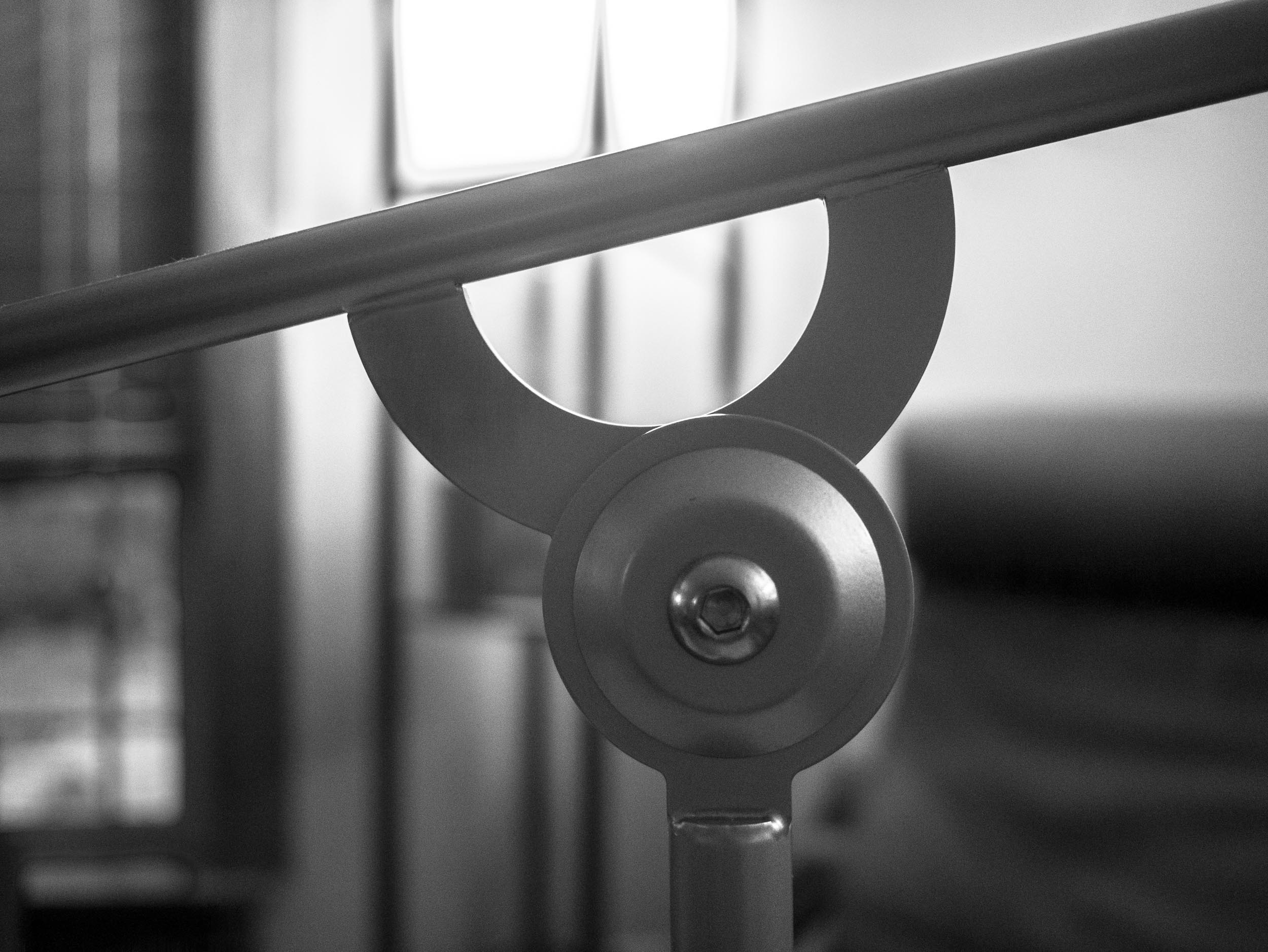
    Which leads me to the one thing that drives me nuts about the stand: the up and down arm action. The arm that holds the iPad out from the vertical pole is secured with a large hex bolt. You pre-tighten it and then you are supposed to be able to use it with no issues. That, however, isn’t how it played out for me.

    The hex bolt of doom.

    I have yet to find the sweet spot that allows for smooth travel of the arm, with a firm hold when I want my iPad to stay where I want it. The creator is revising the design, to add a plastic wing nut instead of the hex bolt, but even that isn’t a great solution. This isn’t a deal breaker, I just tightened it down more so that it is a bit tougher to move — that works, but it’s not great.

    ## The Real Problem I Have

    What I have come to realize is that no matter how good this stand was, it simply wouldn’t work for me. The iPad, it turns out, is a very intimate device. Whereby I mean that part of what makes the iPad great is touching it and holding it. So when you off-load the holding to a stand, the iPad just becomes a screen.

    In use, iPad can be used at any angle or orientation.

    That seems nice at first, but then you realize it’s not really great as just a screen.

    Therein lies the problem: I don’t like using an iPad if I am not holding it.

    ## Back to the FLOTE

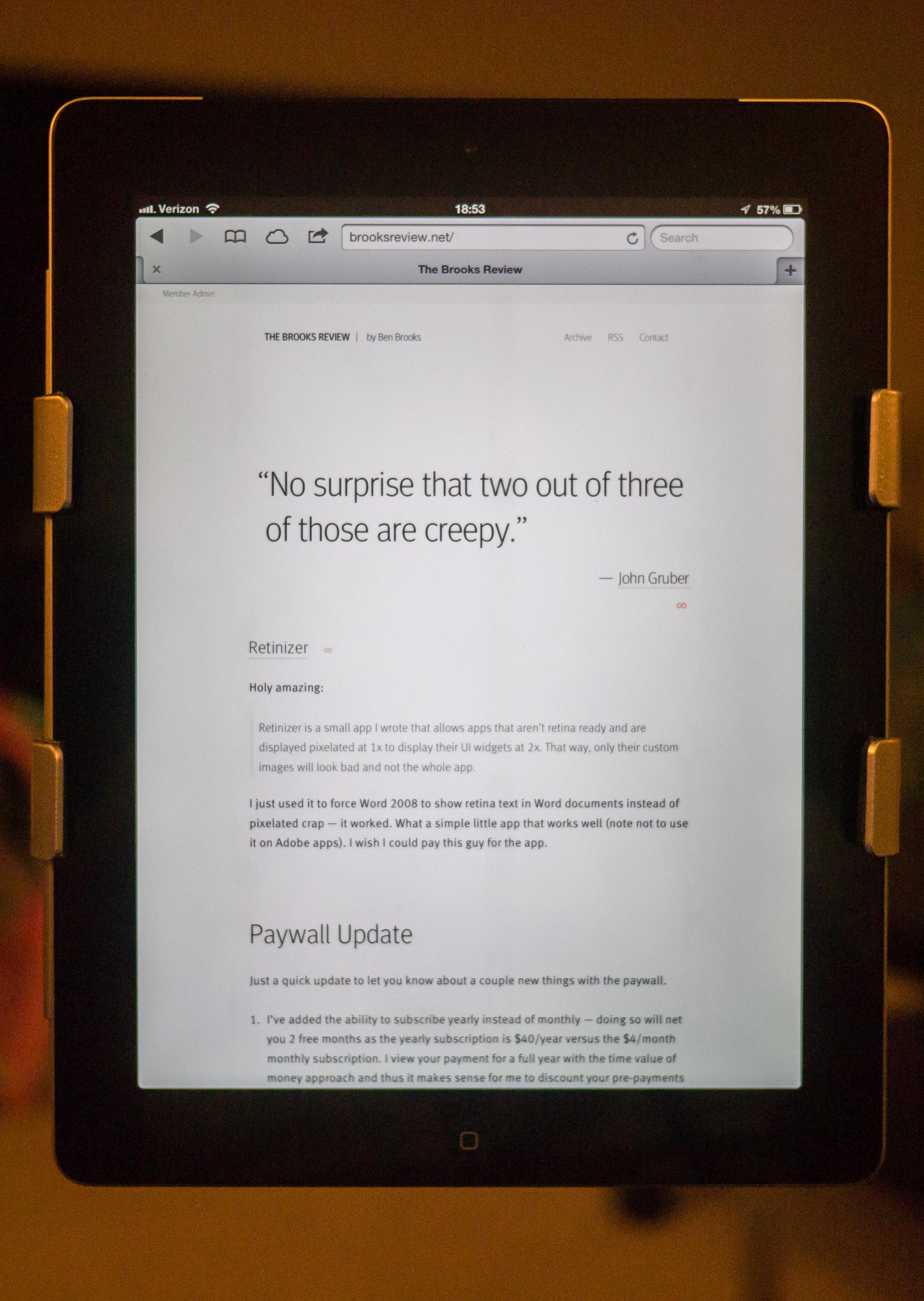
    iPad clamped in with Smart Cover still on.

    The FLOTE is not perfect, but you’d be hard pressed to look at it, use it and still say that it is over priced. It’s well made, it’s solid. A lot of thought has gone into it and the two problems I have with it are fairly minor in use.

    No, my real problem with the FLOTE is that it solves a problem — that as it turns out — I really don’t have.

  • Quote of the Day: The Macalope

    “If Amazon’s big loss is due to selling a ton of Kindle Fires, shouldn’t that loss have been offset by the company selling lots of content?” – The Macalope

    “If Amazon’s big loss is due to selling a ton of Kindle Fires, shouldn’t that loss have been offset by the company selling lots of content?”
  • Tip of the Day: TextExpander’s Folder-Level Options

    Justin Blanton: >Is there a way to force TextExpander to ignore non-whitespace chars that prevent expansions? E.g., ” xyz” expands, but “(xyz” doesn’t. Turns out, there is. I had no clue, and am red in the face for not knowing this. Question: Why do you (readers) separate your snippets in groups (folders)? I never have,…

    Justin Blanton:
    >Is there a way to force TextExpander to ignore non-whitespace chars that prevent expansions? E.g., ” xyz” expands, but “(xyz” doesn’t.

    Turns out, there is. I had no clue, and am red in the face for not knowing this.

    Question: Why do you (readers) separate your snippets in groups (folders)? I never have, and would love to hear why.

  • The B&B Podcast #83: Listener Q&A

    >Shawn and Ben answer questions from the listeners, covering topics about Pinboard, budgeting, tech purchases, Apple Care, upgrades, covering Apple news, and more. Brought to you by our outstanding sponsor: – Doxie Go — A better way to go paperless. [Go get one, or two.](http://www.getdoxie.com)

    >Shawn and Ben answer questions from the listeners, covering topics about Pinboard, budgeting, tech purchases, Apple Care, upgrades, covering Apple news, and more.

    Brought to you by our outstanding sponsor:

    – Doxie Go — A better way to go paperless. [Go get one, or two.](http://www.getdoxie.com)

  • ‘Scrolling vs. Pagination’

    I rarely disagree with Lukas Mathis, but in this case he is incorrect: >Scrolling affords a completely empty kind control. The user is doing more, she’s controlling more, but she’s not actually achieving more. and: >Pagination gets out of the way. Read a page. Push a button. Read the next page. Repeat. No needless interference…

    I rarely disagree with Lukas Mathis, but in this case he is incorrect:

    >Scrolling affords a completely empty kind control. The user is doing more, she’s controlling more, but she’s not actually achieving more.

    and:

    >Pagination gets out of the way. Read a page. Push a button. Read the next page. Repeat. No needless interference with the actual text being read, no unnecessary interactions that could pull the reader out of the book’s world.

    In an ideal world, he is correct, but on the web he isn’t correct. Let’s use Instapaper as an example since it pulls all pages of an article and allows scrolling or pagination. The pagination is a great touch, but it leads to a broken reading experience in my usage.

    Why? Because an algorithm not a human chose the pagination points. A well designed and devised pagination system — from the author — works well because the author can choose a natural break point.

    So in Instapaper I scroll, because the reading experience is more fluid and less broken. I like pagination in reading apps, but I much prefer a fluid reading experience. So scrolling is still the best in my mind.

  • Atwood’s Surface

    Jeff Atwood on his Microsoft Surface RT: > Surface is just like the first iPad in that it has all the flaws and rough edges you’d expect in a version one device. But it is also like the first iPad in that there is undeniably the core of something revelatory and transformative here – a…

    Jeff Atwood on his Microsoft Surface RT:

    > Surface is just like the first iPad in that it has all the flaws and rough edges you’d expect in a version one device. But it is also like the first iPad in that there is undeniably the core of something revelatory and transformative here – a vision of the future of computing that doesn’t sacrifice either keyboard or touch.

    A great and very much positive take on the Surface RT by a guy who just wants cool computers. He makes some fantastic points, including the above quote.

    Last night I saw an ad for Best Buy that features a convertible Microsoft laptop of some sort and I have to say, I can see the appeal of that for people. For example I am tapping this out in my iPad, sitting in a vacant office space waiting for a service technician — this is something I do often. I have my iPad 3 with LTE, my iPhone 5 with LTE, and my retina MacBook Pro all here. Yet I’m only using the iPad, because at a moments notice I will need to get up and meet a technician. With my laptop that means I’d have to close it up and stuff it carefully back in my bag. The iPhone is too small for typing like this, so I go with my iPad, but I would be done with this post already if I had a keyboard for the iPad, then again that’d be silly because my retina MacBook Pro is right here.

    All that to say that I often find myself in situations where such a hybrid computer would not only be useful, it’d be *better*. Now, I am wondering how that would translate for the rest of my life, could I dump my iPad and retina MacBook Pro for just one device? It doesn’t seem possible, especially if it means switching to Windows, but then again I thought the same thing when I switched to the Mac in 2004. I don’t want to switch to Windows, but I also live to find a better, easier, way to live.

    Maybe it is worth giving it a try… Really.

  • What If, No That Couldn’t Happen… Could It?

    Here’s a crazy, yet pretty awesome, thought that I had today: what if Microsoft finally canned Steve Ballmer and hired Scott Forstall as their new CEO? Let’s put aside the fact that Forstall is still working *with* Apple for another year, and the fact that he likely has a non-compete for 6-12 months after that.…

    Here’s a crazy, yet pretty awesome, thought that I had today: what if Microsoft finally canned Steve Ballmer and hired Scott Forstall as their new CEO?

    Let’s put aside the fact that Forstall is still working *with* Apple for another year, and the fact that he likely has a non-compete for 6-12 months after that. All of that aside, what if?

    I don’t think it is that absurd of a fit, [Forstall is labeled as a “jerk” to work with](http://www.fastcodesign.com/1670760/will-apples-tacky-software-design-philosophy-cause-a-revolt), [yet Ballmer throws chairs](http://www.theregister.co.uk/2005/09/05/chair_chucking/). So Forstall is probably less of a jerk than Ballmer — that has to be a plus for Microsoft.

    Add to that Microsoft’s board can tout they just hired the man that was key in making iOS what it is today. Another stock win there.

    Microsoft could be infused with a little Apple blood to get things going. That can’t hurt anyone.

    Most of all though, Microsoft would be a whole hell of a lot less boring.

    The fact is, Forstall was only head of one division at Apple — albeit a very important and successful division, but only that division. I don’t know how he would do as a CEO of any company, but I can’t see him taking any less of a position. That’s why I think it would be in Microsoft’s best interest to try and hire him.

    Oh one last thing: I bet such a move would put a dent in Apple’s stock for a bit. Apple’s “arch-rival” of days-past hires a recently ousted executive of Apple’s most popular product line, who now vows revenge.

    That’s something that would make me break out the kettle-corn.

  • Mac mini Pro

    Rob-ART Morgan: >Some readers are asking if the ‘late 2012’ Mac mini with a Quad-Core i7 processor can match the power of a Quad-Core Mac Pro. Many Mac Pro owners have a keyboard, mouse, and display they like. Shouldn’t they save a pile of money and replace their old Mac Pro with a new Mac…

    Rob-ART Morgan:
    >Some readers are asking if the ‘late 2012’ Mac mini with a Quad-Core i7 processor can match the power of a Quad-Core Mac Pro. Many Mac Pro owners have a keyboard, mouse, and display they like. Shouldn’t they save a pile of money and replace their old Mac Pro with a new Mac mini?

    The conclusion is not quite a full yes, but it’s amazing to think that this question isn’t that laughable any longer.

    I hate to spoil Morgan’s conclusion, but the GPU speed is the limiting factor of the mini. The mini though has Thunderbolt, so I wonder how long before you can buy high-zoot external graphics card for the Mac mini that connects via Thunderbolt and thus makes the Mac mini perform on par with a Mac Pro? A year? More?

    [I didn’t like the Mac mini I tried](https://brooksreview.net/2012/06/mac-mini/), but then again it didn’t have an SSD or nearly this kind of speed.

  • Quote of the Day: Jason Fried

    “Easy feels like a cold Coke on a hot day.” — Jason Fried

    “Easy feels like a cold Coke on a hot day.”
  • Amazon Item of the Week: Simplehuman Wall Mount Paper Towel Holder

    [After ranting about hating my paper towel holder](https://brooksreview.net/2012/10/gray/), I spent countless minutes on Amazon trying to find a better paper towel holder. After reviewing the options for free-standing units I decided to go with a wall/cabinet mounted holder. I didn’t want one of those crappy plastic ones we had when I was a kid, so…

    [After ranting about hating my paper towel holder](https://brooksreview.net/2012/10/gray/), I spent countless minutes on Amazon trying to find a better paper towel holder. After reviewing the options for free-standing units I decided to go with a wall/cabinet mounted holder. I didn’t want one of those crappy plastic ones we had when I was a kid, so I bought this.

    It’s fantastic. Easy and fast to change rolls. Enough friction to allow easy tearing of the sheets, but still allow a smooth roll when you want to pull off several sheets. Looks nice, and feels solid.

    I actually like using it, so that says it all right there.

    $22.47 with Prime shipping? No brainer.

  • ‘Gizmodo Has Its Slashdot Halloween Moment 11 Years Later With iPad Mini’

    A great comparison by Daniel Eran Dilger of Gizmodo and Slashdot and the irrelevance that Gizmodo is bringing on itself. Culminating in this conclusion: >But these are the issues that a tech blog like Gizmodo is supposed to draw attention to. Instead, Jesus Diaz simply compared some spec numbers and gave his readers misleading generalizations…

    A great comparison by Daniel Eran Dilger of Gizmodo and Slashdot and the irrelevance that Gizmodo is bringing on itself. Culminating in this conclusion:
    >But these are the issues that a tech blog like Gizmodo is supposed to draw attention to. Instead, Jesus Diaz simply compared some spec numbers and gave his readers misleading generalizations and false information they could get from Amazon itself.

    I don’t read Gizmodo, but the times I do see some of their writing quoted it reads like a less witty and less humorous post from *The Onion*. I don’t think that’s their goal.

    Any reader of this site knows by now that I make a lot of snap judgments and I am wrong a lot. Typically if I find that I am wrong I correct myself, own that I am wrong, explain, and move on. I didn’t have this blog when the first iPad was announced, but I distinctly remember thinking it was dull — I didn’t want one. Maybe a week or two went buy and I was sold on the idea and pre-ordered mine.

    I’m glad I didn’t have a blog to memorialize that thought.

    One of the things that I have been working hard to do lately is to explain my judgments. To put thought to them. So that when I am wrong I can point specifically to where and *how* I was wrong. That’s important to me.

    Where Gizmodo is wrong is that they have fallen into a trap of sensationalistic journalism focusing exclusively on Apple bashing. They turned that corner when they purchase a known-to-be-stolen iPhone 4 and subsequently were black-balled by Apple. Their animosity towards Apple has transcended bias and moved on to spite. This benefits no one. If they are unwilling to admit when Apple make something that is great, how can any reader respect their conclusions on any other device? They can’t and shouldn’t.

    Coincidentally, I am seeing similar crap happening at *The Verge*, but that’s another story for another day.

  • Quote of the Day: Matthew Panzarino

    “It was a deal with the devil, made in a moment of desperation, and it’s been haunting Google ever since.” — Matthew Panzarino

    “It was a deal with the devil, made in a moment of desperation, and it’s been haunting Google ever since.”
  • The Everyday Pocket Knife

    It’s sad and disturbing to think that when my kid(s) are of an age that I trust them with knives, they simply will not be allowed to carry them at school. Of course, this has always been a touchy subject, but I carried one everyday from third grade on. In fact, 9/11 was the only…

    It’s sad and disturbing to think that when my kid(s) are of an age that I trust them with knives, they simply will not be allowed to carry them at school. Of course, this has always been a touchy subject, but I carried one everyday from third grade on. In fact, 9/11 was the only event that caused me to stop carrying a knife, as our population was too scared post-9/11 and I had no patience to deal with the odd looks.

    Time passes, memories fade, and look — there’s a knife in my pocket everyday again, but why?

    I’ve [talked](https://brooksreview.net/2012/05/survival-knife-2/) [a lot](https://brooksreview.net/2011/12/knife-follow-up/) [about](https://brooksreview.net/2011/11/fielder/) [knives](https://brooksreview.net/2012/04/wet-stone-amazon/) in the past and even offered a few reasons to carry a pocket knife everyday, but I don’t think I’ve convinced everyone just yet — so let’s try and do that now.

    There are three keys to wrapping your head around carrying a pocket knife on a daily basis. You need to de-weaponize, utilize, and familiarize your knife.

    *(Well, you have to buy one too, but that’s another issue all together that I will address in a later post.)*

    ## De-Weaponizing

    The hardest part about deciding to carry a knife everyday is that, as an individual, you must make the distinction between weapon and tool. A pocket knife is rarely ever a weapon and almost always a tool. Think of your pocket knife less like a gun and more like a hammer. Yes, a hammer can be used as a weapon, but first and foremost it *is* a tool — so too is your pocket knife.

    In the many years I have spent carrying a pocket knife there have been exactly zero times I have needed to use the knife as a weapon and countless thousands of times I have needed it as a tool. You simply won’t find yourself in a situation where stabbing with a 3 inch knife blade is more beneficial than throwing a rock.

    Pocket knives are tools, in fact, most knives are — first and foremost — a tool.

    Side note: You are not likely to ever convince non-pocket knife carriers that your knife is a tool.

    ## Utilize

    If I can convince you of that first hurdle, the next question people always ask is: “What do *I* need a knife for?”

    So, off the top of my head, here’s a list:

    – Cutting things.

    Perhaps that is too overly simplified, but it *is* the truth. I am not going to try and sell you on the idea that carrying a pocket knife is going to change your life, or even save it ((Just as your knife is not a weapon, it is highly unlikely it will save your life — just think of how many scenarios you have been in where a knife would have saved your life. That said, it can’t hurt if you are in a bad situation.)) , but I do believe that carrying a pocket knife results in an easier life.

    Easier in the sense that I don’t struggle to rip open some packaging, try to snap a thread off my shirt only to cause a bigger problem, or any of the other various minutia that I encounter in my day-to-day life which requires cutting something. You honestly will be amazed at just how much you *could* use a knife everyday, but instead you struggle to get by without a knife and that largely works — not fun though.

    ## Familiarization

    If you are sold on the the above two arguments, the last hold out is always your comfort level carrying and using a pocket knife.

    There is only one way to get over this: you get really, *really*, comfortable with *your* knife.

    This sounds trivial, and it is, but it will be the one step that takes you from carrying a pocket knife sometimes, to carrying and *using* your pocket knife everyday. Remember how awkward it was to type on your iPhone when you first got it? Then after some practice and usage you can tap out things quickly and easily. Same principle here, you need to get your knife in your hand and use it — a lot.

    The more comfortable you are with your knife, the more you will find it being a natural extension of your hand. Again, like your iPhone probably is.

    ## Practical Advice

    You’re convinced now, right?

    Now being the good nerd you are you will Google: “best pocket knife to carry everyday”. From that search you will learn two things:

    1. Knife geeks call these types of knives “EDC”, or “Everyday Carry” knives.
    2. Every person has their own opinion as to what the best EDC is, and nobody seems to hold the same opinion.

    Since you are now lost, I will offer you two places to start your search: [Blade Reviews](http://bladereviews.com) and [Amazon](http://www.amazon.com). As you are looking through all the options, you need to consider the following:

    – **Blade length**. Ideally you should try to keep this under 3-inches, most US States and Cities have [regulations](http://thefiringline.com/library/blades/knifelaws.html) surrounding knives over 3.5 inches, so be sure to look that up for your area.
    – **Overall length**. Most websites won’t tell you the closed length, so you will need to subtract the blade length from the overall length to get an idea of how big the knife will be in your pocket. I prefer a knife between 3-4 inches long when closed.
    – **Blade type**. Look for a straight edge, nothing with serrations to start. Get a standard “drop point” (the blade shape that looks like your stereotypical knife blade).
    – **Price**. Keep it under $50 to start.
    – **Brand**. Stick with name brands, such as: Spyderco, SOG, CRKT, Gerber, Buck, Benchmade, etc.. If it sounds familiar it is probably OK to start, but a quick trip to Blade Reviews will put you at ease.

    If this is your first knife, don’t get too hung up on the steel types used. There’s a huge variation in quality, but for a daily pocket knife you can get away with cheaper steel if you are willing to sharpen your blade more often and aren’t worried about using the knife for survival.

    Which reminds me, be sure to [buy a sharpener](http://www.amazon.com/exec/obidos/ASIN/B000N35D2E/ref=nosim&tag=brooksreview-20).

    ## Parting Wisdom

    Buy a knife that you are proud to show off, is comfortable in your pocket, and one that reflects your personality. If you buy a cheesy knife, you will never want to take it out when others are around and this defeats the purpose.

    If you buy a knife that you truly love you will want to find things to use it on — and that’s when a pocket knife moves from crap in your pocket, to an essential tool.
  • Apple Delays iTunes 11

    [Om Malik, yesterday, on the Apple shakeup](http://gigaom.com/2012/10/29/from-inside-apple-the-scott-forstall-fallout/): >In conversations, I learned about something that is troubling from a long-term point of view. Unlike in the Jobs era, when the company would ship features when they were ready for primetime, a culture of schedule-driven releases has become commonplace. Jim Dalrymple, today, quoting Tom Neumayr from Apple:…

    [Om Malik, yesterday, on the Apple shakeup](http://gigaom.com/2012/10/29/from-inside-apple-the-scott-forstall-fallout/):

    >In conversations, I learned about something that is troubling from a long-term point of view. Unlike in the Jobs era, when the company would ship features when they were ready for primetime, a culture of schedule-driven releases has become commonplace.

    Jim Dalrymple, today, quoting Tom Neumayr from Apple:

    >The new iTunes is taking longer than expected and we wanted to take a little extra time to get it right.

    So the way I see it one of three things has happened:

    1. iTunes 11 is in such poor shape there is simply no way they could release it.
    2. Apple has quickly learned from the Maps debacle (and Siri) and decided to revert back to the waiting until its ready deployment schedule.
    3. Malik’s anecdote is full of shit and Apple never switched to a schedule driven company.

    I know where my money is and it’s not with anything associated to bodily functions.