David Zax on new technology to be a part of Intel’s, soon-to-be-doomed, ultrabook initiative: >Basically, it lets a device automatically join a free Wi-Fi network, even if that network typically requires some sort of manual input to join. It achieves this feat by sending a specially-formatted DNS query that can worm its way past any…
David Zax on new technology to be a part of Intel’s, soon-to-be-doomed, ultrabook initiative:
>Basically, it lets a device automatically join a free Wi-Fi network, even if that network typically requires some sort of manual input to join. It achieves this feat by sending a specially-formatted DNS query that can worm its way past any Wi-Fi router that’s not hyper-fortified. The query then heads to Devicescape’s servers, bearing details of the Wi-Fi point; then Devicescape’s servers send back tailored instructions on how to gain access to that Wi-Fi point. Devicescape’s software on your device is then able to link you–automatically.
The article goes on to make it sound like the WiFi access points have to opt-in to the service, but there’s a lot of potential for — well — things to go badly. For example, what’s to stop a hacker from registering his WiFi hotspot and skimming all your data when you connect — since the connection can be made while the laptop is still in your bag?
This is one of my favorite *[Little Things](https://brooksreview.net/2012/05/little-things-2/)* tips: just buy more chargers for your devices. I know that you have probably heard this before, but I really do hope that you do this. In case you don’t know what I am talking about I want to walk you through a typical day of mine…
This is one of my favorite *[Little Things](https://brooksreview.net/2012/05/little-things-2/)* tips: just buy more chargers for your devices. I know that you have probably heard this before, but I really do hope that you do this.
In case you don’t know what I am talking about I want to walk you through a typical day of mine back in 2006 (which was right before I started deploying this tip in my life).
### 2006 Ben
I was using a 15” MacBook Pro and I only had one charger for it. Keep in mind I used this Mac for *everything* — no iPhone was around yet. In a typical day during this time I would have to unplug and relocate my MacBook Pro charger no less than five times.
That isn’t a shockingly high number, until you think about the fact that outlets are not conveniently placed. They are placed low on the wall and often in spots where you want to block them with furniture. It’s not hard, per se, to move a laptop charger from room to room — but it *is* very annoying.
### Present Day Ben
Now I own several MacBook Air chargers. I keep one at my desk at work. One at my desk at home. I keep the third one in my cord bag so that I can easily toss it in my bag if I need to. (Before I switched to the MacBook Air, with its long battery life, I used to keep a fourth laptop charger in the living room routed between the couch cushion that I normally sat on.)
I can’t remember the last time that I bothered with toting chargers around with me in my day-to-day life. That’s not only less weight and stuff to carry, but it’s a lot less of the fiddling with placing chargers.
### Why You Need to Do This
How many times have you been working on your device (any battery powered device) only to have the battery start to die and instead of plugging in the device to keep working, you decide to just go plug it in to the charger — wherever that charger maybe?
If you do that even once a week, you know how big of a pain that can be. Doesn’t matter if it is your iPad, iPhone, or Mac — having to stop working to go charge it somewhere that you don’t want to work is annoying.
So by buying yourself an extra charger (or three) you can quickly eliminate this annoyance.
I think to most of you the laptop charger scenario will make a ton of sense — the chargers are heavy and we like to route the wires nicely on our desks.
What about iPhone though?
I think any avid iPhone owner will agree that the battery life could be much better. In a typical day my iPhone will be sitting at about 20% left when I get home around 5p. That’s not great — I made it through the work day — but it won’t last me the night.
I actually have iPhone chargers everywhere.
– Living room
– Home office
– Car
– Office, office
– Bedroom
– Two extra chargers in my cable bag
Here’s the thing with my iPhone: I don’t like to not be near it, ever. It bugs me — yeah call me OCD, or odd — fact is I like my iPhone close to me at all times. I also realize that the battery will die if I don’t charge it at some point during the day, thus all the chargers scattered throughout my life.
It’s even to the point where I am going to go put an iPhone charger in our guest room, just so our guests don’t have to mess with plugging in (and forgetting) their chargers.
### The Exception
There is only one exception to my “buy a ton of extra chargers” rule: my iPad. The iPad has proven to me that it’s battery life, and the amount per day that I use it, don’t warrant having chargers anywhere but in the bedroom. ((Of course this is helped by the fact that I can, in a pinch, charge off of iPhone chargers.))
As battery life in my devices improve this will likely reduce the amount of chargers I have to carry.
### But Until Then
I am going to keep strategically placing chargers throughout my life for two reasons:
1. I hate having to move chargers.
2. I love knowing that I don’t need to worry about battery life because it is either good enough, or a charger *will* be near.
Ok, go buy some chargers.
#### Buying Advice
Obviously with Mac laptops you need to buy Apple chargers, but for your iPhone here are a couple of chargers you may want to consider:
– [Belkin Mini Surge](http://www.amazon.com/exec/obidos/ASIN/B0015DYMVO/ref=nosim&tag=brooksreview-20): I love to take this traveling or to coffee shops. You get three power ports and two USB chargers. It won’t charge your iPad at full speed, but it’s a great travel companion.
– [Griffin Car Charger](http://www.amazon.com/exec/obidos/ASIN/B0042B9U8Q/ref=nosim&tag=brooksreview-20): The best part is that this charger has two ports. One for you and one for your wife.
– [Monoprice External Battery Pack](http://www.monoprice.com/products/product.asp?c_id=108&cp_id=10833&cs_id=1083110&p_id=9282&seq=1&format=2): I personally have not used this, but I do have this version that [they no longer make](http://minimalmac.com/post/9551851629/monoprice-powerocks-universal-external-backup-battery) and have nothing but good things to say. What’s great about this power pack is that it can charge an iPad at full speed, which means I just bought one for myself.
Bill Ward on a room that is 99.9 percent sound proof: >Besides being able to hear one’s own heart, stomach and even inner ear, or the sounds emitted by a cellphone’s display, first-timers in the quiet room find their other senses discombobulated by “cross-modal” perceptual effects. >“Your eyes don’t feel as comfortable in this room,”…
Bill Ward on a room that is 99.9 percent sound proof:
>Besides being able to hear one’s own heart, stomach and even inner ear, or the sounds emitted by a cellphone’s display, first-timers in the quiet room find their other senses discombobulated by “cross-modal” perceptual effects.
>“Your eyes don’t feel as comfortable in this room,” Orfield pointed out, adding that some visitors have had hallucinations during or after a spell in there. “You lose your touchstones.”
You have no idea how badly I want to see how long I could last in this room.
Tapping the link is just going to download the zipped file for my Keyboard Maestro macro, so let me explain what you are getting. First, credit where credit is due, a big thanks to [Greg Pierce for getting me a working AppleScript for this](https://twitter.com/agiletortoise/status/207954077345267712) (I was using an Automator action before, which was pretty slow).…
Tapping the link is just going to download the zipped file for my Keyboard Maestro macro, so let me explain what you are getting.
First, credit where credit is due, a big thanks to [Greg Pierce for getting me a working AppleScript for this](https://twitter.com/agiletortoise/status/207954077345267712) (I was using an Automator action before, which was pretty slow).
All you have to do to make this work is to grab the path to your image and plug it in to the AppleScript and you are done. From there you can adjust the time and days that your image changes.
I use this to change the image:
– In the morning when I get up.
– Mid-morning
– Evening
– Late night
– When I launch iA Writer
The first four are pretty simple, I just trigger with the time and have a new macro for each desktop image and time that I want it to change the background. I set it so the late night image is very dark, and the morning is bright, therefore slowly moving from bright to dark throughout the day.
*(Bonus tip: save the images as something like `morning.jpg` all in the same directory so that you only need to type the path once. Another bonus to this is that if you ever want to change the image you only need to replace the image with a new one of the same name — no touching the macro.)*
For the iA Writer background change I have the macro set to activate when I launch iA Writer and another set to switch back to a predetermined background when I quit iA Writer.
One final note: you will notice that I assigned a hotkey to this macro as well, that’s because this script changes the background of your *current* main display. Therefore if you hook a laptop to a monitor, the image will not change on your laptop — the hotkey is so that I can manually change the image if I please.
What a great way to look at the popularity of politics: your WiFi SSID. ((Fun fact: my WiFi is still “Comcast is Probably Down”. Which I find to be comical when a Comcast rep shows up to work on my Internet service.))
What a great way to look at the popularity of politics: your WiFi SSID. ((Fun fact: my WiFi is still “Comcast is Probably Down”. Which I find to be comical when a Comcast rep shows up to work on my Internet service.))
I assume that I had a similar experience as most college kids in the U.S. — that experience goes something like this: – I don’t have much money. – I need/want XYZ – I am going to settle on ABC because I don’t want to try and (or can’t) shell out the money for XYZ…
I assume that I had a similar experience as most college kids in the U.S. — that experience goes something like this:
– I don’t have much money.
– I need/want XYZ
– I am going to settle on ABC because I don’t want to try and (or can’t) shell out the money for XYZ
– ABC is not as good as XYZ, but *I* have ABC
I couldn’t afford anything other than a base model 12” Powerbook G4 and even though it was dog slow with only 256mb of RAM, well, it was *my* dog slow Powerbook G4. I could have worked at getting more RAM quickly, because I did use the machine all the time, but at that time this concept so succinctly put by Marco Arment was largely a mystery to me:
>If you sit on, sleep on, stare at, or touch something for more than an hour a day, spend whatever it takes to get the best. -[@marcoarment](http://twitter.com/marcoarment/statuses/13642753090)
It’s a statement that makes so much sense once you have done just that, spend whatever it takes, but a concept that is foreign to many as they are starting out in life.
I used to think: “A bed is a bed” and now I know “all beds are not equal”.
Luckily I found this out long before Marco tweeted it, but it’s something that is an ongoing pursuit in my life: to get the best X that I can get.
That doesn’t always mean the most expensive, just the best for *me*. I started this with the things that I use, or interact with, the most each day. That means I started with my bed and the difference was amazing.
What I have found is that by doing this I am incrementally making my life more enjoyable each and everyday. It really is the little things that count, because if you improve enough of the little things (and the big things don’t suck) then pretty soon you are going to have a lot of great things going for you and thus you *will* be happier.
This is the reason I often write about recurring topics on this site — it’s a documentation of my pursuit to find the perfect thing for me.
It’s why I have over 18 bottles of partially consumed whiskey in my house.
Why I constantly am trying weather and note taking apps.
The reason behind my obsession with finding a perfect bag and now my obsession with talking about my perfect bag.
Or why I endlessly write about knives, much to the annoyance of many readers.
This is the reason why I bought a BMW when I owned a perfectly good car (that I owed no money on).
You can get by with less than great all you want, but you can’t be happy with less than great — at least I don’t know many people that can be.
‘Great’ is subjective and highly personal.
What is great for me may not be great for you. For *my* great thing to be great for you, we must hold similar values and live a similar life.
This post marks the start of an ongoing series about those little things that I have found to be great for me. It may be a nice light switch, a new Keyboard Maestro macro, or even a really great shirt. I am not going to just talk about the products that I chose, but I am going to try to focus a bit on both: how I chose the item, and why I chose to make this item a priority in my life.
*Stay tuned*. ((I am going to title each of these posts starting with “Little Thing:”, so that you know what you are getting into when I post it.))
Danny Sullivan: >Eight years ago, Google viewed paid inclusion in general as some type of evil the company should avoid and in particular something that could cause shopping search to have poor relevancy or be biased. >What happened to cause such a change? Oh, me, me, me! Google changed the definition of paid inclusion. Clever.…
Danny Sullivan:
>Eight years ago, Google viewed paid inclusion in general as some type of evil the company should avoid and in particular something that could cause shopping search to have poor relevancy or be biased.
>What happened to cause such a change?
Oh, me, me, me! Google changed the definition of paid inclusion. Clever.
I don’t really care about this because my ‘shopping search engine’ is Amazon.com, but this is just another change (among many) from the Google that we all *used* to know and love.
New update for Dark Sky is out and it adds 24-hour forecasts. I was worried they might be cluttering up the UI too much, but it was done very well. A nice slide up or to the side depending on your device and you get the 24-hour forecast nicely broken down. A really nice addition…
New update for Dark Sky is out and it adds 24-hour forecasts. I was worried they might be cluttering up the UI too much, but it was done very well. A nice slide up or to the side depending on your device and you get the 24-hour forecast nicely broken down. A really nice addition to the app.
Neat site with a lot of Coda 2 themes. I particularly like that the site’s design switches to the coloring of the selected theme so that you can preview it. Also, [here is a link to another site](http://justinhileman.info/coda-colors/) with Coda 2 themes — this one has the excellent Solarized themes.
Neat site with a lot of Coda 2 themes. I particularly like that the site’s design switches to the coloring of the selected theme so that you can preview it.
Also, [here is a link to another site](http://justinhileman.info/coda-colors/) with Coda 2 themes — this one has the excellent Solarized themes.
Mark Lukach takes a look at standing desks for *The Wirecutter* and points out the [Kangaroo Pro Junior](http://www.ergodesktop.com/content/kangaroo-pro-junior). I had never heard of this desk that modifies any desk and converts it to a stand/sit desk. I think I am going to order one, but would like to hear from you guys if you have…
Mark Lukach takes a look at standing desks for *The Wirecutter* and points out the [Kangaroo Pro Junior](http://www.ergodesktop.com/content/kangaroo-pro-junior). I had never heard of this desk that modifies any desk and converts it to a stand/sit desk. I think I am going to order one, but would like to hear from you guys if you have one first — looks neat to me.
This isn’t the best Nerf gun in the world, but I just use it to shoot at my cat when he starts scratching the furniture. It’s an effective deterrent (though it only has an effective range of about 15 feet) and shoots accurately. Oh, and it’s less than $9 with Prime shipping. If you own…
This isn’t the best Nerf gun in the world, but I just use it to shoot at my cat when he starts scratching the furniture. It’s an effective deterrent (though it only has an effective range of about 15 feet) and shoots accurately.
Oh, and it’s less than $9 with Prime shipping. If you own a cat, get this.
Ki Mae Heussner for GigaOm on the AdKeeper site that allows web readers to save an ad for later (yeah, I know): >But they’re finding that consumer behavior isn’t changing as fast as they’d hoped. Well, color me surprised. >[…]they’ve decided to spread some of the $40 million they’ve raised on other ways of connecting…
Ki Mae Heussner for GigaOm on the AdKeeper site that allows web readers to save an ad for later (yeah, I know):
>But they’re finding that consumer behavior isn’t changing as fast as they’d hoped.
Well, color me surprised.
>[…]they’ve decided to spread some of the $40 million they’ve raised on other ways of connecting consumers and brands.
Woah, woah, woah, Heussner, you just toss that out there like it should be obvious what clown put up $40 million to back a service for users to save ads for later — the same ads that users actively try to ignore and block — oh wait, just saw this at the bottom of the post:
>Disclosure: True Ventures, which invested in AdKeeper, is an investor in the parent company of this blog, Giga Omni Media. Om Malik, founder of Giga Omni Media, is also a venture partner at True.
Cool beans, now I know it’s not just AdKeeper that is drinking the Kool-AID.
Here’s what the president of the AdKeeper parent company thinks of the product:
>“I believe it will be a behavior that we all know and love in the future,” she said. “It will just take time.”
Don’t hold your breath on that one.
Lastly:
>Keep Holdings also recently launched Swizzle, an email-based service that lets consumers manage all brand-related messages from a consolidated location. The service ports all of a consumer’s brand-related content out of their normal inbox, lets them unsubscribe from the ones they no longer wish to receive and organize the ones they do care about.
In case you missed what that was saying, the best I can tell, they created a service for you to organize your SPAM. No, like, really.
>Last week it opened in beta to its first few thousand users.
Micah Lee and Peter Eckersley writing for EFF.org on the ‘crystal prison’ that is a locked os (like iOS) and the excuses given by companies that do this: >When technology and phone companies defend the restrictions that they are imposing on their customers, the most frequent defense they offer is that it’s actually in their…
Micah Lee and Peter Eckersley writing for EFF.org on the ‘crystal prison’ that is a locked os (like iOS) and the excuses given by companies that do this:
>When technology and phone companies defend the restrictions that they are imposing on their customers, the most frequent defense they offer is that it’s actually in their customers’ interest to be deprived of liberty: “If we let people do what they want with their pocket computers, they will do stupid things with them. You will be safer and happier in our walled compound than you would be outside.”
This is an over simplification of the problem. The EFF calls for a ‘bill of rights’ that would allow users to choose to have an open device. There’s three important things I want to say here:
1. One of the best reasons for a closed system is privacy and security. I don’t know about you but my iPhone contains massive amounts of very private data. From bank passwords, credit card numbers, and access to all my bank accounts. If the system were open I would have no guarantee that that data was still safe — hell even with Apple my address book is occasionally uploaded for no reason. If Apple has a hard time policing every app when they go through the approval process, how would I as an individual approve an app to make sure it was on the up and up?
2. The EFF doesn’t lay out why a closed system *is* bad for a user. The best argument is that it makes it hard for apps under the GNU to be posted (think VLC), but even then that’s hardly a downside when compared to what I lay out in point one.
3. Using iOS is not forced on people, it is a choice. If you want open you choose Android, if you want closed you choose iOS. It’s not something people bully you into using (well maybe Android is if you go to a cell carrier store), you are actively choosing to use a platform knowing the downsides. So how is it the responsibility of Apple to go open, when the user is saying: “I’m fine with closed”? The EFF isn’t fighting the good fight, they are just fighting to fight. Using iOS at all is a privilege, not a right — that alone gives Apple the right to do with it as they please.
>Microsoft, like Apple, is moving toward a dangerous future where users have less freedom to do what they want with their computers, where developers are restricted in what they can accomplish, and where competition and innovation is stifled.
Less freedom? I’m sorry is Microsoft and Apple now asking to approve what website I visit? Is linux suddenly gone? I mean, come on.
Over at [iMore, Rene Ritchie has a post](http://www.imore.com/2012/05/29/ios-6-multitasking-fast-app-switcher/) about the how and why of Apple revamping the way multi-tasking works in iOS 6. He has a lot of examples and some great thoughts. There is one major problem though: multi-tasking in iOS doesn’t need to be revamped. Apple *needed* to add multi-tasking, but they never…
Over at [iMore, Rene Ritchie has a post](http://www.imore.com/2012/05/29/ios-6-multitasking-fast-app-switcher/) about the how and why of Apple revamping the way multi-tasking works in iOS 6. He has a lot of examples and some great thoughts.
There is one major problem though: multi-tasking in iOS doesn’t need to be revamped.
Apple *needed* to add multi-tasking, but they never *needed* to add a multi-tasking switcher because the springboard (your home screen) already serves that purpose. Does it really matter to you if the app is already running on your phone? Are you less likely to open an app because it is not already running?
I think not.
Most iOS users know how to quickly switch from one app to another on iOS: tap the home button, tap the icon of the app you want. That’s pretty simple for every user to do.
Every iteration of possible solutions that Ritchie showed are poor for every iOS user except those that want iOS to be more like Android — the so called “power users”.
iOS is supposed to be simple, and it is simple.
Adding extra chrome to the UI to make switching between already running apps is silly — we already have a good system for doing that.
In a quick poll of iOS users in my office (six of us) I found that there were only two that used the multi-tasking tray — one was me. And now we are calling for a better version? (To be fair I think Ritchie is just asking if it is needed and proposing possible solutions.)
Personally I think that what we need isn’t a better way to switch between all running apps, but a better way to switch between apps that we are currently working in. The distinction is this: I don’t work in more than a few apps at once. Whereas a multi-tasking switcher assumes that I am working with all running, or recently running, apps.
For the most part iOS users put the apps they use the most on their home screen. Beyond that a user *may* just want to be able to quickly toggle between another app they are using at the same time, for this I propose and easy solution:
Excuse the fact that I suck at Photoshop.
This would be easily discoverable by all users, requires no special tapping, and allows you to jump back and forth between two apps that may not normally be on the same home screen. The idea is that these are X apps that you are moving between often, within the last X minutes. If you haven’t been using you phone for an hour, nothing should show here. The idea is that when you are jumping between apps on different screens, it’s nice to have an area where they are next to each other — but unneeded at all other times and for all “running in background” apps.
Right now iOS has two multi-tasking switchers: the home screen, and the multi-tasking tray. Apple doesn’t need to extend the tray to make iOS better for people, and in doing such an extension I worry that iOS would lose a bit of its simplicity.
Oliver Reichenstein: >Promising to make you look wired and magically promote your content in social networks, the Like, Retweet, and +1 buttons occupy a good spot on pretty much every page of the World Wide Web. Because of this, almost every major site and world brand is providing free advertising for Twitter and Facebook. But…
Oliver Reichenstein:
>Promising to make you look wired and magically promote your content in social networks, the Like, Retweet, and +1 buttons occupy a good spot on pretty much every page of the World Wide Web. Because of this, almost every major site and world brand is providing free advertising for Twitter and Facebook. But do these buttons work?
When I had the Twitter buttons on this site I can tell you that they did very little. More importantly with tweeting features being baked into Apple’s Safari browser, these buttons are going to mean even less.
Don’t bother putting them on your site — I wish I hadn’t.
Marcelo Somers: >Facebook advertising doesn’t work because they focus on showing you ads based on who you are, not what problem you are trying to solve. Great post about advertising in general. What people are learning is that “targeting” and “click-throughs” aren’t nearly as important as “buying”. That’s why Google rakes in the dough: they…
Marcelo Somers:
>Facebook advertising doesn’t work because they focus on showing you ads based on who you are, not what problem you are trying to solve.
Great post about advertising in general. What people are learning is that “targeting” and “click-throughs” aren’t nearly as important as “buying”. That’s why Google rakes in the dough: they present ads when you are ready and willing to buy. Facebook presents ads when you are stalking.
As of this writing, Facebook is trading at $29.32 — down again for the day.
From left to right: Bear Grylls, Field Pup, Fixation Bowie, ESEE-4, NW Ranger. Note: This is an outdated post, I am leaving intact. My current picks for survival knives are Bradford Guardian knives. I’ve long had a passion for a good knife, and as I have discussed already — I carry a pocket knife everyday.…
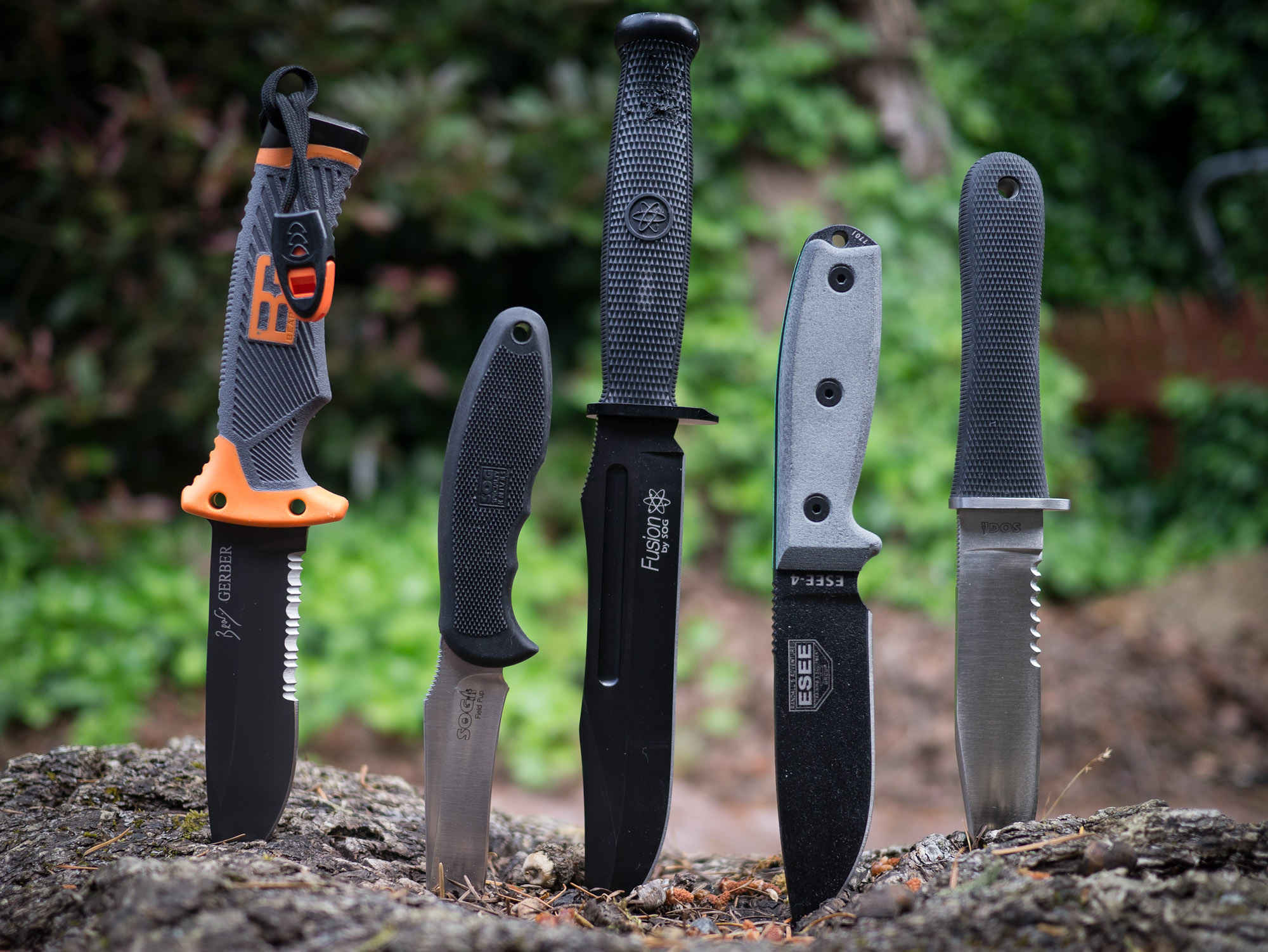
From left to right: Bear Grylls, Field Pup, Fixation Bowie, ESEE-4, NW Ranger.
Note: This is an outdated post, I am leaving intact. My current picks for survival knives are Bradford Guardian knives.
I’ve long had a passion for a good knife, and as I have discussedalready — I carry a pocket knife everyday.
Now that summer is fast approaching and camping/hiking is becoming an activity that more people will take to, I wanted to discuss survival knives. If you aren’t sure what a survival knife is, or how to choose a good one, The Art of Manliness blog has a really nice post on them. Basically a survival knife is a large, fixed blade, knife that one uses to survive in the wilderness with should the worst case be presented. That means that the knife you choose must be versatile.
In this post I am going to be looking at just five such knives that I own, but if you want to look at more options then Blade Reviews is a good place to start.
All of these knives are full tang blades, and all are actually quite different. I ran them through a few tests in my backyard to simulate things that I would do with them while out camping:
Whittling a tent stake.
Striping a tree branch of bark.
Creating kindling.
Chopping a much larger log.
After the test I observed how sharp each blade was and finally resharpened the blades to see how easily (or hard) it is to get back a razor edge.
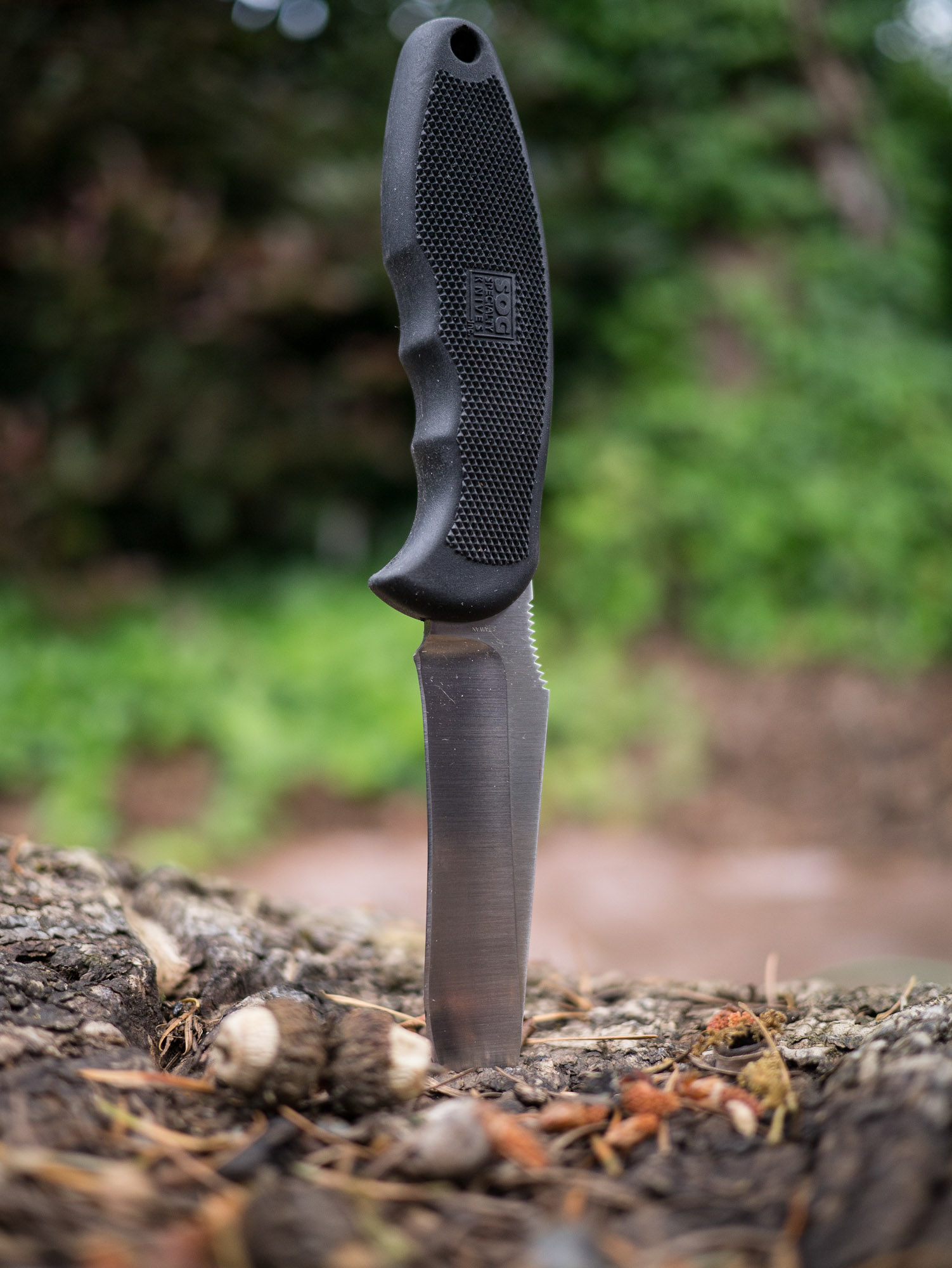
SOG Field Pup
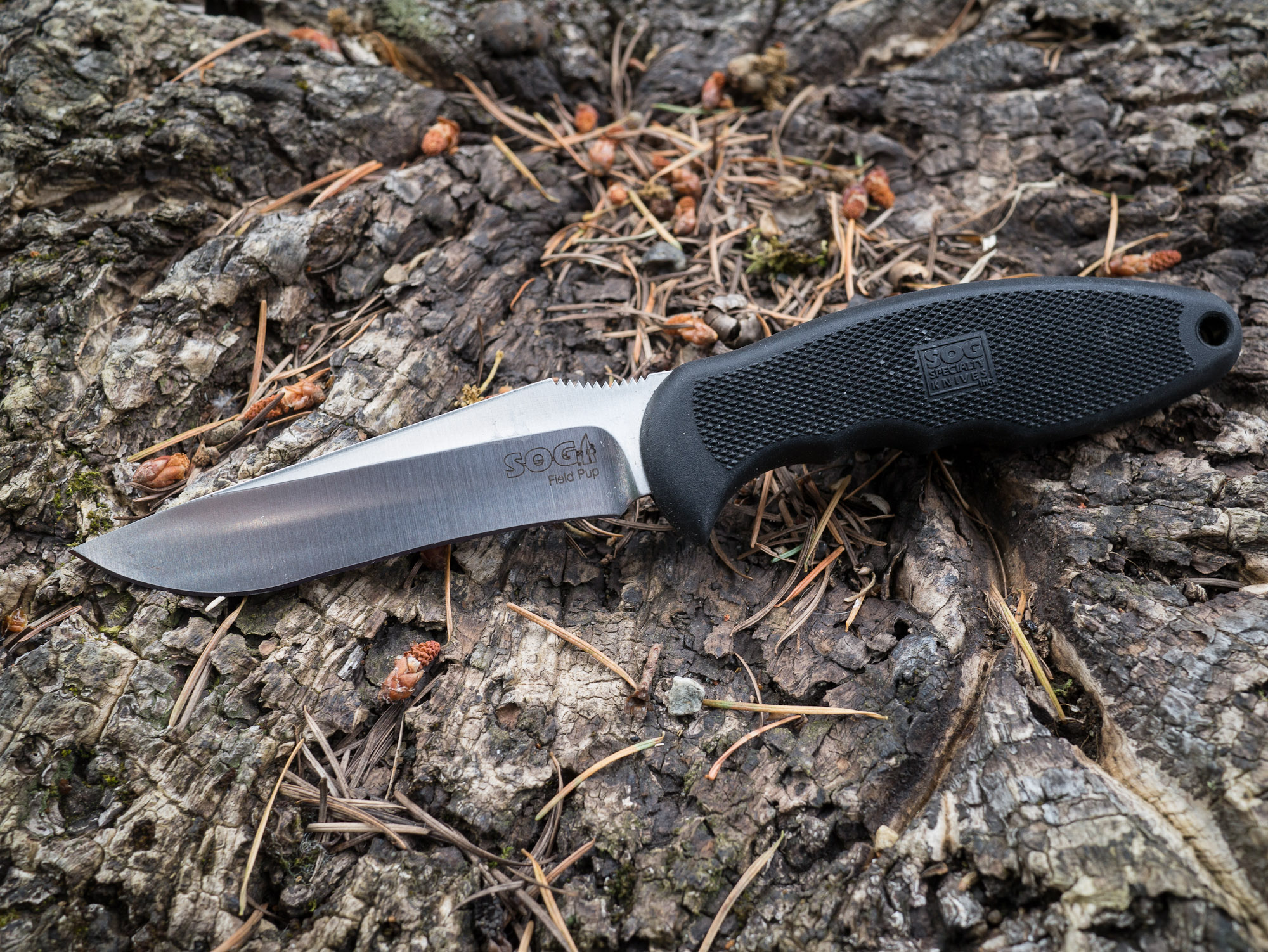
We are going to start with the baby of the bunch, the SOG Field Pup. Of all the knives in this test this is the lightest and smallest of the lot. It has a non-serrated blade that features a curve in the middle.
When whittling this blade offers superior control for a larger knife. It is easy to strip branches and do detail work with. This, I believe, is due solely to the shape of the blade.
However, it is that same blade shape that causes trouble when you try to perform larger tasks with the knife. Creating kindling is easy, but chopping off a branch or chopping down to size a log is a difficult task for the knife. Both because the knife lacks the mass of the others and because the curved blade provides an uneven striking surface. Presenting a large tradeoff for this blade.
Other Notes
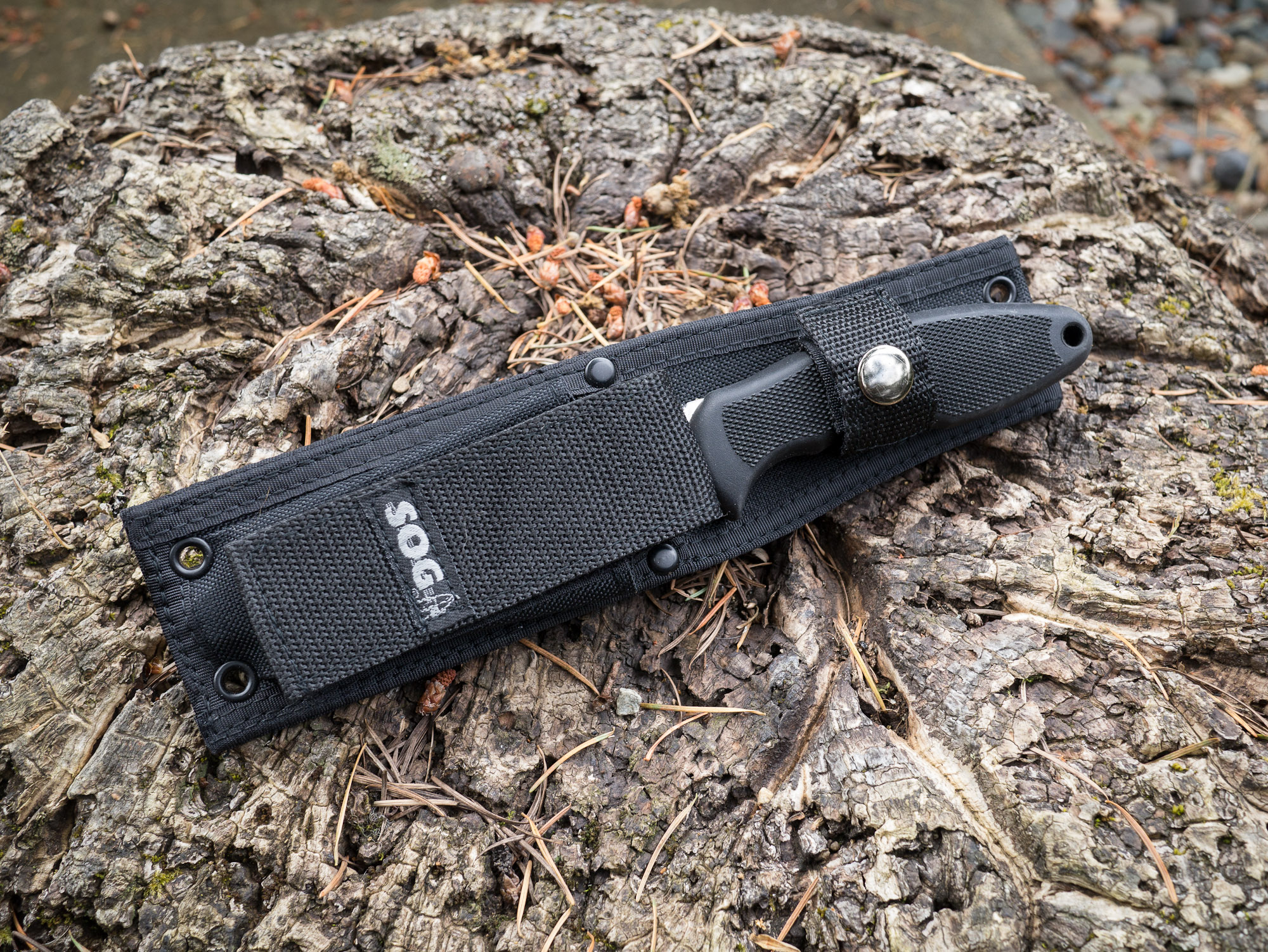
This knife comes with a sheath that offers a storage pouch for a lighter, or fire striker — a nice touch. It also has a large strap on the back that allows for easy placement on and off packs and belts. The handle is very grippy and comfortable to hold, but only in one position.
The metal itself is easy to get a sharp edge on, but is rather soft and dulls much quicker than other high carbon knives.
Overall
This is not a knife that I would personally choose for my survival knife type situations, solely because of the blade shape and soft metal. It is however something to think about for someone who is not comfortable with knifes, since it does offer such great blade control for smaller tasks.
It’s a knife I would shove in my wife’s pack for her to use in a survival situation.
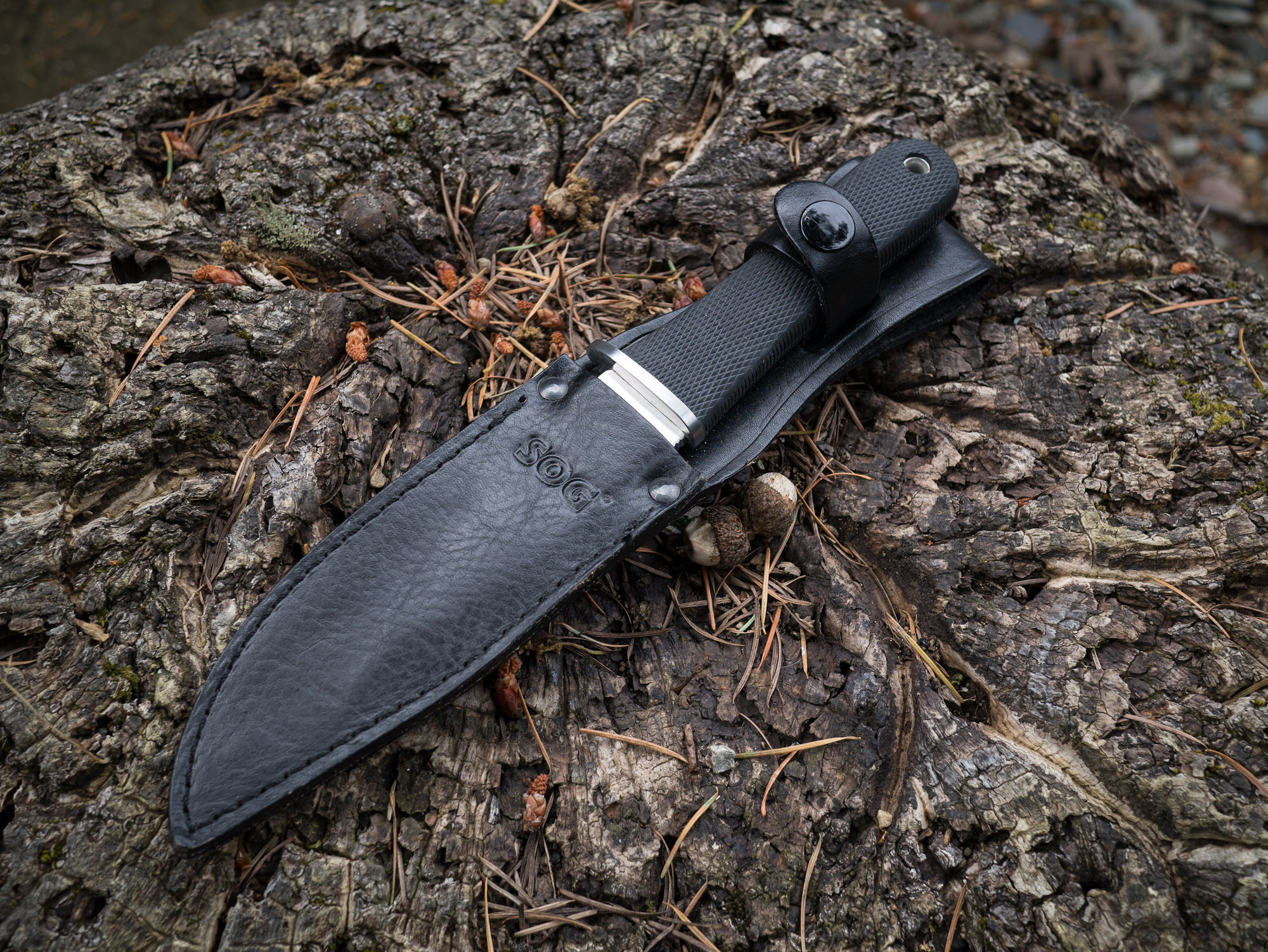
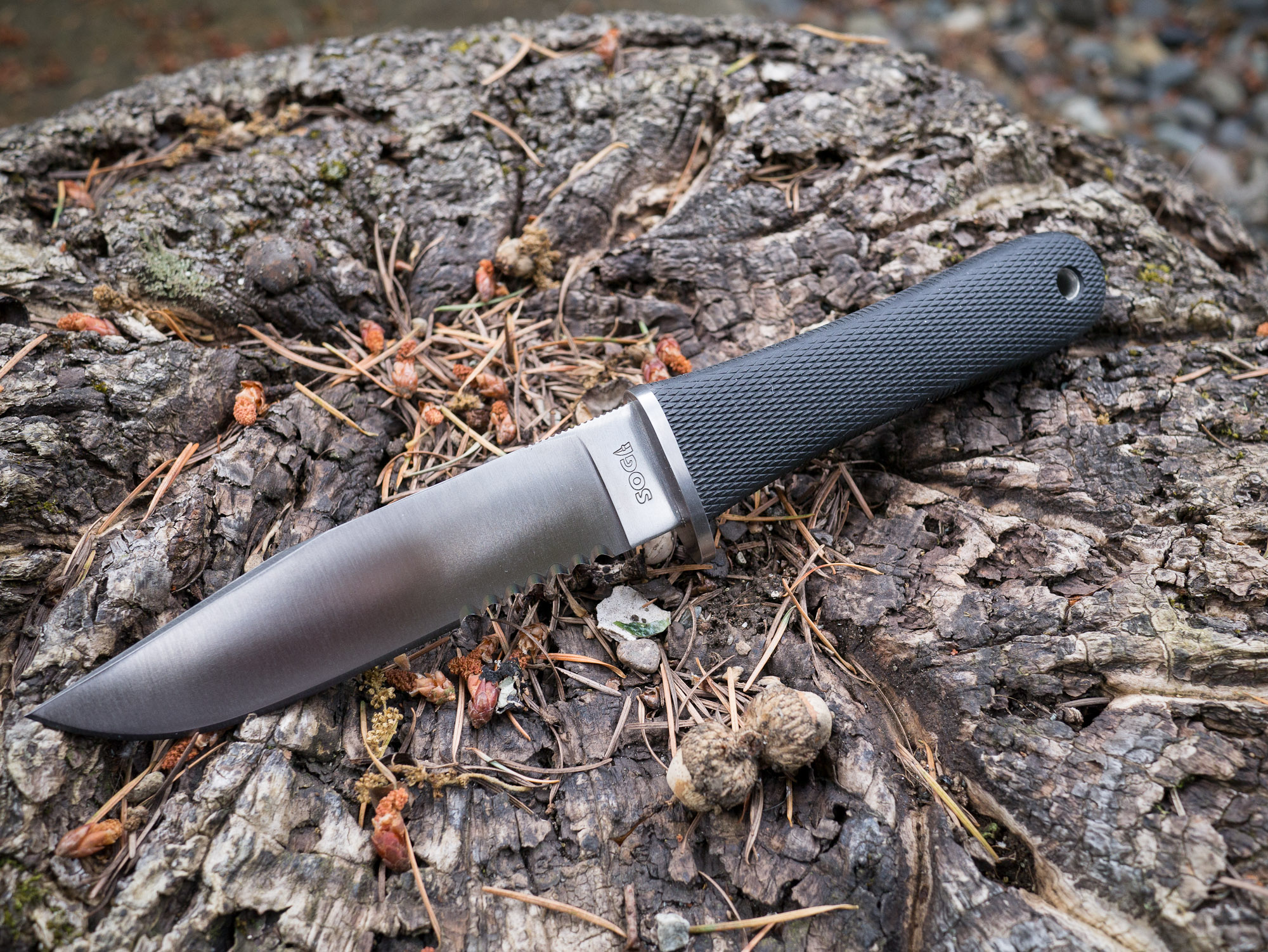
SOG NW Ranger
This was the first survival knife I purchased and I still love it for the looks alone. Smooth and sleek. Unlike the Field Pup this knife is partially serrated, something that I generally would recommend you stay away from in survival knifes as the serrations have limited utility in practice.
As far as partially serrated knives go, this one isn’t too bad because it has ample room of a straight edge for using to whittle and chop.
I found the NW Ranger to be very comfortable to hold while whittling, but lacking in control. This is in large part due to the serration of the blade, which forces you to work closer to the tip of the blade. This is a universal problem with partially serrated knives, but it isn’t as large as an issue with this knife as with the Bear Grylls knife that we will talk about in a bit.
Chopping and all the other tasks were accomplished in an average fashion with this knife, no major complaints. It does take some getting used to so that you can properly work around the serrated portion of the blade.
Other Notes
This knife features an all leather sheath, which compliments the look of the knife but is also less than practical for actual survival situations. The knife attaches to your belt through a loop at the top, leaving the knife to flap against the side of your leg — not comfortable for active hiking.
The steel on this blade is a bit stronger than the Field Pup, and does hold a nice edge. It is easy to sharpen and keep sharp. The handle is also very simple and would allow for multiple holding positions.
My only concern with the design of this knife is the handle itself. It would worry about my hand slipping when using the knife under wet conditions and assume this is the reason for a small front quillion on the edge side of the blade.
Overall
This is still my favorite looking knife of the bunch. But the sheath is heavy and cumbersome to use. The blade’s serrations make it less than ideal. Overall this isn’t a knife I would recommend as a general survival knife. However, SOG does make a new version of this knife that has no serrations and, if all else is equal, that knife would make a fine choice.
As it is, and probably with the non-serrated version, this knife is best reserved for the role of a land owner in Montana that wears Filson all day long and rides around his land on an ATV — also known as my retirement plan.
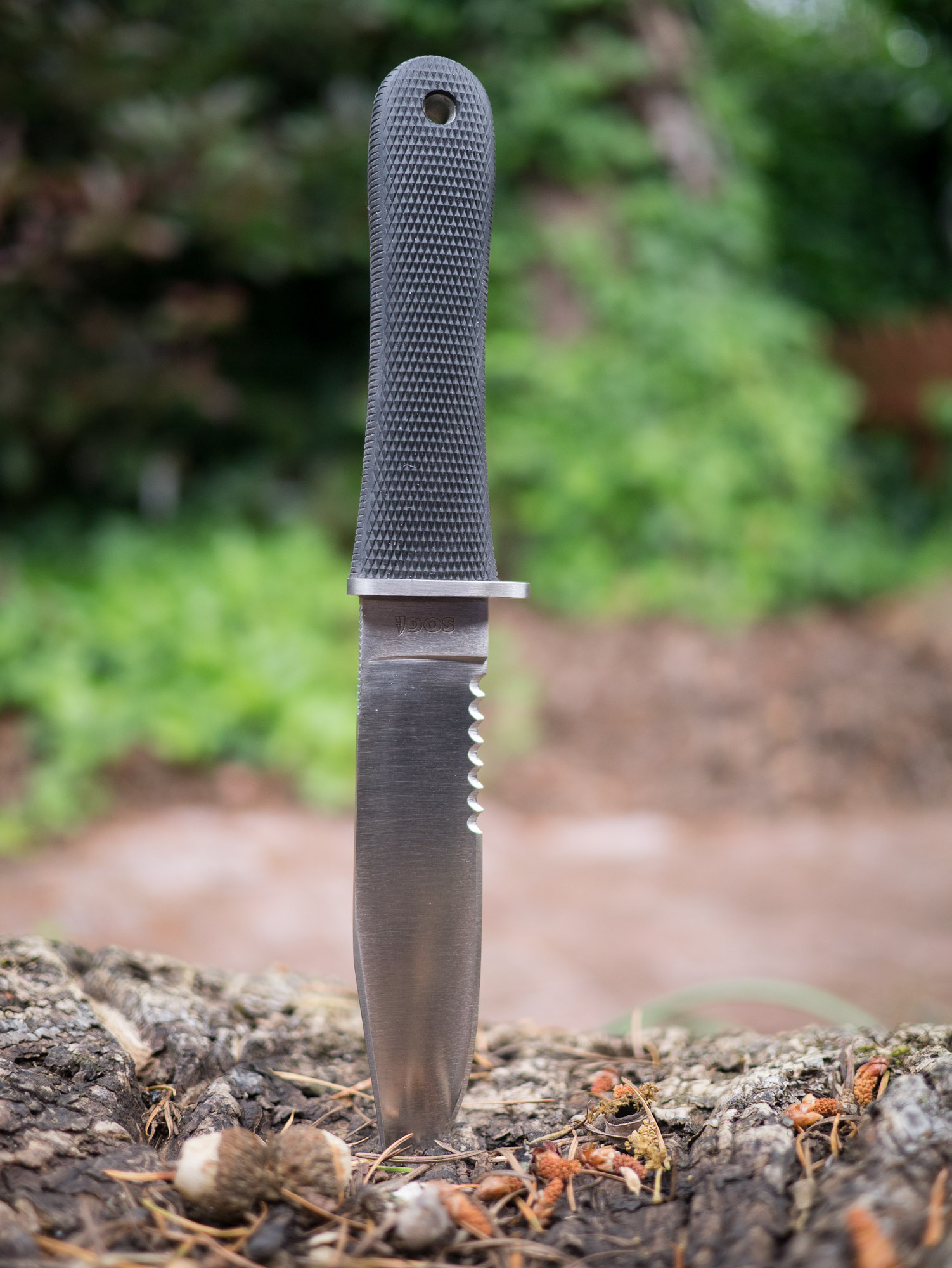
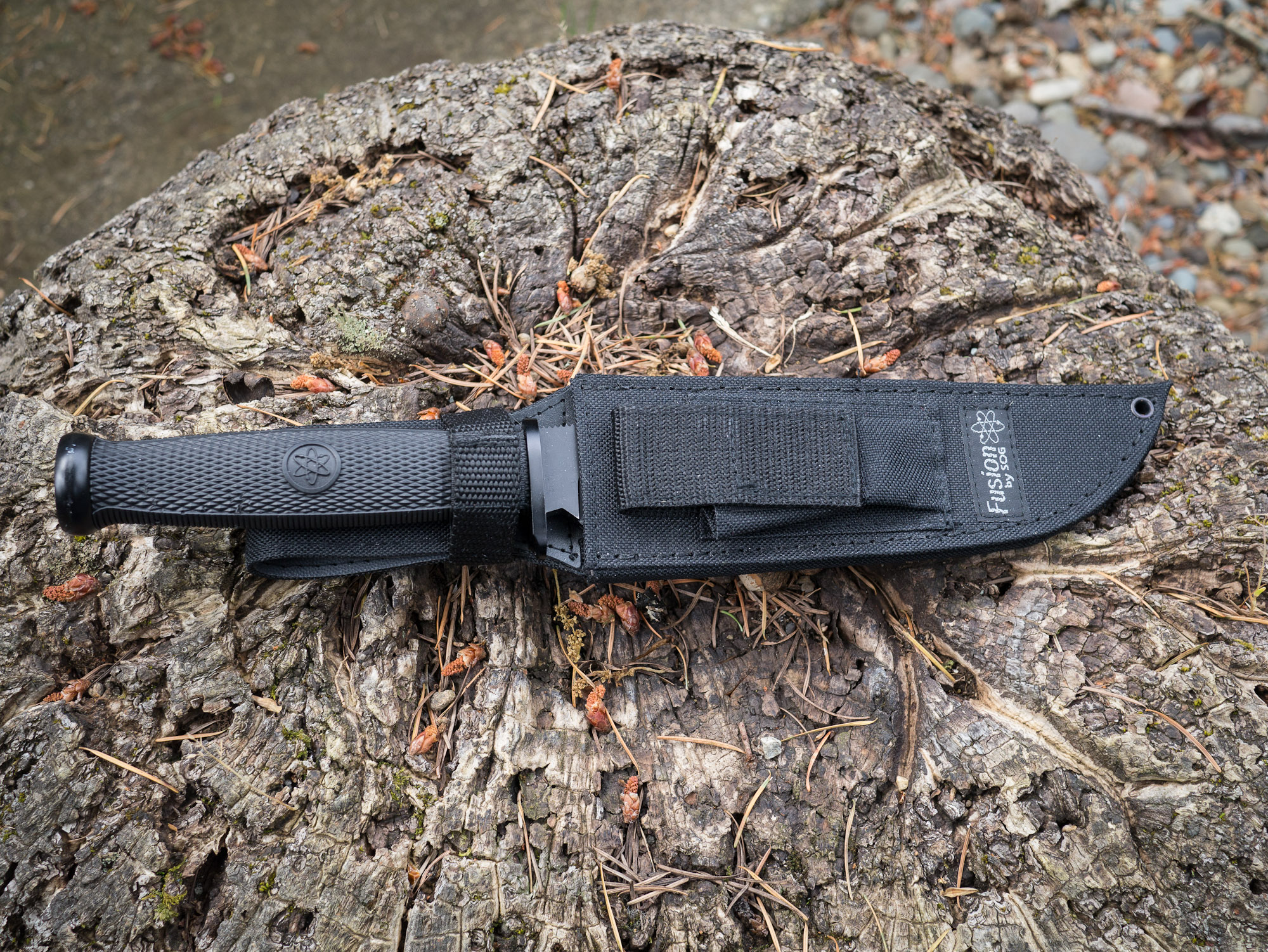
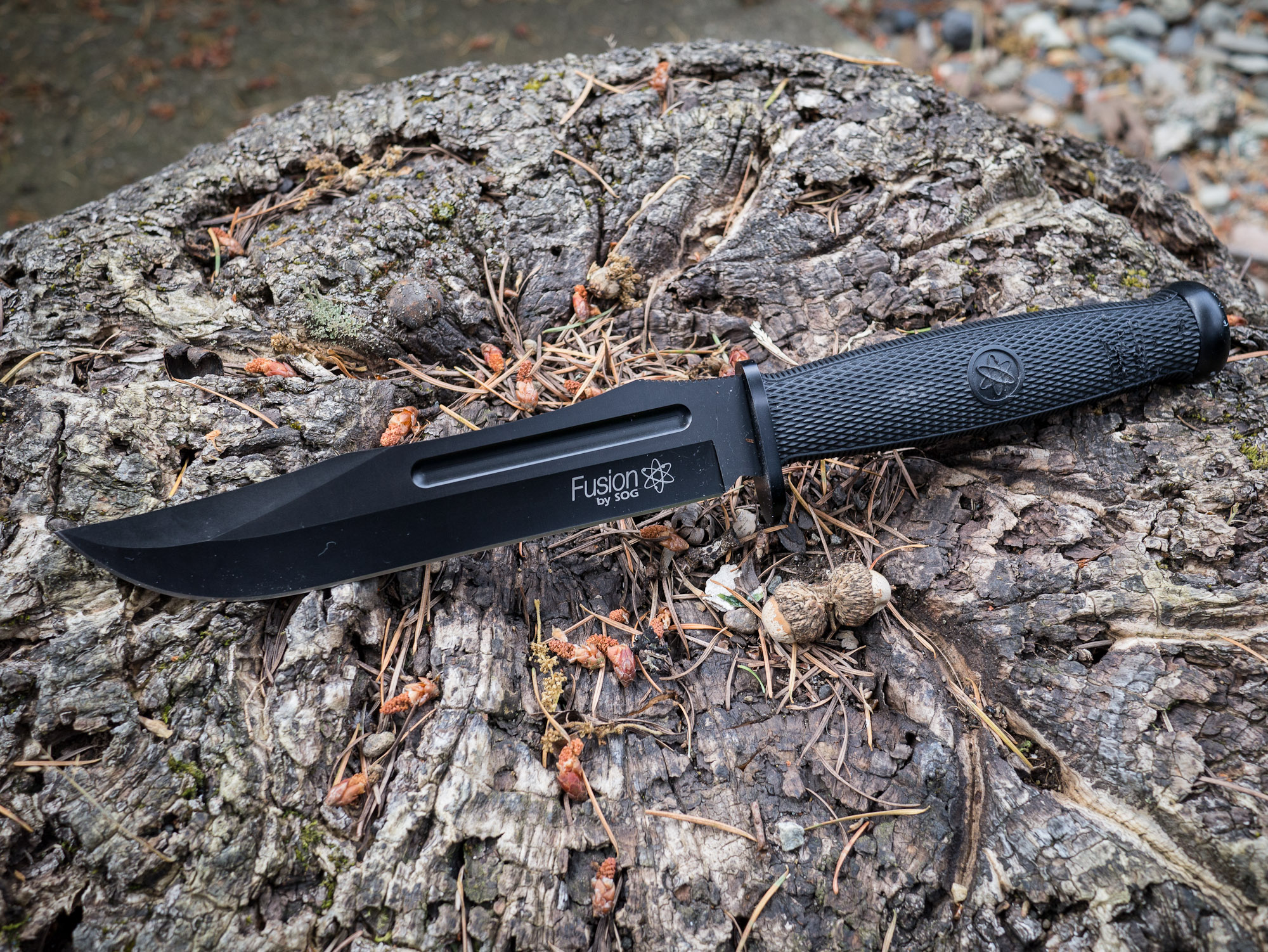
SOG Fixation Bowie
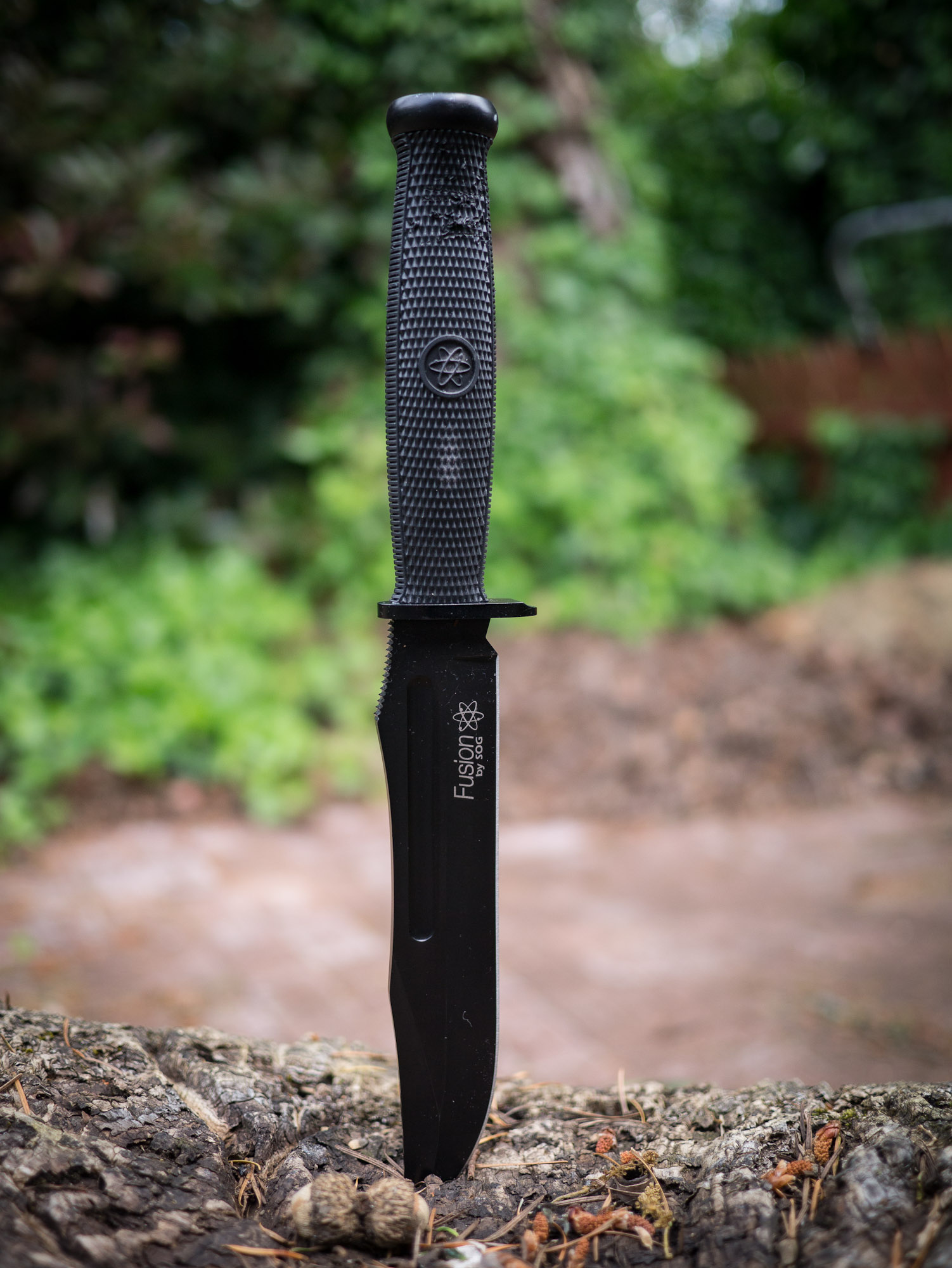
The SOG Fixation Bowie is the largest knife I have. I purchased it for cheap on woot.com one day because, well, why not. I have never actually used it for anything before and after putting it through the paces, I hope to never use it again.
At seven inches long, this blade is much too unwieldy to use for whittling. However, with this knife being the heaviest it made for easy work chopping at wood.
The tasks that this knife is good at are the imprecise and crude tasks — it’s like a shotgun compared to rifles.
Other Notes
Again this is a softer steel and actually is rather difficult to get sharp and to maintain a sharp edge. The sheath is the same as the Field Pups, so it is quite nice.
Aside from this knife being much too large to use, it is very uncomfortable to handle. The handle itself is very hard and the shape doesn’t fit my hand well.
Overall
If you buy this knife, you buy this knife to scare someone. Because if you try to use this knife you are likely to hurt yourself if you do anything other than carry it on your hip.
ESEE-4
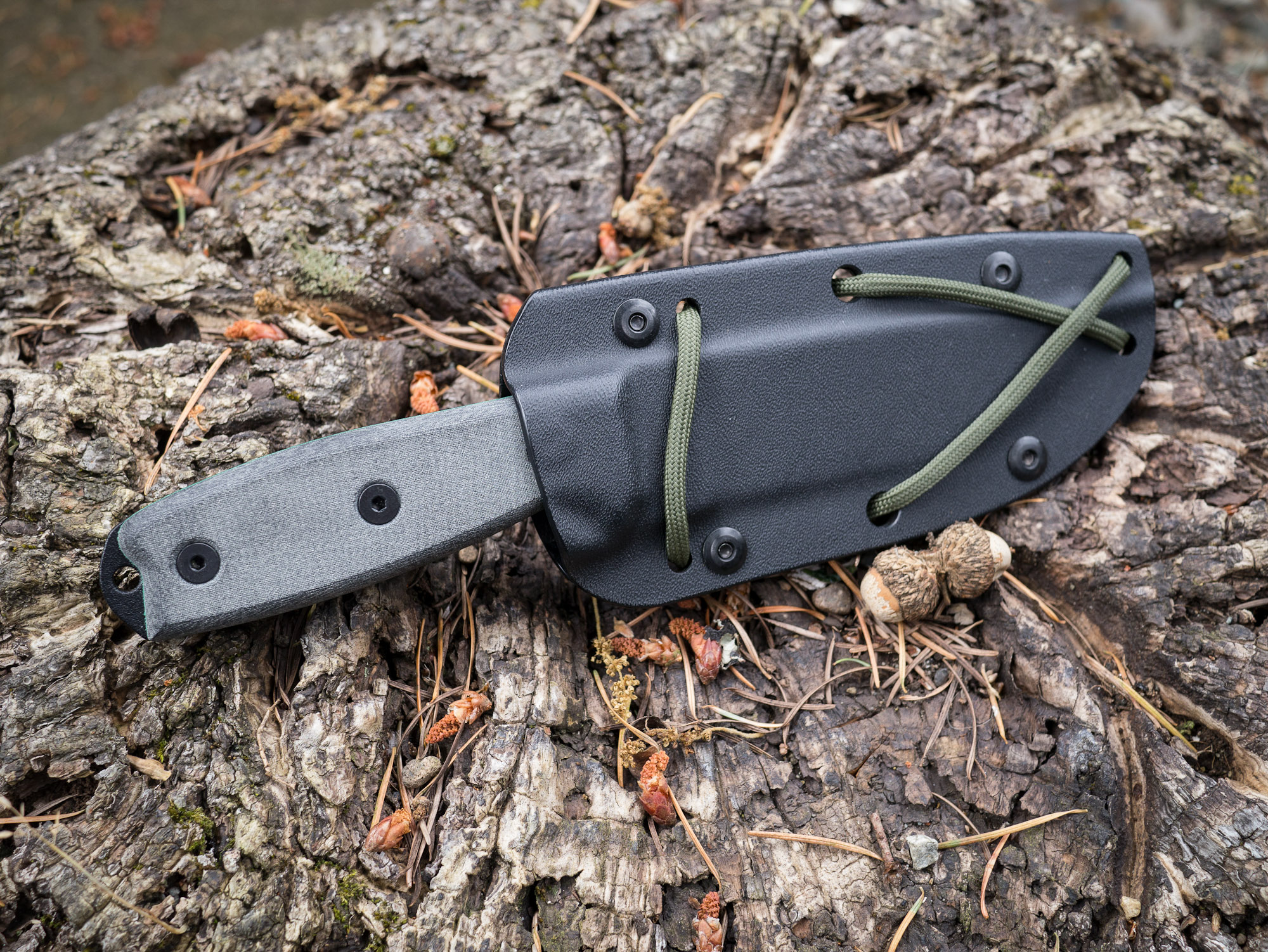
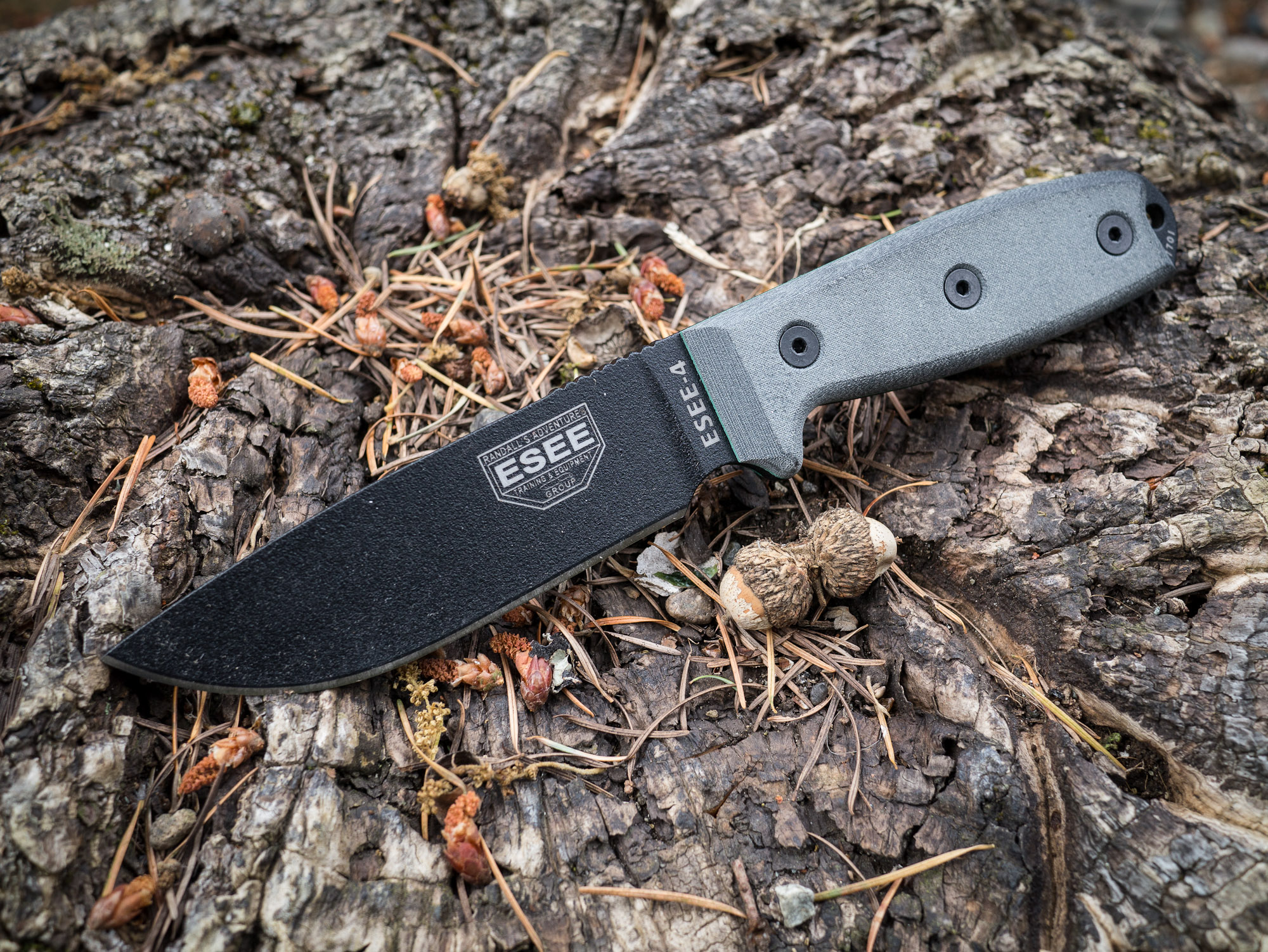
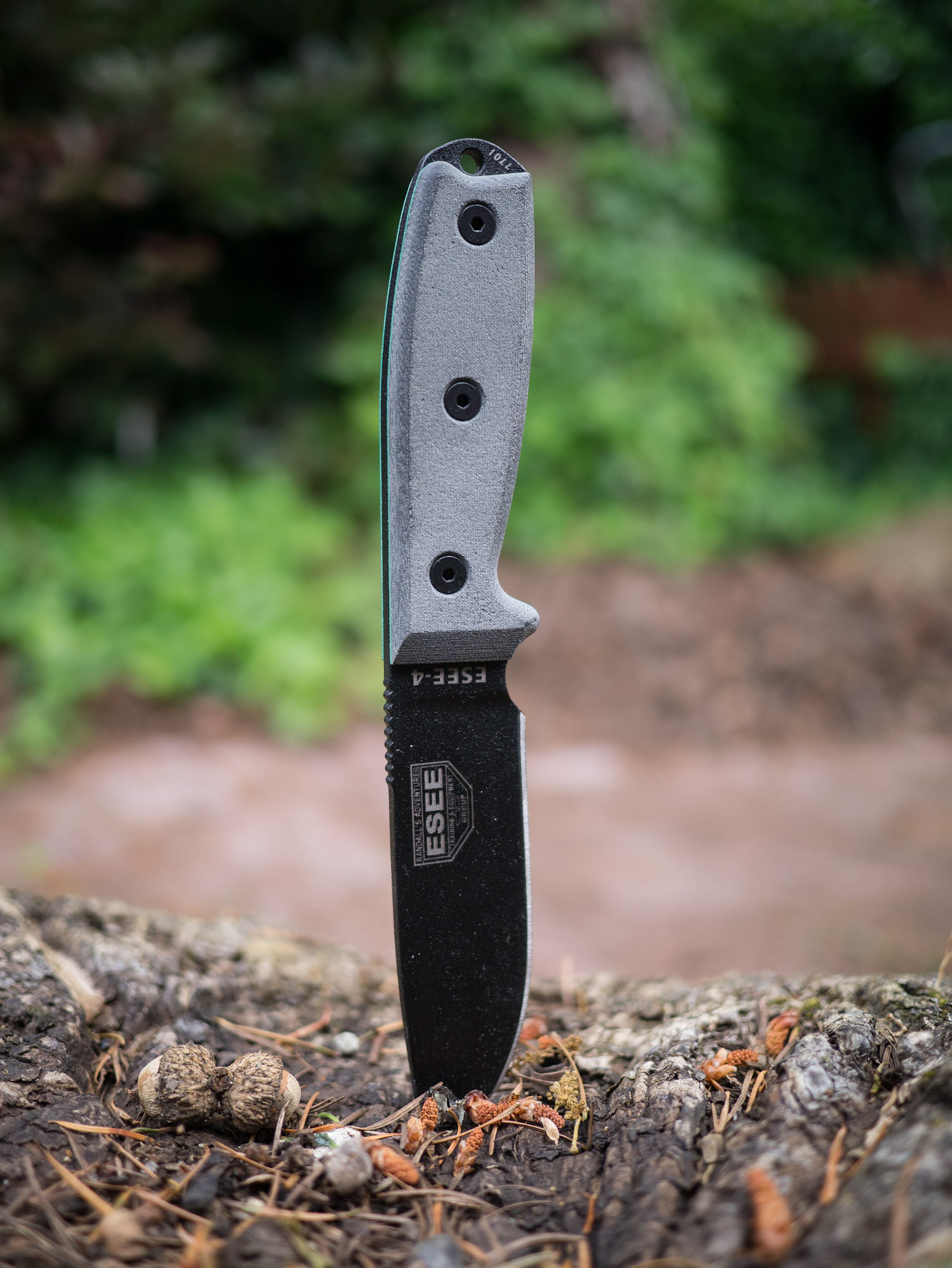
After I first started talking about knives several readers emailed in about the ESEE knives. They came with glowing recommendations so I promptly purchased the ESEE-4. This is slightly different than the other knives because it is high carbon, non-serrated, black coated blade.
This knife is a joy to use. The blade control is nice, the grip is solid and the mass of the knife lends to nice chopping. Of all the knives I tested, this knife excelled at no task and failed at none as well.
Chopping was as easy as whittling. The shape of the knife handle lends good control over the knife for all tasks that I tried.
Other Notes
This is a high carbon steel knife so it takes a bit more work to get sharp, but then it really holds a good edge. The knife comes with a kydex sheath that is the lightest and nicest to use of the bunch. As a testament to how well this knife holds an edge, during one of the tasks the knife slipped off the log ((User error.)) and slammed with full force into a bed of rocks.
The end result was a small chip out of the blade and after working the blade on the sharpening stones for ten minutes you couldn’t tell something had happened. I have no doubt that had this happened to any of the above knifes I would be telling a much different tale.
This is also the only knife with a handle that could be removed and wrapped with another material should the handle become unusable at any point. This is something that could potentially be done with the other knives, but is unknown how comfortable it would be given the molded rubber over the top that hides what the shape of the metal beneath is.
Overall
I really like this knife. It is hefty when used, but light when carried. The size is right and the handling is very good. This is the best all around knife of the bunch.
Gerber Bear Grylls Ultimate
Endorsed by the host of Man v. Wild this is a fixed blade knife by Gerber. This knife has always fascinated me because Grylls actually uses it on his show. That was testament enough to get me to buy this knife.
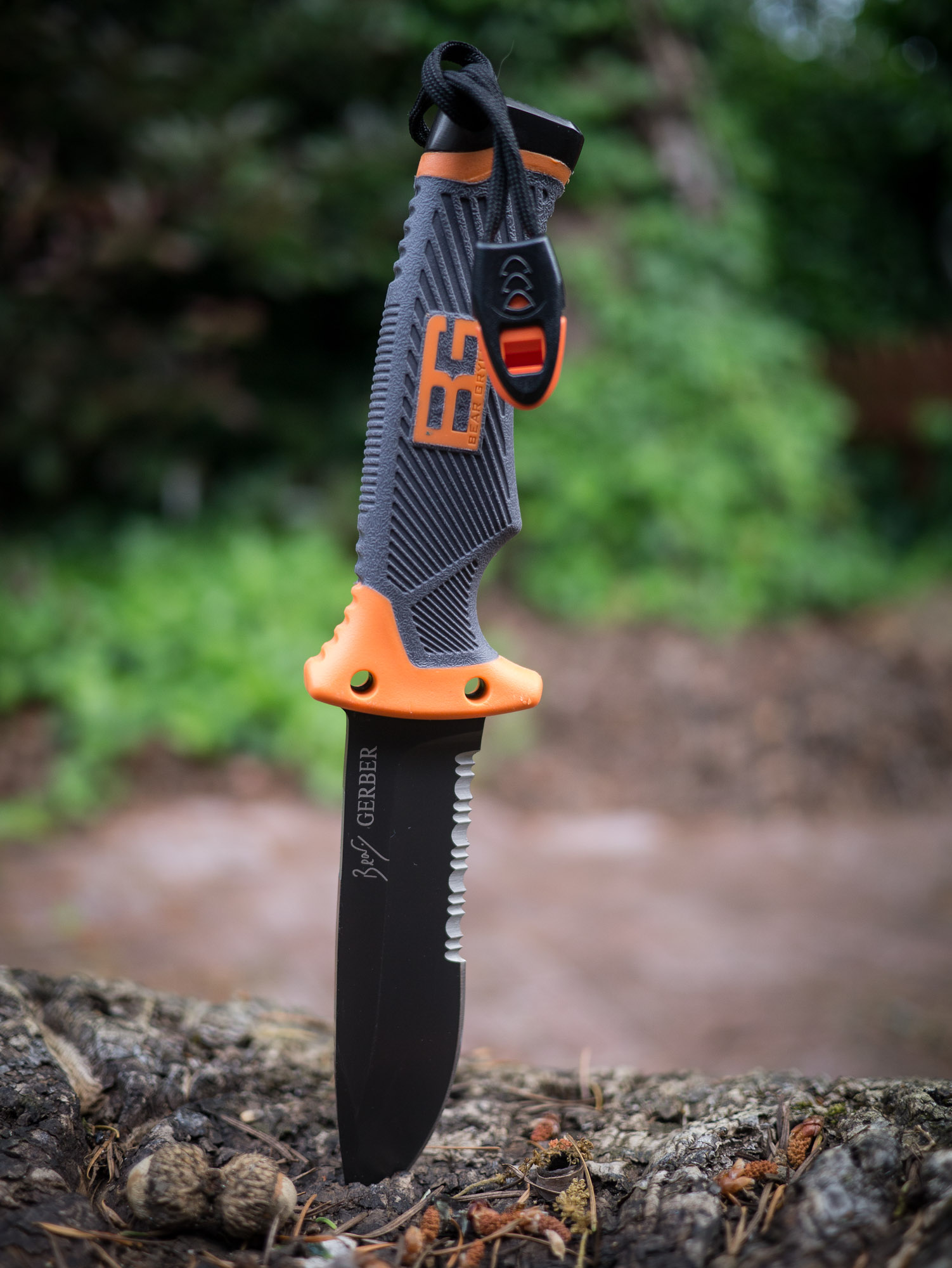
The knife is partially serrated, but unlike the NW Ranger the serration covers a much larger portion of the knife. So all the problems that I had working with the NW Ranger were multiplied with this knife. The straight edges of the blade are far and few between which makes it hard to whittle with.
That said it is has excellent mass and excelled at all the other tasks. It’s the finer whittling tasks that challenge this knife.
Other Notes
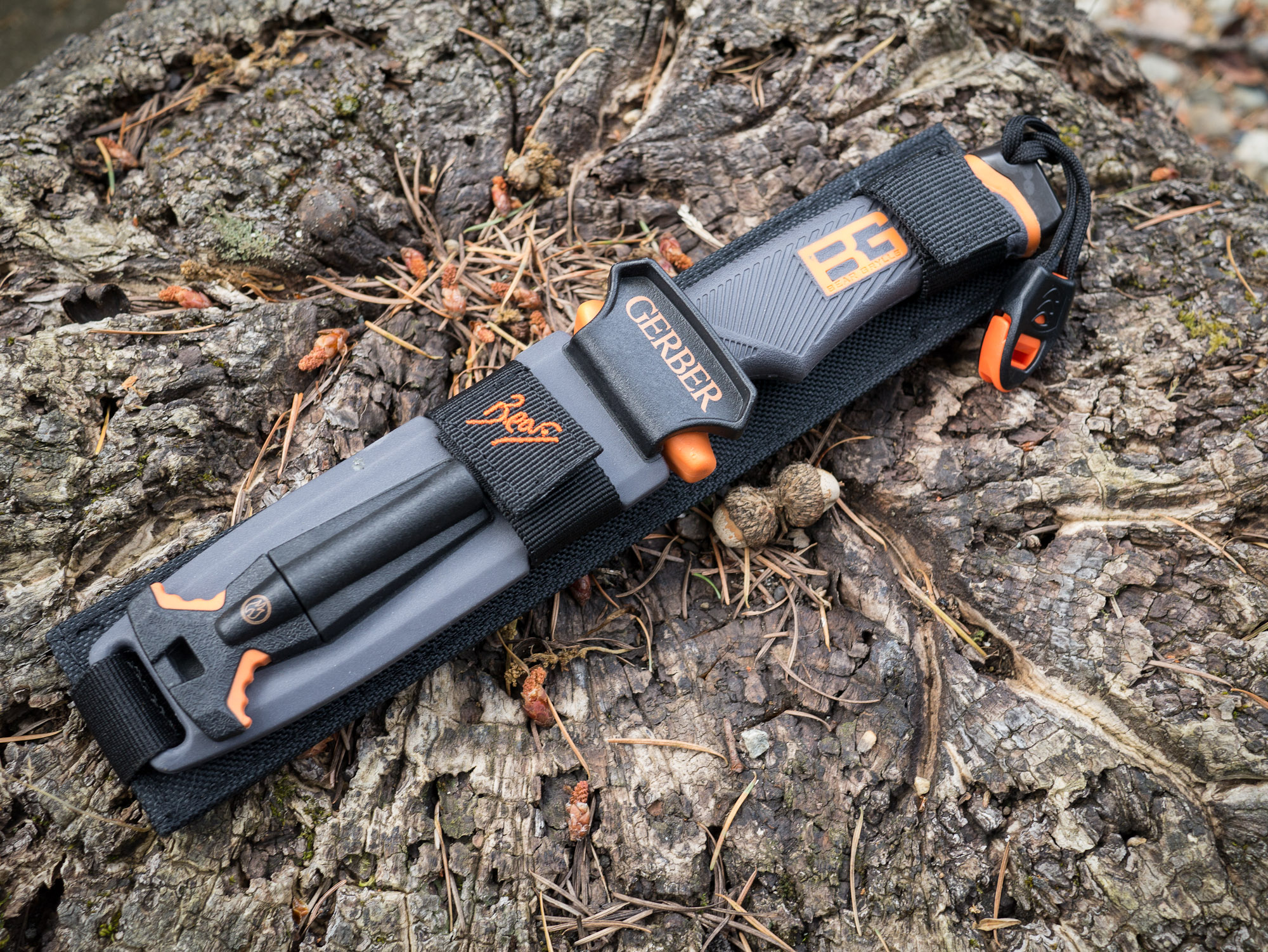
This knife comes with quite the marvel of a sheath. Housed on the sheath is not only the knife, but:
A safety whistle.
Survival signals.
Sharpening stone (medium grit)
Fire starter
That’s a pretty nice kit. Add to that that the sheath is versatile enough that it is the only one that doesn’t matter which direction you holster the knife in.
The blade itself is made of the same high carbon steel as the ESEE and performed just as well. The edge from the factory was laughably dull, but once sharpened the knife performed well. The handle also has a special edge for pounding with and though it’s not as good as a rock, it beats any of the other knives on this list in that facet.
Lastly the position of the whistle (the strap you see hanging from the handle) is in a really bad spot. I would take that off and put it somewhere else because as it is you are constantly battling to keep it out of your way.
Overall
The grip is wonderfully secure feeling, but again is only made to be held one way. Even at that this is the best handle of all the knives tested: comfortable and secure feeling.
I really wish this knife had a finer sharpening stone built in, but then again in a true survival situation a medium grit is likely to be better than a fine grit stone. However for most campers a fine grit stone would be far more useful.
This is now the knife I keep in my car and it will likely stay there for emergency situations.
Final Tally
After going through all these knives I wasn’t surprised to come away knowing that the ESEE-4 is the best of the bunch. In a true survival situation this is the knife I would want to have with me.
That said, I was surprised with just how good the Bear Grylls knife is. It’s not perfect, but if you are just a casual hiker who wouldn’t pull out a knife like this unless you were in a worst case scenario — well this would be the knife I would recommend for you. What’s nice about the Grylls knife is that it basically has everything you need to make a good attempt at surviving in the woods — and that’s in large part due to the integration of the fire steel.
For me it’s the ESEE-4, but I pack a well prepared bag. If you are a hiker that worries more about sunscreen and food in your pack, then I would go grab the Bear Grylls knife and a good sharpener, set the edge, and leave the knife in your pack.