Year: 2014

  • Fire Phone – The Weekly Briefly

    I joined Shawn Blanc this week on his ‘Weekly Briefly’ podcast to talk Fire Phone. Not like phones that catch fire, or anything, but you know that Amazon jobber.

    Shawn had JetPens as a sponsor, and there’s a link to get a free pen that Shawn loves if you spend $25 there. I can’t comment on the pen, but they seem like nice enough people that they warrant a mention.

  • My Favorite Device

    Everyday I interact with, use, carry, and yell at an immense amount of devices. Most of these devices have either been directly purchased by me, selected by me, or something of that ilk — I’ve had a hand in them being in my hand. I don’t always make the best picks, but I usually know when I have made a great pick and I usually toss aside any crappy picks quickly.

    And as I was on my thinking throne the other day, I pondered which of all these devices is my favorite of the lot. I sure love my iPhone, or my Fuji X-E2, oh and my retina MacBook Pro is fantastic, can’t forget the iPad either.

    Which is my favorite, and perhaps not only just my favorite right now, but which device, which thing, would be my favorite of all time?

    That’s a really hard question because the human memory is pretty shoddy. We tend to weigh recent things as more important, and forget many of the other things along the way. We are biased towards what we have now, even if an older thing may have been, or still be, a more favorite thing.

    I started to make a list, and on that list:

    • 12” Powerbook G4
    • Original iPhone
    • Original Palm Pilot
    • iPod third gen, with those red touch buttons everyone but me hated.
    • Canon 5D

    I kept on going too, adding everything I had a fond memory of, I seemingly opened the flood gates of devices past — though most still within the last ten years.

    The Powerbook was a legend, it was the computer that made me start carrying a laptop everywhere. The iPhone changed how and what a phone should be — perhaps even how we should interact with most devices. The original Palm Pilot showed the power of having something small and always-on with you. The iPod broke my mind with how many songs I could carry on it. The Canon 5D was/is so perfect in so many ways that it compelled me to actually learn photography, instead of just take pictures.

    I could go on. Picking more devices and looking at what they changed for me, and that which makes them one of my favorites. But none of those, as close as they may come, is my favorite of all time.

    No, you see, to get to my favorite device of all time we need not look back into that annals of devices past, but only back less than a year.

    It’s got LTE, 64GB of storage, it’s break-your-mind-thin, retina, white. When I pick it up, when I hold in my hands, I dare not stop to think about the device because doing so makes me smile like a kid who just snuck extra dessert. I grin not because I love this thing, I grin because this thing is not only what I wanted when I was a kid, but it actually goes beyond what I imagined possible when I was a kid.

    I breaks my mind.

    And yet this device is only scratching the surface of possibility.

    The device, of course, is the iPad. In this particular case my iPad Air, but you can pick the retina iPad mini if you want, both are equally fantastic.
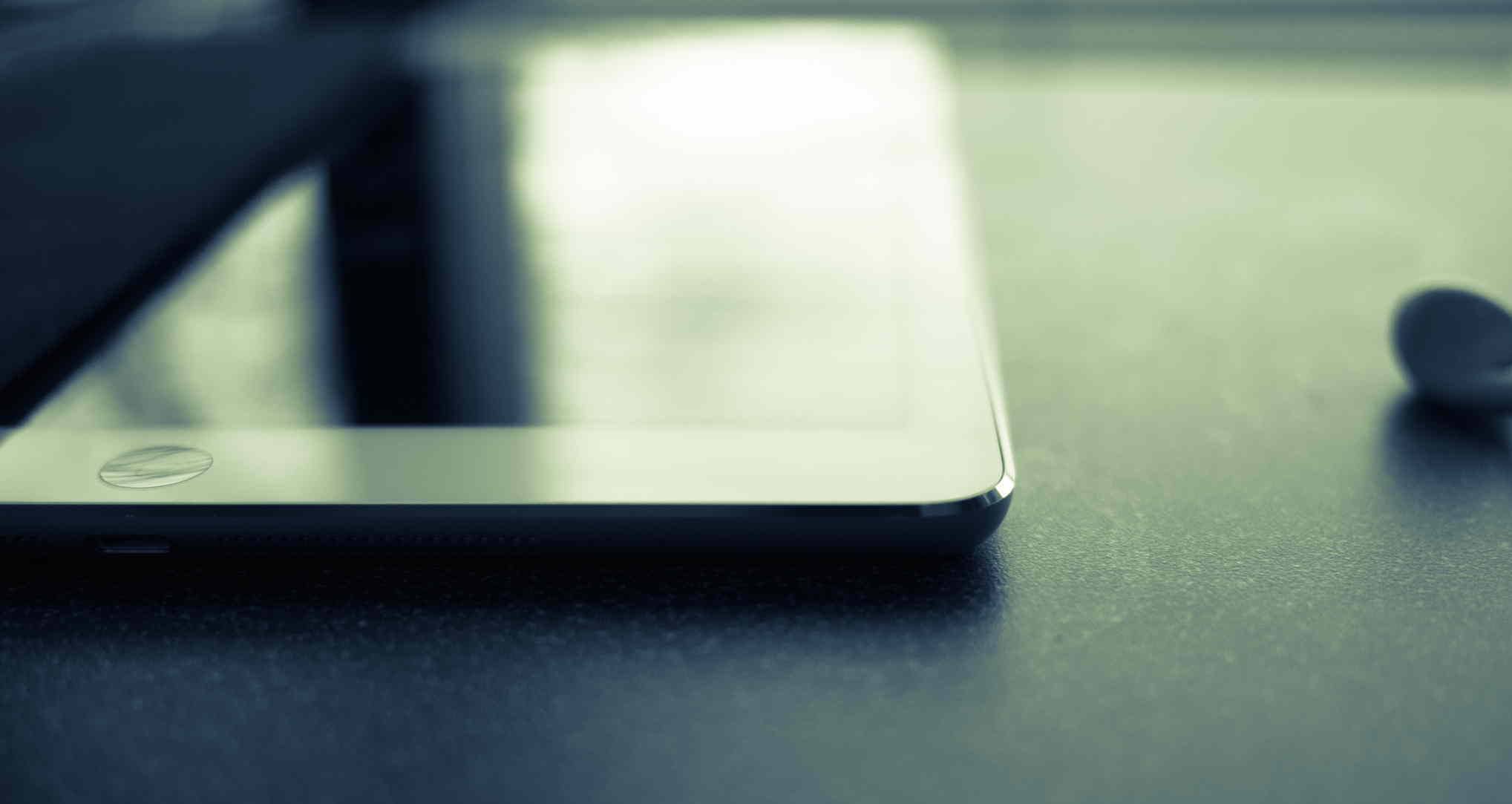
    Yes, the iPad over all those other things in the world.

    Why?

    I’ll let you in on a little secret about the iPad: it always feels like magic.

    I don’t mean Penn & Teller magic, I mean like the iPad is something that should not exist, and if it were to exist it certainly could not work well. And if it were to exist, and it did work well — it certainly could not be affordable. And yet, like magic, the iPad is all those things and more.

    Magic.

    The odd thing, that hard thing, to wrap your head around — at least for me — is that of my all devices I have around me, my iPad is the least used. Yet, it’s still very much my favorite.

    The meta (i.e. the blogger) thing to do would be to tell you all the amazing things I do with my iPad. To make it very clear that this very post was in fact written on my iPad. But it wasn’t written on my iPad. I do very little writing on anything but my Mac.

    No, the post was outlined on my iPad, but only after rough notes were taken on my iPhone.

    If I lost the ability to ever have an iPad again, I would miss it, but I wouldn’t miss a beat. I can’t say the same of my iPhone or Mac.

    And still, once again, I must state: the iPad is may favorite device ever. It’s not the best, but it is very much my favorite.

    As I said: the iPad is a bit of magic.

    Because the thing about the iPad is that while it does no one thing well — it can do just about every single thing I want or need to do on a daily basis. The same simply cannot be said about any other device I have ever owned. ((Though the iPhone is very close.))

    The iPad can not only edit photos and videos, but it could also be the only device I use to capture photos and videos. I don’t do that, of course, but plenty of people do use their iPad that way. Just open your eyes the next time you are in a photogenic crowd.

    iPad could replace your laptop, and sure somethings would be made more cumbersome, but you could still do them. Hell, there are many things which would be made even better if all you had were your iPad. While still many more that would be made far more cumbersome.

    I can even make and receive phone calls, text messages, and video calls. Sure, maybe only between iOS devices, but iOS devices are becoming as ubiquitous as Windows XP once was, so that limitation is really becoming less of a limitation.

    You see my iPad really is a digital sheet of paper, but it also — just so happens — to be a little super computer as well.

    And that’s really what makes it feel so magical.

    There’s quite literally very little that I ever need to worry about with my iPad. Charge it? Sure a few times a week. Want to do something on it? You likely can do that something, but it may require an app or two. Internet: always there, always fast.

    Like I said, there’s very little I cannot do on my iPad, but there’s also very little that I actually do on my iPad.

    And that’s not a factor of the device doing a lot of things, but doing those things poorly — it’s just a fact that I happen to have other devices always near me that: either do the task better/faster, or that the other device is more convenient (iPhone perhaps).

    Sure, that may not sound like a compelling reason for the iPad to be my favorite device, but take the cover off of your iPad (if you have one), it doesn’t matter the model.

    Don’t even bother turning the screen on.

    Just hold it a bit.

    Just think about everything it can do.

    Think about the fact that while it may not be best at doing those things, it’s rarely shitty at doing those things.

    I can’t let myself do that exercise too often, because I always find myself with the overwhelming urge to wipe everything from my desk and just put the iPad down in the middle of my desk. As if I have suddenly reached the plateau where my desk is on par with Picard’s.

    My, is the iPad a magical device.


    And I’ve been giving this a lot of thought. This idea that something can be so loved by me, so favored, and yet be used so little. It’s not a matter of the device needing better apps, or specs.

    It’s just a matter of the device being a little ahead of its time. I’m used to carrying a large phone around with me everywhere because the first smart phones that I carried for so long were huge in comparison.

    So carrying my iPhone is no problem at all.

    I’m used to toting my laptop to and from work and on short vacations because the laptops I toted around before were so large and cumbersome.

    I’m just not used to toting around an iPad. First because it is a device that’s only existed for four years. I have no device to compare against. I can’t say it is lighter, or thinner, or better than what we used pre-iPad.

    Because the truth is, we still don’t know what the hell we are doing with the iPad.

    Yes, there are a great many apps that push the envelope of what you can do with the iPad, but those apps are still only scratching the surface.

    Because perhaps that magic I feel when I hold the iPad is a feeling of potential. If you allow yourself to stop and openly think about the iPad what you realize is that in almost all cases it should be the better way to do a great many things.

    The list of what the iPad is and should be better at is boring because individually these tasks themselves are boring. But taken together the list is compelling.

    The iPad is not my favorite device because it is the best right now, but it is my favorite device — I think — because it feels as though it is on the cusp of being the best at a great many things.

    It’s so very close, and the magic is palpable.

  • LB6 Action: Keyboard Maestro Macros

    Manfred has whipped up a LaunchBar action for browsing your Keyboard Maestro macros:

    The action lists all macros available in the current context. Convenient access to the macros is possible just by browsing the Keyboard Maestro application (using the right arrow or space key). Return triggers the selected macro. Needless to say: The list of macros supports LaunchBar’s abbreviation search (to narrow down the list) and Instant Open (to open the macro of choice even quicker) as well.

    Works as described and is pretty damned sweet.

  • LaunchBar 6.0.1

    New feature:

    Case Conversions (UPPERCASE, lowercase, Titlecase, CamelCase, dromedaryCase, spinal-case, Train-Case, snake_case, SNAKE_CASE)

    I’ve always kept Keyboard Maestro actions for doing this, but that’s a very nice addition.

  • Privacy Implications of Amazon’s Fire Phone

    John Koetsier over at VentureBeat is a little over the top in his writing about the Fire Phone, but this is a good point about the FireFly feature:

    And then you’re transmitting all those pictures and sound files to the grandaddy and global leader in connected cloud technology, the company that pretty much invented what we now call big data analytics for customer insights, and the largest online retailer in the wild wild west.

    Don’t miss the ‘clarifications’ from Amazon which show just how out of touch the company is with privacy implications of their services.

    The bottom line is this: When you use FireFly Amazon is analyzing everything on their servers, where it stays, until you ask it to be removed. Now, you really only need to worry about Amazon using that data because Amazon doesn’t like to share, but maybe that is of little comfort either.

  • Lightroom for Your Camera

    Stu Maschwitz on Lightroom for iPhone:

    But the biggest flaw represents a fundamental misunderstanding of mobile photography. Lightroom mobile strips important metadata from your photos, including time/date and location. That’s right, Lightroom mobile kills one of your iPhone’s best camera features—the always-on GPS.

    That sucks, I had no idea that happened. Seems like a bug/oversight to me so hopefully it is quickly corrected.

  • House of Representatives Moves to Ban Nsa’s ‘Backdoor Search’ Provision

    Spencer Ackerman:

    By a substantial and bipartisan margin, 293 to 121, representatives moved to ban the NSA from searching warrantlessly through its troves of ostensibly foreign communications content for Americans’ data, the so-called “backdoor search” provision revealed in August by the Guardian thanks to leaks from Edward Snowden.

    It’s going to be tough for this to become law, but I am glad a message is finally being sent.

  • How Quick We Forget

    Bruce Schneier:

    It’s a measure of the popular interest in this issue that the German/Danish story isn’t being reported by the US press, and I had to search to find the Congressional vote on the New York Times and Washington Post sites. Only the Guardian had it as a home page headline. No one is reporting today’s renewal of the telephone metadata program.

    Come on people, really?

  • Don’t Swipe

    Great app for keeping prying eyes out of your camera roll. You select the photos you want to show someone, then hand them your iPhone and that’s all they can see. Love the concept, and it works pretty well.

  • Lightroom Mobile

    Yesterday Adobe had a big shindig where they updated a lot of their apps. I am a Creative Cloud user, so it was nice to see updates, but they are updates I really don’t care much about. ((Except better retina display support in InDesign, finally.))

    There was one biggy for me: Lightroom for iPhone.

    Adobe has had Lightroom out on the iPad for a bit now, and I really didn’t use it. It works well, but my photos are usually processed by the time they hit my iPad. So well, yeah, it was a convenient way to get photos from my Mac to iPad.

    But on the iPhone? Well now. You see Lightroom can import all your snaps since the last Lightroom launch, and sync those back to your Mac/iPad Lightroom copies. And, oh baby, is that cool.

    Lightroom still has a long way to go to be my only, or even favorite, image editing app on iOS, but it is going to close that gap quickly if you ask me.

    Lightroom already made it to my iPhone main home screen.

  • The best simple to-do list for Mac, iPhone, and iPad

    Robert McGinley Myers:

    Begin’s limited time window feels exactly right. The only reason I don’t use it more regularly is the lack of companion apps, especially on the Mac. I’d love to have it in the upper right hand corner of my screen as I sit working at my desk.

    I’d love that too.

  • Ex-NSA Guys’ Startup To Protect You From NSA

    Mike Arrington on Virtru (an encryption startup):

    Which is great except that the founders are ex-NSA guys who used to be paid to do things like collect emails and phone call information from hundreds of millions of terrorist suspects Americans.

    That’s a really tough problem we are going to be facing. The people who are likely best qualified to build secure and robust encryption systems, are also the people who work at, or have worked at, places like the NSA, CIA, DOD, etc. That’s not to say these agencies are the only source of the talent, but they are certainly the largest talent pool of people.

    On the one hand, Virtru can be seen as shady because there are ex-NSA people involved. On the other, every person would jump all over a Snowden backed startup — and the same argument about his former employer can be made as can be made of Virtru.

    Which is why independent security audits are going to become a larger part of these narratives. We are basically at a point where we now know, and act, as though we cannot take people at their word. So now we need to start hiring people and asking them to please find where someone has fucked up the encryption.

  • The Wrong Camera

    Mike Johnston:

    There’s nothing worse than seeing a fantastic picture when you don’t have a camera with you. But seeing a fantastic picture when you have the wrong camera with you is almost as bad.

    Them be some fighting words.

  • How Nest Is Already Using All That Data From Its Army of Smoke Alarms

    Kelsey Campbell-Dollaghan writing about Nest:

    We’re a long way off from a future where Google can access any of that data—and in fact, it may never. So fret not, if you’re concerned about privacy. Both companies would have to make major changes to their privacy policies before anything even remotely like this will come to pass.

    Thank GOD privacy policies are hard to change. What’s that? They aren’t hard to change? Oh, they change all the time? Well that sucks.

  • Uber Isn’t Worth $17 Billion

    Aswath Damodaran on FiveThirtyEight:

    For all these companies, the key selling point is “disruption,” one of the tech industry’s worst buzzwords. The companies argue that they’re upending existing ways of doing business — hailing a taxi, with Uber, or finding lodging, with Airbnb — and given the sizes of the businesses they’re supposedly disrupting, the sky’s the limit when it comes their value. But is Uber, which was founded five years ago, really worth $17 billion? My answer, as I hope to detail below, is only if we make some big assumptions about the taxi market and Uber’s place in it.

    I know this has been a hotly debated topic for the past two(?) weeks, but this analysis is pretty hard to argue about. Investment in a company like Uber isn’t about current revenue, or even future expected revenue — it’s about future potential revenue. Hence the ridiculous use of “disruption” in investing.

    I like Uber, but I think you are kidding yourself if you think it is worth $17 billion. But, that doesn’t mean it’s a bad investment at a $17 billion valuation.

    Why? Easy: all you need to do is persuade someone else to come buy it for enough money that you get rich. And if Snapchat is any indication, that shouldn’t take long.

  • Clipping from Mail using the OmniFocus Clip-o-Tron

    Nice. Beats those AppleScripts I have been hacking away at.

  • How to Make Pancakes with your Japanese Rice Cooker

    Awesome. Excuse me while I try this out.

    Update: I made these. They rock.

  • Dan Kois on His Month Without Sitting

    Dan Kois:

    2:41 Definitely having trouble getting work done. The idea of opening up a new document to edit feels crushing, as though each task I take on carries with it the additional burden of standing the whole time. But hey, it’s the first day! I’ll get used to this.

    His experiences, and pain, yes that all happens when you convert to standing. But dear lord, do not stand all day — that’s bonkers.

  • On Interruptions

    UPDATED (on Jul 14, 2014): Richard Koopmann has significantly reworked his data, and while it doesn’t change the outcome, it is worth looking at if you are a data nerd. I’ve preserved this post as original and the new data can be found here.

    I had this theory, while reading something completely unrelated, and the theory goes like this: I wonder if people tend to leave people alone more if they deem the device (or thing) they are using (or doing) to be of a “work” related type of task. That is, are we more or less inclined to bug people if we think they are doing something more than just screwing off? Common sense answers this: of course we are less inclined to bug people we perceive to be busy with something of importance.

    The unanswered question that nagged at me: if I am writing a novel on an iPhone, am I more or less likely to get interrupted, than I would be if I was writing the same novel, same place, but by hand with a pen on paper? I’m doing the same task, just using a different device — how would that matter to the perception others had of me?

    I thought the answer would be: never bug someone physically writing — they are clearly busy. I admit, that’s a rather stupid way to think as there are plenty of ways to waste time with a pen and paper, but I still had to know if I thought the same way as others.

    So imagine you walked into an open office, and you can see what each person is doing the device(s) they are using and as you walk in you know you want to kill some time talking to someone — anyone. You know all the people in the room, and have no preference who you talk to, you just don’t want to write that TPS report so you want to shoot the shit.

    Someone is on an iPhone, another on an iPad, another on their laptop, another still on a desktop, and then someone writing on actual paper with an actual pen — which of those people are you most likely to interrupt?

    Naturally, I took a poll to help get to the bottom of this.

    I asked two questions, while both are essentially asking the same thing, I rephrased the question to try and get a more accurate set of data.

    The Results

    I’m not a statistician and it’s been almost a decade since I had a class on it (I aced the course though). Because of that I decided to ask for some help and Letterpress ace @rkoopmann got in touch. He, apparently is a wiz with poll data.

    So he worked up this report for me and I want to present it to you in its entirety.


    Here we go, thanks rkoopmann:

    Methodology

    The poll was presented as a post with an embedded iframe on The Brooks Review website. The post was titled Interruption Survey and contained the following introduction and note:

    I’d appreciate you taking a moment to fill this out (note this is an iframe, you need to scroll the frame to get to the “finish” button):

    Note: I’m assuming you want to interrupt someone and they are using the device.

    Instrument

    The poll consisted of two questions:

    1. I am more likely to interrupt someone using:
      • a pad of paper to write.
      • an iPad.
      • a Desktop.
      • a Laptop.
      • an iPhone.
    2. I am least likely to interrupt someone using:
      • a pad of paper to write.
      • an iPhone.
      • a Desktop.
      • an iPad.
      • a Laptop.

    Each of these items was required and only one choice was allowed per item.

    Results

    Respondents

    There were 499 submissions received between 2014-06-11 18:44:51 and 2014-06-14 14:34:49 (GMT?).

    Note that some percentages may not sum to 100% due to rounding.

    Geography

    The majority of respondents (58%) were from the United States; the next-largest group of respondents (9%) was from Great Britain. The remaining 33% of respondents came from 49 other countries with each country contributing less than 5% of respondents.

    Operating System

    The overwhelming majority of respondents (82%) were running an iOS (49%) or OS X (33%) device. Windows (4%) and Linux (2%) were the remaining identified operating systems; the tool was unable to identify platform for the remaining 12% of respondents.

    iOS 7.1 (46%) and Mac OS X 10.9 Mavericks (29%) were the largest group of respondents; 9 respondents (2%) were bleeding-edge dev-types running iOS 8; 14 respondents were old-school OS X 10.1 Puma (released Sep 2001).

    Q1. I am more likely to interrupt someone using

    • a pad of paper to write. 12%
    • an iPad. 16%
    • a Desktop. 15%
    • a Laptop. 6%
    • an iPhone. 51%

    We can see that an iPhone was selected at a significantly higher rate and a Laptop was selected at a significantly lower rate (chisq = 317.7635; df = 4; p \< 0.001) than expected (if we assume all options would be selected at the same rate of 20%).

    There was no significant differences with how frequently a pad of paper to write, a Desktop, and an iPad were selected.

    By Operating System
    • iOS users (49% of respondents) responded with an iPhone at a significantly (chisq = 184.9796; df = 4; p \< 0.001) higher rate than expected.
      • iPhone users (34% of respondents) responded with an iPhone at a significantly higher rate and a Laptop and a pad of paper to write at a significantly lower rate (chisq = 151.5882; df = 4; p \< 0.001) than expected.
      • iPad users (15% of respondents) responded with an iPhone at a significantly higher rate and a Laptop at a significantly lower rate (chisq = 36.5205; df = 4; p \< 0.001) than expected.
    • OS X users (33% of respondents) responded with an iPhone at a significantly (chisq = 82.9102; df = 4; p \< 0.001) higher rate than expected.

    Q2. I am least likely to interrupt someone using

    • a pad of paper to write. 45%
    • an iPhone. 21%
    • a Desktop. 22%
    • an iPad. 2%
    • a Laptop. 9%

    We can see that a pad of paper to write was selected at a significantly higher rate and that a Laptop and an iPad were selected at significantly lower rate (chisq = 264.4569; df = 4; p \< 0.001) than expected.

    There was no significant differences with how frequently an iPhone or a Desktop were selected.

    By Operating System
    • iOS users (49% of respondents) responded with a pad of paper to write at a significantly higher rate and a Laptop and an iPad at a significantly lower rate (chisq = 151.7143; df = 4; p \< 0.001) than expected.
      • iPhone users (34% of respondents) responded with a pad of paper to write at a significantly higher rate and an iPad and a Laptop at a significantly lower rate (chisq = 105.5882; df = 4; p \< 0.001) than expected.
      • iPad users (15% of respondents) responded with a pad of paper to write at a significantly higher rate and an iPad and a Laptop at a significantly lower rate (chisq = 46.3836; df = 4; p \< 0.001) than expected.
    • OS X users (33% of respondents) responded with a pad of paper to write at a significantly higher rate and an iPad and a Laptop at a significantly lower rate (chisq = 78.4790; df = 4; p \< 0.001) than expected.

    Holy cow, that’s so close to legitimate journalism that it makes bloggers everywhere shudder.

    What Does This Mean?

    What it means is that if you want to get work done, uninterrupted, you better not be doing it on an iPhone.

    And if you really want to be left alone, write on paper.

    But there are bigger implications to all of this than just the above. The audience that completed this survey is pretty tech centric. Therefore the respondents (one would assume) inherently know that you can likely do more work on your iPhone than a pad of paper these days. ((Exception to crazies like Mr. Rhone and Mr. Marks.)) And yet, the perception of someone likely to be dicking off on an iPhone, and therefore interruptible, is still there.

    Look at the data, it suggests that the hierarchy of what is seen as a “real” tool goes from: is essentially paper in a league of its own. The iPhone is seen as something you are clearly not using concentration for, given the willingness to bug people using them.

    That’s crazy.


    A few people wondered why I didn’t just use generics for iPad and iPhone — like tablet and smartphone — my reasoning was twofold:

    1. I don’t care about the other devices.
    2. I suspect that people would answer differently between iPhone and BlackBerry, but not between HP and Apple for laptops. So I reasoned that the best way to keep that consistent was to name some devices.

    The data can’t explain why we perceive paper as being more serious — more uninterruptible — but it does let us know that there is a different perception when you are using paper. And as an employer that’s a perception which I think employees should be aware of.

    Maybe you love responding to emails from your iPhone, but perhaps, if you want your boss to think you are working, responding on a piece of paper is a better strategy.

    Did I really just recommend that?

    Either way my curiosity is only more peaked now.

    UPDATED (on Jul 14, 2014): Richard Koopmann has significantly reworked his data, and while it doesn’t change the outcome, it is worth looking at if you are a data nerd. I’ve preserved this post as original and the new data can be found here.

  • Quote of the Day: Patrick Rhone

    “Just because you give a fuck does not mean I should give a fuck.”