Year: 2014

  • Technology’s Man Problem

    Summarized nicely in this passage from Claire Cain Miller’s post:

    After the Titstare presentation, a commenter calling himself White_N_Nerdy wrote on Reddit, “I’m honestly trying to understand why anyone says that females are ‘needed’ in the tech industry.” He continued: “The tech community works fine without females, just like any other mostly male industry. Feminists probably just want women making more money.”

    “Females”? What a fucking asshole.

  • Quote of the Day: Glenn Greenwald

    “There is thus little or no ability for an internet user to know when they are being covertly propagandized by their government, which is precisely what makes it so appealing to intelligence agencies, so powerful, and so dangerous.”
  • Lightroom mobile

    Adobe launched Lightroom mobile today, which syncs using the Adobe Creative Cloud with the Mac/Windows version of Lightroom. You need that Creative Cloud subscription for the sync, but not to use the app as far as I can tell.

    The syncing is on a Collection by Collection basis, and is dog slow even on my very fast internet connection (30mbps up). That said it does appear to sync the ‘master’ (read: RAW) files.

    On the iPad the download sync speed is pretty fast, and you can edit the images and sync back changes swiftly. It all works well, just the initial upload is annoyingly slow. You can also import images on the iPad into Lightroom, thus creating an almost very cool mobile editing tool.

    I say almost because the presets are missing. I love my custom presets in Lightroom, but they aren’t there on the iPad version. That bums me out and really seems shortsighted. Instead, Adobe has just their basic set of presets, which is OK, but not great.

    Also missing is any noise reduction tools, which is just lame.

    Having said all that this is easily the best photo editing tool I have used on the iPad. It works fast, looks really great (which is amazing for an Adobe tool) and overall is very well rounded.

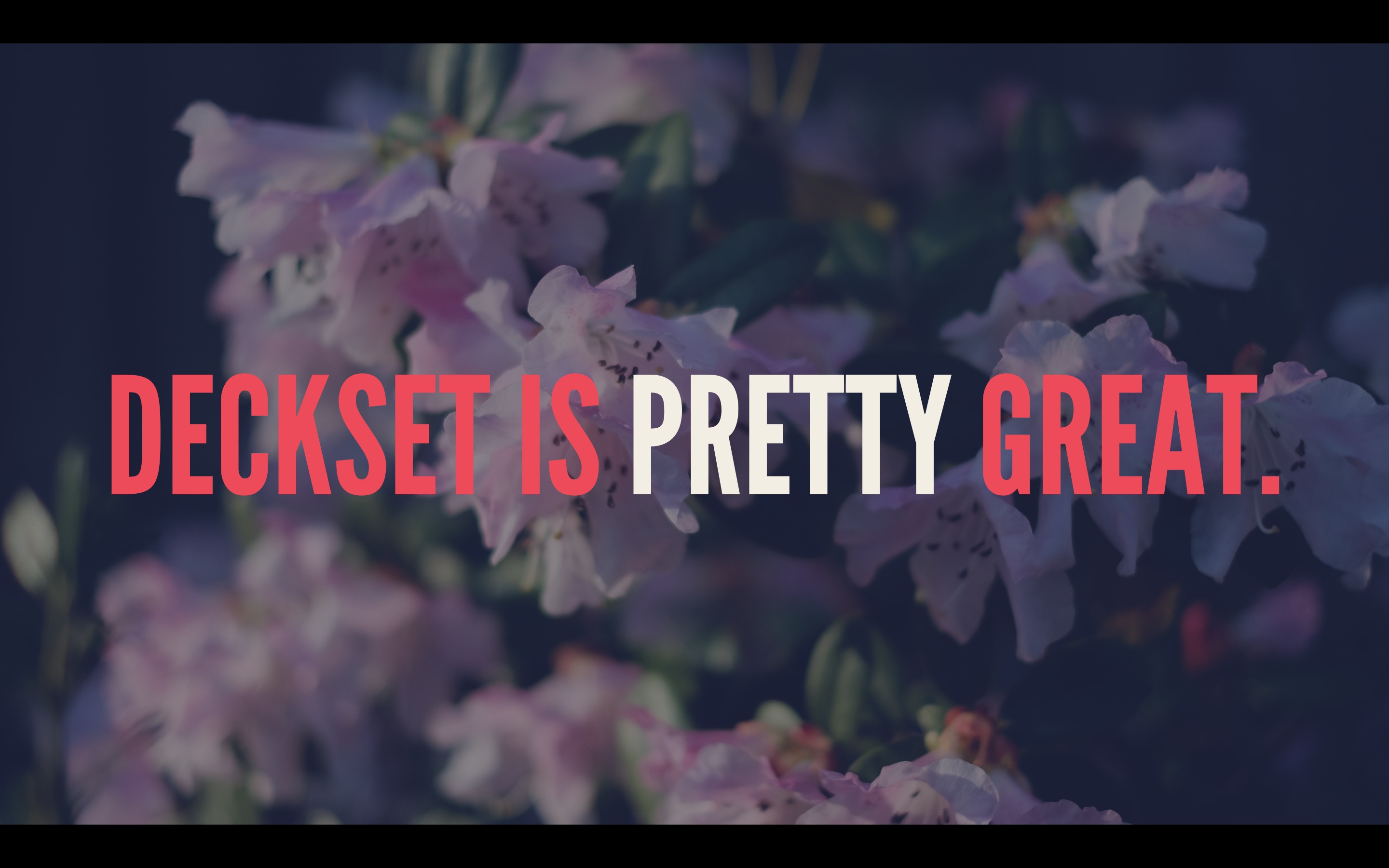
  • Deckset

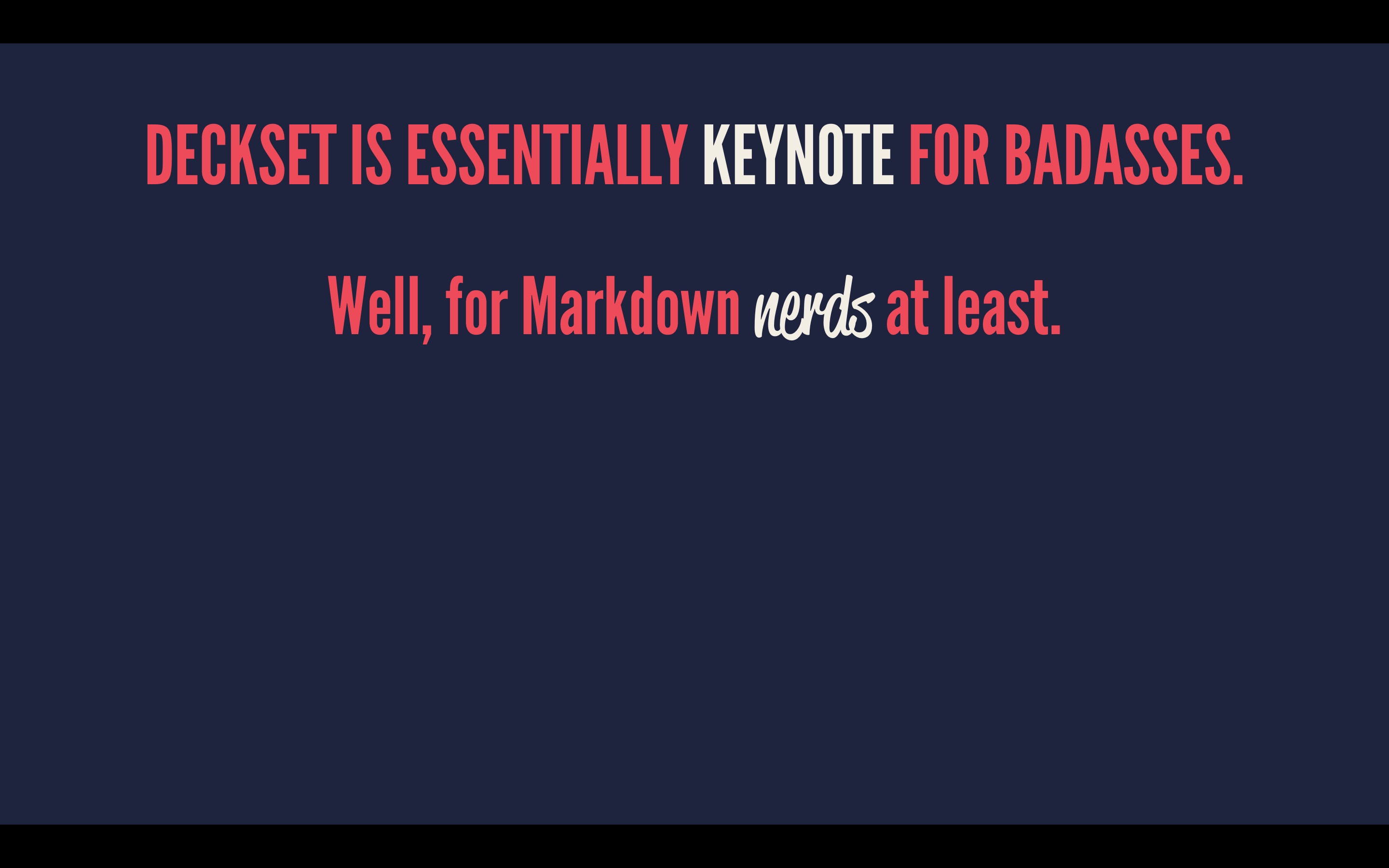
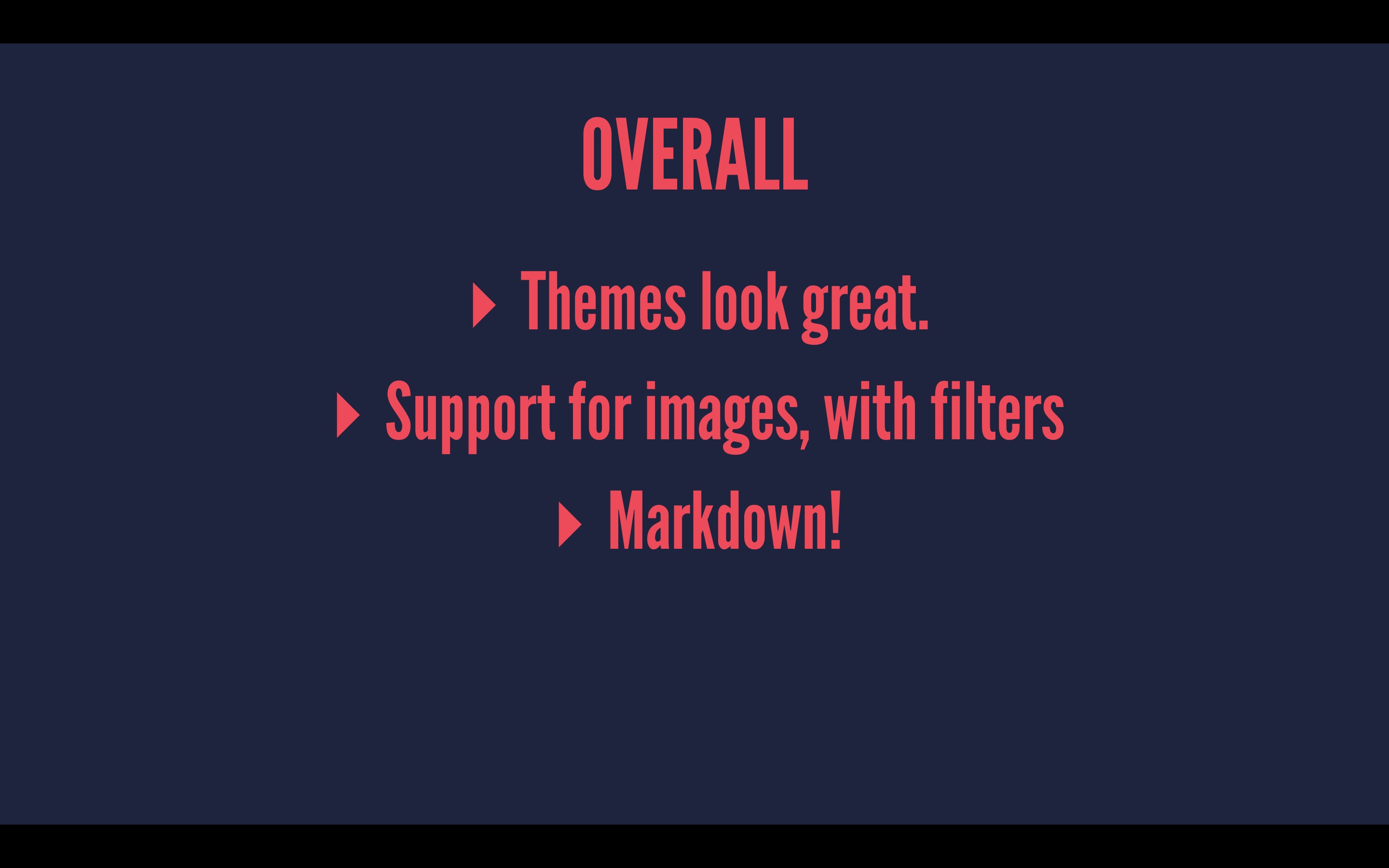
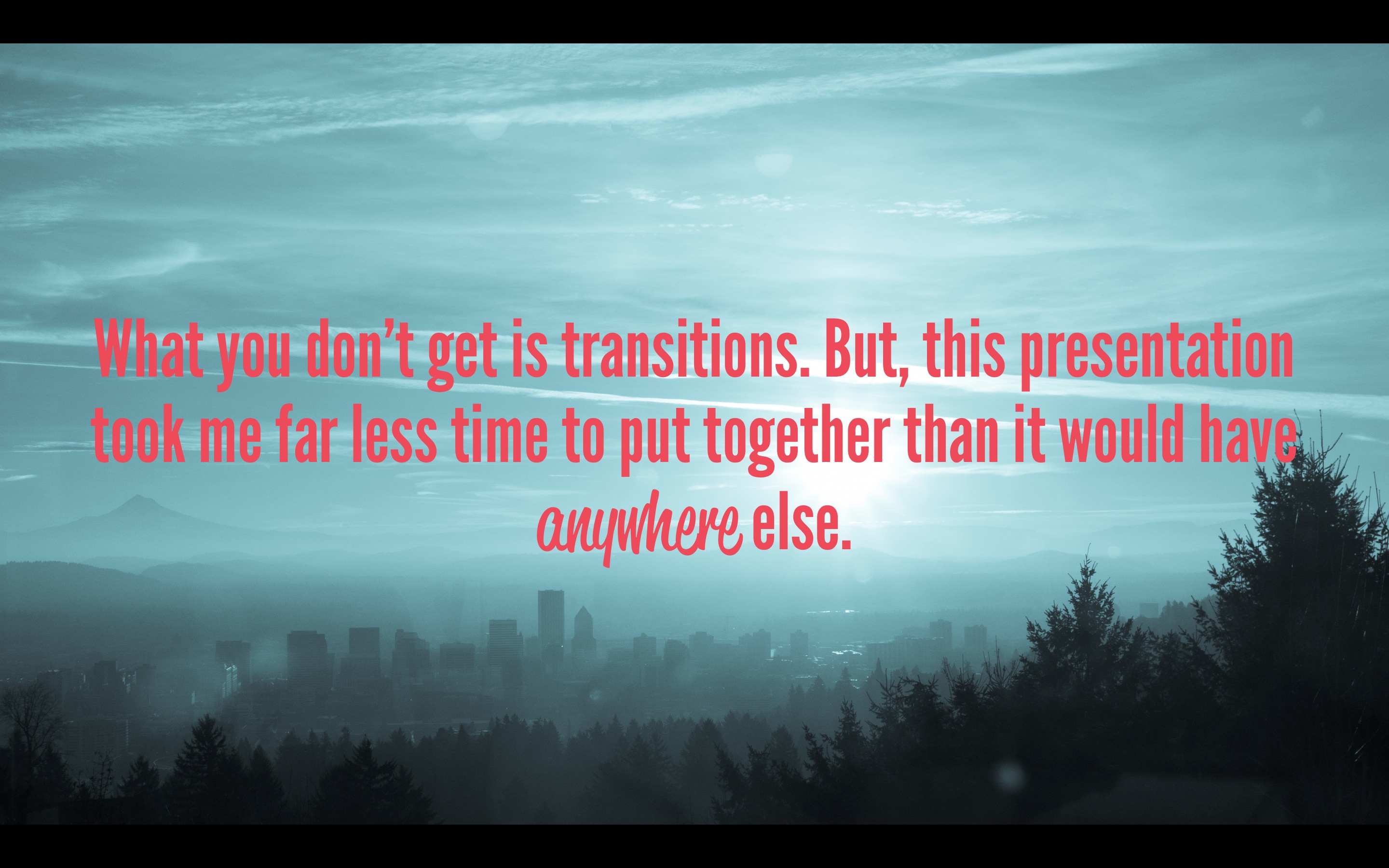
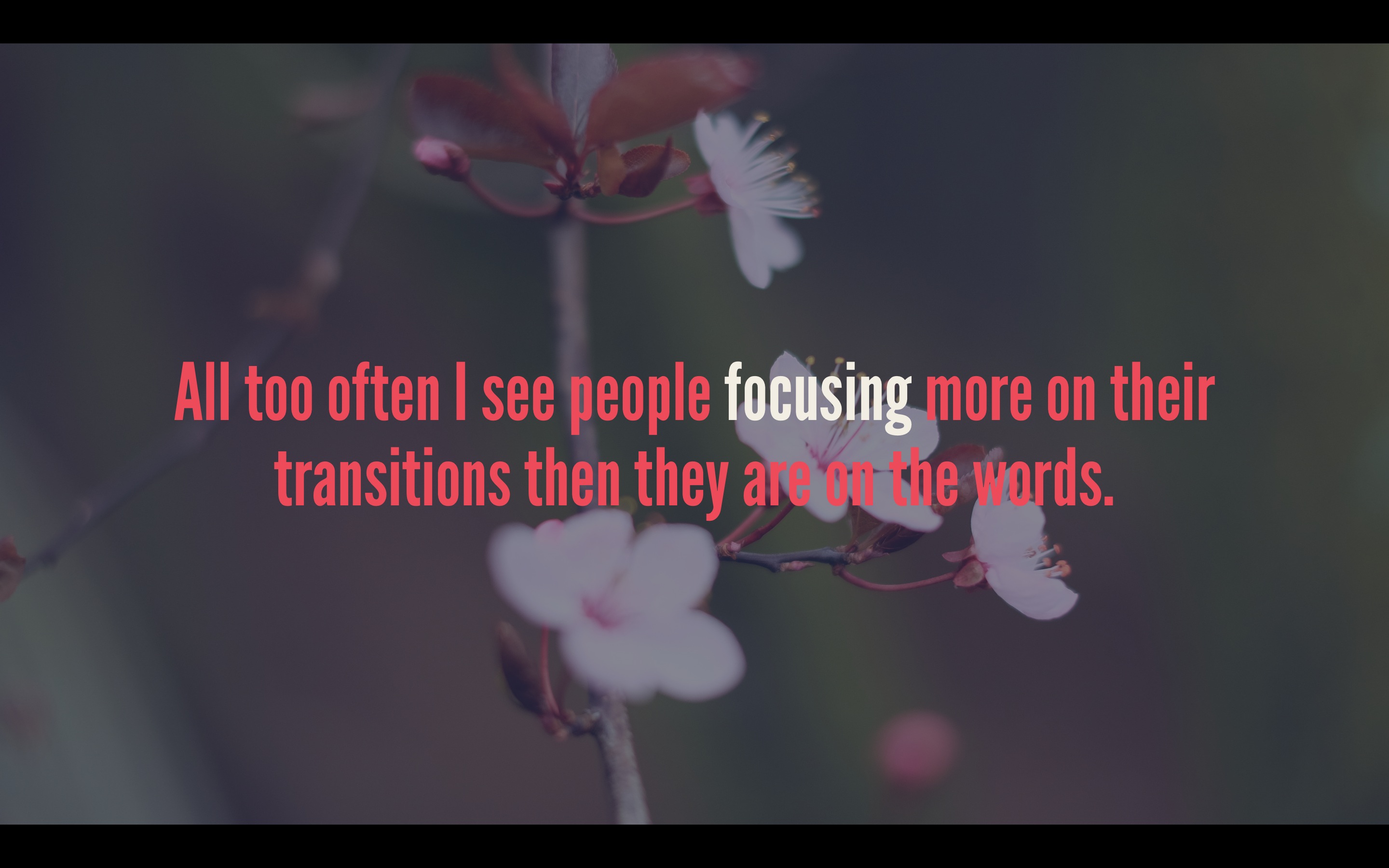
    My review:

    You’ll want to go pick up a copy.

    Here’s the plain text of that, as needed to create the above presentation. I did nothing else. Awesome stuff.

  • Choosing the Right Camera For The Job: Travel & Hiking

    Reader Patrick wrote in to ask:

    While I am currently 90% lean towards the X-E2, I have only one concern: if take travel/hiking into consideration, how would the weight/size of X-E2 be a issue compared to the E-M5? Furthermore, what do you think of the newly released E-M10?
    I am also interested in how you carry your camera on most of days (i.e. designated bag, pouch, etc.), since I can’t find any camera case satisfies me and I don’t intend to invest in another bag.

    Although I answered him with a quick answer already, I wanted to expand on my thoughts a bit more. This is not as easy of a question for anyone to answer as it would seem. I am going to break things apart a bit and include all mirrorless cameras in my advice, but ultimately give you an answer that fits within the bounds of his question. Here we go.

    Travel

    Personally I think the best travel camera you can buy is the Fujifilm X100s. Here’s what Ken Rockwell has to say on that camera:

    No camera captures life like the Fuji X100S, and it’s so easy to carry everywhere around your neck.

    But the X100s is also fixed lens camera and therefore not everyone’s cup of tea. Even though I’ve spent limited time with the camera, I do think Rockwell is right — it’s one of the very best cameras out there. So the ultimate travel camera to me is the X100s, but that doesn’t fit the bounds of the question asked.

    Between the X-E2, E-M5, and E-M10 — which one do you choose? That’s not an easy answer, because the next question is: what lens do you want to use?

    If your answer is simply a small pancake then I think the E-M10 wins out easily. It is very capable, very small, and all around pretty fantastic. But if you want to answer “a fast 50mm lens”, like the 35mm f/1.4 on Fuji, or the Panasonic 25mm f/1.4 on the OM-Ds, well then my answer shifts back to the X-E2.

    The reason being: once you add the 25mm on to the OM-D, the camera size advantage becomes a moot point — all three cameras now become something too large for a pocket. Thus, the X-E2 is my pick as it will give you a higher quality (better and bigger sensor) overall and I think better optics.

    So if you want a really great small camera among those three for traveling, the E-M10 is the pick, but only if you pair it with the Panasonic 20mm f/1.7 lens. Otherwise the X-E2 with the 35mm f/1.4 is the winning combination for interchangeable lenses.

    Hiking

    Hiking isn’t the same beast as travel. For me the best hiking camera would be the Fujifilm X-T1 as it is weather sealed, no anti-aliasing filter for a higher resolution image, and much more. The X-T1 seems built for hiking: SLR like, but really small and really light. No brainer if you ask me.

    However, once again, that answer doesn’t fit the bounds of the question as asked to me. But ‘hiking’ means different things to different people. To me hiking means getting out in the Cascade, or Olympic, mountain ranges and strapping on a backpack for a 5-12 mile journey. To me it means there is a better than 50% chance you are going to get wet.

    Naturally then I would have to say the E-M5 as it is the only weather sealed camera of the lot. And in reality, among those three choices, I truly think the E-M5 is the best bet. The E-M5 feels made to be out on a trail, like the X-T1’s baby brother. My only reservation is that most lenses that are really great for the E-M5 are not weather sealed. ((Personally, I wouldn’t let that stop me, just wipe it down and you should be fine. At least I was always fine.))

    So for hiking then: E-M5 and I would go with a 17mm lens.

    For Hiking & Travel Then

    This is a bit tricky because I think you have to choose which of the two activities you are doing more of, and optimize for that activity. Obviously, I would choose the X-E2, or ideally the X-T1, as I think the qualities of the Fujifilm X-system far out weigh that of the Micro Four-Thirds system (but that’s highly subjective).

    Lets say though that you travel equally as much as you hike. In that case it’s the OM-D E-M5 in my book that takes the winning seat. It’s a bit easier to stash with the 20mm on it, it is tough, it has 5-axis image stabilization, and weather sealing.

    So, for both activities, it’s the E-M5 because you have to optimize for the harsher conditions and in this case the harsher condition would be hiking (typically).

    On the E-M10

    My thoughts on this little beauty are pretty much going off of only the specs and what others say as I have not handled it, but it generally looks great. The lack of weather sealing really won’t be a big deal for 90% of the people out there. I’ve traveled and hiked with tons of non-weather sealed cameras and have never seen an issue, but don’t assume that means you won’t run into one.

    For me the biggest drawback to the E-M10, and the reason I would think long and hard about the E-M5 over it, is the lack of 5-axis image stabilization. The 3-axis system by all accounts is still killer, but I’ve used the 5-axis system and it is almost all the reason one needs to buy the E-M5/1.

    How I Carry My Stuff

    Some days you just feel like you want to take some great pictures — you are in the mood — while other days you just want to drag along the camera “just in case”. So for the former I take my kit in the Ona Bowery bag which I wrote about.

    Actually that Bowery bag will fit in my Goruck GR1 nicely if I need to carry both bags at the same time.

    Outside of that, for the days when I just want to have the camera with me, I carry the X-E2 with the 27mm f/2.8 pancake lens and a spare battery in the Goruck GR1 Field Pocket (inside of my GR1 backpack). It doesn’t offer a ton of padding, but it offers enough and it keeps the camera free of scratches.

    Questions?

    If this just made you want to know more, get in touch.
  • The Email Scheduling

    MG Seigler on his new email game plan:

    From now on (or at least, for an indeterminate set amount of time), I’m going to try to only respond to email at a set time during each day. I’m going to put an hour (or perhaps two) in my calendar for this at the end of the day. And in that hour (or two), I’m not going to do anything besides email.

    I know people get more email than me, but I just don’t get how people think solutions like the above will work. All that does is makes you not as responsive, more overwhelmed because your inbox is always huge, and always behind.

    With email I have come to the realization that you either need to check (and respond to) it regularly or dump it entirely.

    I don’t see how limiting email usage to an hour or so a day is any better than just not using it at all. Perhaps because some people get responses from you instead of no one getting responses, but that just seems like you are setting yourself up for disaster. People know you use email, but you rarely respond, whereas just letting people know you don’t use email seems like you are setting a more reasonable expectation.

  • Review: Fujifilm 56mm f/1.2 R

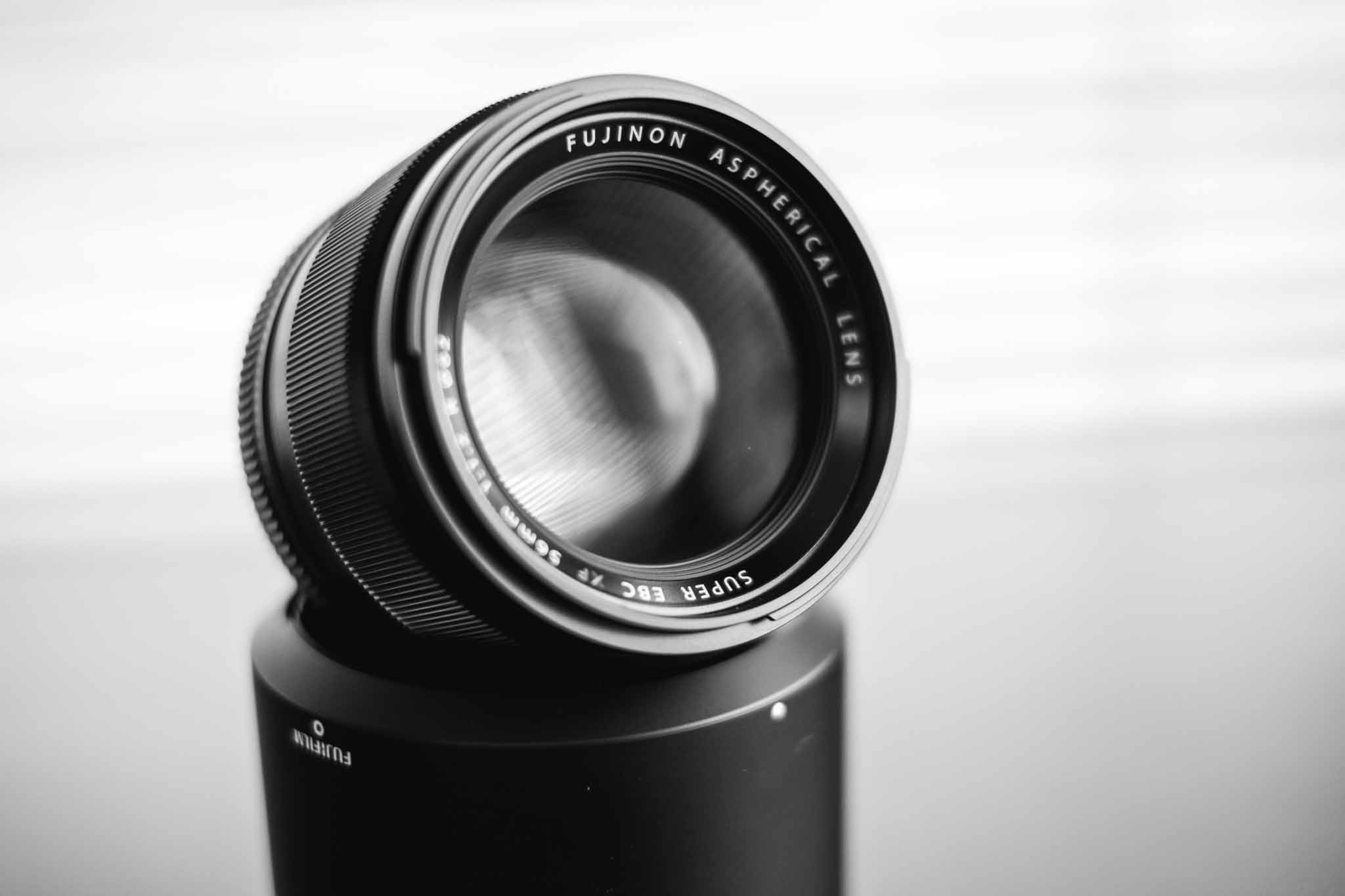
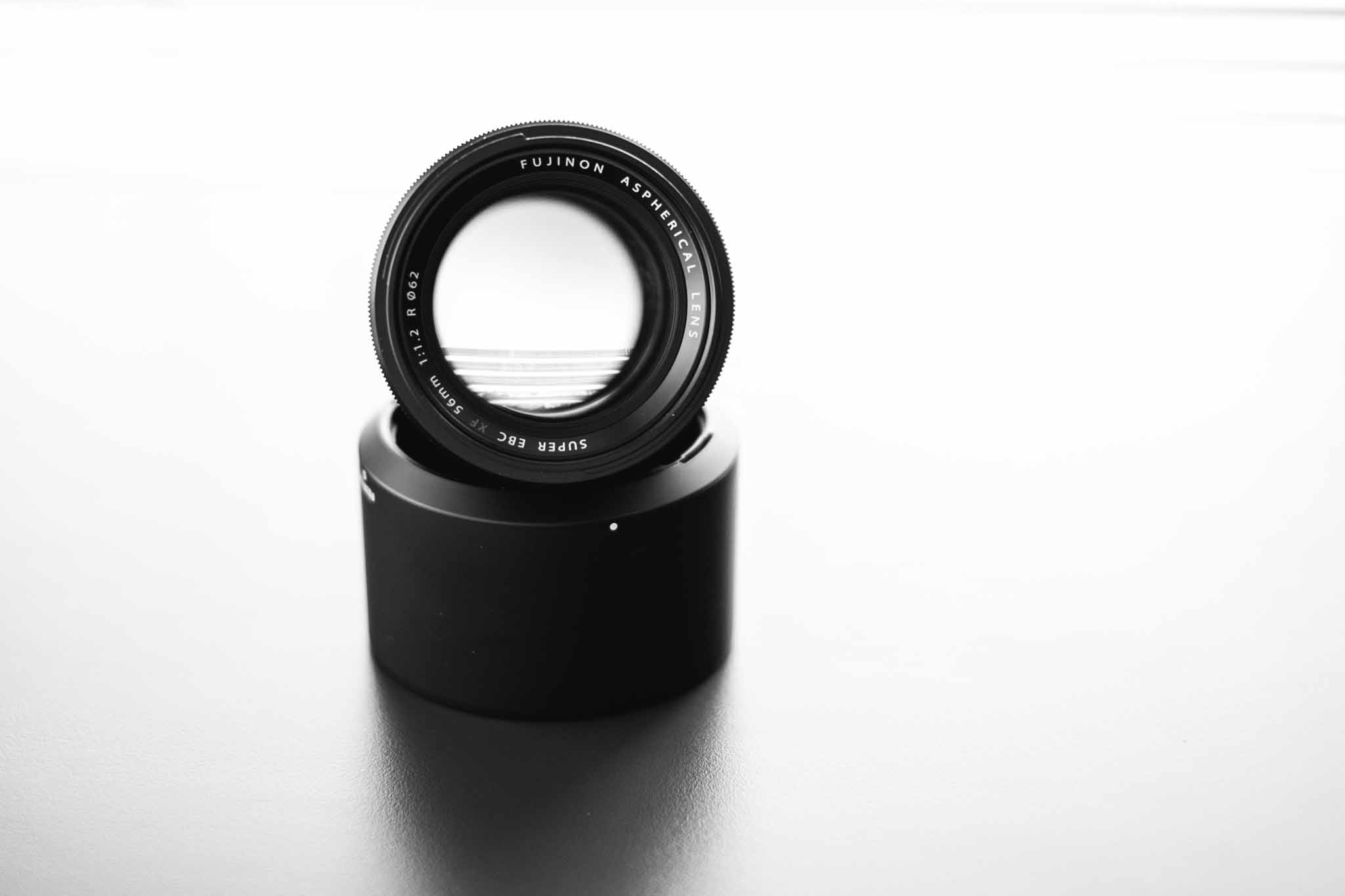
    Any time a new lens comes out and it has a max aperture at, or below, f/1.2 I get excited. When Fujifilm announced the XF 56mm f/1.2 R I was pretty excited to see it, it was fast and a great sounding focal length. At 56mm it gives the classic portrait length sitting at 84mm (where 85mm is pretty standard portrait length). That’s a pretty tight zoom to use for regular shooting, so I was concerned that it wasn’t all that useful to the average shooter — as my 100mm f/2 Canon lens went mostly unused.

    While I waited for Lens Rentals to get their copies in stock, I read a lot about the new 56mm lens. Mostly the reviews are in love with the lens, all for various reasons ranging from unexplained orgasmic like sensations, to very creamy bokeh.

    I knew about the debate between the 85mm and 100/105mm focal lengths for portraits, but what I didn’t know about was why a nice fast lens is important. TOP says:

    Yes, you can “soften” sharp shots in post, but, like “soft filters” in the old days, it seldom looks right—at least not until you achieve a certain level of Photoshop expertise—and it’s a headache to do. In pictures of faces, you don’t want to see how a model’s makeup was applied, and you don’t need a topographical record of your subject’s skin pores like a map of the moon, or a centimeter-by-centimeter report of how oily their skin is. But of course no one will buy less sharp lenses on purpose, because what if you want to use it for something you want a sharp picture of?

    His answer, and camera makers in general, are fast lenses due to the nice falloff.

    That was interesting, and so I rented the 56mm for just four days to test out. I didn’t expect to want the lens at all, as I typically shoot wider, but I can tell you right now I wish I could buy this lens right now. I loved it.

    Operationally there’s not much to say. The lens works fine, and better than fine in some ways. It is well built and extremely sharp. I found the bokeh to be very pleasing, etc, etc.

    Optically, and operationally I have no complaints.

    Actually, I honestly, have no complaints about the lens whatsoever.

    There are two things I think worth talking about in regards to this lens: an f/1.2 aperture, and the focal length for an everyday lens.

    The Danger of f/1.2

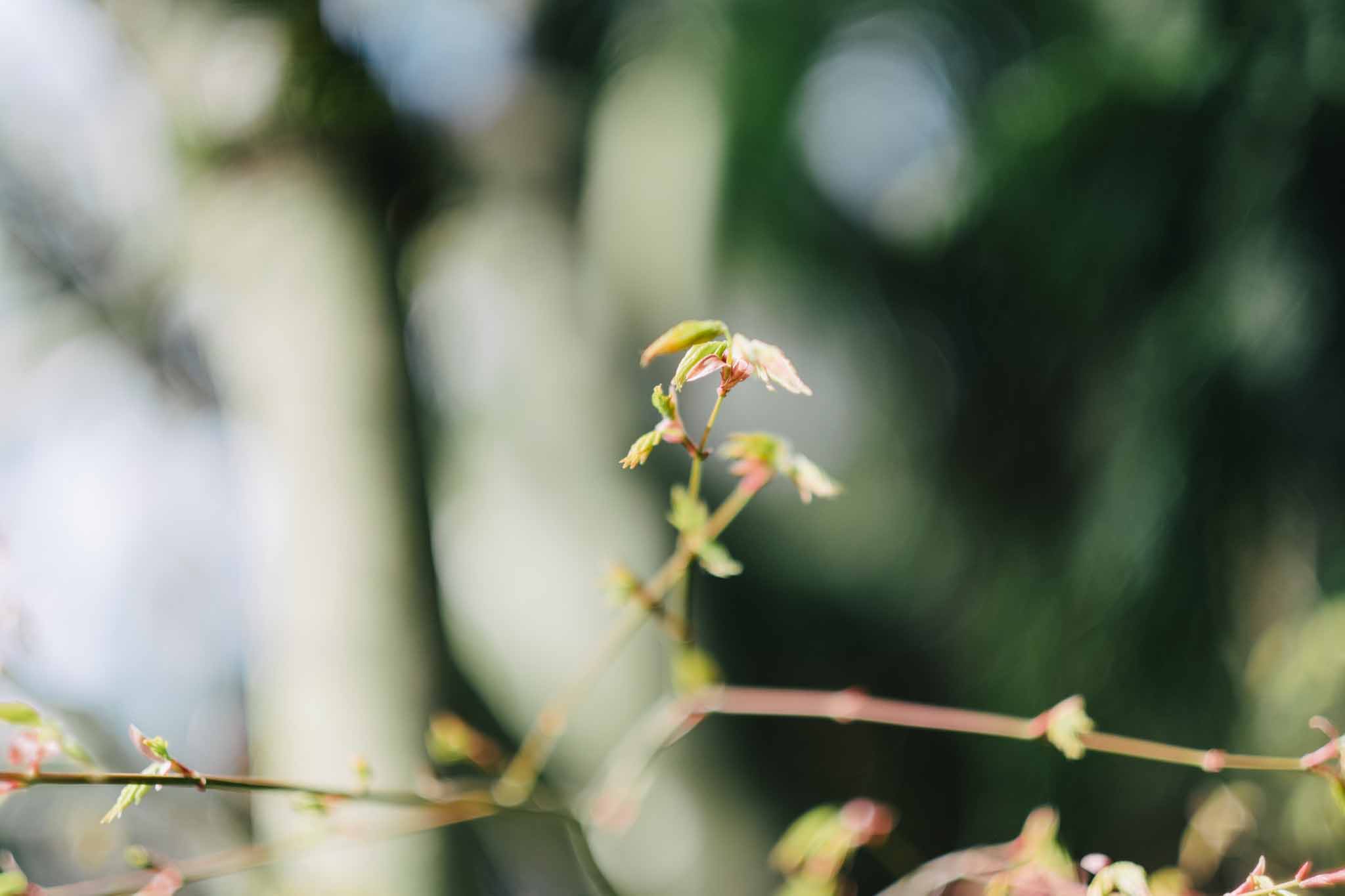
    I’ve only ever shot an f/1.4 lens before (well as far as fast lenses go) so I was keen to try an f/1.2. What I found was 0.24". That’s what my depth of field calculator tells me is the depth of field at f/1.2 on my camera at the minimum focusing distance for the lens.

    That is insane. As you can see, you can get some amazing isolation.

    What you don’t see, and what photographers don’t tell you, is that for every one they got tack sharp, there’s 15 just slightly out of focus, because let me tell you a little secret: shit moves.

    I had to fire my camera in 8 frame bursts when I was trying to take a picture of my daughter, because it turns out she is not capable of remaining still for a portrait just yet. So professionally, with a model, this lens is a no brainer. For photos of moving kids/animals you are going to need to stop the lens down to something with a bit more depth of field, like f/2.

    But, on the flip side, a really shallow depth of field can be good fun for other photos.

    The Focal Length

    The two least used lenses in my Canon setup was the 80-200 and the 100mm. I never used them, not unless I had something specific going on. Instead I just used the wider lenses.

    So the 56mm worried me that, while it may be great, I wouldn’t get much use of it outside of portraits. Instead what I found was a good amount of fun. Yes, you can walk close to something to use a wider lens, but there was simply a different perspective to be had with this focal length and I truthfully really enjoyed it.

    It wouldn’t be my first pick for a family lens, but I am considering swapping my 23mm out for the 56mm — and I really love that 23mm. It seems to me that having a short telephoto like the 56mm and a ‘normal’ lens like the 23 or 35 is a very complimentary lens combination.

    Overall

    I have not a complaint about the lens. I think it is more than a portrait lens and something to be seriously considered for most Fuji shooters.

    Buy It

    You can buy it here from B&H Photo and help support the site.

    Images

  • A Complete Ranking Of Mitch Hedberg Jokes

    The internet is stupid today, this however is not stupid.

  • Cost of Telling Small Lies

    Rebekah Campbell:

    As our conversation drifted from an update of my company to a deep discussion about life itself, I asked him what he thought was the secret to success. I expected the standard “never give up” or some other T-shirt slogan, but what he said took me by surprise. “The secret to success in business and in life is to never, ever, ever tell a lie,” he said.

    Fantastic read.

    (via Rands)
  • Using Keyboard Maestro To Tag Files in Mavericks

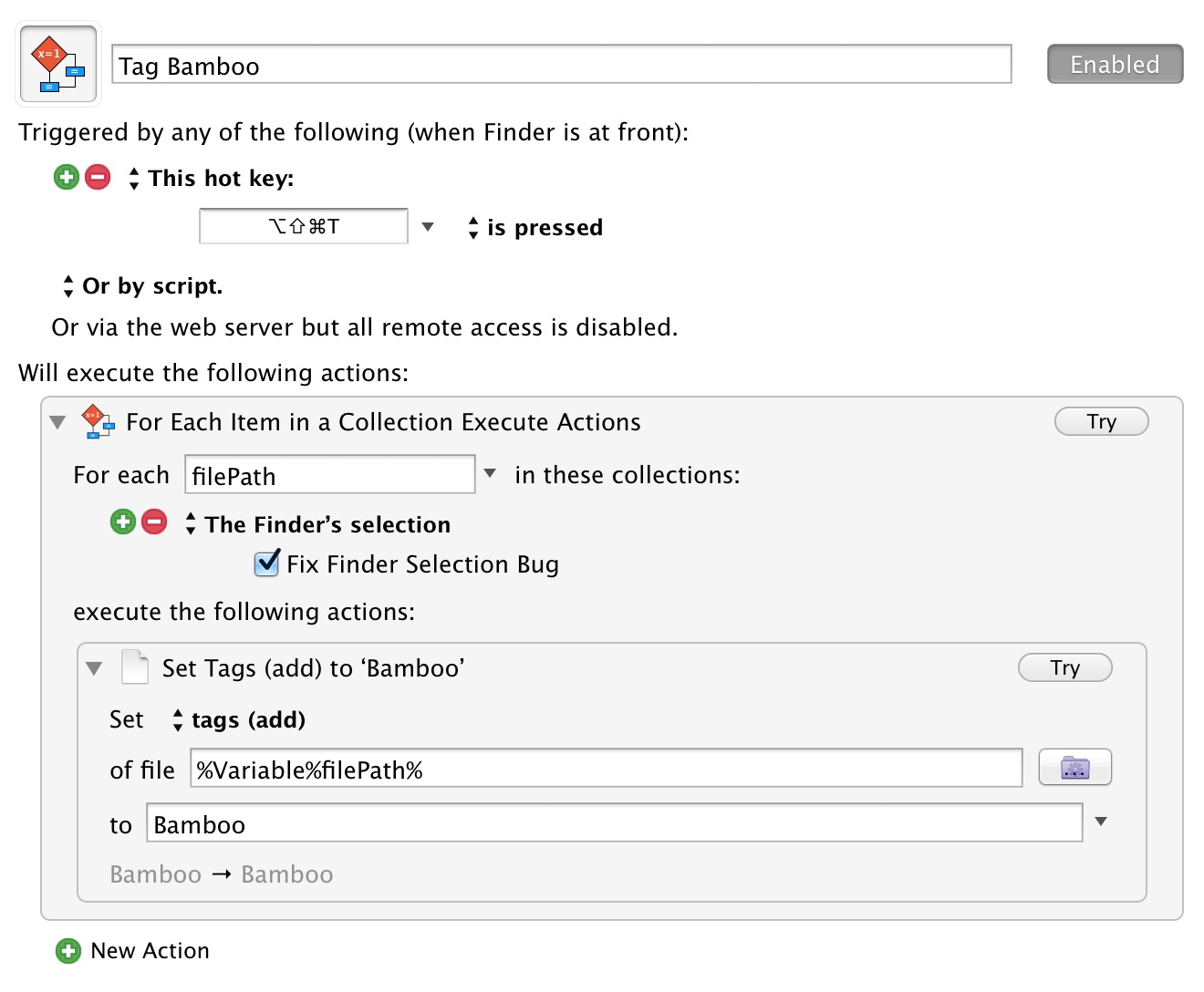
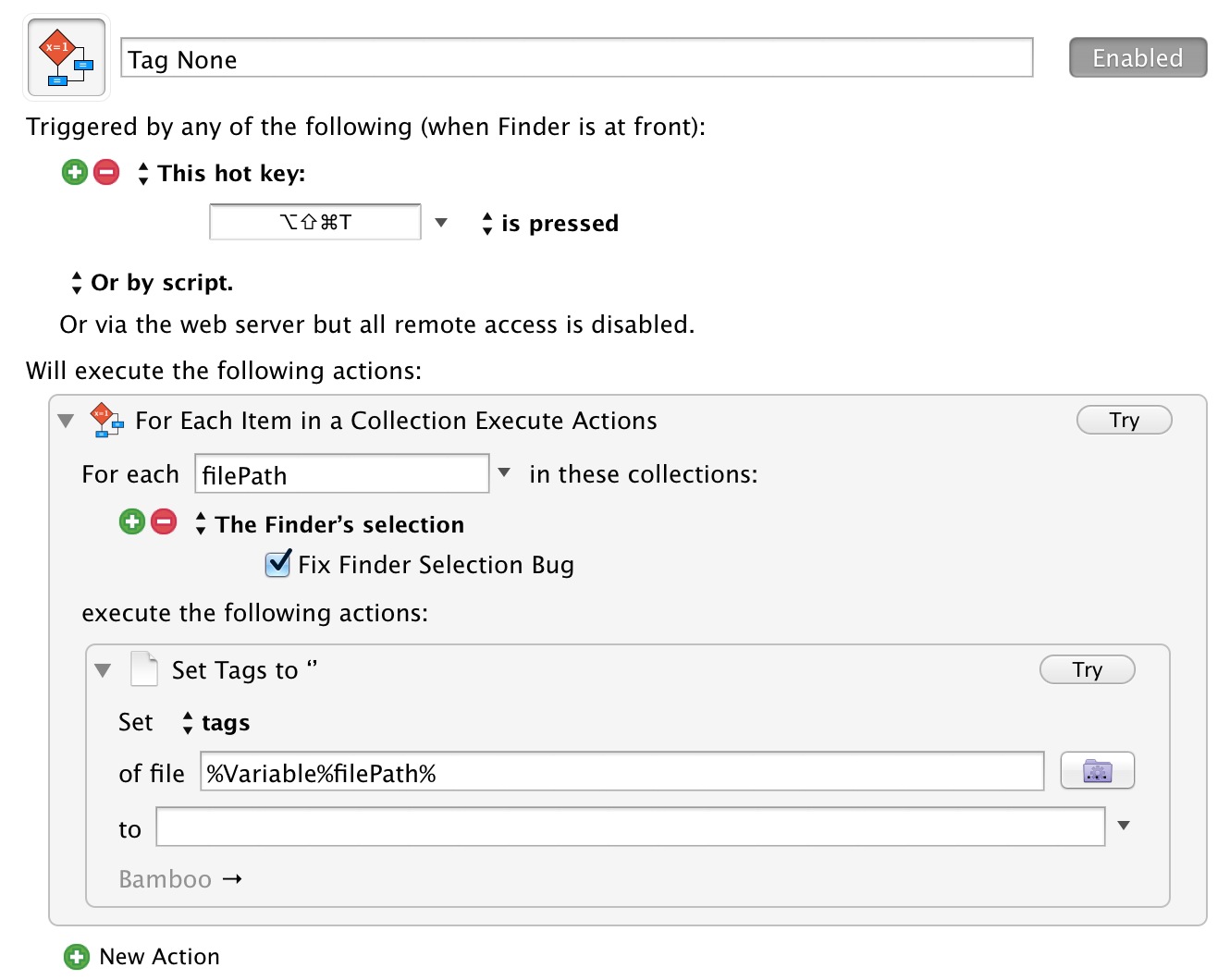
    Current tagging macros.

    When I posted about how I thought adding tagging tools to Keyboard Maestro was going to be a big deal, I hadn’t even used it yet — so here’s my first macro to use them. For me the biggest part is the fact that I can now start to use tags because I can quickly add them, whereas before it was far too much clicking of the mouse to tag files.

    Here’s the setup:

    And here is the one to remove all tags:

    There are currently four options for working with tags:

    • tags : This sets the tags to a specific set, hence leaving it blank removes all tags.
    • tags (add) : Think of this like append, as you aren’t changing the existing tags, but appending one or more new tags to the list.
    • tags (toggle) : As the name suggest this will toggle on and off one or more tags. I am actually thinking of changing my macros to use this method, but for now I am not. I want to see if my way has conflicts or not and I am not sure I want tags turned off if I blindly apply a tag to a list of files.
    • tags (remvoe) {That typo is in the app, not mine.} : This removes a specific tag.

    All in all Keyboard Maestro has fixed the biggest drawback to using tagging instead of folders: mouse management of tags. I think this will getting me using tags a lot more.

    UPDATED (on Apr 2, 2014): The macros were updated after the developer told me I was doing it the long way.

  • Fast Mail and Loose Privacy

    Marco Arment recommends moving to FastMail to ease our email privacy woes:

    I continue to recommend buying your own domain and pointing it at either your own IMAP server or a dedicated, paid, standard IMAP host. (I’ve used Fastmail for 7 years and have no complaints.)

    Eighteen months ago I moved all my email hosting from Google Apps to FastMail. It was becoming clear that Google sometimes kills free services that people rely on. It seemed safer to pay a company that focuses on hosting Email, a company that isn’t distracted by building self-driving refrigerators or deep-sea Internet balloons.

    I hate maintaining infrastructure, which ruled out running my own mail server. At the time, the only paid hosts with kudos seemed to be Rackspace and FastMail. Marco Arment recommended FastMail. Nobody recommended Rackspace. I chose FastMail.

    Switching from Gmail to FastMail was simple, just a few DNS records to change. ((The only complication was having two domains in one FastMail account, which meant using “personality aliases”. Receiving email from several domains into a single FastMail account is easy but sending from a different personality requires some slightly obscure setup.))

    Since switching there’s been no noticeable down-time. Email seems to be delivered promptly and spam filtering seems as good as Gmail.

    Is switching from a free email host worth the effort? Does switching for privacy reasons make sense?

    There are two big problems with Email privacy, one is identity; how do you know that only the intended people are reading your message? How do you know that the sender of an Email is who they claim to be?

    The second problem is that almost all Email is sent over the open Internet in plain-text, which can be read by anybody with access to a server on the path from sender to recipient. Do you trust all of them?

    Unless we start building personal trust networks (exchanging and verifying public/private keys) and encrypting our email, then we should probably give up on email privacy. When communicating in plain text over the public Internet we should assume that our messages are being read by third parties.

    It doesn’t matter if we self host, pay a dedicated Email host with a simple privacy policy or use a giant advertising-supported technology company’s Email service for free. Email privacy without encryption and trusted, verified identity is an illusion.

    Google and Microsoft are big companies with shareholder mouths to feed, and they make money by doing amazing things with data and selling those data to advertisers. I don’t begrudge these business models, but they complicate our provider-consumer relationship because now we’re sandwiched between the advertisers and the email host. Suddenly it’s a love triangle.

    We know that advertisers pay handsomely to put their products in front of us. The free-to-use, ad-supported email host knows that the content of Emails allow them to show more relevant ads. That’s a more valuable service to both consumers and advertisers.

    But complicated relationships become tiring. What used to be a simple exchange of personal data for services begins to feel creepy.

    My relationship with Google reminds me of the sequence in the film Groundhog Day where Phil (Bill Murray) spends many Groundhog days learning everything he possibly can about Rita (Andy MacDowell) in an attempt to get her into bed. By the end of the sequence Phil is trying so hard to impress Rita by using what he’s learnt about her that he comes off as a phony. Instead of making him more effective at selling himself to Rita, Phil’s targeted advertising just makes their interactions feel forced and he seems increasingly desperate and creepy.

    FastMail’s business model and privacy policy is simpler. My relationship with them is simpler. FastMail provide email hosting. I pay them money. They only read my email in order to prevent spam and provide a good service, so they say.

    To force the Groundhog Day metaphor, my relationship with FastMail feels more like Phil and Rita at the end of the movie, when Phil gives up his incessant data collection and starts using all his time to make other people’s day as great as possible. Rita falls for him because he’s turned into this genuine, cool (freakishly talented) guy.

    Can I trust FastMail with my privacy? It’s an Australian legal entity, which is harder for U.S. and U.K. intelligence services to bully. FastMail’s privacy policy says it will turn over my data to law enforcement if ordered by a federal warrant issued by an Australian judge, which is comforting, but in 2013 Telstra proved that at least one Australian company is willing to assist foreign intelligence services without a warrant.

    When I emailed FastMail to ask about its history with warrants and whether it discloses requests to customers, director Richard Lovejoy replied:

    We receive a very small volume of warrants, and currently I deal with them all personally. They are virtually all connected to ongoing criminal investigations, and often we are prohibited from notifying the user. In the cases that we are allowed to, I would normally send an email to the user concerned.

    I can only take FastMail at its word. I’m still sending Email in plain-text and hoping that nothing I write incriminates me or lands me on some government blacklist. The main difference between FastMail and free email services is that FastMail’s entire financial success rests on people trusting it enough to continue paying for email hosting. No company that sends and receives plain-text messages on your behalf can guarantee your privacy but you have a choice. You can date the sincere nice-guy or the creepy, polyamorous show-off.

  • Additional Steps to Protect Your Hotmail Privacy

    Brad Smith for Microsoft:

    Effective immediately, if we receive information indicating that someone is using our services to traffic in stolen intellectual or physical property from Microsoft, we will not inspect a customer’s private content ourselves. Instead, we will refer the matter to law enforcement if further action is required.

    Finally.

  • Fake Bokeh

    Interesting test of fake broken versus real. It worked better than I thought it would.

  • Bag Cleansing

    One of Michael Lopp’s travel tips:

    My travel tip is this: every three months, sit down on the floor of your office, take whatever bags accompany you around the planet, open them, and pour the contents on your floor. From there, you are making two piles: shit you need and shit you think you need. My advice: obvious need is easy, and if there is any question in your mind regarding need, put it in the other pile.

    I apply this tip to my bag I carry everyday, and do this about every month. I dump it all out and figure out what is unnecessary crap accumulated in my bag from a one time need. I lose a lot of junk every month, junk which would have otherwise kept accumulating. In fact, one thing that is nice about testing new bags is that I clean things up more often.

    It takes me about 10 minutes to dump it all out and put it back together, and I’d still do it if it took me thirty minutes.

  • Cloak 2

    Probably the best VPN to use if you don’t really want to have to think about VPNs just got a lot better. I love the new UI, but more than that I think it does a very good job helping people understand their security level in a very basic sense.

    Cloak 2 adds brand new one-time passes for when you need the security of Cloak but don’t want a full subscription. We’ve also made a huge price reduction to our Unlimited plan, which now costs just $9.99/month.

    Unless you have a VPN already setup, it seems to me this is a no brainer to install and then just use hourly if you don’t think you will ever need it.

  • Keyboard Maestro 6.4

    This is going to be huge:

    Added support for Mavericks Tags.

  • OmniFocus 2 for Mac resumes testing

    I can wait for June to fully dive into this, but nothing about what I am seeing is exciting. Where is the collaboration — that’s critical these days and I fear OmniFocus may never add it. What, do they work in isolation?

  • Owning Your Words

    Matt Gemmell:

    I understand that slotting an article into someplace like Medium may be a quick way to get some readers, but using it as your regular outlet seems like a huge mistake to me. If you have enough to say that you want to publish something of substance for a wide audience, your ultimate goal surely has to be to publish it yourself, in your place.

    Really interesting thoughts from Gemmell, and while I don’t wholly agree, he makes a strong case.

  • Westland Distillery

    This is a simply fantastic new whiskey distillery in Seattle. My good buddy and I went and did a tasting (a generous tasting I might add) of all three of their whiskeys and I was genuinely blown away. The Deacon Seat was by far my favorite, but I also got a bottle of the American Single Malt.

    Highly recommended.

  • Facebook To Buy Oculus VR

    The Panzer:

    Facebook has announced plans to purchase Oculus VR, the company behind the Rift headset, for around $2 billion in cash and stock. This includes $400 million, and 23.1 million Facebook shares. An additional $300 million earnout will be paid in cash and stock if Oculus hits certain unspecified milestones.

    Where does this money come from — this is bananas. Facebook sure is starting to feel an awful lot like Yahoo back in its prime.