Some interesting updates from Apple today. Mountain Lion is looking good overall, but what’s most notable is that it will only be a $20 upgrade — starting from Snow Leopard on.
iOS 6 was previewed and Macworld has a nice rundown on that here. I don’t think this is an update that makes me say “wow” as much as it makes me say “nice”. iOS adds some features that seem to polish off the OS very nicely. The only one that really excites me is the new Maps — can’t wait to give that a go. ((I’ll wait for the second beta at least.))
The MacBook Airs and MacBook Pros were updated, but the big news is the new Retina MacBook Pro (Macworld link). I really didn’t think we would see a retina Mac before Apple went all SSD, but I was wrong. I ordered one of these and will write up a review when I get done putting it through the paces. I only ordered it over an Air because I wanted that screen — otherwise I still think the Air’s are a better choice for most. ((Also I am very excited at how fast editing audio and photos will be now.))
Schiller walks on stage: “Hello, today we are announcing updates to all current Macs. We are starting by making SSDs standard on all new Macs.”
Then the only other Macs that Apple would have to talk about are MacBook Airs. Boom, every Mac updated.
This, I think, is far more likely than any other mass update and this is an update that I would expect would come before any retina display Macs.
This type of an update does two things for Apple: it makes it harder to comp Macs against other computers, and it makes Macs blazingly fast for all users.
We all have WiFi routers in our homes and the industry is at the point now that a decent router can be had for next to nothing. ((If you don’t care about speed, they can be had for less than $15 on Amazon.))
The problem: none of those cheap routers will be something that you are happy with. They will all cause you to have days where you can claim: “I was fixing my wireless, again”. I’ve been there, I hate that place.
In my opinion you are wasting your money if you buy anything other than the Apple Airport Extreme/Time Capsule.
For a few reasons:
1. Apple’s routers are a device that you aren’t going to have to constantly tinker with to get working. You need only set them up once and you are done.
2. AirPorts have great range, but if you need more, Apple makes it easy to extend the network. Hell, you can even add in an AirPort Express, or three, if you need to extend quickly and cheaply.
3. Apple makes the process of setting up super fast 5Ghz networks simple.
4. AirPorts make setting up a guest network dead simple.
5. You can administer AirPorts from your iPhone.
6. Wireless printer sharing is easy.
7. Quite literally, grandparents can set them up.
8. Hard drive sharing is easy.
9. If you get the Time Capsule, backing up is seamless, wireless, and (you guessed it) easy.
I’ve only ever had three Apple routers: an Airport Extreme, Airport Express, and Time Capsule.
I bought the extreme when they first came out and the Express to extend it. Both were replaced by the Time Capsule, but only because I wanted the new features of adding in a guest network and 5Ghz speed. If it weren’t for those reasons, I still would likely not need a new router beyond that first AirPort Extreme.
Compare that to all the Netgear, Linksys, D-link routers I owned before (top of my head count: 8) and why Apple just outshines each of those in every facet. I have only had three Apple routers, but really I only bought more because I wanted new features — not because I was tired of trying to mess with my current router. Pre-Apple routers I would buy new routers because I was convinced I had a dud.
I have installed DD-WRT on routers. I know, and can vouch for, just how fast non-Apple routers can be. The problem: they require a lot of work, and more than that, a lot of maintenance. I had one router that needed to be reset every time ~10GBs of data passed through it — no really.
I know a lot of people who constantly have trouble with their ’wireless internet’ and after I convince them to get the Apple router I don’t hear another peep from them.
I know these routers aren’t for everyone, but they are for *most* everyone.
Go get yours, set it up, and then forget about your network for a couple of years.
### Buy One
– [Apple AirPort Extreme](http://www.amazon.com/exec/obidos/ASIN/B0057AVXJA/ref=nosim&tag=brooksreview-20)
– [Apple AirPort Express](http://www.amazon.com/exec/obidos/ASIN/B0015YJOK2/ref=nosim&tag=brooksreview-20)
– [Apple Time Capsule 2TB](http://www.amazon.com/exec/obidos/ASIN/B0057AVXP4/ref=nosim&tag=brooksreview-20)
– [Apple Time Capsule 3TB](http://www.amazon.com/exec/obidos/ASIN/B0057AVXTA/ref=nosim&tag=brooksreview-20)
For quite sometime now [Agenda](http://getappsavvy.com/agenda/) has been *the* calendaring app that I use on my iPhone. The fact is: I typically only use iPhone calendar apps to view appointments and rarely to add appointments. With the addition of Siri this is doubly true.
There are, however, those times when you really need to manually input an appointment and Agenda has always been lackluster in that department.
No more.
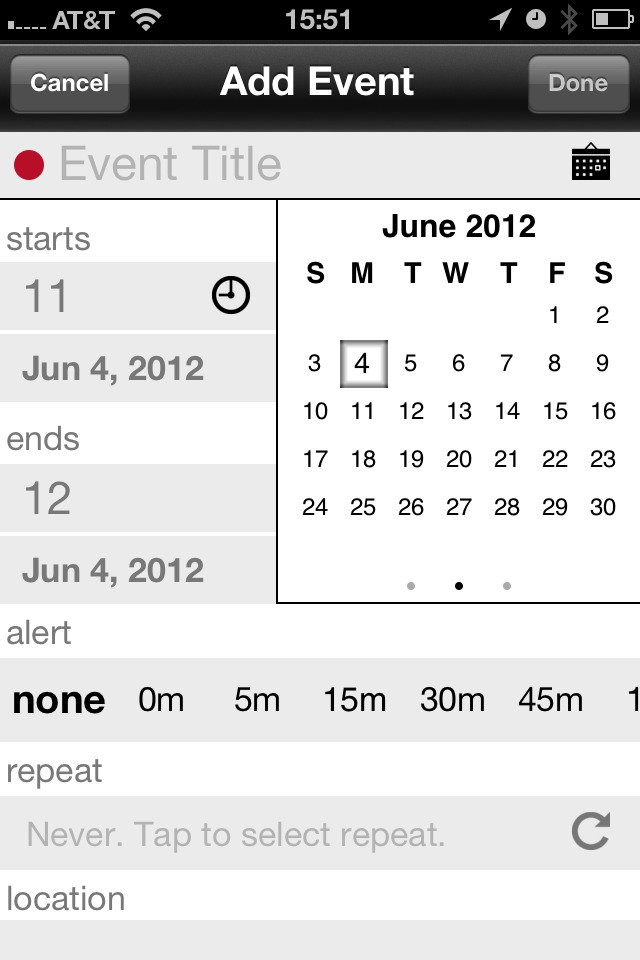
With Agenda 3.0 the add appointment screen was overhauled and rethought. They did a very nice job with it.
Revised new event screen.
I personally would prefer slightly larger tap zones for the Title area, but that’s a minor complaint in the grand scheme of things. One thing that I really like is that this screen is mostly laid out the exact way my mind thinks when I input a new appointment:
– Title
– Start
– End
– Alert
I would like it if Location and Repeat fields were flipped around, but again: minor complaint. (I also like that there are lots of new defaults that you can set here too.)
For a feature that I rarely use, this is a very nice update. It’s certainly not as fast as speaking the appointment to Siri, but as fast as anything else I have used on the iPhone (including natural language, which is hampered by the small keyboard size on the iPhone).
### Status Updates
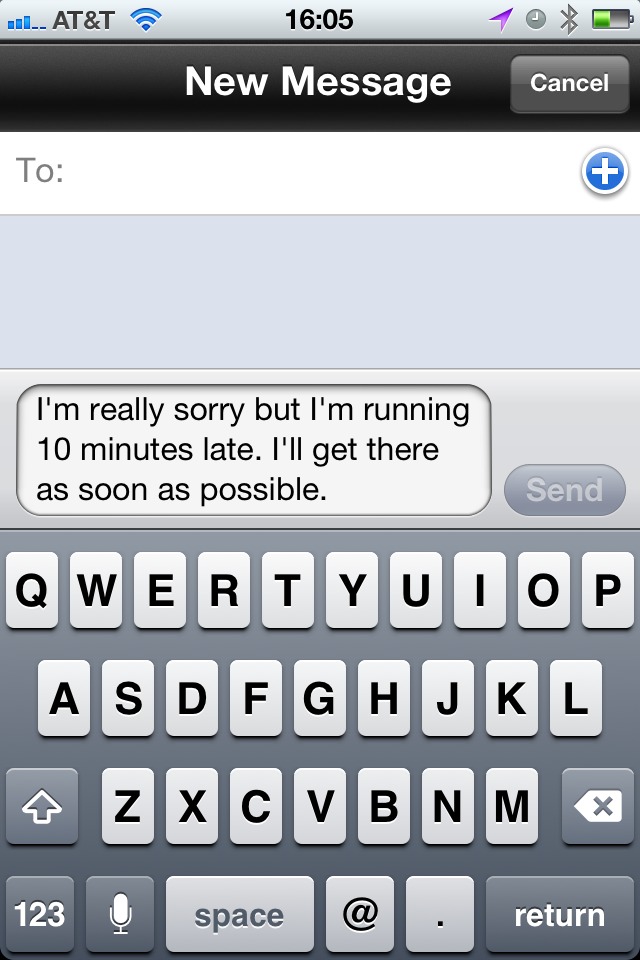
One very clever addition is the ability to import a contact for easier adding into an event. This isn’t the same as inviting someone — I actually think it may be better — by adding a contact you allow yourself to send very quick, pre-filled, status updates.
Some of the defaults are: confirmations, I’m here’s, late, and of course you can add custom messages (and customize the defaults). What I particularly like is just how easy it is to send the messages.
Event with contact added.Texting the contact.
All you do is open the event view, and tap one of two very large buttons (your decision between emails and texts) and then the message and time/date inputs that you specify as variables (so, 10 minutes, in the above example).
That’s really clever and useful, especially now with imported contacts.
Now I just need to remember to attach contacts to all my meetings.
### Get It
Agenda is/was great. Agenda 3.0 *is* better. If you don’t own the app, [now’s the time](http://getappsavvy.com/agenda/).
When Apple announced their reminders app, and a new API, that allows geofencing in iOS, I was pretty pumped. To be able to schedule a task to alert you the moment you enter or leave a location seemed pretty cool. But, as with many things, the demo proved to be much cooler than the actual real world use case.
My biggest gripe with geofencing is that most apps that implement it do not allow you to set the radius for the geofence. For OmniFocus that means that even driving by certain places will set off the reminders. This is not only *not* helpful, but I find it down right annoying.
Sometimes a wide fence is good, but most of the time you need the geofence as tight as can be — say 10 yards. Even at that it’s just not accurate enough most of the time to be a feature I find useful in day to day situations.
### Are We Holding It Wrong?
Or, better yet are we using the geofence technology wrong? Was Apple’s application of geofencing for reminders simply the only example they could think of within the current apps they had and wanted to offer?
I think this may partly be the case. I just posted about Instapaper’s new geofence for background updates — a task that simply doesn’t need to be massively accurate to be performed well. In my mind this is a better use case for a geofence, as the service currently exists, than something like location based reminders.
### Another Problem With Reminders
Most of the time geofence reminders reminding you when you arrive somewhere is simply not that helpful. I hardly want to be reminded of 59 tasks the moment I get home, so I rarely use arrival reminders because, overall, I find them to be very invasive. (They are handy if you want to be reminded of something you need to do the moment you get home, but those times are pretty rare for me.)
What’s even more worthless is reminders when you leave. In my life there are simply very few use cases where I want to be reminded *after* I leave a place. What I really want, and what I expect many really want, is a reminder when I am just *about* to leave.
“Don’t forget your keys!”
That reminder is worthless *after* I have left, and worthless when I arrive and if you don’t leave at the same time everyday, you can’t set a time based reminder for such an item.
Now, I have no clue how to do this, but it would be pretty great if I could exclude my garage from the geofence. Therefore once I get in the garage my phone assumes I am leaving. How you do that? No clue.
Even if my car could talk to my iPhone and tell it “Ben is in his car now” — that would be a great time to trigger a couple of reminders.
### Geofuture
A lot of what I want relies on more accurate GPS locations and dreams. What does make me excited is to see more applications that use geofencing in new ways, much like what News.me and Instapaper are doing now.
Here’s a thought: geofence based calendar alerts. If my meeting is at my office, and I too am in my office, set the alert to only 5 minutes before. If I am at home and my meeting is at work, set alert for 15 minutes before.
This is one of my favorite *[Little Things](https://brooksreview.net/2012/05/little-things-2/)* tips: just buy more chargers for your devices. I know that you have probably heard this before, but I really do hope that you do this.
In case you don’t know what I am talking about I want to walk you through a typical day of mine back in 2006 (which was right before I started deploying this tip in my life).
### 2006 Ben
I was using a 15” MacBook Pro and I only had one charger for it. Keep in mind I used this Mac for *everything* — no iPhone was around yet. In a typical day during this time I would have to unplug and relocate my MacBook Pro charger no less than five times.
That isn’t a shockingly high number, until you think about the fact that outlets are not conveniently placed. They are placed low on the wall and often in spots where you want to block them with furniture. It’s not hard, per se, to move a laptop charger from room to room — but it *is* very annoying.
### Present Day Ben
Now I own several MacBook Air chargers. I keep one at my desk at work. One at my desk at home. I keep the third one in my cord bag so that I can easily toss it in my bag if I need to. (Before I switched to the MacBook Air, with its long battery life, I used to keep a fourth laptop charger in the living room routed between the couch cushion that I normally sat on.)
I can’t remember the last time that I bothered with toting chargers around with me in my day-to-day life. That’s not only less weight and stuff to carry, but it’s a lot less of the fiddling with placing chargers.
### Why You Need to Do This
How many times have you been working on your device (any battery powered device) only to have the battery start to die and instead of plugging in the device to keep working, you decide to just go plug it in to the charger — wherever that charger maybe?
If you do that even once a week, you know how big of a pain that can be. Doesn’t matter if it is your iPad, iPhone, or Mac — having to stop working to go charge it somewhere that you don’t want to work is annoying.
So by buying yourself an extra charger (or three) you can quickly eliminate this annoyance.
I think to most of you the laptop charger scenario will make a ton of sense — the chargers are heavy and we like to route the wires nicely on our desks.
What about iPhone though?
I think any avid iPhone owner will agree that the battery life could be much better. In a typical day my iPhone will be sitting at about 20% left when I get home around 5p. That’s not great — I made it through the work day — but it won’t last me the night.
I actually have iPhone chargers everywhere.
– Living room
– Home office
– Car
– Office, office
– Bedroom
– Two extra chargers in my cable bag
Here’s the thing with my iPhone: I don’t like to not be near it, ever. It bugs me — yeah call me OCD, or odd — fact is I like my iPhone close to me at all times. I also realize that the battery will die if I don’t charge it at some point during the day, thus all the chargers scattered throughout my life.
It’s even to the point where I am going to go put an iPhone charger in our guest room, just so our guests don’t have to mess with plugging in (and forgetting) their chargers.
### The Exception
There is only one exception to my “buy a ton of extra chargers” rule: my iPad. The iPad has proven to me that it’s battery life, and the amount per day that I use it, don’t warrant having chargers anywhere but in the bedroom. ((Of course this is helped by the fact that I can, in a pinch, charge off of iPhone chargers.))
As battery life in my devices improve this will likely reduce the amount of chargers I have to carry.
### But Until Then
I am going to keep strategically placing chargers throughout my life for two reasons:
1. I hate having to move chargers.
2. I love knowing that I don’t need to worry about battery life because it is either good enough, or a charger *will* be near.
Ok, go buy some chargers.
#### Buying Advice
Obviously with Mac laptops you need to buy Apple chargers, but for your iPhone here are a couple of chargers you may want to consider:
– [Belkin Mini Surge](http://www.amazon.com/exec/obidos/ASIN/B0015DYMVO/ref=nosim&tag=brooksreview-20): I love to take this traveling or to coffee shops. You get three power ports and two USB chargers. It won’t charge your iPad at full speed, but it’s a great travel companion.
– [Griffin Car Charger](http://www.amazon.com/exec/obidos/ASIN/B0042B9U8Q/ref=nosim&tag=brooksreview-20): The best part is that this charger has two ports. One for you and one for your wife.
– [Monoprice External Battery Pack](http://www.monoprice.com/products/product.asp?c_id=108&cp_id=10833&cs_id=1083110&p_id=9282&seq=1&format=2): I personally have not used this, but I do have this version that [they no longer make](http://minimalmac.com/post/9551851629/monoprice-powerocks-universal-external-backup-battery) and have nothing but good things to say. What’s great about this power pack is that it can charge an iPad at full speed, which means I just bought one for myself.
I assume that I had a similar experience as most college kids in the U.S. — that experience goes something like this:
– I don’t have much money.
– I need/want XYZ
– I am going to settle on ABC because I don’t want to try and (or can’t) shell out the money for XYZ
– ABC is not as good as XYZ, but *I* have ABC
I couldn’t afford anything other than a base model 12” Powerbook G4 and even though it was dog slow with only 256mb of RAM, well, it was *my* dog slow Powerbook G4. I could have worked at getting more RAM quickly, because I did use the machine all the time, but at that time this concept so succinctly put by Marco Arment was largely a mystery to me:
>If you sit on, sleep on, stare at, or touch something for more than an hour a day, spend whatever it takes to get the best. -[@marcoarment](http://twitter.com/marcoarment/statuses/13642753090)
It’s a statement that makes so much sense once you have done just that, spend whatever it takes, but a concept that is foreign to many as they are starting out in life.
I used to think: “A bed is a bed” and now I know “all beds are not equal”.
Luckily I found this out long before Marco tweeted it, but it’s something that is an ongoing pursuit in my life: to get the best X that I can get.
That doesn’t always mean the most expensive, just the best for *me*. I started this with the things that I use, or interact with, the most each day. That means I started with my bed and the difference was amazing.
What I have found is that by doing this I am incrementally making my life more enjoyable each and everyday. It really is the little things that count, because if you improve enough of the little things (and the big things don’t suck) then pretty soon you are going to have a lot of great things going for you and thus you *will* be happier.
This is the reason I often write about recurring topics on this site — it’s a documentation of my pursuit to find the perfect thing for me.
It’s why I have over 18 bottles of partially consumed whiskey in my house.
Why I constantly am trying weather and note taking apps.
The reason behind my obsession with finding a perfect bag and now my obsession with talking about my perfect bag.
Or why I endlessly write about knives, much to the annoyance of many readers.
This is the reason why I bought a BMW when I owned a perfectly good car (that I owed no money on).
You can get by with less than great all you want, but you can’t be happy with less than great — at least I don’t know many people that can be.
‘Great’ is subjective and highly personal.
What is great for me may not be great for you. For *my* great thing to be great for you, we must hold similar values and live a similar life.
This post marks the start of an ongoing series about those little things that I have found to be great for me. It may be a nice light switch, a new Keyboard Maestro macro, or even a really great shirt. I am not going to just talk about the products that I chose, but I am going to try to focus a bit on both: how I chose the item, and why I chose to make this item a priority in my life.
*Stay tuned*. ((I am going to title each of these posts starting with “Little Thing:”, so that you know what you are getting into when I post it.))
Over at [iMore, Rene Ritchie has a post](http://www.imore.com/2012/05/29/ios-6-multitasking-fast-app-switcher/) about the how and why of Apple revamping the way multi-tasking works in iOS 6. He has a lot of examples and some great thoughts.
There is one major problem though: multi-tasking in iOS doesn’t need to be revamped.
Apple *needed* to add multi-tasking, but they never *needed* to add a multi-tasking switcher because the springboard (your home screen) already serves that purpose. Does it really matter to you if the app is already running on your phone? Are you less likely to open an app because it is not already running?
I think not.
Most iOS users know how to quickly switch from one app to another on iOS: tap the home button, tap the icon of the app you want. That’s pretty simple for every user to do.
Every iteration of possible solutions that Ritchie showed are poor for every iOS user except those that want iOS to be more like Android — the so called “power users”.
iOS is supposed to be simple, and it is simple.
Adding extra chrome to the UI to make switching between already running apps is silly — we already have a good system for doing that.
In a quick poll of iOS users in my office (six of us) I found that there were only two that used the multi-tasking tray — one was me. And now we are calling for a better version? (To be fair I think Ritchie is just asking if it is needed and proposing possible solutions.)
Personally I think that what we need isn’t a better way to switch between all running apps, but a better way to switch between apps that we are currently working in. The distinction is this: I don’t work in more than a few apps at once. Whereas a multi-tasking switcher assumes that I am working with all running, or recently running, apps.
For the most part iOS users put the apps they use the most on their home screen. Beyond that a user *may* just want to be able to quickly toggle between another app they are using at the same time, for this I propose and easy solution:
Excuse the fact that I suck at Photoshop.
This would be easily discoverable by all users, requires no special tapping, and allows you to jump back and forth between two apps that may not normally be on the same home screen. The idea is that these are X apps that you are moving between often, within the last X minutes. If you haven’t been using you phone for an hour, nothing should show here. The idea is that when you are jumping between apps on different screens, it’s nice to have an area where they are next to each other — but unneeded at all other times and for all “running in background” apps.
Right now iOS has two multi-tasking switchers: the home screen, and the multi-tasking tray. Apple doesn’t need to extend the tray to make iOS better for people, and in doing such an extension I worry that iOS would lose a bit of its simplicity.
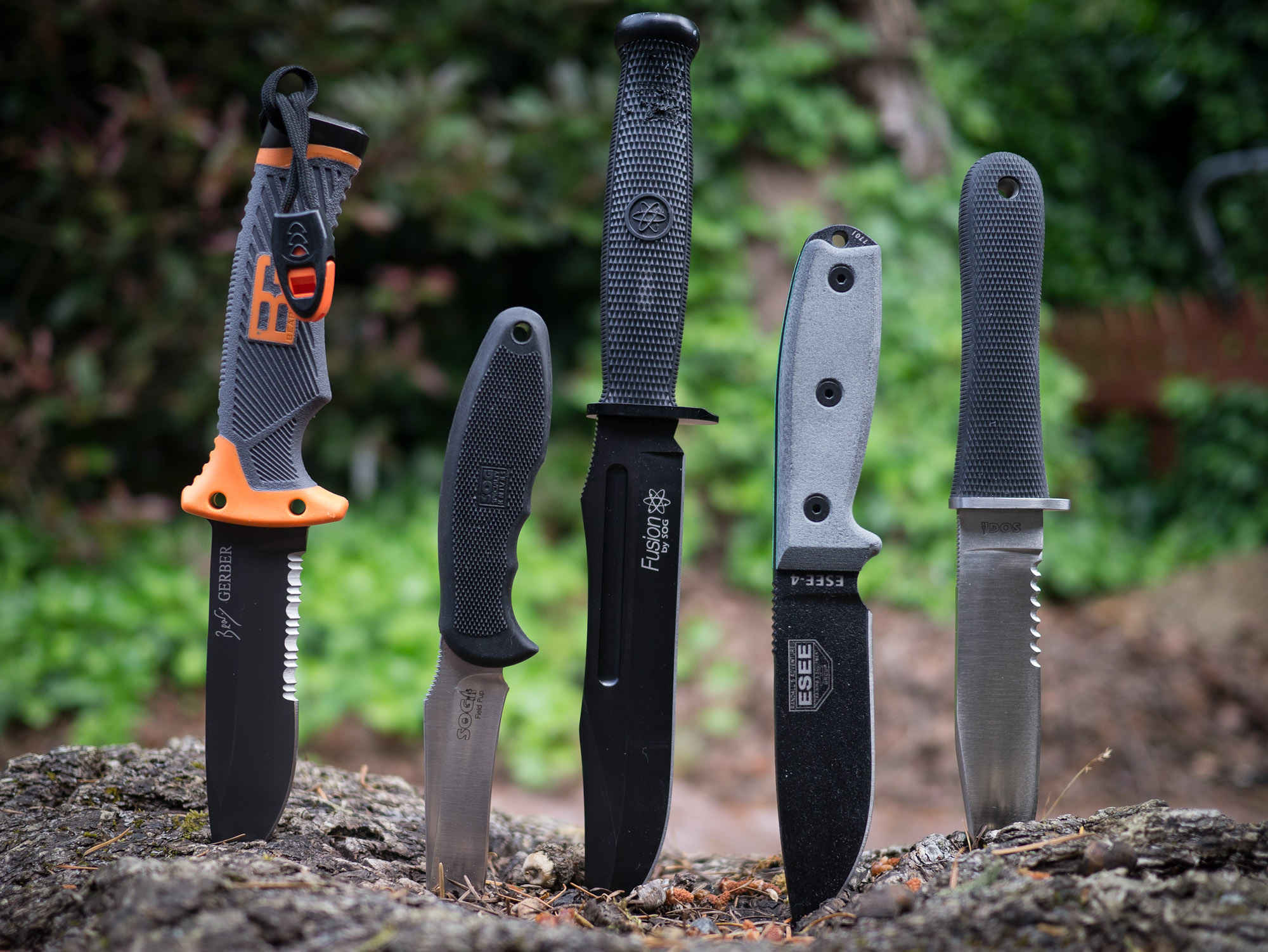
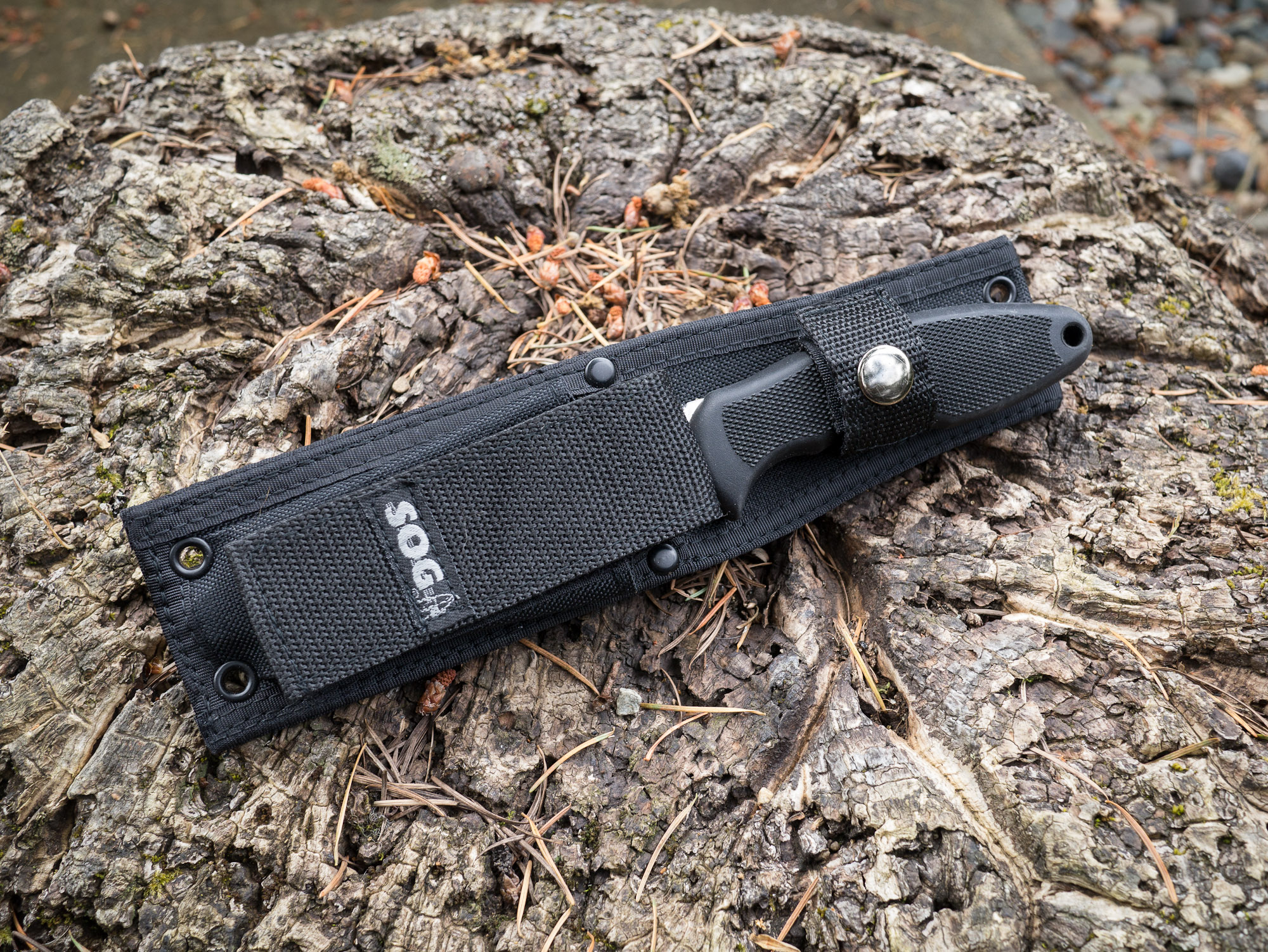
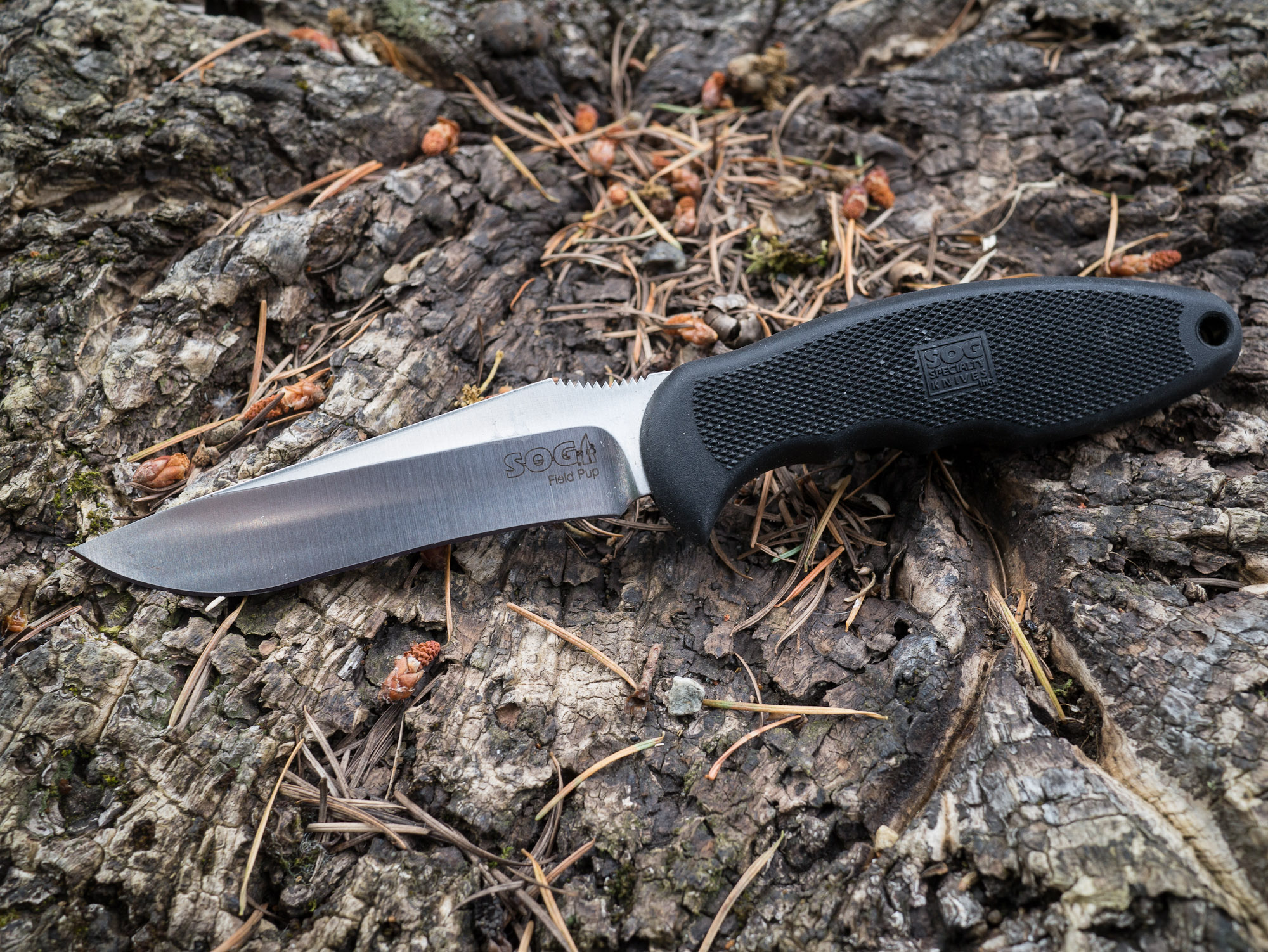
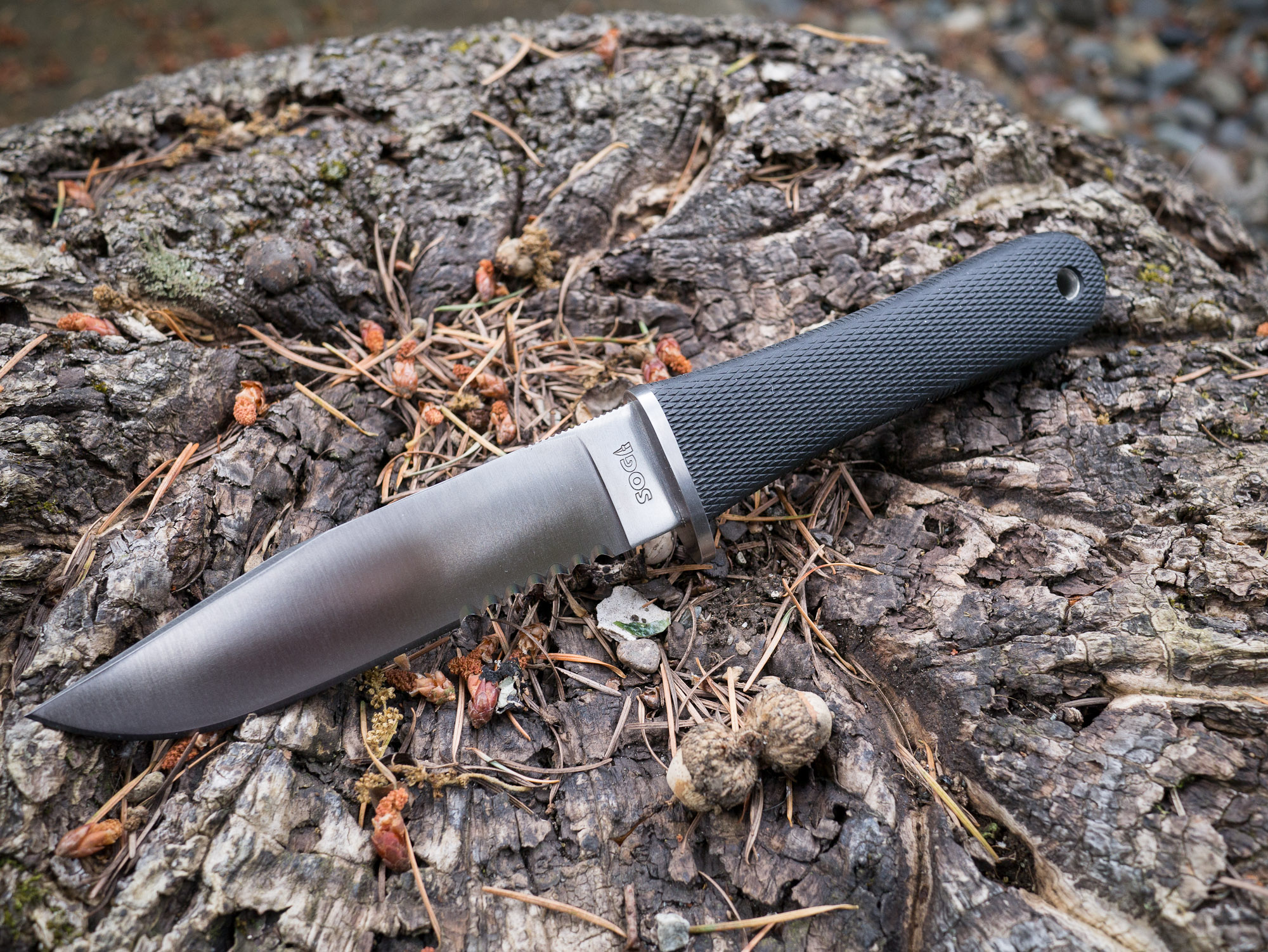
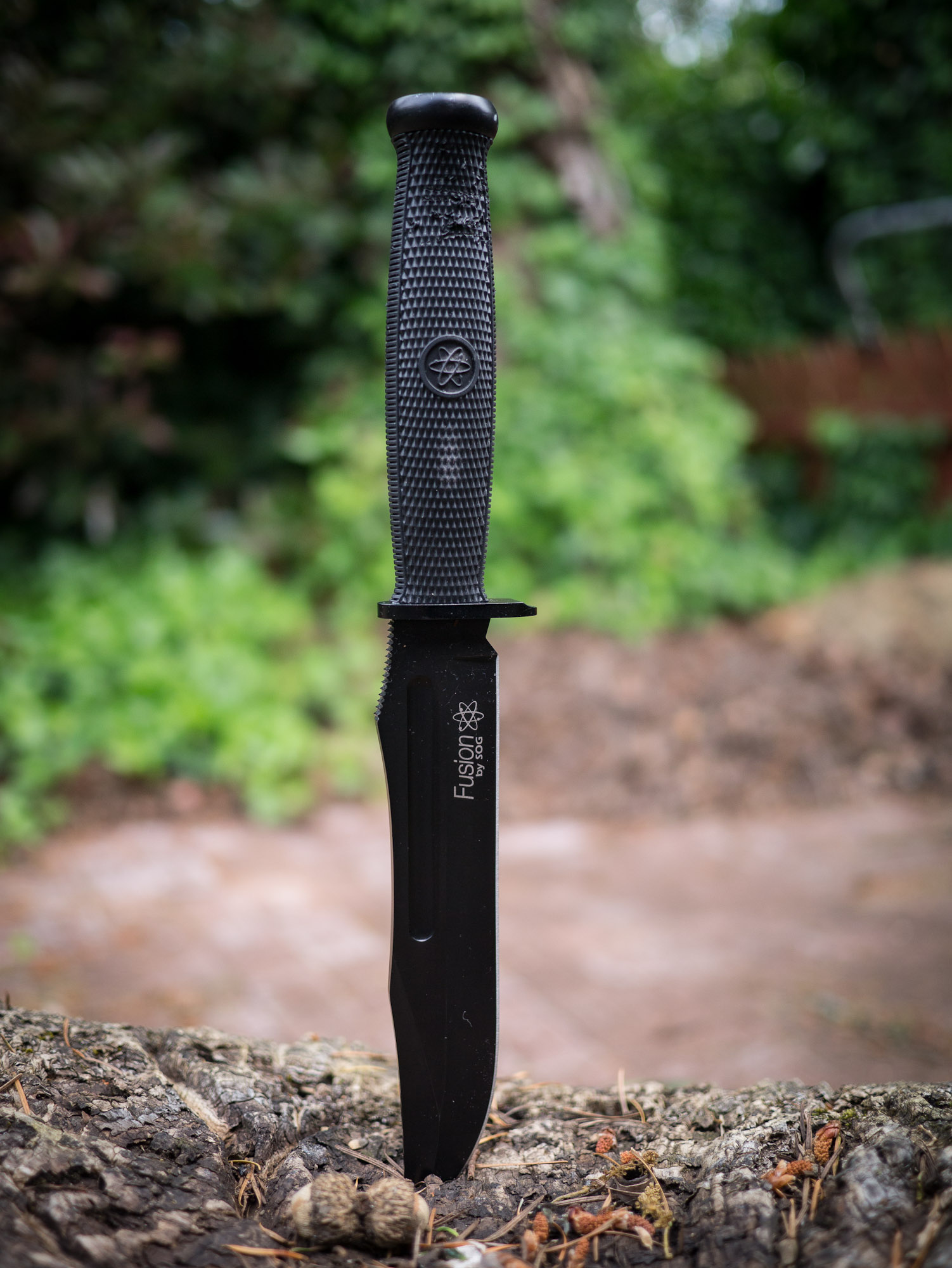
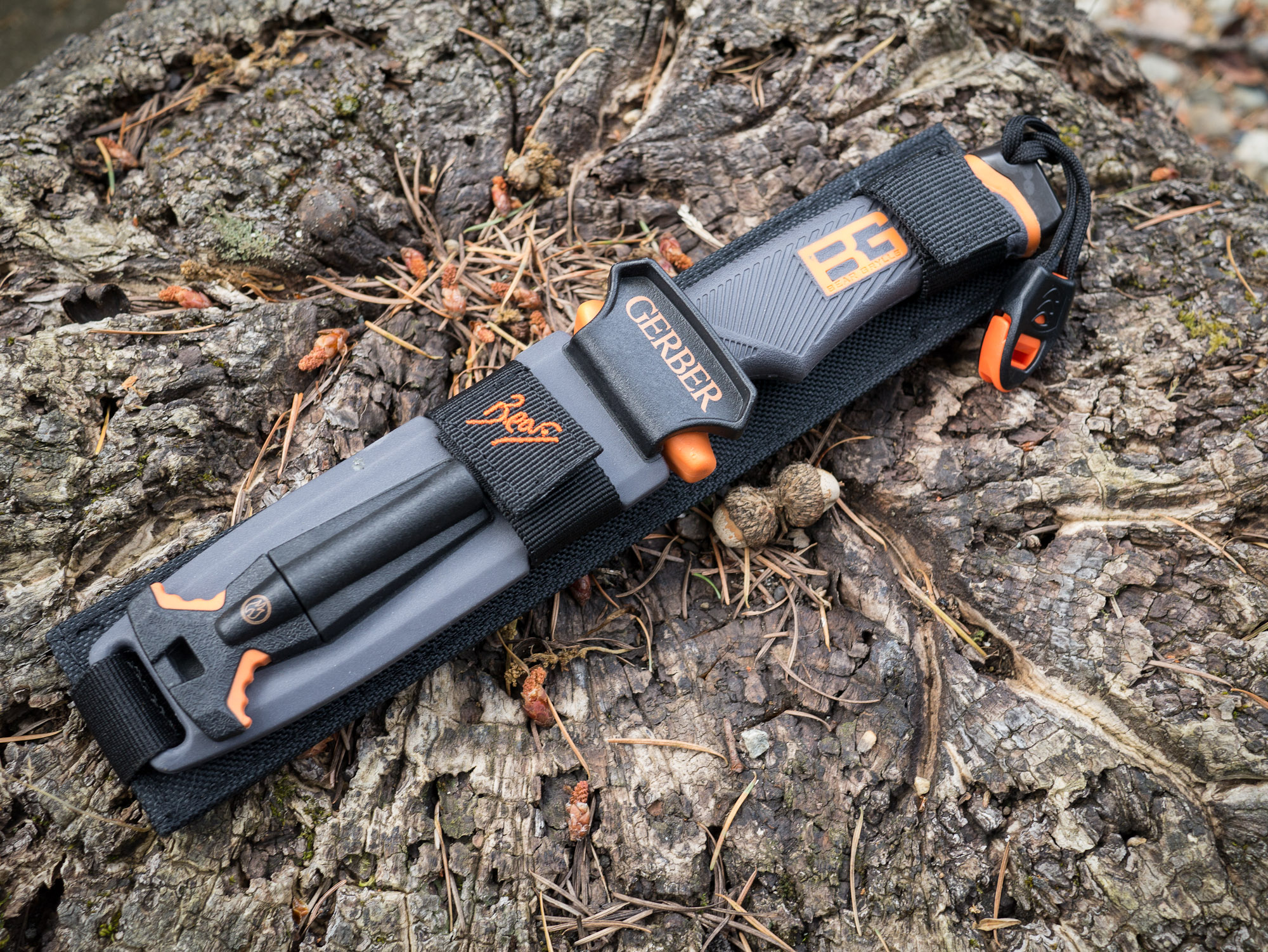
From left to right: Bear Grylls, Field Pup, Fixation Bowie, ESEE-4, NW Ranger.
Note: This is an outdated post, I am leaving intact. My current picks for survival knives are Bradford Guardian knives.
I’ve long had a passion for a good knife, and as I have discussedalready — I carry a pocket knife everyday.
Now that summer is fast approaching and camping/hiking is becoming an activity that more people will take to, I wanted to discuss survival knives. If you aren’t sure what a survival knife is, or how to choose a good one, The Art of Manliness blog has a really nice post on them. Basically a survival knife is a large, fixed blade, knife that one uses to survive in the wilderness with should the worst case be presented. That means that the knife you choose must be versatile.
In this post I am going to be looking at just five such knives that I own, but if you want to look at more options then Blade Reviews is a good place to start.
All of these knives are full tang blades, and all are actually quite different. I ran them through a few tests in my backyard to simulate things that I would do with them while out camping:
Whittling a tent stake.
Striping a tree branch of bark.
Creating kindling.
Chopping a much larger log.
After the test I observed how sharp each blade was and finally resharpened the blades to see how easily (or hard) it is to get back a razor edge.
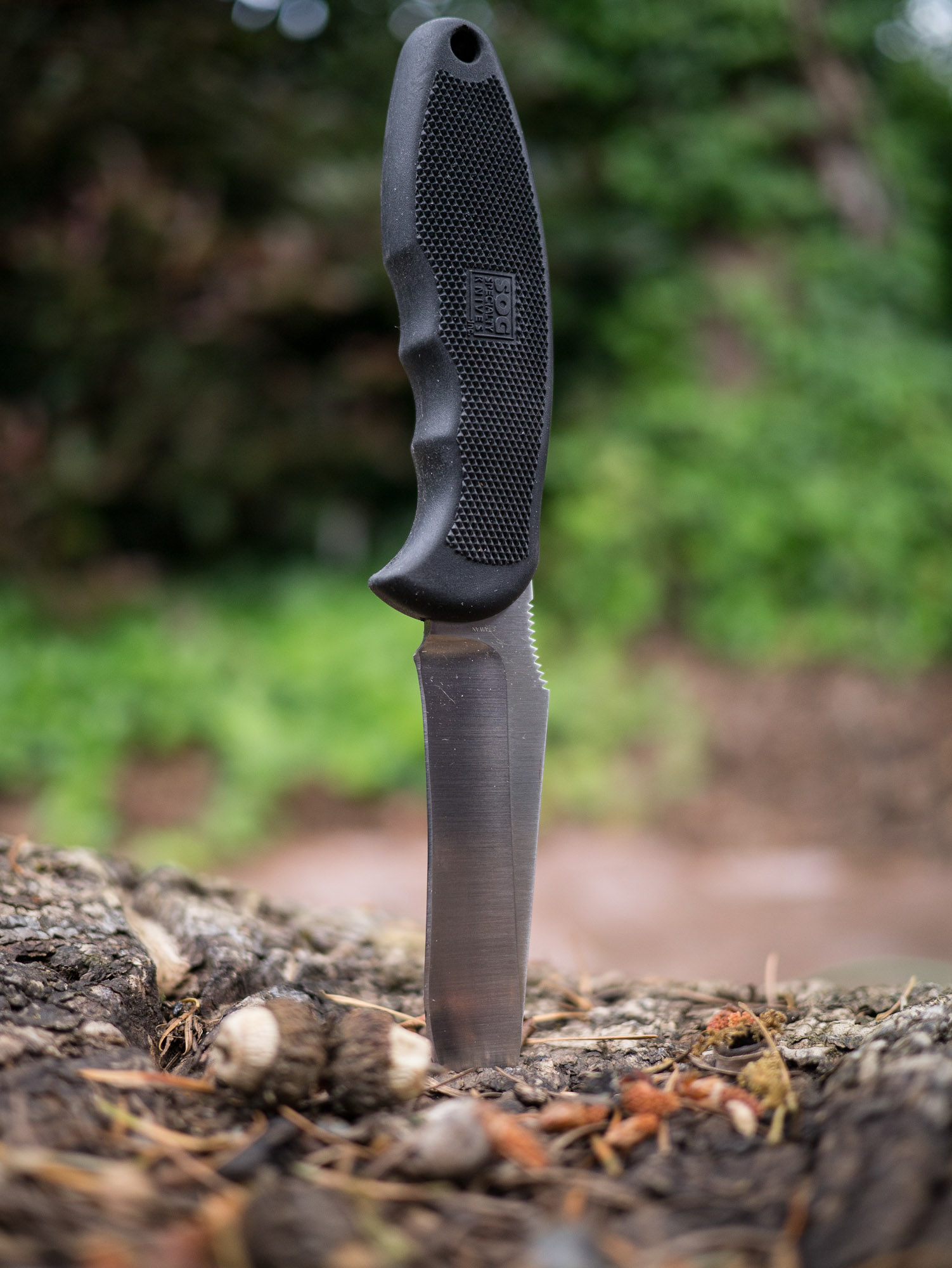
SOG Field Pup
We are going to start with the baby of the bunch, the SOG Field Pup. Of all the knives in this test this is the lightest and smallest of the lot. It has a non-serrated blade that features a curve in the middle.
When whittling this blade offers superior control for a larger knife. It is easy to strip branches and do detail work with. This, I believe, is due solely to the shape of the blade.
However, it is that same blade shape that causes trouble when you try to perform larger tasks with the knife. Creating kindling is easy, but chopping off a branch or chopping down to size a log is a difficult task for the knife. Both because the knife lacks the mass of the others and because the curved blade provides an uneven striking surface. Presenting a large tradeoff for this blade.
Other Notes
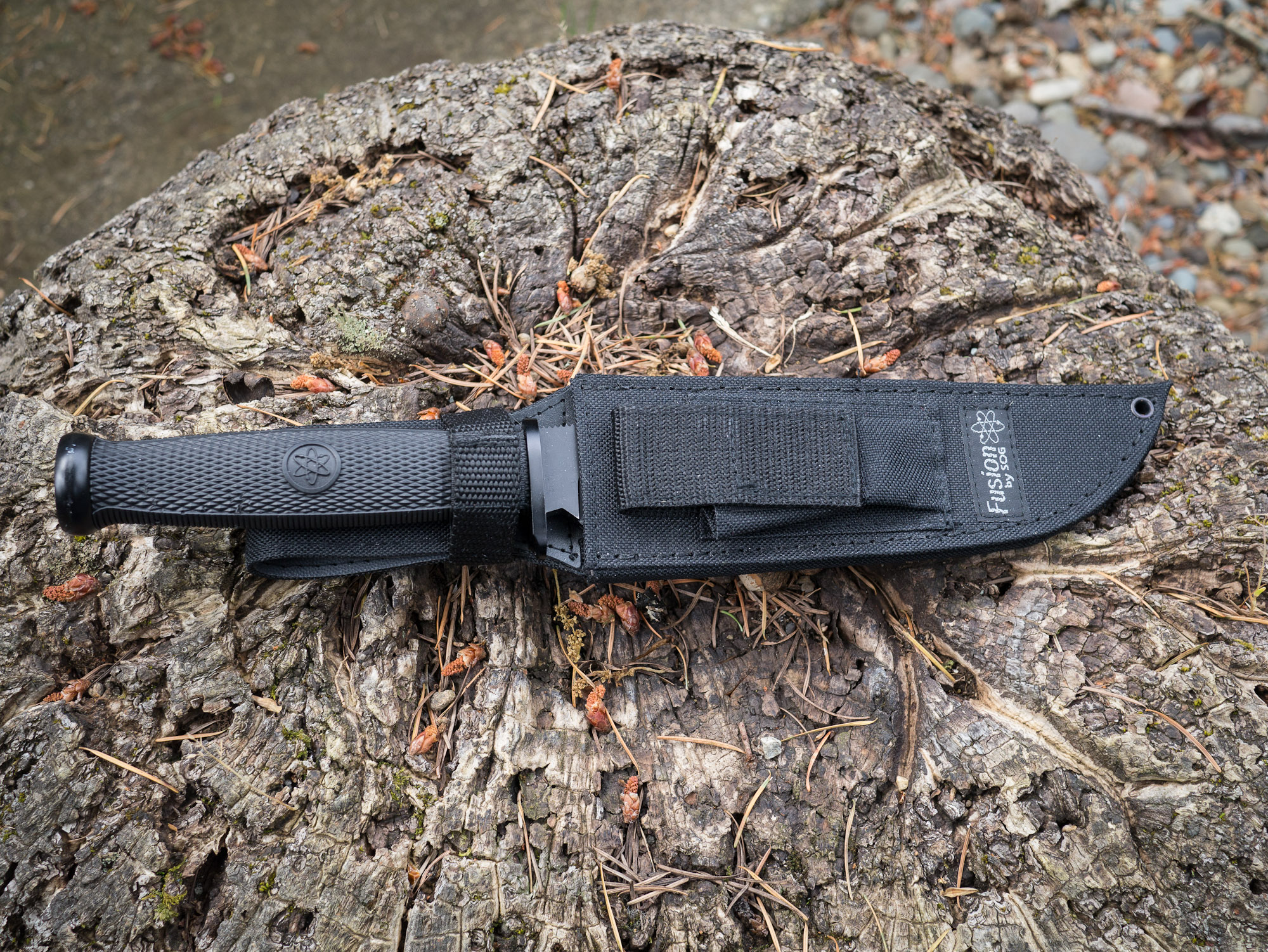
This knife comes with a sheath that offers a storage pouch for a lighter, or fire striker — a nice touch. It also has a large strap on the back that allows for easy placement on and off packs and belts. The handle is very grippy and comfortable to hold, but only in one position.
The metal itself is easy to get a sharp edge on, but is rather soft and dulls much quicker than other high carbon knives.
Overall
This is not a knife that I would personally choose for my survival knife type situations, solely because of the blade shape and soft metal. It is however something to think about for someone who is not comfortable with knifes, since it does offer such great blade control for smaller tasks.
It’s a knife I would shove in my wife’s pack for her to use in a survival situation.
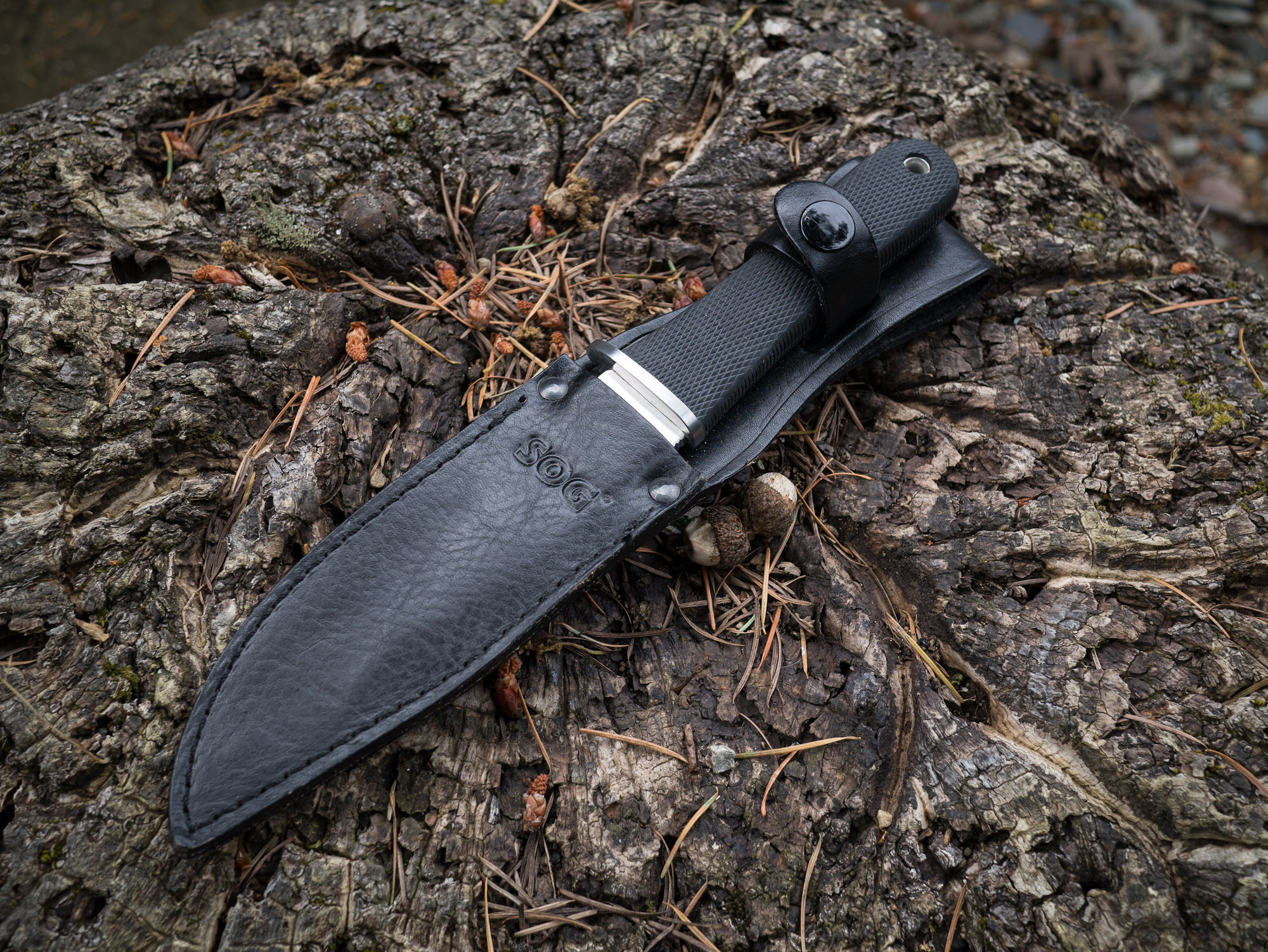
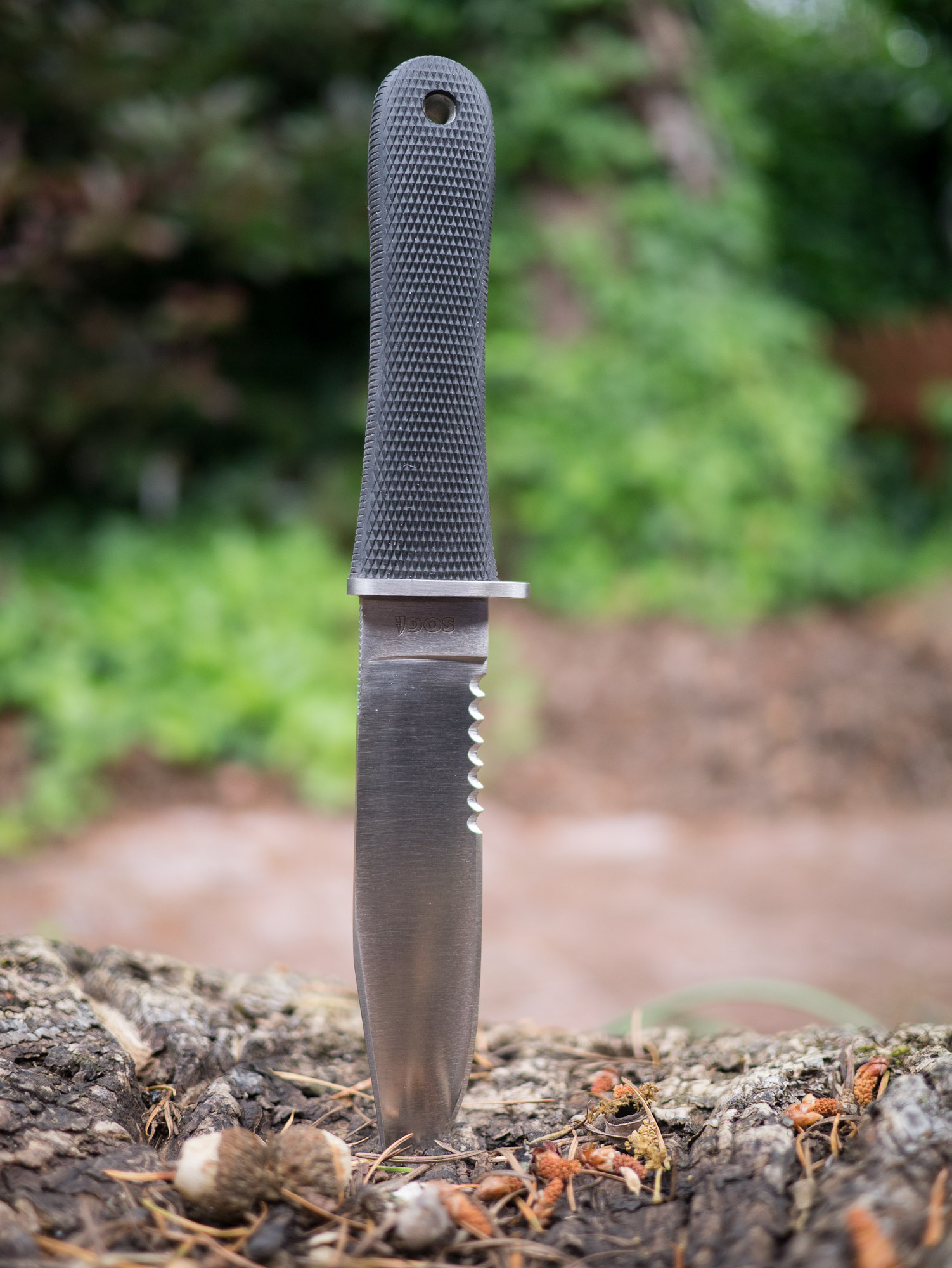
SOG NW Ranger
This was the first survival knife I purchased and I still love it for the looks alone. Smooth and sleek. Unlike the Field Pup this knife is partially serrated, something that I generally would recommend you stay away from in survival knifes as the serrations have limited utility in practice.
As far as partially serrated knives go, this one isn’t too bad because it has ample room of a straight edge for using to whittle and chop.
I found the NW Ranger to be very comfortable to hold while whittling, but lacking in control. This is in large part due to the serration of the blade, which forces you to work closer to the tip of the blade. This is a universal problem with partially serrated knives, but it isn’t as large as an issue with this knife as with the Bear Grylls knife that we will talk about in a bit.
Chopping and all the other tasks were accomplished in an average fashion with this knife, no major complaints. It does take some getting used to so that you can properly work around the serrated portion of the blade.
Other Notes
This knife features an all leather sheath, which compliments the look of the knife but is also less than practical for actual survival situations. The knife attaches to your belt through a loop at the top, leaving the knife to flap against the side of your leg — not comfortable for active hiking.
The steel on this blade is a bit stronger than the Field Pup, and does hold a nice edge. It is easy to sharpen and keep sharp. The handle is also very simple and would allow for multiple holding positions.
My only concern with the design of this knife is the handle itself. It would worry about my hand slipping when using the knife under wet conditions and assume this is the reason for a small front quillion on the edge side of the blade.
Overall
This is still my favorite looking knife of the bunch. But the sheath is heavy and cumbersome to use. The blade’s serrations make it less than ideal. Overall this isn’t a knife I would recommend as a general survival knife. However, SOG does make a new version of this knife that has no serrations and, if all else is equal, that knife would make a fine choice.
As it is, and probably with the non-serrated version, this knife is best reserved for the role of a land owner in Montana that wears Filson all day long and rides around his land on an ATV — also known as my retirement plan.
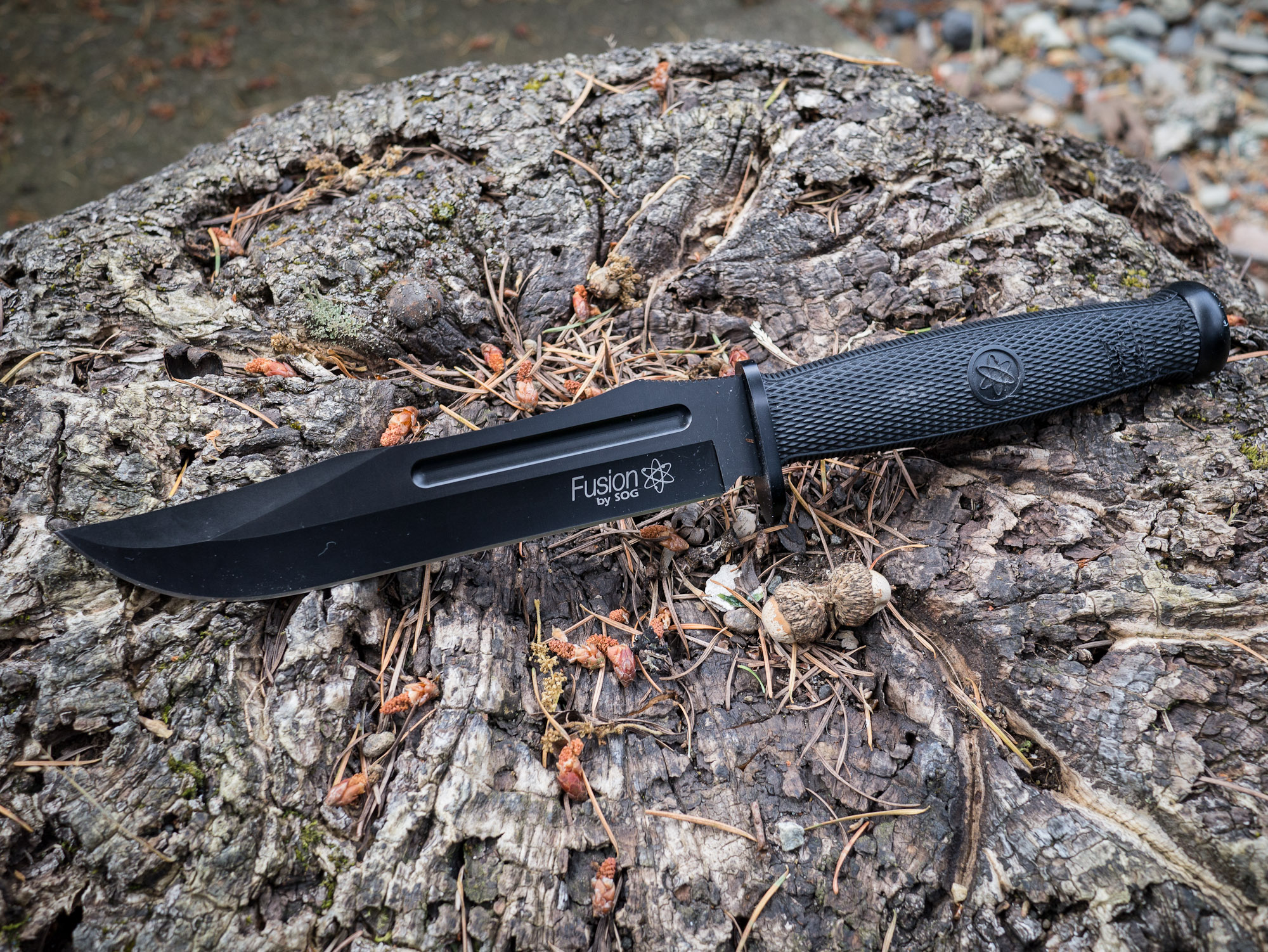
SOG Fixation Bowie
The SOG Fixation Bowie is the largest knife I have. I purchased it for cheap on woot.com one day because, well, why not. I have never actually used it for anything before and after putting it through the paces, I hope to never use it again.
At seven inches long, this blade is much too unwieldy to use for whittling. However, with this knife being the heaviest it made for easy work chopping at wood.
The tasks that this knife is good at are the imprecise and crude tasks — it’s like a shotgun compared to rifles.
Other Notes
Again this is a softer steel and actually is rather difficult to get sharp and to maintain a sharp edge. The sheath is the same as the Field Pups, so it is quite nice.
Aside from this knife being much too large to use, it is very uncomfortable to handle. The handle itself is very hard and the shape doesn’t fit my hand well.
Overall
If you buy this knife, you buy this knife to scare someone. Because if you try to use this knife you are likely to hurt yourself if you do anything other than carry it on your hip.
ESEE-4
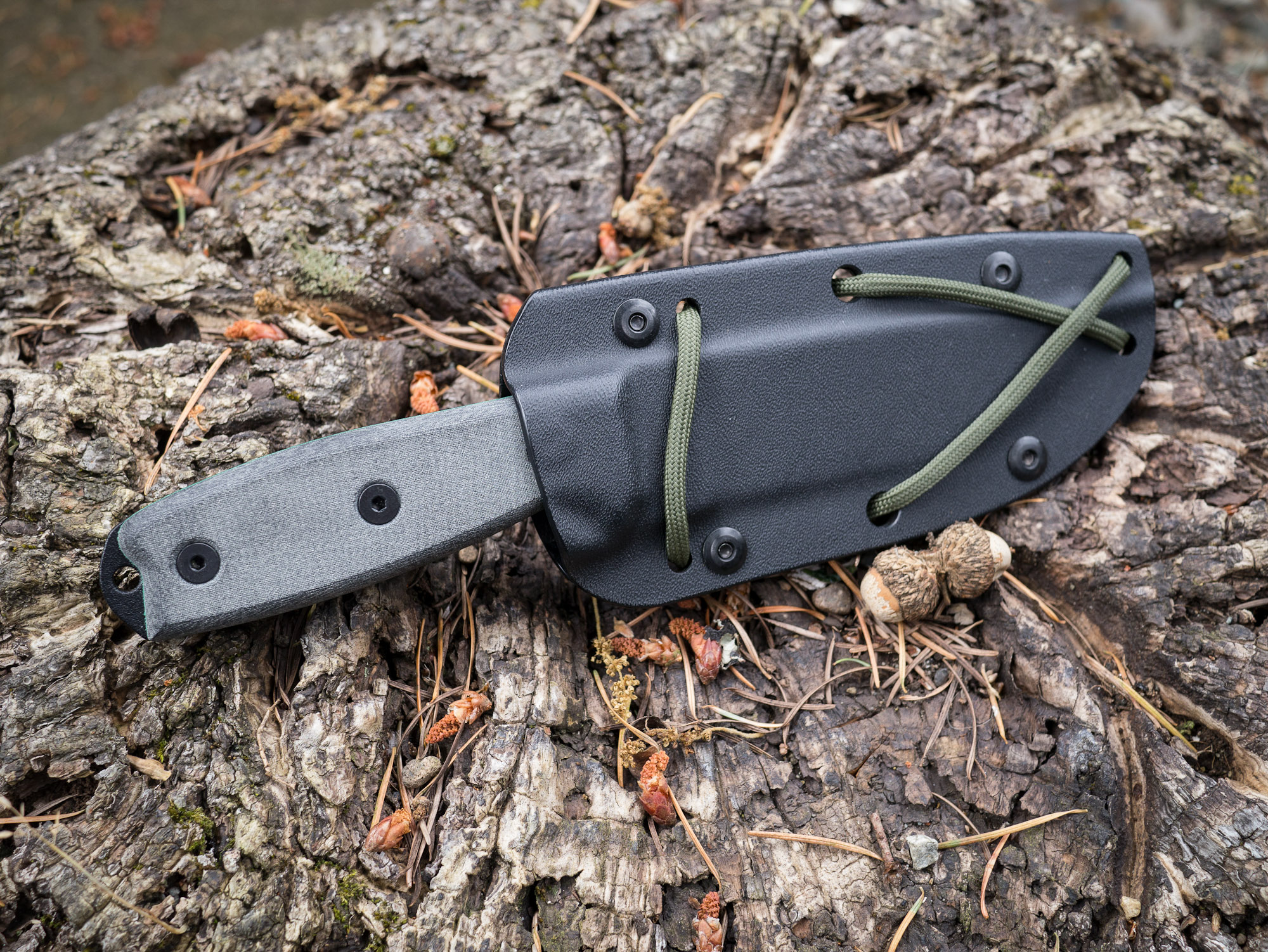
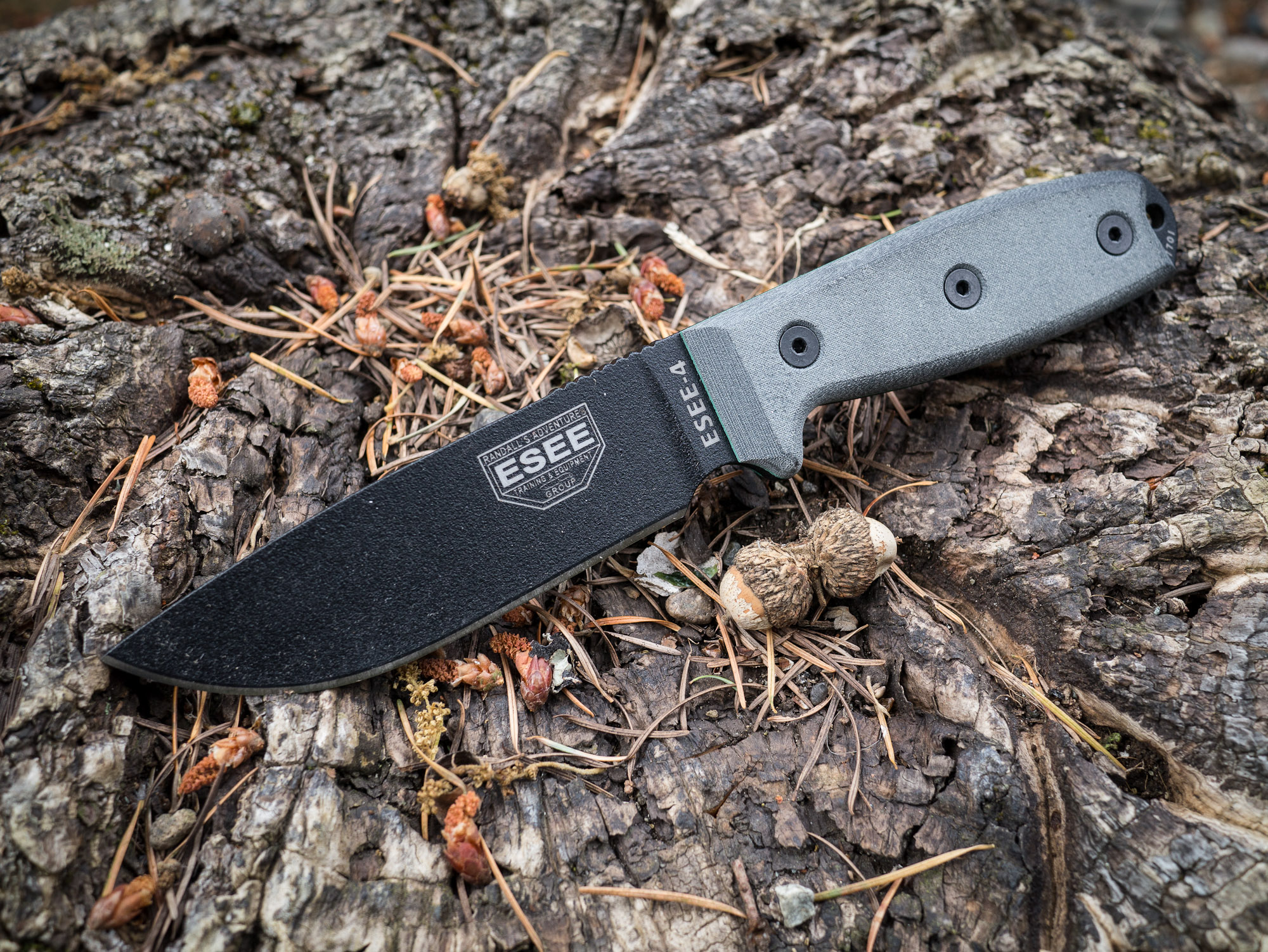
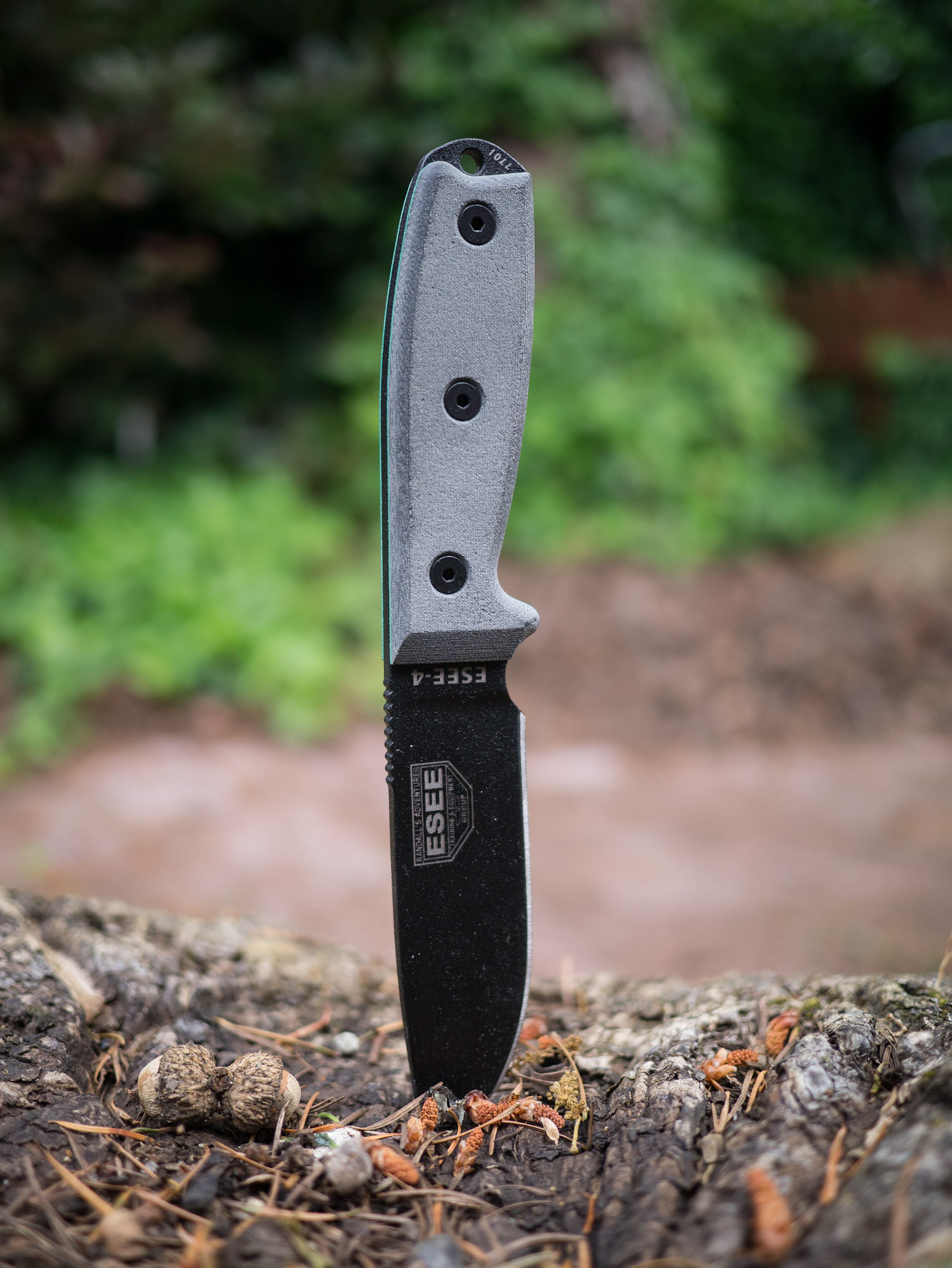
After I first started talking about knives several readers emailed in about the ESEE knives. They came with glowing recommendations so I promptly purchased the ESEE-4. This is slightly different than the other knives because it is high carbon, non-serrated, black coated blade.
This knife is a joy to use. The blade control is nice, the grip is solid and the mass of the knife lends to nice chopping. Of all the knives I tested, this knife excelled at no task and failed at none as well.
Chopping was as easy as whittling. The shape of the knife handle lends good control over the knife for all tasks that I tried.
Other Notes
This is a high carbon steel knife so it takes a bit more work to get sharp, but then it really holds a good edge. The knife comes with a kydex sheath that is the lightest and nicest to use of the bunch. As a testament to how well this knife holds an edge, during one of the tasks the knife slipped off the log ((User error.)) and slammed with full force into a bed of rocks.
The end result was a small chip out of the blade and after working the blade on the sharpening stones for ten minutes you couldn’t tell something had happened. I have no doubt that had this happened to any of the above knifes I would be telling a much different tale.
This is also the only knife with a handle that could be removed and wrapped with another material should the handle become unusable at any point. This is something that could potentially be done with the other knives, but is unknown how comfortable it would be given the molded rubber over the top that hides what the shape of the metal beneath is.
Overall
I really like this knife. It is hefty when used, but light when carried. The size is right and the handling is very good. This is the best all around knife of the bunch.
Gerber Bear Grylls Ultimate
Endorsed by the host of Man v. Wild this is a fixed blade knife by Gerber. This knife has always fascinated me because Grylls actually uses it on his show. That was testament enough to get me to buy this knife.
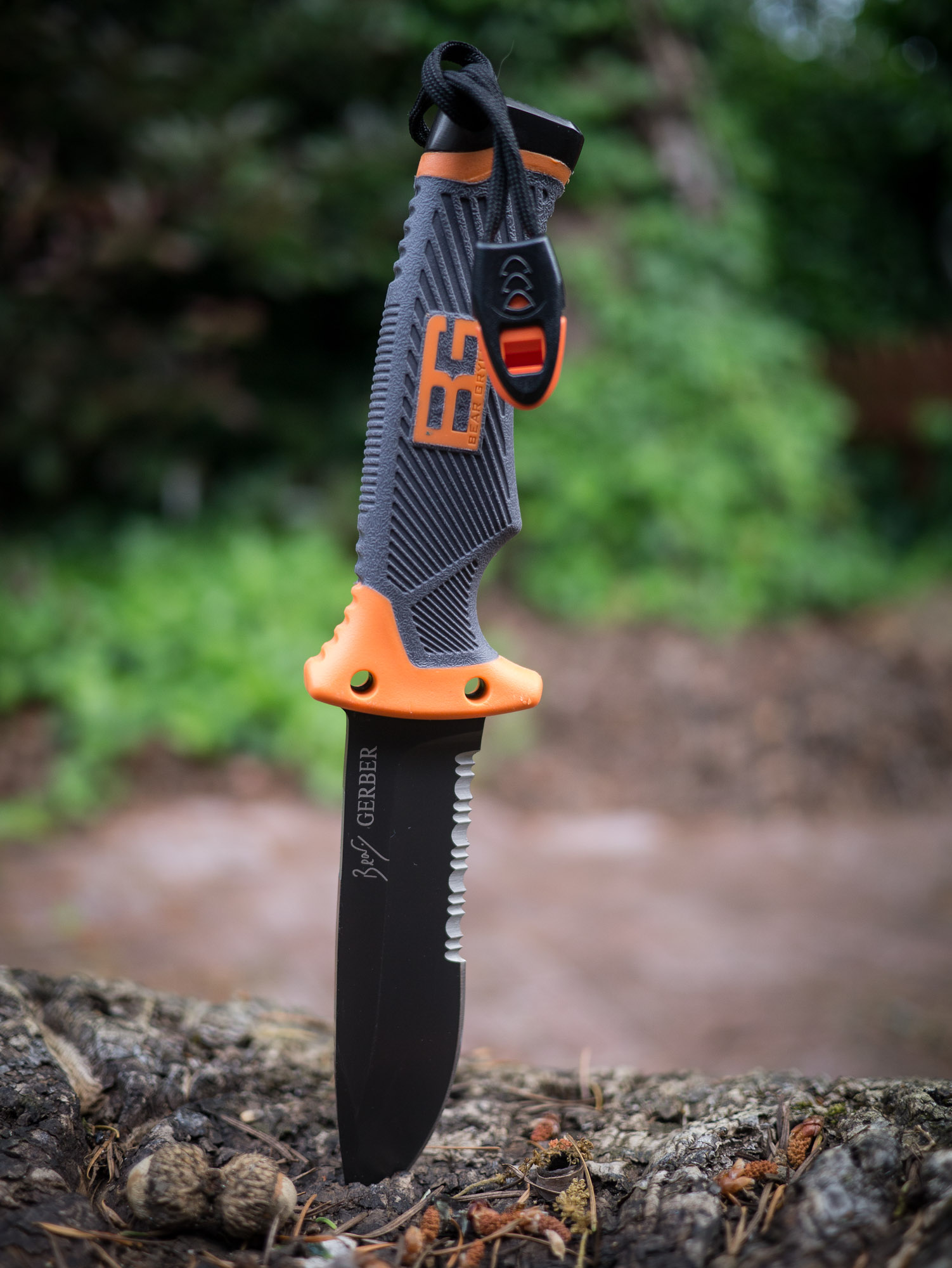
The knife is partially serrated, but unlike the NW Ranger the serration covers a much larger portion of the knife. So all the problems that I had working with the NW Ranger were multiplied with this knife. The straight edges of the blade are far and few between which makes it hard to whittle with.
That said it is has excellent mass and excelled at all the other tasks. It’s the finer whittling tasks that challenge this knife.
Other Notes
This knife comes with quite the marvel of a sheath. Housed on the sheath is not only the knife, but:
A safety whistle.
Survival signals.
Sharpening stone (medium grit)
Fire starter
That’s a pretty nice kit. Add to that that the sheath is versatile enough that it is the only one that doesn’t matter which direction you holster the knife in.
The blade itself is made of the same high carbon steel as the ESEE and performed just as well. The edge from the factory was laughably dull, but once sharpened the knife performed well. The handle also has a special edge for pounding with and though it’s not as good as a rock, it beats any of the other knives on this list in that facet.
Lastly the position of the whistle (the strap you see hanging from the handle) is in a really bad spot. I would take that off and put it somewhere else because as it is you are constantly battling to keep it out of your way.
Overall
The grip is wonderfully secure feeling, but again is only made to be held one way. Even at that this is the best handle of all the knives tested: comfortable and secure feeling.
I really wish this knife had a finer sharpening stone built in, but then again in a true survival situation a medium grit is likely to be better than a fine grit stone. However for most campers a fine grit stone would be far more useful.
This is now the knife I keep in my car and it will likely stay there for emergency situations.
Final Tally
After going through all these knives I wasn’t surprised to come away knowing that the ESEE-4 is the best of the bunch. In a true survival situation this is the knife I would want to have with me.
That said, I was surprised with just how good the Bear Grylls knife is. It’s not perfect, but if you are just a casual hiker who wouldn’t pull out a knife like this unless you were in a worst case scenario — well this would be the knife I would recommend for you. What’s nice about the Grylls knife is that it basically has everything you need to make a good attempt at surviving in the woods — and that’s in large part due to the integration of the fire steel.
For me it’s the ESEE-4, but I pack a well prepared bag. If you are a hiker that worries more about sunscreen and food in your pack, then I would go grab the Bear Grylls knife and a good sharpener, set the edge, and leave the knife in your pack.
I am now, officially, opted-out of Readlists ((You should do the same by emailing them.)) and after rejoicing on Twitter, Arc90 employee and Readability lead developer, Philip Forget, responded with a series of tweets. Since so many tweets were wrapped up in the conversation let me show you the series between just me and Forget:
Here’s my [first tweet](https://twitter.com/benjaminbrooks/status/206051792935600128):
>*Finally* Opted-out.
[To which my pal Jonathan Christopher responded](https://twitter.com/benjaminbrooks/status/206052315558453248):
>@BenjaminBrooks have you paved the highway to getting that done? I’d like to follow suit.
[I then quipped](https://twitter.com/philipforget/status/206052683906424832):
>@jchristopher just email them at their feedback link. If you aren’t me it should only take minutes. If you are me, expect a week.
Now that was not nice of me, but it *is* kinda funny if you ask me — and if you follow me on Twitter I am a pretty sarcastic guy. [But here’s where Philip Forget chimed in](https://twitter.com/benjaminbrooks/status/206053225034551296):
>@BenjaminBrooks @jchristopher We have only been out 2 days
Good way to defuse me by clearly showing I was wrong. That was a great response, and [then I responded (again by being a dick)](https://twitter.com/philipforget/status/206053550210560003):
>@philipforget @jchristopher I stand corrected. Me: 48 hours. Rest of the world: 5 minutes.
Ok I was a bit mean with that one, but hey I feel burned by these guys. [Forget then responds](https://twitter.com/benjaminbrooks/status/206053959201333249):
>@BenjaminBrooks @jchristopher You as well as the “Rest of the world”: 1 minute after asking once the functionality was added by me
Now this is the meat on the bone. Forget seems to be admitting that Readlists did not account for the fact that people would not want to be included in this service. Fine, but then why not just tell an annoying ass, like me, that you are working on implementing it and to sit tight. Believe it or not that would have shut me up while I waited for them to add it, [so I asked this question](https://twitter.com/philipforget/status/206054437364572161):
>@philipforget @jchristopher so why not respond to my earlier emails with “we are working on it” instead of silence. Honestly…
I added the “honestly” to try and show that it was a sincere ask and not me being a dick (that doesn’t always work, but I try). That’s pretty reasonable of me to ask, [but here is Forget’s response](https://twitter.com/benjaminbrooks/status/206054675680735233):
>@BenjaminBrooks We tried talking you on _your_ radio show. Are you really this dumb or are you trying to be a human fox news?
Now *that* is a dickheaded response. The “radio show” he is talking about is the live broadcast of the B&B Podcast that Shawn and I do. He tweeted to me offering to have Rich Ziade call in when we were already 55+ minutes into the show. Now, most of you know podcasts don’t go much longer than that — especially not ours. We said on the air that we would love to do that, but that we wanted to talk offline and prepare to have that done on another show — not the one we were just wrapping up.
Anyways, without further comment here is the rest of the Twitter conversation after an Arc90 employee called me “dumb”:
[Jonathan Poritsky got a small interview with Richard Ziade](http://www.candlerblog.com/2012/05/25/richard-ziade-on-readlists/) (the CEO of Readability/Arc90/Readlists) and asked about whether the service crosses a line. Ziade didn’t answer, so Poritsky (and this made me happy) pressed the question again and this time Ziade tried to frame it against the web in general — which has been the response I get (if I get one). That’s a bullshit answer, the question was directly asked about your service, not the web and as a CEO you need to answer that clearly for your service. Here’s what Ziade told Poritsky as part of the interview:
>Now, we’re not sure how this plays out. Keep in mind, Readlists is an experiment. It’s free. We’d love to talk to publishers and writers about how we can tweak it so they can derive value from it. That’s ultimately what we want to do because the tools we build come out of a love for writing.
He’d love to talk to publishers? I’ve emailed them three times now asking my site be “opted-out” as they call it. I have emailed Ziade several times before. I pinged Ziade, Chris Dary, and Arc90 COO, Bobby Ziade on this matter.
No response.
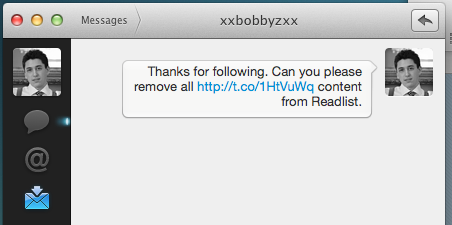
Bobby Ziade even followed me Wednesday and I DM’d him asking to be opted-out.
Screenshot of my DM to Bobby Ziade
Again, no response.
This isn’t a matter of me being impatient because I have copies of emails they have sent to other writers that have asked to be opted-out — at this point it is them actively ignoring my takedown requests.
So it sounds like Ziade is either lying to Poritsky when he said “We’d love to talk to publishers and writers”, or he really means any writer and/or publisher that doesn’t publicly call foul — which is exactly the people they *should* be talking to.
**Update:** I now have confirmation that I have been “opted-out” of Readlists. You should ask for the same (using the feedback link at the bottom of their site, just say “please opt-out [domain name]”).
When one has a baby, they quickly realize that baby gadgets/toys/furniture is almost universally horrible. No, honestly.
By that I mean that if you think you are “good” or “pro” at putting together IKEA furniture, then you are going to be dumbfounded by the unnecessarily complex procedure that has been “designed” into baby furniture. Anyways, this post isn’t about baby furniture.
This is about the [iBaby Monitor](http://www.amazon.com/exec/obidos/ASIN/B005FPT51K/ref=nosim&tag=brooksreview-20).
This is a video baby monitor that works with iOS and that’s pretty much perfect sounding on the face of it. I haven’t tried any other baby monitors, so I can’t say if others are better, but here are my thoughts as a first time parent using this baby monitor.
### The Good
– First things first, it’s not a bad looking unit. That doesn’t mean it’s good looking, but for something that I mounted on the wall, white is a pretty good choice.
– Setup was pretty easy, no Mac needed. Just plug it in via ethernet and boom, good to go.
– The feed is secured by username and password.
– Setup is all easy and can be done on your iPhone or iPad.
– Pan/tilt is great and works.
– It has never once not worked when we needed it.
– Push notifications means you can use your phone for other things if you want.
– The packaging was great, Apple-like.
– Swiping your finger on the image moves the camera.
### The Bad
– Ditto the mount for the wall, it feels more like an afterthought.
– Image quality isn’t great. You can see what’s going on and make out faces, but at night it’s more like shapes.
– The infrared lighting is nice, but is too concentrated. This means that you need to have the baby off center on the screen, or her face will be a white spot.
– The iOS app drains the battery crazy fast.
– The iOS apps are crazy ugly.
– The monitor says it will work over any internet connection (meaning you don’t have to be on the same network to view), but I have yet to get this to work despite forwarding the right ports. The app seems to connect, but never loads an image.
The infrared highlight blowout.
### Overall
Here’s the thing, I like this baby monitor. I know it’s not perfect, but it does a few things that make it a winner in my book:
1. It just always works. The power went out, I didn’t do anything, and when the power came back it was still working like normal. I unplug it and move it to another spot in the room, it just keeps working. In fact the app is stable and the camera software is stable — that’s probably the most important facet of any baby monitor.
2. It works with iOS and therefore I don’t need to carry anything else with me. I don’t even need to have the app running — it will alert me of movement or sound in customizable settings.
3. I love that I can pan and tilt the camera, because I never have to worry about if we can see her in the camera view or not — we can remotely move the camera to see her if needed.
All that said, I wasn’t lying when I said this app drains the battery fast. If you are listening to audio and video, you need your charger on hand. I did find that my original iPad makes for a nice dedicated viewing device (we use it in the living room). For a point of reference this is the only app running on the iPad and the battery drained to 40% in 1.5 hours. So yeah, this app eats batteries. But you don’t need to have it running, so there’s a nice tradeoff there.
For as much as I like the way this works, the app is horrendous looking. Here’s what it looks like:
The horrible UI.
That’s why I run the app in landscape, because here’s what that looks like:
Less horrible landscape UI.Even better: Landscape UI, picture only.
Much better.
You can focus the camera manually, but it never seems to be crystal clear for me on the iPad. [It’s not cheap either, but hey, I like it](http://www.amazon.com/exec/obidos/ASIN/B005FPT51K/ref=nosim&tag=brooksreview-20).
I debated about writing this, but I can’t stand to be silent on this matter. Some of you will think this is a vendetta I have against Readability, so you can ignore me if you honestly believe that.
Today I was made aware of [Readlists](http://readlists.com) which is a service from Arc90 and Readability. Essentially a user can make a “Readlist” of articles that they like that pertain to a common theme. A good example of this is the Readlist comically titled: “[Instapaper is Better](http://readlists.com/a49d6191/)” (for the record I did not create it).
As you can see, on a Readlists page, you can publicly share the page, as well as download a packaged eBook with all of the content in it. At first glance this doesn’t look different than what Instapaper does, by allowing users to download articles to a Kindle — but it is actually very different.
With Readlists you are essentially publicly sharing an eBook that contains a writer’s content — content that was never granted permission to be redistributed. In Instapaper (as far as I know) you can’t grab an article list from another user and package an eBook that you can then download.
This is where I call bullshit on Readlists.
Readlists is a service to allow people to completely avoid reading a content producers site, allowing them to repackage and redistribute their content all without permission.
This is utter crap and shady as hell.
I sent Readlists an email requesting my site be blocked (I think they have done so now as a post of mine was on that above Instapaper Readlist), if you write on the web I urge you to do the same.
**Update:** Nope, looks like my site hasn’t been blocked — I was *too* generous to them.
This app might win the award for most clever app name of 2012. [Bang On](http://itunes.apple.com/us/app/bang-on-a-nice-search-app/id521507324?ls=1&mt=8) is a DuckDuckGo search app for your iPhone that will set you back $1.99. Say what?! Doesn’t DuckDuckGo already have a free search app? Yep, it does — Bang On is better.
When the developer of this app contacted me to ask if I would beta test it, he told me something along the lines of what you see in the app description:
>Ever wanted to say “search for Bob Dylan on Pandora” and have it work? Yeah. Bang On does that.
Huh. I don’t use Pandora, but now I am intrigued.
Bang On uses DuckDuckGo’s `!` syntax to search specific sites. Now that can be a pain to type, so Bang On has hot keys that you can tap to add in these syntaxes. This is neat, but not Earth shattering.
Where Bang On shines is in two areas: customization and voice.
### Customization
With Bang On you can setup custom `!` bang searches that are not a ‘normal’ part of the DuckDuckGo search engine. For example this site isn’t a part of the DuckDuckGo bang search syntax, but in Bang On, it is. So you can type: `blue icons !brooksreview` into Bang On and it will result in a Brooks Review specific search for blue icons.
That’s pretty cool, but of course I am not naive enough to assume that you want to search this site all that often. I do however, bet there is more than a few sites that you want to search often though, and with Bang On you can create a custom bang to do just that.
### Voice
The second cool feature is voice support (iPhone 4S only). When you hit the dictation/microphone button on iOS and say: “search for blue icon on Brooks Review” — well it does just that with a site specific search.
Which is what really makes this app killer for me. Say I am holding my daughter and want to search for something that I am thinking about or heard on the TV (‘wasn’t that actor in X’), well I can do it all one handed, and on the site I want to, with Bang On.
### Get It
Bang On is a universal app and is [$1.99 in the App Store](http://itunes.apple.com/us/app/bang-on-a-nice-search-app/id521507324?ls=1&mt=8) — if you like searching on iOS, then this is almost required.
I am not as crazy about note taking on my Mac as I am on my iPhone. On the iPhone I struggled for a long time to find the perfect notes app, on the Mac though, eh, I mean I need something to take notes but I never really *use* notes apps on my Mac.
On my Mac I need a few things: something that I can quickly open and drop text into, that syncs with my iPhone notes app of choice, that is fast and light weight, that doesn’t bug me when I look at it.
That’s all I really need, most ‘features’ in Notes apps will never get used by me on my Mac.
For quite a while now I have been using [Notational Velocity](http://notational.net/) and it’s offspring [nvALT](http://brettterpstra.com/project/nvalt/). Both are great tools. The latter is far more than I need and want in a Mac note app, but I have been able to ignore those features and just use what I need.
Then I got a little note from the developer of [Justnotes](http://selfcoded.com/justnotes/), asking if I would try it out.
It’s been my default app since I tried it out, so let me try to explain why.
### Use
As I explained above I don’t use notes apps on my Mac as often as I do on my iPhone, so here’s how I typically use those apps: I jot down little snippets of things that I might need to look at again in the future. Key word there is “might”, I usually don’t look at these snippets after I jot them down.
I just hit a Keyboard Maestro shortcut and a new note opens with the date filled as the name/title and then I jot down the name/number whatever I want to archive. I close the app.
Maybe, *maybe*, once a week I look back at my notes to get something I need. More often months go by before I try to find a note that I need. I want my notes synced to my iPhone for those just in case scenarios, because typically if I am looking for a note, I am not looking for it on my Mac.
Truly note taking on my Mac is minimal and mostly a transparent process.
### Notational Velocity / nvALT
The reason to move from these two apps is pretty simple for me:
1. Ugly icon.
2. I don’t like the UI of the app itself, the dual purpose search/create new notes field has always bugged me.
3. Both of these apps don’t work particularly well with the KM macro that I use to pre-fill the note title because of that omnibar thing.
These are my main gripes with NV type apps, but they were never a big enough deal for me to explore other options.
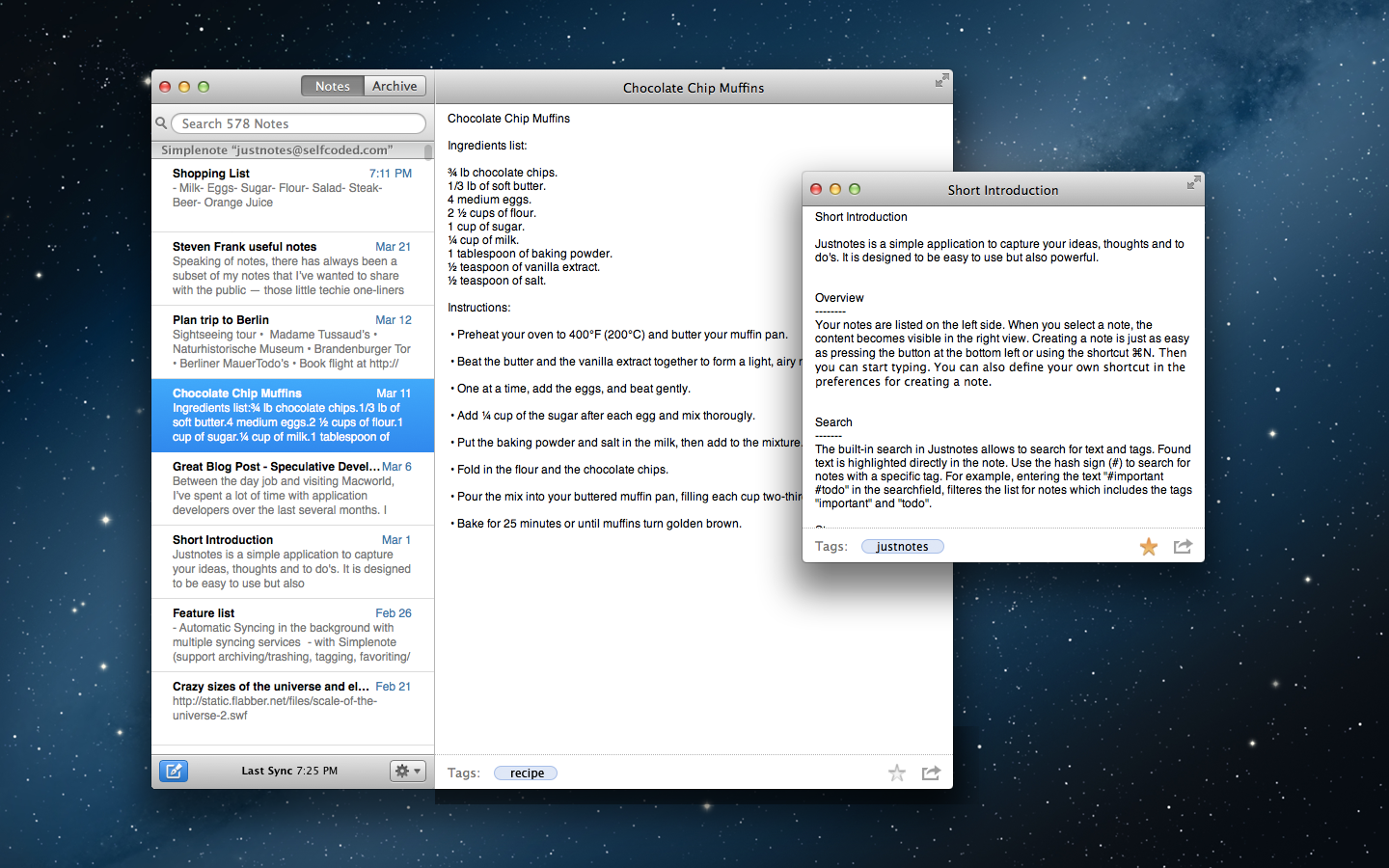
### Justnotes
Justnotes with a note in it’s own window.
When I was invited to try Justnotes I was surprised because I never looked around and I didn’t realize how much those little things really bugged me on a daily basis in Notational Velocity. With Justnotes those little things are mostly gone and I am really liking it.
Justnotes syncs using Dropbox, you can tell it what file types to open, and you can use more than one folder in Dropbox for the sync of a note (the same note can only be in one folder or the other, not both) which is a clever trick for some.
These are neat features and they work well, but they are not the reason I actually like Justnotes.
I like Justnotes because the search bar is not an omnibar that also creates new notes. Creating a new note and searching are two different actions — that fits with my mental model of how a notes app should work. I much prefer this idea and thus Justnotes.
The overall UI of the app is simple, clean, and OS X. It’s great. The app requires more memory than Notational Velocity, but not enough to worry about as we aren’t talking about 100s of MBs.
Justnotes isn’t perfect, but it does have some cool features that note takers will find of interest, such as:
– Ability to archive notes (instead of deleting them so that you can still get access to the notes).
– Simplenote syncing (if used you can favorite notes and thereby keep them at the top of the list).
– Import your notes from Evernote.
– Open individual notes in their own window, a trick I am really liking and that allows me to use Justnotes more as a scratchpad too.
There’s a lot of little nice things in Justnotes and like I said — it’s now my default notes app.
If you are a note person, this is worth checking out. [It’s $5.99 for a limited time in the Mac App Store](http://selfcoded.com/justnotes/) ((Which is more than the free NV / nvAlt offerings, but you already know my stance on free.)) . ((Here’s the [direct link to the Mac App Store](http://itunes.apple.com/us/app/justnotes/id511230166?mt=12).))
**Update:** I forgot to mention that the way Justnotes names files is odd. It names them with what seems to be a random string when you use Dropbox — this will be really annoying if you go by notes names in iOS apps. So beware of that. Personally it doesn’t bug me because I just use search and notes previews in Notesy, but I can see how this is a deal breaker for some.
[Dustin Curtis argues that Ballmer shouldn’t even be on that Forbes list of CEOs to be fired, saying](http://dcurt.is/steve-ballmers-microsoft):
>Unfortunately, while fiscally rational decisions have been good enough to get Microsoft to where it is today, such decisions have never and will never catapult a company into the top of the future. It’s the difference between a CEO who is good enough and one who is better. Ballmer, I think, is firmly in the good enough camp.
>He might even be slightly better, because we should not forget this very consistently true fact: Microsoft makes around $5.5 billion every three months. In pure profit.
Don’t we all want a CEO that we can define as “good enough, maybe better”?
Curtis is right, Microsoft *is* profitable, but there’s another factor to success: value. After all a CEOs primary directive is to *increase* stakeholder value.
Let’s measure value by market cap, and the earliest market cap data I can find is from 6/30/2002, well after Ballmer took Microsoft’s reigns. At that time Microsoft had a market cap of $296.23 billion, as of this writing Microsoft has a market cap of $257.18 billion.
A loss in market cap value of $39.05 billon, **Billion**.
No matter what Microsoft nets quarterly, the company is still worth *less* today than it was when Ballmer took control.
And that’s being generous, take a look at this chart:
What this shows is that Microsoft’s market cap is highest at the beginning of the year, declining towards the end — it’s been doing this since 2008. So I think it’s safe to assume that by years end Microsoft will be worth far less than it is today (even if you average the market cap over the course of the year).
No matter how you look at it, Microsoft *is not* worth what it was when Ballmer took control. It doesn’t matter how well Ballmer does on a quarterly basis, because the aggregate shows the truth. [Ballmer needs to go](https://brooksreview.net/2011/05/ballmer/).
Back when my wife was registering for all of our “baby stuff” for showers she asked me which diaper bag we should get. I am pretty sure I said pick “whatever” because I was confident Target wouldn’t have what I wanted, and knew my wife wouldn’t put up with me spending months trying to find the *right* bag.
So now we have this shoulder bag that claims to be a diaper bag, something parents will likely need to carry almost every time they exit their homes for quite a while. And the bag we have isn’t very good.
I could list out everything wrong with the bag, but it’s just easier to say that there isn’t a single thing I like about our diaper bag. It almost offends me.
So I started looking for a better diaper bag. Weeks later I still hadn’t found a single diaper bag that looked suitable. They either looked like a diaper bag, or looked like something I would laugh at if I saw someone else carrying it.
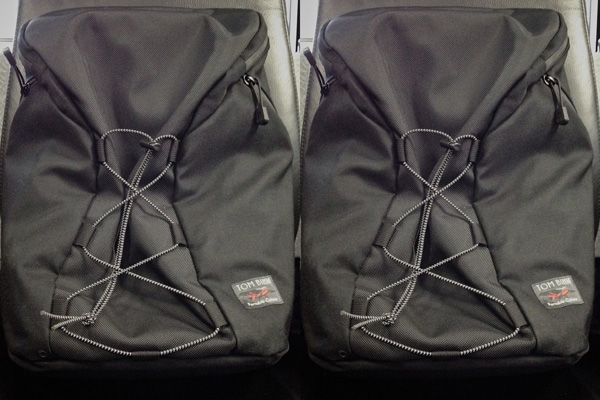
Then I had an idea ((Which can be dangerous and is often expensive.)) . The best bag I have *is* my Tim Bihn Smart Alec, so what if I just used that bag. There’s a problem: I don’t want to own two, and I don’t want to have to go through the process of converting the bag into and back from a diaper bag every time.
Yet, after thinking about it more I realized that most everything I keep in the Smart Alec are things I would like to take anyways in a diaper bag outing, I just needed a quick way to add or subtract the diaper specific items and things like my MacBook Air.
Enter [Tom Bihn’s packing cubes](http://www.tombihn.com/Merchant2/merchant.mvc?Screen=CTGY&Store_Code=001&Category_Code=PCUBES).
Since I can easily remove the padded laptop sleeve, and that being the only item I wouldn’t want when using the Smart Alec as a diaper bag, this looked like a simple fix.
The two packing cubes I ordered.
I ordered [two of these packing cubes](http://www.tombihn.com/page/001/PROD/PCUBES/TB091) (Tri-Star small-all fabric and the same in the non-all-fabric option) and hoped they would be enough. Turns out they are perfect, but a third cube is needed for bottles, so I ordered [this one](http://www.tombihn.com/page/001/PROD/PCUBES/TB0915).
Now I have one packing cube with diapers and wipes. Another with a change of clothes. A third with all the other miscellany that ends up in the diaper bag and bottles. It takes me less than two minutes to go from computer bag to diaper bag.
That’s acceptable because I get to use a bag that I love.
What’s also neat is that the packing cubes still fit in the ”real” diaper bag, so it is still always ready to go for my wife (I toss the packing cubes back in that bag when I change out my backpack). So now I have a diaper bag that I love at very little extra cost, and a system that is very flexible.
I only wish I had thought of this weeks ago.
Left: Smart Alec for work. Right: Smart Alec for diaper doody. They look *shockingly* the same.
I know most of you don’t use the Smart Alec, but the nice thing about this is that there are probably packing cubes that fit your setup very nicely — it’s worth playing with, because diaper bags suck.
iCloud is Apple’s online “cloud” offering of sync, storage, email, and more. It is the successor of MobileMe and thus also the successor to the infamous .Mac, but it’s more than just a new name — it’s a new game for Apple. This time around Apple [knows how important iCloud](http://gigaom.com/apple/for-apple-icloud-is-just-the-beginning/) is to the success of iOS and OS X.
A [report from the Wall Street Journal](http://online.wsj.com/article/SB10001424052702304371504577404180417927436.html?mod=WSJ_latestheadlines) (subscription required) talks about rumored upgrades to iCloud — all of which make sense if you really think about how important iCloud is to Apple. iCloud is essentially the sanity glue for all iOS+Mac users out there — of which there are millions.
iOS and OS X can survive on their own without iCloud — that much we know from history. However, at this point, iOS and Mac OS X cannot survive *together* without iCloud — because without iCloud the alternative is Exchange or iTunes, both of which are cumbersome at best and downright aggravating most of the time.
Apple products are often described as something that ‘just works’ and while you may disagree with that, it’s hard to disagree with the notion that a large part of the ’just works’ ideology is: seamless integration of hardware and software.
That’s easy with laptops, that’s easy with mobile, but it’s hard if you want the seamless integration *between* two different (or same for that matter) devices. This is why most of us nerds love Dropbox sync, because Dropbox makes it easier to work on two Macs in a back and forth scenario. This is what iCloud is trying to solve between not only Macs, but Macs and iOS.
This is why iCloud success is crucial to Apple.
This is a problem Microsoft will also need to solve, but by the very nature of Google, it’s not a problem that Google need solve — because they have solved it as much as they want to: use Google products only on the web, we don’t do desktop.
It only makes sense then that iCloud keeps expanding, because the more tasks it takes on between devices, the happier users will be and Apple will also strengthen two key areas:
1. Bullet point checklists when compared with competitors.
2. Platform lock-in. If all your data lives in iCloud and not Microsoft or Google, well you are far less likely to undertake such a large data migration.
I would be surprised if iCloud wasn’t a very large part of WWDC this year. Apple will be putting the finishing touches on iCloud’s integration with iOS and Mac OS X, but they will also need developers to give widespread adoption to its use for the service to catch on.
This should scare Microsoft and Google, but more than that I think it should scare Dropbox. As much as I love Dropbox, iCloud is easier.
A widely adopted, seamless, fast, robust iCloud is the greatest threat to Apple’s competitors — and this time around I think Apple knows it.
On Monday I asked [in my linked post](https://brooksreview.net/2012/05/evernote-huh/) to the Evernote acquisition of Penultimate:
>Anybody else confused about Evernote’s endgame?
I genuinely am confused by what their goal is, but [Federico Viticci points out](http://ticci.org/wheres-evernote-going) their goal on the [Evernote site](http://evernote.com/), quoting:
>Save your ideas, things you like, things you hear, and things you see.
That’s really only one part, as Evernote claims it has three goals: capture anything, access anywhere, find things fast.
So where do Skitch and Penultimate come in?
Evernote says Penultimate will help with handwriting recognition, ok. I just don’t see the value in these acquisitions at all. A few others chimed in with thoughts on Evernote’s endgame too.
>Evernote wants to be our external brain and our brain tends to capture a variety of media in a variety of ways. That doesn’t always lend itself to a single application. As it continues to evolve, I see a world where Evernote’s prime offering becomes less about capture more about storage and recall.
Schechter sees Evernote needing more apps to accomplish this goal, but [Gabe (ye, Macdrifter) points out](http://www.macdrifter.com/2012/05/evernote-acquisitions/) something I certainly feel:
>I’d like Evernote to stop buying sharing buttons and start buying Evernote enhancements.
I’m with Gabe on that one — even though I am not currently an Evernote user, I do try it from time to time because [it can be a powerful tool](http://nerdgap.com/landing/evernote-essentials/).
All of this brings me to the one glaring problem that I have always had with Evernote, and [it is noted by Viticci](http://ticci.org/wheres-evernote-going):
>If Evernote really wants to stay around for the next 100 years, they have to build a solid foundation of connected apps *now*.
Agreed, but more than that — they absolutely must make their tools excellent, because right now they only have good tools. There’s a big difference between good and excellent.
If Evernote truly wants to be the place that I “capture anything” then it has to make it seamless for me to do so. Every time I give Evernote a go, I get held up on the capture process — and it is a process.
Entering text should be as easy as it is in [Drafts](http://itunes.apple.com/us/app/drafts/id502385074?mt=8) if Evernote truly wants me to use it as a capture tool. Until you reach that level you just have a tool that captures things, but in a cumbersome manner.
Evernote does a good job at “access anywhere”, but really they should have been the Dropbox in this category. If I was Evernote I would have squashed the Dropbox powered text editor movement on iOS by opening and pushing the Evernote engine as *the* sync engine. That’s truly access anywhere, because right now — truthfully — they are “access anywhere we have an app, and only in our apps”. Again, there’s an important difference here.
Lastly we have “find things fast”. I can’t comment very well on this because I don’t have enough data in the app, so let’s just say this is acceptable since I don’t remember having complaints about it — or hearing complaints.
Even if Evernote succeeds at “find things fast” I think it largely does just an average job at its first two goals. Which brings me back to my question: what’s their end game with these acquisitions?
How does Skitch and Penultimate tie in to make “capture” and “access” better? There are some obvious areas where these two help the capture aspect, but then why require users to download, install, and use multiple apps if the goal is “capture anything”?
Evernote, in my head, has always been billed as a tool of that nature of: “you only need this tool, it does everything.” In that sense Evernote is a lot like a Leatherman — very handy, but not the best at anything other than being really handy.
That’s not to say it doesn’t have its place — I own three Leatherman tools — but it is to say that what makes a Leatherman handy is that all the tools are in one package. What Evernote is doing is selling the Leatherman, but also saying there is a neat hammer and a neat drill that you can buy to go along with it — which makes the entire package a bit *less* handy.
We all love reading on the web, it’s the greatest treasure trove of interestingness that we as humans have ever been given. We can get news, moments after it happened — often before the big news sites know about it. Or we can laugh all day at people doing incredibly stupid things.
We can read and watch inspiring content all year long without running dry.
But who is paying for it?
In a [popular article by the editor-in-chief of *Technology Review*, Jason Pontin lays out how this problem of free content arose](http://www.technologyreview.com/business/40319/#.T6fn_4Jf8dg.twitter):
>For publishers whose businesses evolved during the long day of print newspapers and magazines, the expansion of the Internet was tremendously disorienting. [The Internet taught readers](http://www.technologyreview.com/blog/pontin/23489/) they might read stories whenever they liked without charge, and it offered companies more efficient ways to advertise. Both parties spent less.
Publishers didn’t see a potential problem with going free and because of that, content creators on the web are paying for it.
The problem is further exacerbated by the fondness that publishers have with advertisements. They are everywhere on the web. But they are simply not the solution to the problem of paying the bills. They are a band aid that we have all been wearing for far too long.
I say this as someone who makes money from writing that is *solely* supported by advertisements.
The reason advertisements don’t work in the long run is because of the open nature of the web. It’s not hard to install a plugin that blocks ads (even easier if you buy a Mac given the fondness advertisers have for Flash based ads). ((New Macs don’t ship with Flash installed.))
Ads are likely not the future, or the answer, because as readers we have many, *many*, tools that allow us to ignore, gloss over, or outright remove ads from content. Even if an advertiser still registers a page view on their ad, when they stop seeing returns on their advertisements they will no longer desire to pay publishers. This is where the market is beginning to head — the race to the bottom.
### The Often Asked, Often Ignored, Question
The most frequent question I get, is also the one I most frequently ignore: are you planning on going “full-time”? By that readers simply want to know if and/or when I will start writing this site full-time.
The reality is that the landscape is so competitive and experiencing such a race to the bottom, that to go full-time is no easy task. I have much respect for those that have gone full-time with a site that was only a hobby before, but it is no easy task because its about so much more than ads, money, readers, or page views.
Ads in the sidebar simply don’t pay that well — which is why so many sites have more than one ad. RSS Sponsorships pay better, but are very difficult to fill unless you are a Tier One blog ((Think *The Loop* or *Daring Fireball*)) . And so back to the often asked, often ignored question, of when I will go full-time: when my income from writing matches or surpasses my income from my day job.
And thus, we have a problem, because as readers on the web we are conditioned to not have to pay with anything more than (sometimes) looking at advertising. But that’s wrong — it’s destructive — and it needs to change.
Contractors don’t build houses for free, just so long as you look at ads on your walls for the rest of your occupancy — they charge real money, because it takes real money to build a house. So too does it take real money to write a site like this.
To support writing this site full-time I need income to pay for many different things, not the least of which is paying *me*.
### The Way Forward
I could sit here all day and talk about why I think the current model is broken, but that solves nothing. I personally only see one way forward: asking readers to support you.
It’s the direct model, it’s old-fashioned, but it works. If blogs are no longer driven by page views, then we — as a whole — get better content ((This site included.)) , content we as readers deserve.
Because I personally don’t see what [Pontin saw back in 2009](http://www.technologyreview.com/blog/pontin/23489/) as being a web that I want:
>Editors can charge readers for content that is uniquely intelligent; that relies on proprietary data, investigation, or analysis; that helps readers with their jobs, investments, or personal consumption; or that is very expensively designed. Everything else should be available free, because it is news or opinion, which are commodities and must be offered up to the aggregators, social networks, and feeds. Such content can be monetized (to use the ugly jargon of our industry) only through traffic, which drives ad impressions. Here, although the quality of the editorial should meet the minimal standards of a publication, editors shouldn’t invest too much time or money: good enough is best.
We see this model now, it’s the jackasstic type of writing that propelled Mike Daisey to fame, keeps The Macalope from running out of content to mock day in and day out.
When the metric for how much money you will make writing on the web becomes how much traffic you can drive, then the metric for the level of quality and truth needed in your writing is severely diminished.
*This* is not the web I want.
I can see a future where the readers of the web find the writers that they love to read and decide that it is worth supporting those writers so that they may continue their craft. It’s not utopia, it’s not impractical — it’s just hard to see through the dust cloud that has been formed by a stampede rush to the free content — a model that was created by the very companies that are now on the verge of bankruptcy because of it. Expectations were set, and unfortunately for us all, they were the wrong expectations.
I’ve long held contempt for free, and while ads are not free — they are also positioned in an incredibly competitive landscape with many people willing to take much less money for the same work — until of course they realize they should be paid more, by which time someone else will be willing to be paid less.
That’s a nasty cycle.
There is a place for ads on the web, but it should no longer be the default revenue model.
As content creators on the web, we need to decide who we, individually, want to pay us.
When I stop to think about asking a reader to pay me directly, I often worry that such an ask comes across as greedy.
However, when *you* stop to think about it, is it that I am being greedy for asking you to support my content — my writing — or is it that society has condition web users to be greedy by asking — no demanding — that content on the web be free for all?
A race to the bottom is occurring, yet I don’t want to stop writing, but I also am not willing to write for free.
[As a wise duo once said](http://www.sing365.com/music/lyric.nsf/I-Can’t-Go-For-That-No-Can-Do-lyrics-Hall-Oates/CE1E9808A7434E5748256A92001193CD):