Jean-Louis Gassée speculating:
>And there is Nokia’s chosen partner, Microsoft. What will Nokia’s failure do to its future? Ballmer knows Microsoft can’t be relegated to a inconsequential role in the smartphone wars. Will this lead to Microsoft going “vertical”, that is buying Nokia’s smartphone business and become an vertically player, as it already is in its Xbox business?
Ever since Elop (former Microsoft exec) was appointed CEO of Nokia I had this thought in the back of my head: what if Elop was sent to Nokia to set the company up for an eventual take over by Microsoft? Elop partnered with Microsoft to ship Windows Phone 7 — that seemed like a move towards this thought. Now though? What if Microsoft just didn’t want to pay for what Nokia *was* worth and instead needed it devalued? Hmmm.
This is not likely the case, as it would be a massive scandal, but still should Microsoft buy Nokia I will forever hold this speculation of my restless mind to be the truth.
Those that listen to the B&B Podcast know, that in response to my MacBook Air needing to go in for service, I bought a Mac mini to use and test out. My hope was that the fast processors in the Mac mini would make the machine at least on par with my MacBook Airs speed, thus allowing me to replace the Air with the mini. ((I have a Core 2 Duo variety.))
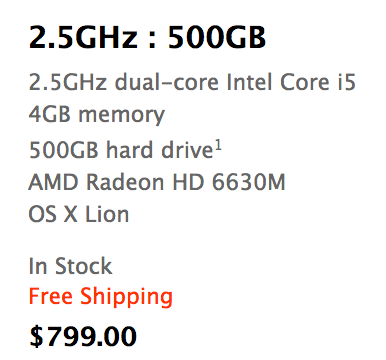
I bought the Mac mini on Monday (6/11/12), with these specs:
The Mac mini model I purchased.
On Friday afternoon (6/15/12) I returned this machine to Apple. I owned it for four days and used it only two of those days — no really.
Putting aside all the silly woes that I had with getting the machine up and running (of which there were many, but user error on the setup problems), I didn’t have a good experience with the machine at all. I’ve pared down my bad experience to three reasons, so let me share those with you (just in case you agree thinking about buying a mini).
### HDD
By far the most noticeable part of the mini is the HDD. I’ve been using SSDs since 2010 and can tell you that it’s practically impossible to go back to a slow HDD after you’ve been using SSDs for so long, there is just too much lag.
Whereas on my MacBook Air I constantly feel that all the performance related issues are a direct cause of the CPU not being fast enough and nothing else. That was a performance tradeoff that I was ok with, but on the mini this isn’t the case.
On the mini every single thing I did felt like it was being bogged down by the hard drive. Want to search for a file, sure thing, just let me think about that for 15 seconds.
Boot up and shut down was slow.
Search was slow.
Opening apps was slow.
Scrolling large lists of files in a Finder was slow.
Everything I did on the mini was slower than it was on my MacBook Air, with the exception of a few CPU intensive tasks like running a noise gate on podcasts.
To be fair: you can get a Mac mini with an SSD, but it will set you back $1399 for the model I bought to have an SSD in it. $1399. For $100 more you can get a 13″ Air with the same sized SSD, that also comes with a screen, battery, keyboard, and trackpad. I get that for some the mini will be a better buy because it *should* be slightly faster with an SSD, but it makes no sense for most people to buy a mini and then get an SSD.
In my mind it’s a waste to put an SSD in a Mac mini — better to spend your money buying a different Mac.
The HDD is the sole reason I still don’t own the Mac mini. It’s just too slow of a machine if you are coming from an SSD. Using the mini was an exercise in frustration to the point where I was upgrading to using my iPad for tasks at times. I just cannot recommend a mini unless it has an SSD in it, and I simply cannot justify spending the money to have an SSD installed in a mini.
### Bluetooth
Actually, the Bluetooth works fine, but I ran into constant lag in connecting to my keyboard and trackpad. Perhaps this is because I was using the mini in an odd way, taking it to and from home everyday, but every time I started the machine up I had to go through a ridiculously long process of getting the keyboard and mouse working. It was a pain in the ass.
This likely would be a non-issue if you don’t turn the mini off much, but it drove me nuts.
Not to mention: booting into recovery mode with a Bluetooth keyboard will make you feel as if you are going crazy. I pressed command-R… I swear!
### Slippery
Overall the Mac mini is a decent feeling machine from a build quality perspective, solid really, but there is one thing I was constantly annoyed with: it’s slippery little butt.
I tried the mini on a few different desk surfaces and found it impossible to plug in, or unplug, a USB cable using one hand. I do it all the time on Mac laptops one handed, but this mini decided to just slide instead.
This isn’t a deal breaker by itself, but you should be aware of that annoyance if you are looking to buy one, because it would drive me nuts long-term.
### Finding its Place
I was reluctant to write this post because I was worried that all these issues were only things that mattered to me — that my feelings weren’t representative enough to share — however, after thinking about it more, I decided I wanted to share this because of one thing: I don’t think it is worth your time to buy a non-SSD Mac. ((Unless you have a very specific need for huge amounts of storage, then be sure the drive is at least a fast one.))
The MacBook Airs have reached a performance and price point where they make *the most* sense for average computer buyers. I’ve no doubt an Air will be a great machine for 3 years of ownership and they will be faster than an HDD based Mac for most every user. Not to mention that this is the cheapest way to get an SSD based mac.
If you are thinking about buying a mini, stop. Start thinking about getting an Air, you’ll be much happier with the performance. After all, I chose a 2010 Air over a brand new mini.
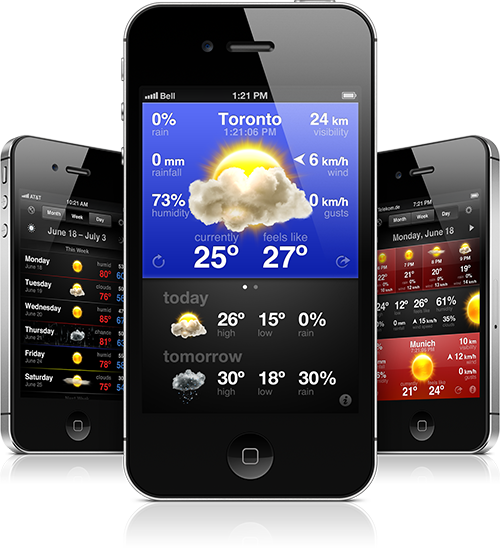
Staying on top of the weather forecast is simple and easy with [WeatherSnitch](http://snitchware.com/weathersnitch2/). Other weather apps come stocked full of distracting animations, unnecessarily large clocks and other convoluted features which slow them down and make them impractical. WeatherSnitch throws these tired gimmicks to the wayside and gives you access to weather forecasts that are heavy on information and not glitter.
[Available now for only $2.99](http://itunes.apple.com/us/app/weathersnitch-2/id452569394?ls=1&mt=8/)
Chuck Skoda:
>While at first glance iOS 6 seems to have generally minor updates when compared with iOS 5, I’d like to point out that this post is now nearly three times as long as last years reflection on my first week with ios five.
I think iOS 6 is a bigger update than most people think. (Also I didn’t know about a few things that Skoda notes, a nice overview.)
My thanks to Treehouse for sponsoring the RSS feed this week to promote their online learning solution, but really it’s more than that. I used Treehouse for a few months and learned a ton about web development and CSS — it’s easy and fast.
There’s great challenges and some really nice video walkthroughs taught by people that know their stuff. I already knew a bunch when I went through the lessons, but I have no doubt that someone who knows very little can pick up with these lessons and learn a ton. If you want to know more about web design or even iOS apps, I’d start [here](https://teamtreehouse.com/learn/projects/?cid=947).
CBS:
>The Transportation Security Administration announced Friday that they intend to fire seven of their employees following the discovery of a bribery scandal at the Philadelphia International Airport.
>After an eight month investigation, authorities say a TSA training instructor who was responsible for administering annual proficiency exams was found to have accepted payment from TSA security officers to ensure passing grades.
Here’s something to ponder this weekend, what’s more embarrassing: that seven TSA employees were caught taking bribes, or that it took eight months to investigate?
Not quite fair right now, given the beta nature of Apple’s mapping solution, but interesting none the less. While Casey Chan points out the Apple offers “less information” than Google, Chan does so as if to imply that this is a bad thing. One look at the maps though and I can’t help but like Apple’s better.
Apple is offering clean maps. I don’t think that Apple is lacking in information, as much as they are making a conscious decision to *show* less information. Whether this is good or bad truly depends on how you use maps. My guess is that Apple figures you need less information now that you will have turn by turn navigation.
Christina Warren saying exactly what I have been thinking all week amidst the stupidity surrounding the new retina MacBook Pro:
>No, what’s happening to PCs is very similar to what has happened to cars over the last 20 years. In order to be more powerful, more efficient and more streamlined, the products not only require less user interaction – they inhibit that interaction.
>In this episode Shawn and Ben discuss the crazy method they are taking to live stream the show, the new retina MacBook Pro, Ben’s ridiculous computer buying, iOS 6, whiskey, and how we use RSS.
Posting a link to myself here, because it’s time again to remind people of what Andrew Turnbull so succinctly [said today](http://twitter.com/ar_turnbull/status/213317835932434432):
>@BenjaminBrooks the best (and worst) thing about Twitter is that you are in charge of your own experience.
So very spot on. This morning I blocked a bunch of people, truthfully I have been blocking a bunch of people for months now. If the unfollow/follow button is how I control what I see in my Timeline, the block button does the same for what I see in my mentions tab. That’s all there is to it, if you were/are blocked it’s because I just don’t care to see you clutter my mentions tab up. ((There’s lots of people that speculate that I block anyone who disagrees with me — which is just not true. I do, however, tend to block people that tweet disagreements at me every time I post something on the web — that’s why the button is there.))
Maybe this seems harsh, but it makes Twitter better for *me* and truly that’s what I care about.
Josh Constine writing about Facebook Exchange, a new way to show users ads:
>For example a travel site could serve ads about a flight to Hawaii to someone who almost bought a flight on their site. Advertisers might pay big premiums for highly-accurate targeting. Users will be able to opt out of Facebook Exchange via third-party demand-side platforms, but they can’t opt out of the program completely from within the social network.
So this program is opt-out only, but the user can only opt-out from each advertiser by clicking a little `x` when they see the ad? What could go wrong?
One thing that Constine also notes is that this also a good way to show ads for things that are *currently* happening, like TV programs about to air. This is all really neat from an advertising and technology stand point, but this sounds like a horrible thing for users. It’s like you need to actively monitor what you do, or you may begin to see ads for that crap everywhere.
Nice review from Thomas Brand about the Nokia Lumia 900 and Windows Phone 7 (man that’s a wordy couple of names). One thing that I really wish would be brought to iOS, is the text selection that he mentions:
>Dare I say the copy and paste support on Windows phone is even better than on iOS. Selections are usually made one word at a time, and images and text can be copied and pasted multiple times without waiting for a popover menu to appear.
That sounds really nice.
I am always interested in the “Live Tiles” versus the static icons of iOS. Live Tiles seem like a really good idea on paper, but I can’t help but to think that in practice they aren’t that great. I haven’t tried it though, so that’s just speculation. I will note that I only saw two mentions of them in this review.
[Reeder](http://reederapp.com/2/) is an RSS reading application for Mac and iOS and it is one of the most popular iOS RSS apps. Reeder has always been my favorite RSS reader out there, Mac or iOS — it was a godsend when it came out. What makes Reeder 3.0 so very neat is that Silvio Rizzi did not rest on his laurels — of which — I would say, Reeder is already one of the finest iOS apps in the App Store.
Instead Rizzi rebuilt the entire app, from the ground up. He also listened to the fact that some people (read: me) don’t want to use Google Reader any longer. I have been testing Reeder 3.0 for what seems like a year now and using it with nothing but [Fever°](http://feedafever.com), my RSS reading platform of choice.
Since this is a 3.0 release I am going to just point out three new things that I love about Reeder 3.
### Thing 1
The best feature of all: Fever° support. This is a self-hosted RSS reader, with an API for apps like Reeder to interact with it. Fever° got Google Reader out of my life and I couldn’t be happier.
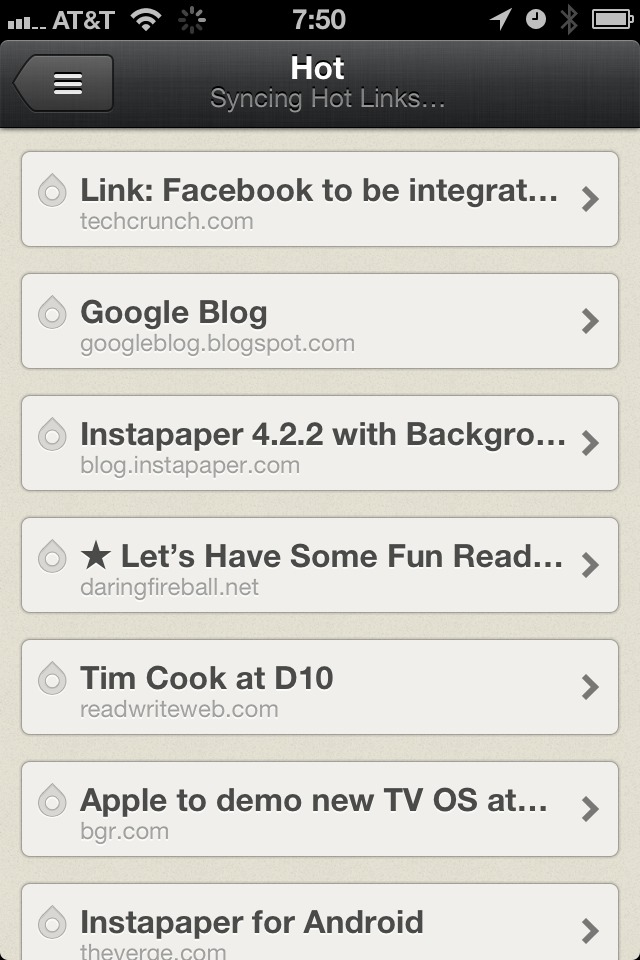
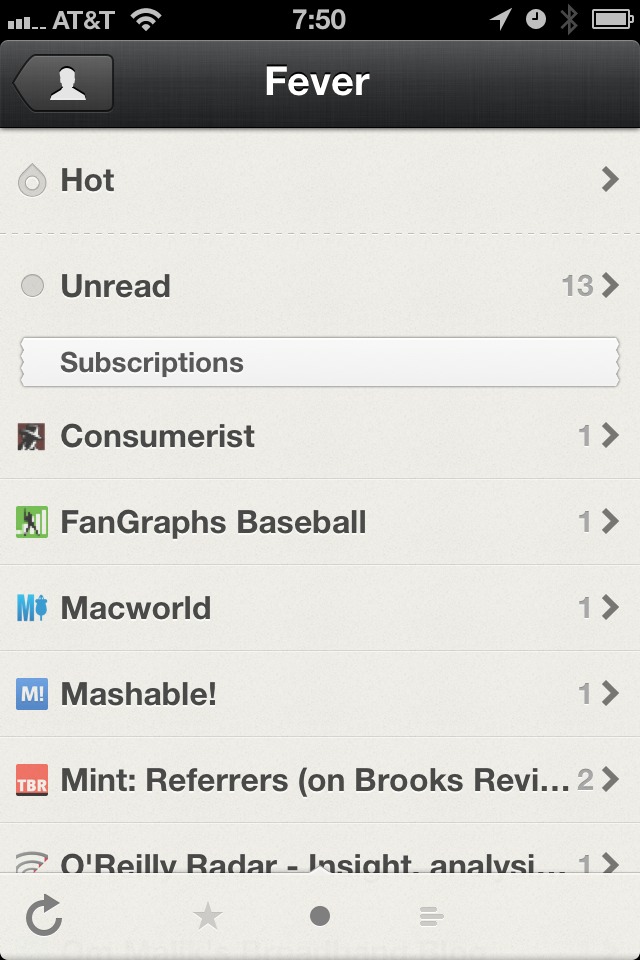
Reeder does a great job of integrating with Fever°, including the addition of the Hot List. Overall I find Fever° to be faster than using Google Reader in Reeder, but that’s also dependent on your web server.
The Fever° Hot List
Otherwise Fever° works just as GReader does, but without the privacy concerns that come with Google.
### Thing 2
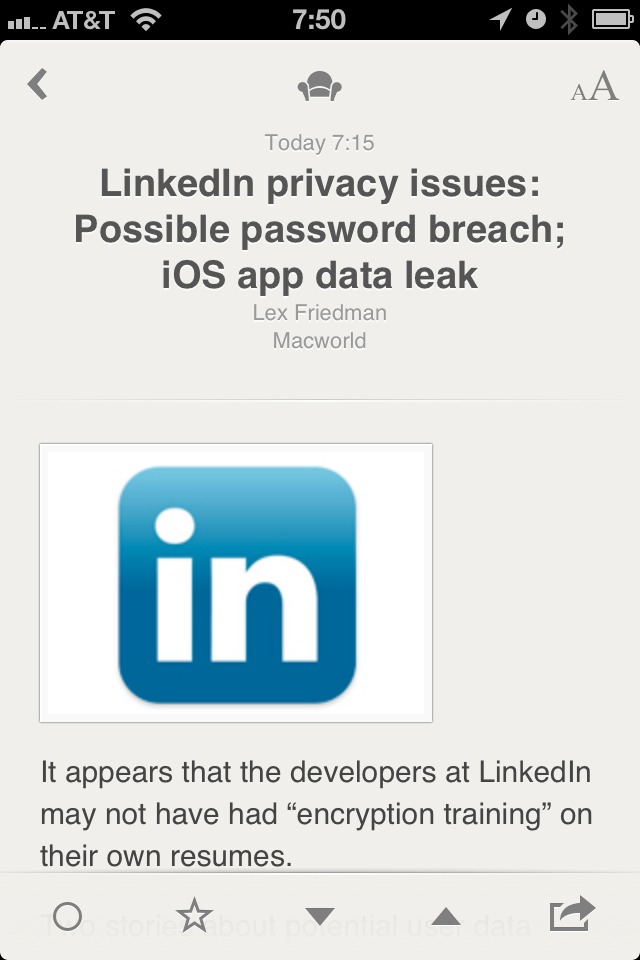
Next up is the new/updated UI of the app. Once in single item view, the app feels like a hand made letterpress card for each of your RSS items. Except these cards are made of rubber, not paper — because they stretch and bounce all over.
Single item view.
I really love the UI of Reeder, it has the right amount of texture and a simple yet elegant feel to it. The banding animations that are prevalent in Reeder will be jarring at first, but quickly fade after the first use.
### Thing 3
Mark above and below as read with just a two finger gesture. Ok, so here’s the deal, it used to be that my thumb would get really tired in Reeder because I was constantly tapping to move from item to item. In Reeder 3 there’s a handy gesture: swipe up or down with two fingers in the list view to mark the items above or below that point as read.
I really, really like this feature. It was a last minute addition and it really makes for a fantastic addition to the app.
### Small Things I Don’t Like
Well, for starters, I wish the status bar was hidden when in single item view. That would be a great, immersive, experience while reading your RSS items. I also wish the Hot List for Fever° was a bit more informative and allowed you to control the time period — as currently implemented I rarely use it. I also dislike the jagged edges of the headers for the date and feeds sections, like really dislike these.
Silly jagged header.
### Bonus Points
Reeder has a new icon and it is fantastic.
### Worth It
Overall this is a great app that further secures Reeder’s place as one of the best iOS apps in the store. [Go get it](http://reederapp.com/2/) (launches 6/13/12 as an update).
I wasn’t going to post this ridiculous article that [Matt Gemmell](http://twitter.com/mattgemmell/status/212940930691514370) tweeted about, but then WSJ had to post a correction to the article. The original article by Clint Boulton basically stated that the higher resolution of the new retina MacBook Pro would lead to more bandwidth being used on corporate networks. Which is just completely false.
The correction:
>An earlier version of this article incorrectly said that the higher resolution Retina displays of the new iPad and forthcoming Macbook Pro computers would increase consumption of network bandwidth, thus slowing performance of corporate networks. Higher resolution screens do not in and of themselves consume more network bandwidth.
Nice to see how fast WordPress is being updated these days, but this version has one concerning feature that I want to make everyone aware of: native Twitter embeds.
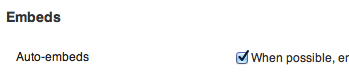
What this means (as far as I can tell) is that if you paste a link to a tweet, WordPress will automatically turn that into an embedded Tweet. This is really nice for a lot of people, but those embeds also have tracking code in them — so I don’t use them.
Sandhya Venkatachalam for Skype:
>While on a 1:1 audio call, users will see content that could spark additional topics of conversation that are relevant to Skype users and highlight unique and local brand experiences. So, you should think of Conversation Ads as a way for Skype to generate fun interactivity between your circle of friends and family and the brands you care about. Ultimately, we believe this will help make Skype a more engaging and useful place to have your conversations each and every day.
Word is that Venkatachalam spent two weeks trying to record this as a video message, but couldn’t keep a straight face when reading the above passage.
Also, they can’t be serious: “this will help make Skype a more engaging and useful place”. Come on. I don’t mind if you need to slip in ads, but don’t lie to users and yourself about who the ads are really helping.
Rich Ziade:
>Today, we’re announcing the end of one of those: As of June 30, 2012, Readability will no longer accept reader fees.
*Shocking.* ((This bit almost sounds like a threat though: “Readability’s publisher payment plan was one such attempt—the first of many, we hope.” *Shudder.*))