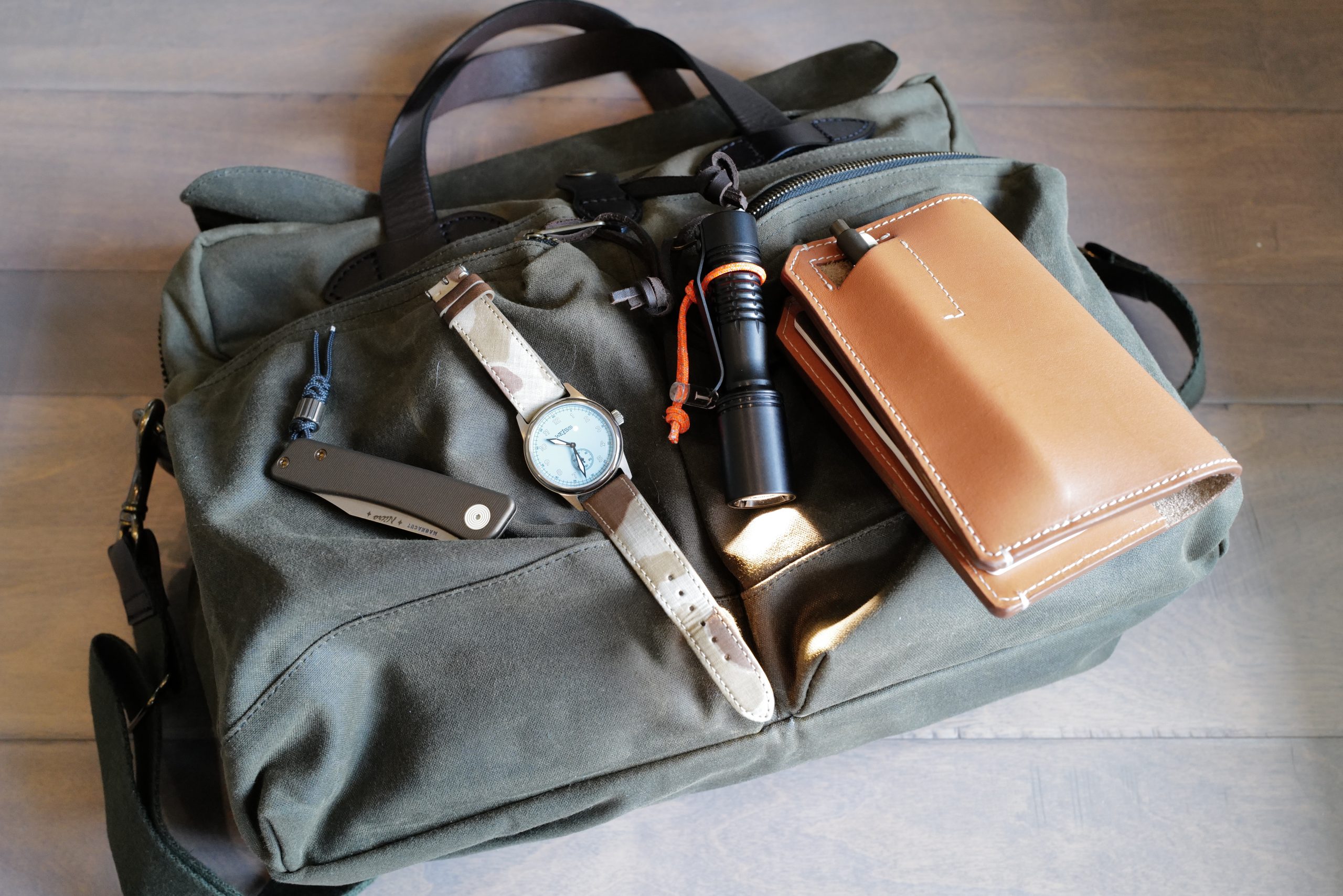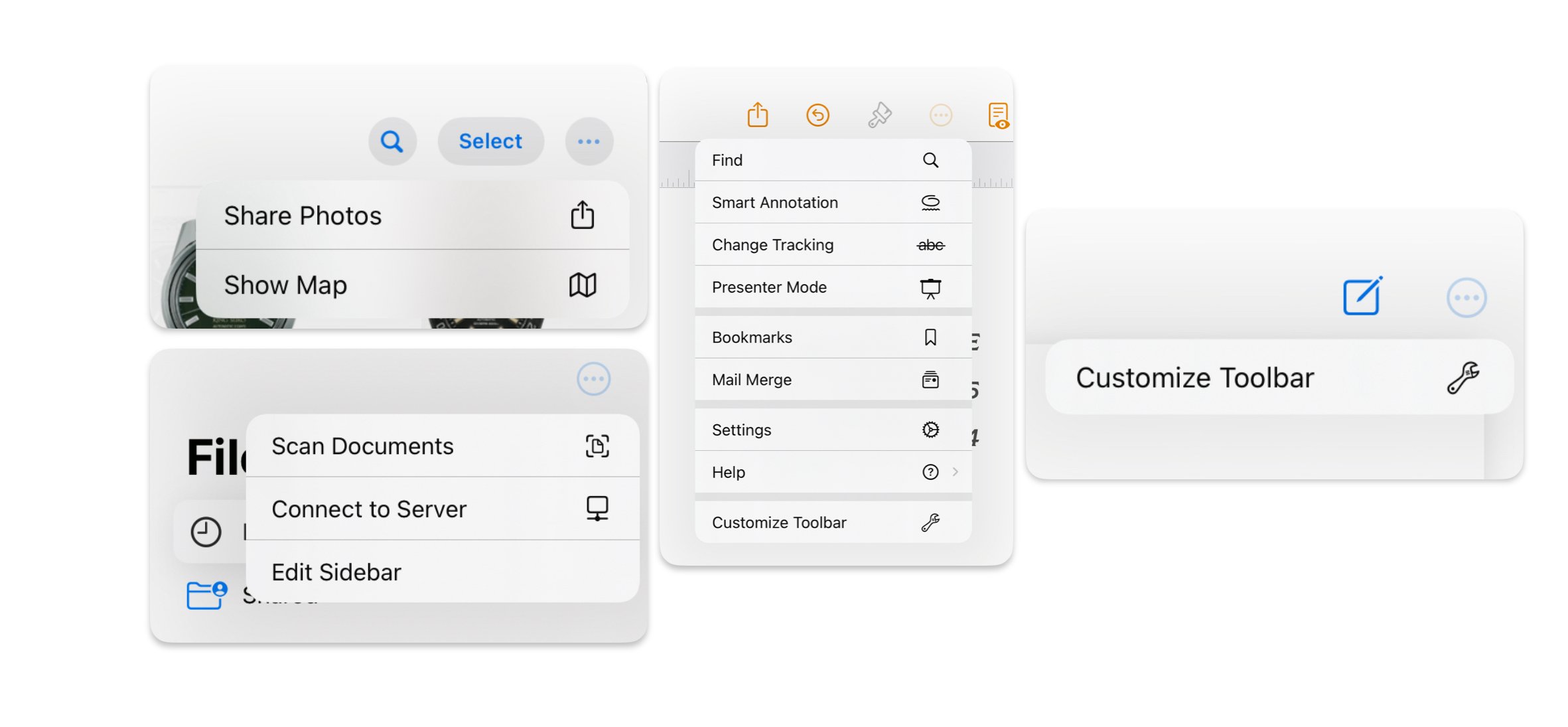
This week: talking about iOS/iPadOS UI Paradigms that are really not good; and some links of interest.
You must be a member to read the rest of this article. (Already a member? Log In.)
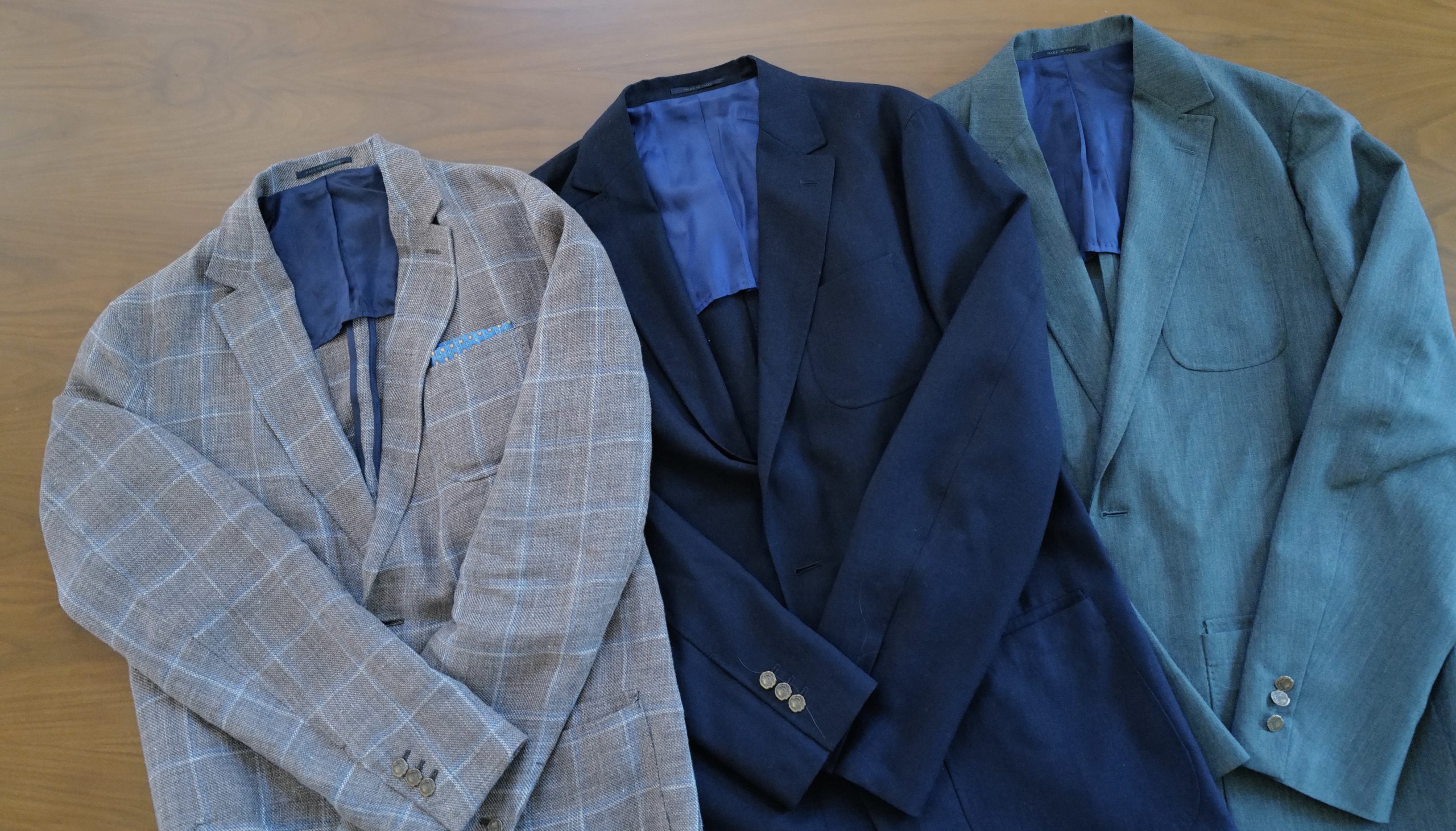
This ‘blazer’ is one of my favorite items of clothing — so much so that even given the pricing (roughly $1,000), I own three of these blazers and still want more. If you look at this blazer online before you read about it, you’ll likely not get what makes it so great — you’ll be distracted by what looks like a rather traditional blazer.
But that’s a mere illusion. A part of the magic of what makes the Sid Mashburn Ghost Blazer so amazing to wear is that it looks pretty normal, while wearing exceptionally well.
When I am sitting and having dinner with my family, and a notification comes in to my iPhone, it instantly pulls me away from my time with family. To counter this I started to put my phone on DND. This worked like a charm, except then I would forget to turn it off, or in cases when I was out on a date night with my wife, miss important messages from my kids or other family.
That was not working, so I wanted to craft a mode on my iPhone to help me direct my focus back to the people physically near me, while at the same time keeping my phone in a state where I could use it and get important notifications. (Side note: seems like iOS 18 is really going to help with this, I look forward to that in a few months.)
I also wanted this mode to be easily activated by using the otherwise useless Action button on the side of my phone.
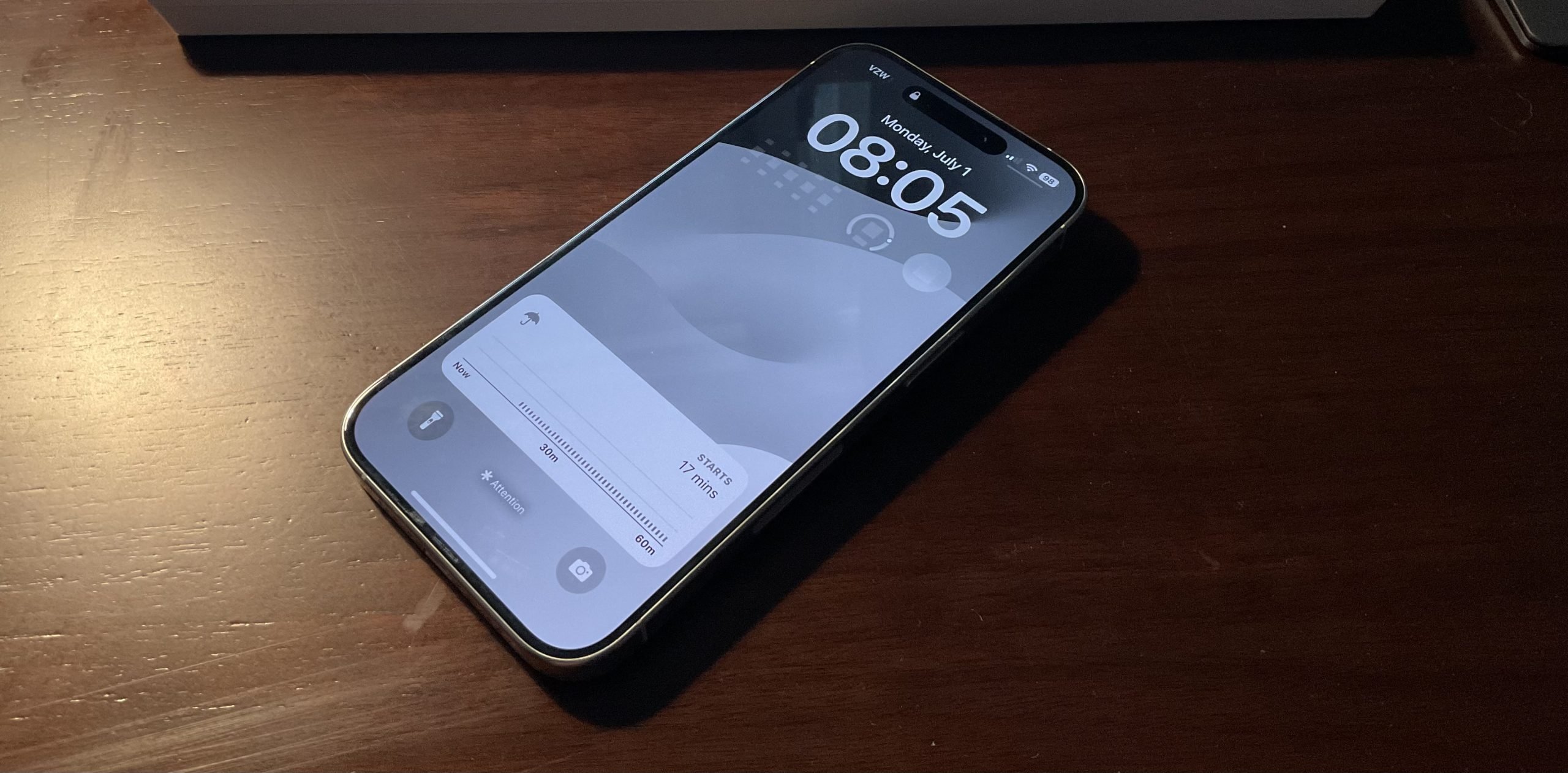
That’s how I ended up with my new ‘Attention Mode’.
Here’s what I wanted:
I found that I could do about 95% of this in the Focus mode setting alone, but I had to move to Shortcuts to get the last 5%. So I actually trigger the Focus mode and one more setting change by using a Shortcut, which is assigned to the Action Button on my iPhone 15 Pro.
Here’s what the Focus Mode does:
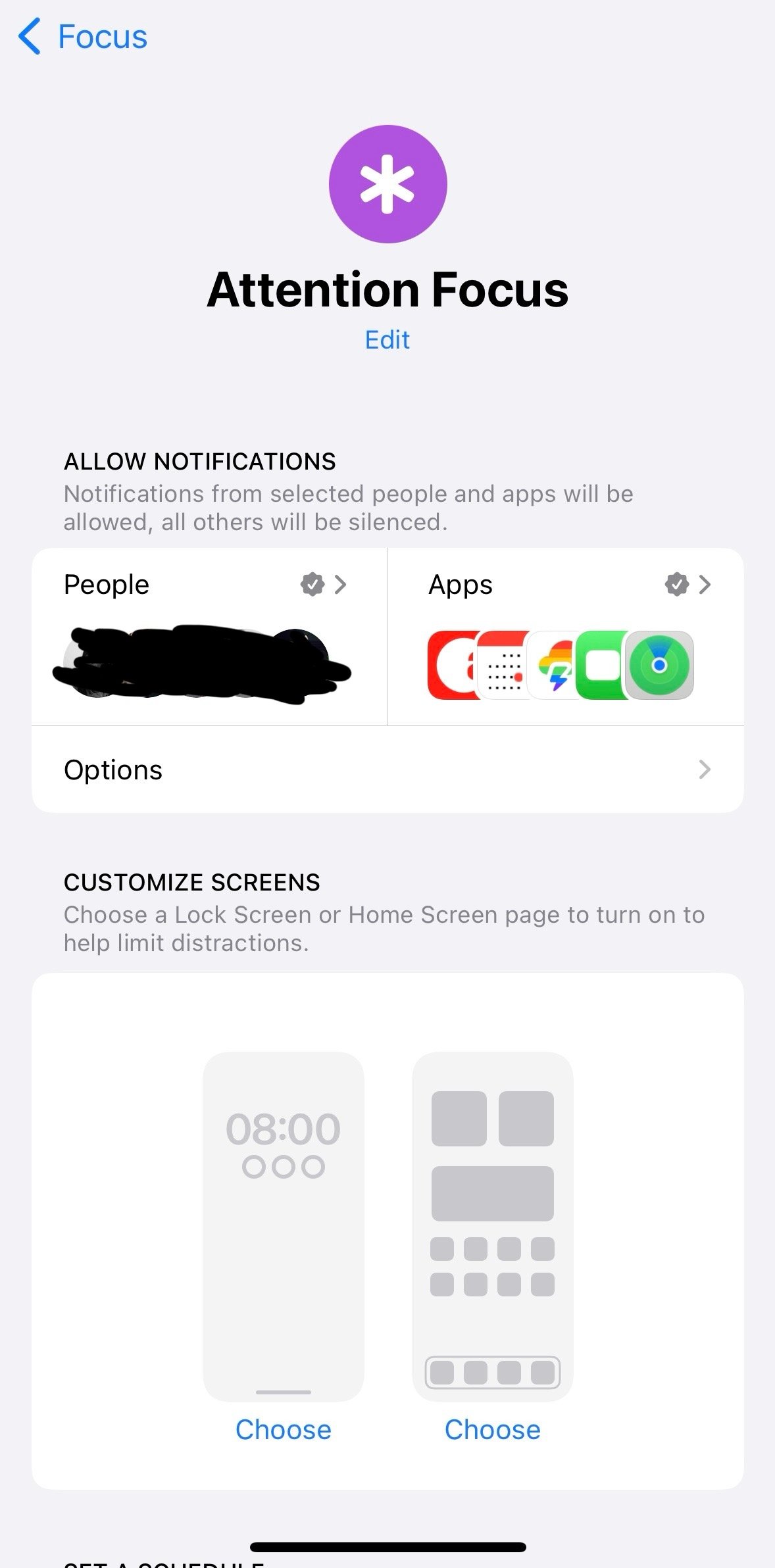
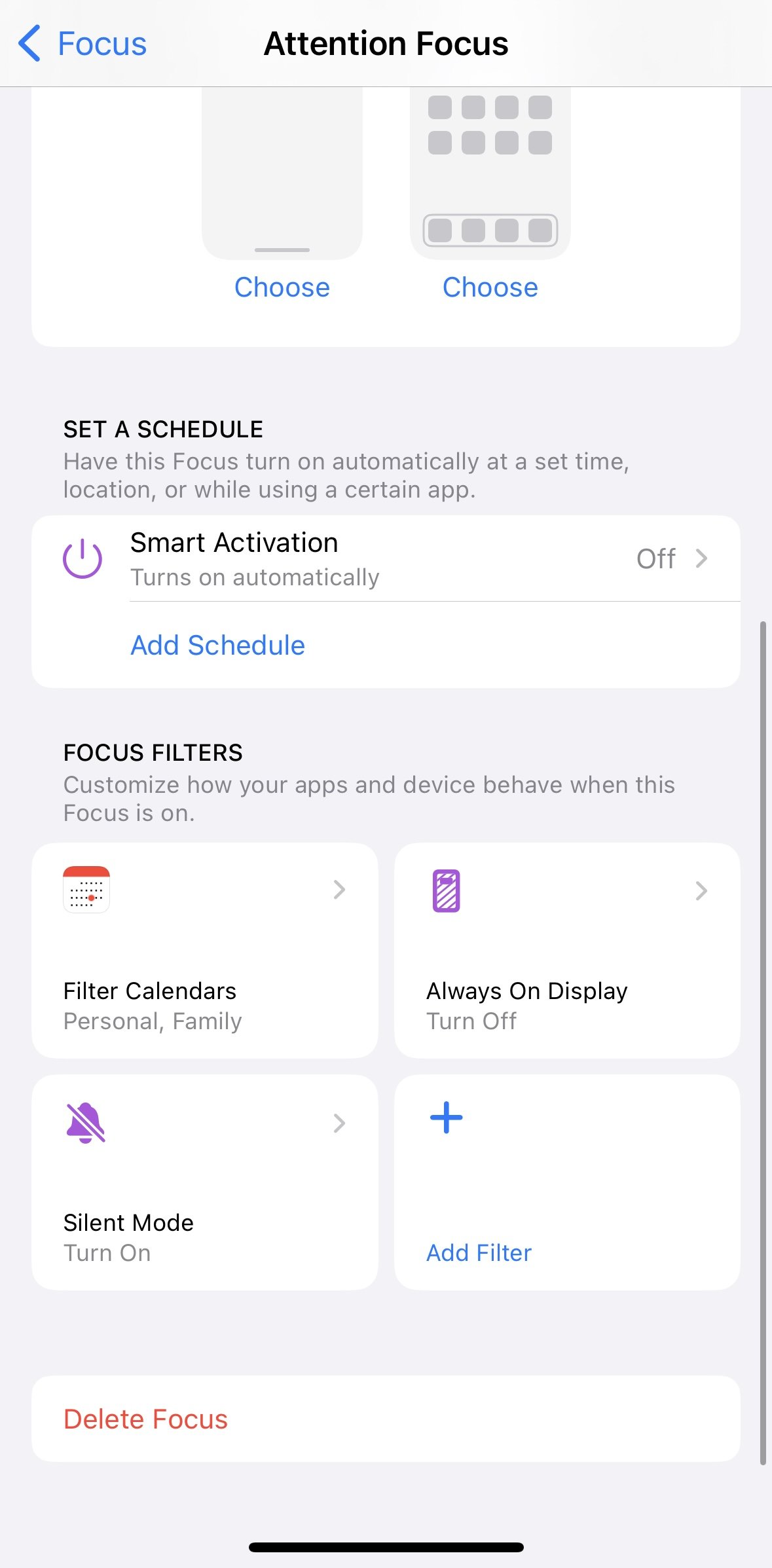
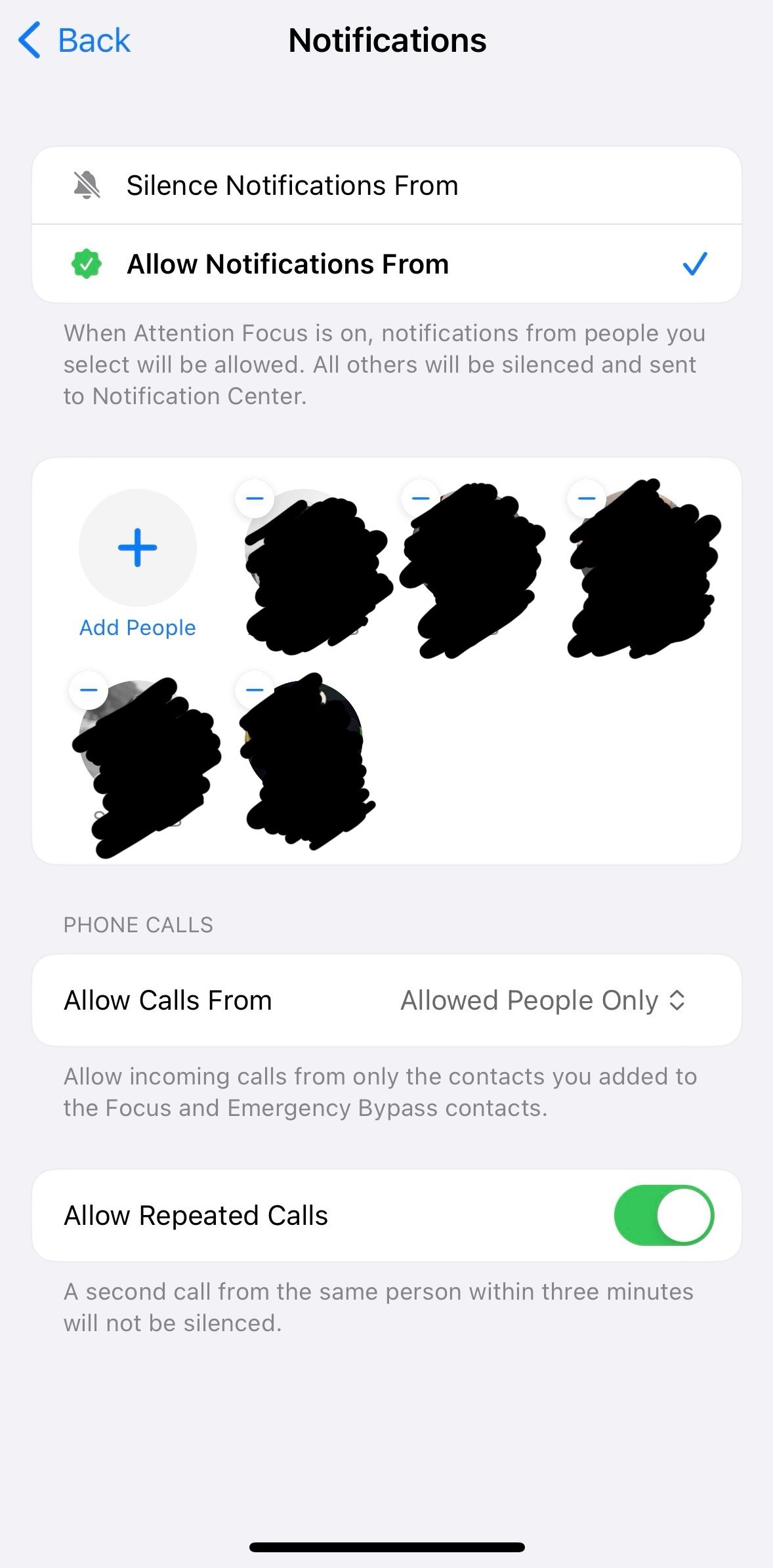
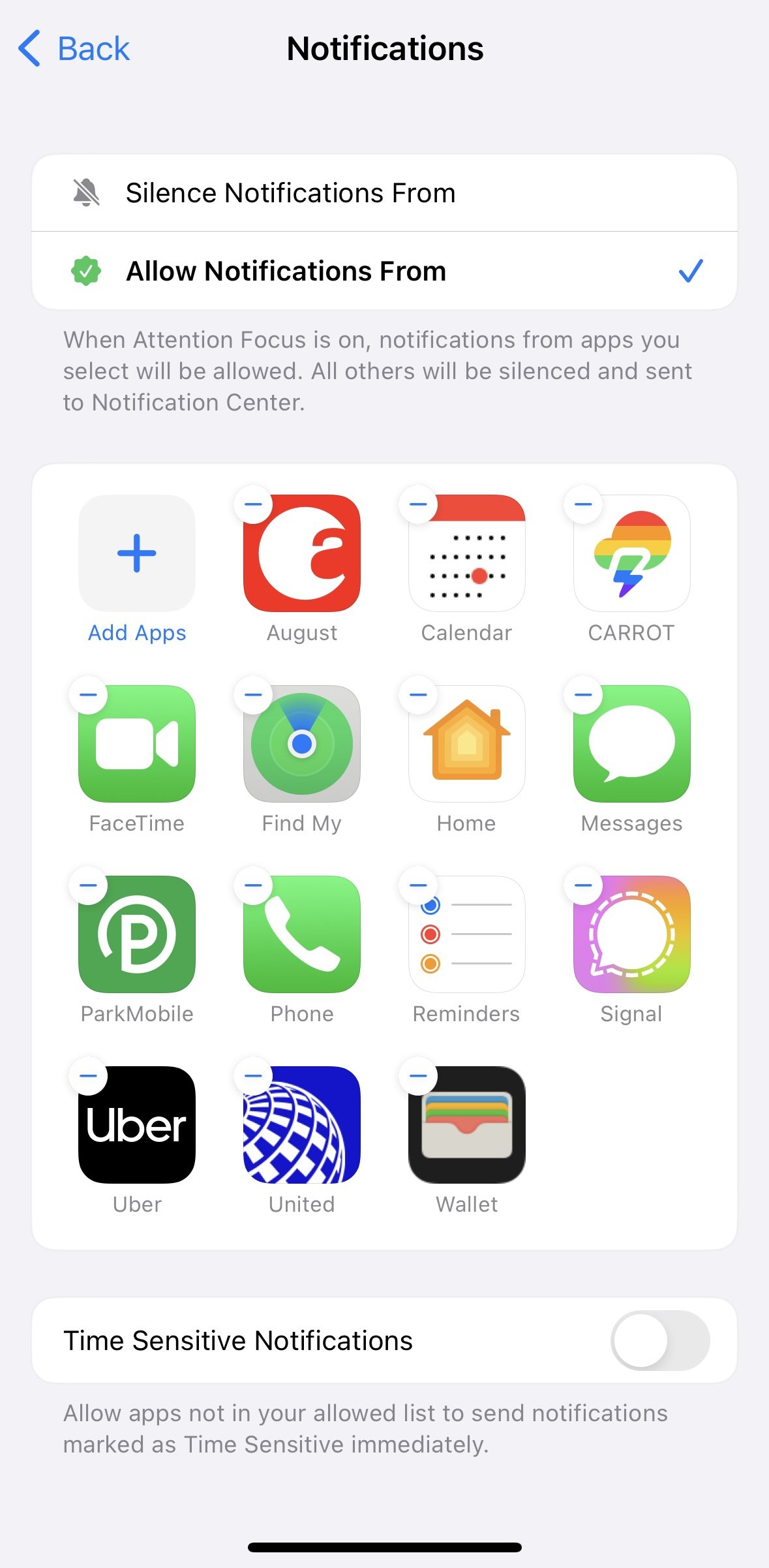
Now we head over to Shortcuts, here’s what that looks like:
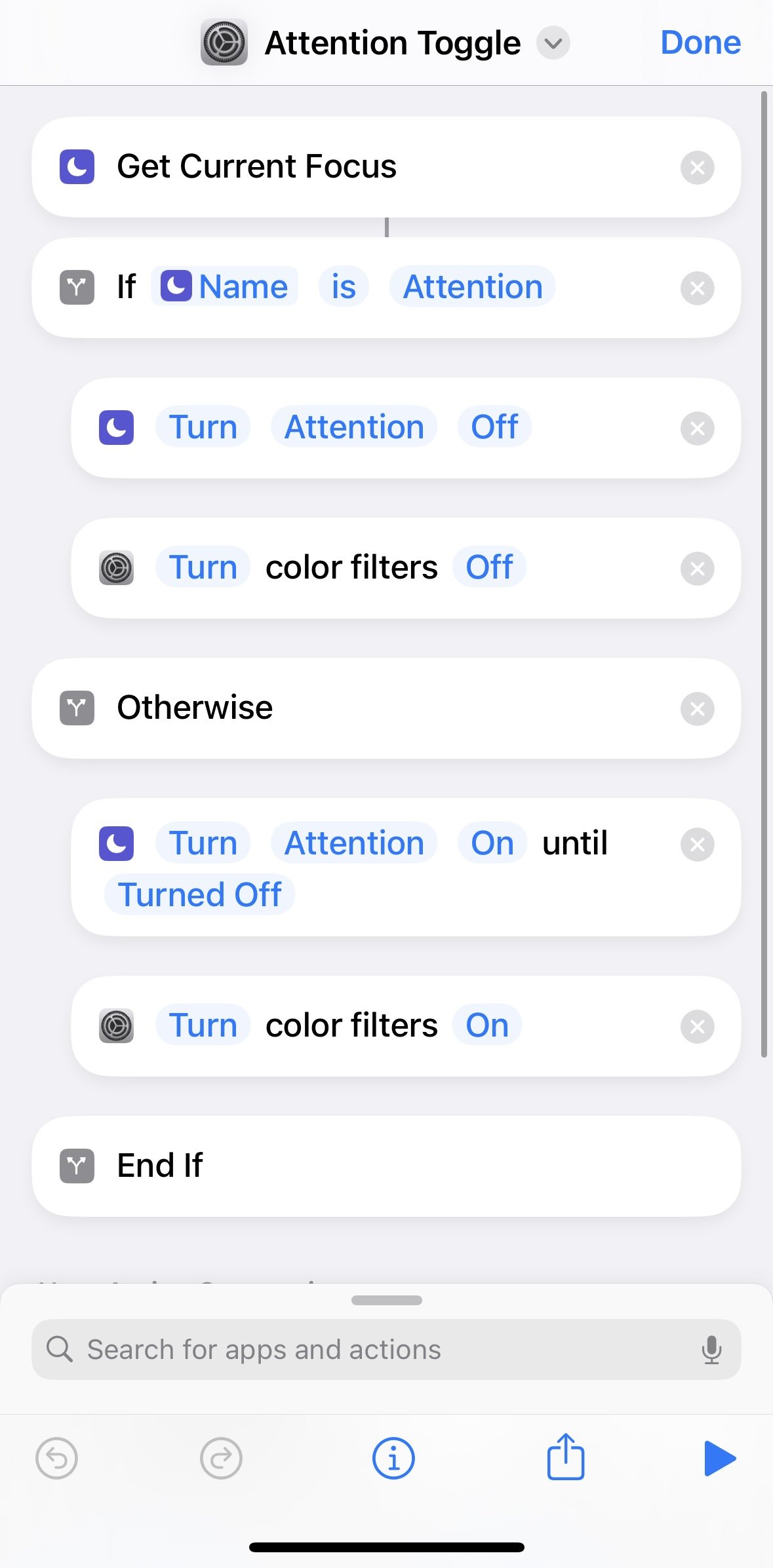
Walking through what this is doing:
The key here is what the color filters do. iOS has a lot of options you can do to improve accessibility, and we can use some of those to change the overall system as well — one of those options is color filters. You can tint the entire system to have a particular color overlay, or make the entire thing grayscale. For example, red is useful if you want a night mode, and it looks awful at the same time, but no more blue light. Grayscale removes all color, and actually looks quite pretty, while keeping the phone very useful.
If you want some night vision preserving mode, then red is the way to go. Otherwise, Grayscale. And here I simply have mine triggering Grayscale. The only way I know to do this, is to do it in Settings:
That will set your color filter to Grayscale when Shortcuts toggles it on or off.
Now you got to Settings > Action Button, and select your new Shortcut as the action. It should turn on your Focus and set Grayscale.
It’s really clean, and works wonders. I used to flip my phone face down on the table, or keep it in my Hardgraft sleeve as a way to stay focused. But I constantly faced issues of missing things which are the very reason I carried my phone with me. Parking meter expirations, Uber Eats driver questions, texts from my kids — by using this Attention Focus, I don’t miss anything, while limiting my distractions.
There’s something really uncanny and great about a grayscale iPhone display. You get all the utility of your phone, but in a way in which it doesn’t suck you in as readily. To be fair, you can still get lost in it. Grayscale very odd, and I very much like it.
There is the occasional glitch where the Always On Display will not resume after leaving the Attention Focus mode. This happens maybe 5% of the time, but it’s annoying. Theoretically you only need to tell Attention to turn off Always On Display since you have it set to on at the primary OS level, but because of this glitch, I also explicitly set Always On display to turn on in my Personal focus mode. Thus if I see that it’s not staying on, I can quickly toggle to Personal Focus and it resolves itself.
Ok, one more thing: if you screenshot in grayscale mode, the screenshot is full color.

My Dopp kit and I have been having a love and hate relationship. I’ve been carrying the Filson Tin Cloth Travel Kit, which is fantastic in shape and size, but lacking in any organization. All too often I have gear spilling out, and I am unable to quickly find what I need to the point where it feels like I constantly empty the bag out to find the one small thing I wanted.
So I started the search again for a new Dopp Kit, and the Hardgraft Brothers Dopp Kit Duo seemed like it might check all the boxes. Two pouches, both slightly smaller, seem in theory to be a really clever solution — in practice, these two pouches are tantalizingly close, but miss the mark for a cohesive Dopp Kit. They do make excellent add-ons if you can stomach the price.
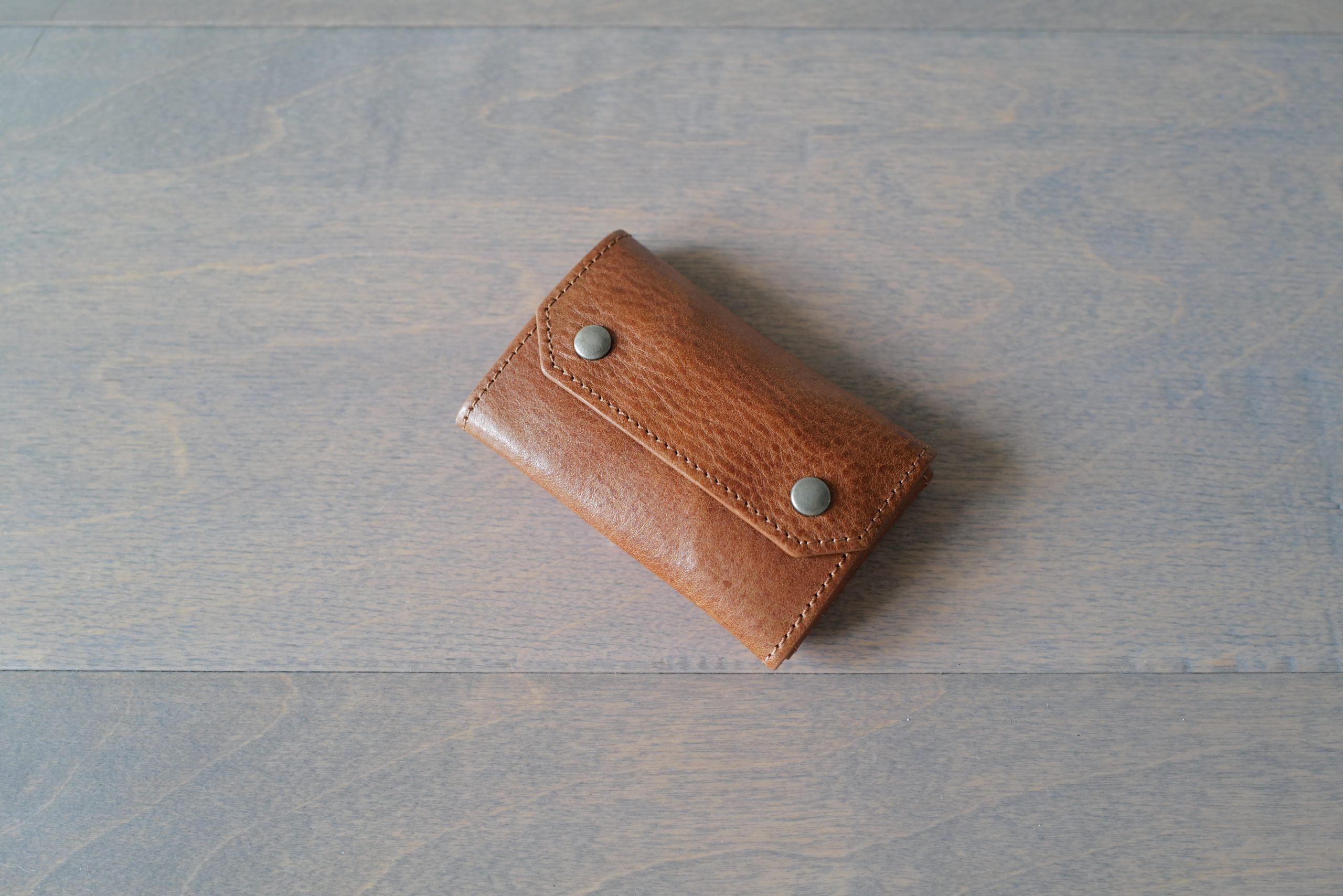
Some quick thoughts on Hardgraft’s Small Brick Card Case, which I picked up a while back to hold some overflow cards and cash where it would be living in my briefcase/bags most of the time. I did use this for a couple of weeks as my primary wallet, so I could get a sense of how it works in a more standard use case.
Hardgraft makes many small cases like this, and it’s hard to get a sense of why you might choose one over the other. I could see some loving this as a primary wallet (I would if I didn’t have the Whisky), but I also think it fills my use case perfectly.

Back in December, my wife gifted me a pair of these R.M. Williams Dynamic Flex Craftsman Boots which I had been drooling over for some time. A perfect gift. The jump from Blundstone to R.M. Williams is akin to the jump from Seiko to Rolex — both great, but you know, there’s an upgrade there.
What I didn’t expect is how comfortable and easy these boots would be, and generally how good they are. So allow me to expand some on that.

I have already mentioned my love of a good loafer, and while a classic Sperry is a loafer of sorts, it is very much in a class of its own (i.e. Boat Shoe). I was looking for a shoe I could use to replace a sneaker for any given activity outside of sports-related-things. I wanted to look a little more adult, as I was no longer feeling comfortable wearing sneakers.
A boat shoe was the top recommendation which kept coming up for me. I started to look around — you can spend a lot — but the Sperry is the OG if you will. I went with this Boat Shoe, Gold Cup variant with the classic brown leather and a white sole.
I have no regrets replacing my sneakers with these boat shoes.

Watches are expensive items, no matter what your budget is, they are an expense you could forgo your whole life, but when you want one you tend to spend more than you anticipate. If you are fishing in the deep end, dropping $10,000 on a watch is a starting price bracket. For others you might top out at $1,000, or even $100. When it comes to watches people tend to buy towards the top of their budgets if they are going to buy a watch — it’s a purchase made out of desire, and rarely out of need.
If you hang around the watch world long enough, you start to see a pattern in the questions asked — a commonality of the editorials. With the most common of the lot being questions around a what someone should or should not have in their ‘collection’, or what watch should be the singular watch someone should own.
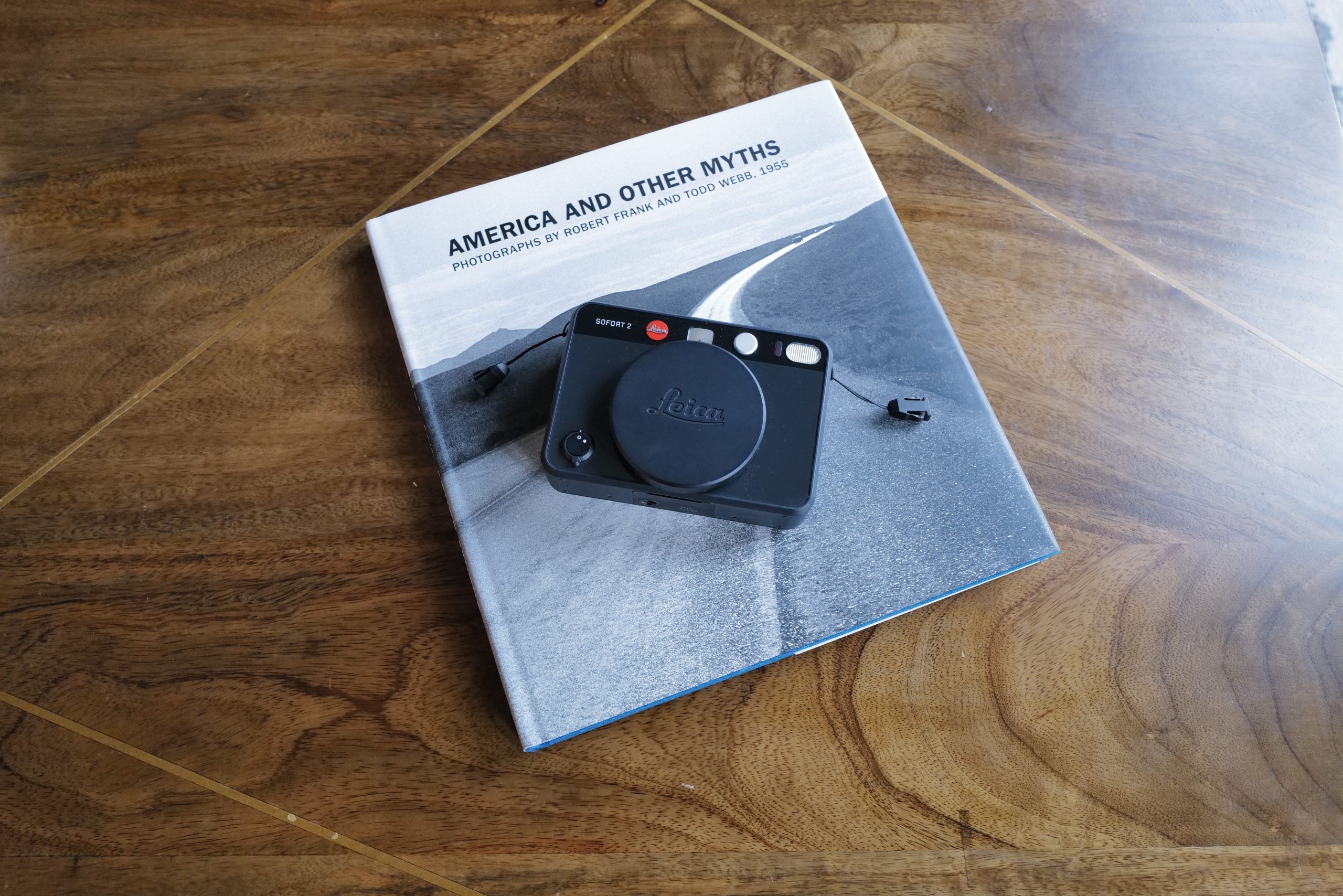
In the fall of 2023, Leica announced the Sofort 2. This is a point and shoot Leica, with the primary idea of this camera being one which prints an instant image for people to share. It’s also inexpensive (by Leica standards) at $389.
I bought three of them when they were announced. One in each of the colors (white, red, black) and gave one each to my kids as gifts, (keeping one for me). Well, my black Sofort 2 only recently arrived due to all the backlog. So, let’s talk about the worst camera I own, and what and why someone might want this.
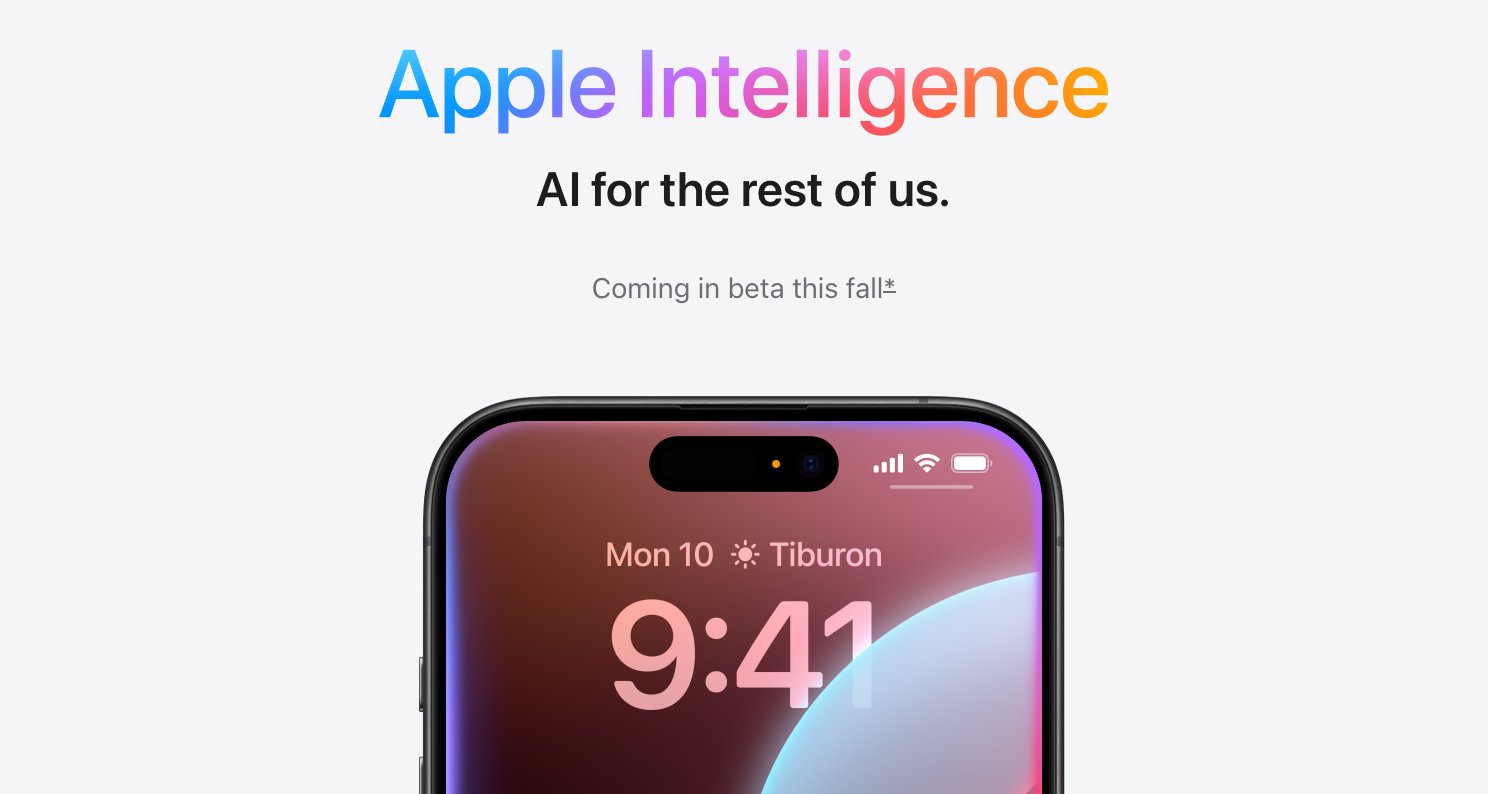
For the last couple of months, I’ve had the feeling that this WWDC would be a big one. ‘Big’ in the sense that it is going to create mountains of work for Apple developers across the globe, while giving people a lot of great things to use come September. Yes, there’s all the AI stuff — but there’s loads more Apple announced as well.
Rather than rehash what was said, I wanted to dive into a few things of note. Apple has put developers on quite a roller coaster with these announcements.

MIC CLICK
Mostly Incomprehensible Gate Agent: “If you are flying with us today on flight FU666, this is a completely booked flight, and we are looking for volunteers to check your bag at the gate. We are looking for 129 volunteers, as all 65 seats are booked. If you are not in the most expensive group, you likely will not find space for your bag because instead of enforcing bag sizes, we push that pain right down to you, our ‘customers.’ You are allowed one carry-on, but we won’t bother to count. Thank you for flying with us.”
Do you think they have that speech memorized? Because I have it memorized. Sometime around 2012, I stopped checking bags. Carry-on only, roller bag. Then, I fell into the one-bag trap — you can check the site archives for that content — before stabilizing with carrying a large duffle and a smaller personal item onto the plane for the last few years.
During that time, my bags were never lost, and I never had to gate check — but I also paid to ensure I got on the plane in the first half of boarding.
It had been a long time since I made a proper ‘one bag,’ personal item only, trip — but a short business trip at the start of this year made for an easy one-bag journey. Traveling with a personal item only was a breeze getting to my destination — the type of thing that can lure you right back in. And then, coming back on the same trip triggered something for me.
The return trip had a massive gate line. The airport had many service members flying, who were allowed to pre-board before the first ticketed group on the airline I was flying. I was in the second labeled group and didn’t care when I boarded because ‘personal item’ travel means you don’t need to. I heard another couple in line talk about how the last time they flew out of this airport; the second group had to check their bags due to how many people pre-boarded. That was wild for me to think about.
I wasn’t stressing about the bag I would keep at my feet, but it was something I had never really thought about — what a stressor to have to gate check even in the highest boarding groups I could pay for. As I flew back, I realized how much less stress I had on this trip, with no baggage needed to compete for the overhead bin. It was a stress reduction I didn’t expect.
The problem is, I don’t love traveling with a small personal item-sized kit, so I knew personal item only wasn’t in the cards for me — but what about checking bags?
Many horror stories have been about lost baggage in the last few years. I dug into the stories to determine if lost baggage was a blip or a real issue — it appeared that lost baggage was declining again. This matches up with something I believe strongly in: it’s generally a safe move to do something a company offers if that is an area where the company makes a lot of money. Put another way: soda doesn’t make restaurants much money, so the mixes can be off, and the restaurant is generally meh about it. But restaurants make a lot of money on cocktails, so those are usually on point.
Likewise, airlines don’t make money off your carry-on, which is a trash experience. But they do make a lot of money off checked bags, so they are very incentivized to convince people to check bags. It makes sense; follow the money.
So I checked my bag. And then I did it again. And then again.
Checking a bag is travel magic.
You get the best of both worlds: the ability to pack nearly everything you want to pack while still only carrying a personal item onto the plane — albeit a much lighter personal item. Granted, none of this is new; this is how the air travel experience was initially designed to be. So instead of rolling your eyes at this less-than-novel approach, allow me to remind you how we all lost our damned minds being obsessed with personal item carry-on situations and instead should be embracing the checked bag.
The hardest part of checking a bag is trusting the system — getting over the anxiety that your bag might be lost. My wife declined to check the first time we checked, so it was only me and the kids. I split our stuff between two rolling bags, added AirTags, and still had the kids (as did I) pack an extra pair of underwear and toothbrushes in our carry-on bags. Just in case.
A friend gave me a tip: whatever you do, don’t bother trying to follow your bags with the AirTag; it’s very stressful.
So, I followed the bags with the AirTags.
It was weird and slightly stressful as the bags weren’t moving together. However, I could see they made it on the plane by the time I was on the plane, and off we went. Everything went without issue.
These days, we pack in our own bags, and I don’t think much about the process. All the underwear is safely in the checked bags, too.
But recalling the above, where I said this is a profit center for airlines, there are also some upgrades to the system, which I didn’t know about before I started checking. Upgrades remove even more pain from the flow of checking a bag.
I must add a caveat: I have the base level ‘status’ with United and only fly with United. As such, I don’t know how other airlines handle things (though United is not particularly highly rated), and I don’t know what does and does not come with status. I get one free bag per person because of my status, which is great for me.
When you check in for your flight and indicate you are checking bags, the app enables a “bag drop shortcut.” I thought this would be a silly non-perk perk, but it’s huge. Each airport handles this slightly differently, but there’s a particular United area labeled “Bag Drop Shortcut,” all you do is take your phone app and bags right there and hand them off. In Denver, this is curbside; you tap an NFC tag, which prints your bag tags, and someone takes the bags, tags them, and puts them on the conveyor. In Houston, there is a line where they scan your boarding pass near the ticket area, and you hand off the bags.
No matter which airport I check my bags at, dropping them off typically takes under 5 minutes. That might be on the high end, too. I budgeted an extra 25 minutes for checking bags the first time, but now I don’t add extra time. It’s very smooth — which is the antithesis of a typical air travel experience. Whatever time I spend dropping my bags is easily saved by being able to move more freely and walking through TSA security with far fewer things needing to be scanned.
Once you drop your bags, United allows you to track the bag tag scans in the app. This is an excellent way of knowing a general location instead of an AirTag, though I still recommend an AirTag as a low-cost, high-reward addition to the process. The scans will tell you significant checkpoints, and it is mainly helpful to know if they have your bag and whether it is at baggage claim or not.
Alright, but what about waiting to get your bags at the end? The longest I’ve had to wait is about 20 minutes, but I was among the first people off the plane and walked right to baggage claim without a stop — and it was amid a bad influx of flights landing after some big storms in Houston. So that’s not too bad.
On average, we wait under five minutes after we get to baggage claim (which can be a trek). My current status has my bags labeled ‘priority,’ and I am not sure what that means, but it appears this label gets them to baggage claim among the first tranche of bags. This likely helps a bit with the timing of waiting for the bags.
One last bit on the process: the condition of the bag. I have checked our hard-sided polycarbonate Rimowa, soft-sided TravelPro, and hard-sided TravelPro. The hard-sided bags tend to get some scratches. The soft-sided ones have some marks. It is what it is. Nothing has been damaged, though none of it looks pristine any longer.
But for my stuff, I’ve been checking a Medium Rugged Twill Duffle from Filson — which is not the typical bag you check. The one I checked is dark brown, and I removed the shoulder strap when I checked it. There are marks on the bag, but there’s no discernible damage, and it’s been through 4 individual flights already. I’ll keep using this bag.
Your bags won’t come out pristine, but they don’t look too bad, certainly nowhere near what I initially feared.
I don’t see myself going back to carry-on. Even for shorter trips, I check a bag. By doing this, I have removed all my anxiety around boarding the plane. I carry one small bag, which fits nicely at my feet.
The overall benefits of traveling with a checked bag:
The downsides:
Overall: net positive by a lot. I didn’t think carrying more would make me much happier, but it feels like magic to have that one or two extra things you never had room for before. An alternate jacket or a second pair of shoes are the primary two items I never had room for, but I now always pack.
If you are going to give checking a bag a go, here are the bags we use:
The Rugged Twill Duffle might be underrated here, but if you were a staunchly pro-rolling bag, the Maxlite Air is the one to go with; it’s a great bag and a great price.
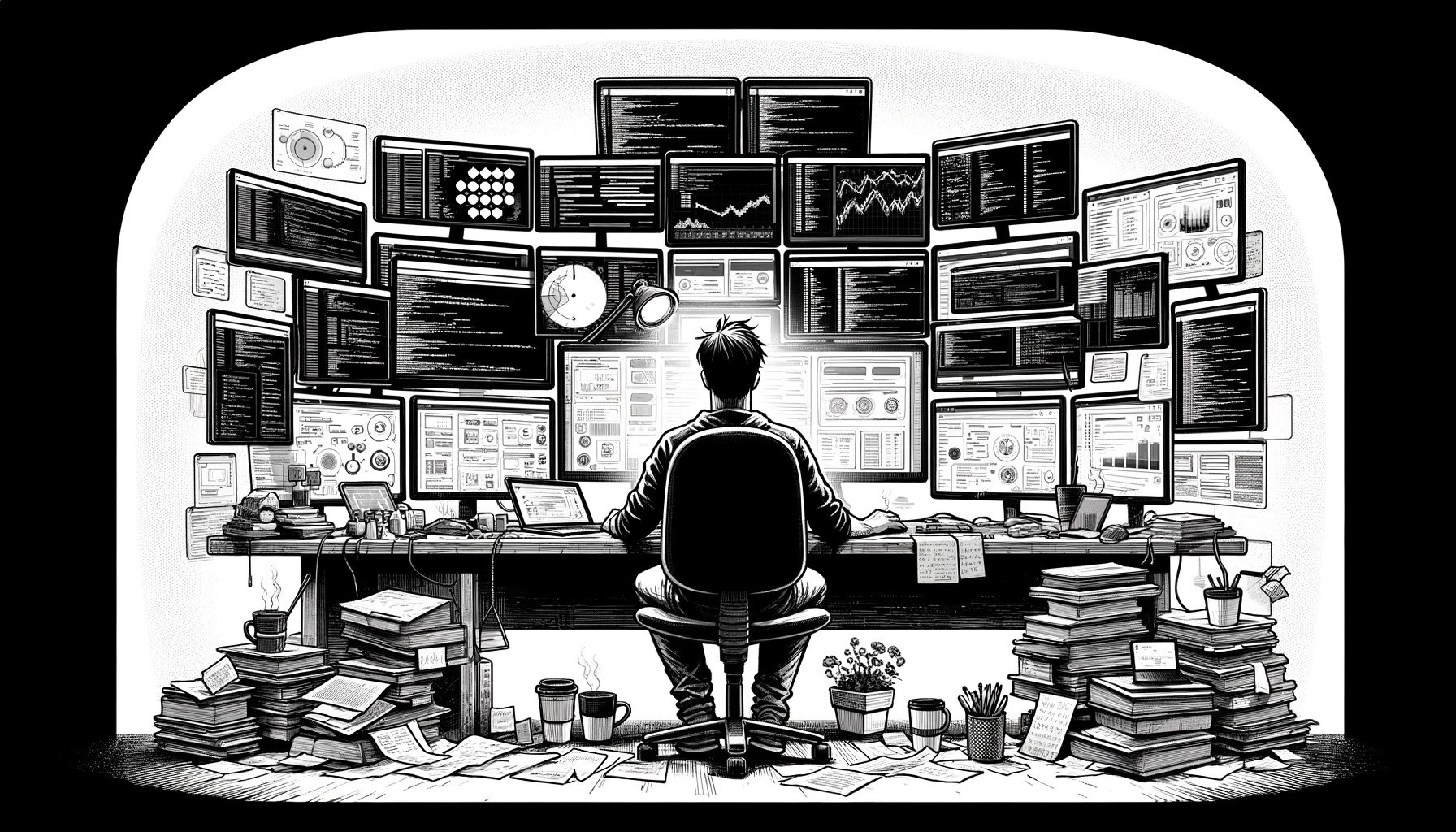
Reading about Generative AI (or ‘AI’ as we’ve now circled back to using) has been interesting over the past year. Those testing these tools as designed/built (i.e., as general-purpose tools for help) tend to write optimistically about the technology. Whereas those who have been trying to trip AI up or placing precise demands on these tools have been writing about how overhyped this technology is. It’s rather tricky, for journalists alone, to get a true sense of what this technology is and isn’t.
At its current core, Generative AI tools are good at many things and far from being experts at most. But being pretty good at only one thing can generally mean a human has a solid career in front of them. Pretty good at many things — that’s of high value when it’s a human. This is an excellent way to think about the current tools, as they are not likely to run away with any job of considerable substance. Still, these tools will make parts of everyone’s jobs trivially easy — and we will realize these changes rather quickly.
All of this is to say that generative AI from the likes of OpenAI, Anthropic, Mistral, Meta, or Google is some of the most impressive technology I’ve seen to date. Perhaps more impressive than the tools themselves is how fast this technology is evolving and improving — it is hard to keep track of, and this is most of what I have been working on for the past year.
This is why now seems like a good time to stop and talk about what AI is useful for and where it will disappoint you.
(The caveat to all this is that this technology is changing so quickly, that it is unlikely that this article holds true for long — but should be a good snapshot of where we are now.)
There are three things you can use AI for now, but only two of them are high-value uses:
Items 2 and 3 above are of exceptionally high value, today. Item 1 is of meager value and, thus, a more problematic use of the technology as it currently exists. Many writers tend to try and use AI for things they know how to do very well, and thus, their realized experience is generally poor. Only when you use AI tooling to do items 2 and 3 is the inherent value so apparent that it is smacking you in the face.
There’s no comprehensive way (without throwing AI at the task) to expand on each of these, so I’ll give a few examples based on how I find value in the tools or not find value.
I have yet to get a high-value return by using AI to do something I already know how to do well. Asking AI to review an item or have a cranky opinion on something doesn’t do this as well as I could, or even close to that. In the same vein, I write so much that I get meager returns out of AI reviewing my text for clarity/grammar/etc. I spent months using AI as a copy editor, and while it would catch a few grammatical errors, it was a time-consuming process that didn’t help.
You can see this pattern repeating, as most who write that AI is overhyped are doing so because they are trying to use these tools to do something they already do well. Don’t fall into this trap.
If you write code, don’t ask AI to write that code for you — you can ask it for help working through a bug or explaining something you are unfamiliar with. Reviewing code to explain what certain things do — AI does that well. But it will not come in writing a legal contract better than a lawyer with decades of experience. This rule always has exceptions, but such is true with all rules.
There are two angles to this use. The first is to task AI with doing something you know how to do, but is rather time consuming for a number of reasons. For instance, I know how to sleuth out good information on the internet, but it absolutely takes dedicated time to do this. Using AI powered search, generally, can net me the same result in a few seconds of my time. The return on this is potentially astronomical — and because I already know how to do this, fact checking the result is easy enough for me that I still am saving time.
Unlike using AI to do something I already know how to do well, the context here becomes: regardless of whether I know how to do this well or not, it will be very time consuming for me to do this. Looking at a 5,000 word document to pull out specific references or inferences of something is a task we can mostly all do, but AI can do it about as well, and significantly fast.
Likewise, summarizing something I might otherwise watch or read, becomes a huge time saver for items which really are only of passing interest to me. Compiling lists of things, or even using AI as a sounding board whereas instead of having to get the time of another human, I can simply utilize AI. Things like asking how AI perceives the tone or content of a message. Asking about how someone might refute a particular idea.
These are all areas where the potential for inaccuracy either do not matter, or would otherwise be trivial for me to catch since I can do this work already. A slow or tedious task then isn’t something that only would take you a long time, but perhaps would add the time of others to get an outside perspective.
Thus, if we go back to my copy editing example, rather than asking AI to copy edit my writing — asking AI what it’s takeaways are, where arguments seem weak — those are things which would require another person with knowledge to read over my work and respond, but AI does it in about 10 seconds.
Perhaps the most fun, and potentially high return task, you can do with AI right now is to play around with it to do something you do not know how to do. There are any number of things: music creation, image creation, code creation, video creation, story creation. All of those things, if you don’t already know how to do them, become sort magical that you can, in a mere handful of words, have AI do these things for you.
By way of example, if you ask AI to generate a file list, with the content of each file filled out, which is code for a mobile application — and go on to describe the app you want to build in detail, you’ll get code which (with a few back and forth chats) will very much compile and run. Now, will this replace a developer? No. But does it give someone a way to do something they might never have even attempted to do before? Yes.
That’s kind of wild to think about. In a lot of ways this is where the optimists with AI live. While the total value add here might be debatable, there is no doubt that the potential for massive value exists.
AI feels like the word processor, or Excel/Lotus123 — there’s no going back now. Those tools did not show up to do something which could have never been done before, they simply made what had been done before easier, and more accessible to all.
That’s where we are, where we are going — well who knows, it’s changing drastically week to week.

I wanted a loafer, but I didn’t know what I wanted. So when I started looking, I was told to get something in a chocolate suede, and choose between a tassel or penny. I went with this Morjas Tassel Loafer in Brown Suede with the rubber sole. I wanted something to swap out my boots for from time to time, and to change up my look at touch.
This started an entire adventure into the world of loafers, because of how stellar these Morjas are.
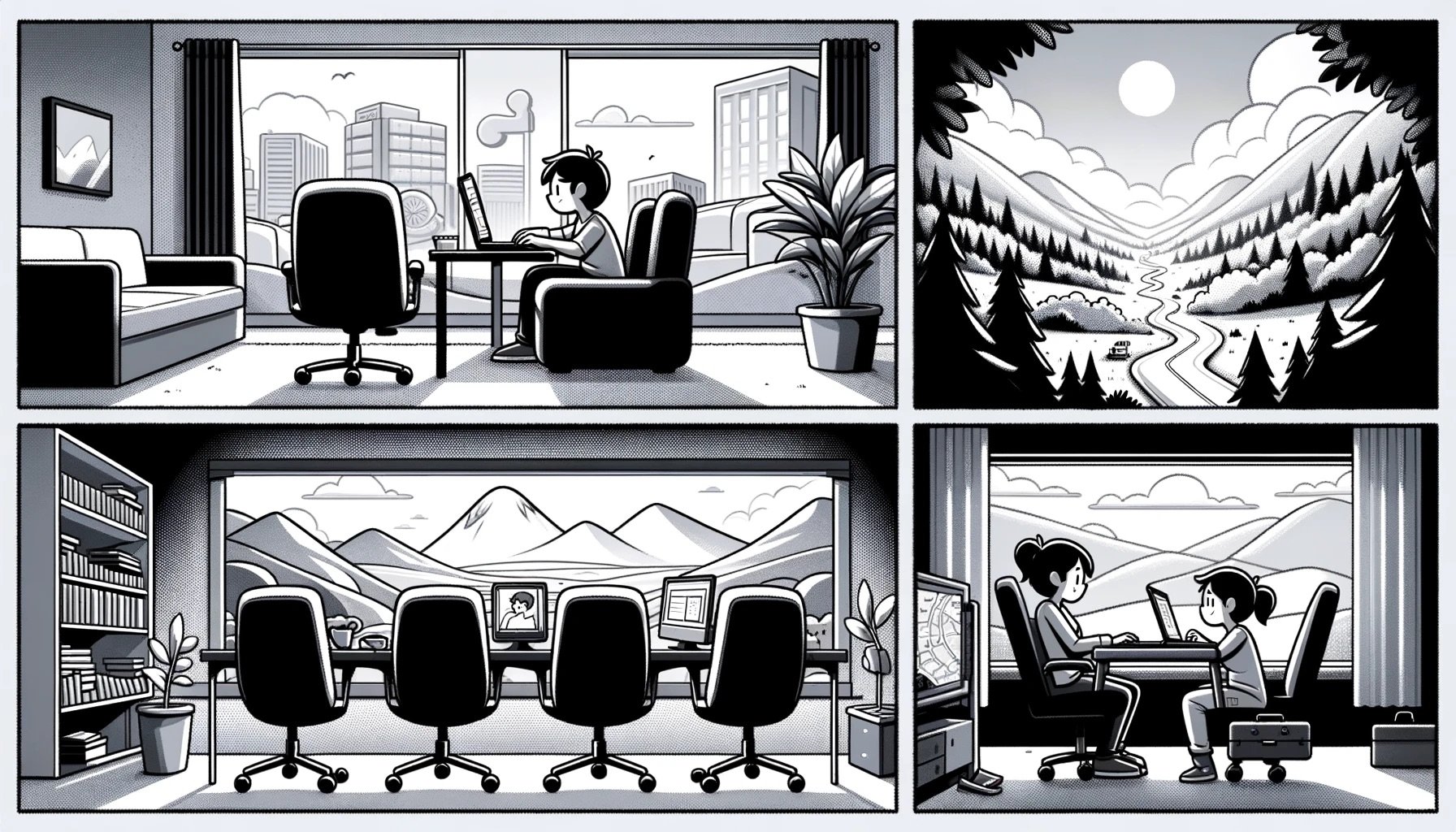
I have been thinking about the ‘right way’ to work over the past couple of years as we recover from a pandemic where offices & company leaders struggle to come to terms with an employee relationship scenario they didn’t foresee. The forced WFH for most office workers during the pandemic, the varied and disastrous return to office protocols — the emergence of strong remote hiring — and the randomness of hybrid roles.
For every argument against one type, there’s an argument in favor. So rather than try to look at why you should not do one or the other type of work, I want to look at best practices for each type of work setup. These are things that you must do if the method is to be successful for any one company.