Over at [iMore, Rene Ritchie has a post](http://www.imore.com/2012/05/29/ios-6-multitasking-fast-app-switcher/) about the how and why of Apple revamping the way multi-tasking works in iOS 6. He has a lot of examples and some great thoughts.
There is one major problem though: multi-tasking in iOS doesn’t need to be revamped.
Apple *needed* to add multi-tasking, but they never *needed* to add a multi-tasking switcher because the springboard (your home screen) already serves that purpose. Does it really matter to you if the app is already running on your phone? Are you less likely to open an app because it is not already running?
I think not.
Most iOS users know how to quickly switch from one app to another on iOS: tap the home button, tap the icon of the app you want. That’s pretty simple for every user to do.
Every iteration of possible solutions that Ritchie showed are poor for every iOS user except those that want iOS to be more like Android — the so called “power users”.
iOS is supposed to be simple, and it is simple.
Adding extra chrome to the UI to make switching between already running apps is silly — we already have a good system for doing that.
In a quick poll of iOS users in my office (six of us) I found that there were only two that used the multi-tasking tray — one was me. And now we are calling for a better version? (To be fair I think Ritchie is just asking if it is needed and proposing possible solutions.)
Personally I think that what we need isn’t a better way to switch between all running apps, but a better way to switch between apps that we are currently working in. The distinction is this: I don’t work in more than a few apps at once. Whereas a multi-tasking switcher assumes that I am working with all running, or recently running, apps.
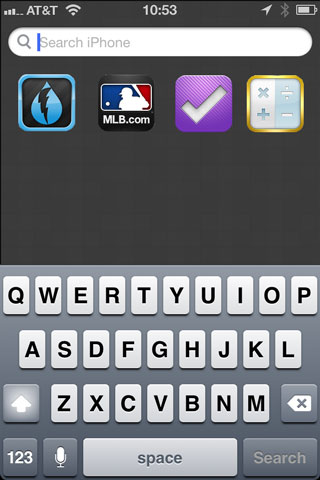
For the most part iOS users put the apps they use the most on their home screen. Beyond that a user *may* just want to be able to quickly toggle between another app they are using at the same time, for this I propose and easy solution:
Excuse the fact that I suck at Photoshop.
This would be easily discoverable by all users, requires no special tapping, and allows you to jump back and forth between two apps that may not normally be on the same home screen. The idea is that these are X apps that you are moving between often, within the last X minutes. If you haven’t been using you phone for an hour, nothing should show here. The idea is that when you are jumping between apps on different screens, it’s nice to have an area where they are next to each other — but unneeded at all other times and for all “running in background” apps.
Right now iOS has two multi-tasking switchers: the home screen, and the multi-tasking tray. Apple doesn’t need to extend the tray to make iOS better for people, and in doing such an extension I worry that iOS would lose a bit of its simplicity.
Oliver Reichenstein:
>Promising to make you look wired and magically promote your content in social networks, the Like, Retweet, and +1 buttons occupy a good spot on pretty much every page of the World Wide Web. Because of this, almost every major site and world brand is providing free advertising for Twitter and Facebook. But do these buttons work?
When I had the Twitter buttons on this site I can tell you that they did very little. More importantly with tweeting features being baked into Apple’s Safari browser, these buttons are going to mean even less.
Don’t bother putting them on your site — I wish I hadn’t.
Marcelo Somers:
>Facebook advertising doesn’t work because they focus on showing you ads based on who you are, not what problem you are trying to solve.
Great post about advertising in general. What people are learning is that “targeting” and “click-throughs” aren’t nearly as important as “buying”. That’s why Google rakes in the dough: they present ads when you are ready and willing to buy. Facebook presents ads when you are stalking.
As of this writing, Facebook is trading at $29.32 — down again for the day.
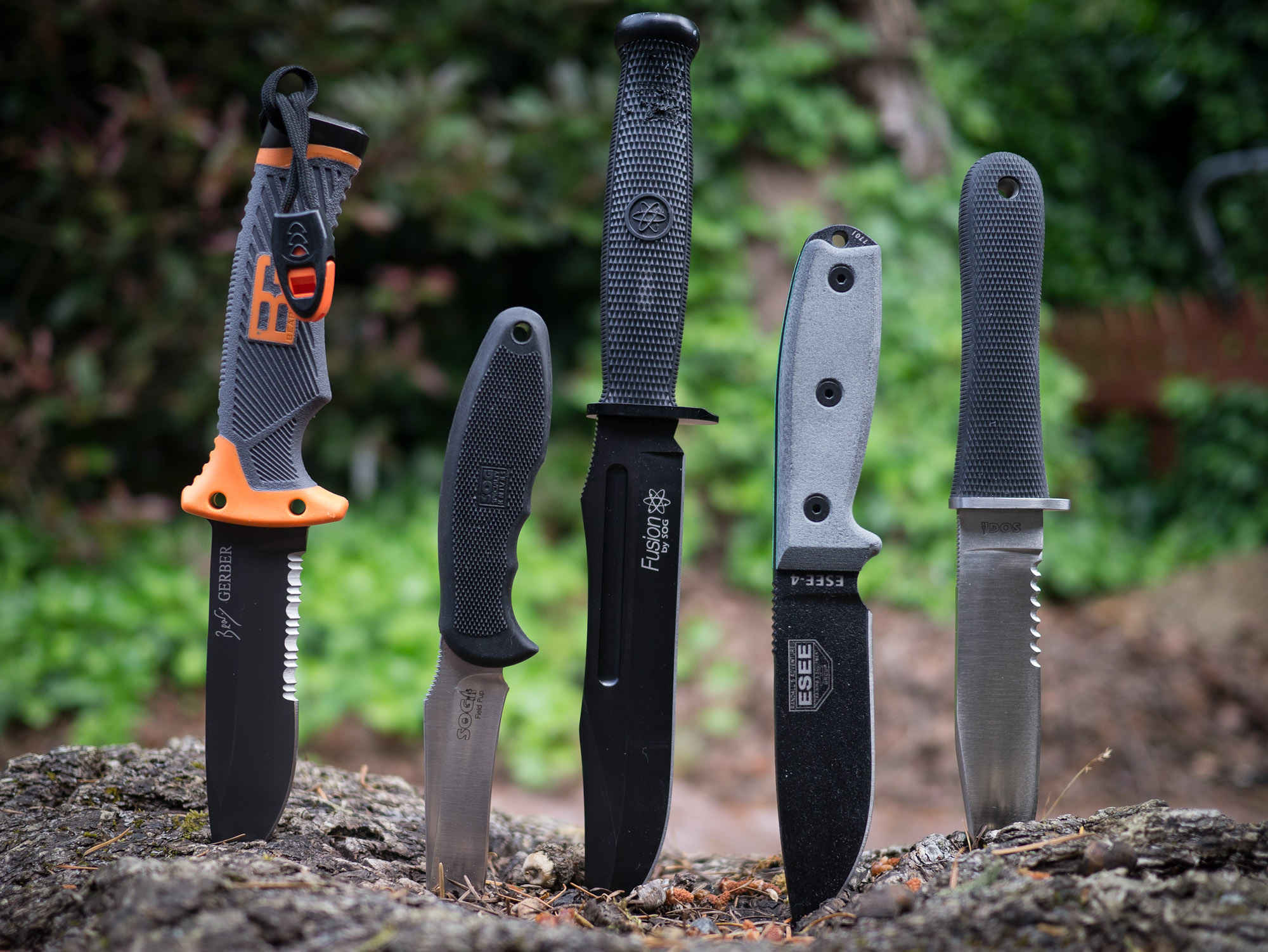
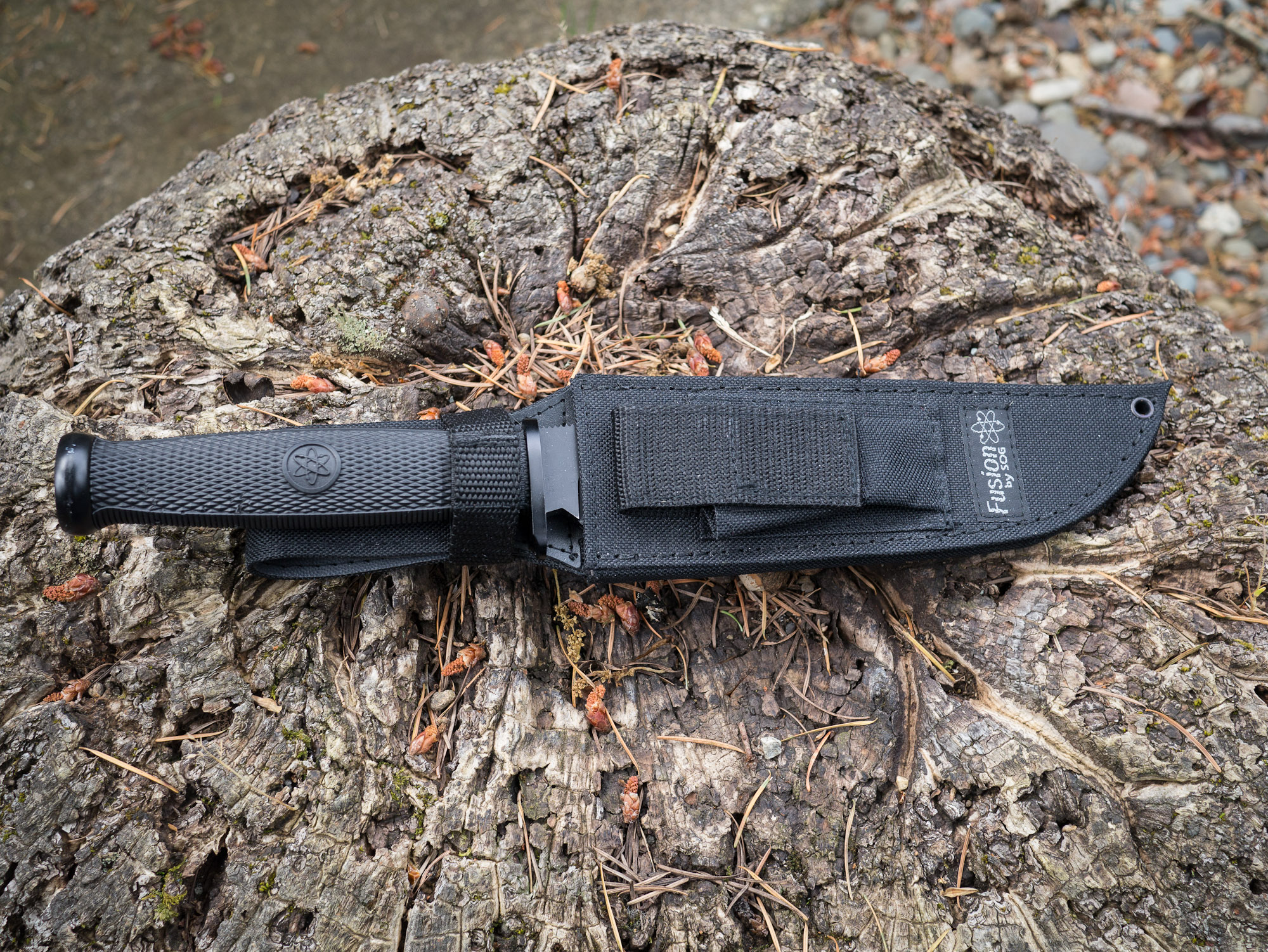
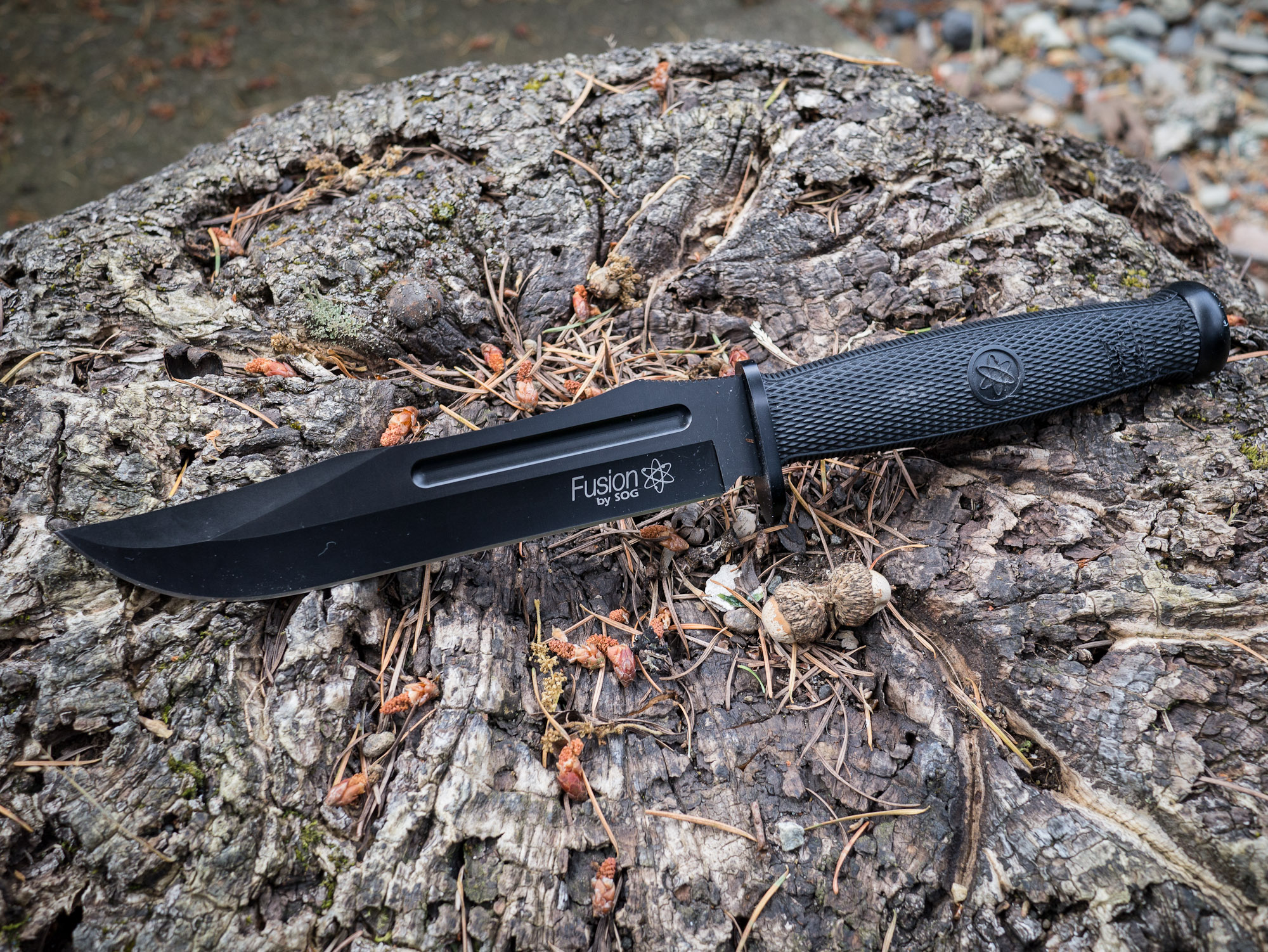
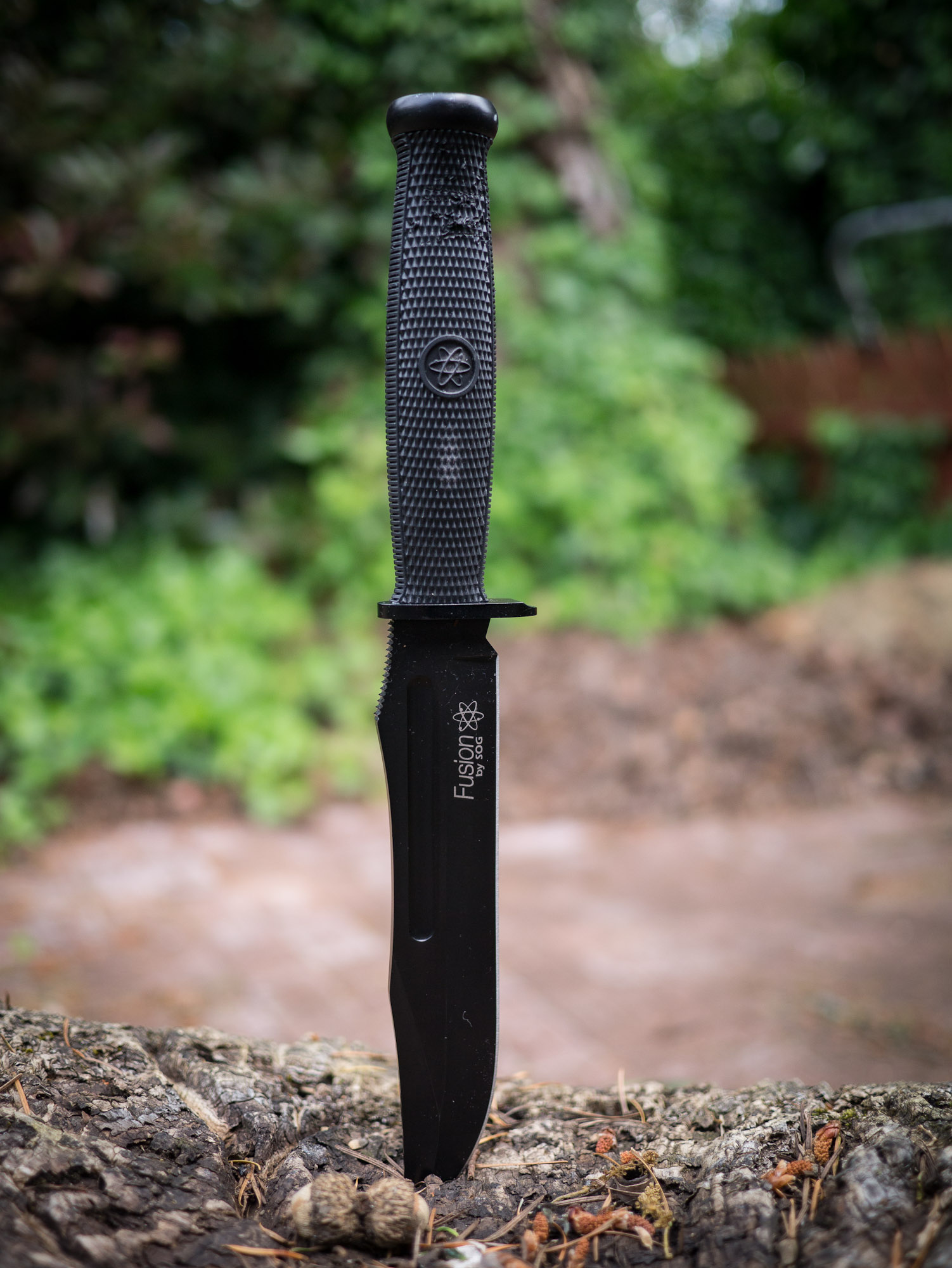
From left to right: Bear Grylls, Field Pup, Fixation Bowie, ESEE-4, NW Ranger.
Note: This is an outdated post, I am leaving intact. My current picks for survival knives are Bradford Guardian knives.
I’ve long had a passion for a good knife, and as I have discussedalready — I carry a pocket knife everyday.
Now that summer is fast approaching and camping/hiking is becoming an activity that more people will take to, I wanted to discuss survival knives. If you aren’t sure what a survival knife is, or how to choose a good one, The Art of Manliness blog has a really nice post on them. Basically a survival knife is a large, fixed blade, knife that one uses to survive in the wilderness with should the worst case be presented. That means that the knife you choose must be versatile.
In this post I am going to be looking at just five such knives that I own, but if you want to look at more options then Blade Reviews is a good place to start.
All of these knives are full tang blades, and all are actually quite different. I ran them through a few tests in my backyard to simulate things that I would do with them while out camping:
Whittling a tent stake.
Striping a tree branch of bark.
Creating kindling.
Chopping a much larger log.
After the test I observed how sharp each blade was and finally resharpened the blades to see how easily (or hard) it is to get back a razor edge.
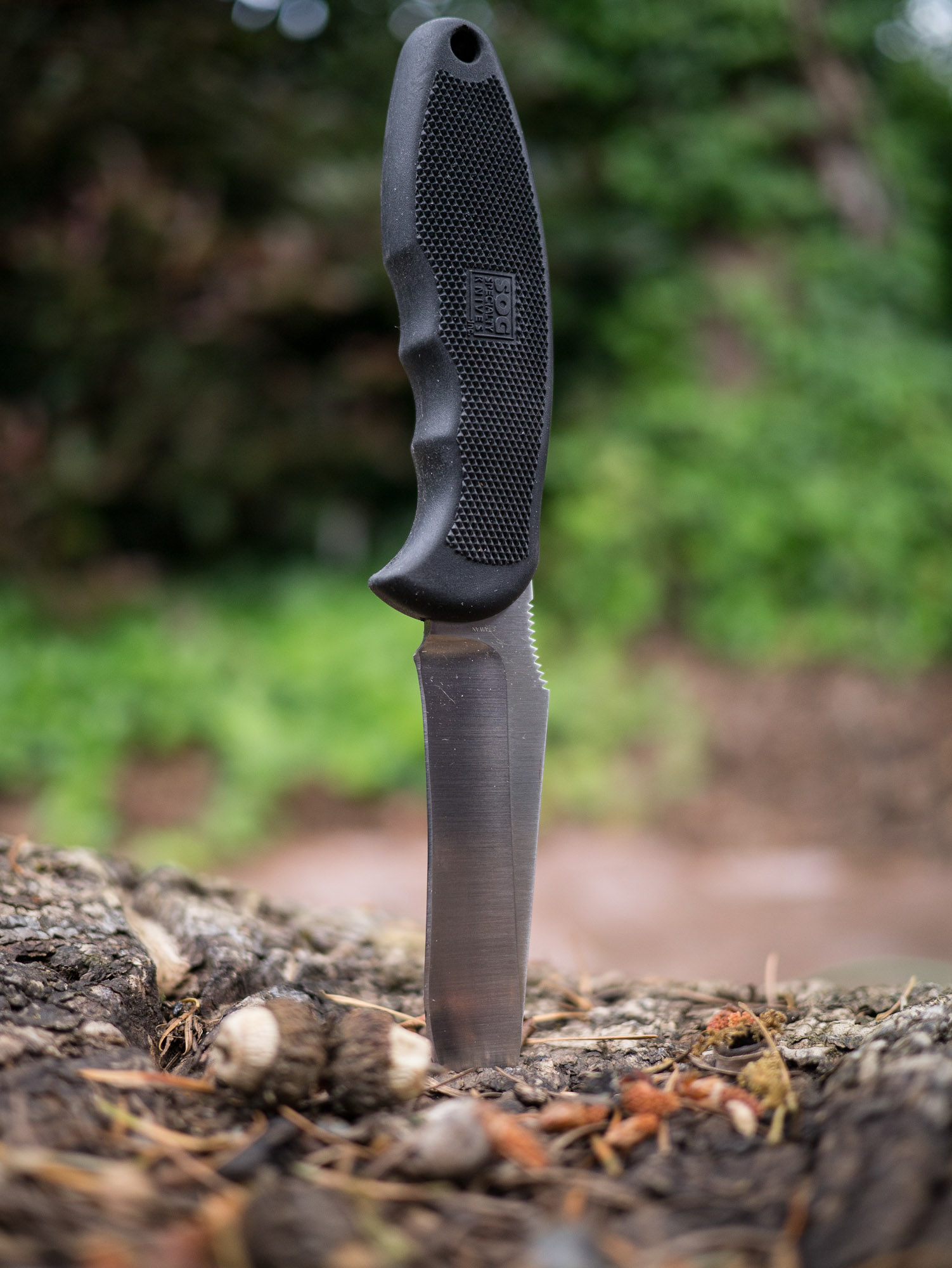
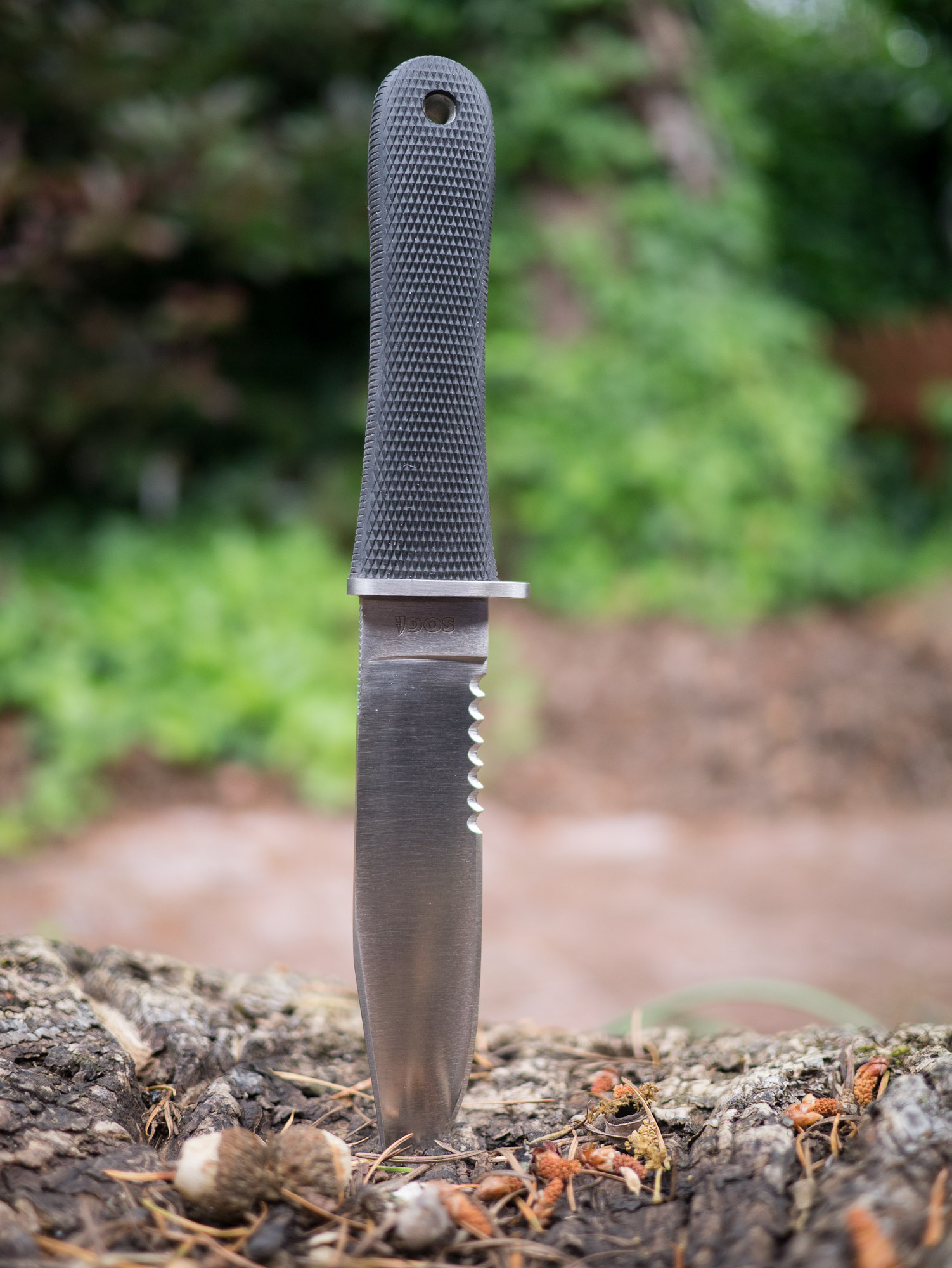
SOG Field Pup
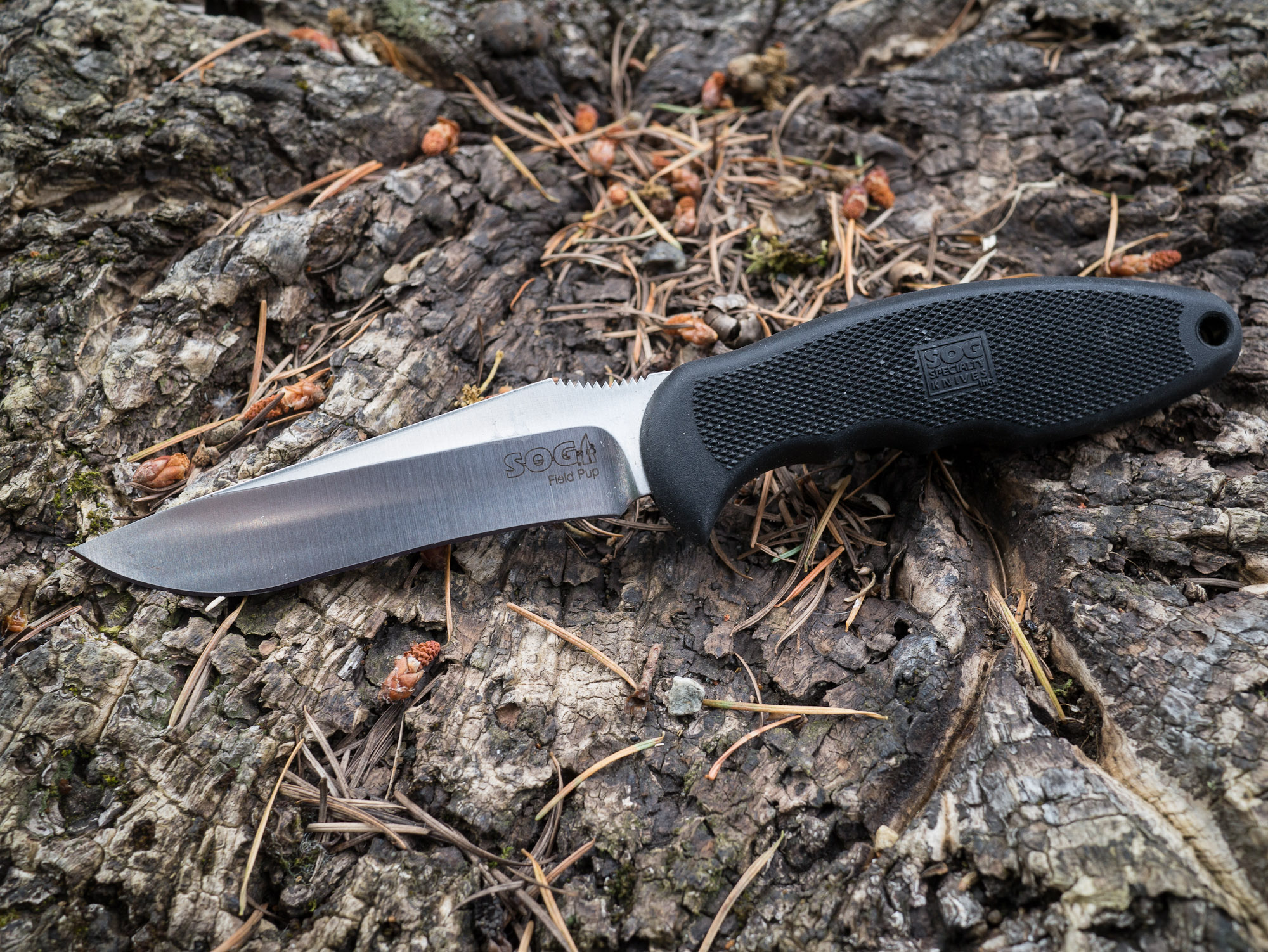
We are going to start with the baby of the bunch, the SOG Field Pup. Of all the knives in this test this is the lightest and smallest of the lot. It has a non-serrated blade that features a curve in the middle.
When whittling this blade offers superior control for a larger knife. It is easy to strip branches and do detail work with. This, I believe, is due solely to the shape of the blade.
However, it is that same blade shape that causes trouble when you try to perform larger tasks with the knife. Creating kindling is easy, but chopping off a branch or chopping down to size a log is a difficult task for the knife. Both because the knife lacks the mass of the others and because the curved blade provides an uneven striking surface. Presenting a large tradeoff for this blade.
Other Notes
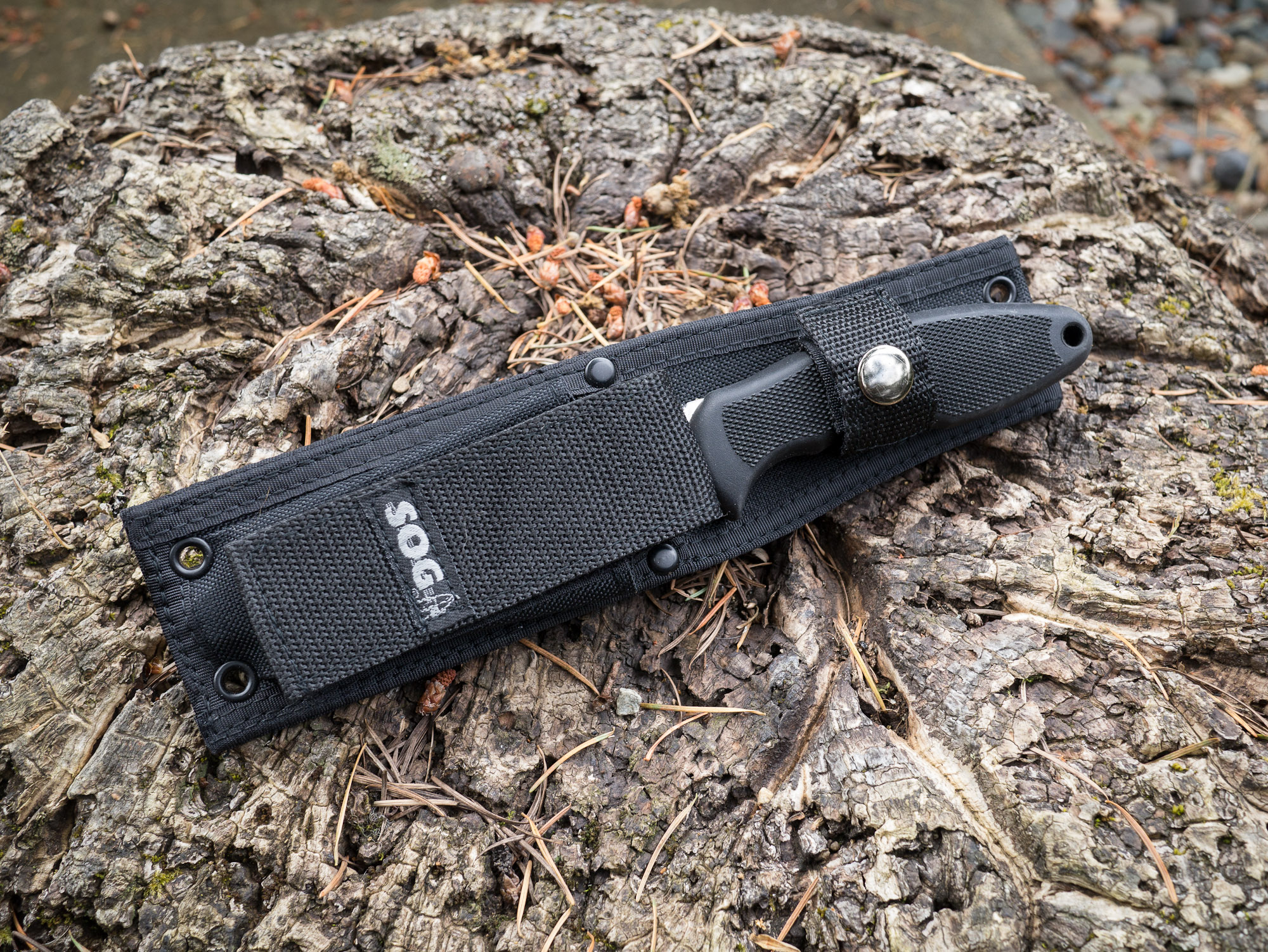
This knife comes with a sheath that offers a storage pouch for a lighter, or fire striker — a nice touch. It also has a large strap on the back that allows for easy placement on and off packs and belts. The handle is very grippy and comfortable to hold, but only in one position.
The metal itself is easy to get a sharp edge on, but is rather soft and dulls much quicker than other high carbon knives.
Overall
This is not a knife that I would personally choose for my survival knife type situations, solely because of the blade shape and soft metal. It is however something to think about for someone who is not comfortable with knifes, since it does offer such great blade control for smaller tasks.
It’s a knife I would shove in my wife’s pack for her to use in a survival situation.
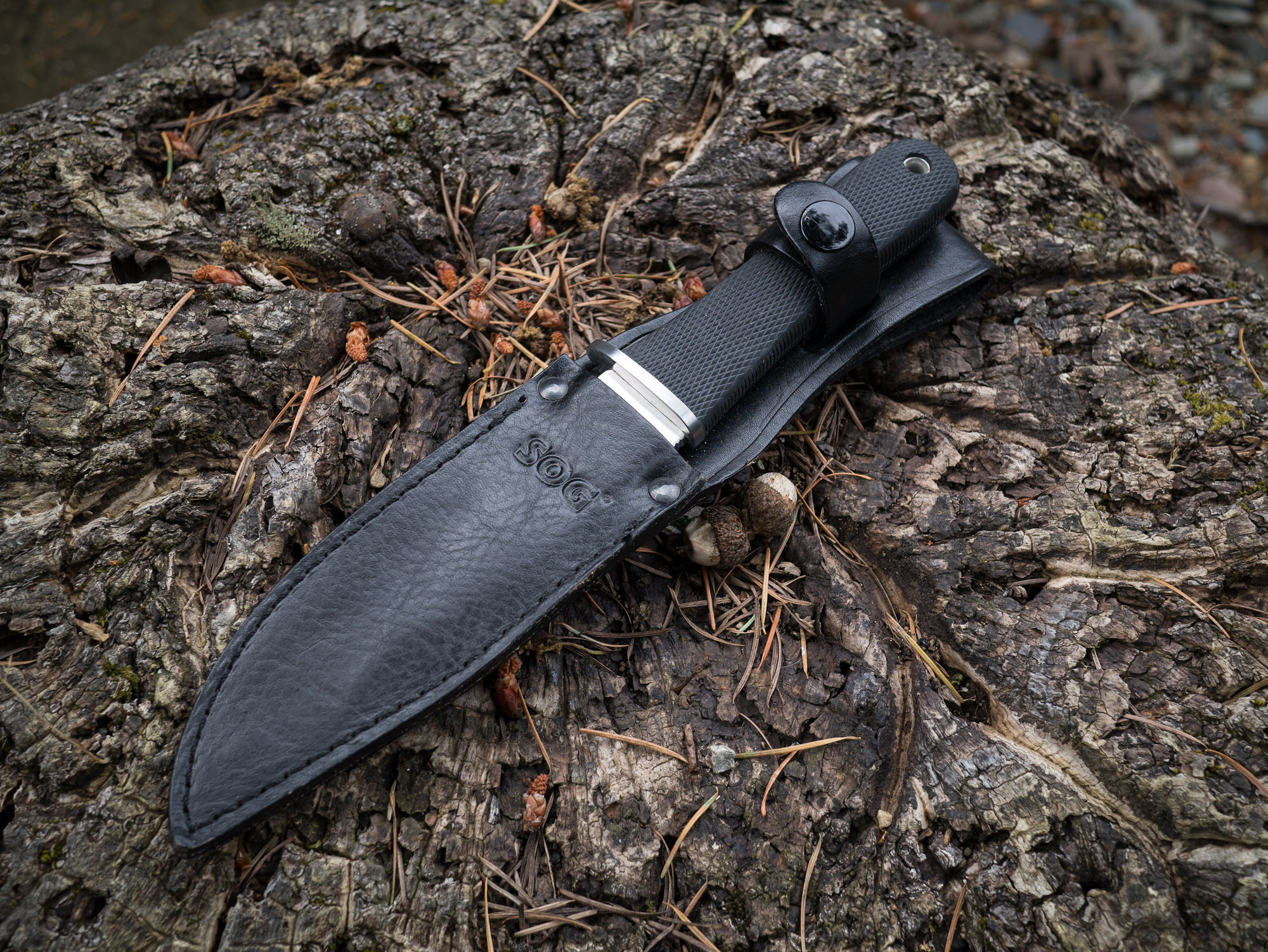
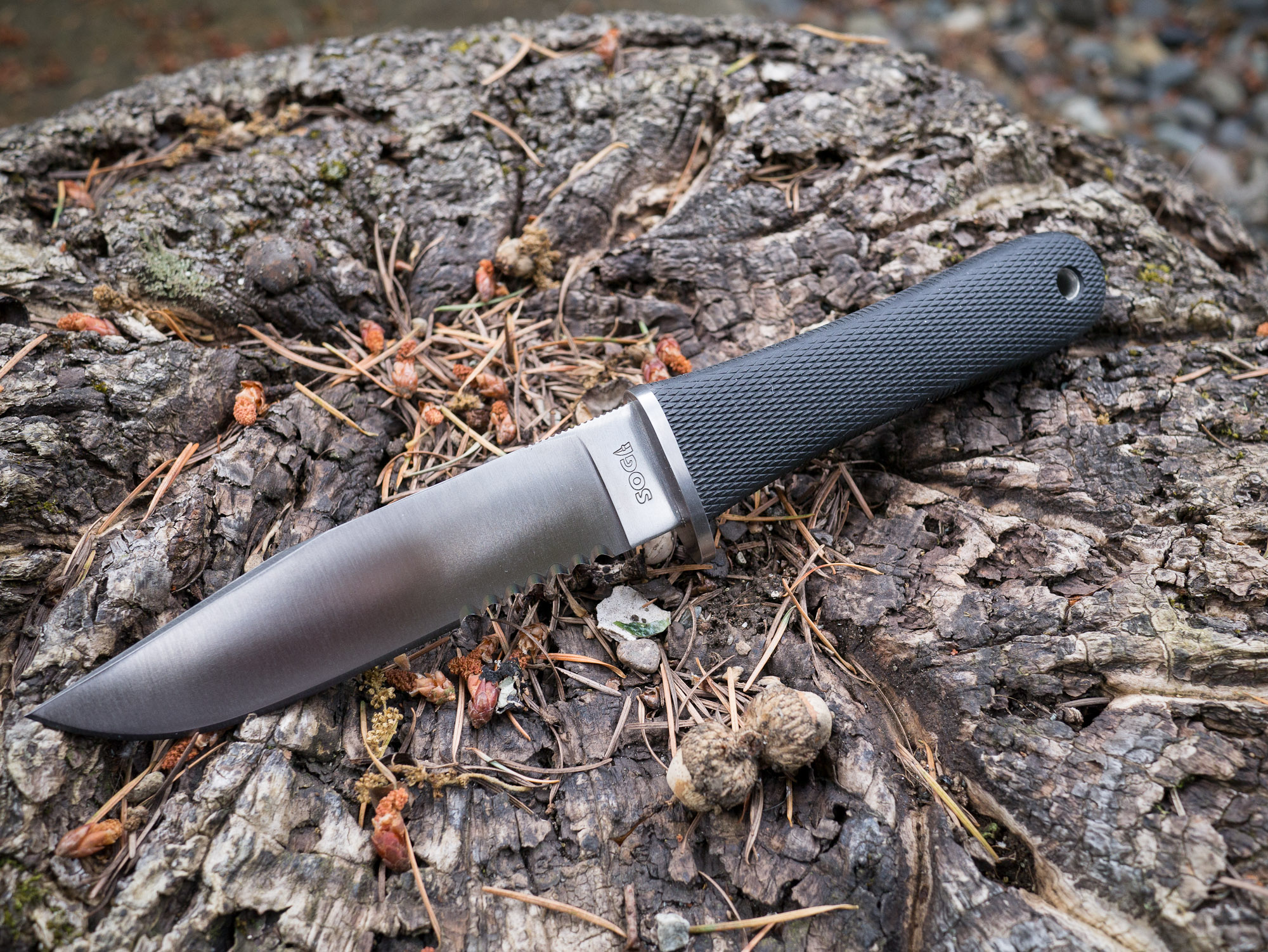
SOG NW Ranger
This was the first survival knife I purchased and I still love it for the looks alone. Smooth and sleek. Unlike the Field Pup this knife is partially serrated, something that I generally would recommend you stay away from in survival knifes as the serrations have limited utility in practice.
As far as partially serrated knives go, this one isn’t too bad because it has ample room of a straight edge for using to whittle and chop.
I found the NW Ranger to be very comfortable to hold while whittling, but lacking in control. This is in large part due to the serration of the blade, which forces you to work closer to the tip of the blade. This is a universal problem with partially serrated knives, but it isn’t as large as an issue with this knife as with the Bear Grylls knife that we will talk about in a bit.
Chopping and all the other tasks were accomplished in an average fashion with this knife, no major complaints. It does take some getting used to so that you can properly work around the serrated portion of the blade.
Other Notes
This knife features an all leather sheath, which compliments the look of the knife but is also less than practical for actual survival situations. The knife attaches to your belt through a loop at the top, leaving the knife to flap against the side of your leg — not comfortable for active hiking.
The steel on this blade is a bit stronger than the Field Pup, and does hold a nice edge. It is easy to sharpen and keep sharp. The handle is also very simple and would allow for multiple holding positions.
My only concern with the design of this knife is the handle itself. It would worry about my hand slipping when using the knife under wet conditions and assume this is the reason for a small front quillion on the edge side of the blade.
Overall
This is still my favorite looking knife of the bunch. But the sheath is heavy and cumbersome to use. The blade’s serrations make it less than ideal. Overall this isn’t a knife I would recommend as a general survival knife. However, SOG does make a new version of this knife that has no serrations and, if all else is equal, that knife would make a fine choice.
As it is, and probably with the non-serrated version, this knife is best reserved for the role of a land owner in Montana that wears Filson all day long and rides around his land on an ATV — also known as my retirement plan.
SOG Fixation Bowie
The SOG Fixation Bowie is the largest knife I have. I purchased it for cheap on woot.com one day because, well, why not. I have never actually used it for anything before and after putting it through the paces, I hope to never use it again.
At seven inches long, this blade is much too unwieldy to use for whittling. However, with this knife being the heaviest it made for easy work chopping at wood.
The tasks that this knife is good at are the imprecise and crude tasks — it’s like a shotgun compared to rifles.
Other Notes
Again this is a softer steel and actually is rather difficult to get sharp and to maintain a sharp edge. The sheath is the same as the Field Pups, so it is quite nice.
Aside from this knife being much too large to use, it is very uncomfortable to handle. The handle itself is very hard and the shape doesn’t fit my hand well.
Overall
If you buy this knife, you buy this knife to scare someone. Because if you try to use this knife you are likely to hurt yourself if you do anything other than carry it on your hip.
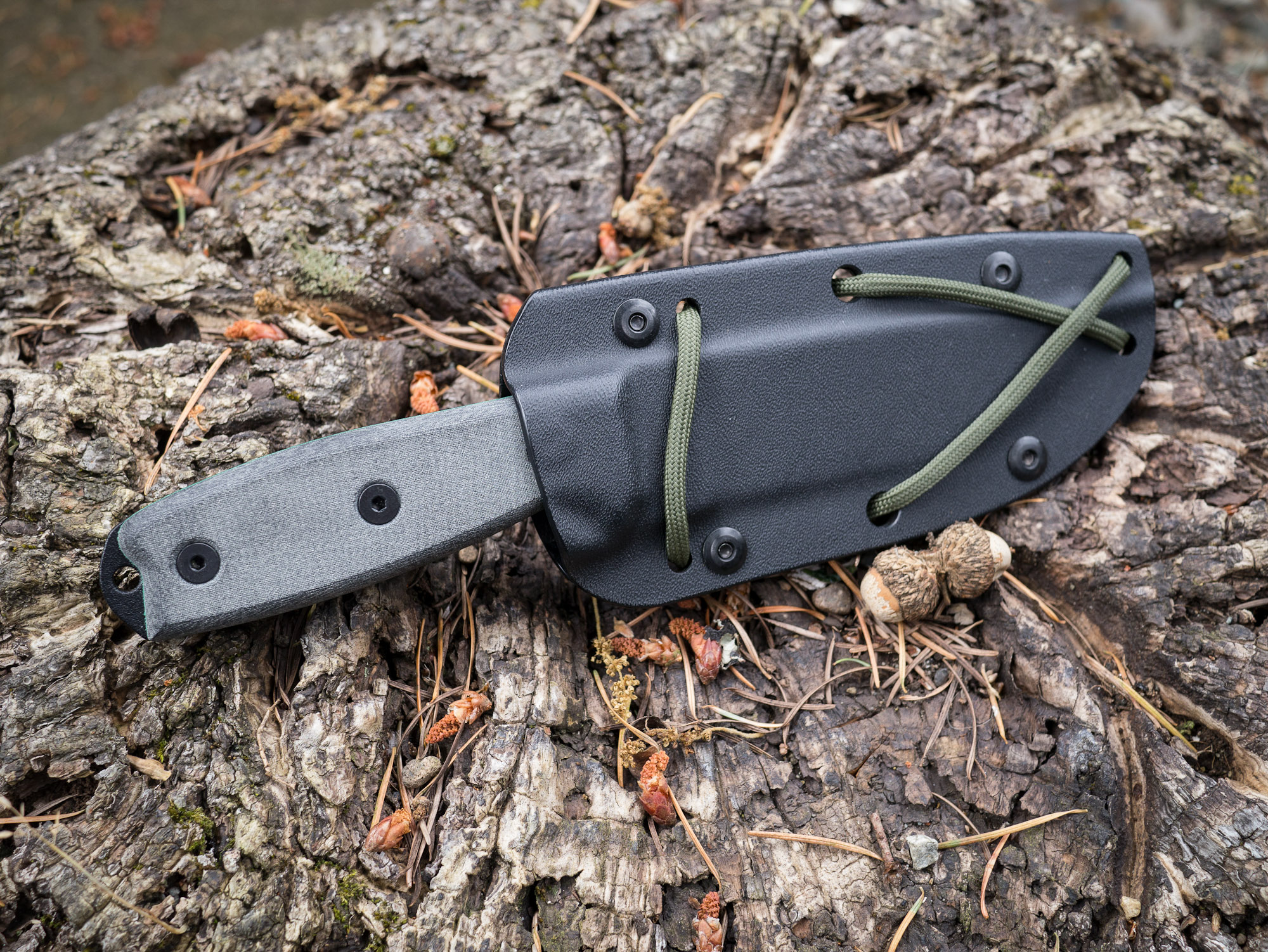
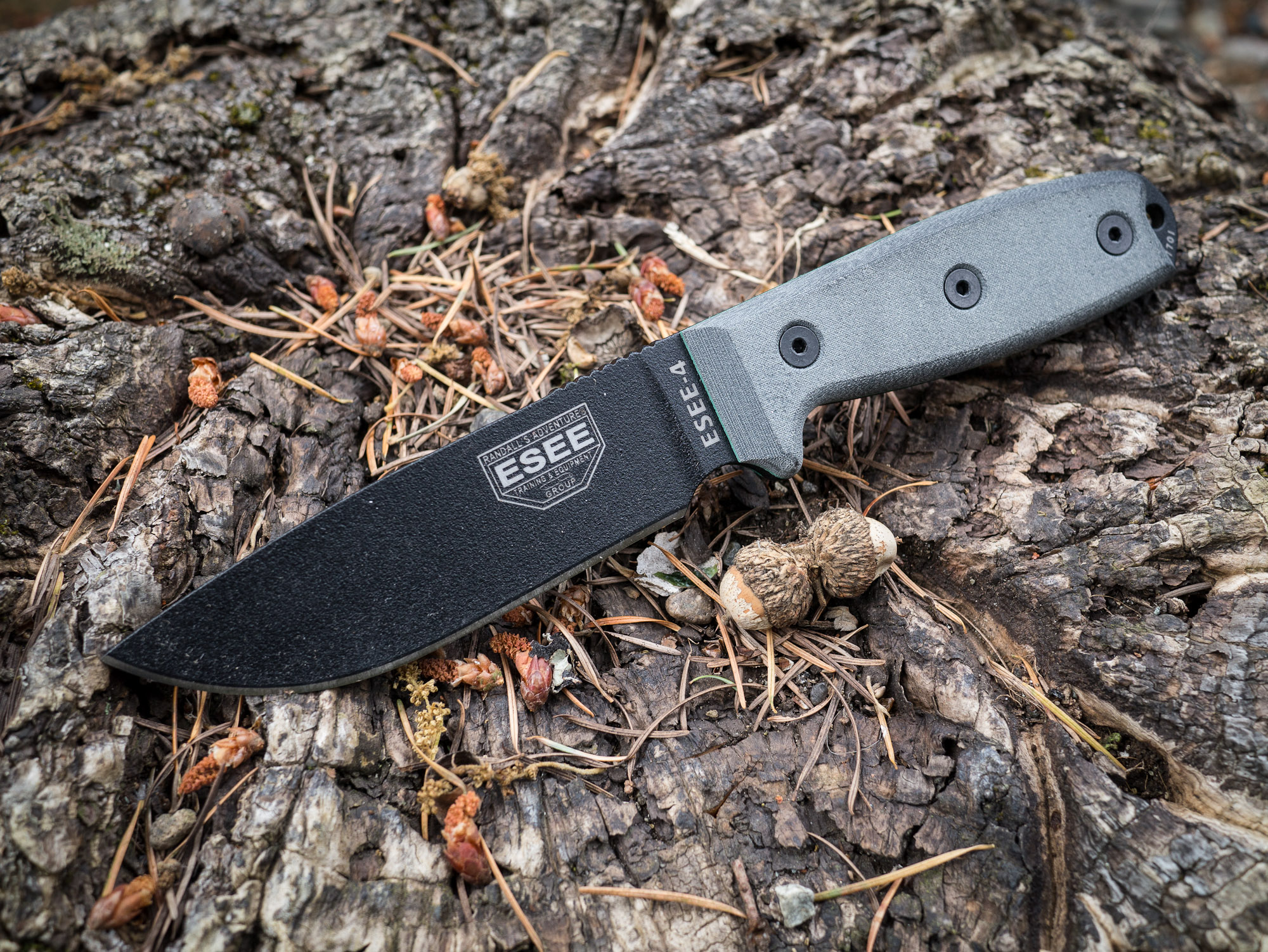
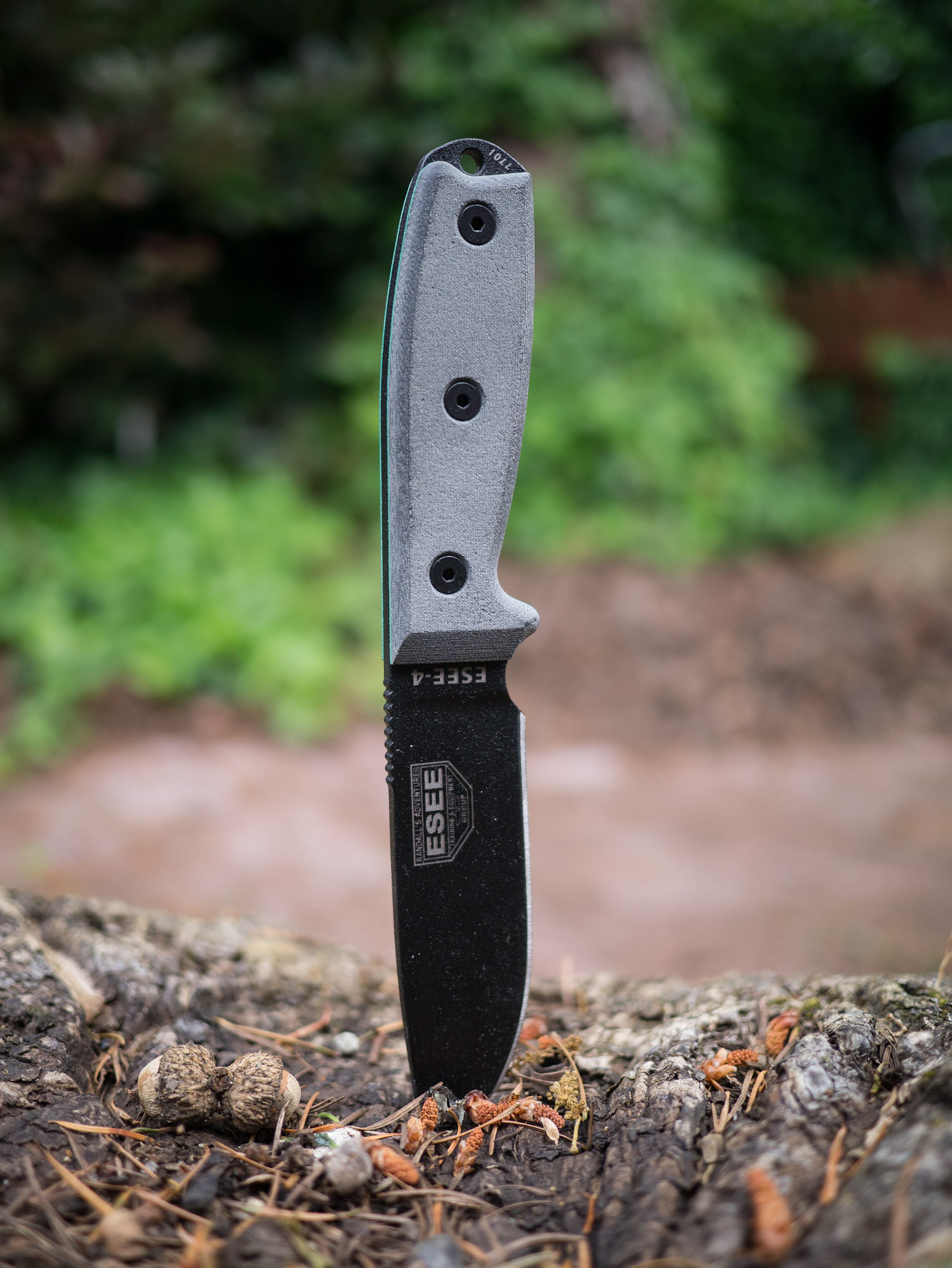
ESEE-4
After I first started talking about knives several readers emailed in about the ESEE knives. They came with glowing recommendations so I promptly purchased the ESEE-4. This is slightly different than the other knives because it is high carbon, non-serrated, black coated blade.
This knife is a joy to use. The blade control is nice, the grip is solid and the mass of the knife lends to nice chopping. Of all the knives I tested, this knife excelled at no task and failed at none as well.
Chopping was as easy as whittling. The shape of the knife handle lends good control over the knife for all tasks that I tried.
Other Notes
This is a high carbon steel knife so it takes a bit more work to get sharp, but then it really holds a good edge. The knife comes with a kydex sheath that is the lightest and nicest to use of the bunch. As a testament to how well this knife holds an edge, during one of the tasks the knife slipped off the log ((User error.)) and slammed with full force into a bed of rocks.
The end result was a small chip out of the blade and after working the blade on the sharpening stones for ten minutes you couldn’t tell something had happened. I have no doubt that had this happened to any of the above knifes I would be telling a much different tale.
This is also the only knife with a handle that could be removed and wrapped with another material should the handle become unusable at any point. This is something that could potentially be done with the other knives, but is unknown how comfortable it would be given the molded rubber over the top that hides what the shape of the metal beneath is.
Overall
I really like this knife. It is hefty when used, but light when carried. The size is right and the handling is very good. This is the best all around knife of the bunch.
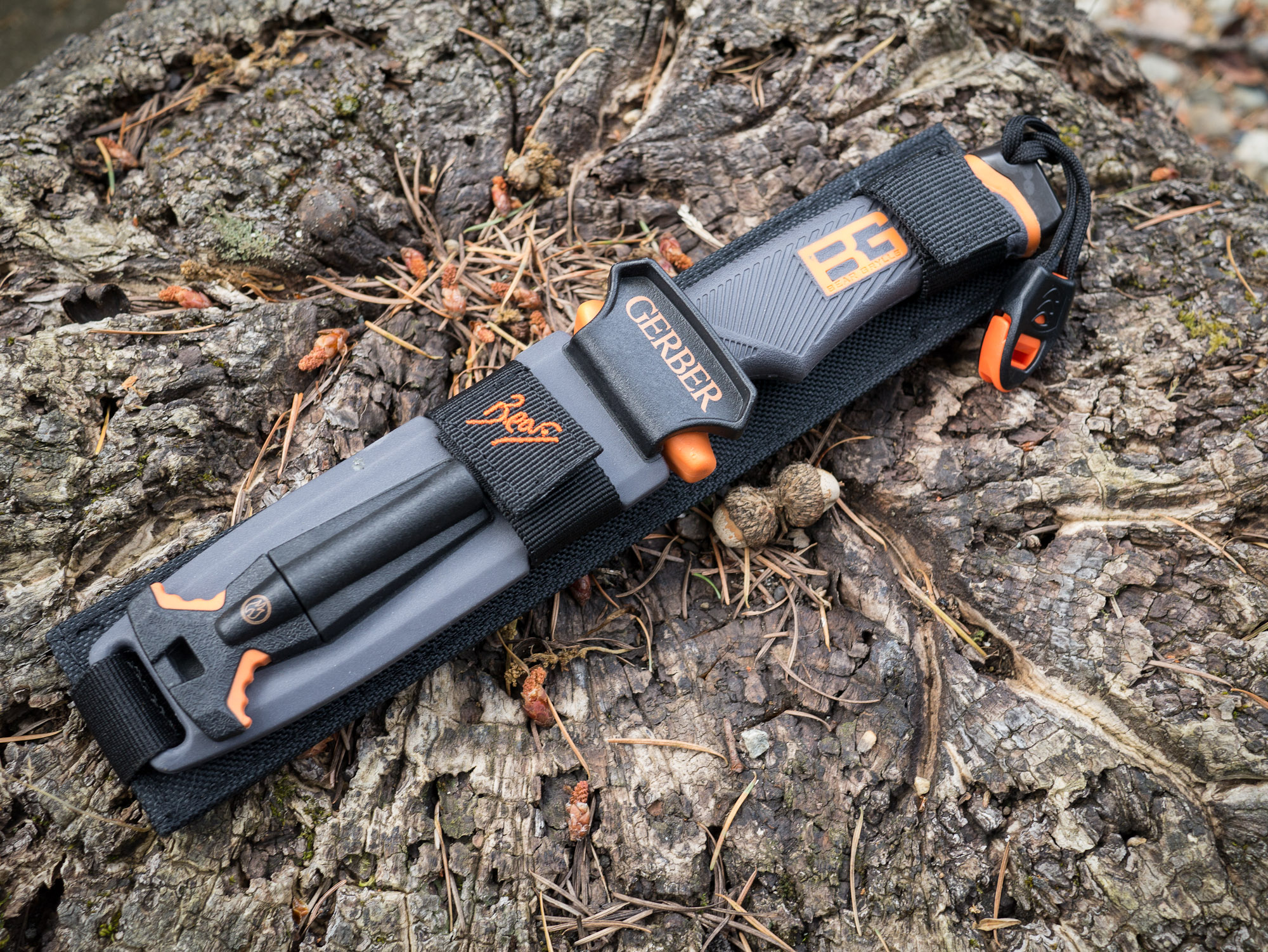
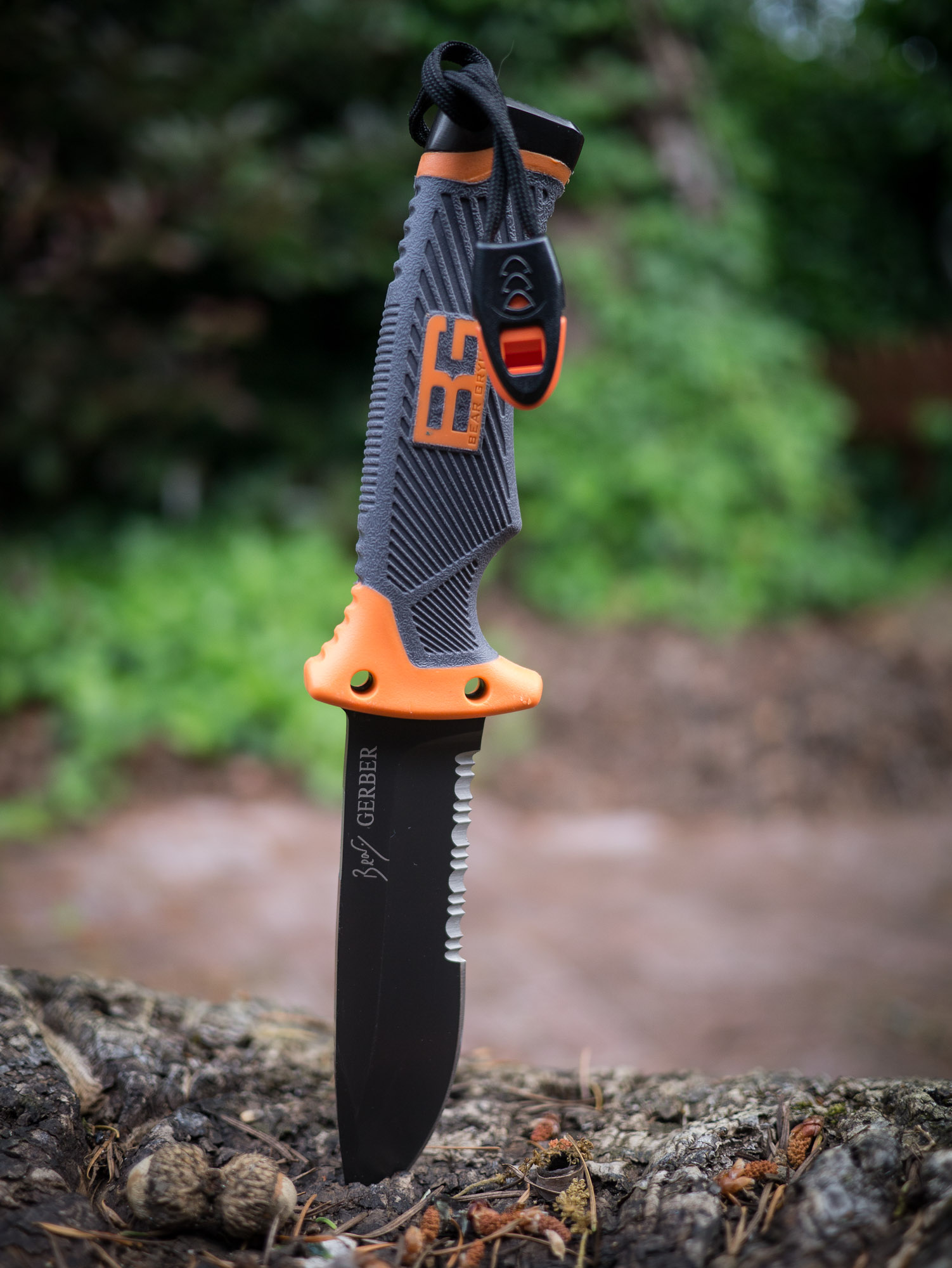
Gerber Bear Grylls Ultimate
Endorsed by the host of Man v. Wild this is a fixed blade knife by Gerber. This knife has always fascinated me because Grylls actually uses it on his show. That was testament enough to get me to buy this knife.
The knife is partially serrated, but unlike the NW Ranger the serration covers a much larger portion of the knife. So all the problems that I had working with the NW Ranger were multiplied with this knife. The straight edges of the blade are far and few between which makes it hard to whittle with.
That said it is has excellent mass and excelled at all the other tasks. It’s the finer whittling tasks that challenge this knife.
Other Notes
This knife comes with quite the marvel of a sheath. Housed on the sheath is not only the knife, but:
A safety whistle.
Survival signals.
Sharpening stone (medium grit)
Fire starter
That’s a pretty nice kit. Add to that that the sheath is versatile enough that it is the only one that doesn’t matter which direction you holster the knife in.
The blade itself is made of the same high carbon steel as the ESEE and performed just as well. The edge from the factory was laughably dull, but once sharpened the knife performed well. The handle also has a special edge for pounding with and though it’s not as good as a rock, it beats any of the other knives on this list in that facet.
Lastly the position of the whistle (the strap you see hanging from the handle) is in a really bad spot. I would take that off and put it somewhere else because as it is you are constantly battling to keep it out of your way.
Overall
The grip is wonderfully secure feeling, but again is only made to be held one way. Even at that this is the best handle of all the knives tested: comfortable and secure feeling.
I really wish this knife had a finer sharpening stone built in, but then again in a true survival situation a medium grit is likely to be better than a fine grit stone. However for most campers a fine grit stone would be far more useful.
This is now the knife I keep in my car and it will likely stay there for emergency situations.
Final Tally
After going through all these knives I wasn’t surprised to come away knowing that the ESEE-4 is the best of the bunch. In a true survival situation this is the knife I would want to have with me.
That said, I was surprised with just how good the Bear Grylls knife is. It’s not perfect, but if you are just a casual hiker who wouldn’t pull out a knife like this unless you were in a worst case scenario — well this would be the knife I would recommend for you. What’s nice about the Grylls knife is that it basically has everything you need to make a good attempt at surviving in the woods — and that’s in large part due to the integration of the fire steel.
For me it’s the ESEE-4, but I pack a well prepared bag. If you are a hiker that worries more about sunscreen and food in your pack, then I would go grab the Bear Grylls knife and a good sharpener, set the edge, and leave the knife in your pack.
I don’t think this is an app that will be killer for me, or even one that I use everyday. That said it is a pretty clever app that is certain to help me out when I am getting the hang of using new apps.
I also love that you activate it by simply holding the CMD key — that’s a clever use and easy to remember.
Shiny Things is pleased to announce [Sudoku Touch](http://itunes.apple.com/us/app/sudoku-touch+/id512397454?ls=1&mt=8) which features an innovative and simple interface, retina graphics and 5 difficulty levels. Sudoku Touch is powered by advanced handwriting recognition to enable users to intimately connect with their puzzle on an iPhone, iPad or iPod touch. It is available today on the App Store for a special price of 99c.
Andy Ihnatko:
>But damn, yes, the Store makes life so much easier for every user.
I can’t tell you how many hours I have spent trying to dig through old emails and guess at old passwords to get registration credentials for old software. That used to be the sole reason that I never deleted software from my Mac.
Just before the Mac App Store I started to store this data in Yojimbo so that I could delete apps, but the Mac App Store just makes deleting apps you don’t want anymore a no-brainer. So what if I have to pay for upgrades, at least I have a full, working, archive of every app I bought.
Pat Dryburgh on his experience trying to upgrade to Adobe’s cloud program so that he can finish important client work (like mine, geez):
>I asked the support person when I should expect my serial number. Expecting an answer somewhere in the neighbourhood of 5-10 minutes, you can imagine my surprise when I was told “in the next 24–48 hours.”
It’s been over 48 hours and he still didn’t get his serial numbers so he cancelled and received his refund. Contrast this to Amazon where I can order a physical good that is sent to my doorstep in less than 24 hours. Good job Adobe.
**Update:** [Turns out](http://patdryburgh.com/blog/no-serial-number-needed/), Pat didn’t need a serial number for the “cloud” version of Photoshop. Funny thing is: Pat spoke to four Adobe customer service reps and not a single one told him this. So the question now is: is it the user’s fault for not being able to figure out how to register your software, or the UX designers fault. ((Hint: It’s never the user’s fault.))
Nick Bilton reporting on the long rumored Facebook phone:
>“Mark is worried that if he doesn’t create a mobile phone in the near future that Facebook will simply become an app on other mobile platforms,” a Facebook employee said.
News flash: Facebook is already just an app on other mobile platforms. Facebook’s real challenge is to not *stay* just an app, because that’s all they currently are on mobile.
John Moltz talking about the difference between Metro Windows 8 apps and desktop apps:
>This is the pig of Windows 8 that resists any attempts at applying all forms of lipstick. There’s simply no getting around the fact that this is a confusing dichotomy.
Great post that outlines why Windows 8 is a step forward, but a step that is very close the the ledge.
Mac OS X Hints:
>This will make all YouTube links open the mobile website and will also hide the native YouTube app on the device. If you decide you want to revert these changes, simply go to the Restrictions settings and toggle YouTube back on.
So, wait, not only do I get to watch the YouTube videos on the better mobile site, but I also get the benefit of not having to see the YouTube app on my iPhone? Sign me up.
>We must rethink the industry’s initial response to the Internet. The original instinct of newspapers then was to offer free in digital form what they were charging for in print. This is an unsustainable model and certain of our papers are already making progress in moving to something that makes more sense.
A big thanks to this week’s sponsor: [Dark Sky](http://darkskyapp.com/?ref=brooksreview). They really do make a different kind of weather app, one that I find not only useful, but supremely beautiful. I use Dark Sky just about everyday, multiple times, it’s on my iPhone home screen and in my iPad’s dock.
Quite literally the only problem that I have with Dark Sky is that I like it too much. The guys behind the service have gone through such great lengths to make the data fast to get out of the app that you need not spend much time in the app — yet it is so interesting to see the weather maps and look at the graph that I often find myself, very rudely, staring at the app for no reason.
If rain is something that you want to know about (really everyone on in the Pacific Northwest with an iOS device should own this), then I really do urge you to check out Dark Sky.
Jacqui Cheng:
>”Without Apple’s entry, eBook distribution would essentially be ceded to a single distributor (Amazon), who would then possess virtually unlimited power in the eBook business,” Apple wrote. “Apple provided all publishers, large or small, similar opportunities to utilize Apple as an agent to sell eBooks directly to consumers through the iBookstore on non-discriminatory terms.”
This response has to make Amazon feel a tad bit uneasy.
A very nice weather website that shows the current temp (weather status by background color), your location, the high for today and tomorrow. It’s dead simple and nice looking.
Bonus tip: open it in iOS and save it to your home screen for a fullscreen view and a nice looking icon.
I am now, officially, opted-out of Readlists ((You should do the same by emailing them.)) and after rejoicing on Twitter, Arc90 employee and Readability lead developer, Philip Forget, responded with a series of tweets. Since so many tweets were wrapped up in the conversation let me show you the series between just me and Forget:
Here’s my [first tweet](https://twitter.com/benjaminbrooks/status/206051792935600128):
>*Finally* Opted-out.
[To which my pal Jonathan Christopher responded](https://twitter.com/benjaminbrooks/status/206052315558453248):
>@BenjaminBrooks have you paved the highway to getting that done? I’d like to follow suit.
[I then quipped](https://twitter.com/philipforget/status/206052683906424832):
>@jchristopher just email them at their feedback link. If you aren’t me it should only take minutes. If you are me, expect a week.
Now that was not nice of me, but it *is* kinda funny if you ask me — and if you follow me on Twitter I am a pretty sarcastic guy. [But here’s where Philip Forget chimed in](https://twitter.com/benjaminbrooks/status/206053225034551296):
>@BenjaminBrooks @jchristopher We have only been out 2 days
Good way to defuse me by clearly showing I was wrong. That was a great response, and [then I responded (again by being a dick)](https://twitter.com/philipforget/status/206053550210560003):
>@philipforget @jchristopher I stand corrected. Me: 48 hours. Rest of the world: 5 minutes.
Ok I was a bit mean with that one, but hey I feel burned by these guys. [Forget then responds](https://twitter.com/benjaminbrooks/status/206053959201333249):
>@BenjaminBrooks @jchristopher You as well as the “Rest of the world”: 1 minute after asking once the functionality was added by me
Now this is the meat on the bone. Forget seems to be admitting that Readlists did not account for the fact that people would not want to be included in this service. Fine, but then why not just tell an annoying ass, like me, that you are working on implementing it and to sit tight. Believe it or not that would have shut me up while I waited for them to add it, [so I asked this question](https://twitter.com/philipforget/status/206054437364572161):
>@philipforget @jchristopher so why not respond to my earlier emails with “we are working on it” instead of silence. Honestly…
I added the “honestly” to try and show that it was a sincere ask and not me being a dick (that doesn’t always work, but I try). That’s pretty reasonable of me to ask, [but here is Forget’s response](https://twitter.com/benjaminbrooks/status/206054675680735233):
>@BenjaminBrooks We tried talking you on _your_ radio show. Are you really this dumb or are you trying to be a human fox news?
Now *that* is a dickheaded response. The “radio show” he is talking about is the live broadcast of the B&B Podcast that Shawn and I do. He tweeted to me offering to have Rich Ziade call in when we were already 55+ minutes into the show. Now, most of you know podcasts don’t go much longer than that — especially not ours. We said on the air that we would love to do that, but that we wanted to talk offline and prepare to have that done on another show — not the one we were just wrapping up.
Anyways, without further comment here is the rest of the Twitter conversation after an Arc90 employee called me “dumb”:
[Jonathan Poritsky got a small interview with Richard Ziade](http://www.candlerblog.com/2012/05/25/richard-ziade-on-readlists/) (the CEO of Readability/Arc90/Readlists) and asked about whether the service crosses a line. Ziade didn’t answer, so Poritsky (and this made me happy) pressed the question again and this time Ziade tried to frame it against the web in general — which has been the response I get (if I get one). That’s a bullshit answer, the question was directly asked about your service, not the web and as a CEO you need to answer that clearly for your service. Here’s what Ziade told Poritsky as part of the interview:
>Now, we’re not sure how this plays out. Keep in mind, Readlists is an experiment. It’s free. We’d love to talk to publishers and writers about how we can tweak it so they can derive value from it. That’s ultimately what we want to do because the tools we build come out of a love for writing.
He’d love to talk to publishers? I’ve emailed them three times now asking my site be “opted-out” as they call it. I have emailed Ziade several times before. I pinged Ziade, Chris Dary, and Arc90 COO, Bobby Ziade on this matter.
No response.
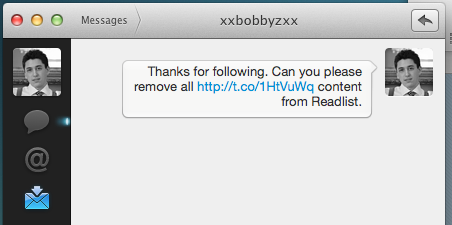
Bobby Ziade even followed me Wednesday and I DM’d him asking to be opted-out.
Screenshot of my DM to Bobby Ziade
Again, no response.
This isn’t a matter of me being impatient because I have copies of emails they have sent to other writers that have asked to be opted-out — at this point it is them actively ignoring my takedown requests.
So it sounds like Ziade is either lying to Poritsky when he said “We’d love to talk to publishers and writers”, or he really means any writer and/or publisher that doesn’t publicly call foul — which is exactly the people they *should* be talking to.
**Update:** I now have confirmation that I have been “opted-out” of Readlists. You should ask for the same (using the feedback link at the bottom of their site, just say “please opt-out [domain name]”).
It seems to me that Facebook finally realized the same thing that I did years ago: people like Facebook because they like to stalk 1) former “lovers” and 2) former high school rivals. ((Often I refer to this as my: “any new photos of that girl I used to know on a bikini possible vacation?” theory.)) So a photo app seems like the perfect tool to do just that, makes sense.