I have been waiting for GORUCK to release forever now, and I did not expect them to look this good. I snagged a pair, and I have high hopes that these can be worn far more stylishly than any other MACV-1s.
Top Posts
The Hype: Yoshida & Co’s Porter BagsAugust 26, 2025
G-SHOCK DW-H5600 After 7 MonthsJuly 31, 2025
Casio Duro MDV-106 Re-ReviewDecember 15, 2022
Recent Articles
-
New MACV-1s, Brown
I have been waiting for GORUCK to release forever now, and I did not expect them to look this good. I snagged a pair, and I have high hopes that these can be worn far more stylishly than any other MACV-1s.
-
Why a Sling — Dipping My Toes In
Here’s what I am carrying in the slings I am testing.
Following on with my purse post, a sling is likely to be a smart carry accessory as ‘we’ move through the COVID and post-COVID times, and hopefully into a more health aware life. This is also a product of me having younger kids, but mostly me liking to have a lot of crap with me all the time.
-
Welcome to The Best of 2020
Here I distill down all the reviews to tell you what the best three are, and the best of those three.
It’s time for the best items you can buy in 2020.
For the past ten years I have been reviewing and testing all sorts of different gear. In this post, I am distilling down gear by categories and listing the top three items for each category. What is third for me, might be first for you.
Instead of maintaining the running list I have been doing, I am now going to post yearly lists. This is not a list of only stuff I reviewed this year, this is an ongoing list of things I feel are the best, broken down into categories for easier sorting.
Not member? See what you are missing on the old format/archive: 2019 list.
-
Member Journal — 11/30/2020
I finally made a bag closet for myself, and also Reminders is a great app.
-
GORUCK Black Friday Deals
Their deals are live and here are the ones that stand out to me: Rucker Starter Kit Bundle $233.75, you get a Rucker 3.0 and Ruck Plate. You’ll be looking fitter than anyone you know when you head back to seeing people again. Or something. GR1 Midnight Navy (both sizes) $169, you can’t even buy…
Their deals are live and here are the ones that stand out to me:
- Rucker Starter Kit Bundle $233.75, you get a Rucker 3.0 and Ruck Plate. You’ll be looking fitter than anyone you know when you head back to seeing people again. Or something.
- GR1 Midnight Navy (both sizes) $169, you can’t even buy used GR1s for that price. And if you are wondering about the color, the GORUCK founder seems to have used this color a lot in the last year (from pictures on the website).
- GR2 Black (both sizes) $249, it has been a real struggle for me not to pick up another GR2 because of this price. Amazing bag, insane price.
- MACV-1 Black $145, not the biggest wow of a deal, but these are the best boots I’ve ever worn.
- Rucker Starter Kit Bundle $233.75, you get a Rucker 3.0 and Ruck Plate. You’ll be looking fitter than anyone you know when you head back to seeing people again. Or something.
-
Member Journal — Turkey Week 2020
So I have this idea, and that idea is that Reminders is a better app for me than Things, in this edition, I explain why.
-
GORUCK Organizers Back in Stock
Just recently GORUCK brought back three awesome organizers. First they brought back their fantastic packing cubes, but added a selection of “flat” models which I assume removes my largest complaint about the folding models from before. I ordered one of each size not test. Second they brought back Shadow Pockets, which have been missing for…
Just recently GORUCK brought back three awesome organizers. First they brought back their fantastic packing cubes, but added a selection of “flat” models which I assume removes my largest complaint about the folding models from before. I ordered one of each size not test.
Second they brought back Shadow Pockets, which have been missing for years now. These are basically unpadded small Field Pockets that open clamshell style and offer no further organization. They are really handy kit to have, I snagged a couple of those too.
Last, but no least, GORUCK restocked the ever popular Wire Dopp, while also adding the Mini Wire Dopp which has not been around for a long time. I own both, but added another of the larger ones to my stable. The mini is great, but not as handy as the larger one. These are sized well to fit in the GR1.
-
Dango S1 Wallet
This under the radar wallet is fantastic.
While I have many wallets, they are all geared towards a life where I might be at work, or out and about for a full day. None of them are well suited to a small few items, some cash, and flexibility. I was frustrated, so I started to look around when I came across this Dango S1 wallet.
It is fantastic, here’s why…
-
Member Journal — 11/16/20
What would a even more pro level iPad Pro look like this spring? I have an idea.
This week: iPhone 12 Mini; what iPhone sizes might tell us about future iPad Pros; sale items; Texas and Lockdowns; and the second coming of QVC.
## iPhone 12 Mini
As I write the first draft of this section, I have had my iPhone 12 Mini for under 24 hours. And yet, I already can tell it’s going to be with me and make me happy for a very long time. I was never an iPhone SE proponent — when they first debuted to satiate the need of those longing for a ‘get off my lawn’ model of the iPhone. When the Plus sizes, and then the Max sizes came out, I tried them and mostly didn’t care about them enough to feel strongly one way or another.
You must be a member to read the rest of this article. (Already a member? Log In.)
-
GORUCK Black Friday Sale
On now, and more items likely added around 11/22. Some really great deals with stand outs being the midnight blue GR1 which is an absolute bargain and the seemingly ‘oops’ run of the desert sand color for MACV-1s which are among my favorite shoes out there.
On now, and more items likely added around 11/22. Some really great deals with stand outs being the midnight blue GR1 which is an absolute bargain and the seemingly ‘oops’ run of the desert sand color for MACV-1s which are among my favorite shoes out there.
-
Benchmade Bailout
This is a tactical knife, and for that it is great, but for non-tactical things it is just a cool knife which works not great.
Not too long after the Bugout came out, Benchmade released the Bailout — ostensibly this is a bigger, tougher version of the Bugout. If the Bugout is the ideal knife for hiking, the Bailout — well the Bailout is just aggressive as hell.
The Bailout is one of those knives I look at and know it isn’t something I will love for everyday carry, but I can’t get over how great it looks. And then you add in the steel options for this knife, CPM-3V or M4, and it’s a take my money situation.
-
Member Journal — 11/9/2020
Starting a private member Discord, and then we get back to talking about other stuff.
-
Multitools, You Should Have One, Just Not Actual Multitools
I said you should have one, but probably not carry one outside a larger bag — surprisingly Swiss Army rules the roost here.
I don’t love wading into these waters, but it must be done. multitools are super useful, but only if you manage to wade through the crap that dominates the market to find a good one. Most multitool companies completely miss the point. And since there is constant debate around whether or not multitools are worth it, and they are, I took time to test a bunch to see what really makes for a good multitool — to see if I could find one.
After testing over a dozen multitools, I will summarize as: most are not ‘worth it’.
-
Member Journal – November 2, 2020
Be sure to vote.
-
First Look: Mystery Ranch 3 Way Expandable Briefcase
This has the potential to be the best work shoulder bag I have tested.
Unusual Note: When I wrote about ‘Get Home Bags’ I mentioned some bag options for those who take public transportation. Specifically, I mentioned the Mystery Ranch 3 Way Briefcase as a likely good hybrid bag. It seemed like a good option, and I decided to get one to try — but COVID is lasting longer than anticipated so here is a First Look at the bag.
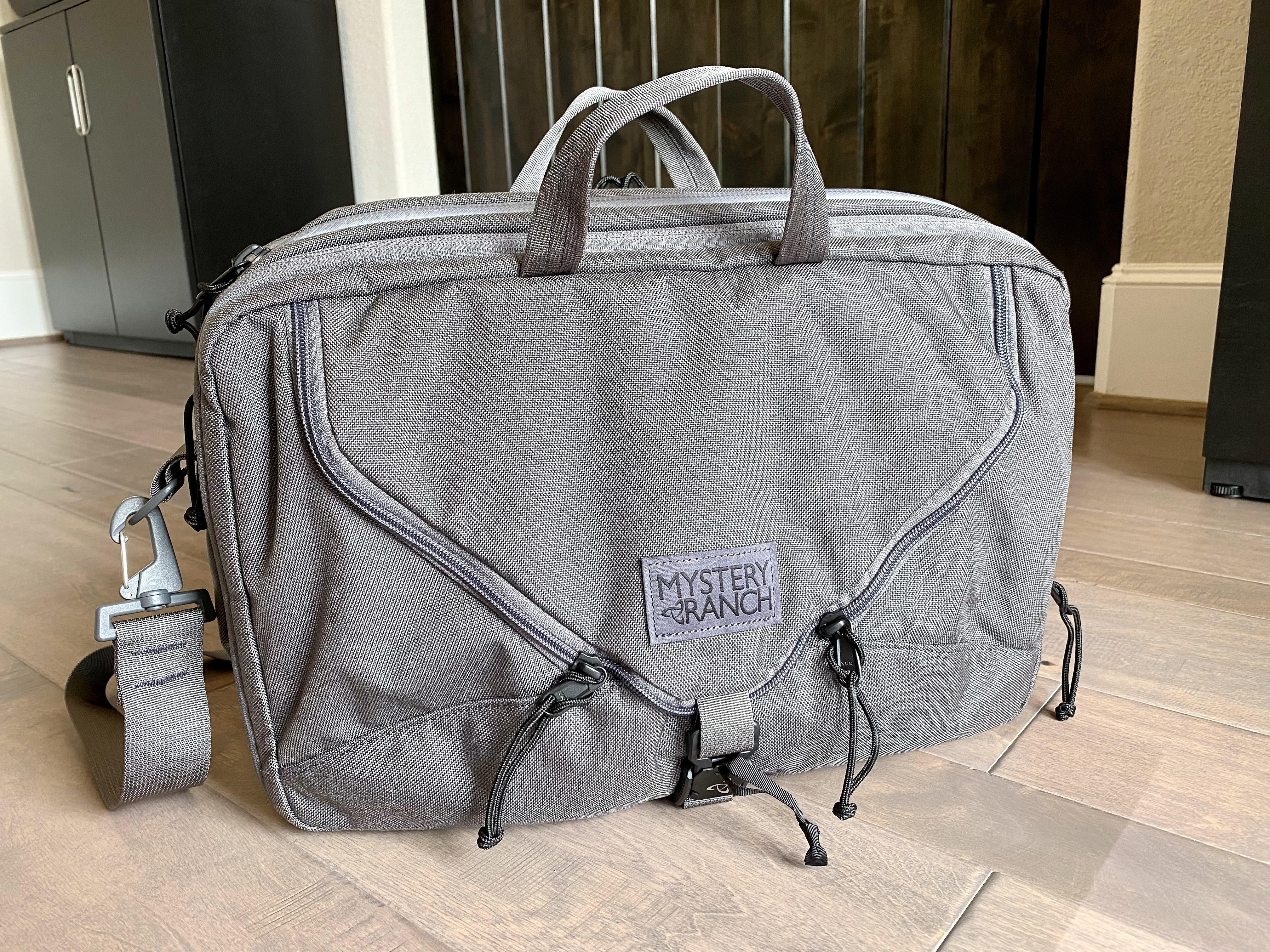
The Mystery Ranch 3 Way Expandable Briefcase is the first bag which has actually threatened my Filson Original Briefcase for a place in my daily carry — and may overtake it. I feared this bag would be too large at first, but in the testing I have managed with it, it’s been really nicely sized, while not being overly organized it has still fantastic organization if you want/need it.
In short: this bag is probably going to be the one I carry to work most days, but see my next note on that.
Notes on Testing
So far, I have only tested this bag around my home, as I have not yet been back to the office. So I am not ready to claim any winners on this, but I do suspect not much will change.
I’ve done three main types of tests:
- Carry the bag around in the mornings while I head into my home office. (I put on the bag in shoulder strap mode, and go get my coffee and snacks. Walk into my office and close the doors, turn on the lights. It’s a stupid and shitty test.)
- I rucked the bag in backpack mode with 20lbs in it. I did this once, I felt super silly doing it, but you are welcome.
- I keep all my stuff for work in the bag, and every morning I pull it out and set it up, and every evening I stow it back in the bag. This simulates what I would do if I were headed to the office, and is really the best testing I can do right now.
Where I am not sure I feel confident in:
- How well do things stay protected?
- Does it allow me to squeeze through tight areas?
- How does it handle dirt?
- Can it handle unexpected things well?
Use
I am going to start with use, since this is a first look, I will bullet point it:
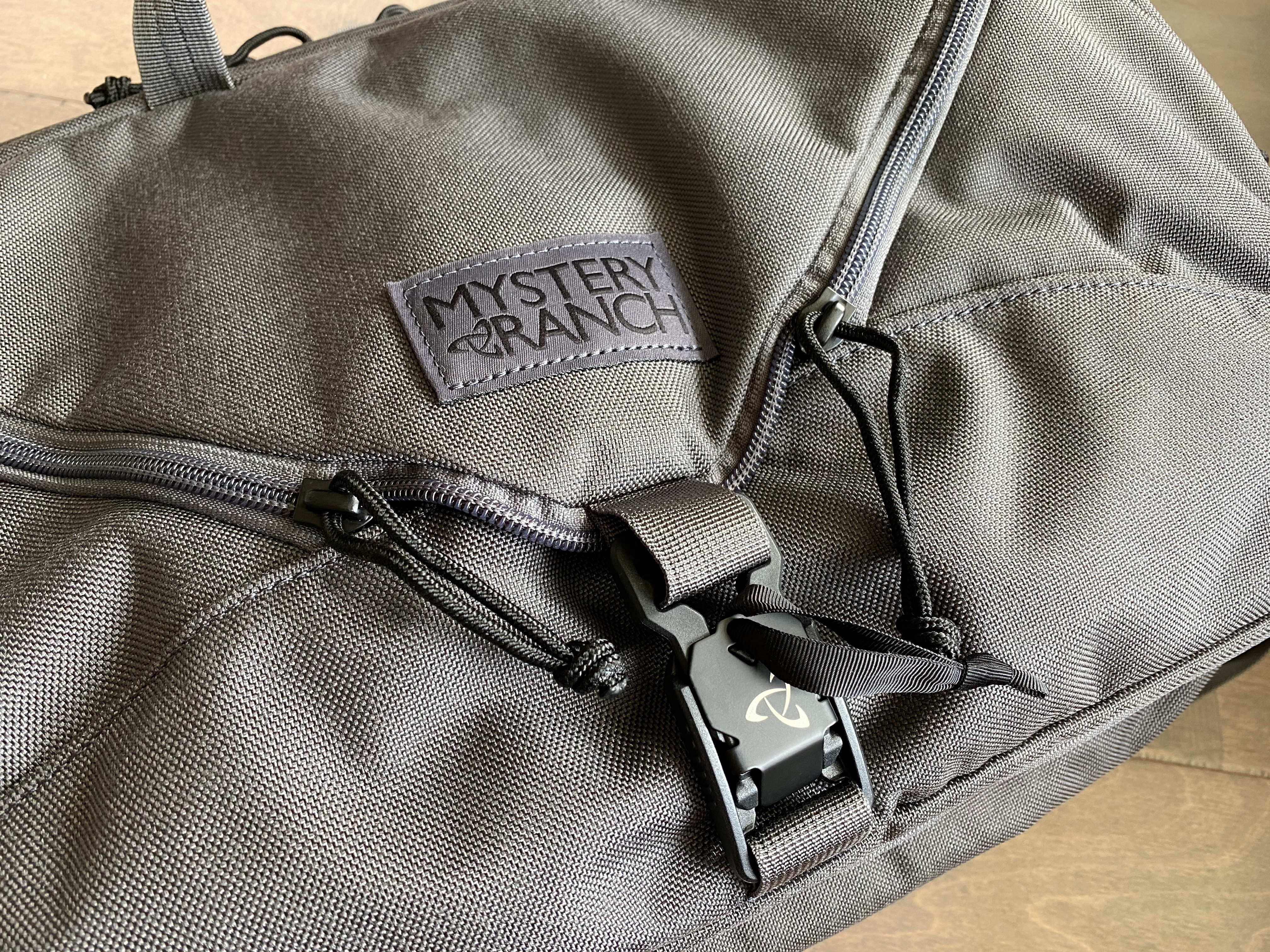
- The FidLock closure on the front of the bag is amazing. Just grab that tab and you can pull open the entire section, but it also stays securely closed. And if you drop the flap back down, it tends to latch itself nine times out of ten — and that’s pretty great.
- The bag stands up on it’s own, even in compressed state. It has been a while since I had a briefcase that did this well, and it is fantastic.
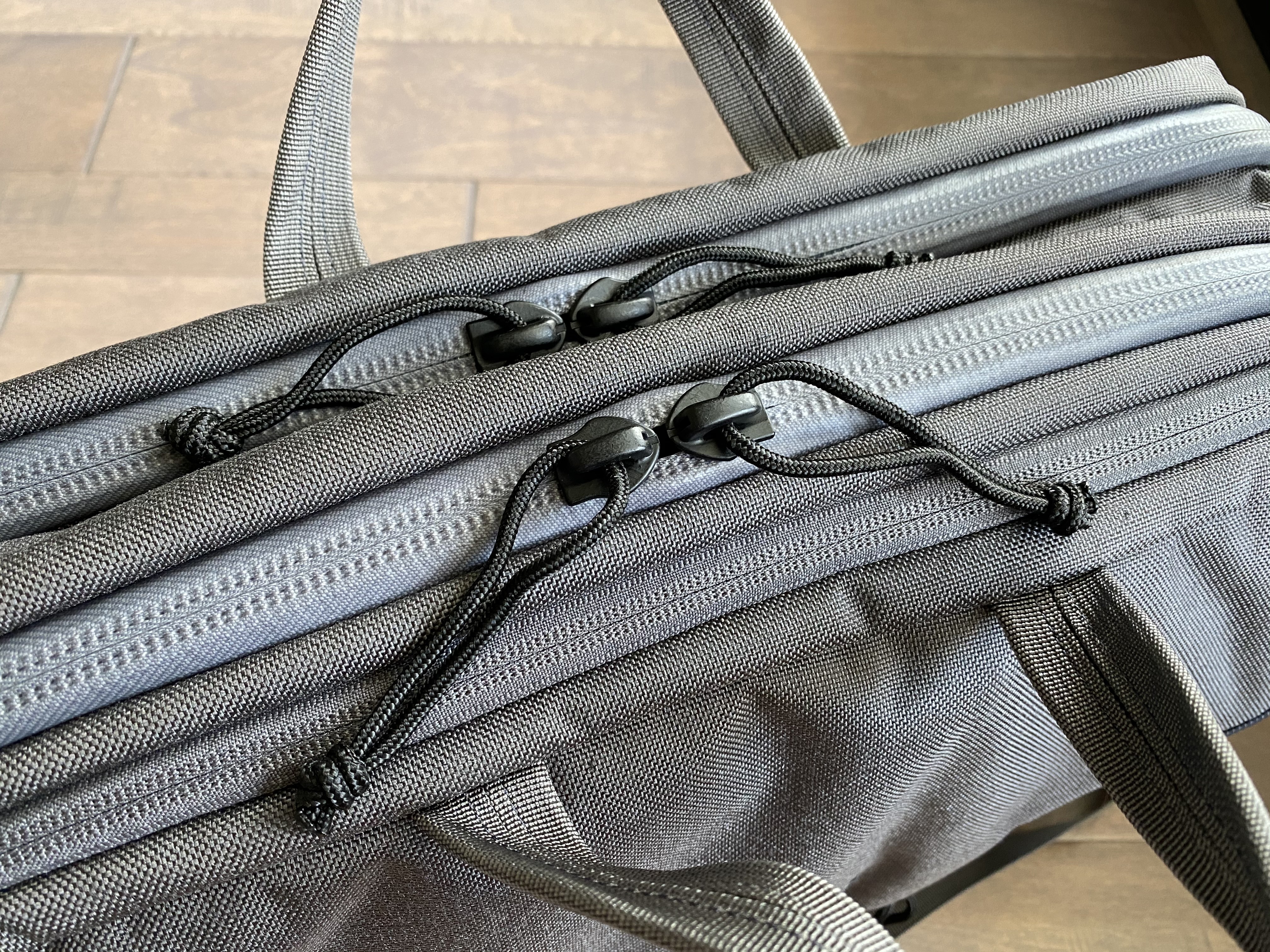
- I cut off all the zipper pulls that came on it (the metal tabs) and used the same rope which came with the bag so that there is no jingles. This is much better. In a couple places I did slightly different pulls. The ones that come on the bag are too noisy and just no.
- The front of the bag is the most distinctive place and you may love or hate the look of it. But you will for sure love the way it works. It is fast to get at your stuff.
- The handles are not good. They are not padded and are a little too far apart. I can’t imagine how much worse they are when the bag is expanded and stuffed with gear. If you like to carry by handles, these are low ranked ones.
- The laptop compartment is one of my favorites. Not only is it well padded, but it can hold more than just a laptop. It has a couple of nice pockets in addition to the laptop sleeve. I can easily store my MacBook Pro 13” and iPad Pro in the Smart Keyboard Folio in the pocket without issue.
- The backpack straps actually work decently well. They are easy enough to deploy, and the bags wears decently comfortably when in backpack mode. I wouldn’t want to carry a bunch of weight this way for long periods of time, but I also wouldn’t look at this mode as a mode of last resort. I would use it whenever I thought I might need both hands. It only takes under a minute to setup.
Overall: this bag is fantastic to use.
Size and Layout
Make no mistake, this is a large bag for a shoulder bag to carry everywhere. That it expands, means it can get very big.
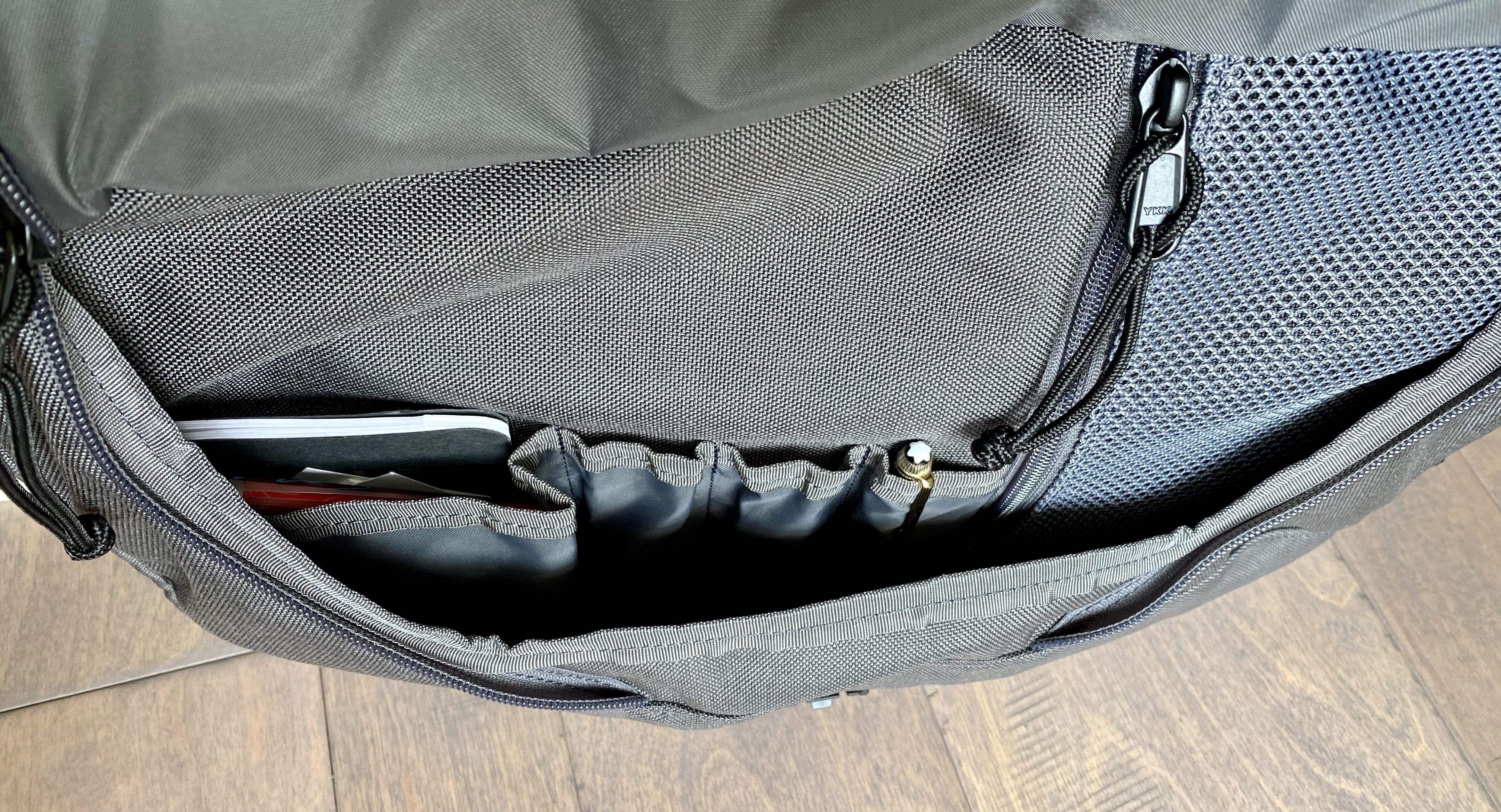
The front section is an admin area with an open top pouch, pen slots, and a zippered mesh pouch. Generally basic stuff. But the zipped pouch is turned so that if you are wearing the bag like a backpack, it is oriented as you expect it to be. But if you are using it while sitting it on a desk, that pocket is oddly oriented to get at. Lastly, this area of the bag has plenty of extra room for quickly stashing stuff. I imagine that is great when you travel and you need a place to stash the stuff in your pockets.
Moving back one section is what I would call the extras area. This is the weirdest spot of the entire bag. This part has generally three areas. The panel against the laptop compartment has three open top pockets, and a large velcro loop area (which I couldn’t figure out what to do with, so I bought and elastic loop pen holder on Amazon, and put my flashlight and chapstick there). The open top pockets are fine, nothing great. Would have been nice if they had some type of elastic to hold stuff more firmly.
Then there is just an open crumb collector area which holds folders and notebooks fine. Next is a divider/large single pouch. This has decent room on it, but also is the part of the bag that expands. So it can go from good room, or comical room. The expansion adds about 1.5”-2” of space here and can easily make this a spot for extended stay items like a change of clothes. It’s interesting, but also not in the way if you never want to use it.
The last part is the laptop compartment, which I mentioned above. This entire compartment is padded except for the top closure — which should be fine but does add risk when in backpack mode. The laptop sleeve inside the padded section is also padded and suspended. There’s two unpadded but large open top pockets as well. This means that if you carry more than one device, like a laptop and iPad, you are good to go without needing the squeeze them in one too small area. I love this section.
Not So Great
There are three things I don’t love about this bag:
- The shoulder strap kind of sucks. It’s not smooth, it has no shoulder pad and it just feels like an after thought. Luckily this is easily replaced, and likely something I will replace.
- This bag comes in different materials, and you might not notice that right off the bat. Because the color choice you make is what determines the material. The base, classic, material is 500D Cordura, which is excellent when Mystery Ranch does it. They also shipped Waxed Canvas, I would avoid that as it takes away on all areas for this bag. Then there is the model I got, the grey. It looks amazing, but it is 1000D Cordura, aka GORUCK Cordura, and it is very abrasive. So while I love the color, I would not get this color again strictly because of the material used for it. Stick with the 500D, black or coyote.
- The back panel is a full panel of whatever material your bag is made out of. I would have loved for Mystery Ranch to use their classic mesh here. This bag won’t be passing itself off as something fancy anywhere, so at least make that panel better. Mesh would have made it sit nice against your body and clothes, especially in backpack mode.
Those are the only gotchas I am seeing.
Overall
Generally: way better than I thought it would be. I wish I would have went with black so I could get that 500D material instead, but the grey does look nice and the zippers blend nicely. The entire bag is low key and highly functional. It will probably be a part of my rotation for years to come.
So yes, recommended.
Get one from Mystery Ranch.
-
Rucking All I Know + Gear
I think you should start rucking, so let me tell you all about it.
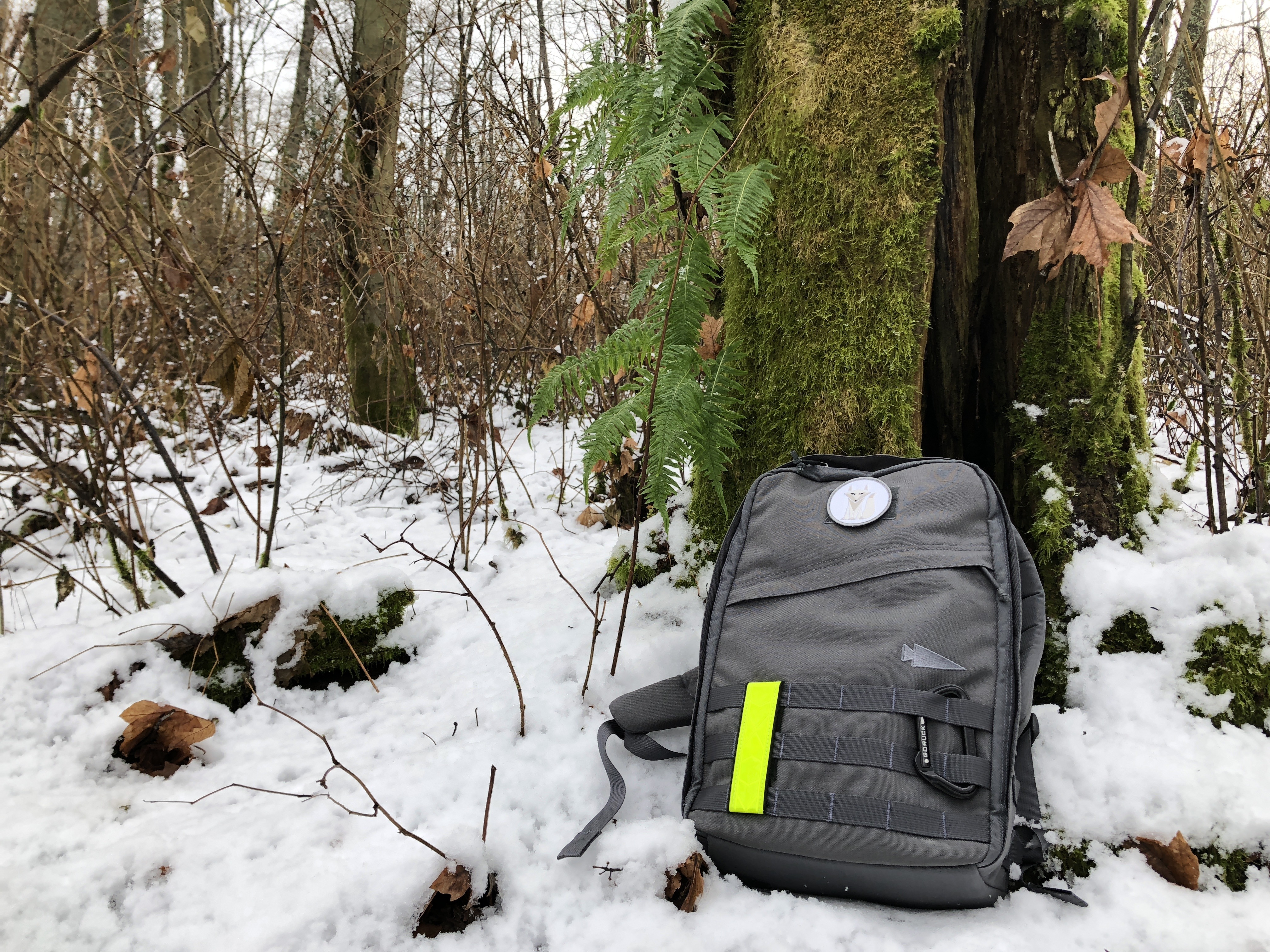
Rucking is an all-weather type of activity. This is a Rucker 1.0 in Wolf Grey.I love Rucking. Put on a heavy backpack, walk outside for a while. Call it a workout. And it is a fantastic workout, a fantastic way to clear your mind, and the only workout which has stuck for me. I’ve been doing it for a little over three years now, and I wanted to share with you what I have learned along the way.
-
First Look: Tom Bihn Shadow Guide V2 33 Backpack
A new version of one of my favorite backpacks.
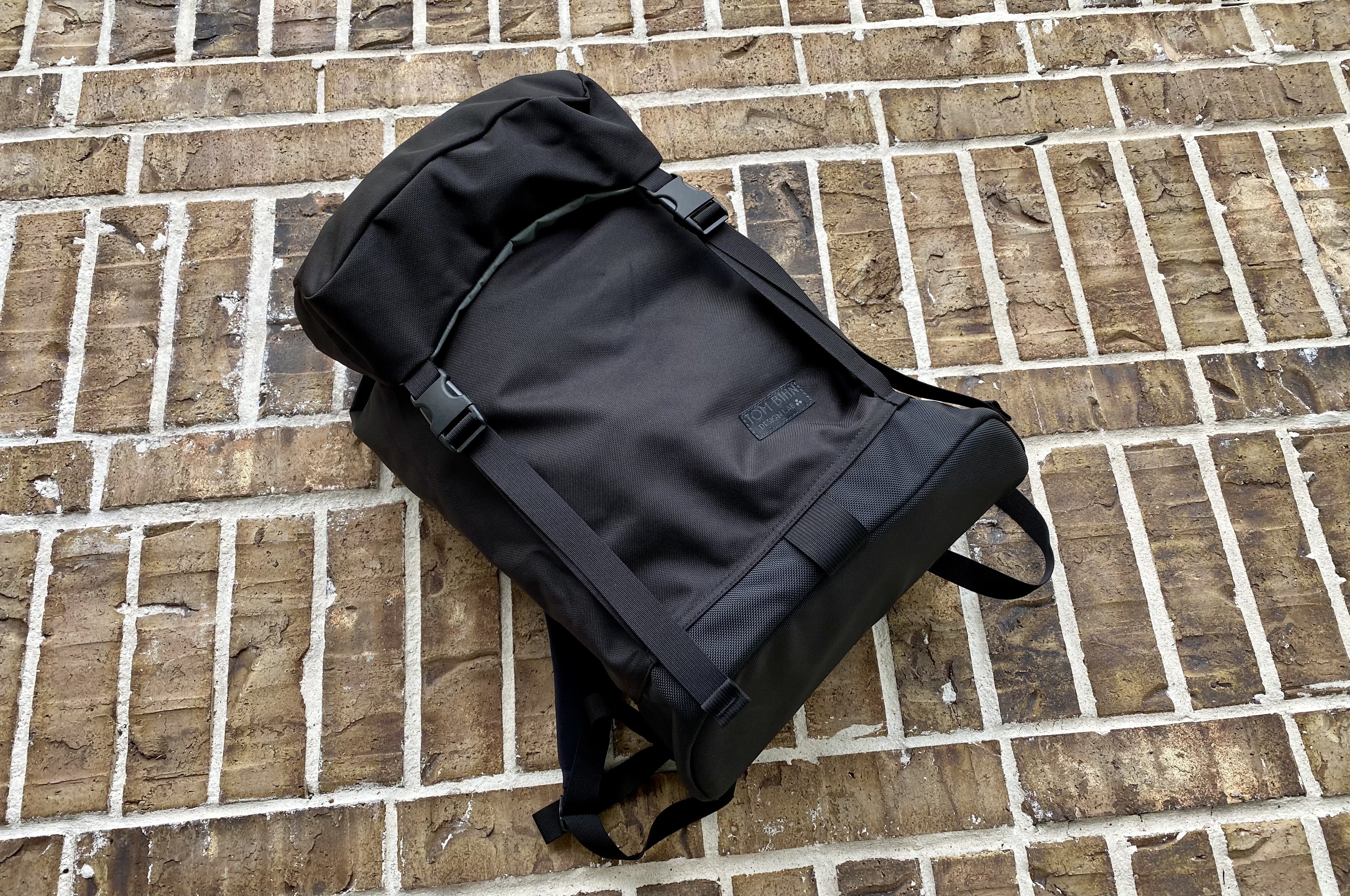
Two years ago I reviewed the first Shadow Guide from Tom Bihn, and it quickly became my favorite Tom Bihn bag of all time. But the original was a limited run, and only has come back in stock once, further, while great it was a bag that had some flaws in it.
Now, Tom Bihn brings the Shadow Guide V2 33 Backpack (affiliate link) and it is full of changes — all of which make this a substantially better bag. I have only had it for a little over a week, so this is more of a first look/impression than a review of the bag. But, I like what I see so far.
-
Member Journal — 10/26/20
I bring you from a section talking about iPads and how the trackpad has an has not changed the device, and end you on pasta sauce. Buckle up.
This week: iPad use, trackpad versus finger; should you even buy a laptop; looking at Fast Company’s top iPad tips; notes on a bunch of site updates; save up to buy something big, or buy the cheaper version as often as needed; pasta sauce.
Anyways…
You must be a member to read the rest of this article. (Already a member? Log In.)
-
Mystery Ranch Front
This is the best daypack you can get.
In Texas heat, it feels near constant that my kids want a drink of water when we are out on walks — yet the kids won’t carry their own water. So my typical setup of a Bullet Ruck, or the Field Bag means I am constantly diving in and out of the bag to grab water for them. Fast forward to my testing of the Mystery Ranch 2 Day Assault and I found the water bottle pockets on that bag made my life easier, even though I typically loathe such pockets during more general use. With the 2 Day Assault being too large, I looked at what else I might get which was smaller, but with water bottle pockets.
-
The GORUCK GR1 8+ Years Later
I’ll keep this short, I just want to convince you that no better backpack exists.
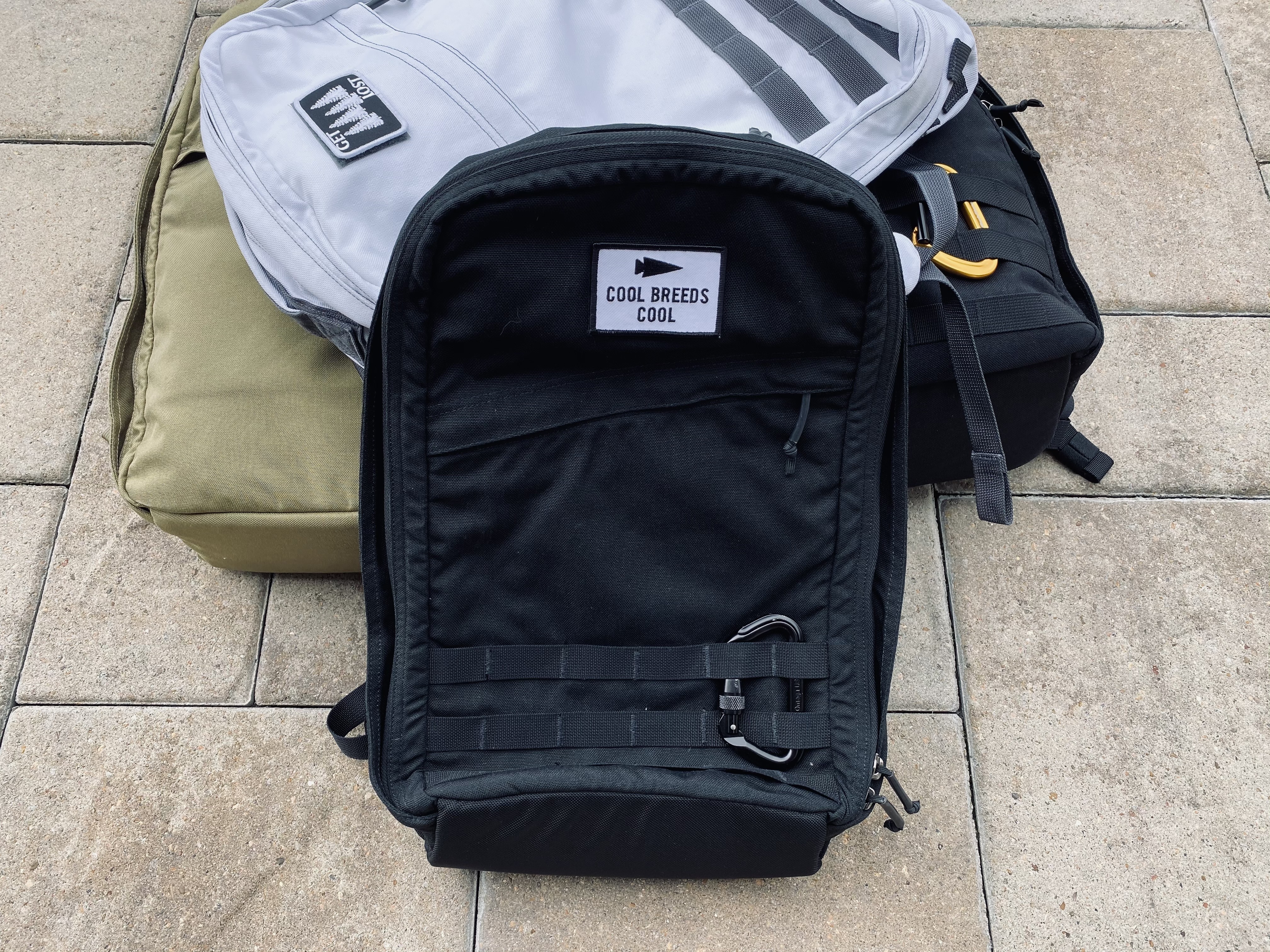
On December 24th, 2012 I wrote my first review/post of the The GORUCK GR1. I still have that GR1, which I believe I actually bought at the end of 2011 — but the timing doesn’t make sense and I cannot find a purchase email for it. Oh well, lost to history.